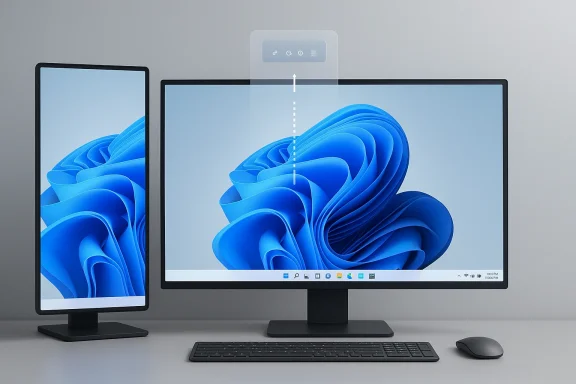
Microsoft’s Windows 11 taskbar is finally heading toward the kind of flexibility users have been asking for since the operating system launched in 2021. According to Microsoft’s public statements and the company’s recent Insider cadence, the taskbar is set to become both movable and smaller on demand, with positioning options that include the top and sides of the screen. That may sound like a cosmetic tweak, but in practice it touches workflow, multitasking, display density, and the long-running debate over whether Windows 11 has been too rigid for power users. Microsoft has already begun rolling out separate taskbar improvements such as icon scaling, which makes the latest work look less like a one-off concession and more like a broader redesign of the shell.
When Windows 11 arrived, one of the loudest complaints was not about performance, AI, or even the Start menu. It was the taskbar. Microsoft simplified it, centered it, and—most controversially—removed several behaviors that had long been part of the Windows desktop contract, including easy repositioning and the familiar flexibility that power users had taken for granted. That design choice made Windows 11 feel cleaner to some, but it also made it feel less Windows-like to many others.
The latest move matters because Microsoft is not merely polishing a surface-level UI element. The taskbar is one of the most persistent parts of the desktop, sitting between the user and nearly every app launch, notification, system status indicator, and quick setting. Any change here affects both habit and muscle memory, and that is why taskbar customization has remained one of the longest-running requests in the Windows community.
Microsoft’s own wording indicates the company now sees taskbar repositioning as a first-class request rather than a niche power-user demand. Pavan Davuluri has publicly described repositioning as one of the “top asks,” and Microsoft has also said it is working on expanded taskbar personalization options, including alternate taskbar positions and a smaller taskbar. That phrasing is important because it suggests a supported settings-driven feature, not a hidden registry hack or an experimental workaround.
The timing is also interesting. Microsoft has already been iterating on the taskbar in Windows Insider builds, including taskbar icon scaling in April 2025, which is designed to keep access to more pinned apps when the bar is full. In other words, the company is not waiting for a single monolithic redesign; it is gradually restoring configurability in pieces. That incremental approach lowers risk, but it also reflects how much engineering debt sits behind what looks like a simple UI bar.
Many users did not object to the new look so much as to the loss of control. They wanted a taskbar that could be compact, repositionable, and adaptable to different screen shapes and workflows. That distinction matters, because it explains why a “smaller taskbar” and a “movable taskbar” are not redundant features—they solve related but different usability problems.
The size changes are also likely to be more meaningful than they sound. If Microsoft brings the taskbar closer to Windows 10’s flexible sizing behavior, users on smaller displays gain usable vertical space without having to hide the taskbar entirely. That is a better compromise for people who want the bar visible but less intrusive.
The problem was not just taste; it was expectation. Windows users are used to the idea that if a feature existed in one generation of the OS, it would either persist or be meaningfully replaced. The taskbar’s reduced configurability felt like a step backward, especially to enterprise admins, keyboard-driven users, and anyone who treats the desktop as a workspace rather than a showcase.
Microsoft has spent years walking that back, feature by feature. Some of those changes have been subtle, such as improving search and notification interactions. Others, like taskbar icon scaling, are more visible and directly address the complaint that the Windows 11 taskbar can feel cramped or inefficient in real-world use. The new movable-and-resizable direction fits that broader corrective arc.
That expectation did not disappear when Windows 11 launched. If anything, it became stronger because Windows 11 was marketed as a rethinking of the desktop, which made the removal of familiar controls feel more deliberate. Restoring those controls now is a tacit admission that modernization does not have to mean reduced choice.
The challenge is not just making the bar move; it is making everything that depends on the bar understand where it is. Search, widgets, quick settings, and other flyouts all need to respond gracefully to vertical or top-edge placement. Microsoft’s reported approach suggests it is rebuilding those dependencies in parallel, which is exactly what a real shell modernization requires.
This is why Microsoft’s move is bigger than a UI preference toggle. It acknowledges that the desktop is no longer a single canonical shape. Users work across laptops, external monitors, folding devices, compact screens, and large-format displays, and one fixed taskbar location is increasingly hard to defend as a universal default.
There is also a productivity angle. People often arrange their desktop around how their eyes and hands move. If the taskbar is where they naturally look, it can become a quicker control surface. If it is in the way, it becomes friction. Giving users placement control reduces that friction without forcing anyone to change their habit.
It also signals that Microsoft wants the taskbar to feel intentional, not hacked into a position the system barely understands. That could improve reliability around snap layouts, flyout anchoring, and touch targets, all of which get more complicated when the taskbar leaves the bottom edge.
That distinction is important. Auto-hide is a compromise, but not everyone wants it. Some people prefer the taskbar always visible for quick access and status awareness, yet still want more screen space for documents, browsers, and creative apps. A smaller persistent taskbar solves that tension better than hiding it does.
Microsoft’s reported Windows 10-like resizing behavior also suggests the company understands that the old model was not just familiar; it was functional. A shorter taskbar with smaller icons and more compact date/time treatment can preserve usefulness while reducing visual weight. That is classic desktop ergonomics, and it is the kind of decision that can improve the experience without drawing much attention to itself.
This is where Microsoft’s challenge becomes subtle. A resizable taskbar cannot simply shrink in a linear way. It must preserve icons, hit targets, and readable status information while adapting to different screen classes. That is a harder engineering problem than it first appears.
That may be especially important in enterprise environments, where users often need a stable, familiar desktop surface. An always-available taskbar is easier to train around than a disappearing one, especially for less technical workers.
Microsoft’s reported internal testing suggests the company has already been wrestling with this complexity. The most obvious constraint is the search bar, which reportedly may not display in vertical taskbar positions because there simply is not enough horizontal room. That kind of compromise is a reminder that supporting multiple layouts often means deciding which elements should adapt and which should collapse.
The good news is that Windows already has precedent for adaptive shell behavior. The taskbar icon scaling work introduced in Insider builds shows Microsoft is willing to make the bar context-aware. If the shell can respond to overcrowding by shrinking icons, it can also respond to position changes by adjusting flyouts and menus.
That means Microsoft’s real test is visual continuity. The user should feel like the desktop is adapting to them, not like multiple subsystems are improvising in separate directions.
It is a conservative design, but conservative is not a bad word in shell engineering. Stability matters more than novelty when the feature in question is visible on every desktop session.
Restoring taskbar choice may therefore improve the perceived maturity of Windows 11 in managed environments. A resizable and movable taskbar is not usually the first thing procurement teams mention, but it contributes to a broader sense that Windows 11 is accommodating different work styles rather than imposing a single aesthetic.
There is also a device-management angle. If Microsoft exposes these options clearly in Settings or policy controls, IT teams can standardize taskbar behavior across fleets while still allowing exceptions. That kind of flexibility is especially valuable in mixed-device organizations where some users work on laptops and others on docks, ultrawides, or touch hardware.
That is one reason the reported decision to keep the placement choice in Windows Settings is notable. It suggests a path toward mainstream support rather than a fringe customization mechanism.
Laptop users in particular stand to benefit. A slightly smaller taskbar can make browsing, writing, streaming, and multitasking feel less cramped. That is especially useful on devices where the screen is already divided between browser chrome, app UI, and the system shell.
For gamers and creators, the impact is more situational. Some will welcome the option to move the taskbar to a secondary display or a less intrusive screen edge. Others will keep it at the bottom and simply shrink it to improve available space. The value is in choice, not in forcing a new default.
That is why this change has disproportionate emotional impact. It is not merely about pixels; it is about the feeling that Windows is once again a platform rather than a fixed product surface.
If the taskbar becomes more configurable, the argument against upgrading becomes weaker. That will not solve every migration issue, but it does remove one of the most visible complaints that has persisted since launch.
The competitive issue is not that Windows 11 is losing to another mainstream desktop OS on taskbar flexibility alone. It is that Windows historically won because it was adaptable. Whenever Windows appears less configurable than before, it risks surrendering one of its traditional advantages.
This also matters for OEMs. Manufacturers want Windows to look modern on new devices, but they also want it to feel suitable across a wide range of form factors. A taskbar that scales and moves better is more compatible with the kinds of devices OEMs are actually shipping.
That balance is delicate. If Microsoft over-corrects, Windows 11 risks becoming inconsistent. If it under-corrects, it continues to alienate the same audience that drives configuration advice, online tutorials, and much of the power-user reputation around Windows.
That is a better long-term proposition, especially in a world where the same operating system must serve tablet-like devices, desktops, laptops, and AI-first hardware categories without feeling obviously compromised.
What to watch next is not just whether the taskbar can move and shrink, but how gracefully the surrounding Windows surface adapts. If quick settings, widgets, notifications, search, and snapping all behave intelligently in every supported position, then this will be remembered as a meaningful maturity milestone for Windows 11. If those pieces feel bolted on, the feature will be seen as a partial repair.
Source: Windows Central Windows 11's new Taskbar is both resizable and movable — everything we know
 Overview
When Windows 11 arrived, one of the loudest complaints was not about performance, AI, or even the Start menu. It was the taskbar. Microsoft simplified it, centered it, and—most controversially—removed several behaviors that had long been part of the Windows desktop contract, including easy repositioning and the familiar flexibility that power users had taken for granted. That design choice made Windows 11 feel cleaner to some, but it also made it feel less Windows-like to many others.The latest move matters because Microsoft is not merely polishing a surface-level UI element. The taskbar is one of the most persistent parts of the desktop, sitting between the user and nearly every app launch, notification, system status indicator, and quick setting. Any change here affects both habit and muscle memory, and that is why taskbar customization has remained one of the longest-running requests in the Windows community.
Microsoft’s own wording indicates the company now sees taskbar repositioning as a first-class request rather than a niche power-user demand. Pavan Davuluri has publicly described repositioning as one of the “top asks,” and Microsoft has also said it is working on expanded taskbar personalization options, including alternate taskbar positions and a smaller taskbar. That phrasing is important because it suggests a supported settings-driven feature, not a hidden registry hack or an experimental workaround.
The timing is also interesting. Microsoft has already been iterating on the taskbar in Windows Insider builds, including taskbar icon scaling in April 2025, which is designed to keep access to more pinned apps when the bar is full. In other words, the company is not waiting for a single monolithic redesign; it is gradually restoring configurability in pieces. That incremental approach lowers risk, but it also reflects how much engineering debt sits behind what looks like a simple UI bar.
Why the taskbar became such a flashpoint
The taskbar is small in visual footprint and huge in symbolic value. Windows users often judge the entire desktop experience by whether the taskbar supports their preferred flow, especially on large monitors, ultrawides, and small laptops. When Microsoft constrained it in Windows 11, it inadvertently turned one of the OS’s most mundane components into a proxy battle over user agency.Many users did not object to the new look so much as to the loss of control. They wanted a taskbar that could be compact, repositionable, and adaptable to different screen shapes and workflows. That distinction matters, because it explains why a “smaller taskbar” and a “movable taskbar” are not redundant features—they solve related but different usability problems.
What Microsoft appears to be restoring
The most notable part of the new direction is that Microsoft seems to be restoring desktop placement choice without going back to the fully freeform drag-and-drop behavior of Windows 10. Based on the reported implementation, the taskbar position would be set in Windows Settings rather than by simply dragging it around the screen. That is a more controlled approach, and it gives Microsoft room to keep the shell stable while still letting users choose a layout that fits their workflow.The size changes are also likely to be more meaningful than they sound. If Microsoft brings the taskbar closer to Windows 10’s flexible sizing behavior, users on smaller displays gain usable vertical space without having to hide the taskbar entirely. That is a better compromise for people who want the bar visible but less intrusive.
- Taskbar repositioning addresses layout preference.
- Taskbar resizing addresses screen real estate.
- Icon scaling addresses overcrowding.
- Settings-based control suggests a more stable implementation than drag-to-move behavior.
- Flyout adaptation implies Microsoft is rebuilding the shell as a system, not a single bar.
How Windows 11 Got Here
Windows 11 shipped with an unusually opinionated desktop philosophy. Microsoft emphasized consistency, centered icons, and simplified behavior, likely to make the operating system feel more modern and less fragmented across device classes. That was understandable from a product strategy standpoint, but it also meant removing some of the flexibility that had long defined Windows as a platform for both casual users and tinkerers.The problem was not just taste; it was expectation. Windows users are used to the idea that if a feature existed in one generation of the OS, it would either persist or be meaningfully replaced. The taskbar’s reduced configurability felt like a step backward, especially to enterprise admins, keyboard-driven users, and anyone who treats the desktop as a workspace rather than a showcase.
Microsoft has spent years walking that back, feature by feature. Some of those changes have been subtle, such as improving search and notification interactions. Others, like taskbar icon scaling, are more visible and directly address the complaint that the Windows 11 taskbar can feel cramped or inefficient in real-world use. The new movable-and-resizable direction fits that broader corrective arc.
The long shadow of Windows 10
Windows 10 still matters here because it established a benchmark for what “good enough” taskbar flexibility looks like in practice. Users could place the taskbar where they wanted, and the system tolerated a wide range of display setups without making the feature feel experimental. Even people who never moved the taskbar appreciated knowing that they could.That expectation did not disappear when Windows 11 launched. If anything, it became stronger because Windows 11 was marketed as a rethinking of the desktop, which made the removal of familiar controls feel more deliberate. Restoring those controls now is a tacit admission that modernization does not have to mean reduced choice.
The role of Insider builds
Microsoft’s Insider program has become the proving ground for taskbar evolution. The April 2025 build with taskbar icon scaling showed that the company is willing to test improvements gradually rather than ship a larger, riskier shell overhaul all at once. That matters because the taskbar touches launch behavior, flyouts, notifications, accessibility, and window management.The challenge is not just making the bar move; it is making everything that depends on the bar understand where it is. Search, widgets, quick settings, and other flyouts all need to respond gracefully to vertical or top-edge placement. Microsoft’s reported approach suggests it is rebuilding those dependencies in parallel, which is exactly what a real shell modernization requires.
Why Movability Matters
Movable taskbars are not a novelty feature; they are a workflow feature. On ultrawide monitors, some users prefer the taskbar on the side to preserve horizontal space for document windows, timelines, and code editors. On tall or portrait displays, a top taskbar can feel more natural, especially for people who want status controls out of the way of frequently changing content.This is why Microsoft’s move is bigger than a UI preference toggle. It acknowledges that the desktop is no longer a single canonical shape. Users work across laptops, external monitors, folding devices, compact screens, and large-format displays, and one fixed taskbar location is increasingly hard to defend as a universal default.
There is also a productivity angle. People often arrange their desktop around how their eyes and hands move. If the taskbar is where they naturally look, it can become a quicker control surface. If it is in the way, it becomes friction. Giving users placement control reduces that friction without forcing anyone to change their habit.
Supported placement versus drag-anywhere behavior
The key nuance is that Microsoft appears to be favoring settings-based placement rather than fully free dragging. That sounds like a limitation, but in practice it may be a smart tradeoff. A managed configuration path is easier to support, easier to document, and less likely to break edge cases involving multiple displays or different shell states.It also signals that Microsoft wants the taskbar to feel intentional, not hacked into a position the system barely understands. That could improve reliability around snap layouts, flyout anchoring, and touch targets, all of which get more complicated when the taskbar leaves the bottom edge.
What this means for power users
For power users, this is partly about reclaimed autonomy. Windows 11 has often been criticized for reducing the ability to shape the desktop to match specific habits. Reintroducing taskbar movability is a meaningful answer to that critique because it affects every session, every day.- Better support for ultrawide monitors
- More natural layouts on portrait-oriented displays
- Greater comfort for left-handed or right-handed workflows
- Easier integration with multiple monitor setups
- Less reliance on auto-hide, which some users dislike because it makes the bar less predictable
Why a Smaller Taskbar Matters
Resizing the taskbar may sound less dramatic than moving it, but it could end up being the more practical feature for many users. On compact laptops, 2-in-1 devices, and low-height external monitors, every pixel of vertical space matters. Reducing the taskbar’s footprint frees more room for app content without forcing the user to hide the bar entirely.That distinction is important. Auto-hide is a compromise, but not everyone wants it. Some people prefer the taskbar always visible for quick access and status awareness, yet still want more screen space for documents, browsers, and creative apps. A smaller persistent taskbar solves that tension better than hiding it does.
Microsoft’s reported Windows 10-like resizing behavior also suggests the company understands that the old model was not just familiar; it was functional. A shorter taskbar with smaller icons and more compact date/time treatment can preserve usefulness while reducing visual weight. That is classic desktop ergonomics, and it is the kind of decision that can improve the experience without drawing much attention to itself.
Display density is not a cosmetic issue
High-density displays have made interface efficiency more important than ever. On a 13-inch laptop, a taskbar that consumes too much vertical space becomes a daily annoyance. On the other hand, a taskbar that is too tiny can hurt touchability and readability, so the implementation needs to balance compactness with accessibility.This is where Microsoft’s challenge becomes subtle. A resizable taskbar cannot simply shrink in a linear way. It must preserve icons, hit targets, and readable status information while adapting to different screen classes. That is a harder engineering problem than it first appears.
A better alternative to hiding the bar
The auto-hide model remains available, but it changes the psychology of the desktop. Instead of being always present, the taskbar becomes something you reveal, which some users find disruptive. A smaller persistent taskbar gives the user the best of both worlds: visibility and space efficiency.That may be especially important in enterprise environments, where users often need a stable, familiar desktop surface. An always-available taskbar is easier to train around than a disappearing one, especially for less technical workers.
What the UI Has to Do Behind the Scenes
A movable taskbar is not just a matter of drawing the bar somewhere else on the screen. The Windows shell has to re-anchor a chain of components that assume a particular geometry. Search, quick settings, widgets, notifications, flyouts, overflow behavior, and snapping logic all need to understand where the taskbar lives and how it is sized.Microsoft’s reported internal testing suggests the company has already been wrestling with this complexity. The most obvious constraint is the search bar, which reportedly may not display in vertical taskbar positions because there simply is not enough horizontal room. That kind of compromise is a reminder that supporting multiple layouts often means deciding which elements should adapt and which should collapse.
The good news is that Windows already has precedent for adaptive shell behavior. The taskbar icon scaling work introduced in Insider builds shows Microsoft is willing to make the bar context-aware. If the shell can respond to overcrowding by shrinking icons, it can also respond to position changes by adjusting flyouts and menus.
Flyout behavior will define success
A movable taskbar only succeeds if the adjacent panels feel coherent. If quick settings or search open in awkward places, users will blame the feature rather than the layout. The same is true for the Widgets Board, which needs a predictable relationship with the taskbar even when the taskbar is not at the bottom of the display.That means Microsoft’s real test is visual continuity. The user should feel like the desktop is adapting to them, not like multiple subsystems are improvising in separate directions.
Why settings placement may be preferable
A settings-driven implementation also gives Microsoft more control over these dependencies. If users cannot freely drag the bar into arbitrary positions at arbitrary times, the shell can maintain a finite set of supported states. That reduces the risk of layout glitches and makes it easier to validate the experience across standard monitor arrangements.It is a conservative design, but conservative is not a bad word in shell engineering. Stability matters more than novelty when the feature in question is visible on every desktop session.
The Enterprise Angle
Enterprise customers will likely care about this update for different reasons than enthusiasts do. In business environments, a consistent and productive desktop shell can save help-desk time and reduce training friction. When Microsoft removes a familiar affordance, administrators feel the pain through support tickets and user complaints, not just forum posts.Restoring taskbar choice may therefore improve the perceived maturity of Windows 11 in managed environments. A resizable and movable taskbar is not usually the first thing procurement teams mention, but it contributes to a broader sense that Windows 11 is accommodating different work styles rather than imposing a single aesthetic.
There is also a device-management angle. If Microsoft exposes these options clearly in Settings or policy controls, IT teams can standardize taskbar behavior across fleets while still allowing exceptions. That kind of flexibility is especially valuable in mixed-device organizations where some users work on laptops and others on docks, ultrawides, or touch hardware.
Supportability matters as much as flexibility
A feature can be powerful and still be a support burden if it creates inconsistent behavior. For enterprise customers, the best outcome is not raw freedom; it is controlled flexibility. If Microsoft lets admins govern taskbar size and position through supported settings, the feature will be far more useful than a registry tweak or hidden developer flag.That is one reason the reported decision to keep the placement choice in Windows Settings is notable. It suggests a path toward mainstream support rather than a fringe customization mechanism.
The enterprise workflow benefit
Office workers, developers, analysts, designers, and hybrid workers all benefit differently from taskbar flexibility. A developer on a big monitor may want a side bar to maximize code width. An analyst may prefer the top edge so browser and spreadsheet content have a bit more vertical breathing room. A support agent may want the bar small but visible so status indicators remain immediate.- More adaptable layouts for mixed-monitor deployments
- Better fit for VDI and remote-work setups
- Lower training cost for nontechnical users
- Easier alignment with corporate imaging standards
- More confidence for Windows 10 migration holdouts
The Consumer Angle
Consumers will likely read this as Microsoft listening at last. The taskbar has become a symbol of whether Windows 11 is becoming more open or remaining overly prescriptive. For casual users, that matters less than it does for enthusiasts, but it still affects everyday comfort.Laptop users in particular stand to benefit. A slightly smaller taskbar can make browsing, writing, streaming, and multitasking feel less cramped. That is especially useful on devices where the screen is already divided between browser chrome, app UI, and the system shell.
For gamers and creators, the impact is more situational. Some will welcome the option to move the taskbar to a secondary display or a less intrusive screen edge. Others will keep it at the bottom and simply shrink it to improve available space. The value is in choice, not in forcing a new default.
The psychology of control
A desktop feels more personal when it can be shaped. That may sound minor, but user satisfaction often comes from the accumulation of small, repeatable conveniences. Being able to put the taskbar where you want it is one of those conveniences that users notice every day, even if they rarely think about it explicitly.That is why this change has disproportionate emotional impact. It is not merely about pixels; it is about the feeling that Windows is once again a platform rather than a fixed product surface.
How it may influence upgrade sentiment
Microsoft has been trying to make Windows 11 more attractive to Windows 10 users, many of whom have delayed upgrading because they prefer the older shell behavior. While no one upgrades for the taskbar alone, removing a longstanding point of resistance can matter at the margins.If the taskbar becomes more configurable, the argument against upgrading becomes weaker. That will not solve every migration issue, but it does remove one of the most visible complaints that has persisted since launch.
Competitive and Market Implications
Microsoft does not face the same desktop-shell pressure from rivals that it does from its own user base, but design decisions still matter in market terms. A rigid interface can push enthusiasts toward alternative environments, scripted setups, or even non-Windows workflows on secondary systems. A more flexible taskbar helps Microsoft retain those users inside the Windows ecosystem.The competitive issue is not that Windows 11 is losing to another mainstream desktop OS on taskbar flexibility alone. It is that Windows historically won because it was adaptable. Whenever Windows appears less configurable than before, it risks surrendering one of its traditional advantages.
This also matters for OEMs. Manufacturers want Windows to look modern on new devices, but they also want it to feel suitable across a wide range of form factors. A taskbar that scales and moves better is more compatible with the kinds of devices OEMs are actually shipping.
Why this is a strategic repair, not a gimmick
The return of taskbar customization is part of a larger strategic repair. Microsoft has been steadily addressing Windows 11 behaviors that felt too constrained, and each correction helps the company preserve credibility with enthusiasts while keeping the broader design language intact.That balance is delicate. If Microsoft over-corrects, Windows 11 risks becoming inconsistent. If it under-corrects, it continues to alienate the same audience that drives configuration advice, online tutorials, and much of the power-user reputation around Windows.
The broader shell philosophy
This update also says something about Microsoft’s evolving design philosophy. The company appears to be moving away from the idea that simplification must equal limitation. Instead, it is trying to build a shell that is clean by default but extensible in meaningful ways.That is a better long-term proposition, especially in a world where the same operating system must serve tablet-like devices, desktops, laptops, and AI-first hardware categories without feeling obviously compromised.
- Stronger appeal to power users
- Better fit for OEM device diversity
- Reduced perception of Windows 11 rigidity
- Greater parity with Windows 10-era flexibility
- More room for future shell innovations
Strengths and Opportunities
Microsoft’s taskbar rethink has real upside because it addresses a complaint that has been both persistent and highly visible. If done well, it could improve daily usability without upsetting the visual identity of Windows 11.- Restores a missing control that users have repeatedly requested.
- Improves screen-space efficiency on compact and high-density displays.
- Supports multiple workflow styles instead of one mandated layout.
- Makes Windows 11 feel more like a customizable desktop platform.
- Could reduce reluctance among Windows 10 holdouts.
- Fits well with other shell refinements like taskbar icon scaling.
- Gives Microsoft a clearer answer to criticism that Windows 11 is too restrictive.
Risks and Concerns
The feature is promising, but it also introduces complexity at a very sensitive layer of the operating system. If Microsoft gets the edge cases wrong, users will notice immediately and remember the failure more than the feature.- Flyout bugs could make the taskbar feel unstable in new positions.
- Search limitations in vertical layouts may frustrate users who expect full parity.
- A settings-only model may disappoint users who want instant drag-and-drop control.
- Smaller taskbar modes could create accessibility tradeoffs if hit targets shrink too far.
- Inconsistent behavior across monitors may hurt multi-display workflows.
- Enterprise admins may need time to understand and govern the new options.
- A half-finished rollout could reinforce the idea that Windows 11 features arrive piecemeal rather than polished.
Looking Ahead
The next phase will be about execution, not announcement. Microsoft has made the conceptual case for taskbar flexibility, but the real test is whether the final implementation feels native, dependable, and coherent across devices. Users will quickly forgive a conservative design if it works; they will not forgive a flashy feature that breaks the shell around it.What to watch next is not just whether the taskbar can move and shrink, but how gracefully the surrounding Windows surface adapts. If quick settings, widgets, notifications, search, and snapping all behave intelligently in every supported position, then this will be remembered as a meaningful maturity milestone for Windows 11. If those pieces feel bolted on, the feature will be seen as a partial repair.
- Whether vertical taskbar search arrives in full or remains limited
- How Settings exposes placement and size controls
- Whether the feature reaches Insider builds first in a constrained form
- How well multi-monitor setups are handled
- Whether Microsoft adds admin policy controls for enterprises
Source: Windows Central Windows 11's new Taskbar is both resizable and movable — everything we know
Last edited: