

Microsoft is quietly preparing one of the most welcome reversals in Windows 11’s shell story: the return of a movable taskbar that can sit at the top or sides of the display, not just the bottom. That sounds small on paper, but it addresses one of the most persistent complaints about Windows 11’s desktop experience — the sense that Microsoft traded away flexibility in exchange for visual consistency. For longtime Windows users, especially those with ultrawide or multi-monitor setups, this is not a cosmetic tweak but a restoration of basic control. The reporting in the uploaded Thurrott.com item aligns with broader industry coverage and with Microsoft’s recent pattern of reintroducing user-requested shell behaviors through Insider builds, which makes the change feel less like a one-off and more like a course correction.
Windows has always sold itself as the configurable desktop. That idea was never just about changing wallpaper or pinning apps; it was about letting users decide how the operating system should fit the way they work. The taskbar was central to that promise. In older versions of Windows, users could move it to any edge of the screen, adjust its behavior, and build muscle memory around a setup that matched their monitor shape, workflow, or accessibility needs. Windows 11 broke that continuity, and for a lot of power users, that was the moment the redesign stopped feeling modern and started feeling restrictive.
The historical context matters because the Windows 11 taskbar was never designed in a vacuum. The shell was heavily influenced by Windows 10X ideas, and those ideas were built for a more constrained, touch-oriented future that did not map cleanly onto traditional desktop habits. That heritage explains why Windows 11 launched with a cleaner look but fewer controls. Microsoft seems to have believed that simplification would equal usability, yet the backlash proved that many users define usability as freedom of arrangement, not just visual polish.
The taskbar also became symbolic because it sits at the center of nearly every desktop action. It handles app switching, system status, notifications, and the everyday choreography of window management. When Microsoft locked it to the bottom edge, the company was not just changing a setting; it was redefining the relationship between the user and the shell. That is why the missing movable taskbar generated so much sustained criticism and why its return is being greeted as a meaningful repair rather than a trivial enhancement.
There is also a broader platform story here. Windows 11 has spent several years trying to reconcile two competing identities: a modernized consumer shell and a productivity platform for serious desktop work. The latest wave of changes suggests Microsoft has realized that those goals are not mutually exclusive, but they do require restraint. A desktop OS can be visually cleaner without becoming less adaptable. The movable taskbar is a good test of whether Microsoft understands that distinction.
But the taskbar story is not isolated. The broader pattern in the uploaded material shows Microsoft reworking several core shell areas at once, including taskbar icon density, clock behavior, calendar features, File Explorer responsiveness, and Windows Update flexibility. That combination is important because it suggests the company is not simply restoring nostalgia-driven features; it is trying to make Windows 11 feel less rigid and less disruptive in day-to-day use. The taskbar is the most visible part of that shift, but it is not the only part.
The feature also restores a familiar Windows customization model that users had relied on for decades. That matters because many power users do not think of taskbar placement as a luxury; they think of it as part of the basic operating system contract. Removing that option told them Windows 11 was becoming more opinionated. Bringing it back says the opposite.
The fact that the change is surfacing through previews also implies caution. Microsoft knows the feature has symbolic value, and symbolically important features are often the ones that generate the loudest backlash if the implementation is shaky. A badly restored taskbar would be worse than no restoration at all. Microsoft appears to understand that this time, correctness will matter as much as headline value.
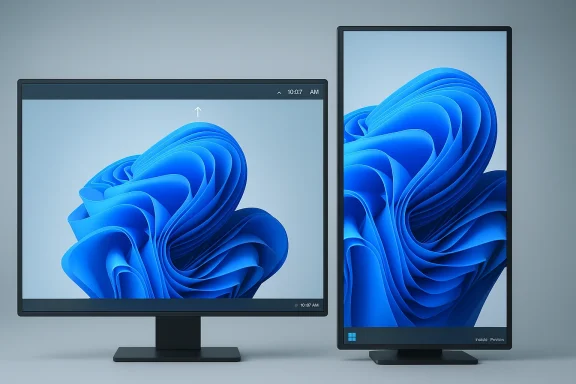
For power users, the issue is even more concrete. Vertical taskbars work well on portrait monitors, side-mounted bars can fit document-heavy workflows, and top placement can feel natural for people who prefer old-school desktop layouts. None of that is exotic. It is simply the difference between an OS that assumes one arrangement and an OS that respects several. Microsoft’s original Windows 11 decision felt elegant in demos but inflexible in practice.
The same logic applies to accessibility. Users with different physical setups, display sizes, or visual habits may simply work better with a taskbar in a different place. Restoring the option does not force anyone to use it, which is why it is a high-value change: it expands choice without adding disruption for people who are happy with the current layout. That is exactly the kind of optional flexibility desktop software should preserve.
That is why the latest message lands as repair work, not celebration. Microsoft is not inventing a new desktop paradigm; it is quietly backing away from an unpopular constraint. That might seem less exciting than a keynote feature, but in the real world it is often more valuable because it directly addresses a pain point users already understand.
That is important because enterprises have always judged Windows by manageability as much as by features. The less the operating system surprises employees, the less IT has to explain, document, or work around. When Microsoft trims friction from core shell behavior, it improves the odds that Windows remains the default business desktop. That is why this seemingly humble UI adjustment has business value beyond its aesthetics.
There is also a governance benefit. Organizations often prefer features that are optional, discoverable, and low-risk to deploy. A return of taskbar placement control does not create a new licensing burden or a major security question. It simply restores a familiar behavior inside the supported shell. That is a remarkably rare kind of change in a product cycle increasingly dominated by AI and service integration.
This is also where Microsoft’s product language is telling. The company appears to be shifting from “look at everything Windows can do” to “look at how little Windows needs to intervene.” That is a subtle but major repositioning, and it is likely to play well in business environments where noise is a liability. Less clutter, fewer prompts, and more control is a message enterprises understand immediately.
That is especially true now that Windows 10 support has already ended, which forced many holdouts into Windows 11 whether they were ready or not. In that environment, restoring familiar controls can do more to repair goodwill than adding another branded feature. Microsoft does not need to win a design award here. It needs to make ordinary computing feel less defensive and less crowded.
That matters because desktop trust is cumulative. A small quality-of-life adjustment can influence how people perceive the whole release. If the OS feels more respectful of their habits, they are more likely to interpret future updates charitably. If it feels rigid, every future tweak looks suspicious. That is why tiny shell changes can have outsized reputational effects.
That is why the change resonates beyond the enthusiast crowd. It says Microsoft is willing to correct itself in places where the correction is obvious and easy to judge. In the software world, especially on the desktop, that kind of humility is rare enough to be noteworthy. It is also a smart business move.
Bringing back taskbar placement helps Windows reclaim one of its oldest advantages. It signals that the platform is still meant to adapt to the user, not force the user to adapt to the platform. That distinction matters in a market where many people choose Windows precisely because it has been the system where habits, legacy workflows, and hardware variety are more likely to coexist.
The move also matters because it subtly reframes Microsoft’s relationship with the Windows base. Instead of assuming that cleaner visuals are enough, the company is acknowledging that configurability is part of the brand. That is a strategic lesson with implications far beyond the taskbar. If Microsoft keeps restoring flexibility where it makes sense, it can preserve differentiation without abandoning modernization.
That balance is why the current broader pattern matters so much. Microsoft is not only changing one UI setting; it is also improving Explorer, adjusting update behavior, and trimming unnecessary AI surface area. Taken together, those changes imply a broader re-centering around usefulness. That is the real competitive story.
The deeper question is whether this is the start of a wider philosophical shift. Windows 11 has often felt like a platform trying to be a modern showcase while still carrying the obligations of a general-purpose desktop. The changes now surfacing suggest Microsoft may finally be accepting that fewer surprises, more control is a better formula for the audience it serves. That is a much more durable position than simply adding another layer of visual polish.
Source: Thurrott.com Windows 11 Vertical Taskbar - Thurrott.com
 Background
Windows has always sold itself as the configurable desktop. That idea was never just about changing wallpaper or pinning apps; it was about letting users decide how the operating system should fit the way they work. The taskbar was central to that promise. In older versions of Windows, users could move it to any edge of the screen, adjust its behavior, and build muscle memory around a setup that matched their monitor shape, workflow, or accessibility needs. Windows 11 broke that continuity, and for a lot of power users, that was the moment the redesign stopped feeling modern and started feeling restrictive.The historical context matters because the Windows 11 taskbar was never designed in a vacuum. The shell was heavily influenced by Windows 10X ideas, and those ideas were built for a more constrained, touch-oriented future that did not map cleanly onto traditional desktop habits. That heritage explains why Windows 11 launched with a cleaner look but fewer controls. Microsoft seems to have believed that simplification would equal usability, yet the backlash proved that many users define usability as freedom of arrangement, not just visual polish.
The taskbar also became symbolic because it sits at the center of nearly every desktop action. It handles app switching, system status, notifications, and the everyday choreography of window management. When Microsoft locked it to the bottom edge, the company was not just changing a setting; it was redefining the relationship between the user and the shell. That is why the missing movable taskbar generated so much sustained criticism and why its return is being greeted as a meaningful repair rather than a trivial enhancement.
There is also a broader platform story here. Windows 11 has spent several years trying to reconcile two competing identities: a modernized consumer shell and a productivity platform for serious desktop work. The latest wave of changes suggests Microsoft has realized that those goals are not mutually exclusive, but they do require restraint. A desktop OS can be visually cleaner without becoming less adaptable. The movable taskbar is a good test of whether Microsoft understands that distinction.
What Microsoft Is Reportedly Changing
The headline feature is straightforward: Microsoft is prototyping support for placing the taskbar at the top, left, or right of the screen again, instead of forcing it to live at the bottom. Multiple previews and reporting in the current material point to that direction, and the change appears to be entering the Insider pipeline before any broader release. That matters because it shows Microsoft is treating the feature as a real platform change rather than a speculative UI experiment.But the taskbar story is not isolated. The broader pattern in the uploaded material shows Microsoft reworking several core shell areas at once, including taskbar icon density, clock behavior, calendar features, File Explorer responsiveness, and Windows Update flexibility. That combination is important because it suggests the company is not simply restoring nostalgia-driven features; it is trying to make Windows 11 feel less rigid and less disruptive in day-to-day use. The taskbar is the most visible part of that shift, but it is not the only part.
Why the taskbar change matters more than it sounds
A moveable taskbar is not just a visual preference. It changes how quickly your eyes and mouse reach core controls, how much horizontal space remains on the display, and how comfortable the interface feels on different screen geometries. On a portrait display, a vertical taskbar can preserve precious width for documents or code. On a wide monitor, a top-aligned bar can reduce visual travel. The practical benefit is small in any single moment, but large over hours and days.The feature also restores a familiar Windows customization model that users had relied on for decades. That matters because many power users do not think of taskbar placement as a luxury; they think of it as part of the basic operating system contract. Removing that option told them Windows 11 was becoming more opinionated. Bringing it back says the opposite.
- It restores a core Windows customization behavior.
- It improves ergonomics for ultrawide and multi-monitor setups.
- It reduces reliance on third-party shell tools.
- It signals that Microsoft is willing to reverse unpopular design choices.
- It makes Windows feel more adaptable to user workflow.
Why the Insider channel is strategically important
Microsoft almost always uses the Insider program as a proving ground for shell changes, but this case is especially significant. Taskbar placement is one of those features that can look trivial until it interacts with different monitor layouts, DPI scaling, touch input, and auto-hide behavior. Insider testing gives Microsoft room to validate those edge cases before promising anything to the broader base. That is the right place to discover whether a “return” really behaves like the old Windows feature users remember.The fact that the change is surfacing through previews also implies caution. Microsoft knows the feature has symbolic value, and symbolically important features are often the ones that generate the loudest backlash if the implementation is shaky. A badly restored taskbar would be worse than no restoration at all. Microsoft appears to understand that this time, correctness will matter as much as headline value.
- Insider builds let Microsoft test display edge cases.
- The company can measure whether users actually want the old behavior back.
- Rollout through previews lowers the risk of broad regressions.
- Microsoft can refine the UI before public release.
- The channel helps convert a controversial request into a managed feature launch.
Why Windows 11 Users Cared So Much
The taskbar debate is so emotional because Windows users build routines around the desktop. They do not experience the shell as an abstract design object; they experience it as a work surface. When a familiar feature disappears, the feeling is not just annoyance. It is the loss of a habit that had become part of daily efficiency. That is especially true for people who spend eight or more hours a day inside the operating system.For power users, the issue is even more concrete. Vertical taskbars work well on portrait monitors, side-mounted bars can fit document-heavy workflows, and top placement can feel natural for people who prefer old-school desktop layouts. None of that is exotic. It is simply the difference between an OS that assumes one arrangement and an OS that respects several. Microsoft’s original Windows 11 decision felt elegant in demos but inflexible in practice.
The ergonomics argument
It is tempting to call taskbar placement a preference issue, but that understates its real impact. Ergonomics matter because every extra pixel of mouse travel or every awkward visual scan adds friction to repeated actions. A taskbar placed where the user naturally looks and reaches can make the whole desktop feel calmer and more efficient. In a platform that prides itself on productivity, that is not a minor detail.The same logic applies to accessibility. Users with different physical setups, display sizes, or visual habits may simply work better with a taskbar in a different place. Restoring the option does not force anyone to use it, which is why it is a high-value change: it expands choice without adding disruption for people who are happy with the current layout. That is exactly the kind of optional flexibility desktop software should preserve.
- It supports muscle memory built over years.
- It helps on portrait and ultrawide displays.
- It benefits accessibility and comfort.
- It improves fit for multi-monitor setups.
- It reduces the feeling of a locked-down desktop.
The psychological side of control
There is also an emotional dimension here that Microsoft often underestimates. When an operating system removes familiar controls, users tend to interpret that as a message: your habits no longer matter. Restoring a feature like movable taskbars sends the opposite message, and in desktop software that can be more powerful than shipping a flashy new capability. Trust is built through small acts of respect.That is why the latest message lands as repair work, not celebration. Microsoft is not inventing a new desktop paradigm; it is quietly backing away from an unpopular constraint. That might seem less exciting than a keynote feature, but in the real world it is often more valuable because it directly addresses a pain point users already understand.
- Users notice when familiar choices disappear.
- Restoring control can soften long-term resentment.
- Quiet quality improvements often matter more than flashy features.
- Trust grows when Microsoft listens to workflow complaints.
- The taskbar is a symbolic indicator of whether the OS respects its users.
The Enterprise Angle
Enterprise customers may not care about taskbar placement in the same emotional way as enthusiasts, but they care deeply about predictability. Any Windows change that reduces support tickets, lowers user frustration, or improves consistency across mixed hardware is meaningful. A movable taskbar may not transform enterprise operations, but it can eliminate one of the many small irritants that turn into help desk noise.That is important because enterprises have always judged Windows by manageability as much as by features. The less the operating system surprises employees, the less IT has to explain, document, or work around. When Microsoft trims friction from core shell behavior, it improves the odds that Windows remains the default business desktop. That is why this seemingly humble UI adjustment has business value beyond its aesthetics.
Why IT departments care about shell consistency
The taskbar sits at the intersection of user behavior and support policy. If workers can tailor the desktop in ways that make them faster, IT gains goodwill. If the interface is too rigid, users compensate with third-party tools or persistent complaints. Neither outcome is ideal, but Microsoft restoring native flexibility is the cleaner option because it keeps the configuration inside supported boundaries.There is also a governance benefit. Organizations often prefer features that are optional, discoverable, and low-risk to deploy. A return of taskbar placement control does not create a new licensing burden or a major security question. It simply restores a familiar behavior inside the supported shell. That is a remarkably rare kind of change in a product cycle increasingly dominated by AI and service integration.
- It may reduce support tickets about basic layout preferences.
- It keeps customization inside supported Microsoft behavior.
- It fits mixed-device enterprise environments better.
- It can improve employee satisfaction without a policy fight.
- It avoids third-party shell hacks that create management headaches.
Why predictability beats spectacle
If you talk to enterprise admins long enough, one theme repeats: they do not want Windows to be exciting, they want it to be dependable. That is why Microsoft’s broader pivot toward performance, reliability, and fewer interruptions matters as much as the taskbar itself. A calmer desktop means fewer surprises during onboarding, fewer workflow disruptions, and fewer complaints about the OS getting in the way of work.This is also where Microsoft’s product language is telling. The company appears to be shifting from “look at everything Windows can do” to “look at how little Windows needs to intervene.” That is a subtle but major repositioning, and it is likely to play well in business environments where noise is a liability. Less clutter, fewer prompts, and more control is a message enterprises understand immediately.
- Predictable behavior reduces support burden.
- Fewer intrusive UI surprises help onboarding.
- Cleaner defaults make standardization easier.
- Optional features are easier to govern than forced ones.
- A more stable shell supports productivity across departments.
Consumer Impact: Convenience, Not Reinvention
For consumers, the taskbar change is unlikely to be a dramatic revelation unless they were already frustrated by Windows 11. But that is precisely why it matters. The best interface improvements are often the ones that remove friction without demanding new habits. Most people do not want the desktop to become a project; they want it to get out of the way.That is especially true now that Windows 10 support has already ended, which forced many holdouts into Windows 11 whether they were ready or not. In that environment, restoring familiar controls can do more to repair goodwill than adding another branded feature. Microsoft does not need to win a design award here. It needs to make ordinary computing feel less defensive and less crowded.
What changes for everyday use
A movable taskbar will help some users immediately and others only occasionally. The first group includes people with vertical or ultrawide monitors, multitaskers with multiple screens, and anyone who simply preferred earlier Windows layouts. The second group may never change the setting, but they still benefit from the message: Windows is becoming more customizable again.That matters because desktop trust is cumulative. A small quality-of-life adjustment can influence how people perceive the whole release. If the OS feels more respectful of their habits, they are more likely to interpret future updates charitably. If it feels rigid, every future tweak looks suspicious. That is why tiny shell changes can have outsized reputational effects.
- More layout choice for different monitors.
- Better fit for personal workflow preferences.
- Less need for third-party customization tools.
- A more familiar feel for Windows 10 migrants.
- Improved perception of Windows 11 as a flexible desktop OS.
Why this is partly about confidence
Microsoft’s challenge is not only functional; it is psychological. The company has spent years asking users to trust a roadmap that often felt busier than it was useful. A visible return of a long-requested feature is one of the few things that can make that roadmap feel grounded. Users want evidence that feedback matters, and a taskbar that can move again is evidence they can see.That is why the change resonates beyond the enthusiast crowd. It says Microsoft is willing to correct itself in places where the correction is obvious and easy to judge. In the software world, especially on the desktop, that kind of humility is rare enough to be noteworthy. It is also a smart business move.
- It shows Microsoft can reverse unpopular decisions.
- It offers visible proof that feedback has influence.
- It reduces the feeling that Windows is a moving target.
- It improves the emotional tone of the OS.
- It turns a complaint into a confidence signal.
The Competitive Context
Windows has always distinguished itself by being the configurable desktop. macOS tends to be more opinionated, and ChromeOS is even more prescriptive. Linux desktops can be more flexible than Windows, but often at the cost of complexity. Microsoft’s strength historically has been sitting in the middle: polished enough for mainstream users, flexible enough for power users. The fixed taskbar undercut that balance.Bringing back taskbar placement helps Windows reclaim one of its oldest advantages. It signals that the platform is still meant to adapt to the user, not force the user to adapt to the platform. That distinction matters in a market where many people choose Windows precisely because it has been the system where habits, legacy workflows, and hardware variety are more likely to coexist.
Why this matters competitively
This is not a flashy competitive move, but it is a meaningful one. Desktop loyalty is often built less on headline innovation than on accumulated convenience. If a user can make Windows fit their workflow better than a rival operating system, that creates inertia. When Microsoft removes those affordances, it weakens the very reason some users stay.The move also matters because it subtly reframes Microsoft’s relationship with the Windows base. Instead of assuming that cleaner visuals are enough, the company is acknowledging that configurability is part of the brand. That is a strategic lesson with implications far beyond the taskbar. If Microsoft keeps restoring flexibility where it makes sense, it can preserve differentiation without abandoning modernization.
- Windows remains most attractive when it is configurable.
- Flexibility is a competitive advantage, not a relic.
- Restoring control helps preserve long-term loyalty.
- The move reinforces Windows against more opinionated platforms.
- The feature helps justify Windows as a desktop-first OS.
The risk of overcorrecting
There is, however, a line Microsoft must walk carefully. If the company restores flexibility without clean implementation, the shell can become fragmented or inconsistent. On the other hand, if it restores only selected behaviors while keeping too many restrictions, it may satisfy no one fully. The taskbar should be a first step in a larger quality reset, not a standalone apology.That balance is why the current broader pattern matters so much. Microsoft is not only changing one UI setting; it is also improving Explorer, adjusting update behavior, and trimming unnecessary AI surface area. Taken together, those changes imply a broader re-centering around usefulness. That is the real competitive story.
- Restoring one feature is not enough if the shell remains inconsistent.
- Microsoft must avoid creating new edge-case bugs.
- Too many partial reversals can feel indecisive.
- The quality story has to extend beyond the taskbar.
- Coherence matters as much as choice.
Strengths and Opportunities
The strongest aspect of this change is that it solves a real problem without imposing a new burden on anyone who likes the default Windows 11 layout. It restores agency, improves ergonomics, and sends a useful message about how Microsoft intends to evolve the desktop. If handled well, this could become a model for other Windows 11 corrections that prioritize everyday usefulness over novelty.- Restores a widely requested Windows behavior.
- Improves usability on different monitor setups.
- Strengthens Microsoft’s “we listened” narrative.
- Reduces dependence on unsupported shell utilities.
- Supports both consumer comfort and enterprise predictability.
- Rebalances Windows toward flexibility.
- Helps rebuild trust after early Windows 11 backlash.
Risks and Concerns
The main risk is implementation quality. A movable taskbar has to work across different monitor configurations, scaling settings, and input modes, or the feature will create fresh complaints while trying to solve old ones. Microsoft is right to test it in Insider builds first, but public expectations will be high because the feature has been missing for so long.- Edge cases on multi-monitor systems could still be rough.
- Touch and tablet behaviors may need special handling.
- Visual coherence could suffer if the shell is only partly updated.
- Some users may view the change as overdue rather than generous.
- Third-party tools may still be needed for niche workflows.
- A poor rollout would reinforce skepticism about Windows 11 quality.
Looking Ahead
The next few Insider cycles will matter more than the announcement itself. Microsoft now has to prove that movable taskbar support is real, stable, and coherent across the devices that define Windows. If the company gets that right, the feature will be remembered not as a nostalgic throwback, but as part of a broader reset toward a more respectful desktop experience.The deeper question is whether this is the start of a wider philosophical shift. Windows 11 has often felt like a platform trying to be a modern showcase while still carrying the obligations of a general-purpose desktop. The changes now surfacing suggest Microsoft may finally be accepting that fewer surprises, more control is a better formula for the audience it serves. That is a much more durable position than simply adding another layer of visual polish.
- Watch for Insider build notes confirming top and side placement.
- Watch for whether compact sizing and icon behavior are also included.
- Watch for related improvements in File Explorer and Search.
- Watch for enterprise guidance once the feature nears general release.
- Watch for whether Microsoft extends the same logic to other shell surfaces.
Source: Thurrott.com Windows 11 Vertical Taskbar - Thurrott.com
