

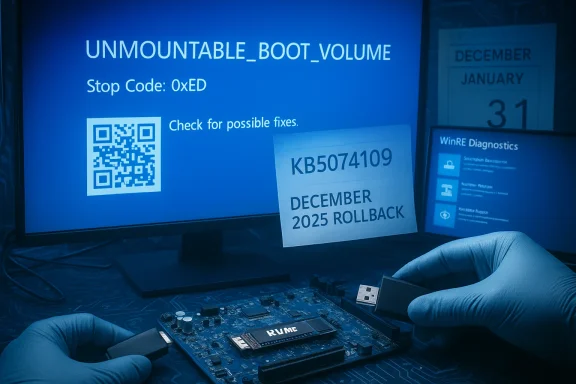
Microsoft has confirmed that a chain of updates — a failed December 2025 security update that left some machines in an “improper state,” followed by the January 13, 2026 cumulative update (KB5074109) — is responsible for a limited but serious set of Windows 11 boot failures that present as UNMOUNTABLE_BOOT_VOLUME (Stop Code 0xED) and, in many reported cases, require manual recovery.
Windows servicing has evolved into a complex multi-stage pipeline where Servicing Stack Updates (SSU) and Latest Cumulative Updates (LCU) are often delivered together. That packaging improves deployment speed and security coverage, but it also ties together low-level servicing steps that historically could be unlinked. When a servicing operation fails and its rollback is incomplete, bad state can persist in metadata, component stores, or early-boot components. If a subsequent cumulative update touches the same low-level areas, the system can be driven past the point where the kernel can mount the system volume during earliest initialization — producing the UNMOUNTABLE_BOOT_VOLUME stop code and a machine that refuses to boot. Microsoft’s advisory pinpoints devices that failed to instcurity update and were left in such an improper state as the common root in the most damaging reports.
This sequence is not the familiar “one update breaks a healthy PC” narrative; it’s a chained-servicing failure: a December rollback left latent inconsistencies, and a later January update (KB5074109) exposed and amplified that inconsistency into a no-boot condition. Multiple outlets and community threads documented the timeline and symptoms as Microsoft began issuing targeted out-of-band fixes for other regressions while investigating the boot failures.
Independent reporting from mainstream outlets corroborates the high-level claim: the January update included both SSU and LCU elements and was followed by emergency out-of-band packages addressing unrelated regressions, while the most severe boot failures tracked back to a December failure and incomplete rollback.
Microsoft’s partial mitigation should reduce the number of new incidents, but the real test will be the company’s follow-up engineering report and the pace at which a full, retroactive repair is developed. Until then, conservative patching, verified backups, and measured recovery readiness are the safest posture for protecting both data and uptime.
Source: Android Headlines Windows 11 boot issues tied to bad December update
 Background
Windows servicing has evolved into a complex multi-stage pipeline where Servicing Stack Updates (SSU) and Latest Cumulative Updates (LCU) are often delivered together. That packaging improves deployment speed and security coverage, but it also ties together low-level servicing steps that historically could be unlinked. When a servicing operation fails and its rollback is incomplete, bad state can persist in metadata, component stores, or early-boot components. If a subsequent cumulative update touches the same low-level areas, the system can be driven past the point where the kernel can mount the system volume during earliest initialization — producing the UNMOUNTABLE_BOOT_VOLUME stop code and a machine that refuses to boot. Microsoft’s advisory pinpoints devices that failed to instcurity update and were left in such an improper state as the common root in the most damaging reports. This sequence is not the familiar “one update breaks a healthy PC” narrative; it’s a chained-servicing failure: a December rollback left latent inconsistencies, and a later January update (KB5074109) exposed and amplified that inconsistency into a no-boot condition. Multiple outlets and community threads documented the timeline and symptoms as Microsoft began issuing targeted out-of-band fixes for other regressions while investigating the boot failures.
What Microsoft says — the official picture
Microsoft’s official support documentation for the January 13, 2026 cumulative update (KB5074109) confirms that the company has received "a limited number of reports" of devices failing to boot with Stop Code UNMOUNTABLE_BOOT_VOLUME after installing the January update and later fixes. It explicitly links the most severe cases to devices that previously failed to install a December 2025 security update and were left in an improper state after the rollback. Microsoft stated it is working on a partial resolution designed to prevent additional devices from becoming unbootable if they try to install an update while in that improper state, but that this mitigation will not repair already unbootable machines.Independent reporting from mainstream outlets corroborates the high-level claim: the January update included both SSU and LCU elements and was followed by emergency out-of-band packages addressing unrelated regressions, while the most severe boot failures tracked back to a December failure and incomplete rollback.
Technical anatomy: why UNMOUNTABLE_BOOT_VOLUME is the visible symptom
UNMOUNTABLE_BOOT_VOLUME is a kernel-level failure that occurs when the operating system cannot mount the system/boot volume during the earliest phases of kernel initialization. That stage runs before user-mode services and many diagnostic tools are available, which makes this failure particularly disruptive and intrusive to recover from. Typical root causes include:- Corrupted NTFS metadata or filesystem structures.stent Boot Configuration Data (BCD).
- Missing or incompatible early-loading storage or filter drivers (NVMe, RAID, vendor filters).
- Incomplete offline servicing or a broken Servicing Stack Update/commit sequence.
- Interactions with pre-boot security features (Secure Boot, System Guard Secure Launch) that alter driver load timing.
Scope and who’s at risk
The currently reported risk profile is concentrated but not trivial.- Affected OS branches: Windows 11 builds tied to KB5074109 (reported builds include 26100.7623 and 26200.7623).
- Platforms: Most reports describe physical, non-virtualized machines — especially commercial or managed endpoints — as the primary victims. Virtual machines appear largely unaffected in current telemetry.
- Scale: Microsoft describes the event as a “limited number” of reports, but “limited” can still mean many thousands of devices depending on deployment scope and similarity of failure conditions across fleets. Microsoft has not published a complete device count or detailed root-cause postmortem yet.
Timeline (concise)
- December 2025 — One or more security/servicing updates attempt to install on a subset of devices and fail, triggering rollbacks that in some cases left systems in an improper servicing state.
- January 13, 2026 — Microsoft releases KB5074109 (combined SSU+LCU) for Windows 11. Early after rollout, administrators and users report multiple regressions, including boot failures.
- January 17 & January 24, 2026 — Microsoft ships out-of-band emergency packages to address other regressions (shutdown/hibernate issues, Remote Desktop sign-in problems). Those fixes do not resolve the UNMOUNTABLE_BOOT_V
- Late January 2026 — Microsoft updates guidance: the worst boot failures are linked to devices left in an improper state after a failed December update; a partial mitigation is being prepared that will prevent new devices in that state from becoming unbootable, but will not repair machines already unbootable.
Symptoms and early detection: what to look for
If you want to identify at-risk devices before they become unbootable, look for these precursors:- Windows Update history showing a failed December 2025 install followed by an automatic rollback.
- Repeated servicing errors in the Windows Update event logs, or explicit error codes such as 0x800f0905 when attempting to uninstall KB5074109.
- Unusual behavior around peripherals or drivers after the December sequence (for example, devices that lost modem support due to driver removals in the January update).
- Evidence of incomplete offline servicing in CBS.log, DISM logs, or setupact.log.
Practical mitigation and recovery — immediate guidance
Microsoft’s partial resolution is inth instances of the no-boot scenario but does not repair already-broken machines. For devices already affected or at risk, the following options remain the practical playbook.For unbootable devices (UNMOUNTABLE_BOOT_VOLUME)
- Boot into Windows Recovery Environment (WinRE) — use automatic repair prompts, or boot installation media and choose Repair your computer → Troubleshoot.
- In WinRE, try Troubleshoot → Advanced options → Uninstall Updates → Uninstall the latest quality update (attempt to remove KB5074109).
- If uninstalling fails, use Command Prompt in WinRE to run:
- chkdsk /f on the system vystem issues,
- DISM /Image:C:\ /Cleanup-Image /RestoreHealth (when you can mount the image),
- bcdedit repair commands or rebuild the BCD if boot configuration is corrupt.
- If WinRE cannot repair the system, prepare to recover data (if possible) and perform a full OS reinstall. That may require using offline WinPE tools or a vendor recovery image.
For administrators and IT teams (preventive actions)
- Pause broad deployments: stop pushing KB5074109 to non-pilot rings until you validate the partial mitigation and any repair guidance.
- Inventory endpoints: identify machines with December failed installs and mark them as high-risk.
- Prepare recovery kits: bootable Windows media, tested WinRE workflows, offline DISM scripts, and verified BitLocker recovery keys.
- Test and stage: expand pilot rings to include machines with older firmware and early-boot security features to better detect fragile combinations.
- Verify backups: ensure recent full-disk backups or verified system images exist before attempting repair or reinstall.
- Monitor Microsoft’s release health and follow-up advisories for the eventual comprehensive fix and post-mortem.
Step-by-sactical, numbered)
- Open Settings → Windows Update → Update history and inspect December 2025 entries for any failed installations.
- If you see a failed December install, pause updates temporarily: Windows Update → Advanced options → Pause updates.
- Create a Windows installation USB (recreation of recovery media) using the official Microsoft media tools or your OEM’s recovery media.
- Back up critical files (use an external drive or cloud backup) before experimenting with repair optiocurrently unbootable, use the installation USB to access WinRE and attempt Uninstall Updates → Uninstall the latest quality update. If that fails, consult a professional or your OEM for data recovery help.
Microsoft’s response: strengths and limits
Strengths:- Microsoft publicly acknowledged the link between the January boot failures and a failed December install, which provides a clear investigative direction.
- The company deployed out-of-band fixes for several regressions quickly, showing responsiveness to high-severity reports.
- A partial mitigation is being prepared to prevent new devices in the improper state from being bricked by future updates.
- The partial mitigation does not repair already-affected systems; many users and admins are left to manual recovery, data restore, or full reinstall.
- Microsoft has not published a detailed root-cause post‑mortem or device counts, leaving organizations to estimate exposure and plan conservatively.
- The combined SSU+LCU packaging and modern servicing model complicate uninstallation and rollback; error codes like 0ported by users trying to undo the updates. That servicing complexity increases operational risk during emergency remediation.
Why this matters: operational and securis servicing is both the frontline of security and a potential vector of downtime. KB5074109 and its follow-ups patched many security issues — industry reporting indicated the January update closed a large number of CVEs — but the security benefits must be weighed against operational risk for endpoints that were already in a fragile state. Uninstalling the January update may restore stability for some devices but reopens hundreds of security holes if done fleet-wide without compensating controls. This is the hard trade-off IT teams now face: immediate stability and availability versus exposure to vulnerabilities that the cumulative update fixed.
Long-term lessons and recommendations
- Reinforce staged rollouts: Test and expand pilot rings to include a diverse set of hardware and firmware combinations. Don’t treat Patch Tuesday as purely background maintenance; treat it as a controlled change event.
- Improve rollback verification: Vendors (including Microsoft) must provide stronger signals and automated checks that confirm rollbacks returned systems to a clean baseline state.
- Demand transparent post-mortems: When servicing chains fail, customers and administrators need a technical after-action report describing the root cause, the exact failure modes, and the steps taken to prevent recurrence.
- Investment in recovery tooling: Enterprise teams should invest in recovery automation (WinRE scripting, WinPE toolkits, offline servicing scripts) and test them periodically.
- Backup discipline: Verified, recent full-disk backups and quick access to BitLocker recovery keys are essential; they materially reduce downtime when manual recovery is required.
Where claims remain be cautious)
- Exact device counts and global scale: Microsoft has not released the number of affected systems, so public severity estimates are provisional. Treat scale descriptions as approximate until Microsoft publishes concrete metrics.
- Some community reports of mass hardware failure or drive “destruction” are anecdotal; servicing-induced logical corruption is plausible, but physical hardware damage requires diagnostics and should not be assumed without evidence.
- The definitive engineering root cause and the reason the December rollback left an improper state have not been fully disclosed; expect more technical detail if Microsoft issues a post-mortem.
Final verdict for power users and admins
This incident is a sobering reminder that modern OS servicing is a systems engineering problem—not merely a security or feature-delivery problem. Microsoft’s public acknowledgment and quick OOB fixes are positive steps, but the fact that the company cannot automatically repair already-unbootable machines means the operational burden falls on IT teams and end users. The right immediate posture is conservative:- Pause broad deployments of KB5074109 until your test rings validate behavior or Microsoft publishes a full repair.
- Audit update histories for December 2025 failed installs and treat those devices as high risk.
- Harden recovery readiness: backups, WinRE media, BitLocker keys, and documented recovery playbooks.
- Demand a transparent post-mortem and engineering remediation from vendors so you can trust future servicing cycles again.
Microsoft’s partial mitigation should reduce the number of new incidents, but the real test will be the company’s follow-up engineering report and the pace at which a full, retroactive repair is developed. Until then, conservative patching, verified backups, and measured recovery readiness are the safest posture for protecting both data and uptime.
Source: Android Headlines Windows 11 boot issues tied to bad December update
