

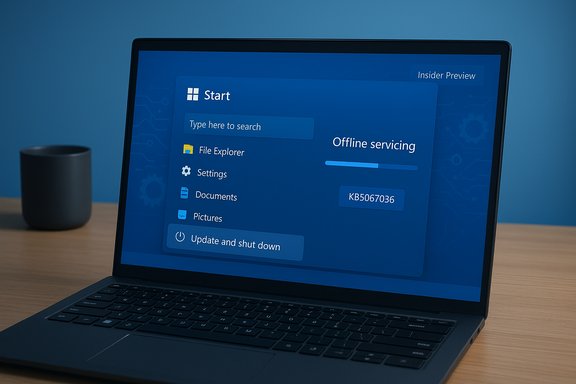
Microsoft has quietly closed a small but persistent annoyance in Windows 11: the Start‑menu option “Update and shut down” now behaves as advertised after Microsoft pushed a servicing correction into Insider preview builds and an optional October 28, 2025 preview cumulative update (KB5067036).
For several years many Windows users — especially laptop owners and administrators — reported the same odd behaviour: selecting Update and shut down would apply updates but then leave the machine powered on, often at the lock screen or desktop, instead of powering off. The symptom was intermittent and environment‑dependent, which made it both frustrating and hard to diagnose. The practical impacts were real: overnight battery drain, broken maintenance windows, and automation that relied on deterministic post‑update shutdowns.
Microsoft documented the remediation in Insider release notes (late September 2025) and folded the same servicing change into the October 28, 2025 optional preview cumulative update identified as KB5067036 (which produces OS builds 26100.7019 for 24H2 and 26200.7019 for 25H2). Microsoft’s public note is short and to the point: “Fixed an underlying issue which could lead ‘Update and shutdown’ to not actually shut down your PC after.”
All these factors turn a seemingly atomic “update then power‑off” action into a set of coordinated state transitions. The fix Microsoft shipped targets that orchestration layer to ensure the explicit shutdown intent is preserved and enforced after the offline servicing completes.
Source: Dunia Games Portal Berita, Download Game dan Beli Voucher Game Terpercaya Di Indonesia
 Background
For several years many Windows users — especially laptop owners and administrators — reported the same odd behaviour: selecting Update and shut down would apply updates but then leave the machine powered on, often at the lock screen or desktop, instead of powering off. The symptom was intermittent and environment‑dependent, which made it both frustrating and hard to diagnose. The practical impacts were real: overnight battery drain, broken maintenance windows, and automation that relied on deterministic post‑update shutdowns.Microsoft documented the remediation in Insider release notes (late September 2025) and folded the same servicing change into the October 28, 2025 optional preview cumulative update identified as KB5067036 (which produces OS builds 26100.7019 for 24H2 and 26200.7019 for 25H2). Microsoft’s public note is short and to the point: “Fixed an underlying issue which could lead ‘Update and shutdown’ to not actually shut down your PC after.”
Why this small bug mattered
At first glance this looks like a cosmetic mismatch between a label and an outcome. In practice the costs were tangible.- Battery and energy waste: laptops expected to be off were left running overnight.
- Operational friction: scripted maintenance and imaging processes relying on a guaranteed shutdown frequently failed or produced inconsistent results.
- Loss of trust: users avoided the built‑in convenience and chose manual or riskier workarounds, reducing update compliance and convenience.
What Microsoft changed (the technical summary)
Microsoft framed the correction as a servicing/orchestration fix rather than a superficial UI relabeling. That matters because it suggests engineers altered the control flow inside Windows’ servicing stack — the logic that coordinates staged update commits, offline servicing during reboot cycles, and the final post‑update power state decision. In simple terms, the system now better preserves the user’s explicit “shutdown after update” intent across offline servicing and any intermediate reboots. Key technical notes:- The change first appeared in Windows Insider previews (Dev/Beta) and was validated via Insiders’ telemetry and reports.
- The fix was packaged into KB5067036 (optional, non‑security preview CU) on October 28, 2025 and is being staged for broader distribution via the November Patch Tuesday cumulative update.
- Microsoft’s public changelogs do not disclose the precise code‑level root cause; the wording “underlying issue” leaves detailed forensic claims unverified unless Microsoft publishes a follow‑up engineering postmortem. Treat any specific root‑cause claims as inference unless Microsoft confirms them.
The technical anatomy: why “Update and shut down” sometimes acted like a restart
To understand how a two‑word UI item could act unpredictably, we need to look at the servicing and power management plumbing in modern Windows.Multi‑phase servicing
Modern cumulative updates often stage payloads while the OS runs and then perform offline commits during shutdown/boot. Some components require more than one offline phase to fully replace in‑use files. If the servicing logic determines that a subsequent boot is required to complete safe component swaps, the final decision about powering off versus restarting becomes conditional.Fast Startup (hybrid shutdown)
When Fast Startup (a hybrid shutdown feature) is enabled, Windows writes kernel session state to disk to accelerate boot. Hybrid semantics alter the meaning of a “shutdown” and can interfere with offline servicing orchestration. That hybrid path was frequently cited as a workaround for users who wanted deterministic shutdowns.Sign‑in finishing flows and driver handoffs
Features like “Use my sign‑in info to finish setting up my device” and complex driver or firmware interactions can change whether post‑update configuration runs automatically after a boot. These handoffs — combined with third‑party drivers and services that keep files in use — can nudge the servicing stack toward a restart to ensure stability.All these factors turn a seemingly atomic “update then power‑off” action into a set of coordinated state transitions. The fix Microsoft shipped targets that orchestration layer to ensure the explicit shutdown intent is preserved and enforced after the offline servicing completes.
Timeline: how the fix reached users
- Late September 2025 — Microsoft published Insider preview release notes for Dev/Beta flights that included the terse remediation text indicating the problem was fixed in preview builds.
- October 28, 2025 — Microsoft released the optional preview cumulative update KB5067036, packaging the same servicing change and producing OS builds 26100.7019 (24H2) and 26200.7019 (25H2). The KB entry lists the improvement explicitly in its Windows Update notes.
- Early–mid November 2025 — Microsoft planned to stage the fix to the broader population via the regular November Patch Tuesday cumulative update; optional previews are used to collect telemetry before mainstream distribution.
What to expect after installing the preview or the mainstream cumulative update
- Systems that previously returned to the lock screen after applying updates should now respect the Update and shut down selection more reliably.
- KB5067036 is an optional preview update (non‑security). It is surfaced as “Download & install” in Windows Update and can be downloaded manually from the Microsoft Update Catalog for targeted testing.
- Microsoft staggers server‑side feature gates and some UI changes ; installing the KB does not guarantee immediate exposure to other user‑visible features bundled in the same preview. The shutdown fix itself is a servicing change that should be effective once the combined LCU + SSU is applied.
Regressions and known risks: why you should pilot before wide deployment
Preview packages bundle multiple changes. Early adopter reporting for KB5067036 flagged at least one noteworthy regression: a Task Manager duplication issue that could leave multiple hidden taskmgr.exe processes running after closing Task Manager, increasing CPU/memory usage for some testers. That underlines a broader principle: preview builds can introduce collateral regressions even while fixing long‑standing bugs. Operational implications:- Administrators should pilot the preview on representative hardware and monitor telemetry (or equivalent logs) for performance and reliability regressions.
- Home users who rely on predictable power behaviour but are risk‑averse should wait for the mainstream Patch Tuesday inclusion for the safest experience.
- If you run laptops in power‑sensitive contexts (e.g., kiosks, lab machines, or scheduled maintenance), test the update under the same workload and hardware/firmware combinations you use in production.
Practical deployment guidance (recommended steps)
- Identify representative test devices: include the most common hardware models, laptops, and any machines with third‑party management agents.
- Backup or create a system image before applying the preview update to test machines.
- Install the combined servicing stack (SSU) and KB preview using Windows Update or the Update Catalog MSU packages.
- Validate the behaviour:
- Use Update and shut down with a pending update and observe whether the PC truly powers off after the offline servicing cycle.
- Repeat across different firmware configurations and with Fast Startup enabled/disabled.
- Monitor logs:
- Check Windows Update logs (Event Viewer → System/Application) for errors during the offline servicing phases.
- Look for unexpected processes after closure (e.g., duplicate taskmgr.exe behaviour reported in early previews).
- If regressions are found, collect diagnostics, roll back the preview, and report findings through your usual support channel or the Windows Feedback hub for Insiders.
Verification checklist for power‑state behaviour
- Confirm the system displays the expected OS build after update (e.g., 26200.7019 or 26100.7019 when KB5067036 is applied).
- Use a controlled update payload that is known to run offline servicing (small driver or LCU test packages work well).
- Validate both with Fast Startup enabled and disabled, since hybrid semantics can change observed results.
- Confirm there is no unexpected post‑update activity (network traffic, background CPU spikes, or resumed sign‑in flows).
Broader perspective: what this fix tells us about Windows servicing and quality
This repair highlights two persistent realities of modern OS maintenance:- Small UX promises can mask deep engineering complexity. A two‑word menu item depends on coordinated behaviour across servicing, power management, drivers, and account sign‑in flows; fixing it requires careful orchestration work, not editorial changes.
- Microsoft’s staged release model (Insider → optional preview → Patch Tuesday) remains essential for validating fixes across the vast matrix of hardware and third‑party software in the Windows ecosystem. That said, optional previews can surface new regressions, so conservative deployment remains sensible.
Frequently asked operational questions
Will Windows 10 get the same fix?
Windows 10 reached the end of standard support for many SKUs in mid‑ to late‑2025. Microsoft has not published the same KB targeting Windows 10 in mainstream channels for this fix; treat Windows 11 as the primary target for KB5067036. If your environment still runs Windows 10, verify support status and any out‑of‑band advisory from Microsoft before expecting the same remediation.Is installing the preview safe for home users?
Preview updates carry a measured risk of regressions. Home users who want the fix immediately and have spare devices can install the optional KB, but the safest path for most users is to wait until Microsoft includes the fix in the mainstream monthly cumulative update (Patch Tuesday).What if my device still powers on after installing the update?
If the problem persists after applying the preview or the mainstream cumulative update:- Verify the OS build number to ensure the update applied successfully.
- Test with Fast Startup disabled.
- Collect Windows Update logs and consider reporting the repro via Microsoft’s diagnostic channels or your organization’s support contract. Microsoft’s public changelogs are intentionally brief; community diagnostics often help close the remaining edge cases.
Conclusion
The correction of the Update and shut down behaviour is small in scope but large in practical impact: Microsoft’s servicing fix, first validated in Insider channels and packaged into KB5067036 on October 28, 2025, restores the expected semantics of a widely used convenience and reduces real operational friction for laptop users and administrators alike. That said, the update arrives inside an optional preview bundle that also carries other feature changes and, in early reports, at least one unrelated regression. The sensible path is unchanged: pilot the update on representative hardware, validate shutdown semantics under your real workloads, watch telemetry closely, and prefer staged deployments. Once Microsoft folds the fix into the mainstream cumulative update and telemetry confirms broad stability, the quiet convenience of choosing Update and shut down will be reliably back — and users can trust that those two words actually mean what they promise.Source: Dunia Games Portal Berita, Download Game dan Beli Voucher Game Terpercaya Di Indonesia
