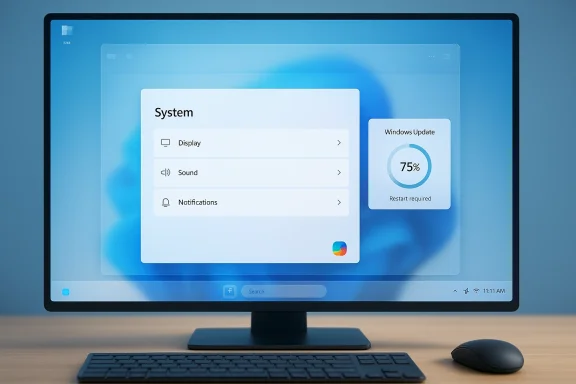
Microsoft is trying to persuade Windows users that it has heard the complaints loud and clear, but the need to say it so often is itself part of the story. After years of criticism over clutter, rigidity, update annoyance, and an operating system that often feels more promotional than polished, the company is now publicly framing Windows 11 around quality, responsiveness, and control. The timing matters: Microsoft has already begun outlining concrete changes for Insiders, including the return of taskbar flexibility, improved update behavior, and broader shell cleanup, all of which reflect a deliberate attempt to restore trust rather than merely ship new features na clear visual ambition: simplify the desktop, modernize the shell, and make the platform feel more coherent than the sometimes cluttered Windows 10 era. But that reset also removed or constrained a number of behaviors that long-time users had taken for granted, especially around taskbar control, Start menu flexibility, and the general ability to tailor the shell to specific workflows. In practice, the result was a system that looked cleaner but often felt less adaptable, especially to power users who depend on muscle memory and fine-grained layout choices every day .
That tension has only grown because Winrdience. It is a consumer operating system, an enterprise platform, a developer environment, and the foundation of countless hybrid-work setups. When Microsoft changes shell behavior or update cadence, it affects everything from user satisfaction to deployment planning and help desk volume. As one of the retrieved summaries notes, quality has become a product feature in its own right, because trust is shaped by how the OS behaves in the mundane moments that define daily use .
Over the last two years, Microsoft also leaned hard into Copilot and adjacent AI exegy made strategic sense in a market obsessed with AI, but it also created a second layer of user irritation. Many people did not want every corner of Windows to become a launchpad for Microsoft’s own services, prompts, or reminders. The sense that the desktop was becoming noisier rather than more helpful fed a broader backlash against what users perceived as feature sprawl and promotional clutter .
What makes the current moment notable is that Microsoft appears to be adjusting course in public. Recenefirst** model, more transparent app behavior, and stronger default security, while also promising a phased rollout that balances change with compatibility. That broader messaging shows a company trying to unify security, usability, and reliability under one umbrella rather than treating them as separate conversations .
There is also a historical echo here. Microsoft has been through previous quality reckonings, including the Windows 10 era, when the company openly described the challenge of delivering quality across an enormous ecosystem of hardware, software, and drivers. In 2018, it stressed that even a single serious issue mattered, and that quality work had to be grounded in telemetry, feedback, and constant validation. The current Windows 11 messaging feels like a modern version of that same argument, but with more urgency and more user skepticism attached .
The repetition is the clue. When a company keeps assuring users that it is committed to quality, it is usually because quality has become part of the brand debate rather than an assumed baseline. Microsoft’s Windows leadership has now made that case several times, and the more often it says it, the more it invites the obvious question: what problem is it trying to reassure people about? That is why the latest message lands less like a victory lap and more like a repair job.
The company clearly understands that public confidence in Windows 11 has been uneven. Enthusiasts have pointed to visible bugs, inconsistent behavior, and a steady stream of prompts and ads that make the desktop feel less calm than it should. Microsoft is responding with language about listening, feedback, and refinement, but it is also responding with specific product changes, which matters more than the rhetoric. The message is only credible if users can see the consequences in the UI itself .
That is especially true because the complaints are not abstract. People notice taskbar rigidity, slow File Explorer behavior, update interruptions, and intrusive surface-level prompts in very concrete ways. Those frustrations are part of ordinary work, not edge cases. If Microsoft wants to win back confidence, it has to show that it understands the difference between a keynote feature and a Tuesday-afternoon annoyance.
That matters because the taskbar is not just a strip of icons. It is the desktop’s primary control center: app switching, notifications, system status, and launch behavior all converge there. The ability to place it where your eyes and mouse naturally go is a small ergonopof a day. Restoring that option is less about adding innovation than acknowledging that Windows was better when it trusted users to arrange their workspace their own way.
The reversal also sends a broader message about product humility. Microsoft is showing that it can admit when a simplification went too far. That is rare enough to be noteworthy, and it may be the most effective way to repair some of the goodwill lost at launch.
This is where the quality story gets serious. Users often judge an OS by the most ordinary interactions: opening folders, switching windows, selecting files, or launching tools after a fresh boot. When those moments stutter, the whole system feels older than it is. Microsoft’s insistence on measuring quality through real-world usage ratting is therefore more than PR; it is a recognition that perceived performance is the product.
Microsoft appears to be responding by treating shell polish as infrastructure work. That means fewer rough edges, fewer flashes of instability, and fewer moments where the interface reminds you that it is still a work in progress. The challenge is consistency: users do not judge Windows by one good build. They judge it by whether the improvement persists across updates, hardware classes, and day-to-day workloads.
The timing matters because this is one of the few areas where the company cannot rely on novelty to offset frustration. If an update restarts at the wrong time, or if setup forces a patch cycle before a machine can be used, the user’s first memory of the device becomes negative. Microsoft seems to understand that a better Windows is not one that interrupts less often in theory, but one that gives p ways to manage those interruptions in practice.
That approach is smart, but it carries execution risk. If update control becomes too loose, security suffers. If it remains too rigid, users feel trapped. The right answer is probably a more intelligent, context-aware model that lets people understand what is happening and choose when to accept it without turning the OS into a negotiation every time it wants to patch itself.
This is why Microsoft’s recent effort to reduce unnecessary Copilot entry points matters so much. It suggests the company has finally understood that ubiquity is not the same thing as usefulness. Not every app benefits from a generative-AI prompt, and not every surface should be turned into a launchpad for a broader ecosystem play. Windows users have been telling Microsoft that for a while.
There is a practical business lesson here as well. Overuse of AI surfaces risks exhausting user patience, especially if those surfaces are perceived as self-promotional rather than task-oriented. The most credible version of Windows 11 is not one that shouts about intelligence. It is one that quietly does less, so the user can do more.
That is the right idea, but the proof will be in delivery. A quality push is only meaningful if it scales across home laptops, managed fleets, and the messy middle ground between them. Microsoft has to ensure that what improves the user experience does not create new complexity for IT.
The opportunity is not just technical. It is reputational. Windows can still be the default serious desktop platform, but only if users believe the company is willing to prioritize their workflows over its own product ambitions.
There is also a real danger of partial execution. If Microsoft restores one sought-after feature but leaves other frustrations intact, the result may be disappointment rather than relief. And if the company keeps adding new AI surfaces while saying it is reducing clutter, the contradic
Just as important is rollout discipline. Microsoft needs to avoid the old pattern of shipping something awkward, apologizing, and then fixing it later after public frustration has already spread. Aluld be a better sign than a flashy but unstable one.
Microsoft still has the scale, the ecosystem, and the market position to make Windows 11 better in ways that matter. The question is not whether it can ship improvements. It is whether it can finally make those improvements feel like the product philosophy, not the exception. If it can, then Windows 11 may begin to recover the one thing no interface refresh can fake: the sense that the operating system is working with you instead of talking at you.
Source: Ars Technica Microsoft keeps insisting that it's deeply committed to the quality of Windows 11
That tension has only grown because Winrdience. It is a consumer operating system, an enterprise platform, a developer environment, and the foundation of countless hybrid-work setups. When Microsoft changes shell behavior or update cadence, it affects everything from user satisfaction to deployment planning and help desk volume. As one of the retrieved summaries notes, quality has become a product feature in its own right, because trust is shaped by how the OS behaves in the mundane moments that define daily use .
Over the last two years, Microsoft also leaned hard into Copilot and adjacent AI exegy made strategic sense in a market obsessed with AI, but it also created a second layer of user irritation. Many people did not want every corner of Windows to become a launchpad for Microsoft’s own services, prompts, or reminders. The sense that the desktop was becoming noisier rather than more helpful fed a broader backlash against what users perceived as feature sprawl and promotional clutter .
What makes the current moment notable is that Microsoft appears to be adjusting course in public. Recenefirst** model, more transparent app behavior, and stronger default security, while also promising a phased rollout that balances change with compatibility. That broader messaging shows a company trying to unify security, usability, and reliability under one umbrella rather than treating them as separate conversations .
There is also a historical echo here. Microsoft has been through previous quality reckonings, including the Windows 10 era, when the company openly described the challenge of delivering quality across an enormous ecosystem of hardware, software, and drivers. In 2018, it stressed that even a single serious issue mattered, and that quality work had to be grounded in telemetry, feedback, and constant validation. The current Windows 11 messaging feels like a modern version of that same argument, but with more urgency and more user skepticism attached .
 Why Microsoft’s Message Keeps Repeating
The repetition is the clue. When a company keeps assuring users that it is committed to quality, it is usually because quality has become part of the brand debate rather than an assumed baseline. Microsoft’s Windows leadership has now made that case several times, and the more often it says it, the more it invites the obvious question: what problem is it trying to reassure people about? That is why the latest message lands less like a victory lap and more like a repair job.The company clearly understands that public confidence in Windows 11 has been uneven. Enthusiasts have pointed to visible bugs, inconsistent behavior, and a steady stream of prompts and ads that make the desktop feel less calm than it should. Microsoft is responding with language about listening, feedback, and refinement, but it is also responding with specific product changes, which matters more than the rhetoric. The message is only credible if users can see the consequences in the UI itself .
The psychology of reassurance
There is a subtle irony in Microsoft’s approach. Reassurance tends to work best when it is brief and backed by obvious improvement. Repeated reassurancegead as defensive. In Windows 11’s case, the company has spent enough time asking users to trust the roadmap that the roadmap itself has become part of the product experience.That is especially true because the complaints are not abstract. People notice taskbar rigidity, slow File Explorer behavior, update interruptions, and intrusive surface-level prompts in very concrete ways. Those frustrations are part of ordinary work, not edge cases. If Microsoft wants to win back confidence, it has to show that it understands the difference between a keynote feature and a Tuesday-afternoon annoyance.
- Users are not asking for perfection.
- They are asking for fewer interruptions.
- They want more control over the shell.
- They want the OS to feel predictable again.
- They want AI to be useful, not omnipresent.
Taskbar Flexibility Returns
The most symbolic change is the return of taskbar repositioning. Windows 11’s fixed-bottom taskbar became one of the platform’s most durable irritants because it removed a behavior that had beehat may have seemed minor. For power users, especially those with ultrawide displays, portrait monitors, or multi-screen layouts, it was a real workflow regression. Microsoft is now preparing to restore top and side placement in future Windows 11 releases, first through the Insider program .That matters because the taskbar is not just a strip of icons. It is the desktop’s primary control center: app switching, notifications, system status, and launch behavior all converge there. The ability to place it where your eyes and mouse naturally go is a small ergonopof a day. Restoring that option is less about adding innovation than acknowledging that Windows was better when it trusted users to arrange their workspace their own way.
Why this is more than a cosmetic tweak
Taskbar placement shapes the whole feel of the desktop. On a portrait screen, a vertical taskbar can preserve horizontal space. On a wide monitor, a top bar can reduce visual travel. That is why its removal felt symbolic: it suggested that Windows 11 was less about flexibility and more about Microsoft’s preferred design language.The reversal also sends a broader message about product humility. Microsoft is showing that it can admit when a simplification went too far. That is rare enough to be noteworthy, and it may be the most effective way to repair some of the goodwill lost at launch.
- The taskbar is a workflow tool, not just a visual element.
- Placement affects ergonomics and efficiency.
- Restoring flexibility supports power users and accessibility.
- It signals that Microsoft is willing to reverse unpopular design choices.
- It gives Windows a clearer advantage over more opinionated desktop platforms.
File Explorer and Everyday Responsiveness
If the taskbar change is symbolic, File Explorer is practical. Explorer sits at the heart of daily Windows use, and its responsiveness has a disproportionate effect on how “snappy” the whole operating system feels. Microsoft’s current quality push includes work on fr visual glitches, and smoother behavior in core shell surfaces. That may sound mundane, but mundane is exactly where Windows earns or loses credibility .This is where the quality story gets serious. Users often judge an OS by the most ordinary interactions: opening folders, switching windows, selecting files, or launching tools after a fresh boot. When those moments stutter, the whole system feels older than it is. Microsoft’s insistence on measuring quality through real-world usage ratting is therefore more than PR; it is a recognition that perceived performance is the product.
The hidden cost of small delays
A half-second delay in File Explorer does not sound dramatic, but repeated dozens or hundreds of times a day, it becomes part of the emotional texture of the platform. That is why users call Windows “clunky” even when the numbers look fine on paper. A desktop OS has to feel invisible most of the time, and Explorer is one of the places where that invisibility breaks.Microsoft appears to be responding by treating shell polish as infrastructure work. That means fewer rough edges, fewer flashes of instability, and fewer moments where the interface reminds you that it is still a work in progress. The challenge is consistency: users do not judge Windows by one good build. They judge it by whether the improvement persists across updates, hardware classes, and day-to-day workloads.
- File Explorer must feel instant, not merely functional.
- Visual stability matters as much as raw speed.
- Shell responsiveness shapes trust in the whole OS.
- Small delays create disproportionate frustration.
- Reliability on lower-end systems is especially important.
Update Behavior and User Control
Windows Update has long been one of Microsoft’s most sensitive fault lines. The company has a legitimate security reason to push patches quickly, but users often experience the process as disruptive, opaque, and occasionally arrogant. The current Windows 11 quality push explicitly targets that friction, with Microsoft signaling more flexible update flow and less intrusive setup behavior. That is a meaningful change because it treats update control as a user-experience issue, not just an administrative one .The timing matters because this is one of the few areas where the company cannot rely on novelty to offset frustration. If an update restarts at the wrong time, or if setup forces a patch cycle before a machine can be used, the user’s first memory of the device becomes negative. Microsoft seems to understand that a better Windows is not one that interrupts less often in theory, but one that gives p ways to manage those interruptions in practice.
Security without the drama
This is the hard balancing act. Microsoft does not want to weaken security discipline, and it should not. But it also cannot keep asking users to tolerate friction as the price of safety. The company’s broader security messaging suggests it is trying to make protections more transparent and less intrusive, with a phased rollout that preserves compatibility while moving the platform toward stricter defaults .That approach is smart, but it carries execution risk. If update control becomes too loose, security suffers. If it remains too rigid, users feel trapped. The right answer is probably a more intelligent, context-aware model that lets people understand what is happening and choose when to accept it without turning the OS into a negotiation every time it wants to patch itself.
- Make critical updates clearly visible.
- Let users postpone non-urgent installs more easily.
- Reduce surprise reboots during active work.
- Separate onboarding from immediate update pressure.
- Preserve enterprise control without punishing consumers.
AI, Ads, and the Clutter Problem
If Windows 11 has a public-relations problem, it is not just bugs. It is the sense that the operating system has become more crowded with prompts, add-ons, notifications, and Microsoft-mandated surfaces. That clutter complaint is now one of the most important context layers around the quality discussion. The company can talk about polish all day, but users will judge the result by whether the desktop actually feels less like a billboard and more like a workspace .This is why Microsoft’s recent effort to reduce unnecessary Copilot entry points matters so much. It suggests the company has finally understood that ubiquity is not the same thing as usefulness. Not every app benefits from a generative-AI prompt, and not every surface should be turned into a launchpad for a broader ecosystem play. Windows users have been telling Microsoft that for a while.
AI as a tool, not a layer of obligation
The company is not abanbe tone is shifting from “AI everywhere” to “AI where it helps.” That is a healthier posture. It allows Microsoft to keep building its AI stack while recognizing that the desktop’s primary job is still to help people get ordinary things done.There is a practical business lesson here as well. Overuse of AI surfaces risks exhausting user patience, especially if those surfaces are perceived as self-promotional rather than task-oriented. The most credible version of Windows 11 is not one that shouts about intelligence. It is one that quietly does less, so the user can do more.
- Reduce redundant Copilot entry points.
- Keep AI features context-sensitive.
- Remove friction from basic apps.
- Preserve opt-outs where possible.
- Avoid turning simple tools into marketing surfaces.
- Make the desktop feel calmer, not busier.
Enterprise and Consumer Impact
It would be a mistake to read this as a consumer-only story. Enterprises care deeply about everything Microsoft is now promising: shell predictability, update control, driver reliability, and consistent behavior across mixed hardware fleets. In the business world, Windows quality is not abstract. It is cost, support time, and deployment risk. Microsoft’s renewed focus on quality is therefore as much about corporate confidence as it is about enthusiast goodwill .onsumer perception matters because it shapes the broader reputation of the platform. If enthusiasts and everyday users think Windows 11 feels unfinished or overly commercial, that sentiment leaks into enterprise discussions too. IT leaders may value compatibility, but they also listen to employee frustration. A calmer Windows helps both adoption and satisfaction.Two audiences, one platform
The tricky part is that enterprise and consumer needs often align in principle but diverge in implementation. Consumers want fewer interruptions and more choice. Enterprises want control, policy enforcement, and lower support burden. Microsoft’s current messaging tries to reconcile both by making the default experience more respectful while preserving administrative override paths where needed.That is the right idea, but the proof will be in delivery. A quality push is only meaningful if it scales across home laptops, managed fleets, and the messy middle ground between them. Microsoft has to ensure that what improves the user experience does not create new complexity for IT.
- Consumers need calm, control, and fewer surprises.
- Enterprises need reliability, manageability, and clear rollback options.
- Both groups benefit from better shell responsiveness.
- Both groups care about update discipline.
- Both groups punish inconsistency quickly.
- Better feedback loops can improve both product and policy decisions.
Strengths and Opportunities
Microsoft’s quality-first pivot has real upside if it is sustained. The strongest part of the strategy is that it targets the most visible sources of frustration rather than chasing novelty for its own sake. If the company follows through, Windows 11 could feel lighter, more coherent, and more trustworthy than it has in years.The opportunity is not just technical. It is reputational. Windows can still be the default serious desktop platform, but only if users believe the company is willing to prioritize their workflows over its own product ambitions.
- Taskbar flexibility restores a beloved desktop behavior.
- Cleaner AI placement reduces clutter and distraction.
- Better File Explorer responsiveness improves everyday productivity.
- More predictable updates can restore trust.
- Consent-first security aligns with broader industry expectations.
- Improved feedback loops may make Insider testing more meaningful.
- A quieter Windows could feel more premium and mature.
Risks and Concerns
The obvious risk is overpromising. Quality campaigns are easy to announce and much harder to sustain over multiple update cycles. Users are not going to judge Windows 11 by a blog post; they are going to judge it by whether the next few cumulative updates actually make their devices feel better.There is also a real danger of partial execution. If Microsoft restores one sought-after feature but leaves other frustrations intact, the result may be disappointment rather than relief. And if the company keeps adding new AI surfaces while saying it is reducing clutter, the contradic
- User skepticism is already high.
- Gradual rollouts can feel slow or inconsistent.
- Taskbar changes may create edge cases on complex setups.
- Update flexibility must not weaken security.
- Performance gains may vary by hardware class.
- AI restraint could become inconsistent if other teams add new prompts.
- Enterprise deployments could still face compatibility headaches.
What to Watch Next
The next several months should reveal whether this is a real product reset or simply a more polished public narrative. The most important signals will come from Insider builds, where users can see whether Microsoft’s promises are translating into visible, practical improvements rather than isolated UI experiments. If the taskbar change, update flow refinements, and shell cleanup arrive together, the shift will feel credible.Just as important is rollout discipline. Microsoft needs to avoid the old pattern of shipping something awkward, apologizing, and then fixing it later after public frustration has already spread. Aluld be a better sign than a flashy but unstable one.
- Whether taskbar repositioning reaches mainstream builds.
- Whether File Explorer gains measurable speed and stability.
- Whether update prompts become less disruptive.
- Whether Copilot surfaces continue to shrink in noisy places.
- Whether Feedback Hub leads to visible product changes.
- Whether Microsoft sustains the quality message through 2026.
Microsoft still has the scale, the ecosystem, and the market position to make Windows 11 better in ways that matter. The question is not whether it can ship improvements. It is whether it can finally make those improvements feel like the product philosophy, not the exception. If it can, then Windows 11 may begin to recover the one thing no interface refresh can fake: the sense that the operating system is working with you instead of talking at you.
Source: Ars Technica Microsoft keeps insisting that it's deeply committed to the quality of Windows 11