

Microsoft's weekly snapshot of the Windows ecosystem this week landed with a familiar mix: pragmatic Windows 11 improvements that quietly improve day‑to‑day reliability, a high‑profile driver misstep that left gamers and creators scrambling, and another consequential PowerToys release that further cements Microsoft’s community‑driven toolbox as a testing ground for larger OS ideas. Together these items — incremental OS polish, sudden third‑party driver regressions, and rapid open‑source feature growth — illustrate where Windows stability and innovation collide in 2026. ]
Microsoft’s cadence has shifted toward iterative usability updates for Windows 11 while also supporting an aggressive third‑party driver and app ecosystem. That means small quality‑of‑life changes can reach millions quickly, but so can third‑party regressions — especially GPU drivers — which expose the fragility of a complex hardware/software stack. PowerToys sits between those worlds: it’s both a proving ground for features that could later appear in Windows and a pressure valve for power users who want more control than the base OS offers.
In practical terms, you should care because:
The updral practical additions that aim to reduce the need for third‑party tools, including:
This is the kind of failure that gets immediate community traction because modern GPU drivers touch hardware monitoring, thermal management, and performance scaling — all things users notice the instant behavior changes. When a driver modifies power limits, fan curves, or clock boosting logic, the effects are visible and sometimes dangerous (overheating, erratic fans) if misapplied.
The sustainable path is dual: accelerate internal testing and vetting for high‑risk update types (drivers, firmware), and make rollback/approval paths more visible and easier for non‑enterprise users. The ecosystem’s desirability depends as much on predictable stability as on shiny features.
If you manage Windows systems or rely on GPU‑accelerated workflows, the practical takeaway is unchanged: test, delay nonessential driver updates, and keep a fast rollback path. For enthusiasts, PowerToys remains an essential toolkit — but treat AI features with the same caution you’d use for any new networked service.
The balance between rapid innovation and rock‑solid reliability is delicate. This week’s developments show Microsoft and the broader ecosystem still learning how to maintain that balance in public, under pressure, and at scale. Stay skeptical, keep backups current, and subscribe to vendor release notes — they still matter more than ever.
Conclusion: incremental wins in the OS and meaningful community tooling progress are real and valuable — but the ecosystem’s resilience will be tested when third‑party drivers or hurried releases break the assumptions upon which users and admins rely.
Source: Neowin Microsoft Weekly: new features for Windows 11, botched drivers, and PowerToys updates
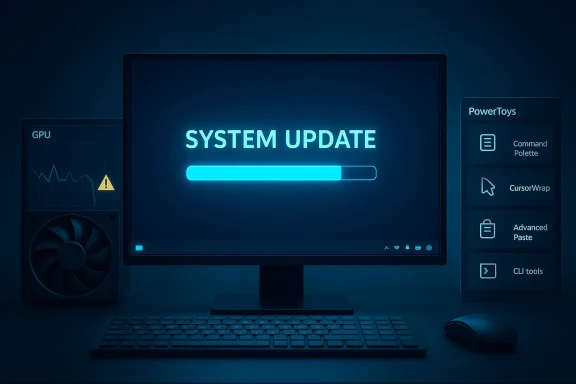 Background: why these three threads matter now
Microsoft’s cadence has shifted toward iterative usability updates for Windows 11 while also supporting an aggressive third‑party driver and app ecosystem. That means small quality‑of‑life changes can reach millions quickly, but so can third‑party regressions — especially GPU drivers — which expose the fragility of a complex hardware/software stack. PowerToys sits between those worlds: it’s both a proving ground for features that could later appear in Windows and a pressure valve for power users who want more control than the base OS offers.In practical terms, you should care because:
- A Windows servicing update can change device behavior overnight for consumers and admins alike.
- GPU driver rollbacks or "unlaunched" drivers can render systems unstable, throttle performance, or disable cooling controls on high‑end cards.
- PowerToys continues to push new productivity features (Command Palette, CursorWrap, Advanced Paste) that many users already rely on — and its rapid evolution can create both opportunity and compatibility risk.
Overview of this week’s Windows 11 changes
Small fixes, meaningful payoff
Microsoft’s most recent cumulative and preview updates continue a trend: fewer headline features, more targeted reliability and usability fixes. This week’s optional preview update and Insider flights focused on performance improvements — notably wake‑from‑sleep reliability, faster sign‑in and Taskbar responsiveness, and better search behavior in the Windows Search panel. These are the kind of changes that don’t get viral attention but reduce daily friction for millions.The updral practical additions that aim to reduce the need for third‑party tools, including:
- An integrated internet speed test accessible from the Taskbar network flyout.
- Virtual pan‑and‑tilt camera controls in Settings for supported webcams.
- Small media and UX touches: refreshed emoji, improved Widgets layout, and finer sign‑in screen polish.
Accessibility and Narrator improvements
Another thread in the update stream was accessibility: the Narrator gained more granular personalization options, letting users configure precisely which control properties are announced and in what order. That signals Microsoft’s continued investment in inclusivity and a shift toward user‑tweakable narration rather than a one‑size‑fits‑all approach. For users who rely on assistive tech, this is a substantial quality‑of‑life improvement.The botched driver: what happened and why it matters
The incident — a driver unlaunched
Late this week multiple reports surfaced that a newly released NVIDIA GeForce Game Ready driver (the 595.59 branch) exhibited serious regressions: abnormal fan control behavior, reduced maximum clocks on certain cards, and instability that in extreme cases produced black screens and performance drops. The driver was effectively "unlaunched" from distribution while NVIDIA investigated and prepared a replacement. Early reporting and community posts documented wide‑ranging symptoms across RTX and some legacy models.This is the kind of failure that gets immediate community traction because modern GPU drivers touch hardware monitoring, thermal management, and performance scaling — all things users notice the instant behavior changes. When a driver modifies power limits, fan curves, or clock boosting logic, the effects are visible and sometimes dangerous (overheating, erratic fans) if misapplied.
Why these regressions still happen
Driver development for GPUs is uniquely difficult:- Hardware permutations: drivers must support dozens of board partners, each with custom BIOSes, fan controllers, and power delivery designs.
- Windows integration: GPU drivers interact with the kernel’s driver model, graphics stacks, and vendor‑specific overlays and tools. A small regression in one area can cascade.
- Rapid release cycles: game‑ready and studio drivers often ship on quick cadences to optimize for new titles or workloads, increasing the chance of insufficient real‑world testing.
Impact and immediate mitigation
For end users affected by this recent release, the practical steps are straightforward:- Reinstall the previous stable driver using the vendor’s download archive or the GPU utility's rollback feature.
- If problems persist after rollback, perform a clean driver uninstall (DDU) and reinstall the last known good package.
- For persistent stability issues, capture minidumps and device logs for diagnosis; driver faults will frequently reveal the implicated module in the crash stack.
PowerToys: continuing evolution, expanding scope
The release highlights
PowerToys’ latest releases continue to move rapidly, delivering both refinements and new utilities. The project’s GitHub release notes and recent changelogs show sustained investmette (major performance and UX work, Ahead‑of‑Time compilation for extensions).- CursorWrap, which lets the pointer wrap around monitor edges (handy for multi‑monitor setups).
- Advanced Paste and AI integrations (support for multiple AI providers, both on‑device and cloud).
- CLI and automation improvements for utilities such as FancyZones, Image Resizer, and File Locksmith.
Why PowerToys matters beyond features
PowerToys operates as a semi‑official sandbox:- It gives users early access to productivity features that may later inform native Windows functionality.
- The open‑source cadence exposes real‑world telemetry and bug reports from enthusiasts that Microsoft product teams can observe and learn from.
- PowerToys’ modular nature lets advanced users adopt or forgo features without waiting for OS‑level releases.
Privacy and AI integrations: improvements with caveats
Advanced Paste and other clipboard‑AI features now support multiple AI providers, including cloud services and on‑device models. That flexibility is powerful: it lets users keep sensitive data local while leveraging cloud models where appropriate. But the choice also introduces policy complexity:- Enterprises must evaluate provider contracts and potential data exfiltration vectors.
- On‑device models reduce exposure but increase footprint and update complexity.
- Documentation and default settings matter: poorly worded defaults could lead to inadvertent network calls.
Cross‑referenced verification: what we checked and why
To avoid repeating rumor or partial claims, the most important assertions in this piece were cross‑checked against multiple sources:- Windows 11 cumulative and Insider update changes were verified with aggregate coverage and Insider release notes. These show the wake‑from‑sleep and Taskbar fixes that were widely distributed in recent preview releases.
- PowerToys feature claims were verified using the official GitHub release notes and community commentary on recent releases, confirming Command Palette, CursorWrap, and AI provider support.
- The GPU driver rollback/unlaunch story was sourced to community reports and independent tracker posts that documented the 595.59 driver’s withdrawal avendor statements sometimes lag initial reporting, community telemetry and reporting channels were used to assess scope.
Strengths: what’s working well
- Microsoft’s focus on incremental reliability: recent patches are prioritizing real world friction — sign‑in, sleep/wake, search responsiveness — which improves overall stability for the broadest set of users. These are the fixes that reduce helpdesk tickets and daily annoyance.
- PowerToys’ accelerated innovation: features like Command Palette and CursorWrap are honest, useful wins that empower power users and show how a community‑driven model can produce practical tooling faster than top‑down OS updates. ([github.com](Releases · microsoft/PowerToys signal for regressions: when drivers break, community feeds and telemetry surface issues quickly, pressuring vendors to remove bad packages and respond. That rapid feedback loop is uncomfortable but necessary in today’s release model.
Risks and weaknesses: what to watch
- Third‑party driver fragility: GPU drivers are a persistent single point of failure. A bad driver can impair cooling and performance or cause system instability that looks like hardware failure. Staged rollouts and better preflight testing remain essential.
- The proliferation of AI integrations: extending PowerToys and other tools with networked AI increases the attack surface and complicates compliance for organizations that must limit telemetry. Defaults and admin controls must be clear and enforceable.
- Patch timing and communication: optional preview updates are helpful for early adopters, but broad Windows Update channels still sometimes push drivers and firmware with insufficient opt‑out granularity for conservative enterprises. Administrators must rely on WSUS/Intune and pre‑approval workflows to mitigate risk.
Practical guidance: what users and admins should do now
For everyday users
- Don’t install a GPU driver immediately after release unless it resolves a problem you currently have. Wait 1–2 weeks for community feedback unless you need the fixes.
- If you encounter a driver‑related regression: use the vendor’s rollback feature or perform a clean uninstall (DDU) and reinstall the last working driver package. Capture system logs if the problem persists.
For power users and hobbyist sysadmins
- Maintain a small repository of verified stable drivers and installers for critical hardware.
- Subscribe to vendor-driver release notes and community trackers for early warning signs.
- Use PowerToys in a controlled way: enable only the modules you need, and review AI provider settings if using Advanced Paste or other AI‑backed features.
For enterprise admins and IT decision‑makers
- Enforce a staged validation pipeline: test new drivers and optional Windows updates in a controlled lab (or pilot ring) before broad deployment. Use WSUS, Intune device update policies, or SCCM to control distribution.
- Treat clipboard‑AI and text‑processing tools as potential data exfiltration vectors. Require vendor documentation for model handling, provider contracts, and on‑device execution guarantees.
- Maintain rollback and recovery playbooks that include driver reinstallation steps and kernel dump collection for post‑mortem analysis. Minidump analysis remains the most direct way to identify problematic drivers.
What this tells us about Microsoft’s broader product strategy
Microsoft’s approach continues to be pragmatic: ship incremental OS improvements quickly, cultivate a community‑driven toolset in PowerToys, and rely on both vendor partners and ecosystem feedback to identify regressions. That model works — it moves features fast and benefits enthusiasts — but it also exposes the platform to volatility when external vendors (GPU makers, peripheral OEMs) push imperfect drivers.The sustainable path is dual: accelerate internal testing and vetting for high‑risk update types (drivers, firmware), and make rollback/approval paths more visible and easier for non‑enterprise users. The ecosystem’s desirability depends as much on predictable stability as on shiny features.
Final assessment and next steps
This week’s news is emblematic rather than exceptional. Windows 11’s incremental improvements are the kind of steady progress that raises the floor for usability. PowerToys keeps delivering meaningful, user‑centered innovations that complement the OS and reveal potential native features. But the GPU driver incident is a reminder that the platform’s weakest links now frequently sit outside Microsoft’s direct control.If you manage Windows systems or rely on GPU‑accelerated workflows, the practical takeaway is unchanged: test, delay nonessential driver updates, and keep a fast rollback path. For enthusiasts, PowerToys remains an essential toolkit — but treat AI features with the same caution you’d use for any new networked service.
The balance between rapid innovation and rock‑solid reliability is delicate. This week’s developments show Microsoft and the broader ecosystem still learning how to maintain that balance in public, under pressure, and at scale. Stay skeptical, keep backups current, and subscribe to vendor release notes — they still matter more than ever.
Conclusion: incremental wins in the OS and meaningful community tooling progress are real and valuable — but the ecosystem’s resilience will be tested when third‑party drivers or hurried releases break the assumptions upon which users and admins rely.
Source: Neowin Microsoft Weekly: new features for Windows 11, botched drivers, and PowerToys updates
