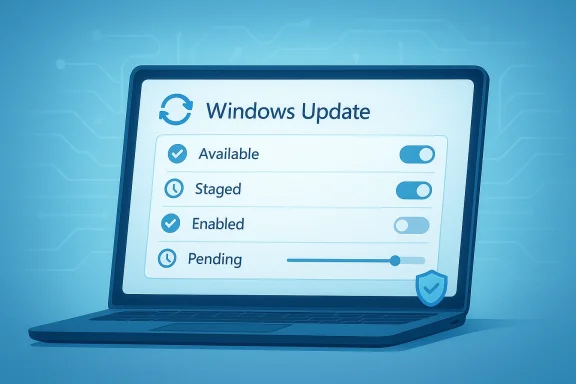
Microsoft is once again trying to answer one of the most persistent complaints about Windows 11: users install an update, hear that a new feature is “available,” and then wait weeks or months before it actually appears. That frustration has become part of the Windows 11 experience because Microsoft relies heavily on Controlled Feature Rollout—or CFR—to stage changes gradually across compatible devices. Now the company says it wants to give people more control over that process, which could mark an important shift in how the operating system balances safety, predictability, and user choice.
The timing matters. Microsoft’s March 2026 Windows 11 servicing cycle already shows how much the company leans on staggered delivery, with current release information listing multiple update waves in the same month and a modern servicing model that separates preview, security, and feature availability. At the same time, Microsoft’s Insider and enterprise documentation continues to describe rollout behavior as intentionally gradual, with features appearing first on a subset of systems and only later reaching everyone else. That is sensible from a reliability standpoint, but it also means the company now has to prove it can make the process feel less opaque and less random.
Windows has spent years moving away from the old model of large, predictable service packs and toward a continuous delivery approach. Instead of waiting for the next major version, Microsoft now pushes features in waves through monthly updates, preview releases, and staged server-side flags. The result is a system that can improve more often, but also one that can feel inconsistent because two identically configured PCs may not receive the same feature on the same day.
That gap between promise and delivery is exactly what users keep noticing. A release note may say a redesigned Start menu, a new battery icon, or a File Explorer change is available, but the rollout can still take a long time to reach the broader population. Microsoft’s own insider documentation says features are often rolled out using Controlled Feature Rollout technology, starting with a subset of devices and ramping up over time as feedback and stability data come in. In other words, the company is not just shipping code; it is testing confidence.
For enterprise administrators, this is familiar territory. Microsoft’s management tools already support gradual feature update deployment, intelligent rollout behavior, and safeguard holds that pause updates when telemetry suggests risk. The company has invested heavily in Autopatch, Intune, and Windows Update for Business because organizations want the benefits of modern servicing without being forced into synchronized chaos. The consumer side, however, has often been left with a less transparent version of the same system.
That transparency problem is why the recent comments from Microsoft’s Windows leadership drew attention. When a company says it wants users to have more control over features they can try, it is implicitly acknowledging that the current experience feels too arbitrary. People are not objecting to staged rollout in principle; they are objecting to the fact that it is hard to understand, hard to influence, and sometimes hard to trust.
At the same time, Microsoft cannot simply abandon gradual rollout. Windows 11 updates still have a reputation—fair or not—for causing issues on some devices, and controlled deployment remains one of the best ways to reduce the blast radius when something goes wrong. The challenge is not whether CFR should exist. The challenge is whether Microsoft can turn it into something that feels deliberate instead of mysterious.
A more user-controlled model would be a meaningful change because it would transform rollout from a hidden backend decision into an explicit choice. If implemented well, that could let enthusiasts opt in earlier while allowing cautious users to stay on the slower track. That would be a more honest contract with customers.
Microsoft already has the mechanics to do this in enterprise environments. The question is whether those ideas can be simplified for consumer use without creating confusion or support headaches. If done poorly, more control could turn into more complexity. If done well, it could finally make Windows feel less like a black box.
The recent Windows 11 servicing pattern reinforces that point. Microsoft’s release information shows multiple monthly update tracks, and its insider communications repeatedly describe features being turned on gradually. Even when the code is already installed, the experience is frequently deferred. That may be good engineering, but it can feel like the company is asking users to celebrate an update they cannot yet use.
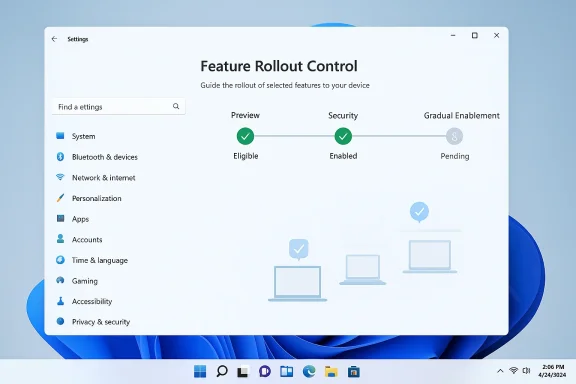
For the consumer audience, the promise of more control is really a promise of less ambiguity. The user no longer wants to know just that a feature exists; they want to know whether it is installed, eligible, enabled, blocked, or still in the queue. Those are very different states, and Windows has not always made the distinctions visible enough.
This approach is especially valuable in Windows, where the ecosystem is enormous and inconsistent. A patch that behaves perfectly on one laptop can trigger a problem on another because of firmware, graphics drivers, printer stacks, or third-party software. CFR helps Microsoft find the edge cases before they become widespread outages.
The problem becomes worse when the feature is heavily publicized. If the company announces a new Start menu layout or taskbar improvement, users naturally expect to see it once they update. When they do not, the result is confusion, impatience, and the impression that Microsoft is making promises it cannot fulfill quickly.
There is also a psychological issue. When people know something is being withheld from them but are not told why, they often assume the system is broken. That is a communication failure, not just a technical one. Microsoft seems to understand this better now than it did when CFR first became central to Windows servicing.
Autopatch adds another layer by watching for likely issues and applying safeguard holds when devices appear at risk. The idea is not just to push updates faster, but to do so more intelligently. That distinction matters because enterprises care less about novelty and more about uptime, consistency, and recoverability.
Microsoft’s own documentation also shows that it has long used gradual rollout settings, deployment monitoring, and rollback thresholds in update orchestration. The company is not inventing these concepts now; it is deciding whether to surface them more broadly and more cleanly.
That could be useful if the company wants to reduce complaints without increasing support burden. Consumers do not need to understand deployment rings or Graph API parameters. They need to understand whether they can get a feature now, defer it, or check why it is not present yet.
This is where the rumored involvement of Aria becomes interesting. If Microsoft is indeed bringing enterprise-minded update control ideas into the consumer stack, the company may be trying to create a middle ground between full automation and full manual control. That would be a significant philosophical shift.
This is especially irritating for people who pay attention to Windows news. They see screenshots, release notes, and social-media demonstrations, then compare them to their own machines and find nothing. That experience breeds suspicion, even when the underlying reason is simply staged deployment.
Microsoft has effectively trained users to expect a little magic every Patch Tuesday. CFR turns that magic into a lottery. The company may be right to prioritize safety, but users are right to ask for better visibility.
In the best case, staged bug-fix deployment prevents new problems from spreading. In the worst case, users wait for a fix that may not even apply to their root cause. Microsoft’s own support model acknowledges that some issues require different remediation paths, but the consumer-facing experience rarely explains that nuance.
This is one reason the company’s promise of more control is so important. If Microsoft can make the update state clearer, users will at least know whether they should wait, retry, or seek another fix. A visible queue is far better than an invisible one.
Microsoft could also create a more nuanced rollout ladder. Rather than forcing people to choose between “automatic” and “Insider,” it could offer a middle path for feature previews on stable builds. That would let advanced users sample changes without becoming test subjects in the traditional sense.
There is also a branding angle. Windows 11 has often been criticized for mixing new AI features, design tweaks, and promotional noise with basic usability issues. If Microsoft can make update delivery calmer and more predictable, it could soften the perception that the OS is always in flux.
That is especially true for everyday users who do not follow preview builds. They just want a reliable desktop and a reasonable path to improvements. A clearer rollout model would make Windows feel less like a live experiment.
The bigger risk is that users may assume control means certainty. It does not. Even with more explicit options, Microsoft will still need to protect devices with compatibility checks, safeguard holds, and staged validation. Some updates will remain unavailable for good reasons, and the company has to explain that without sounding evasive.
That means the company must design the system carefully. The interface should explain when a feature is blocked by compatibility, when it is simply staged, and when it has not yet been validated for the device. Those are different situations, but many users will treat them as one unless Microsoft is explicit.
There is also a broader strategic risk. If Microsoft emphasizes control too heavily, it may unintentionally encourage people to think that all rollout delays are arbitrary. That could fuel more impatience, not less, unless the company pairs control with strong education. Transparency must come with context.
A calmer Windows would likely mean fewer interruptions, cleaner default experiences, and fewer unexplained changes. That would make the more controlled feature rollout strategy easier to accept, because users would feel less manipulated by the surrounding product behavior.
Microsoft’s recent public posture appears to be moving in that direction, even if slowly. The exact implementation remains to be seen, but the direction is clear enough: less noise, more polish, and better pacing.
This is where Microsoft’s broader service model becomes relevant. The company is no longer just shipping features; it is shipping an experience of ongoing maintenance. If that maintenance feels smoother, users will tolerate delayed rollouts more easily. If it does not, any promise of more control will sound cosmetic.
If Microsoft can improve rollout visibility, it may blunt one of the common criticisms that Windows feels less coherent than competing ecosystems. That would not erase the complexity of the platform, but it could make the complexity feel intentional rather than accidental.
The competitive pressure is not just about operating systems either. It is about expectations. Users increasingly want software to behave like a service with clear status indicators and predictable pacing. Windows 11 has often failed that test, and Microsoft knows it.
It could also help Microsoft position Windows 11 as a more mature service platform ahead of future releases. If the company can show that it learned from the pain points of its current approach, it may create a stronger foundation for the next version of Windows servicing. That is the kind of small structural change that can have a big long-term impact.
Microsoft should also be judged on whether it applies the same philosophy consistently across consumer and enterprise Windows. If business customers get precise controls while consumers get vague toggles and marketing language, the message will ring hollow. If the company truly wants a calmer Windows, it must make the update process feel calmer too.
Windows 11 has spent years teaching users to wait for the system to catch up with its own announcements. The next phase should be about teaching the system to explain itself better, act more predictably, and give people a clearer sense of control. If Microsoft can finally make that happen, the benefits will go well beyond one feature rollout model and into the core reputation of the platform itself.
Source: Windows Latest Microsoft promises more control over Windows 11 feature rollouts as some changes take months to show up
The timing matters. Microsoft’s March 2026 Windows 11 servicing cycle already shows how much the company leans on staggered delivery, with current release information listing multiple update waves in the same month and a modern servicing model that separates preview, security, and feature availability. At the same time, Microsoft’s Insider and enterprise documentation continues to describe rollout behavior as intentionally gradual, with features appearing first on a subset of systems and only later reaching everyone else. That is sensible from a reliability standpoint, but it also means the company now has to prove it can make the process feel less opaque and less random.
 Background
Windows has spent years moving away from the old model of large, predictable service packs and toward a continuous delivery approach. Instead of waiting for the next major version, Microsoft now pushes features in waves through monthly updates, preview releases, and staged server-side flags. The result is a system that can improve more often, but also one that can feel inconsistent because two identically configured PCs may not receive the same feature on the same day.That gap between promise and delivery is exactly what users keep noticing. A release note may say a redesigned Start menu, a new battery icon, or a File Explorer change is available, but the rollout can still take a long time to reach the broader population. Microsoft’s own insider documentation says features are often rolled out using Controlled Feature Rollout technology, starting with a subset of devices and ramping up over time as feedback and stability data come in. In other words, the company is not just shipping code; it is testing confidence.
For enterprise administrators, this is familiar territory. Microsoft’s management tools already support gradual feature update deployment, intelligent rollout behavior, and safeguard holds that pause updates when telemetry suggests risk. The company has invested heavily in Autopatch, Intune, and Windows Update for Business because organizations want the benefits of modern servicing without being forced into synchronized chaos. The consumer side, however, has often been left with a less transparent version of the same system.
That transparency problem is why the recent comments from Microsoft’s Windows leadership drew attention. When a company says it wants users to have more control over features they can try, it is implicitly acknowledging that the current experience feels too arbitrary. People are not objecting to staged rollout in principle; they are objecting to the fact that it is hard to understand, hard to influence, and sometimes hard to trust.
At the same time, Microsoft cannot simply abandon gradual rollout. Windows 11 updates still have a reputation—fair or not—for causing issues on some devices, and controlled deployment remains one of the best ways to reduce the blast radius when something goes wrong. The challenge is not whether CFR should exist. The challenge is whether Microsoft can turn it into something that feels deliberate instead of mysterious.
What Microsoft Is Promising
The clearest signal is that Microsoft wants to make the CFR point less frustrating for everyday users. According to the reporting that sparked this discussion, Windows and Devices leadership is working toward a future where people can decide more easily which new features they want to see and when they want to see them. That is a subtle but important distinction. It suggests Microsoft may preserve the staged rollout model while exposing more knobs for users, rather than forcing everyone through an identical queue.A Shift From Passive Waiting to User Choice
Today, most Windows users are passive recipients of the rollout engine. They install the update, reboot, and then wait to see whether the feature flag has been turned on for their device. If it has not, there is often no obvious explanation beyond “it’s rolling out gradually.” That design protects Microsoft, but it does not help the person sitting in front of the PC.A more user-controlled model would be a meaningful change because it would transform rollout from a hidden backend decision into an explicit choice. If implemented well, that could let enthusiasts opt in earlier while allowing cautious users to stay on the slower track. That would be a more honest contract with customers.
Microsoft already has the mechanics to do this in enterprise environments. The question is whether those ideas can be simplified for consumer use without creating confusion or support headaches. If done poorly, more control could turn into more complexity. If done well, it could finally make Windows feel less like a black box.
- Users could get clearer visibility into feature readiness.
- Rollouts could become more predictable across devices.
- Power users might gain earlier access without jumping into Insider builds.
- Microsoft could preserve safety by keeping staged validation in place.
- The system could reduce the feeling that updates are “missing” something.
Why the Announcement Matters Now
This is not happening in a vacuum. Microsoft has spent the last several years asking users to accept a faster update cadence while also insisting that safety comes first. That tension has always been visible, but it became more pronounced as major interface changes arrived long after the updates that technically contained them.The recent Windows 11 servicing pattern reinforces that point. Microsoft’s release information shows multiple monthly update tracks, and its insider communications repeatedly describe features being turned on gradually. Even when the code is already installed, the experience is frequently deferred. That may be good engineering, but it can feel like the company is asking users to celebrate an update they cannot yet use.
For the consumer audience, the promise of more control is really a promise of less ambiguity. The user no longer wants to know just that a feature exists; they want to know whether it is installed, eligible, enabled, blocked, or still in the queue. Those are very different states, and Windows has not always made the distinctions visible enough.
Controlled Feature Rollout, Explained
Controlled Feature Rollout is not a Microsoft quirk so much as a modern software survival strategy. It allows the company to expose new features to small groups first, watch for regressions, and expand exposure only as confidence increases. In Microsoft’s own Insider blog language, many features are rolled out to a subset of testers and then ramped up over time once feedback and stability look good.The Logic Behind CFR
The technical rationale is straightforward. A feature that appears stable in engineering labs may behave differently on a wide mix of real hardware, drivers, OEM images, peripherals, and user configurations. By rolling out gradually, Microsoft can detect issues earlier and avoid spreading a defect to every machine at once.This approach is especially valuable in Windows, where the ecosystem is enormous and inconsistent. A patch that behaves perfectly on one laptop can trigger a problem on another because of firmware, graphics drivers, printer stacks, or third-party software. CFR helps Microsoft find the edge cases before they become widespread outages.
- Gradual exposure reduces risk.
- Telemetry helps identify problematic combinations.
- Safeguard holds can stop risky updates automatically.
- Staged rollout avoids overwhelming support channels.
- Device diversity makes broad testing essential.
Why Users Still Resent It
The downside is that CFR can feel invisible from the user’s perspective. Microsoft may say a feature is rolling out, but that does not tell a user whether the delay is normal, whether their PC qualifies, or whether a problem exists on their device. That uncertainty is what turns a sensible engineering practice into an irritation.The problem becomes worse when the feature is heavily publicized. If the company announces a new Start menu layout or taskbar improvement, users naturally expect to see it once they update. When they do not, the result is confusion, impatience, and the impression that Microsoft is making promises it cannot fulfill quickly.
There is also a psychological issue. When people know something is being withheld from them but are not told why, they often assume the system is broken. That is a communication failure, not just a technical one. Microsoft seems to understand this better now than it did when CFR first became central to Windows servicing.
The Enterprise Side Already Knows This Playbook
Microsoft’s enterprise tooling has been quietly proving for years that rollout control can be made explicit, measurable, and policy-driven. Windows Autopatch and Intune already let organizations stage feature updates gradually, use rollout groups, and apply intelligent safeguards. In other words, the consumer experience may be late to the party, but the company already knows how to build the machinery.What Administrators Can Do Today
Microsoft Learn documentation shows that feature update policies can be configured to make updates available immediately, on a specific date, or gradually across groups of devices. It also explains that gradual rollout is meant to reduce deployment risk and limit pressure on network and support resources. That is exactly the kind of operational logic large organizations need.Autopatch adds another layer by watching for likely issues and applying safeguard holds when devices appear at risk. The idea is not just to push updates faster, but to do so more intelligently. That distinction matters because enterprises care less about novelty and more about uptime, consistency, and recoverability.
Microsoft’s own documentation also shows that it has long used gradual rollout settings, deployment monitoring, and rollback thresholds in update orchestration. The company is not inventing these concepts now; it is deciding whether to surface them more broadly and more cleanly.
- Feature updates can be offered immediately or staged.
- Rollout groups can separate risk profiles.
- Intelligent rollouts can apply optimization automatically.
- Safeguard holds can pause problematic deployments.
- Monitoring rules can stop rollouts when rollback rates rise.
Why Consumer Windows Might Borrow From Enterprise Windows
It would not be surprising if Microsoft borrows heavily from the enterprise playbook for consumer Windows. The main difference would be packaging, not philosophy. Instead of exposing group policy terminology and deployment service concepts, Microsoft would likely translate them into simpler controls and status indicators.That could be useful if the company wants to reduce complaints without increasing support burden. Consumers do not need to understand deployment rings or Graph API parameters. They need to understand whether they can get a feature now, defer it, or check why it is not present yet.
This is where the rumored involvement of Aria becomes interesting. If Microsoft is indeed bringing enterprise-minded update control ideas into the consumer stack, the company may be trying to create a middle ground between full automation and full manual control. That would be a significant philosophical shift.
The UX Problem Microsoft Cannot Ignore
The heart of the issue is not rollout speed alone. It is the user experience of rollout. Windows 11 increasingly communicates through partial states, hidden switches, server-side toggles, and delayed enablement, all of which make the platform feel less deterministic than users expect from an operating system.Why “Installed” Does Not Mean “Available”
For many users, a Windows update is supposed to be a clear event: install, reboot, and receive the promised improvement. CFR breaks that mental model. A system can be technically up to date while still lacking the feature the user came for. That creates a disconnect between the update mechanism and the visible outcome.This is especially irritating for people who pay attention to Windows news. They see screenshots, release notes, and social-media demonstrations, then compare them to their own machines and find nothing. That experience breeds suspicion, even when the underlying reason is simply staged deployment.
Microsoft has effectively trained users to expect a little magic every Patch Tuesday. CFR turns that magic into a lottery. The company may be right to prioritize safety, but users are right to ask for better visibility.
When Bug Fixes Are Also Staged
The frustration is not limited to features. Some quality fixes are also delivered through gradual systems, which means users may install a patch and still wonder whether the specific issue they care about has been addressed. That is particularly painful when the bug is disruptive but not universal.In the best case, staged bug-fix deployment prevents new problems from spreading. In the worst case, users wait for a fix that may not even apply to their root cause. Microsoft’s own support model acknowledges that some issues require different remediation paths, but the consumer-facing experience rarely explains that nuance.
This is one reason the company’s promise of more control is so important. If Microsoft can make the update state clearer, users will at least know whether they should wait, retry, or seek another fix. A visible queue is far better than an invisible one.
The Consumer Opportunity
If Microsoft executes this well, it could become one of the more useful quality-of-life changes in Windows 11. Better control over feature rollout would not just satisfy enthusiasts; it would make the OS feel more mature, more transparent, and more respectful of user intent.What Better Control Could Look Like
The most promising version of this change would combine three things: clear status, simple choices, and sensible defaults. Users should be able to see whether a feature is available, whether they are eligible, and whether opting in changes anything beyond speed. The system should never require detective work.Microsoft could also create a more nuanced rollout ladder. Rather than forcing people to choose between “automatic” and “Insider,” it could offer a middle path for feature previews on stable builds. That would let advanced users sample changes without becoming test subjects in the traditional sense.
- Offer a visible feature availability panel.
- Let users opt into earlier feature access.
- Distinguish security updates from feature enablement.
- Make rollout status easy to understand.
- Preserve safety through staged validation.
Why This Could Improve Trust
Trust is the real prize here. Users do not need every feature instantly, but they do want to know that Microsoft is being honest about what an update does and does not include. A rollout model that is both safe and understandable would go a long way toward reducing resentment.There is also a branding angle. Windows 11 has often been criticized for mixing new AI features, design tweaks, and promotional noise with basic usability issues. If Microsoft can make update delivery calmer and more predictable, it could soften the perception that the OS is always in flux.
That is especially true for everyday users who do not follow preview builds. They just want a reliable desktop and a reasonable path to improvements. A clearer rollout model would make Windows feel less like a live experiment.
Risks and Unintended Consequences
More control sounds excellent until the real trade-offs appear. If Microsoft exposes rollout choices without simplifying the surrounding system, it could create a new layer of complexity that confuses users even more than CFR does today. The company must be careful not to replace one complaint with another.The Danger of Too Many Options
Windows already has a reputation for burying important settings and mixing consumer-facing and enterprise-style terminology. If rollout controls are framed too technically, most people will ignore them. If they are framed too simply, users may make choices that lead to inconsistent expectations or support problems.The bigger risk is that users may assume control means certainty. It does not. Even with more explicit options, Microsoft will still need to protect devices with compatibility checks, safeguard holds, and staged validation. Some updates will remain unavailable for good reasons, and the company has to explain that without sounding evasive.
- Too much choice can create confusion.
- Simpler labels may hide important nuance.
- Rollout controls can be misunderstood as guarantees.
- More visibility can expose more frustration.
- Support teams may face more “why not me?” questions.
The Compatibility Challenge
Another risk is that user-controlled rollout may clash with device compatibility realities. Microsoft cannot override a bad driver, a firmware issue, or a known safeguard hold just because a user wants a feature sooner. If it tries, it could undo one of the main benefits of CFR.That means the company must design the system carefully. The interface should explain when a feature is blocked by compatibility, when it is simply staged, and when it has not yet been validated for the device. Those are different situations, but many users will treat them as one unless Microsoft is explicit.
There is also a broader strategic risk. If Microsoft emphasizes control too heavily, it may unintentionally encourage people to think that all rollout delays are arbitrary. That could fuel more impatience, not less, unless the company pairs control with strong education. Transparency must come with context.
Microsoft’s Broader Windows 11 Cleanup Effort
The rollout promise sits inside a much larger effort to make Windows 11 feel less cluttered, less promotional, and more responsive. Recent comments from Microsoft leadership have suggested that the company is listening to complaints about ads, setup friction, performance, and the overuse of web-based shells in core interfaces.A More “Calm” Windows
That messaging matters because it suggests Microsoft understands that users are exhausted by the sense that Windows is trying to be too many things at once. If the company wants people to trust new feature delivery, it must also reduce the feeling that the operating system is constantly trying to sell them something.A calmer Windows would likely mean fewer interruptions, cleaner default experiences, and fewer unexplained changes. That would make the more controlled feature rollout strategy easier to accept, because users would feel less manipulated by the surrounding product behavior.
Microsoft’s recent public posture appears to be moving in that direction, even if slowly. The exact implementation remains to be seen, but the direction is clear enough: less noise, more polish, and better pacing.
Performance Still Matters
Of course, no rollout strategy can compensate for an OS that feels slow or bloated. If Windows 11 is going to win users back on patience, it must also improve responsiveness. Faster File Explorer behavior, less waiting during setup, and fewer resource-heavy UI layers would all help make staged feature delivery feel worthwhile.This is where Microsoft’s broader service model becomes relevant. The company is no longer just shipping features; it is shipping an experience of ongoing maintenance. If that maintenance feels smoother, users will tolerate delayed rollouts more easily. If it does not, any promise of more control will sound cosmetic.
Competitive Implications
Microsoft’s rollout strategy also affects how Windows compares to rival platforms. Apple and many Linux distributions have their own staged or coordinated update systems, but Windows occupies a uniquely messy position because of its sheer hardware diversity and its deep enterprise footprint. That makes user trust harder to earn and easier to lose.How Rivals Frame the Experience
Apple tends to present updates as more uniform and less negotiable, even though it also stages some rollout elements behind the scenes. Linux distributions vary widely, but many of them give technically inclined users a clearer sense of what is changing and when. Windows sits awkwardly between those worlds: broad enough to require caution, mainstream enough that people expect simplicity.If Microsoft can improve rollout visibility, it may blunt one of the common criticisms that Windows feels less coherent than competing ecosystems. That would not erase the complexity of the platform, but it could make the complexity feel intentional rather than accidental.
The competitive pressure is not just about operating systems either. It is about expectations. Users increasingly want software to behave like a service with clear status indicators and predictable pacing. Windows 11 has often failed that test, and Microsoft knows it.
Why This Matters for the Ecosystem
A more controllable rollout model could also help OEMs, IT providers, and third-party support channels. Fewer surprises in feature deployment would reduce the number of “where is my update?” complaints and make it easier to explain support boundaries. That is good for Microsoft’s brand and for the broader Windows ecosystem.It could also help Microsoft position Windows 11 as a more mature service platform ahead of future releases. If the company can show that it learned from the pain points of its current approach, it may create a stronger foundation for the next version of Windows servicing. That is the kind of small structural change that can have a big long-term impact.
Strengths and Opportunities
Microsoft’s proposal has real upside if it is implemented with restraint, clarity, and strong defaults. The best version of this change does not throw out CFR; it makes CFR intelligible and user-friendly.- It could make feature availability predictable instead of mysterious.
- It could give enthusiasts earlier access without forcing them into Insider builds.
- It could reduce confusion around staged updates and delayed feature enablement.
- It could bring enterprise-grade control ideas to consumer Windows.
- It could improve trust by showing clear rollout status.
- It could make Windows 11 feel more polished and deliberate.
- It could reduce complaints about “missing” features after updates.
Risks and Concerns
The opportunity is real, but so are the pitfalls. If Microsoft exposes rollout controls badly, it may create a more complicated problem than the one it is trying to solve.- More controls could overwhelm casual users.
- Users may mistake rollout choice for a guarantee.
- Compatibility holds will still block some features.
- Poor labeling could make the system feel even more opaque.
- Support teams could face more confusion about eligibility.
- The company may struggle to balance safety with speed.
- If the UI is clumsy, the feature could become another settings maze.
Looking Ahead
The next few Windows 11 update cycles will tell us whether Microsoft is serious about making rollout behavior more transparent or whether this is just another promise attached to the usual servicing machinery. The key test is not whether features arrive more quickly, but whether users can understand why they arrive when they do. That distinction will decide whether the change feels meaningful or merely cosmetic.Microsoft should also be judged on whether it applies the same philosophy consistently across consumer and enterprise Windows. If business customers get precise controls while consumers get vague toggles and marketing language, the message will ring hollow. If the company truly wants a calmer Windows, it must make the update process feel calmer too.
- Watch for clearer feature availability indicators in Settings.
- Watch for optional controls that let users opt in to earlier rollouts.
- Watch for simplification of OOBE and update messaging.
- Watch for fewer hidden or server-side surprises in monthly updates.
- Watch for enterprise-style rollout ideas leaking into consumer UI.
Windows 11 has spent years teaching users to wait for the system to catch up with its own announcements. The next phase should be about teaching the system to explain itself better, act more predictably, and give people a clearer sense of control. If Microsoft can finally make that happen, the benefits will go well beyond one feature rollout model and into the core reputation of the platform itself.
Source: Windows Latest Microsoft promises more control over Windows 11 feature rollouts as some changes take months to show up