

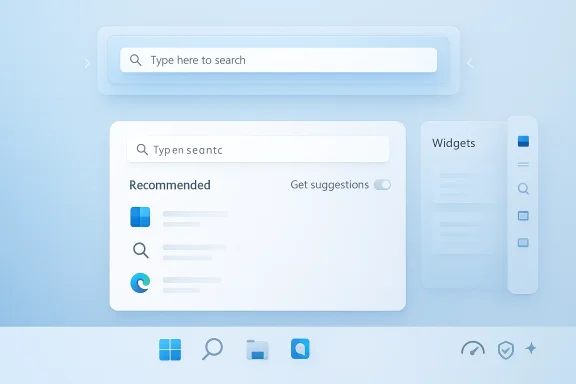
Windows 11’s interface has spent years irritating users in exactly the places they touch most: the taskbar, the Start menu, Search, and Widgets. Now Microsoft appears to be conceding that core-shell polish matters more than novelty, promising a round of changes that could finally restore some of the control Windows 11 took away at launch. The headline fixes are simple but consequential: taskbar repositioning for the top or sides of the screen and a more customizable Start menu Recommended area that can be tuned down or turned off. Just as importantly, Microsoft is signaling a broader reset toward performance, reliability, and craft—a phrase that feels like a quiet admission that Windows 11’s user experience has too often been busy without being better.
When Windows 11 arrived in 2021, it did not just modernize the look of the desktop; it also removed a surprising amount of long-familiar flexibility. The taskbar was locked to the bottom edge, the Start menu became more opinionated, and several utility behaviors that power users relied on suddenly vanished or changed shape. For many people, those weren’t cosmetic edits. They were a signal that Microsoft was making choices on behalf of users rather than with them.
That decision landed badly because the Windows desktop is not a phone screen or a console dashboard. It is a working environment, and for a great many users it is an intensely personal one. People arrange their apps, windows, shortcuts, and notifications around habits built over years, sometimes decades. A design that forces uniformity can look elegant in a demo while feeling claustrophobic in daily use.
Microsoft’s coming changes matter because they target exactly those friction points. The taskbar is not a decorative strip; it is the primary launch surface, the window-management anchor, and the place where notifications, network status, input state, and system controls converge. The Start menu is not just a launcher either; it is the operating system’s front door, the first place many users go to find apps, documents, or recent work.
This is why the PCWorld framing resonates. The company is not adding a whimsical sidebar or another AI flourish. It is addressing the complaints that made Windows 11 feel, to critics, less capable than Windows 10 in the places that mattered most. Microsoft’s own language suggests a course correction toward usefulness over spectacle, and that is worth examining in detail.
That decision also pushed a market for third-party shell tools. Products such as Start11, ExplorerPatcher, and similar utilities did not thrive because people wanted novelty; they existed because users wanted the control Windows itself had taken away. Microsoft’s own community and support materials have acknowledged, in various ways, that native repositioning has not been available in Windows 11 as it once was in previous versions. (learn.microsoft.com)
The new promise to allow the taskbar on the top or sides is therefore bigger than one setting. It is a statement that the shell should adapt to the user, not the other way around. That is a small sentence with very large implications.
The deeper significance is trust. Users do not complain this loudly about a feature unless they believe it should have been obvious from the start. Bringing it back can soften that resentment, but only if Microsoft implements it cleanly and without awkward regressions.
This change also reflects a larger shift in Windows design philosophy. In recent Windows 11 previews, Microsoft has been reshaping the Start menu into something more scrollable, more responsive to screen size, and more configurable. The recent Start redesign work already pointed toward the possibility that the old Recommended layout was becoming optional rather than central. (blogs.windows.com)
That matters because it changes Start from a recommendation engine into a true launcher again. For enterprise users, especially, predictability is a feature. A menu that surfaces apps and files reliably is more valuable than one that tries too hard to be smart.
A better Recommended section can help casual users find recent content faster. But if the controls are truly robust, power users and IT departments can reduce noise and make the menu feel more deterministic. That is the right direction for an OS that must serve both a home laptop and a managed workstation.
That distinction is not trivial. Many search failures in modern Windows are not failures of indexing so much as failures of expectation. If the user is looking for a document saved yesterday, a web suggestion is not merely unhelpful; it is disruptive. A search interface has to be boring before it can be powerful.
This is also where Microsoft’s recent AI strategy becomes relevant. The company has spent the last few years pushing semantic and natural-language search in parts of Windows, including Copilot-connected experiences. Those ideas are fine in the right context, but they can become noisy when they blur the line between local intent and internet retrieval. (blogs.windows.com)
It suggests Microsoft may finally be privileging fidelity over flourish. A search box that simply does the right thing is a better Windows feature than one that performs cleverness on demand. For many users, this may be the most important change of all.
The emphasis on making Widgets more glanceable is especially important. Glanceable means a user can learn something in one second and move on. If the board requires interpretation, scrolling, or cleanup, it stops being a glance layer and turns into another feed to maintain. That is exactly what users dislike about too many modern OS surfaces.
There is also the matter of notification fatigue. Microsoft says it wants fewer notifications, though it is not yet fully clear whether that refers to Widgets alone or the broader notification system. Either way, reducing noise is the correct instinct.
That audience will probably be smaller than Microsoft hopes, but that is fine. Not every feature needs to be universally beloved. Some features just need to be legible, optional, and respectful of attention.
Microsoft has repeatedly modified setup over the years, often to address hardware configuration, account sign-in, privacy prompts, and cloud-connected services. The problem is that these improvements have often been piecemeal. A truly better OOBE would reduce friction while preserving clarity and control.
That is especially important in enterprise deployments. IT departments want machines that can be provisioned quickly and consistently, not ones that require casual users to guess which toggle is safe. Simpler setup also benefits small businesses, schools, and households that want less ceremony and more productivity.
The best part of a faster setup is that it creates a better first impression without shouting about itself. That is quiet craftsmanship, which is exactly the tone Microsoft says it wants more of.
This shift also reflects competitive pressure. Windows is no longer judged only against itself; it is judged against macOS for polish, Linux desktops for flexibility, and even Chromebook-style simplicity for speed. A desktop OS that keeps removing useful control will be seen as stubborn, especially when third-party tools can restore some of that control in better ways.
Microsoft’s own behavior over the last year supports the idea that it is rebalancing. Several Windows 11 updates have emphasized reliability improvements, UI responsiveness, and better consistency across system surfaces. That is not flashy, but it is welcome. (windowscentral.com)
Fixing these features natively is good product strategy because it keeps users inside the supported Windows experience. It also reduces the temptation to rely on tools that can break after updates. In other words, improving the shell is not just a user-experience choice; it is a platform loyalty decision.
This is why Microsoft’s new promises feel overdue. If a vendor can build a business around restoring a feature, that feature was never unimportant. It was simply removed from the base product in a way that did not satisfy the market. Microsoft had the leverage to preserve those settings natively, but chose not to.
That choice also created risk. Every unsupported shell tweak creates compatibility questions, update anxiety, and community troubleshooting. When Microsoft reintroduces native options, it can replace uncertainty with supportable behavior. That is better for users and better for Windows itself.
There is a reputational dividend here. Once users believe Microsoft is listening on fundamentals, they are more likely to tolerate experimentation elsewhere. That does not mean every AI feature will be welcomed. It does mean the company has a chance to rebuild credibility one shell fix at a time.
The next phase will tell us whether this is a real philosophy change or just a temporary adjustment. Watch how the company balances personalization with restraint, and how it handles the tension between AI-driven discovery and plain old file-and-app search. If Microsoft gets those priorities right, Windows 11 may finally begin to feel less like an argument and more like a tool.
Source: PCWorld Windows 11 is finally fixing two of its most hated design choices
 Overview
When Windows 11 arrived in 2021, it did not just modernize the look of the desktop; it also removed a surprising amount of long-familiar flexibility. The taskbar was locked to the bottom edge, the Start menu became more opinionated, and several utility behaviors that power users relied on suddenly vanished or changed shape. For many people, those weren’t cosmetic edits. They were a signal that Microsoft was making choices on behalf of users rather than with them.That decision landed badly because the Windows desktop is not a phone screen or a console dashboard. It is a working environment, and for a great many users it is an intensely personal one. People arrange their apps, windows, shortcuts, and notifications around habits built over years, sometimes decades. A design that forces uniformity can look elegant in a demo while feeling claustrophobic in daily use.
Microsoft’s coming changes matter because they target exactly those friction points. The taskbar is not a decorative strip; it is the primary launch surface, the window-management anchor, and the place where notifications, network status, input state, and system controls converge. The Start menu is not just a launcher either; it is the operating system’s front door, the first place many users go to find apps, documents, or recent work.
This is why the PCWorld framing resonates. The company is not adding a whimsical sidebar or another AI flourish. It is addressing the complaints that made Windows 11 feel, to critics, less capable than Windows 10 in the places that mattered most. Microsoft’s own language suggests a course correction toward usefulness over spectacle, and that is worth examining in detail.
The Taskbar Problem Microsoft Finally Admits
The taskbar has always been one of Windows’ defining interface inventions, and its design has been controversial only because it is so central. In Windows 10, users could move it to any screen edge, a feature that mattered to everyone from ultrawide-monitor owners to tablet users to people who simply preferred vertical space. Windows 11 removed that flexibility, and the backlash never really went away.Why position matters more than it sounds
For power users, taskbar placement is not a vanity setting. A top or side taskbar can improve reachability, reduce mouse travel, and preserve vertical room on tall displays. On multi-monitor systems, it can also help align the OS chrome with the way a person actually works across panels. When Microsoft locked the taskbar to the bottom, it silently invalidated years of user muscle memory.That decision also pushed a market for third-party shell tools. Products such as Start11, ExplorerPatcher, and similar utilities did not thrive because people wanted novelty; they existed because users wanted the control Windows itself had taken away. Microsoft’s own community and support materials have acknowledged, in various ways, that native repositioning has not been available in Windows 11 as it once was in previous versions. (learn.microsoft.com)
The new promise to allow the taskbar on the top or sides is therefore bigger than one setting. It is a statement that the shell should adapt to the user, not the other way around. That is a small sentence with very large implications.
What a movable taskbar signals
If Microsoft follows through, it will not just be restoring a feature. It will be admitting that some of Windows 11’s early UI simplifications were too rigid for a general-purpose desktop operating system. That matters because the OS still serves gamers, office workers, developers, creators, and enterprise fleets at the same time.The deeper significance is trust. Users do not complain this loudly about a feature unless they believe it should have been obvious from the start. Bringing it back can soften that resentment, but only if Microsoft implements it cleanly and without awkward regressions.
- A movable taskbar restores a long-standing Windows workflow advantage.
- It supports ultrawide, multi-monitor, and touch use cases better.
- It reduces dependence on unsupported shell hacks.
- It gives Microsoft a chance to show that the desktop can still be personalized.
- It may also force the shell team to rethink how icons, trays, and popups adapt to new anchor points.
The Start Menu’s Recommended Section Gets a Rebuild
If the taskbar is the desktop’s spine, the Start menu is its handshake. Windows 11’s Start menu drew criticism almost immediately because it replaced a familiar, information-dense launcher with a cleaner but more constrained experience. The most annoying element for many users was not the pinned area itself; it was the Recommended section, which often felt like a cluttered box for recent documents, unsolicited suggestions, and whatever Microsoft wanted to surface that week.Why Recommended became such a pain point
The problem with Recommended was not merely that it existed. It was that it occupied a privileged place in a menu used constantly, and it often displayed items that users considered irrelevant, repetitive, or unhelpful. That makes the whole menu feel less like an aid and more like a compromise. The fact that Microsoft is now promising clearer controls to customize or even turn off the experience tells you how strong the backlash has been. (windowscentral.com)This change also reflects a larger shift in Windows design philosophy. In recent Windows 11 previews, Microsoft has been reshaping the Start menu into something more scrollable, more responsive to screen size, and more configurable. The recent Start redesign work already pointed toward the possibility that the old Recommended layout was becoming optional rather than central. (blogs.windows.com)
That matters because it changes Start from a recommendation engine into a true launcher again. For enterprise users, especially, predictability is a feature. A menu that surfaces apps and files reliably is more valuable than one that tries too hard to be smart.
Consumer and enterprise expectations diverge here
Consumers usually want the Start menu to be visually tidy, easy to read, and quick to use. Enterprises care about consistency, supportability, and the ability to standardize behavior across devices. Microsoft’s challenge is to satisfy both without turning the menu into a settings maze.A better Recommended section can help casual users find recent content faster. But if the controls are truly robust, power users and IT departments can reduce noise and make the menu feel more deterministic. That is the right direction for an OS that must serve both a home laptop and a managed workstation.
- Better Start controls should reduce friction for everyday launch tasks.
- Optional Recommended content should improve trust in the menu.
- A cleaner Start experience could reduce demand for third-party replacements.
- Enterprises benefit when defaults are predictable and policy-friendly.
- Consumers benefit when the menu feels less like a billboard and more like a tool.
Search Is Being Reframed as a Tool, Not a Trick
Search has been another Windows 11 sore spot, mostly because users want it to be obvious and accurate, while Microsoft has spent years layering in extra behavior. Many people simply want to type a filename, app name, or setting and get the right answer quickly. Instead, they have often had to navigate indexing quirks, web results, and increasingly AI-flavored assistance.Why clear result separation matters
Microsoft’s promise of a more consistent search experience across the taskbar, Start, File Explorer, and Settings is important because it addresses fragmentation. If each surface behaves differently, users stop trusting Search as a universal entry point. The memo’s emphasis on clearer, more trustworthy results—and especially the distinction between local results and web results—suggests Microsoft has heard that complaint loud and clear. (pcworld.com)That distinction is not trivial. Many search failures in modern Windows are not failures of indexing so much as failures of expectation. If the user is looking for a document saved yesterday, a web suggestion is not merely unhelpful; it is disruptive. A search interface has to be boring before it can be powerful.
This is also where Microsoft’s recent AI strategy becomes relevant. The company has spent the last few years pushing semantic and natural-language search in parts of Windows, including Copilot-connected experiences. Those ideas are fine in the right context, but they can become noisy when they blur the line between local intent and internet retrieval. (blogs.windows.com)
The real test is not AI, but fidelity
If Microsoft’s upcoming changes mean fewer surprise web inserts and more precise local matches, that will be a genuine quality upgrade. Users do not need search to feel magical; they need it to feel dependable. That is why the absence of AI in this part of the memo may actually be the most encouraging sign.It suggests Microsoft may finally be privileging fidelity over flourish. A search box that simply does the right thing is a better Windows feature than one that performs cleverness on demand. For many users, this may be the most important change of all.
- Search should surface apps, files, and settings with less ambiguity.
- Clear labeling between device and web results should reduce confusion.
- Better consistency across surfaces should improve learning and muscle memory.
- AI can be useful, but only if it does not obscure the primary task.
- File search remains one of the most important quality-of-life features in Windows.
Widgets Need to Be Quiet Before They Can Be Useful
Windows Widgets have been a mixed bag since their introduction. On paper, the idea is sensible: a glanceable panel for weather, news, calendar items, traffic, and personalized updates. In practice, the experience has often been more chaotic than calming, with feeds that feel crowded and over-curated. Microsoft now appears to understand that a dashboard is only helpful if it can be subdued.A feed that knows when to get out of the way
A well-designed widget board should disappear into the background until needed. Instead, many users have found Windows Widgets to be one more place where content density outruns utility. Microsoft’s promise of a more personalized Discover feed and simpler settings is a sign that it wants the board to feel more intentional and easier to manage. (blogs.windows.com)The emphasis on making Widgets more glanceable is especially important. Glanceable means a user can learn something in one second and move on. If the board requires interpretation, scrolling, or cleanup, it stops being a glance layer and turns into another feed to maintain. That is exactly what users dislike about too many modern OS surfaces.
There is also the matter of notification fatigue. Microsoft says it wants fewer notifications, though it is not yet fully clear whether that refers to Widgets alone or the broader notification system. Either way, reducing noise is the correct instinct.
Personalization without clutter
Personalization is often used as a euphemism for more content, but it does not have to be that way. The best personalization removes irrelevant material and surfaces only what matters. If Microsoft can make Widgets more configurable while also making it easier to turn them down or off, then the feature may finally find its audience.That audience will probably be smaller than Microsoft hopes, but that is fine. Not every feature needs to be universally beloved. Some features just need to be legible, optional, and respectful of attention.
- Widgets should prioritize signal over noise.
- Easier controls are more valuable than endless content sources.
- A quieter board is more likely to feel professional on work PCs.
- Consumers may still enjoy glanceable updates if the feed is truly relevant.
- Turning features off should always be a first-class option.
Setup and First Run Need Less Ceremony
One of the more understated promises in Microsoft’s memo is a quicker PC setup experience. That matters because the first hour with a Windows machine often shapes the user’s opinion of the entire platform. If setup feels long, confusing, or repetitive, the system begins at a deficit before the desktop even appears.OOBE is part of the product, not a prelude
The Out-of-the-Box Experience is not just onboarding. It is the opening chapter of Windows’ relationship with the customer. If the pages are too numerous, the wording too promotional, or the branching too opaque, the user starts the machine feeling managed rather than welcomed.Microsoft has repeatedly modified setup over the years, often to address hardware configuration, account sign-in, privacy prompts, and cloud-connected services. The problem is that these improvements have often been piecemeal. A truly better OOBE would reduce friction while preserving clarity and control.
That is especially important in enterprise deployments. IT departments want machines that can be provisioned quickly and consistently, not ones that require casual users to guess which toggle is safe. Simpler setup also benefits small businesses, schools, and households that want less ceremony and more productivity.
Faster first-run is a reliability story
A lot of UI criticism is really reliability criticism in disguise. If the setup flow is slow, inconsistent, or full of recoverable mistakes, users interpret it as bloat. If it is fast and clean, they interpret it as care. Microsoft’s renewed emphasis on performance and reliability suggests it understands that these emotional reactions are not incidental; they are the product.The best part of a faster setup is that it creates a better first impression without shouting about itself. That is quiet craftsmanship, which is exactly the tone Microsoft says it wants more of.
Microsoft’s Bigger Strategic Pivot: Less Flash, More Foundation
The timing of these changes is as important as the changes themselves. Windows 11 spent much of its life in a cycle where new experiences arrived alongside complaints about shell regressions, unfinished flows, and features that felt more aspirational than polished. Now Microsoft is talking more openly about durability, trust, and day-to-day quality. That is a meaningful shift.Why the “performance, reliability, and craft” memo matters
The language around performance, reliability, and craft suggests a new prioritization hierarchy. Instead of asking what can be added next, Microsoft seems to be asking what should work better first. That is a healthier framework for an operating system that millions of people use all day, every day. (windowscentral.com)This shift also reflects competitive pressure. Windows is no longer judged only against itself; it is judged against macOS for polish, Linux desktops for flexibility, and even Chromebook-style simplicity for speed. A desktop OS that keeps removing useful control will be seen as stubborn, especially when third-party tools can restore some of that control in better ways.
Microsoft’s own behavior over the last year supports the idea that it is rebalancing. Several Windows 11 updates have emphasized reliability improvements, UI responsiveness, and better consistency across system surfaces. That is not flashy, but it is welcome. (windowscentral.com)
The business case for fixing old complaints
There is a financial angle here too. When the OS is frustrating, users look elsewhere for control. That is why a whole ecosystem formed around Start and taskbar replacement utilities. Microsoft is now effectively competing with the software industry it accidentally nurtured.Fixing these features natively is good product strategy because it keeps users inside the supported Windows experience. It also reduces the temptation to rely on tools that can break after updates. In other words, improving the shell is not just a user-experience choice; it is a platform loyalty decision.
- Native control reduces reliance on unsupported customization tools.
- Better defaults lower the burden on IT support and enthusiast communities.
- A more stable shell improves perceptions of the whole platform.
- Quality-of-life fixes often produce more goodwill than headline AI features.
- Restoring trust may be the most valuable upgrade Microsoft can ship.
Why Third-Party Shell Tools Became So Popular
It is impossible to discuss these changes without acknowledging the ecosystem that grew around Windows 11’s missing features. Start11, ExplorerPatcher, StartAllBack, and similar products did not appear out of nowhere. They became successful because Microsoft left demand on the table.Third-party demand as product feedback
When users pay for shell tools, they are sending a very specific message: they want the OS to stop getting in their way. These tools are not just niche hobbies for enthusiasts. They are evidence of unmet mainstream demand among users who simply wanted the old flexibility back.This is why Microsoft’s new promises feel overdue. If a vendor can build a business around restoring a feature, that feature was never unimportant. It was simply removed from the base product in a way that did not satisfy the market. Microsoft had the leverage to preserve those settings natively, but chose not to.
That choice also created risk. Every unsupported shell tweak creates compatibility questions, update anxiety, and community troubleshooting. When Microsoft reintroduces native options, it can replace uncertainty with supportable behavior. That is better for users and better for Windows itself.
The opportunity to win back power users
Power users are often the first to complain and the last to forgive, but they are still influential. They shape advice, drive forums, and often help less technical colleagues solve problems. If Microsoft can demonstrate that Windows 11 is becoming less hostile to customization, it may win back more goodwill than it expects.There is a reputational dividend here. Once users believe Microsoft is listening on fundamentals, they are more likely to tolerate experimentation elsewhere. That does not mean every AI feature will be welcomed. It does mean the company has a chance to rebuild credibility one shell fix at a time.
- Third-party tools reveal genuine market demand.
- Native support is always safer than patch-based workarounds.
- Power users influence broader perceptions of Windows quality.
- Compatibility improves when customization is officially supported.
- Reducing friction can help Microsoft regain platform authority.
Strengths and Opportunities
Microsoft’s pivot toward usability is strong because it targets the exact points where user frustration has been most visible. If executed well, these changes can make Windows 11 feel more like a mature desktop platform and less like a polished-but-restrictive shell.- Taskbar repositioning restores a classic Windows strength.
- Better Start controls reduce clutter and improve daily usability.
- Clearer Search behavior should make the system feel more trustworthy.
- Widgets can become more useful if they are quieter and easier to tune.
- Faster setup improves the first impression of new PCs.
- Stronger reliability messaging helps reposition Windows as stable first.
- Native fixes can reduce dependence on unsupported customization tools.
Risks and Concerns
The biggest risk is implementation drift. Microsoft has a history of announcing welcome ideas and then shipping them in ways that are partial, delayed, or constrained by edge cases. Users will not celebrate the return of control if the control is awkward or inconsistent.- The taskbar change could arrive with limitations that disappoint enthusiasts.
- Start menu customization may still remain too shallow for power users.
- Search improvements could be undermined if web results remain too prominent.
- Widgets may stay noisy unless Microsoft truly simplifies the board.
- Setup improvements could be buried under account and advertising prompts.
- Enterprise admins may worry about feature variance across builds.
- AI-related additions could still distract from the quality fixes users actually want.
Looking Ahead
The important question is not whether Microsoft can announce these features, but whether it can deliver them in a way that feels coherent. Windows users are extraordinarily sensitive to shell behavior because they live in it every day. If Microsoft restores flexibility while tightening performance and simplifying defaults, it could turn a years-long complaint into a genuine trust recovery.The next phase will tell us whether this is a real philosophy change or just a temporary adjustment. Watch how the company balances personalization with restraint, and how it handles the tension between AI-driven discovery and plain old file-and-app search. If Microsoft gets those priorities right, Windows 11 may finally begin to feel less like an argument and more like a tool.
- Watch for taskbar placement in Insider builds and whether all edges are truly supported.
- Watch whether Recommended can be fully hidden or only minimized.
- Watch whether Search clearly labels local versus web results.
- Watch whether Widgets become optional, quiet, and genuinely configurable.
- Watch whether the new setup flow becomes shorter without becoming vague.
- Watch for enterprise policies that preserve consistency across managed devices.
Source: PCWorld Windows 11 is finally fixing two of its most hated design choices