

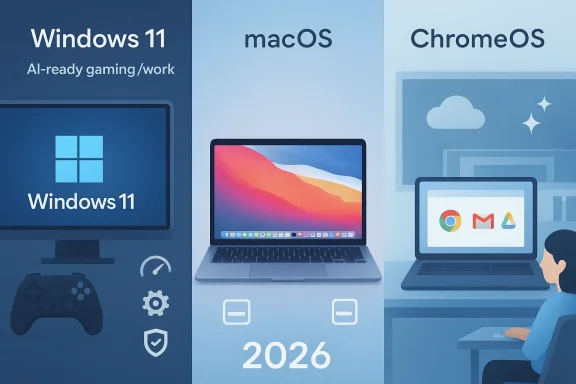
Choosing between Windows, macOS, and ChromeOS in 2026 is less about crowning a single winner and more about matching the right platform to the right workflow. The headline truth is that all three operating systems have improved, but in different directions: Windows 11 is being tuned for performance, reliability, and AI-enabled hardware; macOS remains the most polished and battery-efficient mainstream desktop experience on Apple silicon; and ChromeOS has quietly become a smarter, lighter, and more classroom- and cloud-friendly option. Microsoft’s own 2026 messaging emphasizes Windows 11 quality, with a focus on speed, stability, and reduced resource use, while Apple continues to pitch Mac as a high-efficiency, tightly integrated platform and Google keeps layering Gemini-powered features into Chromebooks.
The old “which OS is best?” debate used to be mostly ideological. Windows was the default for compatibility, macOS was the premium choice for design and creative work, and ChromeOS was the affordable browser-first platform for schools and light users. In 2026, that hierarchy is blurrier because each platform has expanded into the others’ territory: Windows is leaning into AI PCs and quality improvements, macOS is becoming even more compelling on Apple silicon, and ChromeOS is pushing deeper into AI-assisted productivity and education.
Microsoft’s 2026 Windows message is especially notable because it is not a flashy reset. The company says it is raising the bar on Windows 11 quality by focusing on performance, reliability, and crafted experiences, including resource usage reductions, faster app launches, and more consistent wake behavior. That sounds modest, but it matters because many users still judge Windows through the lens of clutter, inconsistency, and the sense that the platform was doing too much in the background.
Apple’s narrative is almost the opposite. Rather than apologizing for complexity, Apple sells consistency, efficiency, and the benefits of vertical integration. Its recent MacBook Air and MacBook announcements continue to emphasize long battery life, strong performance, and smooth behavior on Apple silicon, which remains central to macOS’s identity. Apple also frames Apple Intelligence as deeply integrated into the Mac experience, while preserving a privacy-forward story that differentiates it from Microsoft’s cloud-and-device AI pitch.
ChromeOS sits in a different lane but is no longer content to be “just the cheap option.” Google’s Chromebook Plus line now comes with Gemini, writing help, AI-enhanced photo tools, and gaming-related features, while newer devices are showcasing stronger processors and better battery life. That makes ChromeOS more interesting than it used to be for students, families, and anyone who lives mostly in the browser and Google services.
The user experience gap between the three has therefore narrowed in some places and widened in others. Windows is broader and more flexible than ever, but that flexibility can still produce variation in performance and reliability depending on hardware. macOS is remarkably smooth, but it is locked to Apple hardware and a narrower set of use cases. ChromeOS is simpler and often cheaper, but its power ceiling is still lower unless your entire life can comfortably live in web apps, Android apps, and cloud services.
That consistency matters in daily use. Users notice app launch speed, wake-from-sleep behavior, trackpad responsiveness, and whether a machine seems to fight them. macOS usually wins those small battles, and in the desktop market those small battles shape perception more than benchmark charts do.
ChromeOS is the weakest of the three for local gaming. Google has made cloud gaming and Android gaming more accessible, and some Chromebook Plus devices are more capable than past generations, but the platform is still aimed at lightweight, web-centric, and education-focused use. If gaming is a priority, ChromeOS is usually the wrong answer unless your needs are very modest.
Windows is improving here, especially with newer silicon and Microsoft’s renewed focus on performance and battery-friendly behavior. Microsoft’s Windows 11 26H1 materials specifically point to next-generation silicon, better performance, and longer battery life on select new devices. Still, because Windows spans so many device makers and chip families, its battery experience remains uneven.
ChromeOS also performs well in battery life, particularly on well-designed Chromebooks that avoid high overhead. Google’s own Chromebook Plus launches and education initiatives increasingly pair ChromeOS with efficient processors and all-day battery claims. The difference is that ChromeOS usually achieves efficiency by doing less, while macOS achieves it by doing a lot very efficiently.
ChromeOS is strongest when you already live inside Google Workspace, Gmail, Drive, Photos, and Gemini. Google has been steadily adding AI-powered writing, photo, and classroom features, which makes the ecosystem increasingly compelling for schools and web-native households. It is a powerful ecosystem, but it is also a more cloud-centered one, so offline dependence is less elegantly handled than on macOS or Windows.
Apple’s AI approach is the most restrained and privacy-forward of the three. Apple Intelligence is integrated into macOS and Apple silicon, but Apple has moved more deliberately than Microsoft or Google. That slower rollout may frustrate some users, but it also aligns with Apple’s longstanding preference for controlled releases and tightly managed experiences.
macOS is often the best choice for students in creative disciplines, media, design, and certain development workflows. It is also the better long-term purchase if the student already owns Apple devices. But because Macs are more expensive, the value proposition is stronger when the ecosystem or workload truly benefits from what Apple provides.
Windows is still the best all-rounder for anyone who needs specialized commercial software, wider hardware choice, or the most flexible upgrade path. That includes engineers, gamers who also work, IT pros, and business users who need specific peripherals or legacy applications. Windows’ complexity is the price of that breadth.
There is no universal champion in this fight, and that is the point. If you need the broadest compatibility and the strongest gaming platform, choose Windows. If you want the smoothest premium experience and the best battery life, choose macOS. If you want the simplest, cheapest, and most cloud-friendly option, choose ChromeOS. In 2026, the best operating system is the one that disappears into your workflow — and each of these platforms can do that, but only for the right user.
Source: thewincentral.com Windows vs macOS vs ChromeOS (2026) — Which One Should You Choose? - WinCentral
 Background
The old “which OS is best?” debate used to be mostly ideological. Windows was the default for compatibility, macOS was the premium choice for design and creative work, and ChromeOS was the affordable browser-first platform for schools and light users. In 2026, that hierarchy is blurrier because each platform has expanded into the others’ territory: Windows is leaning into AI PCs and quality improvements, macOS is becoming even more compelling on Apple silicon, and ChromeOS is pushing deeper into AI-assisted productivity and education.Microsoft’s 2026 Windows message is especially notable because it is not a flashy reset. The company says it is raising the bar on Windows 11 quality by focusing on performance, reliability, and crafted experiences, including resource usage reductions, faster app launches, and more consistent wake behavior. That sounds modest, but it matters because many users still judge Windows through the lens of clutter, inconsistency, and the sense that the platform was doing too much in the background.
Apple’s narrative is almost the opposite. Rather than apologizing for complexity, Apple sells consistency, efficiency, and the benefits of vertical integration. Its recent MacBook Air and MacBook announcements continue to emphasize long battery life, strong performance, and smooth behavior on Apple silicon, which remains central to macOS’s identity. Apple also frames Apple Intelligence as deeply integrated into the Mac experience, while preserving a privacy-forward story that differentiates it from Microsoft’s cloud-and-device AI pitch.
ChromeOS sits in a different lane but is no longer content to be “just the cheap option.” Google’s Chromebook Plus line now comes with Gemini, writing help, AI-enhanced photo tools, and gaming-related features, while newer devices are showcasing stronger processors and better battery life. That makes ChromeOS more interesting than it used to be for students, families, and anyone who lives mostly in the browser and Google services.
The user experience gap between the three has therefore narrowed in some places and widened in others. Windows is broader and more flexible than ever, but that flexibility can still produce variation in performance and reliability depending on hardware. macOS is remarkably smooth, but it is locked to Apple hardware and a narrower set of use cases. ChromeOS is simpler and often cheaper, but its power ceiling is still lower unless your entire life can comfortably live in web apps, Android apps, and cloud services.
Performance and Speed
Windows 11 in 2026 is not the sluggish operating system some people still imagine, but its performance story remains hardware dependent. Microsoft says it is reducing resource usage, improving app responsiveness, and making Windows more consistent under real workloads. On a well-built modern PC, that can mean a very solid experience; on an older or poorly configured machine, Windows still has more room to feel heavy than its rivals.Where Windows still shines
Windows remains the broadest platform for performance variety because it runs on the widest range of PC hardware. That flexibility is a strength for buyers who want to tune price, thermals, portability, graphics power, and upgradeability. It is also why Windows is still the obvious pick for high-end gaming rigs, workstation-class desktops, and laptops that need discrete GPUs or specialty peripherals.- Best hardware choice matters more on Windows than on the other two platforms.
- Performance gains can be dramatic on modern AI PCs and premium laptops.
- Poorly optimized budget systems can still drag the platform down.
- The driver ecosystem remains unmatched for niche PC hardware.
macOS keeps the smoothness crown
macOS still feels like the most consistently polished desktop platform because Apple controls the hardware, firmware, and software stack. Apple’s latest MacBook Air and MacBook promotions continue to emphasize battery life, speed, and the efficiency of Apple silicon, which is exactly why Macs often feel fast even when they are not the most aggressively specced machines on paper.That consistency matters in daily use. Users notice app launch speed, wake-from-sleep behavior, trackpad responsiveness, and whether a machine seems to fight them. macOS usually wins those small battles, and in the desktop market those small battles shape perception more than benchmark charts do.
The practical takeaway
If you want the widest possible ceiling, Windows still has the deepest performance range. If you want the least friction and the most consistent “feels fast” experience, macOS is still ahead. If you mostly want a quick, lightweight machine for cloud work and school, ChromeOS delivers speed in the most economical way.Gaming and Graphics
This section is simple: Windows 11 wins gaming, and it is not really close. It has the largest native game library, the broadest GPU support, the most mature support for PC launchers and anti-cheat systems, and the strongest ecosystem around enthusiast hardware. Even as macOS improves in some gaming-related areas, it still does not match Windows as a gaming platform.Why Windows dominates gaming
The reason is not just tradition. Game developers optimize for the platform with the biggest audience, and PC gaming has been built around Windows APIs, drivers, and store ecosystems for decades. That creates a reinforcing loop: more games launch first on Windows, which keeps gamers on Windows, which keeps developers targeting Windows first.- Best native game support
- Best GPU compatibility
- Best peripheral and mod support
- Best choice for esports and AAA gaming
ChromeOS is the weakest of the three for local gaming. Google has made cloud gaming and Android gaming more accessible, and some Chromebook Plus devices are more capable than past generations, but the platform is still aimed at lightweight, web-centric, and education-focused use. If gaming is a priority, ChromeOS is usually the wrong answer unless your needs are very modest.
Graphics and creative workloads
For creators, the answer is more nuanced. Windows offers the widest app compatibility for 3D work, many Adobe workflows, and specialty tools. macOS often offers the most refined experience for video editing, audio work, and laptop-based content creation. ChromeOS is viable for simple editing and web-based creative tools, but it is not the platform most professionals would choose for demanding production work.Battery Life and Efficiency
Battery life is where macOS continues to set the pace. Apple’s MacBook Air materials highlight up to 18 hours on current models, and Apple’s broader business and product messaging keeps returning to the same theme: Apple silicon is designed for efficiency as much as speed. That advantage is not just about longer unplugged use; it also contributes to quieter thermals and a more stable-feeling machine.Why Apple’s efficiency story works
The key is integration. Apple controls the chip design, the operating system, and the laptop chassis, so it can tune the whole stack for power and heat behavior rather than forcing generic software to adapt to hundreds of configurations. That creates a battery story that is difficult for Windows OEMs to match at scale.Windows is improving here, especially with newer silicon and Microsoft’s renewed focus on performance and battery-friendly behavior. Microsoft’s Windows 11 26H1 materials specifically point to next-generation silicon, better performance, and longer battery life on select new devices. Still, because Windows spans so many device makers and chip families, its battery experience remains uneven.
ChromeOS also performs well in battery life, particularly on well-designed Chromebooks that avoid high overhead. Google’s own Chromebook Plus launches and education initiatives increasingly pair ChromeOS with efficient processors and all-day battery claims. The difference is that ChromeOS usually achieves efficiency by doing less, while macOS achieves it by doing a lot very efficiently.
The consumer impact
For students, commuters, and remote workers, battery life can matter more than raw power. If you spend hours on battery, macOS is still the safest bet for a premium laptop experience. ChromeOS is the budget efficiency winner, and Windows can be excellent if you buy the right hardware — but you have to shop more carefully.Ecosystem and Integration
The best ecosystem in 2026 is still Apple’s, especially for users who already own an iPhone, iPad, Apple Watch, or AirPods. Apple continues to push device continuity, integrated privacy features, and Apple Intelligence across its platforms, which makes the Mac feel like the desktop center of a broader personal computing universe.Why macOS feels seamless
Apple’s ecosystem works because the handoffs are designed as part of the product, not as an optional add-on. Messages, AirDrop, continuity features, and cross-device authentication all create a sense that the Mac is one part of a coherent whole. For Apple users, that is a huge quality-of-life advantage that Windows and ChromeOS still cannot match cleanly.- Best iPhone integration
- Best cross-device continuity
- Best accessory cohesion
- Best “it just works” feeling across devices
ChromeOS is strongest when you already live inside Google Workspace, Gmail, Drive, Photos, and Gemini. Google has been steadily adding AI-powered writing, photo, and classroom features, which makes the ecosystem increasingly compelling for schools and web-native households. It is a powerful ecosystem, but it is also a more cloud-centered one, so offline dependence is less elegantly handled than on macOS or Windows.
Enterprise vs consumer integration
Enterprises often prefer Windows because identity, policy, and line-of-business compatibility are deeply entrenched there. Apple has made major enterprise gains, though, and its business materials continue to emphasize manageability and secure deployment. ChromeOS is especially strong in education and controlled environments, where simplicity and centralized management are more valuable than software breadth.AI and Future Tech
AI is the most important strategic battleground in 2026, and Windows is pushing hardest on the “AI PC” narrative. Microsoft’s latest Windows 11 materials emphasize on-device AI, Windows ML, Windows AI Foundry, Copilot+ support, and new hardware classes built around NPUs and next-generation silicon. That makes Windows the platform most visibly trying to define the AI desktop future.Windows is betting on hardware-assisted AI
Microsoft’s strategy is to make AI feel native to Windows rather than just an app layered on top. That means better model inference, better device support, and more visible AI features inside everyday workflows. The upside is obvious: if Microsoft gets it right, Windows could become the default platform for AI-enhanced productivity on the PC.- Strongest AI hardware story
- Largest potential developer ecosystem
- Best shot at AI on mainstream PCs
- Most aggressive AI-platform positioning
Apple’s AI approach is the most restrained and privacy-forward of the three. Apple Intelligence is integrated into macOS and Apple silicon, but Apple has moved more deliberately than Microsoft or Google. That slower rollout may frustrate some users, but it also aligns with Apple’s longstanding preference for controlled releases and tightly managed experiences.
Why this matters more than feature lists
AI is becoming part of the OS selection process because buyers increasingly want a machine that can participate in modern workflows without feeling bolted on. If you care about local AI tools, Windows looks strongest. If you care about accessible cloud AI in a simple device, ChromeOS looks very compelling. If you care about private, well-integrated AI that blends into a premium hardware experience, macOS is the most conservative but still very attractive option.Students, Families, and Education
ChromeOS is still the most natural choice for students and many families. Its combination of low cost, simple maintenance, quick startup, and easy web-centric usage fits the needs of schoolwork better than the more complex Windows or Mac ecosystems. Google’s recent Chromebook Plus education push reinforces that ChromeOS is now aimed at much more than just cheap laptops.Why schools keep choosing ChromeOS
Schools like systems that are easy to deploy, easy to lock down, and easy to replace. ChromeOS is built around that reality, and Google’s education updates in 2026 keep adding collaboration tools, AI-assisted classroom functions, and device-friendly workflows. For shared computing environments, that simplicity is a major operational advantage.- Low-cost devices
- Simpler management
- Fast boot and recovery
- Strong Google Workspace fit
- Good battery life on modern models
macOS is often the best choice for students in creative disciplines, media, design, and certain development workflows. It is also the better long-term purchase if the student already owns Apple devices. But because Macs are more expensive, the value proposition is stronger when the ecosystem or workload truly benefits from what Apple provides.
The family angle
For households that just want something reliable for homework, streaming, browsing, and video calls, ChromeOS is often the simplest answer. For households that want a single machine to cover school, gaming, office work, and broader compatibility, Windows is the more flexible choice. For families already deep in Apple’s ecosystem, the Mac becomes the least disruptive premium option.Professionals, Creators, and Developers
For professionals, the best OS depends heavily on the kind of work you do. Windows is still the broadest business platform, macOS is often the best laptop environment for developers and creators who value consistency, and ChromeOS is ideal only when the job is heavily cloud-based. The current market is less about “best overall” and more about “best for this workflow.”Creative work and coding
macOS continues to win favor with creators and many developers because of its Unix-like foundation, battery life, and smooth hardware-software integration. Apple’s own business and employee guides keep emphasizing Apple silicon, stable system behavior, and the kinds of app and identity integrations that matter in professional settings. For people who live in terminal windows, creative suites, and long coding sessions, that combination remains hard to beat.Windows is still the best all-rounder for anyone who needs specialized commercial software, wider hardware choice, or the most flexible upgrade path. That includes engineers, gamers who also work, IT pros, and business users who need specific peripherals or legacy applications. Windows’ complexity is the price of that breadth.
ChromeOS for knowledge work
ChromeOS can work surprisingly well for people whose job is mostly browser-based, but it is still a narrower platform. Google’s AI and collaboration tools make it more attractive than before, and Chromebook Plus is no longer just a budget badge. Still, if your workflow depends on heavyweight desktop apps, local virtualization, or niche plug-ins, ChromeOS remains the least versatile of the three.- Best for creators: macOS
- Best for business flexibility: Windows
- Best for cloud-native simplicity: ChromeOS
- Best for developers who want consistency: macOS
- Best for hardware variety: Windows
How the 2026 Version of This Debate Differs from 2023 or 2024
In earlier years, the discussion often reduced to whether Windows was bloated, whether Macs were overpriced, and whether Chromebooks were too limited. That framing is outdated now because each platform has matured and each vendor is pushing a broader strategic identity. Microsoft is talking about quality and AI hardware, Apple is talking about silicon-driven refinement, and Google is talking about AI-first simplicity.The new fault lines
The important fault lines in 2026 are not just performance or price. They include privacy, AI readiness, battery behavior, software compatibility, and how much control you want over the machine. They also include how much you trust the platform to keep improving without becoming noisier or more restrictive.- AI readiness is now a real buying factor
- Battery life has become a premium differentiator
- Compatibility still separates Windows from the rest
- Ecosystem lock-in matters more than ever
- Update quality is part of the user experience
Strengths and Opportunities
The strongest platforms in 2026 are the ones that combine technical capability with a clear identity. Windows has the biggest canvas, macOS has the most elegant execution, and ChromeOS has the simplest story. Each has room to win more users if it stays disciplined and continues to improve the things users actually feel day to day.- Windows can win users who need gaming, compatibility, and hardware choice.
- macOS can win users who value battery life, polish, and ecosystem continuity.
- ChromeOS can win users who prioritize affordability, simplicity, and cloud-first workflows.
- Windows 11 quality improvements could rebuild trust if Microsoft keeps the focus on speed and reliability.
- Apple silicon continues to give macOS a durable efficiency advantage.
- ChromeOS AI features are making budget and education machines far more capable than before.
- AI integration is finally becoming useful enough to influence OS choice rather than just marketing copy.
Risks and Concerns
No operating system gets a free pass in 2026. Windows still risks feeling too complex, macOS still risks feeling too closed, and ChromeOS still risks feeling too limited for mainstream power users. The most successful platform will be the one that makes its tradeoffs feel deliberate rather than imposed.- Windows can still suffer from uneven hardware quality and inconsistent OEM tuning.
- macOS remains tied to expensive Apple hardware, which narrows entry points.
- ChromeOS still depends heavily on the cloud for its best experience.
- AI features can add overhead if they are not well integrated.
- Ecosystem lock-in can make switching costly for consumers and businesses alike.
- Update complexity remains a real issue on Windows fleets, especially across mixed hardware.
What to Watch Next
The next few months will tell us whether the 2026 positioning sticks or just becomes another marketing cycle. Windows has to prove that its quality-first message becomes visible in daily use, Apple has to keep making macOS feel like the premium endpoint for Apple users, and Google has to show that ChromeOS can move beyond classrooms and light web work without losing its simplicity.Watch these signals
- Whether Windows 11 quality improvements show up in real-world responsiveness, battery behavior, and stability rather than just release notes.
- Whether Apple keeps expanding macOS AI features without compromising the privacy and efficiency narrative that makes Macs attractive.
- Whether ChromeOS Plus devices continue to gain useful AI and productivity tools that matter outside school settings.
- Whether Windows AI hardware becomes mainstream or remains mostly a premium-tier story.
- Whether battery life remains the clearest dividing line between Apple silicon Macs and the average Windows laptop.
There is no universal champion in this fight, and that is the point. If you need the broadest compatibility and the strongest gaming platform, choose Windows. If you want the smoothest premium experience and the best battery life, choose macOS. If you want the simplest, cheapest, and most cloud-friendly option, choose ChromeOS. In 2026, the best operating system is the one that disappears into your workflow — and each of these platforms can do that, but only for the right user.
Source: thewincentral.com Windows vs macOS vs ChromeOS (2026) — Which One Should You Choose? - WinCentral
