

Windows 11’s lead over Windows 10 has narrowed sharply in recent months: global web telemetry shows Windows 11 hovering just above half of desktop Windows installs while Windows 10 is recovering ground despite having reached official end of support in October 2025. This reversal — driven by a mix of Microsoft’s regional Extended Security Updates policy, hardware eligibility limits for Windows 11, and growing user pushback over update quality and product direction — is reshaping the Windows landscape for consumers, IT teams, and PC gamers alike.
Microsoft declared Windows 10’s end of support on October 14, 2025, a milestone that was expected to accelerate migrations to Windows 11. In parallel, Microsoft introduced a one‑year Extended Security Updates (ESU) pathway to keep legacy devices patched, with distinct regional terms that matter: ESU is broadly available to consumers for one year after EOL, but the enrollment mechanics and cost differ depending on location. In the European Economic Area (EEA), regulators and consumer groups successfully pushed Microsoft to make ESU more accessible to consumers, meaning many European users can receive the one‑year ESU without paying the previously proposed conditions. Outside the EEA, Microsoft has required consumers to either pay, redeem Microsoft Rewards points, or take specific enrollment steps to receive ESU.
At the same time, two commonly referenced metrics paint slightly different pictures of the platform mix: global web traffic analytics (which sample billions of page views) and the Steam Hardware & Software Survey (which samples a large but gamer‑skewed user base). StatCounter’s global desktop Windows version tracker shows Windows 11 and Windows 10 almost evenly split as of December 2025, while Valve’s Steam survey reports a far larger Windows 11 share among PC gamers. Both datasets are accurate for their scope — but they capture different slices of the market and therefore tell different stories.
These numbers are derived from global web traffic analysis and reflect real visitor sessions across a very large cross‑section of sites. They’re useful for measuring real‑world usage across many device types and geographies, but they skew toward machines that regularly browse the web — which can underrepresent heavily locked‑down enterprise endpoints or specially configured gaming rigs.
For consumers, the practical takeaway is straightforward: evaluate your device’s eligibility, back up your data, enroll in ESU where it makes sense, or begin a migration plan to a supported OS. For gamers, keep drivers and firmware current and consider testing alternatives like SteamOS for supported titles. For IT professionals, double down on inventory, test rings, and staged rollouts — plan for mixed environments and for the costs and risks that come with them.
Windows is no longer a single monolithic target; it’s a landscape of overlapping OS versions, regional policies, and user preferences. That fragmentation creates headaches for platform maintainers and opportunities for competitors. In short: the post‑EOL period will be messy, strategic, and consequential — and the decisions organizations and individuals make now will shape their security and productivity well into 2026.
Source: PC Guide Windows 10 usage is creeping back towards a 50/50 split with Windows 11, despite end of support
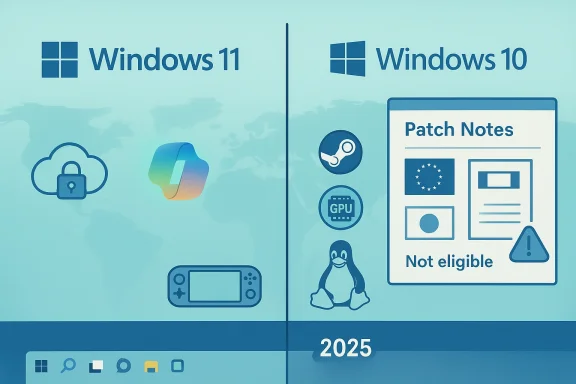 Background and overview
Microsoft declared Windows 10’s end of support on October 14, 2025, a milestone that was expected to accelerate migrations to Windows 11. In parallel, Microsoft introduced a one‑year Extended Security Updates (ESU) pathway to keep legacy devices patched, with distinct regional terms that matter: ESU is broadly available to consumers for one year after EOL, but the enrollment mechanics and cost differ depending on location. In the European Economic Area (EEA), regulators and consumer groups successfully pushed Microsoft to make ESU more accessible to consumers, meaning many European users can receive the one‑year ESU without paying the previously proposed conditions. Outside the EEA, Microsoft has required consumers to either pay, redeem Microsoft Rewards points, or take specific enrollment steps to receive ESU.At the same time, two commonly referenced metrics paint slightly different pictures of the platform mix: global web traffic analytics (which sample billions of page views) and the Steam Hardware & Software Survey (which samples a large but gamer‑skewed user base). StatCounter’s global desktop Windows version tracker shows Windows 11 and Windows 10 almost evenly split as of December 2025, while Valve’s Steam survey reports a far larger Windows 11 share among PC gamers. Both datasets are accurate for their scope — but they capture different slices of the market and therefore tell different stories.
The headline numbers: what the data says
StatCounter: Windows 11 vs Windows 10 on the open web
Recent StatCounter figures for December 2025 put Windows 11 at roughly 50–51% of desktop Windows web activity and Windows 10 in the mid‑40s percent range. That represents a noticeable decline in Windows 11’s share from the spike seen during the run‑up to Windows 10’s end of support, and a concurrent uptick for Windows 10 after the EOL date.These numbers are derived from global web traffic analysis and reflect real visitor sessions across a very large cross‑section of sites. They’re useful for measuring real‑world usage across many device types and geographies, but they skew toward machines that regularly browse the web — which can underrepresent heavily locked‑down enterprise endpoints or specially configured gaming rigs.
Steam: the gamer perspective
Valve’s Steam Hardware & Software Survey, which polls Steam clients monthly, shows a much stronger tilt toward Windows 11 among gamers. In December 2025 the Steam survey reported around two‑thirds (about 66%) of desktop Steam users on Windows 11, with Windows 10 down around the high 20s percent and Linux making modest gains into the low single digits (with SteamOS accounting for a meaningful slice of that). Steam’s sample is large and serially consistent, and it tends to reflect faster adoption of new OS releases among gamers who prioritize performance, driver support, and features such as modern DirectX and GPU telemetry.Legacy OS movement: Windows 7 and others
A smaller but notable trend is that Windows 7 — long unsupported for consumer use — has ticked upward modestly. That movement is small in absolute terms, but its increase indicates continued heterogeneity in the installed base and the limits of a one‑size‑fits‑all migration strategy.Why Windows 10 is climbing back
The resurgence of Windows 10 usage after EOL is not a single‑cause story. Several concurrent forces are responsible.1. Extended Security Updates (ESU) and regional policy
Microsoft’s consumer ESU program gives users a one‑year path to continue receiving security updates after EOL. However, terms vary:- In the EEA, regulators and advocacy groups pressured Microsoft to make a free, consumer‑friendly ESU option available through straightforward enrollment, so many European users can receive ESU without extra payment or onerous setup.
- Outside the EEA, consumers have been asked to either pay a small fee, redeem reward points, or enable Microsoft‑backed backup pathways to qualify.
2. Hardware eligibility for Windows 11
Windows 11’s minimum hardware requirements (TPM, firmware, and CPU generation thresholds) continue to exclude a large swath of older but perfectly serviceable PCs. Many users found that their devices either could not upgrade or could do so only through unofficial workarounds. For those machines, ESU is a pragmatic stopgap, weakening the pressure to replace hardware immediately.3. Update quality and trust erosion
Microsoft’s update cadence in late 2025 and early 2026 produced a string of high‑impact incidents: cumulative updates and Patch Tuesday rollouts caused regressions for some users, emergency out‑of‑band fixes were issued, and specific updates created functional breakages that required rapid remediation. A string of visible update mishaps corrodes user trust and can make IT managers and end users alike more conservative about migrating to the newest OS until quality stabilizes.4. Feature and privacy objections
There’s also a softer but widespread resistance to certain Windows 11 directions — perceived forced integrations with cloud services, tighter links to Microsoft Accounts for consumer features, and concerns about telemetry and interface changes. For privacy‑sensitive users or those who prefer local accounts and a more minimalist desktop, sticking with a familiar Windows 10 environment — especially if covered by ESU — is an attractive choice.5. Software compatibility and workflow inertia
Some professional applications, bespoke enterprise tooling, or older peripherals still behave more predictably under Windows 10. When migrations carry real business risk or workflow disruption, organizations often postpone upgrades until compatibility is assured.Gaming: why Steam and gamers tell a different story
Gamers and general web users behave differently. Steam’s survey reveals a more rapid Windows 11 adoption partly because:- Many PC gamers buy relatively modern hardware that meets Windows 11 requirements.
- Game developers and platform vendors frequently certify or optimize for the latest OS to leverage features like modern DirectX, driver maturity, and in‑game advantages.
- Valve’s Steam Deck and SteamOS push Linux usage upward, but Windows remains the primary gaming platform.
Security implications of a re‑fragmented Windows ecosystem
A partial reversal to Windows 10 use has important security consequences.- Time‑limited safety: ESU buys time but is explicitly finite. For consumers the one‑year consumer ESU window ends in October 2026; for many organizations, commercial ESUs can be renewed for a limited period but at escalating cost.
- Fragmentation risk: Multiple OS versions in the wild increase the testing, patch management, and incident response burden for those who manage mixed fleets. Vulnerability disclosures that are rapidly patched on Windows 11 may still pose exposure on Windows 10 if a user falls out of ESU coverage.
- Update trust: Repeated high‑profile update regressions can encourage users to postpone patches. Ironically, delaying patches creates security exposure; conversely, hurried deployments without adequate testing raise the chance of breakage. That tension will be a major operational headache in 2026.
- Regulatory and compliance complexity: The EEA policy differences complicate global compliance. Organizations operating across borders must plan for both regional ESU availability and differing data protection rules.
Practical guidance: what users and admins should do now
Whether you’re a home user, a gamer, or an IT admin, the current environment calls for clear, pragmatic steps.For home users and enthusiasts
- Check upgrade eligibility: Run Microsoft’s compatibility checks if you plan to move to Windows 11. If your machine is incompatible, evaluate whether a hardware refresh or a patched alternative (like a supported Linux distro) makes sense.
- If you must stay on Windows 10, enroll in ESU where available: EEA residents have more accessible ESU options; outside EEA, weigh the cost of the ESU year versus replacement or migration alternatives.
- Take backups now: If you plan to remain on Windows 10, create reliable full backups and system images. That reduces the risk in case a future vulnerability leaves you exposed.
- Harden the system: Use updated antivirus/endpoint protection, enable firewalls, remove unnecessary services, and restrict admin privileges.
- Consider alternatives: If you primarily web browse, stream, or use productivity apps, lightweight, supported Linux distributions or ChromeOS Flex can be viable long‑term replacements for older hardware.
For PC gamers
- Keep drivers current: GPU driver updates often matter more than OS upgrades for gaming performance and compatibility.
- Test critical titles: Before buying or updating, check developer statements for explicit support guidance. Some studios have warned about Windows 10 compatibility after EOL.
- Consider SteamOS or native Linux if hardware and titles support it: The Steam Deck ecosystem continues to mature, and many big titles now run well under Proton.
For IT admins and enterprises
- Inventory and classify: Identify machines that can upgrade cleanly versus those that cannot, and create distinct migration tracks.
- Plan mixed‑environment support: Expect to support Windows 10 (ESU), Windows 11, and potentially other OSes in parallel for at least the next 12–18 months.
- Test updates in staged rings: Accelerate telemetry and rollback processes; incidents in early 2026 show that emergency OOB fixes will be part of life for a while.
- Evaluate cost vs. risk: For systems ineligible for Windows 11, quantify the cost of ESU versus hardware replacement and compliance requirements.
Business and strategic implications
The partial backslide to Windows 10 exposes a strategic tension for Microsoft and the broader PC ecosystem.- Product‑market fit vs. hardware churn: Microsoft’s drive to modernize Windows into a cloud‑integrated, AI‑assisted platform requires newer hardware. That strategy accelerates hardware refresh cycles, which benefits PC OEMs and Microsoft’s platform narrative but alienates users with older devices.
- Regulatory constraints matter: The EEA’s scrutiny forced Microsoft to change ESU terms for consumers — a reminder that global product rollouts must anticipate regional laws and consumer rights.
- Competition from Linux and alternatives: Linux desktop usage, especially in the gaming niche via SteamOS, is a slow‑burn competitor. Its rise is not yet existential to Windows, but it introduces choice pressure. For specific use cases — lightweight browsing, kiosks, or gaming handhelds — alternatives are now credible.
- Enterprise risk and cost: Organizations face higher migration complexity and possible increased support costs as they juggle ESU, hardware upgrades, and compatibility testing.
Risks, unknowns, and caveats
- Attribution gaps: It’s impossible to precisely quantify how much of Windows 10’s regained market share is due to EEA ESU enrollment versus users who intentionally remain on unsupported installs. Public telemetry gives slices of behavior, but not direct causal attribution.
- Data sampling differences: StatCounter’s web traffic monitoring and Steam’s client survey are both large and useful, but they measure different user populations. Interpreting them without context can lead to misleading conclusions.
- Short window for consumer ESU: The consumer ESU option is explicitly temporary; users relying on it must plan for October 2026 and beyond.
- Update quality volatility: While Microsoft has aggressive security priorities, the update incidents at the turn of 2026 underline that even mature platforms can suffer quality lapses. Expect ongoing adjustments and occasional emergency updates.
The outlook: what to expect in 2026
- Continued fragmentation for now: Expect a mixed landscape of Windows 11, Windows 10 (ESU and otherwise), and modest Linux gains in gaming and niche workloads through at least the end of ESU coverage. The pace of change will be uneven by region and industry vertical.
- Pressure to modernize hardware: OEMs and retailers will likely intensify promotions for Windows 11‑capable systems, and Microsoft will continue to highlight Copilot+ PCs and Windows 11 security features as upgrade drivers.
- Regulatory sensitivity will grow: EEA outcomes show regulators can materially influence product rollout details; other jurisdictions will be watching to see whether similar concessions or challenges arise.
- Gaming ecosystems will diversify: Windows will remain dominant for mainstream gaming, but Valve’s ecosystems and Linux‑compatibility projects will continue narrowing the functional gap for many titles.
- Security and operations will be front and center: The combined pressures of finite ESU windows, update reliability concerns, and a large installed base of older machines will make patch management and staged testing top priorities for any organization managing fleets.
Conclusion
The recent rebound in Windows 10 usage — even after official end of support — is a symptom of a more complex reality than a binary “everyone must upgrade” narrative. Regional policy, device eligibility, user trust, update quality, and the distinct dynamics of gamers versus the broader population have all conspired to produce a fractured but resilient Windows ecosystem.For consumers, the practical takeaway is straightforward: evaluate your device’s eligibility, back up your data, enroll in ESU where it makes sense, or begin a migration plan to a supported OS. For gamers, keep drivers and firmware current and consider testing alternatives like SteamOS for supported titles. For IT professionals, double down on inventory, test rings, and staged rollouts — plan for mixed environments and for the costs and risks that come with them.
Windows is no longer a single monolithic target; it’s a landscape of overlapping OS versions, regional policies, and user preferences. That fragmentation creates headaches for platform maintainers and opportunities for competitors. In short: the post‑EOL period will be messy, strategic, and consequential — and the decisions organizations and individuals make now will shape their security and productivity well into 2026.
Source: PC Guide Windows 10 usage is creeping back towards a 50/50 split with Windows 11, despite end of support
