

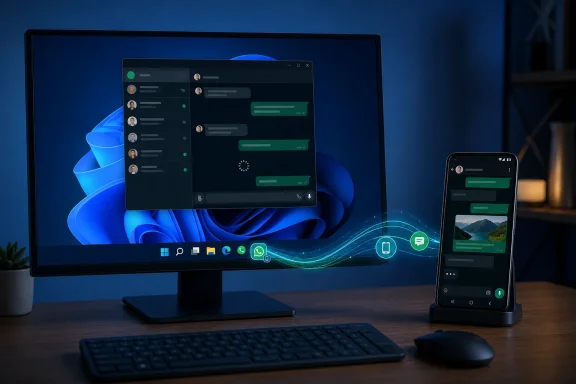
Windows 11 is expanding its cross-device ambitions with WhatsApp Resume, a feature that lets an Android conversation surface directly on the PC taskbar and open on the desktop with a single click. It is a genuinely useful idea: move from a phone to a Windows 11 PC without hunting through windows, notifications, or a long list of conversations. Yet the first real-world experience also reveals the feature’s central contradiction. A smarter handoff does not feel seamless if the destination app still takes too long to initialize, authenticate, and synchronize messages.
Microsoft’s Resume feature is Windows 11’s latest attempt to make a PC feel like part of a broader personal-device ecosystem rather than an isolated machine. When a supported activity occurs on a linked Android phone, Windows can display an app icon on the taskbar with a small phone badge. Selecting that icon launches the corresponding Windows experience and attempts to restore the relevant activity.
For WhatsApp users, that activity is a conversation. A chat started or received on Android can be surfaced as a prompt on the Windows 11 taskbar, allowing the user to continue it on the PC. In the best case, this trims the routine friction that comes with moving between devices: pick up the keyboard, click once, and reply.
That is a practical advance for people who spend much of the day at a desktop or laptop but still receive a steady stream of WhatsApp messages on their phone. It also puts Windows 11 closer to the continuity model that Apple users have come to expect across Macs, iPhones, and iPads.
However, Windows Resume for WhatsApp is only as good as the WhatsApp desktop experience that follows it. If the desktop client opens slowly, spends several seconds loading the interface, or delays synchronization before the intended conversation is ready, the handoff becomes more of a shortcut than genuine continuity.
The feature is therefore both a promising Windows 11 upgrade and a sharp reminder that cross-device integration cannot compensate for sluggish application performance.
Hovering over the icon can reveal a compact card that identifies the continuation action. Clicking the prompt opens WhatsApp for Windows and directs it toward the relevant conversation context.
This matters because it moves the handoff into the part of Windows users already watch throughout the day. The taskbar is a more natural place for an immediate action than a buried setting, an app notification panel, or a Start menu recommendation.
For a messaging app, that means the difference between:
That distinction is useful because some users will welcome normal WhatsApp notifications while finding a phone-badged taskbar icon distracting. Windows 11 allows Resume to be managed separately, including on a per-app basis.
That creates several potential points of failure:
WhatsApp Resume addresses a small but highly visible piece of that problem.
The old workflow is familiar:
With a functional handoff, the message can move to the device already in use. The user remains on the PC, answers quickly, and returns to the original task with less interruption.
This may sound minor, but messaging interruptions happen dozens of times per day. A few clicks saved repeatedly can create a noticeable improvement in daily workflow.
That leaves room for more useful scenarios, including:
A handoff experience is judged against the alternative action it replaces. In this case, the alternative is often simple: grab the Android phone and answer there. If the Windows client takes too long to become usable, the user may have finished the reply on the phone before WhatsApp on the PC has completed loading chats.
That expectation has been shaped by smartphones, where tapping a messaging icon often restores the last conversation nearly instantly. It has also been shaped by mature desktop applications that remain ready in the background with a compact memory footprint and a fast path to the active chat.
When a modern Windows desktop messaging client feels slower than a browser tab, the problem becomes particularly visible. It challenges the assumption that installing a dedicated app automatically delivers a better experience.
Users may reasonably ask why a communication client needs to behave like a heavy browser container while offering a relatively focused set of functions:
Web-based development has undeniable advantages for companies. A shared codebase can reduce development costs, accelerate feature parity across platforms, and simplify the rollout of interface changes. But a shared web stack is not automatically the right answer for every desktop experience.
For an app used all day, performance is a feature. Startup time, memory consumption, battery impact, input responsiveness, and integration with the Windows shell are not cosmetic details. They determine whether the app feels first-class.
This does not mean web technologies are inherently unsuitable for Windows applications. Many effective apps use web components responsibly. The issue is whether the finished product performs like a native resident of the platform rather than an isolated web session placed inside a desktop window.
For WhatsApp Resume, the distinction matters because Windows is promoting the desktop client as the continuation destination. If the official app is not the best-performing route to a conversation, users will naturally question the handoff design.
That is an avoidable usability mismatch. In the future, Windows and app developers should consider allowing users to choose their preferred Resume destination: installed application, default browser, selected browser profile, or a specific app channel.
To disable WhatsApp Resume without disabling WhatsApp notifications:
That separation is welcome. Users should be able to decide which apps deserve proactive taskbar continuity and which should remain ordinary applications.
The visual prompt is less revealing than a full message preview, but it still signals engagement with a particular app. Users who handle sensitive work, personal communication, or confidential client matters should evaluate whether the convenience is worth the extra surface-level visibility.
The feature should also behave sensibly when:
The solution is not to abandon cross-device features. It is to make them controllable, contextual, and quiet by default. The per-app toggle is a good start, but the feature would be stronger with richer controls for timing, taskbar behavior, work hours, and priority contacts.
The immediate priorities should be clear:
Microsoft’s renewed emphasis on high-quality Windows experiences will matter only if it is consistent. Developers need stable APIs, clear guidance, durable tooling, predictable packaging, and a persuasive reason to deliver a genuinely optimized Windows client rather than the fastest cross-platform wrapper.
That approach can be more sustainable than trying to reproduce an entire mobile ecosystem inside Windows. It focuses on the moments that matter: the song already playing, the file already being edited, the page already being read, or the chat already in progress.
The challenge is execution. Continuity features must be:
But the feature also exposes a difficult truth: continuity is only as seamless as the app users are handed off to. If WhatsApp for Windows takes too long to load chats, consumes excessive memory, or feels less responsive than a browser tab, Resume becomes a polished front door to a frustrating wait.
The answer is not to dismiss Windows Resume. The underlying idea is sound, and WhatsApp is exactly the kind of widely used app that can make it valuable. The answer is for Microsoft to keep improving the continuity framework while Meta delivers a faster, leaner, more dependable Windows client. When the handoff is truly immediate, Resume will feel less like a feature and more like the way Windows 11 should have worked all along.
 Overview
Microsoft’s Resume feature is Windows 11’s latest attempt to make a PC feel like part of a broader personal-device ecosystem rather than an isolated machine. When a supported activity occurs on a linked Android phone, Windows can display an app icon on the taskbar with a small phone badge. Selecting that icon launches the corresponding Windows experience and attempts to restore the relevant activity.For WhatsApp users, that activity is a conversation. A chat started or received on Android can be surfaced as a prompt on the Windows 11 taskbar, allowing the user to continue it on the PC. In the best case, this trims the routine friction that comes with moving between devices: pick up the keyboard, click once, and reply.
That is a practical advance for people who spend much of the day at a desktop or laptop but still receive a steady stream of WhatsApp messages on their phone. It also puts Windows 11 closer to the continuity model that Apple users have come to expect across Macs, iPhones, and iPads.
However, Windows Resume for WhatsApp is only as good as the WhatsApp desktop experience that follows it. If the desktop client opens slowly, spends several seconds loading the interface, or delays synchronization before the intended conversation is ready, the handoff becomes more of a shortcut than genuine continuity.
The feature is therefore both a promising Windows 11 upgrade and a sharp reminder that cross-device integration cannot compensate for sluggish application performance.
How Windows 11 Resume Works With WhatsApp
Resume is not Android app streaming, remote control, or a full phone mirroring system. It is an activity handoff mechanism. Windows receives enough context from a supported Android app to identify what should be continued on the PC, then presents an actionable taskbar prompt.The taskbar is the handoff point
When the Windows 11 PC and Android phone are linked and eligible for Resume, a supported WhatsApp activity can produce a taskbar entry distinct from the ordinary pinned and running app icons. The WhatsApp logo is marked with a small phone overlay, signalling that the activity originated on the Android device.Hovering over the icon can reveal a compact card that identifies the continuation action. Clicking the prompt opens WhatsApp for Windows and directs it toward the relevant conversation context.
This matters because it moves the handoff into the part of Windows users already watch throughout the day. The taskbar is a more natural place for an immediate action than a buried setting, an app notification panel, or a Start menu recommendation.
It is designed to preserve context
The important detail is that Resume is intended to do more than launch an app. A conventional notification can tell Windows to open WhatsApp, but Resume is designed to carry a specific activity context with it.For a messaging app, that means the difference between:
- Opening WhatsApp to the generic chat list.
- Opening WhatsApp with the conversation that needs attention.
- Reducing the need to search manually for the sender or group.
- Creating a clearer transition from the phone interaction to the PC workflow.
WhatsApp Resume is not a replacement for notifications
Users should not confuse the Resume prompt with ordinary WhatsApp notifications. The feature does not replace message alerts, notification banners, notification-center history, or the app’s own unread indicators. It is a separate continuity layer that appears when Windows recognizes an eligible activity from the linked Android phone.That distinction is useful because some users will welcome normal WhatsApp notifications while finding a phone-badged taskbar icon distracting. Windows 11 allows Resume to be managed separately, including on a per-app basis.
Requirements and Availability
Windows 11 Resume is built around the existing phone-to-PC connection framework rather than a new standalone WhatsApp pairing system. The foundation is Microsoft’s Link to Windows integration.What is needed
The basic requirements for WhatsApp Resume are straightforward:- A PC running Windows 11.
- An Android phone running Android 10 or later.
- Internet connectivity on both the PC and the phone.
- The Android device linked to the PC through Link to Windows.
- The mobile device recognized in Windows under the Mobile devices settings area.
- A supported version of WhatsApp on the Android phone and the Windows PC.
Why the setup matters
The feature depends on more than Bluetooth proximity. The Android device, the linked Windows PC, Microsoft’s continuity components, and WhatsApp’s own clients all need to exchange enough information to make the handoff possible.That creates several potential points of failure:
- The Android phone may not be linked correctly.
- Link to Windows may be outdated or signed into the wrong account.
- The PC may not recognize the phone in its mobile-device settings.
- WhatsApp may not have updated its relevant desktop or Android components.
- The app context may expire before the user clicks the taskbar prompt.
- A background synchronization delay may prevent the intended chat from opening immediately.
The Strongest Part: Windows 11 Finally Feels More Connected to Android
For years, Windows users have had access to phone notifications, photo transfer, text-message support, browser synchronization, cloud files, and app-specific integrations. What they have often lacked is a clear, system-level sense that work can move naturally from one device to another.WhatsApp Resume addresses a small but highly visible piece of that problem.
A meaningful use case for a desktop keyboard
Messaging is one of the clearest examples of a task that benefits from moving to a PC. A quick acknowledgement can stay on the phone, but a detailed reply, a work-related update, a file request, or a long group conversation is usually more comfortable with a full keyboard and a larger display.The old workflow is familiar:
- Notice the message on the phone.
- Unlock the phone.
- Decide the reply would be easier on the PC.
- Find WhatsApp on Windows or open a browser tab.
- Wait for the client to load.
- Locate the relevant chat.
- Start typing.
It can reduce context switching
The taskbar prompt is particularly well suited to office and home-office routines. Someone working in a browser, document editor, terminal, or design app may not want to break concentration by unlocking the phone every time a message arrives.With a functional handoff, the message can move to the device already in use. The user remains on the PC, answers quickly, and returns to the original task with less interruption.
This may sound minor, but messaging interruptions happen dozens of times per day. A few clicks saved repeatedly can create a noticeable improvement in daily workflow.
It gives developers a new Windows integration path
The WhatsApp implementation is also significant beyond messaging. Microsoft has positioned Resume as a platform capability rather than a single-purpose feature. Supported Android apps can provide Windows with an activity context and a destination for continuing that activity.That leaves room for more useful scenarios, including:
- Resuming music or podcast playback.
- Continuing a document or cloud-file workflow.
- Opening a web destination on the PC.
- Moving a shopping or research session from phone to desktop.
- Continuing a navigation, reservation, or travel-planning activity where appropriate.
- Handing off a communication task to a larger screen and physical keyboard.
The Core Problem: A Faster Shortcut to a Slow Client
The weakness is not the Resume feature itself. The weakness is that WhatsApp for Windows can still feel slow at precisely the moment when a continuity feature demands speed.A handoff experience is judged against the alternative action it replaces. In this case, the alternative is often simple: grab the Android phone and answer there. If the Windows client takes too long to become usable, the user may have finished the reply on the phone before WhatsApp on the PC has completed loading chats.
Opening the correct chat is not enough
Deep-linking into the intended conversation is an important technical and usability achievement. But it is only part of the journey. The successful flow must also include:- The taskbar prompt appearing quickly enough to matter.
- The click registering immediately.
- WhatsApp launching without a prolonged blank or loading state.
- The user session restoring reliably.
- Messages synchronizing promptly.
- The intended chat becoming interactive with minimal delay.
Why messaging apps are held to a higher standard
People have very little tolerance for latency in messaging. A browser, video editor, or large creative suite can reasonably take time to initialize because the user expects a complex environment. A chat app is different. It is expected to be lightweight, immediate, and always available.That expectation has been shaped by smartphones, where tapping a messaging icon often restores the last conversation nearly instantly. It has also been shaped by mature desktop applications that remain ready in the background with a compact memory footprint and a fast path to the active chat.
When a modern Windows desktop messaging client feels slower than a browser tab, the problem becomes particularly visible. It challenges the assumption that installing a dedicated app automatically delivers a better experience.
RAM use and background behavior matter
The performance criticism is not merely about startup seconds. A desktop messaging app that consumes substantial memory after synchronizing also affects the wider Windows experience, especially on PCs with modest RAM, many browser tabs, creative workloads, or virtual machines.Users may reasonably ask why a communication client needs to behave like a heavy browser container while offering a relatively focused set of functions:
- Text and media messaging.
- Voice and video calls.
- Contact and group management.
- File transfer.
- Notifications.
- Search.
- End-to-end encrypted synchronization.
Desktop Architecture Has Consequences
The debate around WhatsApp for Windows is part of a larger argument about how apps should be built for the platform.Native applications still have an advantage
A well-made native Windows application can start quickly, integrate deeply with the operating system, use system controls efficiently, and minimize unnecessary runtime overhead. It can also tailor resource use to the task instead of carrying the weight of a general browser engine.Web-based development has undeniable advantages for companies. A shared codebase can reduce development costs, accelerate feature parity across platforms, and simplify the rollout of interface changes. But a shared web stack is not automatically the right answer for every desktop experience.
For an app used all day, performance is a feature. Startup time, memory consumption, battery impact, input responsiveness, and integration with the Windows shell are not cosmetic details. They determine whether the app feels first-class.
WebView-style clients can blur the distinction between app and site
A web-wrapper architecture can make a desktop app feel like a packaged version of a website rather than a program designed specifically for Windows. That is especially noticeable when the browser version of the service is equally capable—or, in some cases, appears more responsive.This does not mean web technologies are inherently unsuitable for Windows applications. Many effective apps use web components responsibly. The issue is whether the finished product performs like a native resident of the platform rather than an isolated web session placed inside a desktop window.
For WhatsApp Resume, the distinction matters because Windows is promoting the desktop client as the continuation destination. If the official app is not the best-performing route to a conversation, users will naturally question the handoff design.
A browser may remain the better choice for some users
Many WhatsApp users prefer keeping WhatsApp Web open in a pinned browser tab. For users already living in Chrome, Microsoft Edge, Firefox, or another browser all day, that approach has clear advantages:- The messaging session is already open.
- No separate desktop client needs to load.
- Browser profiles make account separation straightforward.
- Existing tab-management and memory-suspension tools may help control resources.
- The user can keep WhatsApp beside work tabs rather than as a separate app window.
That is an avoidable usability mismatch. In the future, Windows and app developers should consider allowing users to choose their preferred Resume destination: installed application, default browser, selected browser profile, or a specific app channel.
How to Turn Off WhatsApp Resume
Not everyone will want another taskbar badge, particularly if WhatsApp is already noisy or if the desktop client is not part of their workflow. Windows 11 includes a direct control for managing supported Resume apps.To disable WhatsApp Resume without disabling WhatsApp notifications:
- Open Settings in Windows 11.
- Select Apps.
- Choose Resume.
- Locate WhatsApp in the list of supported apps.
- Turn off the toggle next to WhatsApp.
That separation is welcome. Users should be able to decide which apps deserve proactive taskbar continuity and which should remain ordinary applications.
Privacy and Attention Management Considerations
The handoff model is convenient, but it also raises practical questions about what appears on a shared or visible screen.A phone badge can reveal activity
Even without displaying message content, a WhatsApp icon appearing on the taskbar communicates that activity occurred on the phone. In a shared workspace, classroom, office, or family PC environment, that may be more information than some users want exposed.The visual prompt is less revealing than a full message preview, but it still signals engagement with a particular app. Users who handle sensitive work, personal communication, or confidential client matters should evaluate whether the convenience is worth the extra surface-level visibility.
The right chat must be restored carefully
Context is the feature’s strength, but it is also the sensitive part. Restoring the correct conversation is useful only when the user expects it. App developers must make sure resume metadata is handled securely and that the Windows client validates the signed-in session before revealing the conversation.The feature should also behave sensibly when:
- A different WhatsApp account is active on the PC.
- The desktop app has been signed out.
- The Windows session is locked.
- The phone and PC connection has changed.
- The chat is no longer available.
- The user has revoked device linking.
Notifications should not become pressure
There is also an attention-management issue. One of the risks with increasingly connected PCs is that every mobile action becomes another desktop interruption. WhatsApp already has notifications; Windows 11 taskbar Resume adds a second type of visual nudge.The solution is not to abandon cross-device features. It is to make them controllable, contextual, and quiet by default. The per-app toggle is a good start, but the feature would be stronger with richer controls for timing, taskbar behavior, work hours, and priority contacts.
What Microsoft and Meta Need to Improve
Windows Resume has the right direction, but WhatsApp reveals where the experience needs refinement.Microsoft should improve destination flexibility
Windows should not assume the installed desktop application is always the best continuation target. If an app has a capable web experience and the user already has it open, Resume could offer a preference such as:- Open in desktop app
- Open in default browser
- Open in selected browser profile
- Always use my last choice
Meta should prioritize speed before adding more hooks
The primary responsibility for WhatsApp performance sits with Meta. If WhatsApp for Windows is the official endpoint for cross-device messaging, it needs to open quickly, restore sessions reliably, conserve memory, and make the intended chat interactive with minimal delay.The immediate priorities should be clear:
- Reduce cold-start time.
- Improve chat-list and conversation synchronization speed.
- Reduce unnecessary memory use.
- Preserve a ready state without becoming a resource drain.
- Make deep links to chats reliable.
- Ensure message send status updates promptly.
- Improve recovery from temporary connection failures.
Developers need confidence in Windows app development
There is a broader platform issue behind this. Windows developers have had to navigate changing recommendations across UWP, Win32, WinUI, web technologies, progressive web apps, and hybrid frameworks. Each approach can be valid, but frequent shifts make it harder for developers to commit to long-term platform-specific investment.Microsoft’s renewed emphasis on high-quality Windows experiences will matter only if it is consistent. Developers need stable APIs, clear guidance, durable tooling, predictable packaging, and a persuasive reason to deliver a genuinely optimized Windows client rather than the fastest cross-platform wrapper.
The Bigger Picture for Windows 11
WhatsApp Resume may be a modest feature on its own, but it points toward a more important direction for Windows 11. The PC does not need to run Android apps directly to feel integrated with Android. In many cases, it simply needs to understand the user’s current activity and provide an intelligent, secure way to continue it.That approach can be more sustainable than trying to reproduce an entire mobile ecosystem inside Windows. It focuses on the moments that matter: the song already playing, the file already being edited, the page already being read, or the chat already in progress.
The challenge is execution. Continuity features must be:
- Fast, because delay defeats the purpose.
- Reliable, because inconsistent prompts train users to ignore them.
- Private, because activity context can reveal meaningful information.
- Optional, because not every phone event belongs on the desktop.
- Flexible, because users have different preferred apps and workflows.
- App-aware, because the correct destination matters as much as the system-level trigger.
Conclusion
Windows 11 Resume for WhatsApp is a welcome move toward a more connected Android-and-PC experience. The ability to continue a chat from a phone through a taskbar prompt is practical, intuitive, and far more useful than a generic shortcut. It proves that Microsoft’s cross-device strategy can support everyday actions rather than merely showcase technical possibilities.But the feature also exposes a difficult truth: continuity is only as seamless as the app users are handed off to. If WhatsApp for Windows takes too long to load chats, consumes excessive memory, or feels less responsive than a browser tab, Resume becomes a polished front door to a frustrating wait.
The answer is not to dismiss Windows Resume. The underlying idea is sound, and WhatsApp is exactly the kind of widely used app that can make it valuable. The answer is for Microsoft to keep improving the continuity framework while Meta delivers a faster, leaner, more dependable Windows client. When the handoff is truly immediate, Resume will feel less like a feature and more like the way Windows 11 should have worked all along.
References
- Primary source: Windows Latest
Published: 2026-07-23T23:10:06+00:00
Windows 11 now supports resuming WhatsApp from Android, but you'll wait longer for the app to load
WhatsApp now supports Windows 11's Resume feature to continue Android chats on PC, but the app's slow loading kills the feature's purpose. www.windowslatest.com
- Related coverage: androidcentral.com
I couldn't be happier, as Windows 11's cross-device resume update offers more for Android | Android Central
Why not let my PC and Android phone pause and play content between each other?www.androidcentral.com - Related coverage: windowscentral.com
Windows 11 tests Cross Device Resume for Android apps | Windows Central
Cross Device Resume is Microsoft's answer to Apple's Handoff, and it's taking a big step forward in the latest Windows Insider builds.www.windowscentral.com - Related coverage: techradar.com
Windows 11 feature to resume Android apps on your PC is finally incoming - and I think this will be a great addition | TechRadar
We've had to wait a long time for a Handoff equivalent, thoughwww.techradar.com - Related coverage: t3.com
Windows may have ditched Android apps, but now it wants to sync with them | T3
Windows wants to play nice with apps on other platformswww.t3.com