

Microsoft hasn’t formally said “Windows 12” yet, but the breadcrumbs are clear: Microsoft’s next major desktop milestone — whether it ships under that name or as an AI-first branded refresh — will almost certainly be an evolution centered on Copilot, on-device AI acceleration, improved Windows on Arm parity, and a long-term push toward a more modular, update-friendly Windows core.
Microsoft’s update cadence and corporate messaging over the past three years set the stage for what many pundits and industry partners now describe as the logical next step for Windows. Microsoft has moved Windows to an annual feature-update cadence and explicitly documents that new versions of Windows 11 are released once per year with ongoing monthly quality updates. That cadence, together with Windows 10’s October 14, 2025 end of support and the lifespan of Windows 11 feature updates, creates a plausible window for a next major milestone — often discussed in the industry as “Windows 12.”
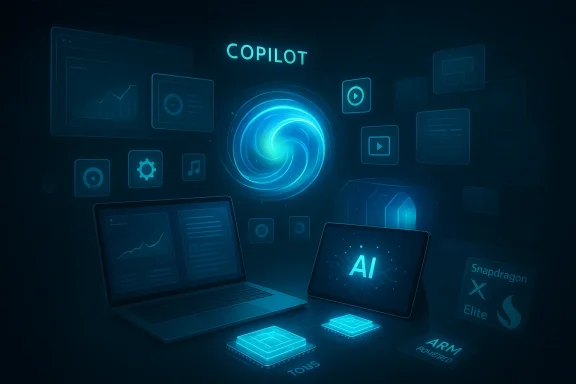
At the same time, Microsoft has launched the Copilot+ PC program and promoted on-device AI as a differentiator. That program, plus OEM and silicon partner briefings, has produced concrete requirements (notably a neural processing unit, or NPU, rated at or above 40 TOPS) and a set of platform-specific features that only qualifying hardware can run today. Those moves tightly couple future Windows capabilities to both cloud AI services and local AI silicon.
This article synthesizes what’s been published, verifies key claims against official and reputable industry reporting, and offers a practical, critical analysis of what a Windows 12 (or equivalent) release would mean for consumers, enterprises, OEMs, and the app ecosystem.
Analysts and veteran Windows watchers (including long-time Microsoft reporters) have therefore pegged a proper “next major” milestone sometime in the 2025–2027 range, with a conservative anchor point in late 2027 given Windows 11 25H2 support lifecycles and the practical time OEMs need to ship new hardware platforms. That doesn’t mean Microsoft will brand the release “Windows 12,” but it does indicate a natural calendar slot where a major marketing reset could occur.
Industry reporting confirms the technical reality: Copilot+ functionality depends on an NPU capable of specified TOPS levels to enable local semantic search, Recall, on-device generation, and low-latency vision tasks. Ars Technica, Wired, and other outlets have explained how that gating impacts Intel/AMD-based systems and why Qualcomm’s early Snapdragon X chips were singled out.
Qualcomm’s Snapdragon X Elite chips were marketed with claims about competitive performance versus Apple’s M-series chips; while marketing numbers should be read with caution, the broader point is clear: silicon vendors see ARM as a major strategic play and Microsoft is shipping OS-level features to match.
That future promises meaningful gains in productivity and responsiveness, but it also introduces real trade-offs in terms of hardware gating, privacy expectations, and upgrade economics. For anyone planning devices, deployments, or software roadmaps, the prudent approach is to prepare now: test Copilot features, evaluate NPU-equipped hardware on pilot workloads, and design software to be resilient across the silicon and feature tiers that Microsoft is building toward.
Source: PCMag What's Coming in Windows 12? 6 Expert Predictions You Can Bet On
 Background / Overview
Microsoft’s update cadence and corporate messaging over the past three years set the stage for what many pundits and industry partners now describe as the logical next step for Windows. Microsoft has moved Windows to an annual feature-update cadence and explicitly documents that new versions of Windows 11 are released once per year with ongoing monthly quality updates. That cadence, together with Windows 10’s October 14, 2025 end of support and the lifespan of Windows 11 feature updates, creates a plausible window for a next major milestone — often discussed in the industry as “Windows 12.”At the same time, Microsoft has launched the Copilot+ PC program and promoted on-device AI as a differentiator. That program, plus OEM and silicon partner briefings, has produced concrete requirements (notably a neural processing unit, or NPU, rated at or above 40 TOPS) and a set of platform-specific features that only qualifying hardware can run today. Those moves tightly couple future Windows capabilities to both cloud AI services and local AI silicon.
This article synthesizes what’s been published, verifies key claims against official and reputable industry reporting, and offers a practical, critical analysis of what a Windows 12 (or equivalent) release would mean for consumers, enterprises, OEMs, and the app ecosystem.
What the signals actually say about timing
The calendar logic: why 2027 is the likeliest “big release” window
Microsoft’s lifecycle documentation and the lifespan of recent annual updates create a natural window that lines up with industry speculation. Windows 11 feature releases follow an annual cadence and Microsoft lists servicing timelines explicitly — those dates and the support end dates for current feature releases are the primary, factual anchor for any Windows timeline.Analysts and veteran Windows watchers (including long-time Microsoft reporters) have therefore pegged a proper “next major” milestone sometime in the 2025–2027 range, with a conservative anchor point in late 2027 given Windows 11 25H2 support lifecycles and the practical time OEMs need to ship new hardware platforms. That doesn’t mean Microsoft will brand the release “Windows 12,” but it does indicate a natural calendar slot where a major marketing reset could occur.
Why Microsoft might delay or rename it
Microsoft has shown a preference for incremental, service-oriented changes delivered as feature updates rather than radical reboots. The company also tightly couples hardware and cloud programs (Copilot, Copilot+ PCs), so a formal new major release may be held until device ecosystems, NPUs, and partner software can match the vision. Expect Microsoft to avoid unnecessary fragmentation, and to emphasize continuity: opt-in AI features, compatibility guarantees, and staggered rollouts.Prediction 1 — Windows will be more deeply AI-first (Copilot as OS fabric)
What’s already in place
Copilot’s expansion in Windows 11 has been aggressive: Copilot Vision (visual analysis and “Highlights”), Hey Copilot voice activation, “Click to Do” suggestions, and broad integration into Search, File Explorer, and the taskbar have been introduced across multiple updates and Insiders builds. Microsoft’s Windows Experience team has also announced wider availability of Copilot Vision and app-context features that let Copilot analyze and interact with active apps. These are not speculative — they are shipping features or preview features in official builds.How Windows 12 would take this further
If Microsoft ships a successor or a major rebrand, expect Copilot to be positioned less as an app and more as the OS interaction fabric — an always-available assistant that understands context (files, apps, open windows) at a system level and that can perform multi-step tasks on behalf of users. The editorial arc across the past two years shows Microsoft moving from a “Copilot app” to a “Copilot platform.” That transition implies deep hooks: system-level permissions, contextual privacy controls, and developer APIs for agent-like behaviors.Benefit / risk trade-off
- Benefits: Faster task completion, improved discoverability of features, contextual help that reduces friction for nontechnical users.
- Risks: Privacy concerns (how much context is analyzed locally vs. in the cloud), potential for intrusive suggestions (a modern, Clippy-esque backlash), and new attack surfaces if Copilot’s privileged hooks are compromised.
Prediction 2 — More built-in AI will rely on on-device NPUs (Copilot+ hardware gating)
What’s factual today
Microsoft’s Copilot+ PC spec and the first wave of qualifying devices make clear that Microsoft intends to offload certain generative and perception workloads to on-device NPUs for latency, privacy, and cost reasons. The 40 TOPS NPU threshold is the clearest public specification that has driven partner messaging and vendor positioning. At launch, a small class of ARM-based Snapdragon X Elite / X Plus systems met that threshold, and OEMs have since introduced other silicon variants meeting or exceeding it.Industry reporting confirms the technical reality: Copilot+ functionality depends on an NPU capable of specified TOPS levels to enable local semantic search, Recall, on-device generation, and low-latency vision tasks. Ars Technica, Wired, and other outlets have explained how that gating impacts Intel/AMD-based systems and why Qualcomm’s early Snapdragon X chips were singled out.
What this means for Windows 12
A future major Windows release will likely assume NPUs are common in new PCs and deliver experiences optimized for local acceleration. That means:- Richer on-device capabilities (real-time video understanding, instant tabular data analysis, personal Recall across files).
- Potentially tiered featuresets: some Copilot features running on any Windows PC, while the most advanced capabilities require Copilot+ hardware.
- Pressure on OEMs and silicon vendors to ship NPUs at scale — and pressure on enterprises to consider NPUs during procurement.
Benefits and pitfalls
- Benefits: Lower cloud costs, better privacy/latency, and possibly offline AI capabilities.
- Pitfalls: Fragmentation if valuable features are gated to new hardware; customer confusion about “what works on my PC;” and potential upgrade churn if older devices can’t be upgraded to take advantage of flagship features.
Prediction 3 — Windows on Arm will be substantially improved (Prism emulator and ARM parity)
Evidence and verification
Microsoft has invested in a new emulation layer called Prism that significantly improves x86/x64 instruction emulation compatibility on Windows on Arm, including added support for AVX/AVX2 and other SIMD extensions in preview builds. That work materially improves the prospects for running high-end apps and some games on ARM-based Windows devices and has shown tangible compatibility gains in Canary/dev-channel builds. Reporting from The Verge and Windows Central documents these changes and the practical impact on app compatibility.Qualcomm’s Snapdragon X Elite chips were marketed with claims about competitive performance versus Apple’s M-series chips; while marketing numbers should be read with caution, the broader point is clear: silicon vendors see ARM as a major strategic play and Microsoft is shipping OS-level features to match.
Why Microsoft needs this
Apple’s success with Apple silicon showed the world that ARM can deliver excellent performance and battery life. Microsoft cannot depend on x86-only performance wins; Windows must run well on ARM to be relevant across device classes. Prism is the pragmatic engineering answer: improve emulation to buy time while native ARM apps proliferate.Practical implications
- Developers: Consider compiling native ARM64 builds and testing under Prism to ensure better performance.
- Consumers: ARM PCs will continue to mature; for many users, emulated x64 apps will be “good enough.”
- Enterprises: IT teams should validate critical line-of-business apps on ARM + Prism before mass deployment.
Prediction 4 — Subscription and monetization speculation will continue — but with limits
The claim and what’s verified
Insider-channel code strings referencing “subscription edition,” “subscription type,” and “subscription status” have triggered headlines. Those strings are real and appear in Canary Insider builds, but they don’t constitute proof of a mandatory consumer subscription for Windows. The more conservative interpretation — and the one that aligns with Microsoft’s enterprise-first subscription products to date — is that subscription metadata is used for business licensing, cloud PC offerings (Windows 365), or optional premium tiers, not necessarily to convert Home users to a mandatory subscription.Why a subscription for Windows would be a big deal
Subscriptions change user expectations, upgrade economics, and enterprise provisioning. Adobe’s Creative Cloud is the classic example: backlash at first, then broad adoption because the subscription model funded fast feature development. Microsoft would face immediate and loud opposition if it tried to make a paid subscription mandatory for casual consumers.My read — a plausible, pragmatic middle path
- Expect optional subscriptions: premium Copilot features, business add-ons, or cloud-backed productivity suites may be offered as subscriptions.
- Expect free or perpetually-licensed Home editions to continue for the mass market for the near future.
- Microsoft may experiment with ad-supported tiers, trial subscriptions, or Store-based licensing for certain SKU variants, but a hard-paywall OS for consumers would be both risky and unnecessary.
Prediction 5 — Core PC / modular Windows: components, security, and smoother updates
The concept
“Core PC” (or Core OS / CorePC) is Microsoft’s long-running idea to componentize Windows so that different device classes can ship slimmer, more secure, and easier-to-update builds. The idea resurfaces in modern form as Microsoft decouples individual system components, makes updates smaller, and experiments with more modular packaging in Insider builds. The goal: faster updates, smaller attack surface, and tailored experiences for specific devices.Why this matters now
- Security: Smaller, purpose-built components reduce the blast radius of vulnerabilities.
- Update agility: Componentization makes updates less disruptive and possibly quicker to validate and roll out.
- Differentiation: OEMs and Microsoft can tailor Windows variants (desktop, lightweight, convertible) without carrying legacy cruft in every SKU.
Risks and complications
- Fragmentation: Too many Windows “flavors” could cause developer headache and customer confusion.
- Compatibility complexity: Legacy Win32 workflows are still central to many businesses, and componentization must preserve compatibility options.
- Testing burden: More modular components mean more combinations that need validation across hardware and enterprise environments.
Prediction 6 — Enterprise and security impacts: patching, telemetry, and manageability
Enterprise reality
Windows 11’s annual release cadence and monthly quality updates mean enterprises must maintain disciplined update strategies. A new major milestone or Windows 12 would not remove that need — it will likely increase the complexity during early adoption as organizations validate hardware NPUs, drivers, and mission-critical apps. Microsoft’s lifecycle policies and enterprise guidance remain the authoritative source for planning.Security posture and AI
AI-driven features can help with patch verification, regression testing, and telemetry analysis — but they also introduce risks. Agents with elevated privileges require strong isolation, code-signing guarantees, and transparent telemetry controls. Enterprises will want:- Clear on/off controls for Copilot-level features
- E2E guidance for data residency and on-device vs cloud processing
- Vendor SLAs and enterprise-grade management policies for Copilot+ devices
How to prepare: practical steps for consumers, IT admins, and developers
For consumers and power users
- Audit your hardware for NPU and Copilot+ compatibility if you care about the latest AI features. Manufacturer spec sheets and the Copilot+ PC lists are the quickest starting point.
- Join the Windows Insider program on a spare device to test preview features if you want early access, but don’t use production machines for Canary builds.
- Maintain good backup and recovery routines: enable System Restore, use file-history or cloud backups, and confirm image-based recovery options for major upgrades.
For enterprise IT
- Map critical applications against Prism-emulated ARM scenarios and check vendor compatibility statements before deploying ARM devices broadly.
- Treat Copilot and agent features as high-impact: test privacy settings, network flows (does the feature call home?), and access rights to protected enterprise data.
- Plan hardware refresh cycles around NPU availability only if those on-device AI features deliver measurable value to your workflows.
For developers and ISVs
- Produce native ARM64 builds and test under both native and Prism-emulated environments to reduce edge-case behavior on ARM devices.
- Consider integrating with Copilot APIs and system-level hooks carefully — design for privacy, consent, and graceful degradation if NPUs aren’t present.
- Monitor Microsoft’s developer docs and update channels for new platform APIs related to on-device AI and agent orchestration.
Critical analysis: strengths, weaknesses, and the road ahead
Strengths of the likely approach
- Microsoft can deliver genuinely useful AI experiences by combining cloud scale with local acceleration.
- Componentization and modularization can reduce update risk and improve OS agility.
- ARM parity via Prism and growing silicon diversity makes Windows more platform-agnostic and future-proof.
Weaknesses and open questions
- Hardware gating (NPUs) risks creating a two-tier Windows experience where older PCs are functionally limited.
- Privacy and trust: the more Copilot knows and can control, the more users and enterprises will demand transparency, controls, and opt-outs.
- Monetization pressure: speculation about subscriptions and “premium Copilot” tiers will keep user skepticism high; Microsoft must avoid alienating its base.
Security and ecosystem risk
The promise of on-device AI increases the attack surface in subtle ways: model poisoning, compromised agent workflows, and privilege misuse. Microsoft and partners must build robust attestation, secure boot chains, and clear telemetry controls to preserve enterprise trust.Verdict — What to bet on (six concise takeaways)
- Microsoft will continue to iterate Windows annually; a major milestone (commonly called Windows 12 by the press) is plausible in the 2025–2027 timeframe, with a conservative anchor around 2027.
- Copilot will move from a feature to a core interaction paradigm in the OS, with broader integration and developer hooks.
- Advanced Copilot features will increasingly depend on on-device NPUs and Copilot+ hardware specs, creating a hardware-tiered feature set.
- Windows on Arm parity will improve through Prism and continued emulation investments, making ARM a viable mainstream platform for many workloads.
- Subscription strings in Insider builds are real, but they most likely indicate optional or enterprise licensing pathways rather than mandatory consumer subscriptions.
- Microsoft will push modularization and componentization (Core PC-style thinking) for better updates and security, but fragmentation and compatibility will be key managerial challenges.
Final recommendations for readers
- If you rely on a stable work environment: don’t rush to upgrade production machines when a new major Windows milestone arrives. Validate apps, drivers, and backup strategies first.
- If you’re curious about AI features: test Copilot in controlled environments and evaluate whether local NPUs materially improve latency and privacy for tasks you actually perform.
- If you are an enterprise decision-maker: build a pilot program that tests Copilot+ hardware in real workflows before committing to a broad refresh that assumes ubiquitous NPU availability.
- If you’re a developer: prioritize native ARM builds and graceful fallback paths; users will expect apps to work regardless of the underlying silicon.
Conclusion
A “Windows 12” in name or spirit is less about a single product launch and more about a strategic phase: an AI-first operating model, tighter coupling with on-device acceleration (NPUs), stronger support for Arm, and a push to modularize Windows for better security and update agility. The industry signals are robust — Microsoft’s lifecycle rules, Copilot+ program, Prism emulator work, and partner silicon announcements all point in the same direction.That future promises meaningful gains in productivity and responsiveness, but it also introduces real trade-offs in terms of hardware gating, privacy expectations, and upgrade economics. For anyone planning devices, deployments, or software roadmaps, the prudent approach is to prepare now: test Copilot features, evaluate NPU-equipped hardware on pilot workloads, and design software to be resilient across the silicon and feature tiers that Microsoft is building toward.
Source: PCMag What's Coming in Windows 12? 6 Expert Predictions You Can Bet On
