Windows 12 Hudson Valley Next: Copilot+ AI PCs and CorePC Modular OS

  • Thread Author
Rumors of a next-generation Windows — widely referred to in community coverage as Windows 12 and codenamed “Hudson Valley Next” — are converging into a coherent picture: Microsoft appears to be planning a modular, AI‑first platform built around on‑device neural acceleration and a tighter Copilot integration, and those clues suggest both important technical advances and hard trade‑offs for users, enterprises, and manufacturers.

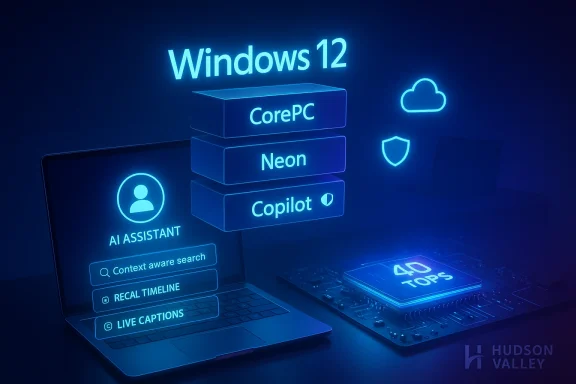
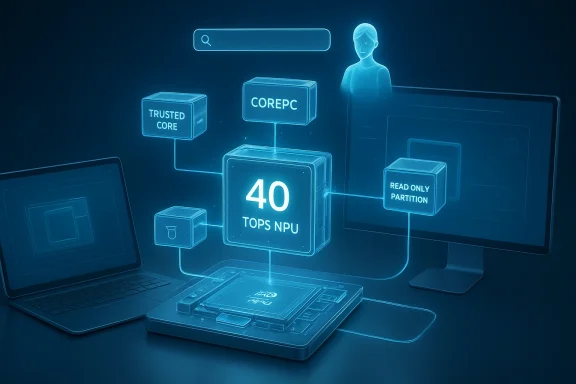
Blue holographic diagram showing a 40 TOPS NPU with trusted core, COREPC, and read-only partition.Background / Overview​

The conversation about a successor to Windows 11 has shifted from scattered rumor to a structural narrative driven by three intersecting signals: Microsoft’s public push for Copilot+ AI PCs, the scheduled end of mainstream support for legacy Windows releases, and a string of internal names and leak artifacts that point to a modular “CorePC” architecture. Taken together, these signals outline a likely engineering direction even if Microsoft has not formally named or shipped a product called “Windows 12.”
Microsoft’s own messaging introduced the idea of Copilot+ PCs — devices with dedicated Neural Processing Units (NPUs) and specific hardware baselines — and explicitly set an NPU performance threshold in public marketing materials. At the same time, community and trade reporting have surfaced internal codenames (examples include Hudson Valley Next and CorePC), UI mockups, and references to subscription status strings. Those pieces create a plausible roadmap: a new OS generation that treats generative and on‑device AI as a system capability rather than an optional feature set.

What the clues tell us: the technical thesis​

Copilot as OS fabric, not an app​

  • Microsoft’s public Copilot+ narrative makes clear that the company envisions Copilot evolving from an assistant app into a cross‑system control and integration layer. That means Copilot functionality being invoked from search, system-level workflows, and context‑aware automation across files and apps.
  • Expect OS‑level features such as system-wide semantic search, real‑time summaries, automated action recommendations, and intelligent document organization to be prioritized. These are the kinds of experiences that become meaningful only when the assistant can observe and index activity across the entire platform.

CorePC: a modular, partitioned Windows​

  • Repeated references to CorePC (sometimes written Core PC) describe an architecture that fragments the OS into isolated, updateable components: a smaller trusted core, read‑only system partitions, and composable editions per device class (from thin tablets to high‑end workstations).
  • The practical benefits here include faster, more reliable updates, smaller attack surfaces, and the ability to ship lighter images for low‑end devices while preserving a full‑feature edition for high‑performance systems.
  • This design echoes earlier Microsoft research and projects (Windows Core OS, Windows 10X) but appears focused on keeping Win32 compatibility while improving manageability, rather than wholesale application compatibility breakage.

Mandatory or “gated” on‑device AI: the 40 TOPS clue​

  • One of the most concrete technical clues is the repeated mention of a 40 TOPS (trillions of operations per second) NPU threshold for the full set of AI features. That figure appears in Microsoft’s own Copilot+ messaging and in multiple reporting threads describing Copilot+ hardware requirements.
  • In practice, the 40 TOPS threshold is being used as the hardware gate for on‑device Copilot+ experiences like instant Recall, local image generation, low‑latency translation, and other NPU‑accelerated features. Devices that meet or exceed that threshold are being marketed as AI PCs or Copilot+ PCs.
  • Important verification note: the 40 TOPS number is not a rumor invented by forums alone — it has been publicly repeated in Microsoft Copilot+ product descriptions and partner materials. Even so, it is a hardware requirement for the Copilot+ feature set, not a universal requirement for the base operating system.

Hybrid on‑device + cloud processing​

  • The most practical engineering pattern is hybrid: local NPUs handle latency‑sensitive inference and privacy‑sensitive tasks, while the cloud supplies larger models, long‑tail capabilities, and heavy compute when needed.
  • That hybrid model maps to new user experiences: local summarization and indexing, combined with cloud bursts for high‑quality generative output or persistent model updates.

The UX and UI clues​

Visual redesign leaks and interaction shifts​

  • Visual artifacts and mockups circulating in reporting show a floating taskbar, a repositioned system clock and indicators in the upper right, and a prominent search bar placed at the top-center of the screen with tight Copilot integration.
  • The design language in the leaks emphasizes glassy, translucent surfaces, softer corners, and search/assistant-first interaction patterns — signaling a shift from desktop-centric menus to query and intent-driven workflows.
  • If those leaked layouts are accurate or indicative, the interaction model will increasingly nudge users toward asking the system (Copilot) to perform tasks instead of navigating nested menus manually.

Window management and hybrid input​

  • Leaked UI behavior also suggests more flexible snapping, improved virtual desktop workflows, and parity between touch and mouse/keyboard experiences — consistent with a platform that must run on tablets, clamshells, and convertible devices.

Release timing, upgrade cycles, and market strategy​

Why 2026 (or thereabouts) makes business sense​

  • The timing rumors align with lifecycle pressures: mainstream support for older Windows releases has ended or is winding down, and Microsoft’s device partners are shipping AI‑ready hardware. This creates a natural window to introduce a new platform that can prompt a PC refresh cycle.
  • Rather than an abrupt forced upgrade, the most likely path is parallel support where Windows 11 continues to receive updates while the new generation is rolled out gradually, and select “Copilot+” features are exclusive to NPU‑equipped devices.

Subscription hints and premium tiers​

  • Scans of code fragments and reporting mention a subscription status flag and references to Windows 365–style offerings. The plausible business model is keeping the base OS purchaseable as a traditional license while gating premium cloud‑heavy AI services behind subscriptions.
  • That segmentation would let Microsoft monetize the continuous, compute‑heavy cloud features (model access, extra inference, larger SLMs) while preserving a one‑time purchase path for the classic OS, but the exact packaging, price points, and entitlements remain unconfirmed.

Strengths: what’s appealing about this direction​

  • Real functional benefit from AI — When AI is built into the OS, you get contextual automation (summaries, quick action suggestions, semantic search) that genuinely reduces friction across daily tasks.
  • Lower latency and privacy wins for on‑device AI — Running inference on NPUs reduces round‑trip times and can keep sensitive data local, addressing two major user concerns about cloud‑only generative systems.
  • Faster, safer updates via modularization — A CorePC approach with separated system partitions could substantially reduce update failures and allow Microsoft to iterate on core components without forcing heavy monolithic upgrades.
  • Clear hardware platform for partners — OEMs and silicon vendors benefit from a defined spec (e.g., Copilot+ with 40+ TOPS NPU), which enables differentiated product tiers and clearer marketing for AI‑enabled devices.

Risks, trade‑offs, and unanswered questions​

Hardware gating and fragmentation​

  • Risk: Requiring or gating popular features behind a 40 TOPS NPU could create a two‑tier Windows ecosystem — modern AI PCs vs. legacy devices that can’t access the full experience. This raises concerns about fairness, e‑waste, and the upgrade burden placed on users.
  • The consequence is a likely market push for device upgrades and an accompanying PC “supercycle,” but also the potential for consumer frustration and slower adoption by price‑sensitive buyers.

The naming and upgrade entitlement question​

  • Uncertainty: Microsoft has not confirmed “Windows 12” as the product name. The company could instead ship these changes under a new marketing label, rebrand Windows 11 with a major release cadence, or roll features into a subscription tier.
  • Upgrade costs and entitlements remain unclear. Will Windows 11 users get a free path? Will Windows 10 users be eligible? These details materially affect enterprise migration costs, device replacement schedules, and consumer sentiment.

Privacy, telemetry, and model governance​

  • On‑device AI reduces some privacy risk but does not eliminate the need for robust data handling, especially for hybrid features that stitch device context with cloud models. Users and enterprises will demand clarity around data flows, retention, and third‑party model behavior.
  • Generative capabilities embedded at the OS level raise content‑integrity and copyright questions (e.g., training data provenance, hallucination risks, and content filtering). Microsoft will need transparent guardrails and enterprise controls to mitigate legal and reputational risks.

Security model complexity​

  • A modular, AI‑first OS complicates the attack surface if the composability and update features are not designed with strict trust boundaries. Conversely, properly executed partitioning can improve security — the outcome depends on execution and rollout fidelity.

Cost of cloud‑backed AI experiences​

  • If Microsoft opts to deliver the most advanced Copilot features via a subscription, some capabilities will likely be paywalled. That creates a split between users who can pay for premium experiences and those who cannot — potentially widening capability gaps in workplaces and classrooms.

What this means for different audiences​

Consumers​

  • Expect a familiar Windows look to evolve toward assistant‑first workflows. If you own a modern Copilot+‑capable device, you’ll see compelling local AI features sooner. If you own an older device, you may need to weigh the cost of a hardware refresh against the value of AI features.

Businesses and IT​

  • Enterprises should plan for a multi‑year migration: maintain Windows 11 on existing fleets while piloting Copilot+/CorePC devices in controlled deployments. Evaluate management tooling, compliance with data policies, and potential subscription costs tied to Copilot services.
  • Security and governance teams must insist on clear documentation for data residency, model access controls, and rollback mechanisms for modular updates.

OEMs and silicon partners​

  • Hardware partners gain a playbook: produce devices that meet the NPU and RAM/SSD baselines, market them as Copilot+ or AI PCs, and design SKUs that balance battery life against inference performance. The roadmap also incentivizes chip vendors to prioritize NPU throughput per watt.

Practical guidance and checklist for readers​

If you want to prepare for this transition, here are concrete steps to follow:
  • Inventory your hardware fleet and identify devices that meet contemporary Windows 11 minimums; note devices that would fail an NPU/AI capability test.
  • For power users and creators: consider Copilot+‑capable machines (NPU >= ~40 TOPS, 16GB+ RAM, 256GB+ SSD) when the feature set becomes essential to your workflow.
  • For IT managers: set up test groups for Copilot+ pilots, audit dataflow and DLP policies, and rehearse recovery and rollback scenarios for modular OS updates.
  • For privacy teams: require vendor documentation on what is processed locally vs. sent to the cloud, and insist on model governance SLAs tied to features used in regulated contexts.

What’s verified and what’s still rumor​

  • Verified: Microsoft has publicly introduced and documented the Copilot+ PC category and described an NPU performance class for advanced local AI experiences. The 40+ TOPS NPU figure is used in official Copilot+ descriptions as the performance baseline for certain on‑device features.
  • Verified: Windows 10 reached the end of mainstream support on the publicized date for that lifecycle (the official end‑of‑support milestone has passed), which is one structural pressure behind device refresh cycles.
  • Likely but not confirmed: A major release with the name “Windows 12” tied to the CorePC architecture is supported by consistent leak patterns, partner messaging, and UI mockups — but Microsoft has not formally confirmed the name, exact scope, or pricing model for that release.
  • Unverified or speculative: precise upgrade entitlements, final pricing, the full list of Copilot‑exclusive features, and the commercial packaging of a subscription or premium Windows 365‑style consumer offering remain unannounced and should be treated as contingent.

Strategic implications: who wins, who risks losing​

  • Winners: Silicon vendors that deliver high‑efficiency, high‑TOPS NPUs gain a strategic advantage; OEMs that quickly ship well‑balanced Copilot+ devices can capture early adopter demand; and cloud model providers that partner with Microsoft for premium experiences will find new revenue lines.
  • Losers (or at risk): Owners of older devices face accelerated obsolescence pressure; small businesses with tight budgets might be forced into costly upgrade cycles; and users who rely on open standards and privacy may face friction unless robust local processing and controls are broadly available.

Conclusion​

The clues that point toward a next‑generation Windows are numerous and consistent: Microsoft’s Copilot+ marketing establishes a hardware and feature baseline (notably the NPU performance class), multiple outlets and leak artifacts describe a modular CorePC architecture and UI/UX pivots, and product‑lifecycle timing makes a new major release strategically sensible. That said, many critical details — the product name, exact upgrade entitlements, subscription packaging, and the final shape of privacy and security controls — remain unconfirmed.
For readers, the right short‑term posture is pragmatic readiness: test and pilot AI‑enabled workflows where they make sense, audit data governance and endpoint management policies now, and avoid panic purchasing. If Microsoft ships a modular, AI‑first operating system as described, the technical benefits could be significant — but so will the policy and practical trade‑offs. The coming waves of AI hardware and OS changes will redefine what a PC does by default; the question left for Microsoft and its ecosystem is whether that redefinition will be broadly inclusive, clearly governed, and economically sensible for the many millions of PCs still in active use.

Source: PCWorld What clues reveal about a possible Windows 12
 

The chatter about a new Windows release has turned from background noise into a drumbeat: multiple outlets now report that Microsoft is preparing a major next-generation client, commonly referred to in leaks as Hudson Valley Next or simply "Windows 12." What makes these reports consequential is not only the timing — aligning with the formal end of Windows 10 support — but the scope: an operating system re-architected for modularity, built around an AI-first experience, and gated by new hardware requirements that could reshape who can run the next generation of Windows.

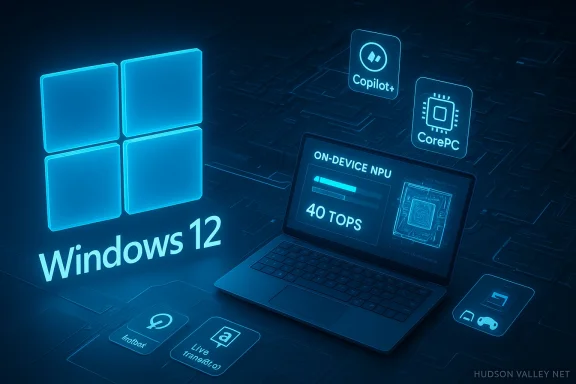
Blue holographic Windows 12 UI featuring CorePC, Neon and Copilot.Background / Overview​

Over the last two years Microsoft has publicly moved Windows toward tighter AI integration: Copilot surfaced across Office and Windows, Microsoft introduced the Copilot+ PC device class, and partners began shipping laptops with on-device Neural Processing Units (NPUs). Industry reporting and multiple leaks — most notably coverage from Windows Central and corroborating pieces in PCWorld, TechSpot and major OEM announcements — describe an internal platform called CorePC (a modern, modular descendant of earlier initiatives such as Windows Core OS and Windows 10X) and a user-facing codename often seen as Hudson Valley or Hudson Valley Next.
The central claims that have surfaced in reporting are:
  • Microsoft intends to ship a radically more modular operating system that can add or remove components to tailor Windows for categories like education, gaming, and ultra‑light devices.
  • The OS will bake AI deeply into the shell: Copilot and "advanced Copilot" features will operate as a system-level experience rather than a sidebar add-on.
  • Microsoft will gate the fullest AI experience behind hardware: devices will need a dedicated NPU meeting a performance threshold (widely reported as ~40 TOPS) to run local AI features at full speed and privacy.
  • Some premium AI-powered capabilities may be delivered behind subscriptions or premium services, especially features that rely on cloud compute.
None of these points comes from a single official Microsoft announcement. Instead, the picture has been assembled from senior reporting (Windows Central), vendor and OEM specification sheets, Microsoft product pages for Copilot+ hardware, and follow-up coverage from well-known tech outlets. That mixed provenance matters: parts of this story are verified through company and OEM statements (hardware specs, Copilot+ definitions); other parts remain circulation between insiders, build leaks, and industry commentary.

What “modular” Windows actually means: CorePC, state separation and Neon​

The architectural claim​

The word most often used in leaks and reporting is CorePC — a platform-level modernization that moves Windows away from a single monolithic image toward state-separated partitions and smaller, pluggable components. The intent is both practical and strategic: faster updates, smaller tailored images for low-end devices, easier security isolation, and a clearer path for Microsoft to offer multiple editions without long upgrade complexity.
This idea is not entirely new; Microsoft has experimented with similar approaches (Windows 10X, Windows Core OS) and has been working on platform modernization for years. What has changed in the recent narrative is the scale and intent: CorePC is framed as the foundation for the next Windows rather than a niche SKU.

What users should expect​

  • Smaller, role-specific builds: lighter images for classroom or kiosk devices; fuller images for high-end desktops.
  • Faster patching and partial updates: theoretically fewer reboots and smaller download sizes because updates can target discrete partitions.
  • A compatibility shim (reported as "Neon" in leaks) that aims to bridge legacy Win32 apps to a modular foundation so enterprise and consumer compatibility won’t break overnight.
This is technically ambitious and promises clear benefits for device management, security, and update velocity. The downside is complexity: developers, OEMs and enterprise IT teams will all need clear guidance and tooling to ensure applications behave predictably across variant builds.

AI at the heart: Copilot becomes "system-level" — what that could look like​

Advanced Copilot and the Windows shell​

Reports describe an "advanced Copilot" that becomes part of a reimagined Windows shell: a background agent that indexes local context (documents, emails, open applications) and offers conversational access to system-level tasks. Think of:
  • Context-aware search and recall (natural-language queries across local and cloud content).
  • System agents that proactively summarize or suggest actions based on your activity.
  • Native AI-based helpers for accessibility, live captioning, and real-time translation.
Sources point to features that remember what you saw on screen and let you step back through a timeline of activity. Those features raise immediate questions around privacy, storage, and consent — areas Microsoft has already been forced to address in earlier Copilot rollout phases.

Local vs cloud AI: a hybrid model​

Reporters and Microsoft documentation about Copilot+ PCs make a vital distinction: some AI workloads will run locally (for latency and privacy), while others will depend on cloud compute. Local workloads (real‑time captions, on-device summarization, certain vision and speech models) require efficient inferencing hardware: the NPU. Heavier or generative tasks will still use cloud models and likely be bundled into premium offerings.
That hybrid approach is technically sensible — it balances privacy and responsiveness against the cost and scale of generative models — but it also creates a bifurcated experience: users with the right hardware will have low-latency, private AI; those without NPUs will be routed to cloud services (and potentially subscription gates).

The NPU requirement and the 40 TOPS threshold — what it means​

What is an NPU, and what are TOPS?​

An NPU (Neural Processing Unit) is a specialized accelerator designed for the matrix and tensor math that modern neural networks rely on. Vendors market NPU capability in TOPS — trillions of operations per second — as the shorthand for throughput. A 40 TOPS NPU can perform workloads at scale that smaller NPUs cannot, especially at low power and latency budgets suitable for laptops.

How the hardware gating works​

Microsoft’s Copilot+ program and OEM spec sheets have already defined device classes that require NPUs and minimum memory/storage for certain local AI features to function offline and fast. Multiple independent reports and laptop product pages show:
  • Qualcomm Snapdragon X Elite/X Plus NPUs are marketed at ~45 TOPS.
  • Intel's later Core Ultra (Lunar/Lunar-like generations) and AMD's Ryzen AI tiers advertise NPUs that meet or exceed the 40 TOPS threshold.
  • Microsoft’s Copilot+ documentation and partner pages emphasize a minimum NPU performance and baseline memory/SSD requirements for the full experience.
Put bluntly: if a device lacks a qualifying NPU, Microsoft’s local AI features will be limited or deferred to cloud processing; some features may not be available at all.

Why Microsoft might insist on this bar​

  • Performance and user experience: heavy AI tasks must not stall the UI or kill battery life; NPUs are optimized for sustained inference with low thermal and power impact.
  • Privacy and compliance: local inferencing allows Microsoft to offer privacy-preserving experiences without sending raw user data to the cloud.
  • Product differentiation: gating premium experiences behind hardware simplifies product engineering and allows OEMs and chipmakers to market AI-ready devices.

The flip side: millions of devices left behind​

The requirement has blunt consequences. There are hundreds of millions of PCs still in active use that will not meet a strict NPU threshold. Component shortages, corporate refresh cycles and consumer upgrade inertia mean many users will be locked into older Windows versions or forced to rely on cloud‑only features — at potentially higher cost and latency.

Subscription creep and licensing changes: what to watch for​

Multiple reports suggest Microsoft could place some advanced AI services behind subscription or premium tiers (for example, advanced, cloud-powered Copilot agents or high-cost generative features). This would represent a continuation and expansion of Microsoft’s "platform + service" monetization strategy.
Key considerations:
  • Microsoft has already experimented with subscription-delivered features (Microsoft 365, Copilot for Microsoft 365). Expect AI features requiring substantial cloud compute to attract a recurring price.
  • On-device AI features that run on NPUs might remain part of the OS bundle or be limited to certain Copilot+ device classes as a hardware entitlement.
  • Enterprises will face decision points: pay for premium cloud AI at scale, standardize on Copilot+ hardware across fleets, or adopt virtualized/cloud-hosted Windows (Windows 365/Cloud PC) to preserve access without wholesale device replacement.
There is a tradeoff between delivering advanced capabilities and maintaining an inclusive ecosystem. If Microsoft locks too many features behind subscriptions or hardware certification, it risks fragmentation and pushback from consumers and businesses.

Migration paths: who is forced to upgrade, and what are the alternatives?​

Windows 10 end-of-support: concrete timeline​

Microsoft officially ended mainstream support for Windows 10 on October 14, 2025. That means devices running Windows 10 no longer receive standard security and feature updates after that date. Microsoft has offered Extended Security Updates (ESU) and cloud migration solutions for organizations that cannot refresh immediately.
This end-of‑support date creates a natural pressure point for migration. If Windows 12 (or the major CorePC-based update) arrives in the window following Windows 10’s EOL, Microsoft could frame adoption as both a security and productivity imperative — particularly for enterprises.

Upgrade and migration options​

  • Upgrade to Windows 11 (if eligible): free for eligible devices, but Windows 11 itself may not deliver the full new AI experience without an NPU.
  • Buy new Copilot+ / Windows 12-ready hardware: the fastest way to access full local AI features.
  • Use cloud PC solutions (Windows 365): stream a modern desktop from the cloud to older hardware — at the cost of recurring subscription fees and dependence on network quality.
  • Extended Security Updates (ESU): a temporary, paid bridge for enterprises that cannot migrate yet.
  • Choose non‑Windows alternatives: for some users, Linux or Chrome OS may be viable long-term paths if they reject the cost/lock-in of the Windows AI stack.
Enterprises will need to balance device lifecycles, software compatibility, and licensing costs. The more Microsoft ties premium features to hardware and subscriptions, the more complex procurement decisions become.

Privacy, security and governance: real risks and realistic mitigations​

Deep integration of AI at the OS level opens potent new feature opportunities — and a set of thorny governance questions.

Privacy concerns​

  • Recall‑style features that index screen content and create local timelines are powerful productivity tools, but they can capture sensitive or regulated data.
  • Microsoft has promised local-first processing on Copilot+ devices, but indexing metadata, cached summaries or even model embeddings can become attack vectors or compliance headaches if not handled carefully.
Best practice mitigations include clear user consent flows, enterprise policy controls to disable or restrict local indexing, and hardware-backed isolation for AI models and data. Microsoft and OEMs will need to document defaults and administrator-level controls thoroughly.

Security considerations​

  • Separating OS state into partitions (CorePC) can harden critical files, but any new update mechanism and compatibility shims (like "Neon") also expand the attack surface.
  • NPUs and local model runtimes will be additional firmware/driver stacks that require secure update paths and supply‑chain trust.
Enterprises should expect new management tooling and Group Policy/Intune controls to govern AI features; they should demand these controls before large-scale rollouts.

Developer and ISV implications​

A modular Windows and system-level AI changes the development calculus:
  • App targets: developers may need to account for multiple Windows "states" — a lightweight education build vs. a full desktop image might expose different APIs and capabilities.
  • AI integration: apps designed to leverage local NPUs will have to handle hardware fallbacks and leverage cloud APIs when hardware is absent.
  • Compatibility: "Neon" or other compatibility layers will be essential to avoid breaking legacy apps, but relying on shims long-term is not sustainable — ISVs should plan for multi‑tier support.
Microsoft will also need to provide robust SDKs, performance guidance, and emulation/testbeds to make this transition feasible without fracturing the ecosystem.

Market implications: OEMs, chipmakers, and the PC refresh cycle​

The emergence of a Windows version that favors NPU-equipped devices will amplify the nascent AI PC market. Early winners:
  • Qualcomm: Snapdragon X Elite/X Plus chips already advertise NPUs in the ~45 TOPS range and are in shipping devices.
  • Intel and AMD: their new mobile Core Ultra and Ryzen AI families are positioned to meet or exceed the 40 TOPS threshold in newer generations.
  • OEMs: brands that quickly certify Copilot+ devices will sell premium SKUs with an AI‑first pitch.
But the requirement could also spur a new "PC replacement cycle" where corporate fleets are refreshed earlier than planned — a boon for OEMs but a cost pressure for buyers. Alternative paths (virtualized cloud PCs) will compete as an enterprise-friendly way to defer capital expense — at the price of recurring operating costs.

What’s credible, what’s still rumor — and how to read the signals​

There are solid kernels of verified information in the reporting:
  • Microsoft has defined and marketed Copilot+ device classes that require NPUs and certain RAM/SSD baselines.
  • OEMs and chip vendors are shipping devices with NPUs and are using TOPS figures in their spec sheets.
  • Multiple reputable outlets (Windows Central, PCWorld, TechSpot, XDA) have reported on codenames like Hudson Valley, and the CorePC project is a consistent thread across reporting.
Where the story remains speculative:
  • A formal product called "Windows 12" and an exact retail release date have not been announced by Microsoft. The timeline is inferred from industry cadence and the Windows 10 end-of-support calendar.
  • The precise feature list, subscription tiers, and the degree to which features will be strictly hardware-gated could change before productization.
  • Specific UI changes described in concept images or leaks (floating taskbar, glass effects) may be early experiments rather than final designs.
Treat the current leak-and-report landscape like an advanced preview: pieces are converging, but Microsoft has not yet offered the final spec sheet.

Practical advice for consumers and IT buyers (what to do now)​

  • Audit your hardware: identify fleet devices without NPUs and tag which mission-critical workflows depend on local AI (real-time captions, low-latency translation).
  • Plan migration windows based on concrete dates: Windows 10 reached end of support on October 14, 2025; ESU programs and cloud migration remain available as stopgaps.
  • Evaluate Cloud PC options: Windows 365 and similar streaming solutions can provide access to newer Windows experiences without immediate hardware replacement.
  • Build policy guardrails: insist on admin controls and opt-out options for local indexing/Recall-like features; push vendors for documentation.
  • For consumers: don’t panic-buy a new device solely to chase rumor — prioritize workloads. If you want local AI now, Copilot+ certified machines are available; for everything else, cloud-assisted Windows still works well.

Conclusion​

The narrative coalescing around "Windows 12" is not a single leak but the sum of product-level moves, OEM offerings, and strategic choices: Microsoft wants Windows to be an AI platform, not merely a UI. CorePC-style modularization and NPU-accelerated experiences are technically convincing ways to deliver that vision, but they are also disruptive. The NPU requirement and possible subscriptionization of advanced AI services create a risk of exclusion — whether by hardware barrier, recurring cost, or enterprise procurement inertia.
For users and IT decision-makers the near-term imperative is pragmatic: understand which features you need, which are nice-to-have, and create a migration plan that balances security, cost, and user experience. For Microsoft, the challenge will be delivering genuinely beneficial AI integration while preserving the inclusivity that made Windows the dominant client platform. The next twelve months will tell whether this is an elegant modernization or a tipping point that accelerates fragmentation in the Windows ecosystem.

Source: Tech4Gamers Windows 12 Reportedly Set for Release This Year as a Fully Modular, Subscription-Based, AI-Focused OS
 

Microsoft’s next Windows — widely discussed under the codename Hudson Valley Next and commonly referred to in rumors as “Windows 12” — is now being framed as an AI‑first, hardware‑gated platform that could arrive in the 2026 timeframe and meaningfully change who can run the full suite of Windows features without buying new silicon.

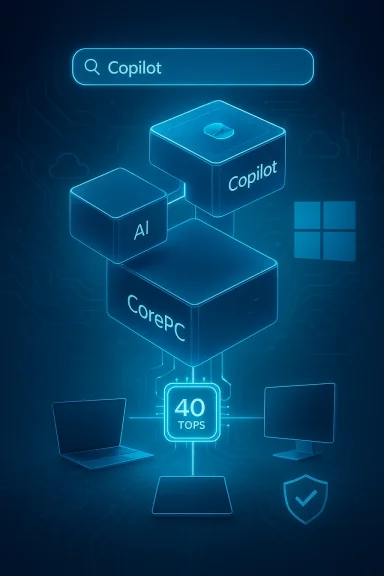
Windows 12 concept: on-device NPU (40 TOPS) powering Copilot+ and CorePC on a neon blue circuit backdrop.Background / Overview​

For months the conversation about a successor to Windows 11 has moved from chatter to a coherent picture: Microsoft is pushing deep AI experiences into the operating system, OEMs and chip vendors are shipping processors with on‑device neural engines, and developer messaging is adopting new definitions such as Copilot+ PCs, CorePC (a modular base), and the internal project name Hudson Valley Next. These pieces together describe a strategic shift: an OS where local machine intelligence is a first‑class capability rather than an optional add‑on.
This shift is driven by three intersecting trends:
  • On‑device inference: Neural Processing Units (NPUs) that can run models locally, reducing latency and cloud costs.
  • Copilot integration: Microsoft’s Copilot family moving from a contextual assistant into system‑level automation and orchestration.
  • Modular OS architecture: A more componentized Windows that can be optimized and updated more quickly across device types.
None of these elements is purely speculative — vendors and Microsoft partners have publicly discussed Copilot+, NPU requirements, and modular Windows architectures. Still, the exact package that will ship under the “Windows 12” label, and the timing of any formal launch, remains unannounced and subject to change.

What the rumors actually claim (and what’s verified)​

Key claims circulating​

  • A release or major positioning of a successor to Windows 11 is being targeted for 2026 (some outlets quote “late 2026”).
  • The OS will be codenamed Hudson Valley Next internally and will lean on a modular CorePC architecture to deliver tailored builds for desktops, laptops, and mobile form factors.
  • Full AI functionality will be gated behind local neural hardware: machines with an NPU capable of around 40 TOPS (trillions of operations per second) or more will unlock the richest experiences.
  • High‑value AI features (instant indexing/Recall, local image generation, low‑latency translation, gaming Copilot enhancements, etc.) will be tied to this Copilot+ hardware profile.
  • Microsoft may expand subscription options — for example, premium Copilot/Windows cloud services or Windows 365 tiers — while preserving a streamlined Home edition for more basic use.

What we can verify​

  • Microsoft and ecosystem partners already use the “Copilot+” label to describe PCs with on‑device neural acceleration. Documentation and partner materials emphasize hardware thresholds for delivering low‑latency local AI features on Windows devices.
  • OEM and silicon vendor roadmaps have shipped or announced processors that integrate NPUs and advertise TOPS numbers, and some modern chips target the kind of local AI performance that Copilot+ descriptions reference.
  • Microsoft has been exploring modular OS approaches and has rolled features through Windows 11 updates and partner programs that point toward a more componentized Windows architecture down the line.

What remains speculative or unproven​

  • The formal product name “Windows 12,” a public launch date, and a mandatory NPU requirement for the base OS are not officially declared by Microsoft. Reports claiming an absolute requirement for NPUs across all versions of the next Windows should be treated as rumor‑level until Microsoft publishes exact system requirements.
  • Pricing and subscription models tied to specific AI features remain unclear. Analysts and press speculate Microsoft could tie some cloud or generative features to paid tiers, but the mechanics are not confirmed.

Why NPUs and the 40 TOPS number matter​

What is TOPS and why it’s used here​

TOPS (trillions of operations per second) measures raw inference throughput for neural accelerators. A higher TOPS rating generally indicates greater capacity to run larger models or deliver faster, lower‑latency inference on device. The 40 TOPS figure has appeared repeatedly in OEM and partner materials as a practical gate for Copilot+ features: it’s a balance between what laptop/desktop silicon can deliver today and what certain local AI experiences need to be responsive.

Technical rationale​

  • Running inference locally for tasks like instant Recall, live screen understanding, and real‑time language models requires dedicated silicon to keep CPU/GPU load reasonable and to avoid constantly routing requests to cloud LLMs.
  • NPUs offload matrix math and quantized model execution efficiently, which improves battery life and responsiveness compared with doing everything on CPU or GPU.
  • Hybrid approaches (local NPU for latency‑sensitive tasks + cloud for heavy generation) are the pragmatic engineering pattern Microsoft appears to prefer, meaning NPUs aren’t trying to replace cloud AI but to complement it.

What this means for users​

  • Machines built before the AI PC era may still run the OS and many standard features, but some high‑value AI capabilities may be disabled, emulated more slowly, or offered only through cloud services.
  • Buyers who want the “full” experience may need to pick devices marketed as Copilot+ or explicitly labeled with NPU performance metrics.

CorePC, modular architecture, and what “Hudson Valley Next” implies​

CorePC: a modular base for many devices​

The idea behind CorePC is to extract a small, secure, updatable core and layer device‑specific modules on top. Practically this would let Microsoft:
  • Ship smaller, targeted updates without disturbing unrelated subsystems.
  • Optimize Windows editions for vastly different hardware (from high‑end desktops to low‑power mobile devices).
  • Allow OEMs and Microsoft to certify device classes (e.g., Copilot+ PCs) and gate advanced features to certified hardware.
A modular OS also reduces regressions, speeds testing, and better supports device diversity. For users it could mean more tailored Windows builds and fewer unnecessary services on low‑power devices.

Hudson Valley Next: branding and messaging​

Codenames like Hudson Valley Next or previously reported names are internal handles that help engineering and partner communication. They’re not guarantees of consumer branding, but they do signal a Microsoft effort substantial enough to deserve its own identity, testing channels, and partner programs.

Timeline realism: why 2026 is possible but not guaranteed​

Industry signals suggest that major Windows repositioning anchored on AI and Copilot+ hardware could appear in 2026, but there are important caveats:
  • Microsoft’s public stance in recent years has been to evolve Windows 11 through frequent feature updates while also preparing larger architectural shifts behind the scenes. That means capabilities can arrive on Windows 11 first and later be folded into a named successor.
  • Hardware readiness is a gating factor. While laptop vendors introduced Copilot+ NPUs in recent generations, broad desktop penetration of NPUs requires a refresh cycle for mainstream desktop CPUs and OEM systems.
  • Microsoft traditionally gives clear, public timelines for major OS launches; until a formal announcement arrives, any specific date remains speculative.
Practical consequence: consumers should plan for staged rollouts — advanced Copilot features will expand across new Copilot+ machines in waves, and a complete, branded OS debut (if Microsoft chooses that route) could be announced later with a migration window.

The upgrade calculus: who must buy new hardware?​

If the rumors solidify into requirements (e.g., 40 TOPS NPU for full feature access), the real question becomes whether Microsoft will:
  • Require NPUs for basic installation of the OS (unlikely given compatibility concerns), or
  • Require NPUs only to enable advanced AI features while preserving core OS functionality for older CPUs (more likely).
Most realistic scenarios:
  • Full OS installability will remain possible on many existing PCs — Microsoft benefits from wider installability and customer goodwill.
  • Feature gating: advanced on‑device AI experiences will be restricted to Copilot+ certified devices. That’s a softer form of forcing upgrades because users can still use Windows but pay (in hardware or cloud) for the premium experiences.
  • Enterprise flexibility: corporate customers often prefer control and stability. Microsoft will likely offer enterprise policies, group policy controls, and management options for limiting Copilot features on managed fleets.

Subscription models and cloud dependencies​

One of the persistent rumors is that Microsoft could tie premium AI functionality to subscription plans:
  • A trimmed Home edition could be offered as a free upgrade for supported machines.
  • Premium features — heavy generative workloads, advanced cloud recall, some Copilot services — might be packaged under paid tiers (Windows‑adjacent or an expanded Windows 365 offering).
  • Hybrid delivery increases Microsoft’s ability to monetize continuous AI improvements without forcing a one‑time license purchase.
This is a plausible business direction given the cloud subscription economy, but the risk is clear: bundling essential functionality behind paid tiers would create friction and possible backlash, especially if hardware gating and subscription gating stack.

Gaming, creators, and the Windows experience​

Gaming and creative workflows are explicitly targeted use cases in the Copilot/Copilot+ messaging:
  • Gaming Copilot: In‑game assistance (strategy help, live overlays, automated capture tagging) will be tighter if the OS has deep Copilot integration plus local NPU acceleration for real‑time inference without latency.
  • Creators: Local image and audio generation, real‑time editing suggestions, and semantic search across large project files benefit from on‑device NPUs to preserve privacy and speed.
However, gamers and creators may balk at hardware tradeoffs if NPU implementations come at the cost of raw CPU/GPU performance or if the upgrade cycle requires replacing high‑end components that otherwise still perform well.

Security, privacy, and the AI telemetry tradeoff​

Embedding AI deeply into the OS raises design and governance challenges:
  • Local inference improves privacy because private data need not be sent to cloud services for many tasks, but only if models and data truly remain local.
  • Telemetry and personalization: to offer useful proactive assistance, the OS may collect more usage signals — Microsoft will need clearer opt‑outs and enterprise controls to maintain trust.
  • Attack surface: new local model execution engines, NPU drivers, and model caches introduce additional code paths that must be secured and patched promptly.
Organizations should insist on granular controls:
  • Ability to opt out of local Copilot indexing and telemetry.
  • Network and policy controls to block model uploads and restrict cloud feature use where required.
  • Timely firmware and driver update channels for NPUs comparable to GPU and CPU drivers.

Practical guidance for consumers and IT managers​

If you’re planning for 2026 and beyond, follow these steps:
  • Audit your estate
  • Inventory hardware with PC Health Check or an equivalent tool.
  • Identify which machines are eligible for Windows 11 and which are likely to lack Copilot+ capabilities.
  • Prioritize refreshes by value
  • Replace devices where local AI would materially improve workflows (design stations, video editing, knowledge workstations).
  • Defer replacements for machines performing simple productivity tasks where the AI premium adds little business value.
  • Plan for mixed estates
  • Expect a hybrid environment where some users have Copilot+ features and others do not. Train support staff to handle both experiences.
  • Define update and telemetry policies centrally to manage privacy and bandwidth.
  • Consider cloud alternatives
  • If you can’t afford an immediate hardware refresh, many AI features will be available through the cloud at some cost. Budget accordingly for possible subscription services.
  • Read vendor materials carefully
  • Look for explicit Copilot+ certifications and NPU TOPS figures when purchasing devices. Vendors may market devices as “AI‑ready” or “Windows 12 ready”; verify what that means in practice.

OEM and silicon vendor responses: a brisk roadmap​

Chipmakers and OEMs are not waiting. Recent silicon launches and roadmap disclosures signal active alignment with the Copilot+ era:
  • Vendors are shipping consumer and enterprise CPUs with integrated NPUs and published TOPS numbers.
  • OEMs are advertising “AI PCs” and marketing Copilot+ devices with a focus on responsiveness and battery life improvements for AI workloads.
This simultaneous supply‑side movement reduces Microsoft’s risk of fragmenting the market, because mainstream vendors can supply hardware across price segments. Still, broad market penetration will take several product cycles — expect the bulk of mainstream desktops and enterprise fleets to refresh over 18–36 months.

Criticisms and risks to watch​

  • Upgrade pressure: Tying desirable OS features to new hardware risks alienating users who recently bought Windows 11 machines. Microsoft must balance innovation with not rendering perfectly fine PCs obsolete overnight.
  • Subscription fatigue: Users are sensitive to the perception of being nickel‑and‑dimed for core functionality. If critical features require paid tiers, backlash is likely.
  • Fragmentation: A modular OS plus hardware gating could create a fragmented feature set that complicates support and software testing for third‑party developers.
  • Privacy expectations: The more proactive and context‑aware the OS, the more scrutiny it will face regarding what data it collects, stores locally, or uploads.
  • Performance tradeoffs: Early NPU implementations vary in efficiency — not all silicon delivers equal user experience. Marketing claims should be validated against real‑world tests.

Short‑term outlook: what to expect through 2026​

  • Expect Microsoft to continue evolving Windows 11 with incremental updates that introduce AI features gradually and expand Copilot+ availability across certified devices.
  • OEMs will keep promoting Copilot+ laptops and desktops; TOPS figures will become common in device spec sheets for AI‑focused models.
  • A formal, branded successor (if Microsoft chooses to ship one) could be announced in 2026, but the safer bet is a staged rollout where the experience — not just the name — is what changes for most users.
  • Businesses should treat any “Windows 12” messaging as a planning signal, not an immediate hard requirement. Migration windows and enterprise controls will be provided before forced upgrades.

Final analysis: opportunity versus friction​

Microsoft’s push toward an AI‑infused Windows is technically sensible: local NPUs enable responsive, private, and lower‑cost inference, and a modular CorePC approach can make Windows more adaptable. For users and IT departments the potential upside is real — faster search, smarter automation, integrated assistance for complex tasks, and richer gaming and creative tools.
But the transition carries meaningful friction. If Microsoft or ecosystem partners overreach — by making necessary functionality contingent on paid cloud features or by rigidly enforcing NPU requirements for basic OS functions — the company risks repeating past upgrade controversies. The balance Microsoft must strike is clear:
  • Deliver powerful, tangible benefits for Copilot+ hardware owners.
  • Keep the baseline OS broadly usable on a wide range of existing PCs.
  • Give enterprises and privacy‑conscious users straightforward controls and predictable, long lead times for changes.
If Microsoft gets that balance right, the next Windows era could be a genuine productivity step forward. If it errs toward coercion — hardware or subscription gating that feels punitive — the backlash will be loud and sustained. For end users and IT planners, the prudent course is to monitor announcements, validate vendor claims on NPU performance, and prioritize upgrades where AI provides measurable value rather than as a defensive reaction to rumors.
The era of on‑device AI is arriving. The question now is whether Microsoft will make it an inclusive evolution or a sharper divider between old and new hardware — and whether the company will earn buy‑in by making new capabilities clearly desirable rather than mandatory.

Source: Notebookcheck Windows 12 release date in 2026 possible, with AI features that may force CPU upgrades
 

Microsoft’s rumored “Windows 12” — reported under internal codenames such as Hudson Valley Next or CorePC — is shaping up as more than a scheduled version number: sources now describe a deliberately modular, AI‑centric operating system that will tie advanced features to on‑device neural hardware and a new commercial mix that may include premium subscriptions.

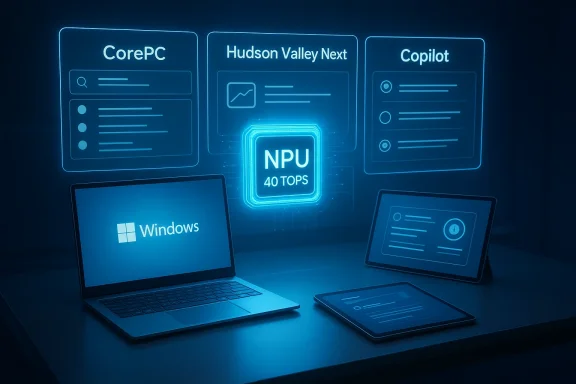
Neon schematic of AI Copilot powering CorePC blocks to deliver 40 TOPS across devices.Background​

The chatter about a successor to Windows 11 has escalated from scattered leaks into a coherent narrative: multiple outlets and partner materials suggest Microsoft is preparing a major client OS release targeted for 2026, built around a modular “CorePC” architecture and deep, system‑level Copilot integration. This timing aligns with lifecycle pressures following the end of mainstream support for Windows 10nical and commercial rationale for a fresh platform push.
Why this matters now: Microsoft’s recent Copilot+ initiative and partner messaging already define an “AI PC” category with explicit NPU performance bands, and OEMs have started to market devices as “Windows 12 Ready” or “Copilot+” when they meet those baselines. Those combined signals make the idea of a Windows release that is botherent and hardware‑aware plausible — but not yet official. Treat the present landscape as converging evidence rather than a finalized product announcement.

What the leaked picture says — core claims and their current verification​

1) Modular Core: CorePC / Hudson Valley Next​

  • The central technical claim is that Windows 12 will adopt a modular CorePC architecture, isolating system components into smaller, updateable modules rather than a single monolithi benefits include faster, safer updates (smaller attack surface), tailored images for device classes, and the ability to ship lighter or specialized builds for tablets, thin clients, and high‑end workstations.
Verification status: multiple independent reports and internal‑leak summaries point to the CorePC idea; Microsoft has long experimented with modular Windows prototypes (Windows Core OS, Windows 10X), lending plausibility. However, final API compatibility, edition boundaries, and enforcement mechanisms remain unannounced and should be considered speculative until Microsoft publishes definitive documentation.

2) AI as the OS fabric — Copilot integrated system‑wide​

  • The rumors describe Copilot progressing from a contextual assistant to a system orchestration layer, embedded in search, window management, automation, and content indexing.
  • Expect features like system‑wide summarization, semantic search that understands file contents, automated context actions, and an assistant deeply woven into the shell.
Verification status: Microsoft’s public Copilot+ messaging and product pages show the company’s intent to push deeper OS integration, but the scope, default behavior, and enterprise controls for a Copilot that “runs the OS” have not been formally disclosed. Some elements remain early exploratory code or UI mockups.

3) Hardware gating — NPUs and the 40 TOPS baseline​

  • A consistent and concrete technical thread is the requirement for a dedicated NPU capable of roughly 40+ TOPS (trillions of operations per second) for the “full” AI experience; Microsoft’s Copilot+ documentation explicitly uses a 40+ TOPS baseline for advanced local features.
  • OEMs and silicon vendors are already positioning products around that metric; Qualcomm’s Snapdragon X family and newer AMD/Intel parts advertise NPUs in this neighborhood.
Verification status: the Copilot+ spec and multiple vendor pages confirm the 40+ TOPS positioning. What remains uncertain is whether the base OS will strictly refuse upgrades to machines without such NPUs, or if Microsoft will enable degraded or cloud‑backed fallbacks. Early reporting suggests gating of premium features rather than refusing a base OS install, but the practical upgrade path and entitlements are not finalized.

4) Subscription or premium tiers for cloud AI​

  • Leaked strings mentioning “subscription status” and analysis of the cost structure for cloud model runs have led to the expectation that Microsoft will offer premium, subscription‑based capabilities — notably those that rely heavily on cloud compute, model access, or high‑quality generative outputs. The base OS is expected to remain purchasable as a one‑time license in some form.
Verification status: code fragments and industry interpretation support the idea of premium features behind subscriptions (e.g., a consumer‑facing Windows 365/Copilot tie‑in). But the commercial model, price points, and which features will be paywalled are not yet confirmed publicly. Treat subscription talk as a credible hypothesis, not a finished plan.

Anatomy of the proposed CorePC modular architecture​

Why modularity now?​

Microsoft’s engineering teams face a growing surface area of features (hybrid cloud services, on‑device AI, legacy Win32 compatibilation). A modular CorePC approach attempts to reconcile these demands by:
  • Breaking the OS into a minimal trusted core and a set of composable modules.
  • Allowing independent update cadences for services, UI components, and drivers.
  • Enabling device‑specific images that only include the modules required by a form factor.
This would let Microsoft accelerate shipping features and security patches while reducing the blast radius of an update gone wrong. However, modularity also increases the complexity of dependency management, testing matrices, and compatibility guarantees — the very things Windows developers have historically fought to keep simple.

Practical consequences for developers and IT​

  • Developers should expect clearer contracts (module APIs), but also a larger test surface as features move across modular boundaries.
  • Enterprises will need robust update‑management strategies; modular updates can be faster but require more rigorous validation in managed fleets.
  • Third‑party tooling that assumes monolithic access to the shell or kernel services may need porting or re‑architecting to remain compatible.

The NPU gate: technical reality and consequences​

What is 40 TOPS and why that number?​

TOPS measures raw inference throughput; a 40+ TOPS NPU makes local, low‑latency model inference practical for features like offline summarization, live image generation, and real‑time video processing without heavy CPU/GPU usage. Microsoft’s Copilot+ branding explicitly pushes a 40+ TOPS expectation for advanced local experiences, and chip vendors are shipping hardware to meet or exceed it.

Two real world device classes will likely emerge​

  • Copilot+ / Windows 12 Ready devices: machines with NPUs ≥ 40 TOPS, 16 GB+ RAM, and modern NVMe storage; these will unlock the fastest, most private on‑device AI scenarios.
  • Standard devices: older machines and many current laptops will still run the base OS and many legacy features, but may rely on cloud fallbacks for heavy AI work or be limited to non‑accelerated variants of features.

The upgrade dilemma and e‑waste risk​

If Microsoft ties essential new productivity features to NPU presence, organizations will face a choice: replace hardware early or accept reduced functionality. That could drive a PC refresh cycle — good for OEMs but costly for SMBs and consumers and potentially harmful from a sustainability perspective. Enterprise virtualization and cloud PC options (Windows 365, Azure Virtual Desktop) become a cheaper but ongoing‑cost alternative.

Monetization: subscriptions vs one‑time licenses​

The leaked phrase “subscription status” and analysis of cloud model economics suggest Microsoft is exploring a hybrid commercial model:
  • Core Windows remains a purchasable license (likely still with Home/Pro parity for basic usage).
  • Premium Copilot/Cloud tiers (Windows 365‑style consumer subscriptions or Copilot Premium bundles) could unlock higher‑quality generative outputs, persistent cloud models, and heavier server bursts.
Why Microsoft might choose thiAI model hosting and inference have real operational costs; charging for premium, cloud‑backed features is a direct revenue model.
  • Subscriptions smooth revenue and align with Microsoft’s existing Microsoft 365 and Windows 365 businesses.
Risks and questions:
  • A tiered Windows could fracture the user base: those unwilling or unable to pay may get a degraded experience.
  • Bundling advanced features behind a subscription raises regulatory and antitrust attention if Microsoft ties cloud features to exclusive platform advantages.
  • Pricing and entitlements matter hugely: a low monthly cost for genuinely useful features could be accepted; high prices will provoke backlash.

UI, UX and interaction model: Copilot‑first design​

Leaked UI mockups and reporting describe a shift toward search/assistant first interfaces: floating taskbars, a prominent top‑center search bar tied to Copilot, and a design language that privileges queries and intent over nested menus. If true, this represents a philosophical shift: users will be nudged to ask the OS rather than hunt for settings.
Practical implications:
  • Power users and keyboard‑centric workflows may need explicit modes to retain muscle‑memory shortcuts.
  • Accessibility and discoverability will be crucial; an assistant‑first model must preserve direct manipulation for users who prefer it.
  • Enterprises will demand fine‑grained controls to prevent unintended data exposure to Copilot services, especially when cloud bursts are involved.

Security, privacy, and governance​

A platform built around AI and hybrid local/cloud processing raises several governance challenges:
  • Data residency and control: what gets processed locally vs sent to Microsoft’s cloud? Organizations will require transparent, auditable rules and easy toggles for local‑only procn mandates.
  • Model governance and explainability: when Copilot executes actions (file edits, automation), enterprises will need logs, rollback, and provenance to satisfy compliance and liability concerns.
  • Attack surface: modular architectures reduce some systemic risk but introduce new inter‑module trust boundaries; secure update channels and signed modules will be essential.
Microsoft’s public Copilot+ and responsible AI messaging indicates awareness of these points, but the translation of policy into enforceable technical and contractual controls for enterprise buyers is an open question.

OEM and silicon vendor response​

Chipmakers and OEMs are reacting quickly: Qualcomm’s Snapdragon X Elite/X Plus, AMD’s Ryzen AI, and Intel’s Core Ultra‑class families are being marketed to meet or exceed the 40 TOPS target. OEMs are already branding some machines as Copilot+ or Windows 12 Ready, indicating coordinated channel messaging to clear inventory that qualifies for the new experience.
What to watch:
  • Pricing trajectories for AI PCs: mainstreaming NPUs into low‑cost segments (as AMD’s lower‑end Ryzen AI cdetermine adoption velocity.
  • Driver and firmware support complexity: NPUs vary by vendor in programming model and capabilities, and software stacks will need to standardize for consistent experiences.
  • Market segmentation: expect a premium “AI PC” tier and a larger longtail of downgraded devices — a classic two‑speed market.

Enterprise migration planning: a practical checklist​

  • Inventory fleet capability: identify which machines meet Copilot+/40+ TOPS baselines and which do not.
  • Pilot CorePC images on a subset of users to test modular update workflows and rollback procedures.
  • Revisit data governance: classify workflows that require local processing vs cloud bursts and set policy.
  • Model cost analysis: simulate subscription vs one‑time upgrade economics, including Windows 365 or cloud PC options.
  • Sustainability assessment: weigh accelerated hardware refreshes against total cost of ownership and e‑waste mitigation strategies.

What’s verified today, and what remains rumor​

Verified or well‑supported:
  • Microsoft markets Copilot+ PCs with NPUs targeting 40+ TOPS as the class for advanced on‑device AI experiences.
  • Multiple reputable outlets (PCWorld, PC‑WELT, Windows community reporting) identify Hudson Valley Next and CorePC as consistent leak codenames and themes for a potential 2026 major Windows milestone.
  • OEMs and silicon vendors are preparing hardware explicitly targeted at AI workloads, and some devices are being labeled as “Windows 12 Ready” or Copilot+ compliant. (windowscentral.com)
Unverified or likely to change:
  • The official product name, precise release date, editioning rules, and final subscription pricing remain unannounced and should be treated as provisional. The exact gating policy — whether devices without NPUs will be excluded from upgrades entirely, or only from premium features — is not yet confirmed.

Risks, downsides and trade‑offs​

  • Fragmentation risk: Two‑tier experiences (full AI vs limited features) create user confusion and support burden.
  • Cost and equity: hardware gating can accelerate the digital divide, especially in education and developing markets.
  • Enterprise complexity: modular updates and AI orchestration require new management tooling and governance discipline.
  • Regulatory exposure: tying generative AI services to the desktop will attract privacy and competition scrutiny, especially where Microsoft bundles cloud services with the OS.
  • Sustainability: the potential forced churn of hardware raises environmental concerns unless Microsoft and OEMs offer trade‑in and refurbishment pathways.

How to prepare (for users, IT teams and OEMs)​

  • Users: audit your PC’s upgrade eligibility and plan upgrades only when a clear productivity ROI exists; evaluate whether cloud PC alternatives meet your needs before buying new silicon.
  • IT teams: pilot Copilot+ hardware in non‑critical groups, and start drafting acceptable use policies for AI features and cloud burst controls.
  • OEMs and vendors: focus on transparent performance claims, driver stability, and trade‑in/upcycling programs to reduce friction and reputational risk.

Conclusion​

The converging reporting around Hudson Valley Next or Windows 12 paints a plausible and consequential story: Microsoft appears to be working toward a modular, AI‑first client that elevates Copilot from assistant to system service and leans on on‑device NPUs as a performance and privacy anchor. Official confirmation of a product named “Windows 12,” precise release timing in 2026, and the business model details remain pending. In the meantime, the industry is already positioning hardware and channel messaging for an AI PC world, and organizations should treat the possibility as a planning imperative rather than a distant rumor.
The pragmatic takeaway for readers: begin inventorying hardware, test modular update workflows, sharpen data governance for hybrid AI processing, and watch Microsoft’s forthcoming product communications closely — the choices made now will determine whether this next Windows cycle is an upgrade in capability, a new revenue model, or both.

Source: GIGAZINE Windows 12 is scheduled for release in 2026 as a fully modular, partially subscription-based, AI-focused OS
 

Back
Top