

Microsoft has not named or confirmed a product called Windows 12, but an increasingly coherent narrative—driven by Microsoft’s published lifecycle dates, its Copilot+ device program, analyst timelines and repeated reporting from industry veterans—points to a plausible “next major Windows milestone” arriving in the 2027 timeframe. What is certain today is not a product name but a direction: Microsoft is reshaping Windows around on‑device AI, new hardware classes (Copilot+ PCs), and a service‑oriented rollout that will force organizations and consumers to plan hardware and licensing decisions much earlier than in past cycles. tps://tech.yahoo.com/computing/articles/think-know-whats-coming-windows-122800402.html)
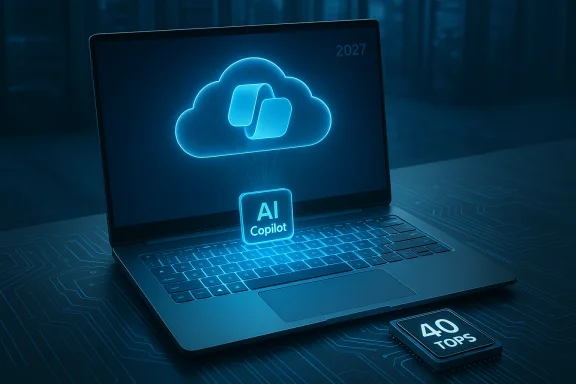
Microsoft’s public posture through 2024–2026 has been twofold: continue evolving Windows 11 via annual feature updates, and simultaneously brand, certify and sell a new class of AI‑ready machines called Copilot+ PCs. Those two threads intersect: Copilot+ machines require a neural processing unit (NPU) capable of 40+ TOPS and higher RAM and storage baselines, and Microsoft is actively gating advanced local AI features to that hardware class. That hardware‑first approach creates a natural commercial inflection point where Microsoft could justify a new major version or at least a marketing reset for Windows—whether that is called Windows 12 or a new branded AI edition.
At the same time, the Windows servicing calendar provides a practical deadline. Windows 10 hit its end of support on October 14, 2025. Microsoft’s annual servicing model for Windows 11 (versions named as 23H2, 24H2, 25H2, etc.) means the last broadly supported Windows 11 feature update for many consumer devices—Windows 11 25H2—remains on a timeline that naturally aligns with late‑2027 as a sensible commercial opening for the next major milestone. Industry analysts and veteran reporters have used these two facts—the Copilot+ hardware threshold and Microsoft’s lifecycle calendar—to place a Windows 12 preview in mid‑2027 and a general release in autumn 2027. Treat those dates as industry forecasts, not confirmed Microsoft release dates.
Practical takeaways:
Windows’ future will be defined as much by silicon and services as by UI refreshes. Whether that future arrives under the label “Windows 12” or as a rebranded, AI‑centric branch of Windows, the signals are clear: on‑device AI, Copilot+ hardware, and lifecycle‑driven timing will shape upgrade choices for the next half‑decade. The responsible path for IT teams and savvy consumers is to plan now—inventory, pilot, and put governance around the new AI capabilities—so when Microsoft formalizes the next step, the transition will be an opportunity instead of a scramble.
Source: Technobezz Windows 12 - All You Need to Know | Technobezz
 Background / Overview
Microsoft’s public posture through 2024–2026 has been twofold: continue evolving Windows 11 via annual feature updates, and simultaneously brand, certify and sell a new class of AI‑ready machines called Copilot+ PCs. Those two threads intersect: Copilot+ machines require a neural processing unit (NPU) capable of 40+ TOPS and higher RAM and storage baselines, and Microsoft is actively gating advanced local AI features to that hardware class. That hardware‑first approach creates a natural commercial inflection point where Microsoft could justify a new major version or at least a marketing reset for Windows—whether that is called Windows 12 or a new branded AI edition. At the same time, the Windows servicing calendar provides a practical deadline. Windows 10 hit its end of support on October 14, 2025. Microsoft’s annual servicing model for Windows 11 (versions named as 23H2, 24H2, 25H2, etc.) means the last broadly supported Windows 11 feature update for many consumer devices—Windows 11 25H2—remains on a timeline that naturally aligns with late‑2027 as a sensible commercial opening for the next major milestone. Industry analysts and veteran reporters have used these two facts—the Copilot+ hardware threshold and Microsoft’s lifecycle calendar—to place a Windows 12 preview in mid‑2027 and a general release in autumn 2027. Treat those dates as industry forecasts, not confirmed Microsoft release dates.
Why 2027 is the most cited release window
The lifecycle pressure: Windows 10 and Windows 11 servicing windows
Microsoft’s lifecycle pronouncements create real operational pressure for consumers, SMBs and large enterprises. Windows 10 reached end of support on October 14, 2025, which pushed large numbers of devices into migration planning. At the same time, each Windows 11 feature update carries its own servicing window—Home/Pro generally receive 24 months of servicing per annual release, and Enterprise/Education generally receive 36 months—meaning the calendar of last‑supported Windows 11 releases naturally creates a migration cliff in the second half of 2027 for many consumer devices. That calendar logic is the primary reason analysts point to late‑2027 as a reasonable launch window for the next major Windows milestone.The hardware readiness: Copilot+ and the 40+ TOPS NPU baseline
Microsoft’s Copilot+ program makes a technical statement: some advanced AI experiences are intended to run locally on NPUs capable of at least 40 TOPS (trillions of operations per second). That is a high bar for on‑device AI and means OEMs must ship systems with new silicon generations (Qualcomm Snapdragon X Elite/X Plus, Intel Core Ultra 200V family, AMD Ryzen AI 300 series and later NPUs) before a significant portion of the installed base can realize the full set of AI features. The Copilot+ certification and OEM ecosystem maturity are key prerequisites ft an AI‑native Windows edition at scale.Historical cadence and product marketing windows
Microsoft traditionally stages major consumer announcements in the autumn quarter to align with holiday buying cycles and OEM refreshes. Combine that timing with lifecycle pressure and the ramp of Copilot+ hardware across OEM lineups, and a late‑2027 consumer launch with a mid‑2027 preview (insider builds or public preview) fits patterns observed in prior product cycles—hence the repeated mid‑2027 preview / October 2027 release projection in analyst coverage. Again: this is plausible and consistent with observable signals, but it is not an official Microsoft date.What Microsoft has said (and what it hasn’t)
- Microsoft has not announced a product named “Windows 12.” Public messaging to date emphasizes ongoing investment in Windows 11 and new feature distribution through the existing servicing model. That official posture matters: naming, hard installation prerequisites, and licensing changes are business decisions Microsoft typically announces explicitly.
- Microsoft has published Copilot+ device requirements and marketing materials that declare a 40+d RAM/storage as the baseline for the Copilot+ experience. This is documented on Microsoft’s Copilot+ pages and in their device certification guidance. Those published requirements are verifiable technical facts and are central to how the AI experience will be marketed and delivered.
- Microsoft has also set servicing calendars for Windows 11 feature updates, meaning that widely deployed 25H2 installs will be supported through 2027 for Home/Pro customers and longer for Enterprise/Education editions—creating a practical window during which Microsoft could introduce a next‑generation product without leaving large swathes of customers unsupported.
What the rumors and leaks say about features
Below is a consolidated list of the most commonly reported feature vectors and design directions attributed to the next Windows milestone. Each item is a synthesis of public signals, credible journalist reporting and community leaks—some are well grounded, others are plausible but unverified.Expected (higher‑confidence) directions
- Deeper Copilot / AI integration across the shell: Copilot evolving from a sidebar assistant to a pervasive contextual assistant in File Explorer, Settings, app workflows and system actions. This will likely include improved natural language quergestions and agentic (action‑performing) capabilities.
- Stronger on‑device AI and local model inference: Emphasis on offline or hybrid local/cloud AI achieved via NPUs, improving latency and privacy for many Copilot features. Microsoft’s Copilot+ materials make the local inference intent explicit.
- Modernized, more modular UI elements: Continued UI refinements (adaptive layouts, dynamic widgets, taskbar experiments), and a likely push toward a more modular architecture that can enable smaller, less intrusive updates. Leaked UI experiments and Insider previews have shown Microsoft iterating on layout and shell components.
Plausible but unconfirmed changes
- Stricter baseline hardware requirements for a full experience: While core OS functionality would likely remain available on older hardware, the full experience—especially advanced Copilot features—may be limited to Copilot+ certified devices. Whether that becomes a hard install gate is unconfirmed.
- Sandboxing and more controlled app installation models: Reports speculate on optional consumer editions that restrict third‑party installers to improve security, or on containerized execution for legacy Win32 apps. Microsoft has experimented with such ideas historically; whether they become mainstream is a policy decision.
- SKU and licensing changes (subscription models): Some analysts predict Microsoft could migrate advanced management features or Pro‑level capabilities behind a subscription—especially in consumer channels—to mirror its cloud revenue strategy. This is plausible but should be treated as business speculation absent an official announcement.
Feature list (what to expect in practice)
- AI‑driven productivity helpers that proactively summarize, schedule and reorganize content.
- Copilot Vision and Voice expanded into contextual system tasks.
- Recall‑style timelines and activity search optimized for local NPU processing (privacy‑facing design).
- Native generative features in Paint/Photos and deeper Office 365/Copilot integration.
- New gestures and voice activation modes for hands‑free interactions.
- Continued emphasis on security: hardware‑backed encryption, zero‑trust configuration options, and tighter driver model enforcement for legacy components (example: printer driver changes and other kernel‑level policies).
Hardware requirements — what is verifiable now
Microsoft’s Copilot+ documentation is the clearest public artifact for new hardware expectations:- NPU: Copilot+ PCs are defined by an NPU capable of 40+ TOPS. This is a published requirement for the Copilot+ experience and is referenced by Microsoft in product literature and OEM guidance. Devices without that NPU will still run Windows 11, but certain Copilot+ features will be restricted or unavailable.
- Memory & Storage: Copilot+ marketing materials and third‑party reporting indicate a practical configuration floor—commonly 16 GB RAM and 256 GB SSD—for a smooth AI experience. These are device class recommendations rather than certified hard minimums for the OS.
- TPM / Secure Boot: Microsoft’s security baseline (firmware UEFI Secure Boot, TPM 2.0) remains a non‑negotiable feature for modern Windows installations and is part of the reason older machines cannot be upgraded cleanly to newer Windows releases without firmware or hardware changes. Expect these to remain core requirements.
Migration, compatibility and what IT teams should do now
Enterprises and admins face a multi‑year planning problem; consumers face a more straightforward upgrade/buy decision. Here are prioritized, actionable recommendations.- Inventory and classify devices now.
- Identify machines by CPU, NPU presence, TPM/UEFI status, RAM and storage.
- Map devices by application criticality: which systems must remain fully compatible with legacy Win32 apps, which can be replaced with Copilot+ class devices, and which can be migrated to virtual or cloud desktops.
- Start budget planning for a staged hardware refresh.
- Prioritize replacing machines that are nearing end of life or cannot meet TPM/Secure Boot or C- Consider hybrid strategies: keep legacy workloads on isolated VLANs or on virtual desktops while replacing endpoints with AI‑capable hardware.
- Test critical apps on new AI‑class devices early.
- Pilot common application sets on Copilot+ hardware to detect driver/compatibility challenges, especially for peripherals such as printers and custom hardware that may rely on deprecated driver models.
- Revisit Update and Management tools.
- Confirm your WSUS, Intune and Windows Update for Business strategies can orchestrate multi‑stage rollouts and feature‑controlled updates.
- Plan for a two‑track lifecycle: maintaining extended servicing on older Windows 11 builds where necessary while provisioning new AI‑capable devices.
- Reassess security posture and data governance.
- If features like Recall or local AI inference are adopted, define retention, telemetry and privacy boundaries up front.
- Update incident response playbooks for new attack surfaces introduced by local AI models and NPU‑accelerated compute.
Security, privacy and governance concerns
Shifting AI capabilities from cloud to device improves latency and often helps privacy (data stays local), but it also introduces new governance challenges.- Local model execution expands the attack surface. NPUs and the model runtimes that run on them are new runtime environments that must be secured, patched and monitored. Ensure patch management extends to firmware, NPU microcode and model runtime libraries.
- Data retention and consent. Features that record activity (screenshots, system timelines, voice recordings) raise questions about data retention policies, employee consent and regulatory compliance—especially in regulated industrition and clear opt‑in defaults for activity capture features.
- Supply chain and driver risk. Microsoft’s move to deprecate older driver models (such as V3/V4 printer drivers for certain Windows 11 updates) signals a stricter stance on driver distribution; organizations reliant on older peripherals should confirm vendor support or plan replacements.
The business model question: subscription vs. perpetual licensing
One of the louder speculations among analysts and columnists is whether Microsoft will shift deeper into subscription monetization for pro features or for advanced AI capabilities. There are plausible motives—steady revenue and easier bundling with Microsoft 365—but such a shift would be a major commercial move that Microsoft is likely to roll out slowly and explicitly if it intends to do so.- What to watch: SKU changes announced at Ignite or a subsequent Microsoft event; new “Pro as a Service” bundles tied to Copilot tokens; or licensing changes to Pro or Enterprise SKUs. None of these are confirmed; treat them as business scenarios to monitor and budget around.
Risks and downside scenarios
- Fragmentation and customer confusion. If Microsoft markets an AI‑native Windows edition with distinct install gates and also continues to iterate Windows 11, the ecosystem could splinter into multiple supported configurations—complicating support and procurement.
- Upgrade affordability and hardware churn. For consumers and SMBs, mandatory hardware upgrades to get the full AI experience could increase total cost of ownership and accelerate e‑waste if Microsoft encourages a hard upgrade cycle.
- Third‑party software compatibility. The more Microsoft pushes toward sealed or sandboxed experiences and containers, the greater the friction for legacy apps, niche engineering tools and device‑specific workflows.
- Privacy missteps. Poorly communicated data capture features or defaults that enable pervasive activity logging will provoke regulatory and public backlash; Microsoft and customers must prioritize transparent privacy controls.
What to expect next and the timeline to monitor
- Microsoft channels and Insider builds. Watch official Microsoft blogs, Windows Insider channels and the Windows release health dashboard for any sign of a new product name, announced preview milestones or changed installation prerequisites. Until Microsoft publishes explicit installation or SKU rules, all named timelines are speculative.
- Mid‑2027 preview window. Several respected analysts project a preview/beta around mid‑2027 and an autumn 2027 consumer launch. Treat those dates as planning triggers (insider test programs, pilot purchases), not final release commitments.
- OEM roadmaps. OEMs will publish product roadmaps tied to Intel,con refreshes—these are as good a proxy as any for hardware readiness. Expect an uptick in AI‑class device announcements during the 2026–2027 notebook refresh cycle.
Bottom line: prepare for an AI‑first Windows, but don’t panic
Microsoft is intentionally positioning Windows around on‑device AI experiences and has already published the Copilot+ device spec that maps much of the likely hardware baseline. The servicing calendar for Windows 11 feature updates gives the industry a clear operational timetable that makes a late‑2027 launch plausible. However, the crucial distinctions remain: Microsoft has not announced a product called Windows 12; installation gating, licensing changes and the exact timing of previews are still unconfirmed.Practical takeaways:
- Audit hardware and firmware now. Identify machines that cannot meet TPM, Secure Boot or Copilot+ baselines and build a staggered refresh plan.
- Pilot Copilot+ hardware on non‑critical workloads. Validate app compatibility, peripheral drivers and management tooling early.
- Harden governance for local AI features. Define retention, opt‑in policies and monitoring for any activity capture or local model inferencing.
- Budget for uncertainty. Plan for replacement cycles and potential SKU/lifecycle shifts without treating any single rumor as inevitable.
Quick checklist for readers (summary)
- Inventory: CPU, NPU presence, TPM, Secure Boot, RAM and storage.
- Pilot: Test key apps on Copilot+ machines and alternative virtualization.
- Security: Extend patching to firmware and NPU runtimes; define privacy defaults for activity capture.
- Budget: Plan for a phased hardware procurement cycle 2026–2028.
- Monitor: Microsoft blogs, Windows Insider, OEM roadmaps and lifecycle pages for confirmed dates and requirements.
Windows’ future will be defined as much by silicon and services as by UI refreshes. Whether that future arrives under the label “Windows 12” or as a rebranded, AI‑centric branch of Windows, the signals are clear: on‑device AI, Copilot+ hardware, and lifecycle‑driven timing will shape upgrade choices for the next half‑decade. The responsible path for IT teams and savvy consumers is to plan now—inventory, pilot, and put governance around the new AI capabilities—so when Microsoft formalizes the next step, the transition will be an opportunity instead of a scramble.
Source: Technobezz Windows 12 - All You Need to Know | Technobezz
