

Microsoft’s admission that 2026 must be a year of repair rather than showmanship is the clearest signal yet that Windows’ maintainers understand what has gone wrong—and that rebuilding trust will be a long, public slog rather than a single marketing stroke. This is not a subtle pivot: Windows engineering is reallocating resources, adopting a “swarming” approach to high‑impact regressions, and promising to prioritize performance, reliability, and everyday polish across the platform. The commitment is welcome, but the challenge is structural: restoring confidence across millions of diverse PC configurations requires measurable wins, clearer controls for users and admins, and better ecosystem coordination.
Windows has long lived at the intersection of scale and variety—the OS that must run on thin ultrabooks, throttling gaming handhelds, expansive workstation rigs, and corporate fleets with bespoke security agents. That breadth is a strength, but it also magnifies regressions: small update mistakes can cascade into widely visible breakages. In late 2025 and early 2026 the accumulation of user-facing issues—File Explorer regressions, update‑related boot and shutdown problems, inconsistent dark mode behavior, and intrusive service prompts—pushed sentiment toward “Windows fatigue.” Microsoft’s Windows and Devices president, Pavan Davuluri, acknowledged the feedback and said the company will “focus on addressing pain points we hear consistently from customers: improving systemlity, and the overall experience of Windows.”
Two external facts changed the frame for Microsoft’s priorities:
Microsoft’s Xbox Full Screen Experience is a practical answer: instead of trying to make Windows look and act like Linux, it offers a console‑style session that reduces memory pressure and background interruptions while keeping Windows’ strong compatibility advantages—especially for titles that require Windows kernel‑level anti‑cheat and DRM. In short: Microsoft can protect its gaming moat by making Windows better for games on the platforms where players actually play—handhelds and consoles—while integrating more efficient session postures for traditional PCs.
uld be judged in 2026
This year’s progress will be measured by objective, public indicators, not rhetoric:
Trust will not be reclaimed by a single marquee update or a PR memo. It will be reclaimed by months of fewer regressions, faster mitigation times, clearer opt‑outs for invasive features, and visible support for the people who administer and rely on Windows every day. If Microsoft delivers those things—and documents them publicly—Windows can remain the default desktop for most users. If it does not, the friction that’s driving users to alternatives will only grow.
This is a rebuild, not a reboot. The next twelve months will tell whether Microsoft’s engineering shift is a durable change of course or another temporary reprioritization. The community is watching, testing, and, importantly, measuring. The easiest way to restore trust is to make Windows consistently fast, reliably safe, and quietly respectful of the choices users make—then show the numbers proving it.
Source: OC3D Microsoft's focus is on rebuilding trust in Windows in 2026 - OC3D
 Background: why 2026 feels different for Windows
Windows has long lived at the intersection of scale and variety—the OS that must run on thin ultrabooks, throttling gaming handhelds, expansive workstation rigs, and corporate fleets with bespoke security agents. That breadth is a strength, but it also magnifies regressions: small update mistakes can cascade into widely visible breakages. In late 2025 and early 2026 the accumulation of user-facing issues—File Explorer regressions, update‑related boot and shutdown problems, inconsistent dark mode behavior, and intrusive service prompts—pushed sentiment toward “Windows fatigue.” Microsoft’s Windows and Devices president, Pavan Davuluri, acknowledged the feedback and said the company will “focus on addressing pain points we hear consistently from customers: improving systemlity, and the overall experience of Windows.” Two external facts changed the frame for Microsoft’s priorities:
- Windows 10 reached end of mainstream support on October 14, 2025, tightening the migration timeline for millions of users and enterprises. Microsoft documented post‑EoS options including upgrades to Windows 11 and a limited Extended Security Updates (ESU) bridge.
- Windows 11 passed a major installed‑base milestone—reported at roughly one billion active devices—raising the stakes for perceived quality even as the base grows. Achieving that scale fast is good business, but it makes every bug that much louder.
What “swarming” and device gating actually mean
The mechanics of swarming
Swarming borrows from incident response: instead of fragmenting fixes across multiple feature teams, Microsoft concentrates cross‑disciplinary engineers—kernel, update servicing, driver, QA, telenagement—on a small list of high‑impact issues until they’re fixed at the root. In theory this reduces time‑to‑fix and prevents superficial band‑aids. Early Insider activity has shown this in practice: targeted Build previews contain experiments such as File Explorer preloading toggles and other micro‑optimizations intended to reduce cold‑launch lag.Device gating: Bromine vs Germanium (what’s at stake)
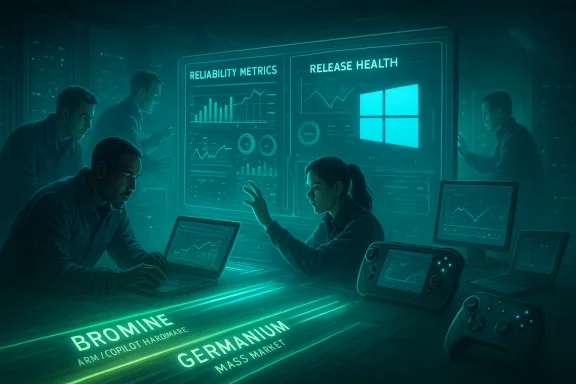
Microsoft has described a two‑track platform posture for 2026: a spring release branch (codename often reported as Bromine) targeted at next‑gen Arm and Copilot+ hardware, and a broader consumer branch (Germanium) planned later in the year for the mass market. The device‑gcel platform optimizations for validated hardware while insulating the wider installed base from risky kernel/scheduler changes that could produce mass regressions. It’s risk‑management by segmentation—but it also increases lifecycle complexity for enterprises and power users who must now manage mixed fleets.Recent, verifiable wins—and why they matter
Microsoft has shipped discrete fixes that are easy to point to, and these small wins matter because they are direct answers to long‑standing user complaints.- The “Update and shut down” bug—where selecting “Update and shut down” sometimes resulted in the system restarting rather than powering off—was addressed in previews and rolled into cumulative updates in late 2025. Multiple outlets confirmed Microsoft’s support documentation noting the fix as part of an October 2025 non‑security preview (and subsequent Patch Tuesday). This kind of long‑standing behavioral bug fix is precisely the kind of reliability work users expect.
- The Xbox Full Screen Experience (FSE) rolled out to Windows handhelds and entered broader Insider preview testing for laptops, desktops, and tablets in November 2025. FSE demonstrates a pragmatic, opt‑in approach to gaming performance: it’s a session posture that defers desktop ornamentation and non‑essential services to reclaim memory and reduce background interference while preserving the Windows kernel, drivers, and anti‑cheat stacks. When implemented carefully, this delivers meaningful improvements in memory headroom and responsiveness on thermally constrained handhelds. Microsoft and the Windows Insider blog documented the rollout; press coverage and hands‑on reviews corroborated the directional benefits.
The technical checklist Microsoft must execute—and the metrics to prove it
Words alone icrosoft needs measurable, auditable improvements that both users and enterprises can validate. A credible plan must include at least the following deliverables.- Public reliability targets and release health metrics
- Reduce top‑reported regressions by an explicit percentage within set quarters.
- Publish cadencigation, out‑of‑band hotfix frequency, and rollback incidence.
- Expand the Release Health dashboard to include canary cohort behavior and rollback stats so administrators can see progress in near‑real time.
- Safer update pipelines and smarter stagingIssue Rollback (KIR) and make safeguard holds visible and discoverable to admins.
- Make device‑gated rollouts transparent: provide machine‑readable maps that let IT quickly determine which machines will receive Bromine vs Germanium builds and when.
- Surface user contsparency
- Ship agentic AI and Copilot features as conservative opt‑ins by default; document training, retention, and telemetry schemas in machine‑readable form and give admins simple MDM/Group Policy controls.
- Expand partner tion
- Coordinate longer co‑testing windows with OEMs, GPU vendors, and anti‑cheat authors. Many performance promises depend on firmware and driver alignment; without it, platform‑level changes underdeliver or produce regressions.
- Restore basic UX polish
- Target fast wins: consistent dark mode, File Explorer responsiveness, improved search behavior, and reduced in‑OS promotional nudges. These small items disproportionately affect daily user sentiment.
Gaming: why Microsoft cannot ignore the Linux and handheld momentum
Steam’s monthly hardware survey and multiple trade outlets documented a small but notable rise in Linux usage among gamers—Linux crossing roughly 3% in late 2025. Valve’s Proton compatibility layer and the Steam Deck ecosystem (and derivatives) are part of this growth story; many gamers cite faster launches, lower overhead, and less intrusive OS behavior as reasons to try Linux. While Linux is far from overtaking Windows on the desktop, the trend is meaningful because it lowers the switching friction for gamers and power users.Microsoft’s Xbox Full Screen Experience is a practical answer: instead of trying to make Windows look and act like Linux, it offers a console‑style session that reduces memory pressure and background interruptions while keeping Windows’ strong compatibility advantages—especially for titles that require Windows kernel‑level anti‑cheat and DRM. In short: Microsoft can protect its gaming moat by making Windows better for games on the platforms where players actually play—handhelds and consoles—while integrating more efficient session postures for traditional PCs.
UX and user consent: the trust gap Microsoft must close
Rebuilding trust requires a simple design principle: respect the user’s expressed choices. The complaints that resurface most often are not about advanced features but about defaults and persistence:- Ads and upsells in the OS that nudge users toward Microsoft services.
- Automatic reinstalls or aggressive reappearance of bundled services (OneDrive, Copilot) after removals.
- System behaviors that override explicit user settings.
Enterprise impact: change management in a split platform world
Device‑gated releases (Bromine vs Germanium) reduce the blast radius for risky low‑level changes but create operational complexity:- Inventory and classification: Administrators must treat Bromine‑capable devices as a separate SKU in asset management.
- Pilot ring discipline: Enterprises must run more granular pilot groups—Bromine groups, Germanium groups, and mixed‑fleet stress tests for critical endpoints.
- Driver and agent validation: VPNs, DLP, anti‑cheat, backup, and EDR clients need earlier pre‑release validation windows to avoid post‑update outages.
Risks and trade‑offs—what could derail the recovery
- One severe regression can undo months of good work. Trust rebuilds slowly and is easily wiped out by a repeat outage or a poorly communicated rollout.
- Telemetry optics. Increasing diagnostics to find regressions helps engineers, but opaquses privacy concerns; Microsoft must marry deeper telemetry with transparent policies and conservative defaults.
- Ecosystem coordination. Much of Windows’ reliability lies outside Microsoft’s code: OEM firmware, third‑party drivers, and anti‑cheat software can all be single points of failure. Microsoft must earn vendor coopsting windows, which is time‑consuming.
- Fragmentation in enterprise environments. Device‑gating buys safety at the cost of operational complexity; if Microsoft doesn’t provide tooling to manage mixed fleets, IT teams will slow or block upgrades.
What users, gamers, and IT teams should do now
- Everyday consumers
- Delay non‑security feature updates for a short period after a wide release; allow early adopters and the Insider channels to validate fixes.
- Use als and keep robust backups or full system images before major updates.
- Gamers and creatives
- Keep GPU drivers and anti‑cheat components current; test major updates on a secondary partition or restore point first.
- Try the Xbox Full Screen Experience on handhelds if you want a console-like session that reduces background noise without leaving Windows.
- IT administrators
- Treat Bromine devices as a separate SKU; create dedicated pilot rings and validate critical LOB agents with preview builds.
- Enforce conservative telemetry and Copilot defaults via MDM until Microsoft publishes clear schemas and retention policies.
uld be judged in 2026
This year’s progress will be measured by objective, public indicators, not rhetoric:
- Fewer emergency out‑of‑band updates and a demonstrable drop in rollback incidents.
- Published SLOs for common UI operations (Explorer, Start, Search) and visible telemetry that third parties can audit.
- Clear, durable opt‑outs for agentic features and documented telemetry schemas.
- Evidence that device‑gated rollouts are visible and manageable by enterprises.
On competing OSes and unverifiable claims
The rise of SteamOS, improved Proton compatibility, and the proliferation of handheld Linux devices are real, verified trends that increase the strategic urgency for Microsoft to make Windows feel less heavy and more respectful of users’ time and resources. But some claims circulating in forums and social posts—specific projects like “Bazzite” or Google’s so‑called “Aluminium OS”—either represent small, community‑driven distributions or rumor. Those individual project names should be treated cautiously unless confirmed by primary reporting or official announcements. Microsoft does face credible choices from Apple’s macOS, Valve’s SteamOS ecosystem, and a growing Linux games stack; this competitive pressure is real and measurable. Flag any niche project references as emerging or unverified until they are corroborated by multiple reputable outlets.Final analysis: can Microsoft rebuild trust?
Yes—but only if execution matches rhetoric. The ingredients of a credible recovery plan are in place: a public acknowledgment of the problem, a reallocation of engineering resources toward high‑impact fixes, device‑gated risk management, and discrete user‑facing fixes that are both measurable and visible. However, the path from acknowledgement to restored confidence requires sustained discipline in engineering, transparent reporting, and a new release governance posture that privileges predictability and user control over headline features.Trust will not be reclaimed by a single marquee update or a PR memo. It will be reclaimed by months of fewer regressions, faster mitigation times, clearer opt‑outs for invasive features, and visible support for the people who administer and rely on Windows every day. If Microsoft delivers those things—and documents them publicly—Windows can remain the default desktop for most users. If it does not, the friction that’s driving users to alternatives will only grow.
This is a rebuild, not a reboot. The next twelve months will tell whether Microsoft’s engineering shift is a durable change of course or another temporary reprioritization. The community is watching, testing, and, importantly, measuring. The easiest way to restore trust is to make Windows consistently fast, reliably safe, and quietly respectful of the choices users make—then show the numbers proving it.
Source: OC3D Microsoft's focus is on rebuilding trust in Windows in 2026 - OC3D
