

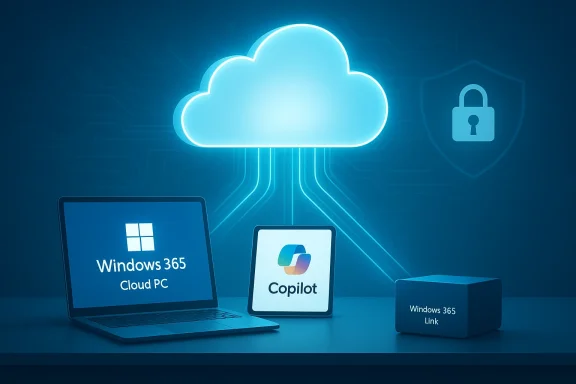
Microsoft’s gradual pivot from the traditional, locally installed Windows PC toward cloud‑hosted Windows environments has crossed a new threshold: what once looked like an enterprise convenience is now shaping a mainstream strategy that stitches the PC, the cloud, and AI into a single, subscription‑centric experience—and users are being asked to trade local control for AI‑infused convenience. review
For years Microsoft quietly built Windows 365 and Azure Virtual Desktop—products meant to give organizations cloud‑hosted desktops they could provision and manage centrally. Those offerings matured into a portfolio that today spans per‑user Cloud PCs, a dedicated thin‑client device (Windows 365 Link), and a hardware certification program for AI‑capable “Copilot+” PCs. The practical consequence is that Windows can now be delivered as a service, with compute and state hosted in Azure and the end user connecting from almost any device. This trajectory accelerated after Microsoft set a firm lifecycle date for Windows 10, forcing many organisations and consumers to choose between a hardware refresh, Extended Security Updates, or moving to Windows 11 and cloud options. Microsoft’s public product pages and marketing make the technical pieces clear: Windows 365 sells Cloud PCs in sized SKUs and monthly subscriptions; Windows 365 Link is a compact, locked‑down mini‑PC intended to boot directly into a Cloud PC session; and Copilot+ is a hardware certification intended to deliver on‑device AI experiences by requiring a minimum NPU capability. Those building blocks—Cloud PC, thin client, and AI PC—add up to a coherent platform that vendors and partners are packaging as the future of Windows in the enterprise.
How we got here: product, pricing, and policy
Windows 365 and the economics of a streamed OS
Windows 365 launched as a per‑user Cloud PC offering that looks and behaves like a remote desktop but is billed and managed as a subscription. Microsoft publishes a range of Windows 365 SKUs that start in the low‑$30s per user per month for basic Cloud PCs and scale into the hundreds for powerful multi‑vCPU, high‑RAM instances. Those headline prices are now a visible part of the story because they reframe Windows ownership: the operating system becomes an ongoing expense rather than a perpetual license. That subscription model creates both benefits and complications. For IT teams, Cloud PCs reduce imaging, patching, and endpoint configuration overhead; they also enable fast provisioning and easier compliance. For finance teams, they shift capital expenses into recurring operational outlays and can increase predictability. For consumers and small businesses, however, the calculus is different—what used to be a one‑time cost (buy a PC, get Windows) now can look like laboriously rolled monthly charges, particularly if Cloud PCs and Copilot‑style AI are bundled into higher‑tier service plans.A device for the cloud: Windows 365 Link
Microsoft’s Windows 365 Link device—priced as a low‑cost mini PC—is meant to act as the physical on‑ramp to streamed Windows. The Link is purposely locked down: no local user admin, no persistent local data, quick sign‑in, and a startup that is optimized to connect to a Cloud PC. It competes with the familiar thin client idea but is optimized for Microsoft’s Azure ecosystem and modern security primitives such as passwordless authentication and Intune management. The product frames the company’s intent: build hardware that only makes sense connected to the Microsoft cloud, and you accelerate broad adoption of Cloud PCs among frontline and shared‑workspace workers.Copilot+, AI PCs, and hardware gating
Complementing Cloud PCs and Link, Microsoft introduced a hardware tier and certification for AI‑enabled local experiences: Copilot+ PCs. The core of this program is a performance and security baseline that identifies machines capable of meaningful on‑device AI inference. Microsoft’s published guidance and blog posts set a practical NPU target—roughly 40+ TOPS (trillions of operations per second)—as the minimum for devices to deliver a full Copilot+ experience locally. That gating means not all new Windows 11 machines qualify; the requirement deliberately pressures OEMs and silicon partners toward NPUs and new silicon families, and it forces customers to think about a hardware refresh if they want the new experiences.What’s new in 2026: AI makes cloud Windows stickier
AI as the accelerant
AI is more than a shiny add‑on. It materially changes the value proposition of both cloud and local Windows experiences. For Cloud PCs, AI can be streamed from the cloud to complement local inference—so an organization can run heavy models centrally while still delivering quick, context‑aware assistance at the endpoint. For local Copilot+ devices, NPUs enable offline‑capable features like Recall, Cocreator, and advanced Live Captions that reduce latency and, in some cases, reduce data sent to the cloud. Microsoft markets these as productivity multipliers that justify subscriptions and hardware upgrades.Bundling AI and streaming: Microsoft’s strategic leverage
The convergence of Cloud PC, Copilot, and Link reveals a strategic lever: Microsoft can deliver experiences that span cloud and device, but it can also control the entire value chain—software, identity (Entra), management (Intune), and the paywall (Windows 365 subscriptions). That is powerful and explains why Microsoft invests aggressively in both Azure infrastructure and Copilot features. The same integration that makes the experience slick also tightens vendor control over how Windows is consumed, updated, and monetized.Benefits: why enterprises (and some users) will embrace cloud Windows
- Centralized management: IT can provision, patch, and secure Cloud PCs from a single pane, reducing endpoint drift and support burden.
- Predictable costs: Budgeting becomes predictable through monthly per‑user pricing and rightsizing tools that match SKU to workload.
- Anywhere access: A Cloud PC makes your workplace portable—log in from managed devices, personal devices (with security controls), or a Windows 365 Link.
- AI parity: Teams get consistent access to Copilot and Microsoft 365 AI features whether the compute is local or streamed.
- Reduced hardware churn for some segments: Thin clients can extend the usable life of low‑end endpoints by moving compute to the cloud.
Risks and tradeoffs: what users surrender
1) Loss of local control and the subscription trap
The model reframes the OS as a service. Failure to pay, expire a subscription, or have a broken identity path can lead to loss of access. For organizations, that risk is manageable with billing and contractual control; for individuals, it creates lock‑in dynamics that were largely absent in traditional Windows ownership. The economic friction is real: monthly bills aggregate, and incremental AI add‑ons can make the ongoing than a one‑time purchase.2) Privacy and data sovereignty concerns
Cloud PCs rely on centralized storage and telemetry. Although Microsoft offers controls and compliance tooling, the vendor ultimately holds the keys to patches, live configurations, and, in many cases, data residency. This raises legitimate questions about who controls backups, how legal holds are executed, and what happens if a customer leaves the Microsoft ecosystem. Those are not theoretical problems; they are governance and contractual issues enterprises and regulators will continue to scrutinize.3) Internet dependency and degraded offline experiences
A streamed OS depends on network connectivity. Although Windows 365 and on‑device Copilot features mitigate this by offering local fallbacks, the full experience—access to cloud‑hosted apps, synced state, and some AI models—requires reliable connectivity. For many users in high‑latency or metered networks, this is a material downside.4) Hardware gating and accelerated e‑waste
Windows 11’s hardware baseline and Copilot+ NPU requirements force upgrades. Millions of devices were affected when Windows 10 reached end of support; that same dynamic pressures organizations to buy new hardware that supports on‑device AIuestions about sustainability, procurement budgets, and the environmental cost of faster replacement cadence.5) Feature lock and modding erosion
Cloud‑hosted operating systems reduce the surface for user customization and local mods. Enthusiasts, developers, and small IT shops that rely on deep customization could find their options curtailed when the authority to change configuration moves to cloud policies and central admins. That reduces the open tinkering culture that has long been part of the Windows ecosystem.Verifying the big claims: what’s factual and what remains speculative
- Windows 10 end of mainstream support: Microsoft’s lifecycle pages confirm that Windows 10 reached its end of support on October 14, 2025. That is a concrete scheduling fact that materially shaped adoption and procurement decisions.
- Windows 365 pricing: Microsoft lists Cloud PC SKUs starting in the low‑$30s per user per month for basic Cloud PCs, with higher tiers reaching into the hundreds of dollars per user per month for powerful instances. Those published prices are current and provide an accurate picture of recurring costs for Windows as a service.
- Copilot+ hardware baseline: Microsoft’s own Copilot+ announcements and guidance specify the concept of on‑device NPUs (and public materials describe the 40+ TOPS guidance for Copilot+ experiences). This is a declared engineering threshold intended to ensure consistent on‑device functionality.
- Windows 365 Link and the thin‑client device model: Microsoft’s product pages and contemporary reporting confirm the Windows 365 Link device and its positioning as a micro‑PC for Windows 365 scenarios. Product pricing of the device as a low‑coavailability are documented.
- Microsoft intends to move more Windows functionality to the cloud: That is visible in product direction, blog posture, and feature rollouts (for example, streaming Copilot across devices and prioritizing cloud deliverables). However, one specific claim—that internal slideware explicitly states the plan to “move Windows 11 increasingly to the cloud…to enable a full Windows operating system streamed from the cloud to any device”—was reported in trade coverage but the original internal slide was not publicized in Microsoft’s official channels and could not be independently located in public slide repositories at the time of reporting. This particular phrasing should therefore be treated as a reported internal strategic framing rather than a line‑by‑line public commitment from Microsoft. Flag accordingly.
The regulatory and competitive angle
Microsoft’s consolidation of OS, identity, cloud compute, and AI services creates a vertically integrated stack that is commercial gold: it ingests subscription revenue, extends Azure’s value, and makes Microsoft the point vendor for end‑to‑end workplace computing. That concentration will attract competitive responses from cloud rivals and increased scrutiny from regulators who worry about anticompetitive bundling or locked ecosystems.At the same time, the DaaS market remains contested: AWS, Citrix, and a number of specialist DaaS vendors still compete on price, regional reach, or specific workloads. Gartner and other industry trackers have recognized Microsoft as a leader in the DaaS category, but leadership in a quadrant does not eliminate competitive pressure or the political scrutiny that accompanies control over a major OS.
Practical guidance for Windows users and IT buyers
1. Audit your estate. Use Microsoft’s PC Health Check and vendor tools to catalog eligible machines and identify which devices can be upgraded to Windows 11 or qualify for C2. Calculate true cost of ownership. Compare the combined costs of Windows 365 subscriptions, device refreshes, and management savings against a capex refresh plan or alternatives like ChromeOS Flex, Linux distributions, or third‑party virtualization. Don’t forget network costs for streamed OS usage. 3. Consider hybrid approaches. For many organizations, a hybrid model—local Windows 11 Copilot+ PCs for power users and Cloud PCs for shared or frontline workers—maximizes flexibility while limiting subscription bloat. Tools for rightsizing Cloud PC SKUs are becoming available to avoid over‑provisioning. 4. Review contracts and data terms. If you plan to shift to Cloud PCs, ensure your contract covers data portability, export, incident response, and clear SLAs for access. Confirm where data is stored and how legal holds and audits operate. These details matter more when the OS becomes a remotely managed service.
5. Plan for offline contingencies. For critical work that cannot tolerate network interruption, test on‑device fallbacks and ensure local copies or edge caching are available where needed.
Critical analysi, and the risk of overreach
Microsoft’s integration of cloud, device, and AI is strategically strong. It aligns product incentives (sell Azure compute, sell subscriptions, sell hardware), addresses real pain points for enterprise IT, and offers a clear upgrade pathway for organizations grappling with Windows 10’s sunset. On technical merits, Copilot+ devices plus cloud augmentation promise materially improved productivity features—better recall, real‑time collaboration, and lower latency interactions for AI‑driven tasks. These are competitive differentiators that customers will pay for when ROI is demonstrable. The risks are also real. The subscription reframe introduces economic friction and potential exclusion for budget‑sensitive users. Centralization raises privacy and jurisdictional questions that matter in regulated industries. Hardware gating threatens to accelerate e‑waste and could spark consumer and corporate backlash if the perceived value of AI features does not match the cost and disruption of replacement cycles. Finally, the rhetorical claim that Windows itself is “dying” misses the nuance: the traditional local Windows PC ecosystem is evolving rather than evaporating—but under Microsoft’s terms rather than the open market’s.There is also an authenticity question: are the AI features broadly useful enough to justify mass migration, or are they primarily marketing accelerants designed to increase ARPU (average revenue per user)? Later adoption patterns will answer that question. Early signals show enterprise interest in DaaS and Copilot features, but consumer adoption is more contingent on price and tangible daily benefit. Independent crowdfunding of features or niche open‑source alternatives could blunt Microsoft’s contlesce around competitive models.
Conclusion
The Windows PC as a standalone, locally governed platform is not dead—rather, it is being refactored. Microsoft has been explicit about enabling cloud‑streamed Windows, building purpose‑built devices, and certifying AI hardware. The company is packaging those pieces so the combined experience looks compelling: unified identity, consistent AI, and centrally managed compute. That offers real advantages for enterprises that value scale, compliance, and rapid provisioning.But this new shape of Windows brings a different bargain. Users and organizations trade autonomy and one‑time ownership for convenience, AI assistance, and ongoing operational simplicity. The outcome will depend on whether the productivity gains and management savings outweigh the added subscription costs, the risks of centralization, and the environmental and control concerns that come with hardware gating and cloud dependency.
Microsoft’s strategy is clear: fuse the PC, cloud, and AI into a platform that its customers—and Microsoft itself—can monetize and control. The industry is now confronting the question the Computerworld reporter posed in blunt terms: not whether Windows moves to the cloud, but how much local control users and IT organizations are willing to surrender in exchange for AI‑infused desktops.
Source: Computerworld The Windows PC is dying, thanks to cloud-based services and AI
