

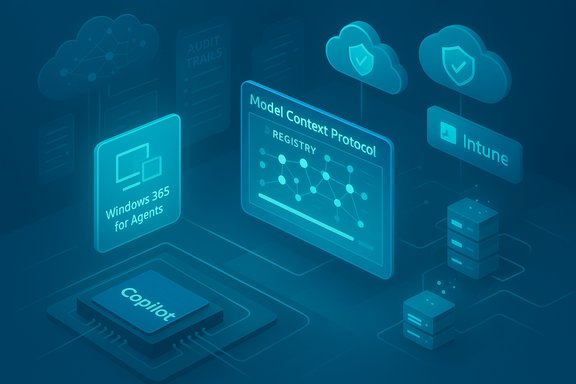
Microsoft used Ignite 2025 to push Windows further from “Copilot as a feature” toward a full-fledged, agentic operating system — and with that pivot it shipped two major previews aimed squarely at enterprise scale: Windows 365 for Agents (Cloud PCs tuned to run AI agents under IT policy) and Windows 365 AI‑enabled Cloud PCs (Copilot+ experiences streamed from the cloud). These launches are intended to give organizations a managed, auditable place to run autonomous agent workflows, deliver PC‑like Copilot features in the cloud, and centralize control over the new agent surface across endpoints and Cloud PCs.
Background / Overview
Microsoft’s Ignite messaging framed a broader architecture: Windows as an agentic OS — an OS where multimodal Copilot experiences, signed agents, a Model Context Protocol (MCP) for tool access, and a hybrid compute model (on‑device SLMs vs. cloud models) form the platform plumbing. That vision stitches together several elements that have been rolling out across Insider channels for the past year: Copilot Vision and Voice, Copilot Actions (agentic multi‑step workflows), a taskbar‑centered Ask Copilot entry, and the hardware category Copilot+ PCs for richer local inference.At Ignite, Microsoft made two complementary cloud plays:
- Let agents run where enterprises can control compute, scale, and compliance: Windows 365 for Agents.
- Deliver richer Copilot experiences from the cloud: AI‑enabled Windows 365 Cloud PCs that surface Copilot+ features and streamlined UI automation.
What is Windows 365 for Agents?
A cloud runtime for agentic workloads
Windows 365 for Agents is a Cloud PC offering optimized to host AI agents: signed, policy‑constrained processes that can perform multi‑step actions — open apps, operate on data, navigate websites, and call connectors — all inside an auditable, contained Cloud PC session. The product intent is clear: enable enterprise‑grade automation and high‑volume agent workloads without exposing endpoints or local user sessions to unmanaged agents.Key technical and governance characteristics include:
- Agents run in a sandboxed Agent Workspace with distinct agent accounts and minimal privileges so actions are auditable and separated from the primary user session.
- The Model Context Protocol (MCP) is used to standardize how agents discover and call “tools” (apps, services, connectors) in a controlled way. This reduces credential exposure and creates a registry model for tool access.
- The offering supports both Windows and Linux Cloud PC runtimes for agents — Microsoft highlighted early uses that run Linux images to let agents perform automated web navigation and actions in headless or containerized environments.
Why run agents on Cloud PCs?
There are practical reasons enterprises will prefer Cloud PCs for agent workloads:- Centralized scaling and cost control for high‑volume automation tasks.
- Unified audit and compliance posture through Intune and tenant‑level policies.
- Isolation of agent activity away from employee endpoints — critical for regulated industries and BYOD scenarios.
AI‑Enabled Windows 365 Cloud PCs: Copilot+ Experiences in the Cloud
What Microsoft calls “AI‑enabled Cloud PCs”
The new preview for Windows 365 AI‑enabled Cloud PCs brings Copilot+ PC‑like experiences into streamed Cloud PCs. That means Cloud PCs will surface features like improved Windows Search, Click to Do actions (take actions directly on images, videos, tables or text on screen), and tighter integration with Microsoft 365 Copilot so users can operate across local apps and cloud sessions without switching context. These experiences are designed to feel PC‑native even when the compute runs in Microsoft’s cloud.Administrators gain corresponding management tooling:
- Integration with Microsoft Security Copilot in Intune for performance and license optimization, and route‑level management for Copilot across both physical endpoints and Cloud PCs.
- Consolidated Copilot experience across Cloud PCs, Windows 365 for Agents, AI‑enabled Cloud PCs, and Intune, aiming to make Copilot management a single operational plane for IT.
Productivity and UX highlights
AI‑enabled Cloud PCs aim to reduce context switching with:- Click to Do: act on on‑screen content (images, tables, video frames, text) without bouncing between apps.
- Improved Windows Search and Ask Copilot taskbar entry that bridges local and cloud content.
- On‑screen actions that can be both user‑driven and agent‑driven (when allowed by policy).
Management, Migration, and Productivity Additions
Microsoft coupled the preview launches with a set of management and continuity features designed for enterprise adoption.Windows 365 Reserve and Windows 365 Cloud Apps
- Windows 365 Reserve has reached general availability. This service provides temporary Cloud PCs preinstalled with org apps and policies, enabling rapid failover when an endpoint is lost or fails. It is explicitly pitched as a continuity tool for business continuity and rapid device replacement.
- Windows 365 Cloud Apps lets IT expose individual apps running on Cloud PCs (Outlook, Word, etc. rather than full desktops, giving admins finer access control and reducing surface area for users who only need a handful of apps.
User Experience Sync, migration API, and Frontline features
- User Experience Sync for Windows 365 Frontline customers is now generally available; it preserves per‑user application settings and configurations across shared session mode deployments. This small but important quality‑of‑life improvement helps shared device scenarios like retail or healthcare.
- A migration API was announced to simplify moving workloads from Azure Virtual Desktop (AVD) or Azure VMs to Windows 365 Cloud PCs, signaling Microsoft’s intent to lower friction for cloud desktop migrations.
Windows 365 Link and Device Updates
Microsoft continues to iterate on the hardware side with Windows 365 Link, the mini‑PC client hardware for Cloud PCs. The company announced an expansion plan for Link availability into additional markets (Belgium, Finland, Ireland, Italy, Poland, Singapore, Spain) planned for February 2026, and new device capabilities slated for early 2026 including Bluetooth pairing during OOBE, tenant branding, and bare‑metal recovery support. Microsoft is also working to add high‑fidelity Webex and Zoom support on Cloud PCs. These are forward‑looking platform investments intended to make Cloud PC endpoints more flexible for shared and kiosk scenarios.Security Enhancements: New Protections for Cloud PCs and AVD
Microsoft did not treat agentics as a purely UX play — Ignite included enterprise security features targeted at the new threat surface:- External identities support for Windows 365 and AVD lets organizations use B2B login scenarios for BYOD, contractors, and guest access, broadening identity topologies that can be supported.
- Windows Cloud I/O protection entered public preview to guard keyboard input and output on Cloud PCs, providing an anti‑keylogging and keystroke injection defense for streamed sessions. This is a direct response to concerns about input interception in remote desktop and Cloud PC sessions.
Sustainability Claim: Extending Endpoint Life and Emissions Reductions
Microsoft cited a WSP USA analysis suggesting Windows 365 and Azure Virtual Desktop can materially reduce carbon emissions by extending the lifecycle of physical endpoints via a cloud‑first model. The study compared a set of “business‑as‑usual” scenarios against cloud‑centric deployments and concluded that Cloud PC strategies can lower embodied emissions per user by avoiding frequent hardware churn. While the claim is plausible and consistent with lifecycle assessment theory, organizations should validate assumptions (device refresh cadence, local energy mix, datacenter efficiency) before projecting identical gains for their fleets.Developer and Partner Implications
MCP, Windows AI Foundry, and agent primitives
For ISVs and systems integrators, Ignite made the platform play explicit:- Model Context Protocol (MCP) will be the structured protocol agents use to find and call tools; partners should prepare to publish MCP‑compatible tool endpoints or adapters.
- Windows AI Foundry provides a local model runtime and registry for on‑device SLMs and tools, enabling discoverable local model capabilities on Copilot+ devices.
- Agent signing, registration, and policy hooks will be necessary for ISVs to deploy enterprise‑grade agents that pass tenant governance.
Critical Analysis — Strengths and Immediate Opportunities
- Unified control plane for agents and Cloud PCs. By integrating agent runtime controls with Intune and Microsoft 365 Copilot, Microsoft lowers operational friction for admins and provides a single pane to manage Copilot and agent behavior across devices and Cloud PCs. That centralization is a practical win for enterprise IT.
- Hybrid compute model addresses privacy/latency tradeoffs. Local SLMs on Copilot+ NPUs paired with cloud fallbacks is a sensible engineering compromise: privacy‑sensitive or latency‑critical tasks can run on device, while heavy reasoning remains in the cloud. This two‑tier strategy aligns with current best practices.
- Agent Workspace with constrained identities. For agentic operations that touch real files and UI, Microsoft’s containment model and distinct agent accounts are essential architectural mitigations that, if implemented robustly, significantly reduce blast radius.
- Migration and continuity tooling reduces friction. The migration API, Windows 365 Reserve, and Cloud Apps choices show an enterprise‑first focus: these are practical features that will expedite pilots and business continuity planning.
Risks, Open Questions, and Where to Be Cautious
- New attack surfaces and complex threat models. Agentic stacks (MCP + connectors + agent composition) introduce novel attack classes — prompt injection, tool poisoning, chained agent exploitation, and cross‑tenant leakages. Enterprise EDR and SIEM tooling will need to evolve to detect multi‑step agent attacks. Microsoft’s current controls are necessary but will not be sufficient without broad ecosystem hardening.
- Governance and auditability gaps. Regulated industries will insist on deterministic audit trails, rollback semantics for agent actions (how to undo unintended changes), and cryptographically verifiable agent provenance. Those capabilities were discussed but not fully specified in preview messaging; enterprises must demand detailed logging, signed action records, and integration points for existing compliance tools.
- User trust and consent UX. Visibility and consent are not just features — they determine adoption. Early community feedback shows skepticism when agentic features seem “intrusive” or defaulted on. Microsoft has signaled opt‑in defaults, but admins must ensure consent flows and clear telemetry affordances to maintain trust.
- Complexity for hybrid fleets. Deciding which users need Copilot+ hardware (40+ TOPS NPU guidance), which need Cloud PCs, and how to manage license and performance costs adds a new dimension to desktop lifecycle planning. Organizations with mixed fleets face a nontrivial policy and procurement task.
- Vendor and standardization risk around MCP. MCP is promising as a standard, but without broad community governance and third‑party validation it risks becoming a Microsoft‑centric protocol, or worse, an attack vector if poorly specified. Enterprise architects should treat MCP endpoints as evolving interfaces and enforce robust testing and signing policies.
Practical Playbook for IT: How to Approach Windows 365 for Agents and AI‑enabled Cloud PCs
- Start small, pilot explicitly.
- Run tightly scoped pilots for low‑risk workflows (e.g., invoice table extraction, sanitized help desk automation) in a dedicated tenant or pilot OU.
- Exercise rollback and restore paths as part of pilot acceptance criteria.
- Inventory & governance first.
- Build an agent inventory plan and require agent registration, signing, and per‑agent policy templates before any production rollout. Integrate agent logs into SIEM and DLP.
- Design least‑privilege connectors.
- Use MCP and connector allow‑lists; avoid broad connectors with sweeping scopes. Favor narrow, audited token exchange flows for enterprise data access.
- Test agent failure modes and adversarial inputs.
- Simulate prompt‑injection and tool‑poisoning scenarios; validate data exfiltration detection and policy enforcement under composed agent workflows.
- Plan hardware selectively.
- Evaluate whether local SLMs and Copilot+ hardware materially reduce latency/privacy costs for your most important workflows. If so, budget targeted refreshes rather than wholesale replacement.
- Update SOC playbooks.
- Extend SOC detection and response to include agent orchestration anomalies, MCP abuse patterns, and cross‑agent chain detection. Ensure approval gating for destructive actions.
- Maintain user education and consent UX.
- Communicate clearly to users what agents can and cannot do, how consent is recorded, and how users can pause or revoke agent operations. Opt for conservative defaults in initial rollouts.
Where Claims Need Extra Verification (Caveats)
- Exact launch timelines and country availability are fluid. Microsoft announced previews and future availability windows (for example, expansions for Windows 365 Link into certain markets in early 2026), but these schedules are subject to change; procurement and rollout plans should be built with flexible timelines.
- The 40+ TOPS NPU spec for Copilot+ PCs is frequently referenced as a heuristic baseline for meaningful on‑device SLM performance; however, qualifying silicon and OEM fulfillment may vary. Validate device benchmarks and local model support before committing to refresh cycles.
- Sustainability projections from lifecycle studies depend heavily on local factors: datacenter PUE, local power grid mix, and device refresh policies. Use the WSP analysis as directional, not definitive, guidance for emissions planning.
Final Assessment
Ignite 2025’s Windows announcements are more than incremental feature releases; they constitute a coherent platform bet that turns agents into first‑class OS entities and makes Cloud PCs a managed home for agentic computation at scale. The combination of a sandboxed Agent Workspace, MCP tool plumbing, Windows 365 for Agents, and AI‑enabled Cloud PCs solves real enterprise problems: centralized governance, auditable automation, and continuity tooling. Those are meaningful wins for IT and enterprise automation teams.At the same time, the paradigm shift amplifies risks — new attack surfaces, governance complexity, and user trust issues — that demand disciplined pilots, updated SOC controls, and strong policy guardrails. For enterprises, the right posture is cautious pragmatism: pilot aggressively on low‑risk processes, harden connectors and logging, and treat agentic features as platform upgrades that require the same lifecycle planning, auditing, and rollback discipline as any other critical endpoint capability.
If executed well, Windows 365 for Agents and AI‑enabled Cloud PCs could materially reduce automation friction and centralize control for enterprise AI workflows. If governance and security lag, these same capabilities could create new operational headaches. The next 6–12 months of preview testing, partner integrations, and SOC playbook updates will determine which outcome becomes reality.
Source: Petri IT Knowledgebase Windows 365 for Agents, AI Cloud PCs Launch in Preview
