

I still remember the jolt Windows 8 delivered: a desktop-company pushing a tile-first, touch-forward interface into a PC world that had long settled into the comfortable grooves of Windows 7. For a subset of users that welcome bold, experimental design, Windows 8.1 fixed the raw edges and doubled down on the things that once felt daring — live tiles, deep cloud integration, and a renewed emphasis on multitasking — while also planting technical seeds that would later grow into Windows 10 and Windows 11. That affection isn’t just nostalgic contrarianism: many of the usability moves Microsoft made in 2012–2013 created durable features we take for granted today, even if the company ultimately retreated toward a safer, more familiar desktop-first posture.
Windows 8 shipped in October 2012 with a dramatically rethought interface designed to span tablets, laptops, and desktops. The response was polarizing: some users loved the crisp Modern/Metro aesthetic and the promise of a unified device experience; many others felt alienated by the abrupt departure from traditional desktop metaphors. Microsoft responded with Windows 8.1, a free update released in October 2013 that restored many conveniences (boot to desktop, a visible Start button in desktop mode) while preserving the tile-centric vision. That update was delivered as a substantial, free feature upgrade rather than a mere service pack — signaling a new posture toward iterative evolution of Windows' look and core UX. Beneath the surface-level drama about Tiles versus the Start Menu, Windows 8.1 introduced several engineering and platform innovations — placeholder cloud files in File Explorer, expanded snap multitasking, and deeper Store-and-cloud integration — that changed how Windows handled storage, background sync, and app sandboxing. Those technical moves shaped the next generation of Windows and the OneDrive experience long after Windows 8.1 left the mainstream.
This is not to say the experiment was wasted: Surface hardware and lessons from Windows RT later influenced the industry’s approach to convertibles, and Microsoft continued to push ARM-based Windows iterations, culminating in modern Windows on ARM efforts. But the initial execution suffered from overreaching promises and a developer ecosystem that hadn’t caught up.
Liking Windows 8.1 isn’t revisionist nostalgia: it’s appreciation for a rare moment when Microsoft took visible risks that transformed expectations about files, form factors, and UI. Those risks left us with features that, after iteration and hard engineering work, made modern Windows more capable and more aligned with the cloud-first, device-diverse reality we use today. The mixed legacy is, in many ways, the most interesting part — bold ideas that needed fixing, features that matured through failure, and a company learning to balance daring design with the responsibility of serving a billion users.
(Notes on verification: Windows 8.1’s release date and free-update status are confirmed by press coverage from the time. Placeholder files and their limitations are documented by Microsoft and analyzed by independent outlets highlighting reliability tradeoffs; Files On‑Demand’s reintroduction and improved architecture were announced to Insiders and documented at Build 2017. Surface RT and Windows RT launch timing and constraints are public record. Claims about market causality (e.g., whether Microsoft’s experimental steps caused other companies to move to ARM) are speculative and are flagged as such.
Source: XDA I actually liked Windows 8.1, even though I never had a tablet
 Background / Overview
Windows 8 shipped in October 2012 with a dramatically rethought interface designed to span tablets, laptops, and desktops. The response was polarizing: some users loved the crisp Modern/Metro aesthetic and the promise of a unified device experience; many others felt alienated by the abrupt departure from traditional desktop metaphors. Microsoft responded with Windows 8.1, a free update released in October 2013 that restored many conveniences (boot to desktop, a visible Start button in desktop mode) while preserving the tile-centric vision. That update was delivered as a substantial, free feature upgrade rather than a mere service pack — signaling a new posture toward iterative evolution of Windows' look and core UX. Beneath the surface-level drama about Tiles versus the Start Menu, Windows 8.1 introduced several engineering and platform innovations — placeholder cloud files in File Explorer, expanded snap multitasking, and deeper Store-and-cloud integration — that changed how Windows handled storage, background sync, and app sandboxing. Those technical moves shaped the next generation of Windows and the OneDrive experience long after Windows 8.1 left the mainstream. What Windows 8.1 actually shipped: the key technical wins
Live Tiles and the Modern UI lineage
- The tile-driven interface that defined Windows 8 derived from the Windows Phone “Metro” design language — a typographic, content-first approach emphasizing large areas of information and motion. Microsoft folded that visual language into Windows 8 to unify experiences across phone, tablet, and PC platforms. The design lineage was deliberate: tiles were meant to be more than icons — they’re information canvases that surface data without launching full apps.
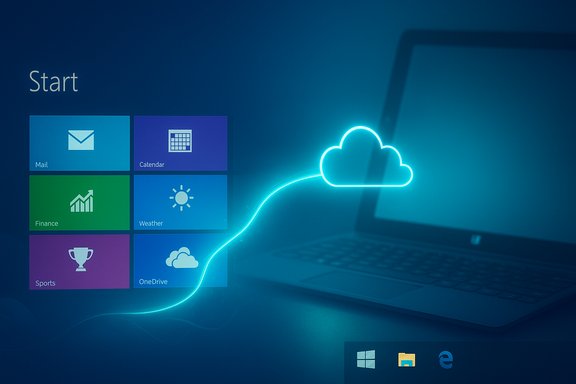
- For users who loved the constant glanceable information provided by Live Tiles — weather, calendar, email peek — Windows 8.1 doubled down on customization and sizing options so the Start Screen could become a personalized, dynamic dashboard rather than a static icon grid. Those affordances informed how Microsoft later mixed tiles into the Windows 10 Start menu and even influenced tile-like UI elements in other ecosystems.
OneDrive placeholders: early “files in the cloud” in the shell
One of Windows 8.1’s most consequential additions was native cloud-awareness inside File Explorer. Instead of requiring explicit downloads for every synced cloud file, Windows 8.1 introduced placeholder files (SkyDrive/OneDrive placeholders) that represented remote files in the local namespace with metadata and thumbnails. Open a placeholder and the OS fetched the real file on demand — a model that made cloud storage feel like native storage and avoided permanently filling small drives. Microsoft documented this capability as a new sync model introduced in the Windows 8.1 era.- Why it mattered: placeholder files anticipated a mainstream problem — local storage scarcity on thin, mobile devices — and offered users a practical way to treat the cloud as the primary data store while preserving normal file-dialog and Explorer workflows.
- Why it wasn’t perfect: the early placeholder implementation had edge cases where some legacy apps or certain file APIs didn’t trigger the on-demand download reliably; Microsoft recognized those limits and later reworked the approach in Windows 10 with a more robust Files On-Demand implementation. The evolution from placeholders (Windows 8.1) to Files On‑Demand (Windows 10 Fall Creators Update) shows a clear engineering continuum rather than a dropped idea.
Snap multitasking: more flexible, more useful
Windows 8 introduced the idea of snapping Modern/Metro apps side-by-side, letting you run two app canvases at once. Windows 8.1 then refined the model: it removed the strict two-app limit on large screens, allowed easier resizing, and made split layouts more usable on a range of display sizes. Those improvements made multitasking with full-screen app canvases genuinely productive and presaged the window-snapping sophistication we appreciate in modern Windows releases.Under-the-hood work that mattered
Beyond UI changes, Windows 8 and 8.1 set performance and power-efficiency expectations for low-power devices. Microsoft tightened wake/resume behavior for certified hardware and made numerous kernel and driver improvements intended to work well on both high-end PCs and entry-level tablets/netbooks. Minimum system requirements were modest by modern standards, and hardware certification targets encouraged OEMs to ship thin devices that could deliver quick boot and responsive experiences. Those platform-level investments lowered the friction for mobile/convertible form factors that dominated the post-2012 PC market.The tablet gambit: ambition, missteps, and lasting influence
Trying to outflank the iPad
Microsoft’s pivot to a tile-based, touch-friendly shell was in no small part a strategic response to the iPad’s popularity. The company aimed to create Windows tablets that could be productivity-first devices — not merely consumption-oriented slates — by keeping Windows’ full capabilities while adopting touch-first metaphors. That bet led to the introduction of Windows RT and the Surface family (Surface RT and Surface Pro launches in late 2012), hardware that attempted to prove Windows could be both tablet and PC.- Surface RT (initial model) launched in October 2012 and ran Windows RT — an ARM-compiled variant of Windows that included an Office RT suite but restricted third‑party apps to Store apps only. The hardware was an important statement: Microsoft was experimenting with building first-party hardware tied to its OS vision.
Where the strategy faltered
Windows RT’s restrictions (no legacy Win32 desktop apps other than Microsoft’s bundled Office) and immature app ecosystem made the platform hard to sell to mainstream PC buyers. OEM partners, developers, and consumers struggled to reconcile a Windows-branded device that couldn’t run classic Windows software. Those constraints limited RT’s appeal despite the form factor innovations (kickstand, keyboard covers) that later became Surface signatures.This is not to say the experiment was wasted: Surface hardware and lessons from Windows RT later influenced the industry’s approach to convertibles, and Microsoft continued to push ARM-based Windows iterations, culminating in modern Windows on ARM efforts. But the initial execution suffered from overreaching promises and a developer ecosystem that hadn’t caught up.
What Windows 8.1 got right — why some users still defend it
- Bold design that re-centered content: By foregrounding content and information in tiles, Windows 8.1 forced a rethinking of how the OS delivers value at a glance. That approach influenced parts of Windows 10 and remains visible in many Microsoft products.
- Native cloud-first thinking in the shell: Placeholder integration showed a future where local storage could be a cache rather than primary storage — a model that’s now standard in modern cloud‑backed clients. Microsoft iterated the idea until it worked reliably, but the original vision mattered.
- Real multitasking on tablets: The improved snap system and windowing controls made it possible to be productive on touch devices in ways earlier tablets weren’t — a core part of Microsoft’s “productivity-first” tablet strategy that still shapes Surface line objectives.
- Pushed OEMs into new hardware forms: The Surface’s industrial design, keyboard covers, and kickstand rewrote expectations for what a Windows tablet or hybrid could be — and OEMs followed with their own 2-in-1s and convertibles.
The costs and risks: why the gamble didn’t fully pay off
Usability friction and legacy compatibility
Windows 8/8.1’s biggest risk was economic and cognitive: forcing a radical UI change onto a massive, heterogeneous user base created adoption friction. Long-time desktop users found gestures and full-screen apps disruptive to workflows built around overlapping windows and fast keyboard shortcuts. Enterprises and power users — critical audiences for Windows — didn’t respond well to forced re-education or to workflows that required repetitive mode switching.Technical fragility in early cloud integration
Placeholders were conceptually elegant but technically fragile in early form. Some apps and system APIs didn’t behave correctly when presented with placeholder stubs, producing failures or confusing file states. Microsoft acknowledged these reliability problems and worked to redesign the approach for Windows 10, where Files On‑Demand used a different architecture (file system driver + client) to be more robust. In short: the idea was right, but the initial engineering tradeoffs produced instability for a subset of workflows.The developer ecosystem didn’t meet the vision
Windows Store apps never reached parity with the breadth or depth of the desktop application ecosystem. Developers faced difficult incentives to write Modern apps that only ran in the new environment. Without mature productivity apps that proved the value of the new model, many users saw little benefit in switching their mental model to tiles.Corporate caution and the retreat to familiarity
Faced with vocal backlash and sales pressure, Microsoft pivoted. The company leaned into a more conservative user experience with Windows 10, reintroducing a Start menu hybrid, more familiar desktop behaviors, and an incremental feature cadence. That retreat was pragmatic — it protected market share and satisfied enterprise customers — but it also signaled a corporate risk posture that favored iterative improvement over radical reinvention.Where Windows 8.1’s DNA survives (and where it doesn’t)
What survived and became mainstream
- Cloud-aware file models: The placeholder idea resurfaced as Files On‑Demand in Windows 10 and is today a standard expectation for cloud clients. Microsoft’s rework made the feature reliable and compatible with legacy APIs.
- Snap and window management: Today’s Windows 11 Snap Layouts and tiling behaviors have clearer lineage to the multitasking experiments in Windows 8/8.1, even if the modern implementation is refined and desktop-centric.
- Visual language: The Modern/Metro emphasis on typography, flatness, and content-over-chrome informed Microsoft’s Fluent Design evolution and the lightweight aesthetics of later Windows releases.
What didn’t survive
- The full-screen Start Screen as default: Windows 10 and 11 returned to Start menus that privilege the desktop experience, offering full-screen tiles as an optional mode rather than the primary interface for desktop users. The radical “tile-as-default” model became a niche preference rather than the mainstream path.
- Windows RT’s promise to run the “Windows” brand on ARM with a limited desktop experience fizzled; the platform was discontinued and repurposed into later Windows on ARM efforts that run native UWP and ARM64 native apps with better compatibility. The RT experiment left behind useful hardware design cues but not a long-lived platform.
A balanced critique: strengths, long-term benefits, and potential security/maintenance concerns
Strengths and lasting contributions
- Windows 8.1 forced Microsoft to reconcile desktop-first and touch-first paradigms and left tangible artifacts in cloud integration and multitasking.
- It accelerated the industry’s development of convertible form factors and normalized keyboard‑cover accessories and kickstands in premium tablet designs.
- The placeholder concept changed product thinking for cloud storage: treat the cloud as a first-class part of the filesystem experience rather than an app-only silo.
Risks and operational realities today
- End-of-life and security: Windows 8.1 reached end of extended support on January 10, 2023; running it today exposes systems to unpatched security vulnerabilities and compliance gaps. Organizations and users still clinging to 8.1 need to plan migration or mitigation, because there is no ongoing security baseline from Microsoft for this OS.
- Compatibility and maintenance: If you still rely on older devices that shipped for the Windows 8/8.1 era, you’ll face driver and firmware scarcity for modern security and management tooling. Those machines were designed for a bygone update and security model; extended operational life will increase maintenance overhead and risk exposure.
- The “what if” of influence: It’s tempting to argue that Windows 8’s push into ARM and touch hardware nudged the industry toward the ARM Mac era or toward modern silicon decisions. That’s attractive narrative framing but not strictly provable — product and market shifts result from many complex factors. Such causal claims are interesting but speculative and should be framed cautiously. (Flagged as a speculative/unverifiable claim.
Practical takeaways for enthusiasts and IT pros
- If you loved Windows 8.1’s tile-first approach, you’ll find echoes of it in Windows 10/11’s Start and in many productivity features; but the exact full‑screen Start Screen experience is no longer the default for desktops.
- Cloud-first file access is now robust and supported — Files On‑Demand in modern OneDrive clients is the mature successor to 8.1’s placeholders, and it’s the recommended approach for balancing local storage constraints with cloud availability. Enterprises should enable Files On‑Demand for devices with limited local storage.
- For hobbyists who want the tile-first aesthetic, modern Windows still supports full-screen Start and pinning of Live Tiles, but be mindful that running EOL systems (like Windows 8.1) carries significant security and compliance risks. Plan upgrades to supported platforms rather than trying to extend unsupported OS lifecycles.
Conclusion
Windows 8 and Windows 8.1 were not failures in the narrow sense — they were ambitious experiments that pushed Microsoft into new hardware formats, nudged the operating system toward cloud-first models, and rethought how multitasking and glanceable information should function. The company’s subsequent retreat to a more conservative, desktop-friendly posture with Windows 10 was a pragmatic business response to genuine usability complaints and enterprise realities. That retreat doesn’t erase the technical and design influence of the 8/8.1 era; placeholder cloud files, improved snap multitasking, and the Modern UI’s design DNA live on in more polished forms.Liking Windows 8.1 isn’t revisionist nostalgia: it’s appreciation for a rare moment when Microsoft took visible risks that transformed expectations about files, form factors, and UI. Those risks left us with features that, after iteration and hard engineering work, made modern Windows more capable and more aligned with the cloud-first, device-diverse reality we use today. The mixed legacy is, in many ways, the most interesting part — bold ideas that needed fixing, features that matured through failure, and a company learning to balance daring design with the responsibility of serving a billion users.
(Notes on verification: Windows 8.1’s release date and free-update status are confirmed by press coverage from the time. Placeholder files and their limitations are documented by Microsoft and analyzed by independent outlets highlighting reliability tradeoffs; Files On‑Demand’s reintroduction and improved architecture were announced to Insiders and documented at Build 2017. Surface RT and Windows RT launch timing and constraints are public record. Claims about market causality (e.g., whether Microsoft’s experimental steps caused other companies to move to ARM) are speculative and are flagged as such.
Source: XDA I actually liked Windows 8.1, even though I never had a tablet
