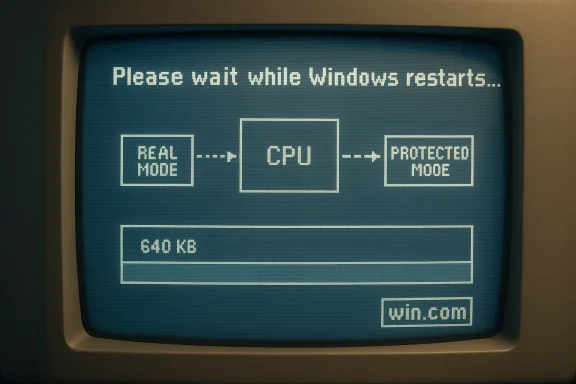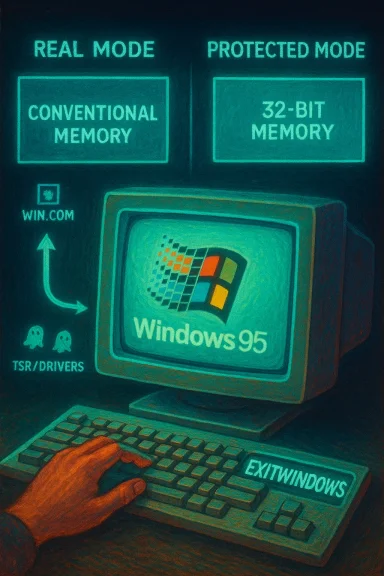
Microsoft veteran Raymond Chen has pulled back the curtain on a decades‑old Windows 95 trick: hold the Shift key while choosing Restart and the system would, in many cases, come back to life far faster than a full cold reboot — and the reason lies in the way the Win9x boot stack handed control between 16‑bit DOS-era components and the 32‑bit protected‑mode kernel.
Background
Early consumer Windows — the Windows 9x family — was a hybrid creature: part MS‑DOS legacy, part 16‑bit kernel, and part nascent 32‑bit protected‑mode operating system. That hybrid architecture made clever engineering possible, but also introduced fragile dependencies between components. The trick Raymond Chen described depends on that layered boot model and on a loader called win.com that sat at the boundary between real mode and protected mode.- Real mode: the CPU’s legacy startup mode with direct hardware access and a 1MB addressable range.
- Protected mode: the operating mode modern OS kernels use to enforce memory separation and multitasking.
- win.com: the DOS‑era COM loader that started protected‑mode Windows when booting via MS‑DOS.
How the “fast restart” sequence worked
At its core the Shift + Restart shortcut didn’t do anything magical; it simply asked Windows to take a soft restart path instead of forcing the machine through a full cold reset. The mechanism used an older shutdown API path — essentially the 16‑bit ExitWindows behavior with a restart flag — and relied on win.com to relaunch the protected‑mode OS without power‑cycling the machine. Raymond Chen explains the sequence crisply: the 16‑bit kernel exits, the 32‑bit virtual memory manager tears down, the CPU drops to real mode, and control returns to win.com with an instruction to start protected‑mode Windows again. Put into sequential steps, the attempted fast restart looked like this:- Windows calls the legacy ExitWindows path with the restart flag (historically a 16‑bit flavor such as EW_RESTARTWINDOWS).
- The 16‑bit kernel shuts down cleanly.
- The 32‑bit virtual memory manager (VMM) and associated protected‑mode subsystems exit.
- The CPU is set to real mode and control transfers back to win.com.
- win.com re‑initializes the environment and attempts to switch the CPU back into protected mode and relaunch Windows.
- If all memory and prerequisites look right, the GUI reappears rapidly without powering off the machine; otherwise win.com falls back to a full cold reboot.
The memory layout constraint: why it usually failed
The reason many attempts at this fast restart fell over is simple: contiguous conventional memory. In the MS‑DOS + Windows 9x world, .com programs (including win.com) were implicitly assigned whatever conventional memory (the first 640 KB) remained, and programs could subsequently release that memory back to the system. win.com deliberately released the memory beyond its own code image to create a single large contiguous block suitable for allocating the protected‑mode structures required by Windows. If that block wasn’t available — because some TSR, driver, or other component had allocated chunks in the expected region — the memory layout became fragmented and win.com could not re‑establish the exact layout it assumed. When that happened, win.com refused the fast‑restart path and triggered a normal reboot. The fragility came from two practical realities:- In the 1990s, many real‑mode drivers and resident utilities (TSRs) grabbed conventional or upper memory and did not always release it cleanly.
- Some code purposely reused dead code bytes or other low‑level tricks to squeeze memory — a common assembly optimization of the era that left little margin for assumptions about contiguous free space. Chen even notes an assembly trick where entry‑point bytes were re‑used as storage after the code path was no longer needed; that trick could be benign in normal runs but made memory layouts brittle for a restart path that relied on an exact initial state.
Raymond Chen’s take — clarity from the source
Raymond Chen’s explanation is authoritative because he worked on these systems and has a long history of documenting Windows internals. He makes three key points that resolve the long‑running mystery:- The behavior is driven by an older restart flag passed through the legacy ExitWindows code path (EW_RESTARTWINDOWS in 16‑bit terms).
- The restart is attempted by returning to win.com in real mode and asking it to re‑start protected‑mode Windows.
- win.com must find the same memory layout it had when it was first launched (notably, a large contiguous conventional memory block) to make the jump back into protected mode; otherwise it falls back to a full reboot.
Why modern Windows avoids this shortcut
Modern Windows (NT‑family: Windows 2000, XP, 7, 10, 11, etc. is architected very differently. The kernel is not a fragile, multi‑mode stack riding on top of MS‑DOS; instead, the OS owns the boot path and provides robust, documented shutdown and restart APIs (ExitWindowsEx and friends) that operate in a uniform protected‑mode environment. Those APIs are explicit about shutdown flags, privileges, and restart semantics — and they are designed to avoid brittle reliance on external DOS loaders, fragmentable conventional memory, or code reuse hacks. The modern model favors correctness and data integrity over squeezing milliseconds from reboot time. Two additional practical reasons modern Windows avoids the Win9x-style trick:- Device drivers and kernel components today expect a clear, well‑documented shutdown sequence and often commit state during shutdown; bypassing those semantics increases the risk of data loss or corruption.
- Modern boot configurations, firmware interactions (UEFI), secure boot, and device initialization paths have increased the number of things that must be initialized in a cold boot, making a half‑step restart either impossible or unsafe without elaborate bookkeeping.
The engineering trade‑offs: speed vs safety
The Windows 95 fast‑restart trick is an excellent case study in engineering trade‑offs.- Strengths and ingenuity:
- It was a clever reuse of an existing boot loader to save the time spent on hardware reinitialization.
- When the memory conditions were right, it produced a noticeably faster user experience — a real win for usability on slow 1990s hardware.
- The approach is emblematic of resource‑constrained engineering: short code, clever memory reuse, and maximal reuse of existing components delivered functionionality that otherwise would have demanded far more code.
- Fragility and risks:
- The mechanism presumes a near‑perfect world where device drivers and TSRs do not interfere with the memory region win.com expects. In practice, many third‑party drivers didn’t play nicely, creating intermittent failures.
- A failed memory layout check results in a full reboot, and repeated fast restarts could crash the machine — a showstopper for reliability.
- There’s an operational risk to the user: because the process skips some of the normal reinitialization choreography, device state or pending writes might be left in an inconsistent state in edge cases.
Practical lessons for IT teams and hobbyists
For anyone maintaining vintage hardware, retrocomputing enthusiasts, or sysadmins supporting legacy fleets, Chen’s write‑up has concrete, actionable lessons:- If you want fast soft restarts on Windows 9x-era machines, keep conventional memory as clean and contiguous as possible: avoid unnecessary TSRs, and prefer protected‑mode drivers where supported. Microsoft guidance from the era shows specific CONFIG.SYS and AUTOEXEC.BAT practices to preserve conventional memory for DOS‑mode programs.
- Be cautious with repeated forced restarts or tricks that bypass normal shutdown logic. They may expose latent driver bugs that only surface during teardown‑and‑restart sequences.
- Treat such tricks as convenience hacks rather than supported recovery mechanisms. For modern troubleshooting, use documented recovery paths (Advanced Startup, WinRE, or Emergency Restart behind the Secure Attention Sequence) rather than legacy shortcuts. Community write‑ups and practical guides document these modern recovery flows and their risks in detail.
Where history meets modern practice: Shift + Restart vs Emergency Restart
The 1990s Shift + Restart fast‑reboot is not the same as the Shift + Restart behavior in modern Windows, nor is it the same as the “Emergency Restart” hidden in the Secure Attention Sequence (Ctrl+Alt+Del + hold Ctrl + click Power). Contemporary Windows uses Shift + Restart to enter Advanced Startup (WinRE) — a documented, safe path to recovery tools — and keeps emergency forced reboots behind a privileged SAS gate for last‑resort scenarios. Community and documentation resources make the distinctions clear: the old trick was a fragile performance shortcut tied to win.com and conventional memory; modern mechanisms prioritize integrity and diagnosis.Cross‑checks and verification
This article’s technical claims rest on multiple independent sources:- The detailed mechanics of the win.com return and memory layout requirement come from Raymond Chen’s direct explanation and veteran‑level commentary.
- The formal shutdown and restart API behavior and modern replacement semantics (ExitWindowsEx and related flags) are documented in Microsoft’s API references.
- Historical memory management practices for Windows 95 and MS‑DOS mode — including the importance of HIMEM.SYS, EMM386, and upper memory blocks — are confirmed in contemporary Microsoft guidance and KB archives.
- Community and re‑reporting of the fast‑restart phenomenon, its intermittent reliability, and operational warnings appear across technical reporting and user forums, which corroborate the anecdotal parts of the story and highlight the uncertainty around exact vintages of certain behaviors.
Why this history still matters
The Windows 95 fast‑restart anecdote is more than nostalgia. It’s a concise lesson in systems engineering:- Resource constraints drive creative solutions, but those solutions can become brittle when assumptions are violated.
- Backward compatibility designs (mixing real mode and protected mode) introduce subtle coupling between components that can hinder recovery and evolution.
- Modern OS design has learned to favour predictable correctness over fragile micro‑optimizations, especially when user data integrity is at stake.
Conclusion
The Shift + Restart trick from the Windows 95 era was a neat piece of engineering theater: a fast, assembly‑tight path that called on win.com to relaunch protected‑mode Windows without cycling power. Its success depended on fragile memory layout assumptions and DOS‑era memory semantics that modern OS design intentionally avoids. Raymond Chen’s explanation peels back the fog on how and why the technique worked — and why, ultimately, the Windows platform moved on to safer, more predictable restart and recovery models. For retrocomputing enthusiasts it’s a fascinating footnote; for system designers it’s a compact cautionary tale about the trade‑offs between cleverness and reliability.Source: theregister.com Microsoft veteran explains Shift restart Windows 95 trick