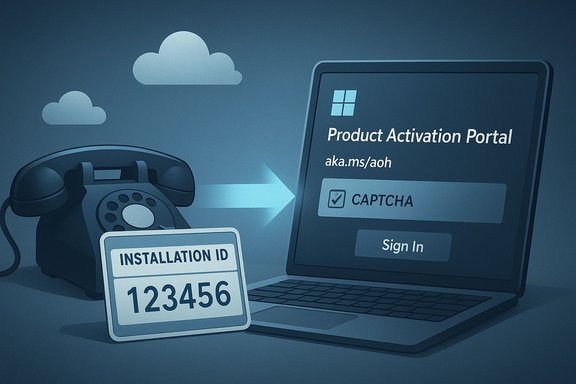
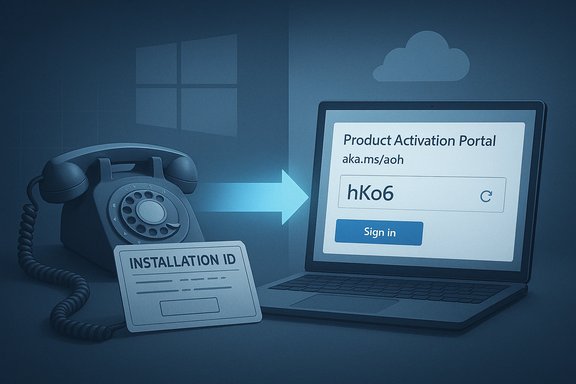
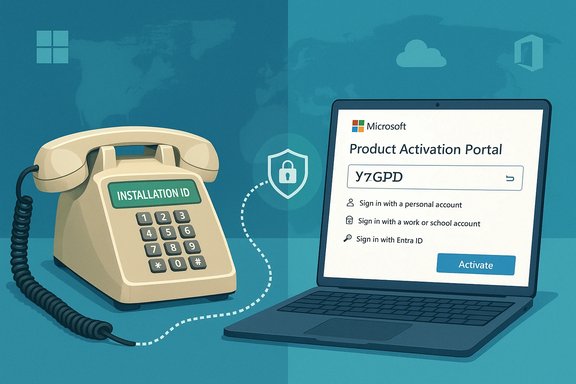
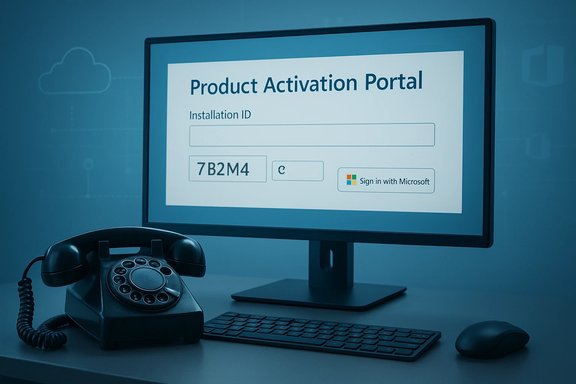
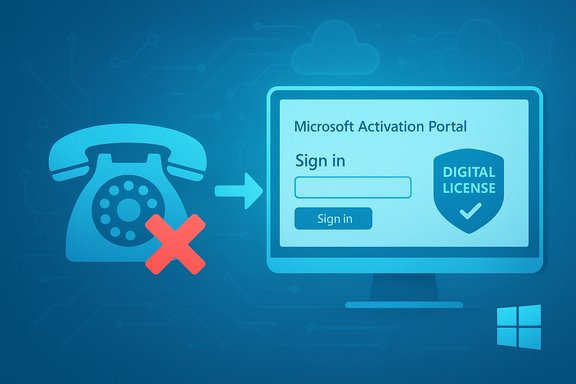
Microsoft appears to have quietly removed the long-standing option to activate Windows by telephone, effectively ending a decades-old offline activation path for Windows 10 and Windows 11 and accelerating a shift that reduces offline activation choices to cloud‑dependent workflows. The change — reported by multiple community and technology outlets and confirmed by user tests — redirects callers who dial Microsoft’s traditional product-activation numbers to an online portal (aka.ms/aoh), and it follows recent servicing updates that also closed popular offline activation workarounds. The result is a practical end to trusted offline activation routes for many users, and a new set of operational, security and privacy implications that IT teams and individual users must address immediately.
For years, Microsoft has supported three broad approaches to licensing activation: online activation via the internet, telephone activation using automated systems (or a live support advocate), and volume‑licensing/on‑premises methods (such as KMS and MAK) geared toward enterprise deployment. The telephone activation option has long been a lifeline for cases where internet connectivity was unavailable, restricted or undesirable — think air‑gapped systems, isolated industrial controllers, remote locations, and legacy installations. Recent changes, however, have materially altered that landscape.
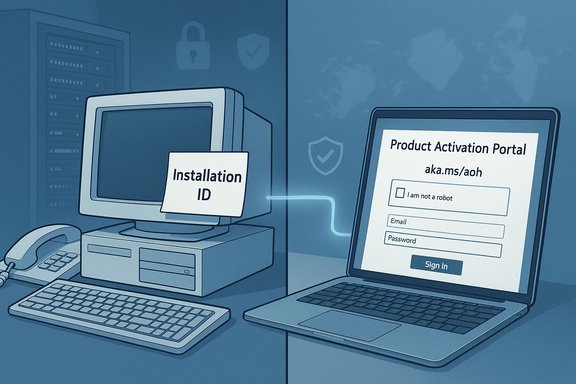
Two parallel developments converged in late 2025: (1) Microsoft servicing updates changed activation‑related internals in ways that broke community offline workarounds and made certain legacy activation artifacts unusable, and (2) the company’s telephone activation flow started to deliver an automated message telling callers that “product activation support has moved online” and pointing them to the Product Activation Portal (aka.ms/aoh). The practical effect is that the classic phone‑based Confirmation ID (CID) flow no longer completes activation in many regions and scenarios; callers are instead funneled to a web form that typically requires online connectivity and, in many cases, a Microsoft account.
This article summarizes the change, explains the technical mechanics behind activation, assesses the impacts on different user groups, analyzes the security and privacy trade‑offs, and offers concrete adaptation steps for consumers, IT administrators, and organizations that rely on offline activation workflows.
In late 2025, servicing updates hardened those internals and removed or changed components that KMS38 (and related methods) depended on. That blocking closed a major class of offline workarounds and reduced the number of viable non‑online activation options.
However, the forced online activation model introduces new operational security considerations:
However, there are potential downstream consequences:
The transition is manageable, but only with proactive planning. Organizations and individuals should immediately audit their activation dependencies, adopt the mitigation techniques outlined above, and press Microsoft for clear, documented fallback procedures when activations are mission‑critical. For users who prioritize offline control and anonymity, this development is an inflection point: the choice between adapting to an online‑centric Microsoft world, or migrating to alternative platforms that preserve offline workflows, is now more operationally consequential than ever.
This moment marks a visible acceleration of the cloud‑first trajectory for Windows licensing. For many, the benefits of centralized entitlements and modern device management will outweigh the costs. For others — particularly those with constrained, remote, or high‑security deployments — the change is disruptive and requires immediate operational remediation. The prudent path is to treat offline activation as an at‑risk dependency: assume it may no longer be reliable, plan accordingly, and seek documented, supported alternatives before the next major rollout forces a last‑minute scramble.
Source: WebProNews Microsoft Ends Offline Activation for Windows 10 and 11, Sparks Concerns
 Overview
For years, Microsoft has supported three broad approaches to licensing activation: online activation via the internet, telephone activation using automated systems (or a live support advocate), and volume‑licensing/on‑premises methods (such as KMS and MAK) geared toward enterprise deployment. The telephone activation option has long been a lifeline for cases where internet connectivity was unavailable, restricted or undesirable — think air‑gapped systems, isolated industrial controllers, remote locations, and legacy installations. Recent changes, however, have materially altered that landscape.Two parallel developments converged in late 2025: (1) Microsoft servicing updates changed activation‑related internals in ways that broke community offline workarounds and made certain legacy activation artifacts unusable, and (2) the company’s telephone activation flow started to deliver an automated message telling callers that “product activation support has moved online” and pointing them to the Product Activation Portal (aka.ms/aoh). The practical effect is that the classic phone‑based Confirmation ID (CID) flow no longer completes activation in many regions and scenarios; callers are instead funneled to a web form that typically requires online connectivity and, in many cases, a Microsoft account.
This article summarizes the change, explains the technical mechanics behind activation, assesses the impacts on different user groups, analyzes the security and privacy trade‑offs, and offers concrete adaptation steps for consumers, IT administrators, and organizations that rely on offline activation workflows.
Background: how Windows activation historically worked
The three activation pathways
- Online activation: The operating system connects to Microsoft activation servers and validates the product key or digital entitlement automatically. This is the default path for most consumer setups today.
- Telephone activation: The user obtains a location‑specific phone number (via slui 4 or Settings), calls Microsoft’s automated system, reads an Installation ID to the system, receives a Confirmation ID, and enters that Confirmation ID back into the activation wizard to complete activation. This route historically required no internet access for the target machine.
- Volume licensing & KMS/MAK: Enterprises typically use Key Management Service (KMS) or Multiple Activation Keys (MAK) for large deployments, with on‑premises KMS servers issuing periodic 180‑day leases, or MAK used as one‑time activation tokens for many devices.
Legacy artifacts and community workarounds
Over time, community projects developed unofficial techniques that emulated long‑term offline activation. One widely discussed method known as “KMS38” leveraged upgrade/migration helper tools and specific system utilities to produce effectively long‑term offline activations. These techniques were fragile and relied on particular behaviors in Windows servicing and the Software Protection Platform.In late 2025, servicing updates hardened those internals and removed or changed components that KMS38 (and related methods) depended on. That blocking closed a major class of offline workarounds and reduced the number of viable non‑online activation options.
The technical changes: what Microsoft changed and when
Servicing updates and activation hardening
Recent Patch Tuesday updates (November 2025 cumulative updates and subsequent servicing) included internal changes to how Windows processes licensing and migration artifacts. Those changes:- Altered or removed legacy utilities and behaviors that previously allowed migration of activation artifacts between installations.
- Updated component validation so that offline confirmation ID caches or artificially generated artifacts are rejected more aggressively.
- Consolidated quality and security fixes which, as a side effect, removed pathways that community scripts exploited for extended offline activation.
Phone activation redirection to a web portal
Independently, users calling Microsoft’s product activation telephone numbers began to encounter an automated message redirecting them to a dedicated Product Activation Portal (aka.ms/aoh) and instructing them to complete activation online. In practice this means:- The automated voice no longer completes the CID exchange activation for many callers.
- Callers are encouraged or required to submit their Installation ID via a web form, which often requires a modern browser, CAPTCHA, and account sign‑in.
- The previous anonymous offline characteristic of phone activation — entering numbers via DTMF and receiving Confirmation IDs — is reduced or eliminated in favor of a web‑centric interaction that ties activation to an authenticated account or session.
What remains: enterprise‑grade options
Volume licensing models such as KMS and MAK continue to exist for on‑premises enterprise deployments, but administrators should be aware that on‑premises KMS still requires periodic contact with a KMS host and that Microsoft’s changes can impact renewal behaviors and migration scenarios. Enterprises with strict air‑gap policies will need to validate their activation workflows under the new servicing baseline.Who is affected — and how severely
Consumers and hobbyists
Home users restoring older hardware, installing Windows on devices without reliable internet, or preferring not to link a Microsoft account now face diminished options. Many of these users historically relied on the phone CID flow for a quick, anonymous activation. With phone activation redirecting to an online portal, those offline deployments may fail or require a different provisioning process.Businesses with isolated or high‑security networks
Organizations that intentionally isolate networks — industrial control systems, classified environments, certain government and research facilities, and hospitals with segmented networks — will confront operational friction. Their choices include:- Temporarily bridging systems to a controlled network to perform activation.
- Pre‑imaging devices in a connected staging environment before deployment.
- Negotiating volume licensing or special activation arrangements with Microsoft account representatives.
International and infrastructure‑limited regions
Rural or under‑connected areas where inbound phone calls or internet bandwidth are limited may see disproportionate disruption. Phone activation was particularly valuable where data connectivity was intermittent or expensive.Privacy‑conscious users
Activating via a web portal — especially when it prompts for a Microsoft account — links device entitlement to an identity within Microsoft’s ecosystem. For users who value anonymity or data minimization, this move feels invasive and reduces their control over how entitlements are recorded and associated.Security and privacy analysis
Security rationale — and real risks
From Microsoft’s perspective, the move toward online, account‑tied activation improves anti‑piracy enforcement and allows the company to better validate licensing integrity in real time. Centralized validation can reduce certain forms of licensing fraud and ensure that devices are not using tampered activation artifacts.However, the forced online activation model introduces new operational security considerations:
- Temporary network exposure. Air‑gapped systems that must be briefly connected to the internet to activate are exposed to potential attack windows unless carefully staged and isolated.
- Single‑point dependency. Relying on Microsoft’s servers for activation increases dependence on an external service. Outages or network routing disruptions could block activation workflows.
- Data linkage. Tying activation to accounts or centralized logs raises privacy concerns. Activation events could be correlated with other Microsoft services associated with an account (for example, cloud storage or telemetry signals), depending on how entitlements are stored and queried.
Privacy and regulatory implications
The move could attract scrutiny under privacy rules in jurisdictions that enforce strict data protection standards. Requiring or strongly encouraging account‑based activation may be evaluated against data minimization principles and legitimate interest assessments. Organizations handling sensitive data may be constrained from using account‑tied activation for devices in regulated contexts without additional contractual assurances.Resilience and supply chain concerns
For critical infrastructure providers and organizations with regulated uptime and continuity requirements, the need to maintain an activation workflow that doesn’t rely on third‑party network availability is crucial. The new reality places a greater burden on procurement, staging, and asset management to ensure compliance without introducing unacceptable security risk.Community response, practical workarounds, and limits
Immediate community reactions
The change sparked visible community backlash: social channels, forums and technical subreddits grouped reports of redirected phone flows, expressed concern over access and privacy, and debated whether the move would push more users to open‑source platforms or illicit workarounds. For some, the change is another step toward a subscription‑centric, cloud‑first model. For others, it is an operational headache that Microsoft did not communicate clearly.Short‑term user workarounds
Some users shared makeshift methods to cope, including:- Pre‑activating reference images in a connected environment and deploying those images offline.
- Using enterprise licensing channels (KMS, MAK) where available.
- Temporarily connecting systems to a secure, controlled internet environment solely for activation.
- Seeking help from Microsoft’s paid support or account teams to arrange alternative activation flows for exceptional cases.
Long‑term alternatives
- Organizations with large fleets should evaluate Azure AD Join, Autopilot, and Microsoft’s provisioning stacks that are designed for modern device lifecycle management. These services assume connectivity but offer robust management and compliance features.
- For privacy‑focused users, migrating to open‑source operating systems (Linux distributions) remains an option that preserves offline activation and control, but it comes with the usual trade‑offs in application compatibility and support.
Enterprise playbook: immediate steps for IT teams
IT teams should assume the new posture is in effect and audit activation dependence across their estate. Recommended actions:- Inventory activation methods across device classes and identify devices that rely on phone activation or community offline mechanisms.
- For new deployments, create a staging environment that is networked only for the activation window, with strict logging and controlled egress.
- Pre‑image and pre‑activate standardized golden images in a secured area before shipping to air‑gapped environments.
- Engage Microsoft account representatives to discuss volume licensing options, emergency activation workflows, and whether special accommodations are available for regulated environments.
- Test update and activation sequences in an isolated lab to validate that core business systems will not lose activation after servicing updates.
- Update deployment guides and runbooks to reflect the new activation flow and minimize surprise during rollouts.
- Where possible, migrate to device management and identity solutions (Azure AD, Intune) that can provide managed activation and compliance reporting.
Economic and market implications
The shift toward online activation and account linking aligns with Microsoft’s larger pivot to recurring revenue through cloud services and subscriptions. By tightening offline activation, Microsoft reduces leakage from uncontrolled activations and reinforces entitlements that integrate with its cloud services.However, there are potential downstream consequences:
- Users in constrained networks may defer upgrades or seek alternatives, affecting device refresh cycles.
- An increase in frustrated users could strengthen interest in open‑source adoption where offline installation and activation are standard.
- Illicit activation workarounds may persist, at least temporarily, but as history shows they are brittle and tend to be closed by servicing changes.
What to expect next — and where uncertainty remains
Microsoft has historically avoided broadcasting the details of anti‑circumvention and activation hardening to limit evasive countermeasures. That makes some elements of this change difficult to verify from the outside:- The extent of the global rollout and whether all regional activation centers now uniformly redirect calls is observable through community reports but not fully documented publicly.
- Whether live support advocates will still complete activations on a case‑by‑case, human‑mediated basis for specific users or enterprise accounts remains ambiguous in practice; some support tiers may still provide human assistance, while automated lines default to the web portal.
- How Microsoft will respond to regulatory challenges — if any arise — is unknown. There is plausible reason for privacy agencies to request clarity about data collected during online activation and the legal basis for tying entitlements to account identities.
Practical guidance for end users
- If you rely on phone activation, test the flow now while you have time to arrange alternatives. Do not wait until a device is out of the box in a remote site to discover the pathway is blocked.
- If you prefer to avoid account linking, investigate pre‑activation of images and consult Microsoft’s licensing channels about options that minimize account association for device entitlements.
- For hobbyists restoring older hardware, consider alternative OS options or plan to perform activation from a secure, temporary network that isolates the device during the handshake process.
- Avoid third‑party “activators” or scripts that promise offline activation — they are illegal, often malicious, and fragile.
Final assessment — balancing convenience, control and risk
Microsoft’s quiet removal of reliable offline activation options represents a meaningful policy and technical shift: convenience and anti‑fraud efficacy are being favored over the offline autonomy many users have relied upon. There are defensible security reasons for the change, and enterprises that embrace modern device management will find benefits in the consolidated approach. At the same time, the move exacerbates access and privacy concerns for certain user groups and increases operational complexity for air‑gapped or highly regulated environments.The transition is manageable, but only with proactive planning. Organizations and individuals should immediately audit their activation dependencies, adopt the mitigation techniques outlined above, and press Microsoft for clear, documented fallback procedures when activations are mission‑critical. For users who prioritize offline control and anonymity, this development is an inflection point: the choice between adapting to an online‑centric Microsoft world, or migrating to alternative platforms that preserve offline workflows, is now more operationally consequential than ever.
Activation readiness checklist
- Confirm which devices in your environment require offline activation.
- Test phone activation now to determine whether it still completes in your region or account tier.
- Pre‑activate golden images in a secured staging environment.
- Arrange temporary controlled network access procedures for activation with strict egress filtering.
- Contact your Microsoft account team to negotiate enterprise‑grade activation accommodations if you support regulated or air‑gapped systems.
- Update internal documentation and incident response plans to include activation failures as a potential outage vector.
- Consider long‑term strategy: adopt device management tools or evaluate alternative OS options where offline control is a non‑negotiable requirement.
This moment marks a visible acceleration of the cloud‑first trajectory for Windows licensing. For many, the benefits of centralized entitlements and modern device management will outweigh the costs. For others — particularly those with constrained, remote, or high‑security deployments — the change is disruptive and requires immediate operational remediation. The prudent path is to treat offline activation as an at‑risk dependency: assume it may no longer be reliable, plan accordingly, and seek documented, supported alternatives before the next major rollout forces a last‑minute scramble.
Source: WebProNews Microsoft Ends Offline Activation for Windows 10 and 11, Sparks Concerns