• Thread Author
Microsoft appears to have quietly removed the long-standing option to activate Windows by telephone, effectively ending a decades-old offline activation path for Windows 10 and Windows 11 and accelerating a shift that reduces offline activation choices to cloud‑dependent workflows. The change — reported by multiple community and technology outlets and confirmed by user tests — redirects callers who dial Microsoft’s traditional product-activation numbers to an online portal (aka.ms/aoh), and it follows recent servicing updates that also closed popular offline activation workarounds. The result is a practical end to trusted offline activation routes for many users, and a new set of operational, security and privacy implications that IT teams and individual users must address immediately.

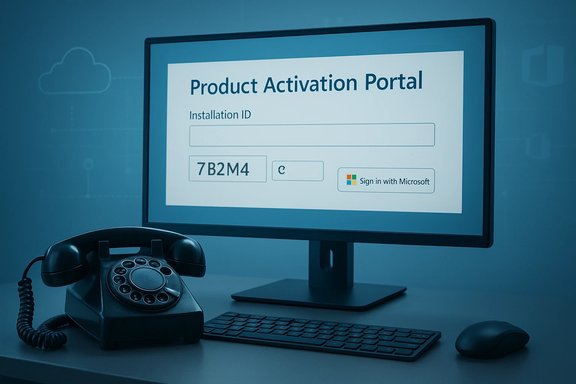
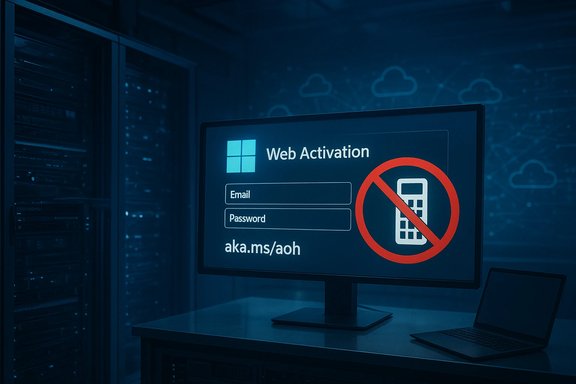
A monitor shows a Web Activation login form (Email, Password) with a no-mobile sign.Overview​

For years, Microsoft has supported three broad approaches to licensing activation: online activation via the internet, telephone activation using automated systems (or a live support advocate), and volume‑licensing/on‑premises methods (such as KMS and MAK) geared toward enterprise deployment. The telephone activation option has long been a lifeline for cases where internet connectivity was unavailable, restricted or undesirable — think air‑gapped systems, isolated industrial controllers, remote locations, and legacy installations. Recent changes, however, have materially altered that landscape.
Two parallel developments converged in late 2025: (1) Microsoft servicing updates changed activation‑related internals in ways that broke community offline workarounds and made certain legacy activation artifacts unusable, and (2) the company’s telephone activation flow started to deliver an automated message telling callers that “product activation support has moved online” and pointing them to the Product Activation Portal (aka.ms/aoh). The practical effect is that the classic phone‑based Confirmation ID (CID) flow no longer completes activation in many regions and scenarios; callers are instead funneled to a web form that typically requires online connectivity and, in many cases, a Microsoft account.
This article summarizes the change, explains the technical mechanics behind activation, assesses the impacts on different user groups, analyzes the security and privacy trade‑offs, and offers concrete adaptation steps for consumers, IT administrators, and organizations that rely on offline activation workflows.

Background: how Windows activation historically worked​

The three activation pathways​

  • Online activation: The operating system connects to Microsoft activation servers and validates the product key or digital entitlement automatically. This is the default path for most consumer setups today.
  • Telephone activation: The user obtains a location‑specific phone number (via slui 4 or Settings), calls Microsoft’s automated system, reads an Installation ID to the system, receives a Confirmation ID, and enters that Confirmation ID back into the activation wizard to complete activation. This route historically required no internet access for the target machine.
  • Volume licensing & KMS/MAK: Enterprises typically use Key Management Service (KMS) or Multiple Activation Keys (MAK) for large deployments, with on‑premises KMS servers issuing periodic 180‑day leases, or MAK used as one‑time activation tokens for many devices.

Legacy artifacts and community workarounds​

Over time, community projects developed unofficial techniques that emulated long‑term offline activation. One widely discussed method known as “KMS38” leveraged upgrade/migration helper tools and specific system utilities to produce effectively long‑term offline activations. These techniques were fragile and relied on particular behaviors in Windows servicing and the Software Protection Platform.
In late 2025, servicing updates hardened those internals and removed or changed components that KMS38 (and related methods) depended on. That blocking closed a major class of offline workarounds and reduced the number of viable non‑online activation options.

The technical changes: what Microsoft changed and when​

Servicing updates and activation hardening​

Recent Patch Tuesday updates (November 2025 cumulative updates and subsequent servicing) included internal changes to how Windows processes licensing and migration artifacts. Those changes:
  • Altered or removed legacy utilities and behaviors that previously allowed migration of activation artifacts between installations.
  • Updated component validation so that offline confirmation ID caches or artificially generated artifacts are rejected more aggressively.
  • Consolidated quality and security fixes which, as a side effect, removed pathways that community scripts exploited for extended offline activation.
Significant updates in November 2025 included cumulative packages that rolled hardening from earlier preview releases into mainstream servicing channels. These updates were broadly distributed through standard Windows Update delivery channels, meaning many devices received the changes automatically when they installed the monthly security rollups.

Phone activation redirection to a web portal​

Independently, users calling Microsoft’s product activation telephone numbers began to encounter an automated message redirecting them to a dedicated Product Activation Portal (aka.ms/aoh) and instructing them to complete activation online. In practice this means:
  • The automated voice no longer completes the CID exchange activation for many callers.
  • Callers are encouraged or required to submit their Installation ID via a web form, which often requires a modern browser, CAPTCHA, and account sign‑in.
  • The previous anonymous offline characteristic of phone activation — entering numbers via DTMF and receiving Confirmation IDs — is reduced or eliminated in favor of a web‑centric interaction that ties activation to an authenticated account or session.
It is important to note that Microsoft’s public support documentation in many locations still documents the phone activation steps (for example, the settings path or slui 4 guidance), creating a mismatch between the documented procedure and the actual phone experience in the field.

What remains: enterprise‑grade options​

Volume licensing models such as KMS and MAK continue to exist for on‑premises enterprise deployments, but administrators should be aware that on‑premises KMS still requires periodic contact with a KMS host and that Microsoft’s changes can impact renewal behaviors and migration scenarios. Enterprises with strict air‑gap policies will need to validate their activation workflows under the new servicing baseline.

Who is affected — and how severely​

Consumers and hobbyists​

Home users restoring older hardware, installing Windows on devices without reliable internet, or preferring not to link a Microsoft account now face diminished options. Many of these users historically relied on the phone CID flow for a quick, anonymous activation. With phone activation redirecting to an online portal, those offline deployments may fail or require a different provisioning process.

Businesses with isolated or high‑security networks​

Organizations that intentionally isolate networks — industrial control systems, classified environments, certain government and research facilities, and hospitals with segmented networks — will confront operational friction. Their choices include:
  • Temporarily bridging systems to a controlled network to perform activation.
  • Pre‑imaging devices in a connected staging environment before deployment.
  • Negotiating volume licensing or special activation arrangements with Microsoft account representatives.
Each option has trade‑offs: temporary network exposure introduces risk, pre‑imaging adds logistics and storage overhead, and enterprise agreements may come with additional costs and complexity.

International and infrastructure‑limited regions​

Rural or under‑connected areas where inbound phone calls or internet bandwidth are limited may see disproportionate disruption. Phone activation was particularly valuable where data connectivity was intermittent or expensive.

Privacy‑conscious users​

Activating via a web portal — especially when it prompts for a Microsoft account — links device entitlement to an identity within Microsoft’s ecosystem. For users who value anonymity or data minimization, this move feels invasive and reduces their control over how entitlements are recorded and associated.

Security and privacy analysis​

Security rationale — and real risks​

From Microsoft’s perspective, the move toward online, account‑tied activation improves anti‑piracy enforcement and allows the company to better validate licensing integrity in real time. Centralized validation can reduce certain forms of licensing fraud and ensure that devices are not using tampered activation artifacts.
However, the forced online activation model introduces new operational security considerations:
  • Temporary network exposure. Air‑gapped systems that must be briefly connected to the internet to activate are exposed to potential attack windows unless carefully staged and isolated.
  • Single‑point dependency. Relying on Microsoft’s servers for activation increases dependence on an external service. Outages or network routing disruptions could block activation workflows.
  • Data linkage. Tying activation to accounts or centralized logs raises privacy concerns. Activation events could be correlated with other Microsoft services associated with an account (for example, cloud storage or telemetry signals), depending on how entitlements are stored and queried.

Privacy and regulatory implications​

The move could attract scrutiny under privacy rules in jurisdictions that enforce strict data protection standards. Requiring or strongly encouraging account‑based activation may be evaluated against data minimization principles and legitimate interest assessments. Organizations handling sensitive data may be constrained from using account‑tied activation for devices in regulated contexts without additional contractual assurances.

Resilience and supply chain concerns​

For critical infrastructure providers and organizations with regulated uptime and continuity requirements, the need to maintain an activation workflow that doesn’t rely on third‑party network availability is crucial. The new reality places a greater burden on procurement, staging, and asset management to ensure compliance without introducing unacceptable security risk.

Community response, practical workarounds, and limits​

Immediate community reactions​

The change sparked visible community backlash: social channels, forums and technical subreddits grouped reports of redirected phone flows, expressed concern over access and privacy, and debated whether the move would push more users to open‑source platforms or illicit workarounds. For some, the change is another step toward a subscription‑centric, cloud‑first model. For others, it is an operational headache that Microsoft did not communicate clearly.

Short‑term user workarounds​

Some users shared makeshift methods to cope, including:
  • Pre‑activating reference images in a connected environment and deploying those images offline.
  • Using enterprise licensing channels (KMS, MAK) where available.
  • Temporarily connecting systems to a secure, controlled internet environment solely for activation.
  • Seeking help from Microsoft’s paid support or account teams to arrange alternative activation flows for exceptional cases.
Important caution: many community workarounds that exploit system behaviors or use third‑party scripts may violate the product license and expose devices to malware. These methods are fragile because Microsoft’s servicing updates can and have permanently closed the underlying behaviors.

Long‑term alternatives​

  • Organizations with large fleets should evaluate Azure AD Join, Autopilot, and Microsoft’s provisioning stacks that are designed for modern device lifecycle management. These services assume connectivity but offer robust management and compliance features.
  • For privacy‑focused users, migrating to open‑source operating systems (Linux distributions) remains an option that preserves offline activation and control, but it comes with the usual trade‑offs in application compatibility and support.

Enterprise playbook: immediate steps for IT teams​

IT teams should assume the new posture is in effect and audit activation dependence across their estate. Recommended actions:
  • Inventory activation methods across device classes and identify devices that rely on phone activation or community offline mechanisms.
  • For new deployments, create a staging environment that is networked only for the activation window, with strict logging and controlled egress.
  • Pre‑image and pre‑activate standardized golden images in a secured area before shipping to air‑gapped environments.
  • Engage Microsoft account representatives to discuss volume licensing options, emergency activation workflows, and whether special accommodations are available for regulated environments.
  • Test update and activation sequences in an isolated lab to validate that core business systems will not lose activation after servicing updates.
  • Update deployment guides and runbooks to reflect the new activation flow and minimize surprise during rollouts.
  • Where possible, migrate to device management and identity solutions (Azure AD, Intune) that can provide managed activation and compliance reporting.
These steps prioritize continuity while reducing the attack surface introduced by ad hoc internet connections.

Economic and market implications​

The shift toward online activation and account linking aligns with Microsoft’s larger pivot to recurring revenue through cloud services and subscriptions. By tightening offline activation, Microsoft reduces leakage from uncontrolled activations and reinforces entitlements that integrate with its cloud services.
However, there are potential downstream consequences:
  • Users in constrained networks may defer upgrades or seek alternatives, affecting device refresh cycles.
  • An increase in frustrated users could strengthen interest in open‑source adoption where offline installation and activation are standard.
  • Illicit activation workarounds may persist, at least temporarily, but as history shows they are brittle and tend to be closed by servicing changes.
Over the long term, the net economic effect depends on how smoothly Microsoft manages the transition for enterprise customers and what accommodations it offers to critical sectors with legitimate offline needs.

What to expect next — and where uncertainty remains​

Microsoft has historically avoided broadcasting the details of anti‑circumvention and activation hardening to limit evasive countermeasures. That makes some elements of this change difficult to verify from the outside:
  • The extent of the global rollout and whether all regional activation centers now uniformly redirect calls is observable through community reports but not fully documented publicly.
  • Whether live support advocates will still complete activations on a case‑by‑case, human‑mediated basis for specific users or enterprise accounts remains ambiguous in practice; some support tiers may still provide human assistance, while automated lines default to the web portal.
  • How Microsoft will respond to regulatory challenges — if any arise — is unknown. There is plausible reason for privacy agencies to request clarity about data collected during online activation and the legal basis for tying entitlements to account identities.
These uncertainties mean organizations should prepare for multiple contingencies and demand clarity from Microsoft support channels where activation is mission‑critical.

Practical guidance for end users​

  • If you rely on phone activation, test the flow now while you have time to arrange alternatives. Do not wait until a device is out of the box in a remote site to discover the pathway is blocked.
  • If you prefer to avoid account linking, investigate pre‑activation of images and consult Microsoft’s licensing channels about options that minimize account association for device entitlements.
  • For hobbyists restoring older hardware, consider alternative OS options or plan to perform activation from a secure, temporary network that isolates the device during the handshake process.
  • Avoid third‑party “activators” or scripts that promise offline activation — they are illegal, often malicious, and fragile.

Final assessment — balancing convenience, control and risk​

Microsoft’s quiet removal of reliable offline activation options represents a meaningful policy and technical shift: convenience and anti‑fraud efficacy are being favored over the offline autonomy many users have relied upon. There are defensible security reasons for the change, and enterprises that embrace modern device management will find benefits in the consolidated approach. At the same time, the move exacerbates access and privacy concerns for certain user groups and increases operational complexity for air‑gapped or highly regulated environments.
The transition is manageable, but only with proactive planning. Organizations and individuals should immediately audit their activation dependencies, adopt the mitigation techniques outlined above, and press Microsoft for clear, documented fallback procedures when activations are mission‑critical. For users who prioritize offline control and anonymity, this development is an inflection point: the choice between adapting to an online‑centric Microsoft world, or migrating to alternative platforms that preserve offline workflows, is now more operationally consequential than ever.

Activation readiness checklist​

  • Confirm which devices in your environment require offline activation.
  • Test phone activation now to determine whether it still completes in your region or account tier.
  • Pre‑activate golden images in a secured staging environment.
  • Arrange temporary controlled network access procedures for activation with strict egress filtering.
  • Contact your Microsoft account team to negotiate enterprise‑grade activation accommodations if you support regulated or air‑gapped systems.
  • Update internal documentation and incident response plans to include activation failures as a potential outage vector.
  • Consider long‑term strategy: adopt device management tools or evaluate alternative OS options where offline control is a non‑negotiable requirement.

This moment marks a visible acceleration of the cloud‑first trajectory for Windows licensing. For many, the benefits of centralized entitlements and modern device management will outweigh the costs. For others — particularly those with constrained, remote, or high‑security deployments — the change is disruptive and requires immediate operational remediation. The prudent path is to treat offline activation as an at‑risk dependency: assume it may no longer be reliable, plan accordingly, and seek documented, supported alternatives before the next major rollout forces a last‑minute scramble.

Source: WebProNews Microsoft Ends Offline Activation for Windows 10 and 11, Sparks Concerns
 

Microsoft appears to have quietly removed the decades-old telephone activation workflow for Windows, redirecting anyone who dials the traditional Product Activation phone numbers to an online-only portal (aka.ms/aoh) that requires internet access and a sign-in — a change that, combined with earlier hardening of offline KMS tricks, leaves many truly air‑gapped and highly locked-down environments without a truly anonymous, network‑free activation path.

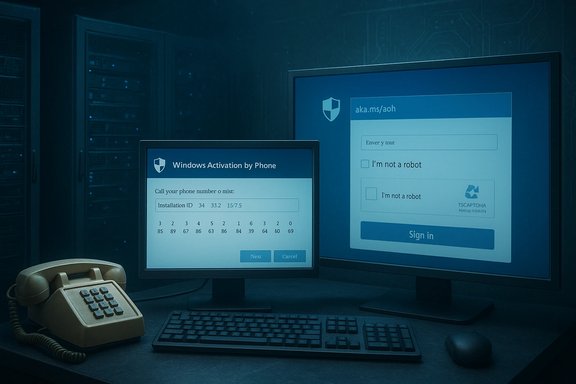
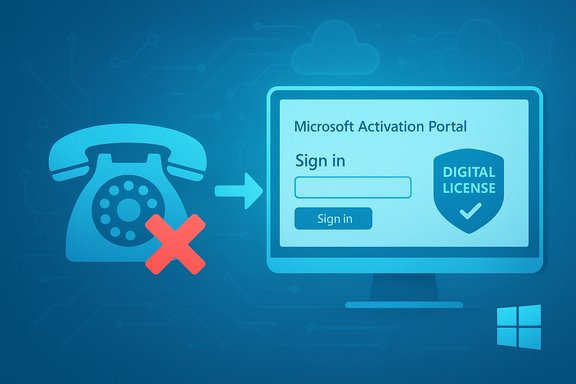
Two monitors show Windows Activation by Phone and a sign-in page in a blue-tinted data center.Background / Overview​

For more than 20 years Microsoft shipped two official ways to activate Windows: online activation (the default) and telephone activation (an offline fallback introduced in the Windows XP era). Telephone activation historically let administrators and end users provide an Installation ID over the phone and receive a Confirmation ID in return — no persistent internet on the target machine and no need to sign into any Microsoft account. Microsoft’s official support pages still document the phone activation flow (Start > Settings > System > Activation → Activate by Phone), and list regional phone numbers and the SLUI 4 command to surface the Installation ID. Alongside these legitimate channels, a sizeable underground ecosystem provided offline “workarounds” for activation — notably the KMS‑based tricks and the community project known as Microsoft Activation Scripts (MAS / “Massgrave”). One widely discussed technique, known as KMS38, manipulated upgrade/migration helpers (historically referenced as gatherosstate.exe) to fabricate or carry a “GenuineTicket” so systems could appear activated offline for extended periods. That technique was brittle by design: it depended on internal servicing and setup behaviors that Microsoft could change with cumulative updates. Community research and maintainers of MAS confirmed that KMS38 stopped working after servicing changes consolidated into Microsoft’s November 11, 2025 cumulative updates (packaged under KB5068861 for recent Windows 11 channels). The short version: in late 2025 Microsoft closed off a major unofficial offline activation route (KMS38), and at the end of 2025 Microsoft’s telephone activation flow began redirecting callers to a web portal — effectively eliminating the last widely‑used official activation method that could be completed entirely without internet on the target device. Independent reporting and community videos show the phone system playing an automated message that “product activation support has moved online” and points callers to aka.ms/aoh.

What changed, exactly​

The user experience today​

  • When users attempt the documented phone‑activation flow — either via Settings → Activation → Activate by Phone, or by running slui 4 — the UI still produces an Installation ID as before. Microsoft’s support article continues to describe the phone activation path.
  • However, when callers dial the listed regional activation numbers they now frequently hear an automated voice instructing them to visit the Microsoft Product Activation Portal (aka.ms/aoh) for activation; the call no longer completes the activation exchange on the line. Community recordings and multiple outlets have captured the redirect.
  • The portal replicates the old exchange but from a web browser: you enter the Installation ID, complete a CAPTCHA, sign in with one of Microsoft’s supported identity types (Personal Microsoft account, Work/School account, Microsoft Entra ID, or an Azure Government tenant account), and the portal issues a Confirmation ID to enter back on the target device. That web-based workflow requires internet access and an authenticated identity to finish the process. Community summaries and forum threads documenting the portal’s behavior confirm this requirement.

When did this start?​

Community reporting traces the practical telephone redirect to December 2025; some forum summaries state Microsoft’s telephone automation began being routed to the online portal on or around December 3, 2025. That date currently appears in community analyses rather than in a Microsoft blog post or press release, and the official support documentation still contains the old phone activation steps. This discrepancy — documented official instructions versus changed operational routing — is the root of much of the confusion. The absence of a clear Microsoft public announcement explaining the change is notable.

Why this matters: the practical and technical impact​

Telephone activation was more than an oddity; it served as a lifeline for specific and important use cases:
  • Air‑gapped systems — industrial control systems, classified networks, regulated devices and isolated lab machines often cannot reach Microsoft’s activation servers. Phone activation allowed licensing without opening the endpoint to the internet.
  • Hardened enterprise images and deployment pipelines — some organizations deploy Windows images into sensitive networks and relied on phone activation to finalize licensing during staging or commissioning steps.
  • Legacy & constrained devices — machines with limited or controlled network connectivity, or those that cannot be temporarily joined to an external network for security reasons, used phone activation as a legitimate route.
  • Privacy‑sensitive activations — phone activation historically allowed activation without tying the device to a Microsoft account or requiring a sign‑in, something small businesses and privacy‑conscious users sometimes preferred.
By redirecting callers to an online portal that requires a signed-in account and an internet connection — even if the portal’s claims state the sign-in isn’t “tied” to the license — Microsoft removed a truly anonymous and network‑free activation path. This is an operational change that forces administrators to modify processes for countless constrained environments. Independent reporting and forum threads capture the breadth of concern among system administrators and security‑constrained users.

Cross‑referenced verification of key claims​

  • The Microsoft support page still documents “Activate by Phone” for Windows 7/10/11, including the SLUI 4 method and regional numbers. That document shows the intended process but — in some caller experiences — does not match what happens when calling the numbers.
  • Multiple news outlets and community posts independently captured callers being directed to aka.ms/aoh and reported that the phone exchange now hands people to the Product Activation Portal. Tom’s Hardware and PiunikaWeb are among the mainstream sites covering the story; several community videos (documented in those articles) recorded the new automated voice response.
  • Microsoft’s servicing changes in November 2025 (notably KB5068861 and companion packages) hardened activation internals and closed the KMS38 exploit; community researchers, MAS maintainers, and mainstream outlets all converged on that technical explanation. The MAS project decommissioned the KMS38 option and documented the pivot in its changelog.
Where gaps remain: Microsoft has not published an obvious, explicit blog post announcing a full deprecation of telephone automation or explaining the timeline in customer‑facing prose. Community‑visible evidence is strong, but the lack of a consolidated official notice means some operational details (e.g., whether Microsoft will offer enterprise-only exceptions or a dedicated offline activation channel for certified government customers) are currently unverified. Treat that absence of explicit confirmation as an open risk factor.

Security, privacy and compliance concerns​

This is not just an inconvenience: the change has measurable risk vectors.
  • Privacy linkage: the portal requires sign-in. Microsoft states the account used is only for portal access, not a binding to the license, but many users — especially those who deliberately used phone activation to avoid creating accounts or linking telemetry — will view this as linkage risk. Even if the portal’s back‑end is segregated, the perception matters in regulated sectors.
  • Operational exposure: to activate an air‑gapped endpoint administrators may now have to transfer the Installation ID from the secure network to an internet‑connected workstation, submit it, receive the Confirmation ID, and return it to the isolated machine. That process introduces a new data transfer step and a potential procedural vulnerability unless tightly controlled.
  • Potential denial-of-service for activation: centralizing activation through an online portal concentrates failure modes. If the portal or authentication paths are interrupted for any reason, organizations without alternative channels could face bulk activation delays.
  • Encouraging gray‑market alternatives: when legitimate offline options disappear, some administrators or users take desperate steps — turning to unauthorized activators, KMS emulators, or gray‑market keys — which carry legal, compliance and malware risks. Microsoft’s prior hardening that neutralized KMS38 already forced some users down that path.

Workarounds, official alternatives, and pragmatic mitigation​

Organizations and administrators have a few practical, legitimate options to adapt. Each comes with trade‑offs.
  • Route activation requests via a controlled “activation workstation”
  • 1. Export the Installation ID from the isolated device (SLUI 4 or slmgr.vbs /dti).
  • 2. Move that ID to an internet‑connected workstation under strict change control.
  • 3. Use the Microsoft Product Activation Portal (aka.ms/aoh) to obtain the Confirmation ID, then transfer it back and complete activation on the isolated machine.
  • This restores functionality but adds a manual transfer step that must be auditable and defensible in sensitive environments. Forum and community posts show administrators successfully performing this flow, though it is undeniably operationally heavier than the old direct phone call.
  • Use sanctioned volume‑activation for managed fleets
  • For enterprises with many devices, KMS, MAK, or Active Directory‑based activation or Microsoft’s Volume Licensing Activation Centers remain the supported long‑term solutions. These options require planning and proper infrastructure (KMS hosts, Active Directory, or centralized licensing). Microsoft’s product license pages and enterprise documentation explain these options.
  • Acquire digital licenses and Azure AD/device association
  • For organizations using Microsoft Entra/Azure AD, device‑based activation and license assignment may reduce individual activation headaches. This is a cloud‑centric route but aligns with Microsoft’s broader direction.
  • Contact Microsoft via business support channels
  • Organizations in regulated sectors should use their existing Microsoft account teams or volume‑licensing channels to get prescriptive guidance or special arrangements. The public phone redirect may not apply in the same way to enterprise support escalations; documented user reports show business support interactions can still result in activation assistance. However, the details and SLAs will differ by contract.
Caveat: do not rely on unauthorized activators or gray‑market keys. The removal of KMS38 and Microsoft’s public statements around security illustrate the risk of continuing to use unofficial tools: such tools are often repriced, repackaged, or trojanized. The community and security reporting strongly caution against those routes.

Practical checklist for IT teams (immediate actions)​

  • Inventory: Identify all systems that are truly air‑gapped, cannot reach Microsoft endpoints, or that were historically activated by phone or via offline tricks.
  • Classify risk: Mark devices by criticality (e.g., ICS, classified, lab, legacy medical/industrial), and document the activation method historically used.
  • Test the portal flow in a lab: Confirm the portal (aka.ms/aoh) workflow end‑to‑end from a controlled activation workstation — capture required fields, authentication flows, CAPTCHA behavior, account types accepted, and any rate limits or throttle behaviors.
  • Design controlled transfer: If necessary, define a secure process for moving Installation IDs to a networked workstation and returning Confirmation IDs to the isolated network; include auditing, hashing, and tamper control.
  • Evaluate volume licensing: For fleets, weigh the operational cost of KMS/AD‑based activation or MAK against manual activation overhead.
  • Engage Microsoft: If you have enterprise contracts, open a support case and get confirmation in writing about any alternative offline activation support for highly regulated or government scenarios. Microsoft’s business support channels may offer different remedies from public channels.

Strategic analysis and what to watch next​

  • This move is consistent with Microsoft’s multi‑year shift to “cloud‑first” and identity‑centric workflows. Removing anonymous, offline activation maps to a control model where licensing and entitlement management are tied to authenticated identities and centralized portals.
  • The immediate operational shock is most acute for air‑gapped and highly regulated systems. Expect a period of elevated help‑desk traffic, emergency procedural scrambles, and possibly temporary activation delays in constrained enterprises.
  • Microsoft may publish clearer guidance for government and regulated customers; keep an eye on official Microsoft support channels and your volume‑licensing rep. Community reporting suggests the shift began in early December 2025, but an official Microsoft announcement clarifying enterprise exceptions, or documenting the change formally, would be the right next step. Until that appears, treat timelines such as “December 3, 2025” as community‑sourced dates corroborated by operational evidence rather than a vendor press release.
  • The closure of KMS38 and the phone‑to‑portal redirect together reduce the number of viable offline activation options. Administrators who previously tolerated workarounds will be forced to choose between investing in proper volume‑licensing infrastructure, building secure bridging processes, or migrating workloads to alternative platforms that better fit their offline requirements.

Conclusion​

The quiet redirection of Microsoft’s Product Activation phone lines into an online, account‑backed portal represents a meaningful operational change with real consequences for organizations that depend on truly offline activation. Independent reporting and community evidence shows callers now hear automated instructions pointing to aka.ms/aoh, while Microsoft’s support documentation still references phone activation — a mismatch that has created confusion and friction for administrators and privacy‑minded users alike. This is a moment for IT teams to inventory their fleets, verify activation paths in lab conditions, and adopt controlled, auditable workflows for any bridging between isolated and networked environments. Where possible, invest in supported volume‑activation infrastructure or engage Microsoft through official enterprise channels. Finally, treat unauthorized workarounds as unacceptable risk; the ecosystem that once provided offline “help” has been repeatedly hardened and now constitutes a security liability rather than a sustainable fallback.
Microsoft’s platform is moving toward centralized, identity‑driven controls. For some, that is a logical modernization. For others — especially those running air‑gapped, mission‑critical systems — it imposes extra operational work and privacy trade‑offs that must now be managed explicitly.

Source: 36Kr 20+ Years of Windows Activation Method Invalidated Overnight: Win11/Win10 Phone Activation Suddenly Fails Without Microsoft Announcement or Notice
 

Microsoft’s decades‑old fallback for activating Windows without an internet connection appears to have been retired: callers who dial Microsoft’s traditional product‑activation numbers are now being directed to an online portal (aka.ms/aoh) instead of completing the classic phone‑based Installation ID → Confirmation ID exchange, and Microsoft’s public documentation still lists the phone path even as user reports and independent tests show it no longer completes an offline activation end‑to‑end.

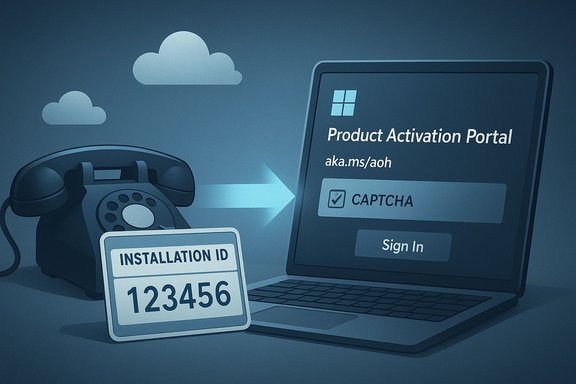
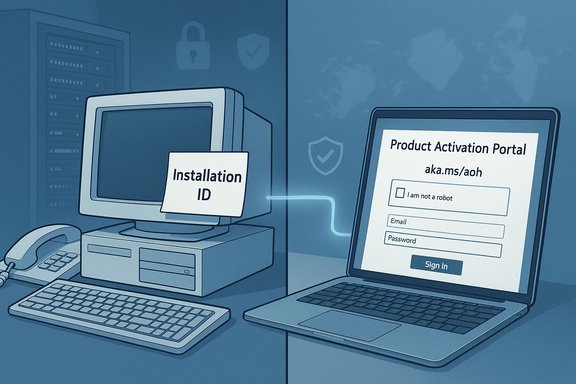
A retro phone sends an installation ID to a laptop's Product Activation Portal.Background​

For more than twenty years, Microsoft supported three broadly distinct activation paths: online activation (the default for connected machines), telephone activation (the offline fallback, historically invoked via Settings → Activation or slui 4), and volume‑license methods for enterprises (KMS/MAK/Active Directory). Telephone activation allowed customers to obtain a Confirmation ID by reading an Installation ID to an automated system or agent over the phone — a fully offline procedure that did not require signing into a Microsoft account. Microsoft’s official pages historically documented this flow for Windows 7, Windows 10 and Windows 11. That longstanding model has two recent, converging inflections. First, community and tooling workarounds that enabled long‑running offline activations (notably the KMS38 trick used by community scripts) were disrupted by Microsoft servicing and cumulative updates in late 2025. Second, the telephone activation routing itself was changed: multiple independent reports show the automated phone flow now tells callers that “product activation support has moved online” and gives the short link aka.ms/aoh, effectively converting the phone call into a redirect to a web‑based portal.

What changed, in practical terms​

The old phone flow vs. what users encounter today​

  • Old flow (what many Windows admins remember): run slui 4 or open Settings → Activation → Activate by phone; Windows displays an Installation ID; call the listed regional number; read the Installation ID to the automated system or support agent; receive a Confirmation ID to type back into the target machine — activation completes without the target device needing any outbound internet.
  • New reality (community tests and recorded calls): when callers dial Microsoft’s product activation numbers they hear an automated message that says product activation has “moved online” and points them to aka.ms/aoh (which resolves to Microsoft’s Product Activation Portal). The phone call no longer performs the numeric exchange in many documented cases; callers are handed a web link and often an SMS link to continue the process in a browser. That portal reproduces the old Installation ID → Confirmation ID exchange but requires internet connectivity and, in practice, the use of a supported account identity to proceed.
Several mainstream outlets captured the same behavior independently and linked to videos where the audio prompt and portal flow are shown. These demonstrations (and multiple forum threads) establish a reproducible pattern: the telephone endpoint now commonly acts as a redirect rather than as a terminal activation channel.

Where official documentation stands​

Microsoft’s product‑activation support article still documents the “Activate by Phone” steps for a range of Windows versions (Windows 7 through Windows 11), and it continues to include the slui 4 fallback when the Settings UI does not show the phone option. That mismatch — live operational routing vs. older documentation — is a major source of confusion for users who expect the phone route to remain a fully offline option.

Why this matters: concrete impacts​

1) Air‑gapped and highly constrained environments lose a genuine offline path​

Organizations that manage truly offline or highly restricted networks — industrial control systems, certain government/defense enclaves, classified labs, and some medical or manufacturing devices — used phone activation as a legitimate, auditable method to license Windows without opening the target machine to the internet. Removing that direct offline route imposes operational friction: activation now requires an internet‑connected workstation to host the portal session (or Microsoft’s enterprise support intervention). That extra step increases complexity, audit surface and potential policy risk. Community reporting and forum threads document exactly this concern.

2) Privacy and account‑linking worries​

The web‑portal flow commonly requires signing in with a Microsoft account or an enterprise identity to complete activation. For users who previously used phone activation specifically to avoid signing into an account or to avoid tying a device to online telemetry, that’s an unwelcome policy shift. Microsoft states the account is for portal access and not necessarily tied to the license itself, but the practical effect is account‑centric activation where none existed before, raising privacy tradeoffs for individuals and small organizations.

3) Operational and help‑desk load​

Many help desks that processed phone activations will see an immediate uptick in cases: callers who expected an immediate numeric exchange will now attempt the portal flow and run into CAPTCHA, sign‑in, browser compatibility, or SMS link issues. This transitional support load is already visible in tech forums and early reports.

4) The gray market and illicit activators​

The combination of tighter servicing (blocking KMS38 tricks) and the removal of a genuine offline activation channel reduces the viability of common gray‑market “activator” tools. That is arguably a positive for IP protection and platform integrity, but it also leaves a practical vacuum that might encourage riskier workarounds among users desperate to avoid license purchases. Forum maintainers and community posts document both the closure of KMS38 and the uneasy operational fallout.

Evidence and verification​

Multiple independent outlets and community artifacts corroborate the operational change:
  • Microsoft’s product activation documentation still lists the phone activation steps for Windows 7/10/11 and references slui 4. That documentation remains live even as users report the phone routing has changed.
  • Community troubleshooting threads on Microsoft Learn show users (for example, a user named “3K”) reporting that phone activation UI options are missing or that the phone path does not operate as expected.
  • Video and hands‑on demonstrations (documented by content creators and covered by Tom’s Hardware, PiunikaWeb and others) show callers hearing the automated “moved online” message and the subsequent web portal workflow. These independent captures make the operational change reproducible and observable.
  • Microsoft Office documentation already contains a notice that telephone activation is no longer supported for certain Office perpetual products, showing Microsoft’s product teams have already been consolidating phone flows for some product lines. That Office notice signals a broader pattern rather than an isolated glitch.
  • Community and WindowsForum threads add operational color on the timeline, user experiences and enterprise workarounds; those forum summaries aggregate user tests and vendor reporting into practical guidance for admins.
Caveat on dating the change: community reporting traces the practical redirect behavior to early December 2025 (some summaries reference December 3, 2025), but there has been no formal Microsoft press release explicitly setting a single “switch‑over” date. Treat those dates as community‑sourced operational observations rather than a vendor press statement.

Technical mechanics: what the portal does now​

The Product Activation Portal reproduces the numeric exchange but as a browser form:
  • The target machine generates an Installation ID (as before via Settings or slui 4) and shows it to the operator.
  • The operator opens the portal (aka.ms/aoh / visualsupport.microsoft.com) on an internet‑connected device.
  • The portal asks for the Installation ID, a CAPTCHA, and requires signing in with a supported identity type (Personal Microsoft account, Work/School/Entra account, or Azure Government tenant account, depending on the scenario).
  • After validation, the portal issues the numeric Confirmation ID to be entered back on the target machine, completing activation.
This preserves the core cryptographic exchange but requires a networked workstation for the portal session and an authenticated identity for access — in effect, converting the phone‑only path into a hybrid online process. Forum testing and independent reporting show the portal also enforces browser and CAPTCHA constraints, which can impede activation in some field scenarios.

Practical guidance for end users and IT professionals​

The shift is operational, not necessarily permanent policy — Microsoft could revise the flow — but organizations and individuals should act now to avoid last‑minute disruptions.
  • For hobbyists and small users:
  • If possible, activate now while affected devices are accessible; pre‑activate images before deploying them into restricted networks.
  • Avoid third‑party “activators” or gray‑market keys — they carry malware and future reliability risk.
  • If activation requires a Microsoft account and that is unacceptable, consider using a temporary, minimal Microsoft account for the portal workflow and document the transaction carefully.
  • For system builders and makers shipping to air‑gapped environments:
  • Pre‑image and pre‑activate golden images in a secure, networked staging area before shipping.
  • If a device must remain air‑gapped until commissioning, plan a documented, auditable process to move the Installation ID to a controlled activation workstation and return the Confirmation ID — use secure transport (one‑time QR or encrypted USB) and logging to satisfy compliance requirements.
  • Evaluate volume‑licensing options (MAK/KMS, Microsoft Cloud/Entra device licensing) for fleets — those are the supported, long‑term solutions for managed deployments.
  • For regulated or classified customers:
  • Open an enterprise support case with Microsoft immediately. Business/enterprise support channels and volume licensing representatives may offer alternative workflows or documented accommodations; anecdotal reports indicate enterprise support sometimes handles special cases differently than public voicemail systems. Do not rely solely on the public phone path for mission‑critical activations.
  • For IT help desks:
  • Test the portal now: verify browser compatibility, CAPTCHA behavior, accepted account types and rate limits.
  • Build a runbook for transferring Installation IDs securely and returning Confirmation IDs.
  • Communicate with stakeholders: notify field teams that phone activation may require a short online step and inform procurement/licensing teams so license inventory and proofs are in order.

Security and privacy trade‑offs — analysis​

Microsoft’s move reduces an attack surface: the old gatherosstate upgrade‑time behaviors that allowed KMS38 were a documented risk that could be abused to persist crafted activation artifacts. Tightening that plumbing improves licensing integrity and reduces gray‑market abuse. It also reduces a low‑barrier offline channel that could be used by malicious actors to automate large‑scale offline activations.
At the same time, moving activation into account‑backed portals increases the identity surface of licensing. Requiring a Microsoft account or enterprise identity for portal access can be defensible from fraud and auditing standpoints, but it raises legitimate privacy concerns for users who deliberately sought an anonymous, offline path. The net result is a trade‑off between anti‑fraud efficacy and offline autonomy. Organizations with strict privacy or data‑sovereignty constraints will need to weigh these trade‑offs and negotiate enterprise accommodations where necessary.

Risks and unanswered questions​

  • No formal Microsoft public announcement has clearly explained the drive‑by operational change across product lines; that opacity increases confusion and help‑desk churn. Community reporting fills many gaps but cannot substitute for vendor certainty.
  • Unclear enterprise exceptions: it remains ambiguous whether high‑tier business support can still complete purely offline activations on a case‑by‑case basis under contract. Early forum reporting suggests enterprise channels may handle special cases differently; organizations should secure written confirmation from their Microsoft account teams if offline activation is critical.
  • Exact global roll‑out timing: community traces place the practical switch in December 2025, but official vendor timelines have not been published. Treat community‑sourced dates as operational observations, not vendor press statements, until Microsoft confirms.

Bigger picture: what this signals about Microsoft’s direction​

This change aligns with Microsoft’s longer‑term, identity‑centric and cloud‑first posture: entitlements and device state increasingly live in centralized portals and system‑linked accounts. That model supports subscription services, auditability, and fraud mitigation, but it also reduces legacy paths that granted users offline control. The immediate effect is friction for legacy and offline scenarios; the strategic effect is a platform that centers identity and cloud management as the normative axis for entitlement and activation.

Conclusion​

The telephone activation fallback that once let users license Windows without an internet connection appears to have been converted into an online‑first workflow: dialing the activation hotline now typically redirects you to the Product Activation Portal (aka.ms/aoh), and the portal requires an internet connection and an authenticated identity to complete the exchange. Multiple independent tests, videos and news reports corroborate the operational change while Microsoft’s public documentation has lagged behind, still describing phone activation as a supported offline route. For most consumers the change will be a minor annoyance — a short web step replaces a call. For IT professionals, regulated organizations and anyone who relies on truly offline commissioning, the change is material: it removes a simple, anonymous path and forces new procedures, support arrangements or volume‑licensing investments. Immediate actions are straightforward: inventory devices that rely on phone activation, pre‑activate where feasible, test the portal workflow today, and engage Microsoft enterprise support for mission‑critical exceptions. The vendor‑documented guidance and community‑documented workarounds will continue to evolve; until Microsoft issues a clear, official policy update, the safest course for those who cannot tolerate the new hybrid flow is to contact Microsoft through their enterprise account channels and plan for a managed migration to supported licensing methods.
Source: The Daily Jagran Microsoft Quietly Disables Phone-Based Offline Windows Activation
 

Attachments

  • windowsforum-microsoft-ends-offline-windows-phone-activation-moves-to-online-portal.webp
    windowsforum-microsoft-ends-offline-windows-phone-activation-moves-to-online-portal.webp
    318.2 KB · Views: 0
Microsoft has quietly moved the decades‑old telephone activation workflow for Windows and Office into an online‑only process that now requires signing in with a supported Microsoft identity — a change that effectively ends a fully offline, anonymous activation path and creates immediate operational and privacy implications for home users, IT departments, and organizations that manage air‑gapped or legacy devices.

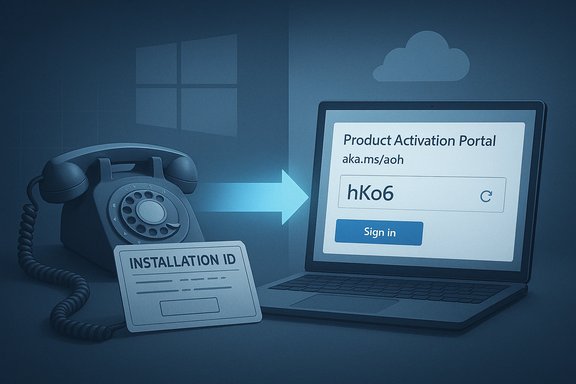
Retro rotary phone with an installation ID badge beside a lock shield and a Microsoft account login.Background​

For more than twenty years Microsoft supported three broad activation routes: the built‑in online activation that most consumers use, telephone activation (the offline fallback historically launched with slui 4), and enterprise volume‑licensing options such as KMS and MAK. Telephone activation was useful for machines without Internet access, for legally purchased legacy licenses, and for privacy‑conscious users who preferred not to link a device to an online account. Community reporting and technical tests now show that the telephone endpoint often no longer completes the activation exchange; callers hear a message directing them to Microsoft’s Product Activation Portal at aka.ms/aoh and are asked to complete the flow in a browser — where a sign‑in is required.
Microsoft’s own support guidance already includes notices that telephone activation is not supported for certain legacy Office perpetual products — an early indicator that the company has been consolidating and modernizing activation flows. At the same time, community tests and independent reporting demonstrate the telephone system now commonly functions as a redirect to a web form rather than as a complete activation channel.

What changed, technically​

The old telephone exchange vs. the new portal flow​

  • Old telephone activation: the target device generated an Installation ID (a long grouped numeric string). The caller read that ID to an automated system or support agent and received a Confirmation ID to type back into the activation UI on the target device. No Internet connection was required on the target machine, and no account linkage was necessary.
  • New portal workflow: callers are given a short link (aka.ms/aoh) or an SMS directing them to the Product Activation Portal. The portal reproduces the Installation‑ID → Confirmation‑ID exchange in a browser, but it requires:
  • Completing a CAPTCHA,
  • Signing in with a supported identity (personal Microsoft account, Work/School/Azure AD account, or Azure Government tenant account),
  • A networked device capable of accessing the portal.
That change preserves the numeric cryptographic exchange but converts it into a hybrid online process, effectively removing the possibility of finishing activation without Internet access or an account.

Why Microsoft likely made the move​

Centralizing activation on a web portal gives Microsoft several defensive and operational benefits:
  • Stronger anti‑fraud controls (CAPTCHA, telemetry) to reduce automated abuse of activation endpoints.
  • Uniform UI and telemetry, simplifying troubleshooting and fraud detection.
  • Reduced attack surface by closing older internal helpers and workarounds that have been exploited by piracy tools and malware.
  • Easier backend maintenance by consolidating legacy telephone automation into a single web service.
Those are legitimate engineering goals, but they come with trade‑offs for specific user groups. Community analysis documents this consolidation as part of a broader pattern of tightening activation and blocking well‑known offline workarounds.

Who is affected and how​

1) Air‑gapped and heavily‑restricted environments — the hardest hit​

Organizations that manage truly offline devices — industrial control systems, classified networks, certain medical devices, and isolated lab machines — historically used telephone activation as a legitimate, auditable method to license Windows without connecting those endpoints to the Internet. Converting the phone path into a web portal removes that direct offline option and obliges those organizations to adopt one of these workarounds:
  • Use a dedicated, networked activation workstation to submit Installation IDs on behalf of offline devices, returning the Confirmation ID by secure, auditable means.
  • Engage Microsoft enterprise support to request an accommodated activation workflow (possible under paid support agreements).
  • Pre‑activate and pre‑image devices in a secure staging environment before deployment.
Each option introduces operational friction, audit overhead, and potential policy concerns for regulated environments. Community threads and field reports emphasize the practical gap this creates for constrained deployments.

2) Owners of legacy/perpetual licenses​

Some legacy product keys (Windows 7, Office 2010, older retail keys) rely on backend services and SKU recognition that have aged or been deprecated. While the portal claims to support a range of perpetual products, real‑world outcomes vary — some users successfully activated older licenses via the portal, others found their keys unrecognized and were directed to contact resellers or Microsoft support. This inconsistency matters for small businesses, hobbyists, and organizations that retain legally purchased legacy software.

3) Privacy‑conscious users​

Telephone activation was the closest thing to a truly anonymous, device‑level method: no account linkage and no browser required. The portal’s sign‑in requirement means users who created phone activation paths to avoid accounts now must either:
  • Create or use a Microsoft account (personal or work/school), or
  • Route activation through a third party.
Microsoft states the sign‑in is used to validate portal access and is “not tied to your product license,” but the perception of account linkage and telemetry is real and concerns many users. The change thereby raises a legitimate debate about privacy trade‑offs between anti‑fraud measures and anonymous activation options.

4) Help desks and consumer support​

Support teams that previously completed phone activations now face increased ticket volumes as callers get redirected to a portal and encounter CAPTCHA, browser compatibility, SMS link hiccups, or sign‑in problems. The portal introduces new failure modes (browser timeouts, mobile browser oddities) that help desks must test and document. Early community reports show these practical friction points already generating support churn.

Evidence and verification: what we can confirm (and what is community reported)​

  • Microsoft support documentation explicitly notes telephone activation is no longer supported for certain Office perpetual products; that is an authoritative, product‑specific confirmation.
  • Multiple independent outlets and creators have demonstrated the telephone flow redirecting callers to the Product Activation Portal and requiring sign‑in (documented demonstrations include video captures referenced widely in the tech press). This reporting includes Tom’s Hardware and other mainstream outlets.
  • Community analyses and forum threads independently traced the operational redirect behavior to early December 2025 in many regions, and the practical timeline in discussions points to December 3, 2025 as the day the telephone automation began being routed to the online portal. That date is currently community‑sourced rather than confirmed by a single public Microsoft press release, so it should be regarded as an observed operational datum rather than an official corporate announcement.
Caveat: Microsoft support pages still document phone activation steps for some products in a way that can confuse users; the mismatch between operational routing (redirects) and existing documentation is a major source of confusion. The absence of a single Microsoft press release explicitly announcing a “switch‑over” date means some timeline claims remain community‑verified observations rather than vendor statements.

Risks, trade‑offs, and secondary effects​

  • Operational single‑point failure: Centralizing the fallback on a single web portal and Microsoft sign‑in makes activation vulnerable to service outages, connectivity problems, or account lockouts at times of critical need.
  • Increased help‑desk costs: The new flow can increase support time per activation as agents deal with browser issues, CAPTCHA resets, and account recovery.
  • Privacy and linkage risk: Even if Microsoft claims account sign‑in is only for portal access, the practical effect is a tighter link between devices and online identities.
  • Legacy activation fractures: Not all older SKUs behave identically; some retail and OEM keys may be rejected, requiring reseller intervention.
  • Shift in gray‑market dynamics: Microsoft’s blocking of well‑known offline workarounds reduces the space for illicit activators, which improves IP protection but can push desperate users toward riskier third‑party hacks.
  • Compliance headaches: Regulated sectors that relied on offline activation for auditability must now redesign workflows and document secure activation transfer processes.

Practical guidance — what to do now​

The transition is operational today for many users. The following checklist is practical, prioritized, and fit for immediate action.

For home users and small businesses​

  • Try normal online activation first — it remains the simplest route.
  • If you have a retail Windows/Office key, link it to a Microsoft account before major hardware changes — this makes hardware reactivation easier with the Activation Troubleshooter.
  • If you must use the portal, use a minimal Microsoft account (one created for this purpose) if linking a personal account is unacceptable; document the activation for future audits.
  • Avoid third‑party activators — they carry malware and long‑term reliability risk.

For IT administrators and managed fleets​

  • Inventory devices that could be affected (air‑gapped endpoints, legacy OS images, field devices).
  • Create a secure activation workstation: a networked, hardened machine used solely to access aka.ms/aoh and submit Installation IDs for offline devices. Log and audit every activation transaction.
  • Pre‑activate golden images in a controlled staging area before shipping to restricted environments.
  • Test the portal now: verify browser compatibility, CAPTCHA behavior, account types accepted, and SMS link flows. Add these steps to runbooks.
  • If you purchase volume licensing, confirm KMS/MAK workflows remain viable and ensure your on‑premises activation servers are patched and supported.

For regulated and classified customers​

  • Open an enterprise support case with Microsoft immediately. Paid support channels often offer tailored workflows or documented exceptions for strict network policies, and early engagement is critical.

For sellers and resellers​

  • Keep proof of purchase ready for customers whose keys fail in the portal; be prepared to assist with reseller verification steps and with Microsoft escalation.
These practical steps are derived from community testing, Microsoft support notes, and early help‑desk reports; plan proactively rather than waiting for activation to be required in a locked environment.

Troubleshooting common portal failures​

  • If the portal rejects your Installation ID or reports that a key is invalid:
  • Verify the key’s provenance (retail vs OEM vs volume).
  • Try a different browser or a desktop browser if a mobile browser times out.
  • Use the portal guidance to contact the reseller or Microsoft support; be ready to provide proof of purchase.
  • If you cannot sign in to the portal because of account lockout:
  • Use account recovery flows from a separate device and keep a backup admin account for enterprise workflows.
  • If account recovery fails and this blocks activation for regulated endpoints, escalate to Microsoft enterprise support.
  • If you manage air‑gapped devices:
  • Use a secure USB or QR workflow only if it meets your compliance posture; prefer the activation workstation model.
These are recurring problems that early testers and help desks have documented; they form the essential runbook for adapting to the new portal model.

How to interpret Microsoft’s messaging (and what’s still unclear)​

Microsoft frames the migration as modernization and an anti‑abuse measure — centralization makes sense for fraud detection and for simplifying support. Official product pages and targeted support articles (for example, Office perpetual product notices) already reflect reduced telephone support in places. However:
  • The exact scope of products supported by the Product Activation Portal is not enumerated clearly in a single authoritative Microsoft press release.
  • The date often mentioned in community reporting (December 3, 2025) appears to be an observed operational pivot rather than a formal Microsoft announcement; treat that date as community‑sourced.
  • Microsoft’s statement that “offline activation capabilities remain fully supported” in support pages needs better operational detail — if portal access is required, it is not equivalent to a truly offline method. That language gap is the root of much user confusion.
Where the public documentation and operational behavior diverge, users and admins should err on the side of caution and assume the portal is the default path for telephone callers unless Microsoft explicitly documents an alternative.

Longer‑term implications​

  • Expect Microsoft to continue hardening activation tooling and to further reduce legacy offline vectors. That trend improves platform integrity but increases management overhead for constrained deployments.
  • Vendors supplying hardware for regulated sectors may need to contractually guarantee activation workflows or provide assisted activation services.
  • The removal of phone‑only activation will likely accelerate migration away from unsupported legacy OSes, but it will also create short‑term support burdens and procurement pressure on schools, small businesses, and public sector customers with limited upgrade budgets.

Conclusion​

The migration of telephone activation for Windows and Office into a web‑based Product Activation Portal that requires Microsoft account sign‑in is a consequential and practical pivot: it improves Microsoft’s ability to fight fraud and standardize support, but it removes an anonymous, offline activation path that many users and organizations relied upon. The change is already observable in community tests and mainstream reporting, and Microsoft’s product documentation shows a parallel tightening of telephone activation in certain product lines. The upshot for users and IT teams is clear: plan now, test the portal, document activation procedures, and engage Microsoft enterprise support if your environment cannot accommodate a networked activation workstation or account‑based workflow.
Key checklist (quick reference)
  • Link retail Windows/Office entitlements to Microsoft accounts before hardware changes.
  • Pre‑activate and pre‑image devices destined for air‑gapped or restricted networks.
  • Designate a secured activation workstation for portal access and audit every activation.
  • Test the Product Activation Portal with your supported browsers and account types today.
  • Open enterprise support cases for mission‑critical or regulated activations.
The era of phone‑only activation is effectively over for many users; the operational reality now demands a documented account‑centric process to keep devices licensed, secure, and supported.

Source: TechPowerUp Windows and Office Now Require Microsoft Account Sign-In as Phone Activation Ends
 

Microsoft has quietly moved its decades‑old telephone-based product activation workflow for Windows and Office to an online-only portal, and the new process requires users to sign in with a Microsoft account (or supported enterprise identity) to complete activation.

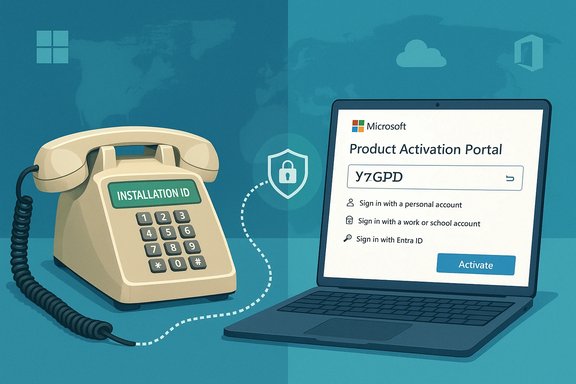
Old telephone labeled Installation ID linked to a laptop showing Microsoft Product Activation Portal.Background​

For more than two decades, Microsoft’s telephone activation system offered a simple, offline way to activate Windows and perpetual Office licenses. The legacy flow generated an Installation ID on the target PC, which callers read to an automated telephone system and received back as a Confirmation ID to unlock the product — a process that worked without any internet connectivity from the target device and without tying activation to a user account. That offline pathway remained a critical fallback for air‑gapped environments, retro hardware hobbyists, and organizations that restrict internet access for operational or security reasons. Beginning December 3, 2025, Microsoft announced that it had “moved the traditional telephone‑based product activation automation process from telephone to online” and published a new Product Activation Portal as the primary replacement for phone activation. The company frames the change as a modernization to provide a “more secure, reliable, and user‑friendly activation experience.” The portal requires CAPTCHA verification and sign‑in with one of several supported account types — personal Microsoft accounts, work or school accounts, Microsoft Entra ID, or Azure Government tenant accounts. Microsoft says the account used to sign in is not tied to the product license and is used only to validate secure portal access. Independent reports and community testing rapidly corroborated the switch: callers who dial existing Microsoft activation numbers now frequently hear an automated voice instructing them to visit the online portal (short link aka.ms/aoh) from an internet‑connected device, rather than completing an activation on the call. Multiple outlets captured the automated message and posted walkthroughs showing the portal’s sign‑in and installation‑ID entry pages.

Why this matters: context and stakes​

The value of phone activation​

Phone activation historically served three distinct groups:
  • Consumers without reliable internet access who needed a straightforward activation path.
  • IT professionals and system integrators deploying machines into isolated networks (manufacturing, labs, classified networks).
  • Users who preferred not to create or use a Microsoft account — intentionally avoiding account linkage for privacy or administrative reasons.
Phone activation’s offline nature made it a last‑resort lifeline: the target device could remain fully disconnected from the public internet while still being legally licensed. That changed when Microsoft centralized the automation into an online portal and added an authentication gate.

Microsoft’s stated rationale​

Microsoft frames the migration as an attempt to improve security, reliability, and user experience. Centralizing activation via a web portal reduces dependence on legacy telephony infrastructure, enables modern anti‑fraud controls (CAPTCHA, account verification), and gives Microsoft a single, maintainable activation surface that can evolve faster than telephone IVR systems. From a vendor perspective, the move is consistent with broader product modernization and consolidation of cloud‑centric workflows.

The practical trade-offs​

That modernization has trade-offs that matter in real deployments:
  • Air‑gapped systems now require at least one internet‑connected device to reach the portal. Administrators must copy the Installation ID from the air‑gapped system into a networked workstation to complete the portal flow, adding operational friction and potential security control exceptions.
  • Activation is now gated by account authentication. While Microsoft states accounts are not linked to product licenses, forcing sign‑in increases perceived (and potentially real) linkage between an installation and an identity, a shift that many users and privacy‑sensitive deployments will find unwelcome.
  • Regional and human support behaviors have changed. Users who used to rely on the phone IVR or live phone agents to complete activation may find those channels reduced to redirecting to the portal, or limited to scenarios where the portal routes them to live chat or a callback request. Community testing indicates the telephone automation often simply hands callers the web link.

The Product Activation Portal: how it works today​

Supported sign-in options and workflow​

Microsoft’s Product Activation Portal requires CAPTCHA completion and sign‑in with one of the supported account types. The documented sign‑in types are:
  • Personal Microsoft account (Outlook/Hotmail/live)
  • Work or school account
  • Microsoft Entra ID account
  • Azure Government tenant account
After sign‑in, the portal offers options to “Activate a Microsoft product,” “Manage volume license keys,” or “Contact support.” The activation flow asks for the Installation ID produced on the machine being activated and returns Confirmation IDs to enter on the target device. The portal also provides additional support for volume license key management and may connect you to live support channels when necessary. Microsoft explicitly states that the account used to sign in is not tied to the product license and is used only to validate secure portal access.

Typical steps (user experience)​

  • On the machine to be activated, generate the Installation ID (Settings > System > Activation → Activate by Phone or run slui 4).
  • From an internet‑connected workstation, open the Product Activation Portal and complete the CAPTCHA.
  • Sign in with a supported account.
  • Choose “Activate a Microsoft product,” select the product (Windows or Office) and enter the Installation ID.
  • Enter the returned Confirmation ID(s) back on the offline or target device.
Community guides and walkthroughs reproduce this flow step‑by‑step and report that the portal accepts installation IDs for a wide range of perpetual Microsoft products.

Verification: what the company documents vs. what callers experience​

Microsoft’s official documentation now describes the portal and clearly states the transition began on December 3, 2025. The documentation also lists the legacy telephone numbers and the SLUI 4 method for surfaced Installation IDs, and it describes the portal experience in detail. On the other hand, multiple independent experiences and field tests found that calls to the old activation lines often play an automated recording redirecting callers to the portal and short link (aka.ms/aoh) rather than completing the activation exchange over the phone. The net result: the old phone automation is being phased to a redirect and portals-based flow in practice, even while legacy documentation remains for how to generate installation IDs on the target devices.

Who will be affected most​

1) Air‑gapped and high‑security environments​

Industrial control systems, classified networks, and some government and research labs that disallow any outbound internet traffic will need operational exceptions: a secure procedure to transfer Installation IDs to a networked machine for portal submission, and a policy to ingest the resulting Confirmation IDs securely into the target systems. That extra choreography introduces risk and compliance friction. Community posts and sysadmin commentary highlight concern that organizations will need to document and approve these exceptions now.

2) Privacy‑conscious users and hobbyists​

Some users adopted phone activation explicitly to avoid creating or using a Microsoft account. Although Microsoft says the account is not linked to the license, the sign‑in requirement undermines that anonymity. This matters for hobbyists activating retro hardware, journalists working on confidential equipment, and privacy‑focused individuals. Reports from tech forums show vocal pushback from these communities.

3) Small businesses and shops that reinstall systems​

Smaller IT shops that perform in‑place reinstallations on machines without internet access now have to add an extra step to their workflow. The portal still supports a breadth of products and offers callbacks or live chat when required, but the process is less self‑contained than a direct phone exchange.

4) Legacy installations and older Windows/Office versions​

Reports indicate the portal accepts Installation IDs from older products, but the practical challenge is physical: many old machines lack browser access or convenient ways to copy long Installation IDs to a second device. The change is particularly painful when dealing with very old OEM systems that are being preserved for specific tasks.

Security and privacy implications​

  • Account sign‑in raises linkage concerns. Microsoft insists the sign‑in is not tied to the license. That statement addresses a core privacy concern but does not erase user unease: forced authentication changes the threat model and audit trail of activation events.
  • CAPTCHA and account verification reduce automated abuse. From Microsoft’s perspective, moving to a portal allows anti‑abuse measures that are difficult to implement reliably in IVR systems.
  • Operational risk in transfer workflows. The most practical workaround for an air‑gapped device is to copy its Installation ID to a networked machine. That step must be handled under strict controls to avoid creating weak links in classified or high‑integrity environments.
It’s important to note that while the portal centralizes control and enables better fraud detection, it increases the attack surface where misconfiguration or social engineering could enable attackers to trick administrators into activating malicious or cloned systems. Administrators should adopt strong internal controls for any process that moves activation data between zones.

Workarounds and recommended procedures​

For administrators facing the new portal requirement, practical steps and mitigations include:
  • Establish a documented, auditable procedure for transferring Installation IDs from offline hosts to a dedicated activation workstation. Use encrypted removable media, a secure staging host, or a physically controlled handshake process.
  • Centralize activation tasks to a small team and restrict use of personal Microsoft accounts. Prefer organizational Entra ID or work accounts where policy management and auditing exist.
  • For volume licensing scenarios, use the portal’s volume license management features or the Volume Licensing Service Center and coordinate with Microsoft account reps when needed. The portal provides specific volume license options and may route qualifying scenarios to dedicated support.
  • If you must avoid account sign‑in for policy reasons, contact Microsoft support through standard enterprise channels to discuss options; the portal includes contact pathways for additional assistance. Be prepared to document why an exception is necessary and how you will mitigate associated risks.

Office activation and related changes​

The telephone deprecation affects perpetual Office products as well. Microsoft’s Office support documentation has already warned that telephone activation is no longer supported for certain non‑subscription Office versions and has redirected impacted customers to specific phone numbers or portal workflows for activation workarounds. Separately, the company ended support for Office 2016 and Office 2019 in October 2025, a timeline that changes how legacy Office activations should be managed for security and compliance.

Community reaction and third‑party coverage​

The change triggered widespread coverage and lively debate in tech communities. Journalists, forum moderators, and security-minded administrators characterized the move as the removal of a long‑standing offline option, with many lamenting the loss of a truly account‑free activation path. Others noted that the product activation portal, while requiring internet access, centralizes management and could make license auditing and fraud protection easier for enterprises. Several publications recorded the actual IVR redirects and produced step‑through videos showing the portal flow and sign‑in prompt.

Risks and potential blind spots​

  • Operational blockers for air‑gapped systems. If an organization cannot accept a procedure that moves Installation IDs to a networked device, the portal approach imposes a real operational blocker. Microsoft’s documentation acknowledges this class of user and suggests the portal supports non‑connected devices through the workflow, but that still requires a networked intermediary.
  • Perception vs. reality of account linkage. Microsoft’s assurance that a sign‑in account “is not tied to your product license” is a contractual and technical statement, but perception matters. Users concerned about telemetry, sovereignty, or vendor lock‑in will see this as a step toward more cloud dependency.
  • Inconsistent regional experiences. Early tests and reports show variability by region: in some locales, phone agents may still help or the IVR may differ. Documentation and operational reality may lag in certain countries, producing a patchwork support experience.
  • Unverifiable motives and long‑term roadmap. Speculation that Microsoft’s move is designed primarily to increase telemetry, nudge users to cloud accounts, or reduce telephony costs is plausible, but not fully verifiable from public statements. Microsoft cites security and modernization as the official reasons; any claim beyond that should be flagged as speculative.

What to do now: an action checklist for IT teams​

  • Inventory machines that might rely on truly offline activation (manufacturing, labs, legacy systems).
  • Draft an approved process for copying Installation IDs to a controlled activation workstation and define auditing controls for that process.
  • Decide which account types you will use for portal sign‑ins (prefer organizational Entra ID where possible).
  • Contact Microsoft support or your Microsoft account team to discuss special scenarios (classified deployments, government tenants, high‑security enclaves).
  • Test the portal workflow in a lab environment before performing production activations, and document the steps precisely.

Final assessment: modernization vs. backward compatibility​

Microsoft’s decision to migrate telephone activation to a web portal is consistent with a broader industry trend: consolidating legacy processes into centrally managed online services makes it easier for vendors to iterate, fight fraud, and offer richer support. For a majority of consumers and organizations with reliable internet and a Microsoft account, the portal will be a usable replacement that likely reduces IVR confusion and human error.
However, the move removes a long‑standing, truly offline activation option and replaces it with a workflow that — while functional — imposes new administrative and privacy trade‑offs. The change disproportionately impacts air‑gapped environments, privacy‑sensitive users, and small operators who previously relied on the simplicity of a phone call.
Microsoft has documented the transition, the supported account types, and the portal workflow. Administrators should evaluate the change now: inventory affected devices, select an account strategy, and implement secure transfer procedures for Installation IDs where necessary. For scenarios where the portal workflow is unusable, organizations should engage Microsoft through official support channels to explore enterprise‑grade alternatives or exceptions.
Microsoft’s Product Activation Portal marks the end of an era for phone activation and the beginning of a new era where activation is tied to a modern, authenticated web experience. That trade‑off between modernization and offline resilience will be the center of debate for months to come — and for organizations with strict offline requirements, it means planning and policy work are now mandatory rather than optional.
Source: TechPowerUp Windows and Office Now Require Microsoft Account Sign-In as Phone Activation Ends | TechPowerUp}
 

Microsoft’s quiet removal of telephone-based activation for Windows and Office has ended one of the last true offline lifelines for software licensing: callers who once read long Installation IDs into a phone and received a Confirmation ID in return must now complete that exchange through an online portal that requires a Microsoft account and a CAPTCHA. The change, implemented in early December 2025 and noticed broadly as users attempted legacy activations in late December, replaces the decades-old phone flow with a web-first Product Activation Portal—an overhaul that simplifies Microsoft’s activation infrastructure while exposing practical and policy risks for users and organizations that rely on offline or air‑gapped environments.

A computer monitor shows a Product Activation Portal login screen; a vintage telephone sits on the desk.Background​

Microsoft introduced product activation in the early 2000s as a measure against widespread piracy, and telephone activation became a cornerstone for users without reliable internet. That phone flow—entering an Installation ID and receiving a Confirmation ID—worked for years across consumer and enterprise editions of Windows and perpetual Office suites, allowing activation in remote, secure, or bandwidth‑constrained settings.
Over time, activation shifted toward online flows by default, with phone-based activation preserved as a compatibility fallback. In December 2025 Microsoft announced that it had moved the traditional telephone-based automation to a centralized Product Activation Portal, marking a formal end to phone-first activations and effectively requiring web access and sign-in for the same workflow that had previously been completed offline.
This move aligns with a broader Microsoft trajectory toward cloud-first, account-centric experiences—seamlessly integrating licensing, telemetry controls, and support across the Microsoft ecosystem. But it also removes a simple, auditable, and self-contained mechanism many organizations have relied on for years.

What changed — the new Product Activation flow​

Microsoft’s updated activation workflow keeps the same core exchange—users still submit an Installation ID and receive a Confirmation ID—but dives that exchange into a browser form with additional gatekeeping steps.
  • The telephone prompt no longer completes activation; callers are redirected to a short URL for the Product Activation Portal.
  • The portal requires completion of a CAPTCHA and authentication with a supported account type (personal Microsoft account, work or school account, Microsoft Entra ID, or an Azure Government tenant).
  • After signing in, users paste the Installation ID into the portal and receive a Confirmation ID to enter into the offline product.
  • Microsoft’s support documentation indicates this new online workflow took effect beginning December 3, 2025, and that the portal is the centralized point for perpetual product activation moving forward.
The user experience therefore resembles the phone exchange in content but not in connectivity: the portal demands internet access and identity verification up front. Microsoft asserts that existing offline activation capabilities remain supported under the new digital workflow, but the portal’s web-and-account requirement makes the definition of “offline” materially different in practice.

Who is affected​

This transition has implications across a range of users and organizations:
  • Individuals in remote or low-bandwidth regions who historically used phone activation when internet access was unreliable.
  • Field operators—maritime crews, research teams, and disaster-response personnel—who set up devices in places where cellular or satellite connections are intermittent.
  • Air‑gapped systems used in defense, critical infrastructure, manufacturing control systems, and certain healthcare environments where network isolation is a security requirement.
  • Legacy systems running older Windows or Office versions where built-in online activation paths are no longer viable (for example, decommissioned servers or rare legacy workstations).
  • IT teams that relied on telephone activation, particularly for ad-hoc recovery or single-device activations outside centralized deployment pipelines.
The change has less direct impact on mainstream enterprise environments that already use centralized licensing solutions (KMS, Active Directory‑based activation, Microsoft Endpoint Manager, or Azure-based activation options). Nevertheless, even those organizations that do maintain air‑gapped enclaves for security reasons are now forced to reconsider activation procedures for occasional one-off machines.

The technical difference: phone vs portal​

At the technical level, the Installation ID → Confirmation ID handshake remains the same in principle. The differences that matter operationally are:
  • Authentication: portal requires a signed-in account and CAPTCHA; phone activation required no account.
  • Connectivity: portal requires web access; phone activation required only a voice channel.
  • Traceability: portal interactions can be logged and tied to accounts, enabling richer telemetry and audit trails—possible benefits for license abuse detection, but also a new privacy surface.
  • Usability: phone flow was low-bandwidth and, in many regions, toll-free; the portal requires a browser that can handle modern web features and an internet link, which can be an impediment in constrained environments.
For administrators, the portal is functionally similar to the phone process but changes where activation can occur and how personnel must authenticate to complete it.

Security and privacy analysis​

The new online Product Activation Portal delivers clear benefits but introduces several trade-offs that IT leaders and privacy officers must weigh.
Benefits
  • Improved fraud detection and enforcement: real-time checks and analytics are easier to implement when activations route through authenticated portals.
  • Consolidated support and tooling: a single portal simplifies maintenance and reduces the operational overhead of maintaining phone trees and legacy IVR systems.
  • User experience improvements: for the majority with internet access, a web interface is faster, more flexible, and less error-prone than long numeric readbacks.
Risks and downsides
  • Identity linkage: requiring a Microsoft account to complete activation creates a practical link between a machine’s license and a person or tenant identity. While Microsoft states the account "is not tied to the product license" and is used only for portal access, the potential for account-linked metadata to persist or be correlated with other Microsoft services exists and merits scrutiny.
  • Data sovereignty and compliance: organizations subject to strict data-location rules must evaluate whether activation metadata traverses or is stored in jurisdictions incompatible with local law. The portal supports Azure Government tenant accounts for some compliance scenarios, but the precise nature of stored activation metadata isn’t publicly detailed.
  • Single point of failure: consolidating activation servers could make the activation process vulnerable to large-scale outages or denial-of-service attacks. Historically, phone-based activation dispersed load across telephony systems; the portal centralizes it.
  • Increased attack surface: any web portal that accepts long numeric Installation IDs and issues Confirmation IDs is an additional target for abuse, credential stuffing, or exploits against the portal’s authentication stack.
  • Practical privacy concerns: for privacy-focused users, requiring an account—even a disposable or work account—pushes a persistent identifier into the licensing equation.
Several of these risks are speculative in their worst-case impacts; for example, a large-scale DDoS affecting activation is plausible but not documented at scale. Organizations should treat these as real planning scenarios rather than unlikely hypotheticals.

Enterprise and deployment implications​

For IT operations, the elimination of phone activation forces changes to deployment playbooks and service restoration plans.
Volume licensing and managed environments
  • Enterprises that already use KMS (Key Management Service), MAK (Multiple Activation Keys), or Azure-based activation for managed devices are insulated for routine deployments but may still rely on phone activation in edge cases (isolated test rigs, recovery images, or stripped-down routers and switches).
  • Organizations that historically used phone activation during emergency provisioning or for out-of-band recoveries will need to pre-provision accounts or create captive activation workstations that can access the portal.
Imaging and OEM workflows
  • Device manufacturers and OEM partners typically pre-activate units in factory networks; the portal model places new importance on ensuring that factory networks have compatible web access or API-driven activation hooks.
  • For manufacturing in remote facilities or where internet service is restricted, build-time activation protocols may need adjustment.
Secure, isolated environments
  • The most acute impact is on air‑gapped networks. If the portal is the only supported official path and no Microsoft-provided offline activation alternative remains, organizations may have to document exceptions, request special support from Microsoft, or rely on pre-activated images—each of which has operational and security trade-offs.
Licensing models and vendor lock-in
  • The move reinforces subscription and identity-centric license models already prominent across Microsoft products. While perpetual licenses remain, the operational model is nudging organizations toward always-on verification, an approach that benefits subscription monetization and centralized enforcement.

Community reactions and unofficial workarounds​

Community response has been immediate and vocal. System administrators and technologists active on social platforms reported phone redirects to the portal and shared videos demonstrating the new voice prompts. Practical, community-proposed mitigations include:
  • Creating and managing Microsoft accounts for service technicians in advance, ensuring they can sign in at the point of activation.
  • Using mobile hotspots or temporary satellite links to reach the portal for one-off activations.
  • Pre-activating devices before they are moved into isolated environments and maintaining a stock of pre‑activated images.
While these workarounds are pragmatic, several community-sourced alternatives—scripts that emulate the old phone IVR or automation that simulates offline flows—cut against Microsoft licensing terms, risk introducing malware, and can violate internal compliance policies. Such unofficial methods carry legal and security risks and are not recommended for enterprise use.

What Microsoft says and where ambiguity remains​

Microsoft’s support documentation states the telephone automation “has been moved from telephone to online,” and that customers should use the Product Activation Portal. The documentation also asserts that offline activation capabilities remain supported within the new workflow, and it lists the supported account types for portal access.
That phrasing raises important questions:
  • What does “offline activation capabilities remain supported” mean when the portal requires web sign-in? Microsoft appears to mean that the underlying confirmation-ID approach is still available, but delivered via a web form rather than voice channels. Practically, that’s a shift from no network required to web network required.
  • For organizations needing a non-internet activation mechanism, Microsoft’s public guidance does not describe an alternative phone reinstatement or a formal offline-only enterprise key program, leaving a gap for heavily isolated deployments.
Until Microsoft provides explicit, documented exceptions or an enterprise-grade offline activation API, organizations that truly cannot expose machines to online sign-ins must engage Microsoft directly to establish compliant activation workflows.

Legal and compliance considerations​

Requiring account-based activation touches legal and regulatory domains that organizations must consider.
  • GDPR and privacy laws: companies operating in jurisdictions with strict personal data controls need to ascertain whether activation metadata constitutes personal data and where that metadata is processed and stored.
  • Export controls and national security: in defense or government contexts, routing activation requests through global Microsoft infrastructure may introduce export-control considerations or national-security review requirements.
  • Audit trails and evidence: enterprises that depend on auditable, offline activation logs must ensure the portal provides sufficient provenance or implement internal controls to capture activation events.
Legal teams should conduct a rapid assessment of activation telemetry and request contractual assurances if activation events are routed through Microsoft-controlled systems in regions with strict data rules.

Recommendations for IT leaders and administrators​

Practical steps to mitigate immediate operational risk:
  • Inventory activation dependencies.
  • Catalog devices and scenarios that historically used phone activation.
  • Mark which systems are air‑gapped or intermittently connected.
  • Pre-provision authentication.
  • Create service accounts (or ensure work accounts) for technicians who may need to use the portal.
  • Establish multi-factor authentication for those accounts to reduce compromise risk.
  • Build pre-activated images.
  • Where policy permits, prepare and version-control pre‑activated images for rapid deployment into isolated environments.
  • Test the Product Activation Portal in sandboxes.
  • Validate the portal’s browser compatibility, CAPTCHA behavior, and sign-in flows before field operations.
  • Test activation for the specific Windows/Office versions in use, including legacy builds.
  • Establish emergency connectivity options.
  • Maintain portable hotspots or satellite devices for activation in remote fieldwork as contingency.
  • Engage Microsoft for enterprise exceptions.
  • For sensitive or regulated environments, open a support ticket and request documented guidance or an enterprise activation exception.
  • Seek contractual assurances about data handling and geography if processing of activation metadata is a compliance issue.
  • Update documentation and runbooks.
  • Revise standard operating procedures, runbooks, and incident response plans to reflect the new portal requirement.
Implementing these steps will not remove residual risk, but it reduces operational friction and ensures teams are prepared when activation is needed unexpectedly.

Possible long-term outcomes and industry impact​

This change is likely to accelerate a few broader dynamics:
  • Deeper identity integration: Microsoft’s emphasis on account-linked workflows will make identity a central axis for future feature access and personalization, tightening vendor‑ecosystem control.
  • Subscription-first economics: forcing users into account-based activations makes it easier to shepherd users toward subscription lifecycles and online service dependencies.
  • Alternative adoption: users frustrated with account-mandatory activation may accelerate pilots of alternative operating systems and tooling in specialized contexts where offline activation is mission-critical.
  • Enterprise tooling evolution: Microsoft may develop or promote enterprise-specific activation provisions (for example, Azure-backed activation tokens or offline key bundles for verified customers). Such offerings could emerge to preserve secure offline workflows—this possibility should be considered speculative until officially announced.

What cannot yet be verified​

Several narrative threads are plausible but lack public confirmation and should be treated cautiously:
  • The precise scope of logging and retention for activation events submitted through the portal—how long Microsoft keeps metadata, where it is stored, and which internal teams have access—has not been published in full detail.
  • Any forthcoming enterprise-only offline activation mechanism is speculative; while industry analysts have suggested Microsoft might roll out Azure-based provisioning for managed environments, Microsoft has made no public commitment to restore phone activation or to provide a standalone offline API.
  • The real-world risk of a global activation outage due to a targeted attack is a credible concern, but there is no public evidence such an attack has occurred. Organizations should nonetheless include activation availability in their business‑continuity planning.
Flagging these points explicitly helps organizations make defensible decisions rather than relying on rumor or worst-case speculation.

Conclusion​

Microsoft’s migration of telephone-based activation to a web-first Product Activation Portal marks a clear operational pivot: activation remains possible with the same Installation ID/Confirmation ID handshake, but only through a portal that requires internet access and identity verification. For most users—those with routine connectivity—this change simplifies support and aligns licensing with modern cloud-era tooling.
For specific user segments, however, the shift is consequential. Air‑gapped systems, remote fieldwork, and privacy‑focused deployments lose a simple, robust analog fallback. The new model raises legitimate questions about identity linkage, compliance, and single points of failure. IT leaders must quickly inventory dependencies, validate the portal experience, and engage Microsoft for documented enterprise pathways where isolation is mandatory.
Ultimately, this is a classic trade-off between centralized convenience and distributed autonomy. The change underscores a principle that will shape IT in the coming years: connectivity is increasingly assumed, and processes that once tolerated isolation are being reworked for a world where identity and cloud services are front and center. Organizations that depend on true offline operation should treat this as an operational inflection point and adapt their deployment, procurement, and compliance strategies accordingly.

Source: WebProNews Microsoft Ends Phone Activation for Windows, Office; Mandates Online Verification
 

Microsoft’s long-standing activation plumbing for Windows has quietly shifted from an offline‑friendly model to an online, account‑centric workflow, and the change has immediate consequences for anyone who needs to activate or reactivate copies of Windows without reliable internet access or a Microsoft account.

Blue illustration of Microsoft Activation Portal sign-in beside a blocked telephone, signaling online activation.Background​

Activation is the mechanism Microsoft uses to confirm a Windows installation is genuine and is being used in accordance with the Microsoft Software License Terms. Historically there have been three common activation paths:
  • Online activation — Windows contacts Microsoft activation servers over the internet and validates a product key or a device-linked digital license.
  • Phone activation — an automated voice system (and occasionally an assisted support route) accepted an Installation ID and returned a Confirmation ID to complete activation offline.
  • Volume activation models — Key Management Service (KMS), Multiple Activation Keys (MAK), and Active Directory–based activation for organizations with volume licensing.
Over the past two decades the balance shifted toward online activation and digital licenses—Windows’ cloud‑backed replacement for typed product keys. That digital license is commonly tied to a Microsoft account so the license can be re‑applied when you replace hardware or reinstall the OS. Until recently, phone activation remained the fallback for truly offline systems and for users who preferred an anonymous, non‑account activation path.
Recent user reports and multiple technical investigations show the phone activation route—long the last truly offline option—now redirects callers to an online Product Activation Portal. The portal requires a web session (and, in many cases, a Microsoft account) to complete what used to be a fully offline process. Microsoft’s support documentation still describes phone activation and the SLUI 4 workflow, creating an awkward discrepancy between publicly documented procedures and the behavior many users encounter today.

Overview of the current activation methods​

Online activation and digital licenses​

Online activation is the default method for modern Windows editions. When a Windows build detects network connectivity at setup or during normal operation it will attempt to activate against Microsoft’s activation servers. There are two main identifiers used:
  • Product key: a 25‑character alphanumeric code that you enter during installation or later in Settings. This remains in use for retail box copies, many OEM devices, and some volume licensing situations.
  • Digital license (digital entitlement): a server‑side marker assigned to a device (and optionally linked to a Microsoft account) which enables Windows to activate automatically without entering a product key.
Linking a device’s digital license to a Microsoft account is recommended because it allows Windows to be re‑activated via the Activation Troubleshooter after a significant hardware change (for example, replacing a motherboard). If your digital license is not associated with your Microsoft account, reactivation after hardware changes is more complicated.
Key practical points:
  • If Windows reports “Windows is activated with a digital license linked to your Microsoft account,” you are in the best position to re‑activate after a rebuild or hardware swap.
  • If you see “Windows is activated” but your Microsoft account is not linked, add the account to associate the license with it.
  • Online activation requires internet connectivity and may be blocked by local firewall rules or proxy settings.

Phone activation (SLUI 4 and automated systems)​

Phone activation was a long‑standing fallback. The on‑device wizard (often available as “Activate by Phone” in Settings or via the SLUI 4 command) displayed an Installation ID and a list of regional telephone numbers. You provided the Installation ID to an automated system, received a Confirmation ID, and entered it on the device to complete activation.
Recent operational changes:
  • Many users now report calling the phone activation numbers and hearing an automated message directing them to the Microsoft Product Activation Portal (aka.ms/aoh) instead of completing the offline IVR activation flow.
  • When redirected to the portal, callers are often required to sign in with a Microsoft account and complete the activation online.
Caveat: Microsoft has not issued a global, human‑readable bulletin formally deprecating phone activation at the time of writing. The observed behavior and community testing strongly indicate that the traditional telephone activation automation has been moved to the web. Consider that phone activation menus on the device may still be present but often lead to the online portal rather than a complete offline activation session.

Volume activation: KMS, MAK, and AD‑based activation​

Enterprise customers use different mechanisms:
  • KMS (Key Management Service): allows organizations to host a local activation server so client machines activate on the internal network without contacting Microsoft. KMS is scalable and avoids per‑machine online activation.
  • MAK (Multiple Activation Key): a one‑time online activation method that consumes a finite pool of activations managed by Microsoft’s hosted services; MAK can be used offline by phone in legacy workflows but generally uses online services now.
  • Active Directory activation: integration that allows domain‑joined systems to activate using AD‑based activation.
Enterprises that need offline activation options should stick to KMS or AD‑based activation workflows, or obtain special arrangements (such as token‑based activation) through Microsoft account teams for highly isolated environments.

What the Microsoft support documentation states (and what to expect)​

Microsoft’s current support guidance still includes the following:
  • Windows attempts online activation by default and you can check activation status via Settings > System > Activation (Windows 11) or Settings > Update & Security > Activation (Windows 10).
  • If online activation fails, the Activation Troubleshooter is the first recommended step.
  • For phone activation, Microsoft documents using Activate by Phone in Settings or running slui 4 to get a location‑specific telephone number and the Installation ID to call.
  • Digital licenses and product keys remain legitimate activation methods; the support pages remind users to link your Microsoft account to your digital license to simplify reactivation after hardware changes.
  • For volume licensing, Microsoft points to MAK, KMS, and AD‑based activation models as the recommended corporate options.
These are the official, user‑facing instructions. The important operational nuance is that many support pages still describe telephone workflows even though the actual phone endpoint now redirects callers to the online portal.

Why this change matters — immediate impacts​

The effective move to an online, portal‑based activation workflow produces a set of practical and policy implications:
  • Air‑gapped and offline users lose their fallback. Systems in secure facilities, manufacturing equipment, lab environments, or other air‑gapped networks that cannot reach the internet have historically relied on phone activation. With the phone IVR moved online, those setups must be re‑evaluated.
  • Microsoft account dependency increases. The Product Activation Portal commonly requires sign‑in with a Microsoft account. This adds friction and creates a single point of identity dependency for license reactivation, raising privacy and administrative concerns.
  • Legacy OS support complications. For end‑of‑life systems such as Windows 7 and Windows 8.1—already unsupported for security updates—the offline activation path was occasionally the only user‑accessible activation method. If phone IVR is removed or redirected, activating these legacy installations becomes more difficult.
  • Assisted support bottlenecks. Customers who previously relied on live phone assistance for activation now may be forced to use web forms and portal flows, potentially increasing the time to resolution and raising support costs for organizations.
  • Risk for second‑hand and refurbished devices. Buyers of used devices or refurbished PCs often rely on manual activation paths when OEM keys are missing; moving the activation workflow online complicates those transfers.

Technical mechanics: how activation and reactivation actually work​

Understanding the underlying mechanics helps avoid trouble:
  • When Windows is installed and online, it makes an HTTPS request to Microsoft activation endpoints. If a valid product key or digital license exists for the device, the server returns an activation state and the OS marks the device as activated.
  • A digital license is typically issued when upgrading from an eligible Windows version, buying a digital copy, or when the OEM provides a license. The license is associated with a hardware hash and optionally associated with a Microsoft account email address.
  • For hardware changes, the device’s hardware hash can change enough that Microsoft treats the device as a new machine. If the digital license is linked to a Microsoft account, the Activation Troubleshooter can help re‑associate the license to the repaired or rebuilt device.
  • Command‑line tools exist for power users and administrators. For example, slmgr.vbs /ipk installs a product key and slmgr.vbs /ato attempts online activation. These tools are useful in scripts and for forcing retries.
Security and anti‑abuse mechanisms:
  • Microsoft enforces activation quotas and checks for keys that are being used on more devices than permitted.
  • Activation servers will refuse keys that have exceeded their activation count or that appear to be regionally restricted or OEM‑bound.

Enterprise activation and air‑gapped scenarios​

If you manage corporate fleets or high‑security systems, these are the recommended approaches now:
  • Use KMS for on‑premises activation so endpoints never need to call Microsoft directly. KMS hosts can be set up on isolated networks.
  • Use Active Directory-based activation for domain‑joined clients if your environment is fully controlled and offline.
  • For isolated systems that must be activated but cannot ever contact Microsoft, investigate token‑based activation and direct agreements with your Microsoft account representative — large customers and specialized industries can obtain tailored solutions.
  • Maintain careful records of MAK usage and track activations with the Volume Activation Management Tool (VAMT) to avoid exceedance.
  • Avoid relying on consumer phone‑based activation for fleet management; it’s not designed or supported for large deployments.

Practical steps for home users and small businesses​

  • Before you do major hardware work, link your Microsoft account to your digital license. This is the single most effective step to avoid activation headaches later.
  • Keep a copy of the product key or the receipt/order confirmation for any retail purchase. This is the fallback if automatic reactivation fails.
  • If you’re prompted to activate:
  • Check Settings > Activation for the current status.
  • Run the Activation Troubleshooter if Windows reports an activation issue.
  • As needed, you can force an online retry using slmgr.vbs /ato from an elevated Command Prompt.
  • If you have no internet access and phone activation is essential, prepare for a possible portal redirect. Contact Microsoft support through official corporate channels or your device’s OEM for alternatives before you replace critical hardware.
  • For refurbished machines, request proof of entitlement from the seller: a product key or manufacturer COA. Avoid buying bargain keys from questionable sources.

Strengths and benefits of the online Product Activation Portal​

  • Speed and scalability: Web‑based activation centralizes the process and can be updated and scaled more easily than legacy telephone IVR systems.
  • Improved fraud detection: Centralized online checks help detect and block suspicious key reuse and fraud in real time.
  • Better integration with account services: Linking digital licenses to Microsoft accounts simplifies re‑activation for legitimate users and provides a clearer trail for license ownership.
  • Consistent experience across products: A unified portal allows Microsoft to consolidate activation for Windows, Office, and other perpetual products.

Risks, trade‑offs, and practical concerns​

  • Loss of an anonymous offline activation path. Phone activation historically allowed activation without exposing the user’s identity. The portal typically requires an account sign‑in, eliminating anonymity.
  • Dependency on network access and browser compatibility. If the only activation path requires a web browser, activation can fail due to outdated browsers, restrictive network proxies, or incompatible corporate firewalls.
  • Single point of failure. If the portal experiences outages, users who cannot use KMS or other enterprise methods may be blocked from activating devices.
  • Privacy and policy implications. Tying entitlement to a Microsoft account can be problematic for users who prefer local accounts or who are concerned about data collection tied to authentication.
  • Legacy and EOL systems. Removing phone‑IVR as an option makes it harder for users of unsupported operating systems to legitimately activate or restore older installations.
  • Unclear guidance and documentation lag. Official support pages may not immediately reflect operational changes; this creates confusion for users who follow documented steps that no longer behave as expected.
Cautionary note: while numerous independent reports and first‑hand tests indicate that traditional telephone activation has been redirected to the online portal, there is no universal, formal Microsoft bulletin that says “telephone activation is retired.” Administrators and users should treat this as an operational shift supported by community verification, but also monitor official Microsoft channels for policy updates.

Recommendations and mitigation strategies​

For individuals:
  • Link your device’s digital license to a Microsoft account now.
  • Maintain a secure record of product keys and purchase confirmations.
  • If you need to keep a machine offline permanently, consider acquiring a license via a route that supports your environment (talk to Microsoft sales/partner channels).
For small IT teams and enterprises:
  • Prefer KMS or Active Directory activation for isolated networks.
  • If you manage refurbished or transferred devices, enforce a documented handover that includes license proof.
  • For critical air‑gapped systems, open a conversation with Microsoft account support to obtain an activation token or alternative activation path documented for your use case.
For Windows enthusiasts and support communities:
  • Document and share exact error messages, dates, and outcomes when you attempt phone activation so support professionals can track changes.
  • Advocate for clearer documentation and an explicit policy statement from Microsoft for legacy and offline activation scenarios.

The larger picture: why Microsoft is moving this way​

This transition reflects a broader industry trend away from siloed, offline license models and toward cloud‑managed, account‑centric licensing. The trade‑off is clearer license tracking and potentially improved anti‑piracy posture, offset by reduced tolerance for truly offline workflows.
The movement also simplifies Microsoft’s operational surface: maintaining one online activation system is cheaper and less error‑prone than continuing to operate legacy IVRs and maintaining separate authentication mechanisms. But the shift raises real operational concerns for users who cannot or will not be connected to the internet, and for those who value anonymity.

Conclusion​

The Product Activation Portal and the broader online activation model are now the practical center of Windows activation. For most users and organizations the portal brings convenience: faster activations, easier reactivations after hardware changes, and unified handling of entitlements. For a narrower but important set of users—air‑gapped systems, legacy OS installations, privacy‑sensitive users, and some refurbished device scenarios—the effective removal of telephone IVR activation introduces friction and risk.
The responsible course for all Windows users is to prepare: link digital licenses to a Microsoft account where possible, keep product keys and receipts in a safe place, and for enterprise and air‑gapped environments, rely on KMS/AD activation or seek a formal arrangement with Microsoft. The landscape has changed: activation is no longer a quaint side‑process, it’s an online entitlement flow, and being prepared for that reality will save time, pain, and unexpected downtime.

Source: Microsoft Support Product activation for Windows - online & Microsoft Support Product Activation Portal - Microsoft Support
 

Microsoft has quietly removed the decades‑old, truly offline method for activating Windows and Office: the telephone-based Installation ID → Confirmation ID exchange now directs callers to a web‑only Product Activation Portal that requires internet access, CAPTCHA validation and sign‑in with a supported Microsoft identity — a change that effectively ends phone-first offline activation for many real‑world scenarios. This is not a small UI tweak; it rewrites a long‑standing operational escape hatch used by home users, field technicians, and organizations operating air‑gapped or bandwidth‑constrained systems. Multiple independent tests and community reports document the redirect, Microsoft’s support documentation frames the migration as deliberate, and recent servicing updates have simultaneously hardened internal activation plumbing that third‑party offline workarounds relied upon.

Retro computer and laptop display installation ID on the monitor and a product activation portal sign-in form.Background​

For more than two decades Microsoft supported three practical activation modes for Windows and perpetual Office: the default online activation that contacts Microsoft’s activation servers, telephone activation (the long‑trusted offline fallback invoked by slui 4 or Settings → Activation → Activate by Phone), and enterprise volume‑activation (KMS, MAK, Active Directory‑based activation). Phone activation was unique: it allowed a target computer with no outbound internet access to generate an Installation ID, a caller to read that ID to Microsoft (automated IVR or an agent), and the system to return a Confirmation ID that the operator typed back on the offline device to complete activation. That model worked for consumers, remote operators, and air‑gapped environments for years.
Beginning in late 2025 Microsoft consolidated the telephone automation into a centralized Product Activation Portal (aka.ms/aoh). Callers following historical activation phone numbers frequently hear an automated message now instructing them to visit the portal rather than completing the numeric exchange on the call. The portal reproduces the numeric workflow in a browser form but layers on CAPTCHA and identity verification: you must open the portal on an internet‑connected device, sign in with a supported account type (personal Microsoft account, work/school/Azure AD, or Azure Government tenant) and submit the Installation ID there to receive the Confirmation ID to re‑enter on the offline device. Microsoft frames the change as modernization for security and reliability; independent recordings and walkthroughs corroborate the redirected phone prompt and the portal flow. At the same time, November–December 2025 servicing updates consolidated a set of hardenings that closed popular community offline workarounds — most notably the KMS38 technique relied upon by some activation‑script projects. Those service changes deprecated internal helpers and tightened validation in ways that caused long‑running unofficial offline tricks to fail on updated systems. The result is two converging changes that materially reduce the number of viable true‑offline activation options.

What changed — the technical difference that matters​

The old, fully offline phone flow (legacy behavior)​

  • Generate the Installation ID on the target, offline machine (via slui 4 or Settings).
  • Call a regional Microsoft activation phone number and read the Installation ID aloud.
  • Receive a Confirmation ID from the IVR or agent and type it into the target machine.
  • The machine activates without ever needing outbound internet access or an account sign‑in.
This process was simple, auditable and suited environments where opening the target device to the internet was impossible or unacceptable. Many IT teams and individuals relied on it as a fallback.

The new portal‑mediated workflow (current behavior)​

  • When a caller dials the historical activation number, the automated message typically says product activation has “moved online” and points to the Product Activation Portal at aka.ms/aoh.
  • The operator must open the portal on an internet‑connected device, complete a CAPTCHA, and sign in with a supported identity.
  • The portal replicates the Installation ID → Confirmation ID exchange; after sign‑in it returns the Confirmation ID that the operator pastes back into the offline machine.
  • The offline device still receives a Confirmation ID, but the human-assisted, phone‑only completion no longer occurs in many regions and scenarios.
That preservation of the numeric exchange masks a fundamental operational difference: the requirement for an internet‑capable, signed‑in intermediary breaks the phone route’s core promise of an entirely network‑free activation.

Timeline and verification​

  • Community tests and user recordings show the telephone IVR started redirecting callers to the online portal in early December 2025; Microsoft’s support documentation indicates the telephone automation migration began on December 3, 2025. Those details appear in community coverage, forum collations and Microsoft’s KB/Support pages describing the portal transition.
  • Simultaneously, October–November 2025 cumulative servicing updates (notably rollups identified in community reconstructions as KB5067036 and KB5068861 among other packages) hardened activation internals and removed or deprecated helpers that third‑party offline activation methods (e.g., KMS38) depended on, leading maintainers of community activation scripts to drop or disable KMS38 for updated systems. Those servicing changes are cataloged in Microsoft’s November 11, 2025 KB release notes and corroborated by community changelogs.
Caveat: the precise low‑level internal steps Microsoft changed (binary-level removals or validation tightening) are reconstructed by community researchers and the maintainers of activation‑script projects; Microsoft’s KB pages describe broad improvements and fixes but do not always list internal helper names in consumer‑facing language. Treat micro‑mechanism claims (for example, exact file removal statements) as plausible community reconstructions unless Microsoft publishes a detailed engineering bulletin.

Who this affects — a practical segmentation​

  • Home users with reliable internet: Minimal practical impact. Online activation or device‑linked digital licenses will remain the fastest route; portal migration is primarily visible when using historical phone fallback.
  • Legacy and unsupported OS installations: Users attempting to activate older Windows or Office versions (Windows 7, Office 2010, etc. may hit friction — some legacy keys are accepted by the portal, others are not, depending on SKU recognition and back‑end compatibility. Practical outcomes vary.
  • Field operators and low‑bandwidth scenarios: People who historically used the phone route in remote locations (maritime, expeditions, temporary deployments) now need an internet‑connected intermediary device to complete activation. That adds operational friction and may impose data costs.
  • Air‑gapped and high‑security environments: Defense, classified labs, manufacturing control systems and certain medical devices that are intentionally isolated lose a simple offline activation path. The portal forces a network bridge or administrative exception, increasing audit surface and complicating compliance.
  • Privacy‑conscious users and hobbyists: Those who used the phone path to avoid creating or linking to a Microsoft account now face an account gate and a perception (or reality) of increased linkage between activation events and identities — even if Microsoft states the sign‑in is for portal access and not license binding. That perception alone matters for privacy‑sensitive users.

Why Microsoft likely made the change​

Microsoft’s stated rationale centers on modernization: moving legacy telephony automation onto a single, maintainable web portal enables uniform UI, centralized telemetry and stronger anti‑abuse controls (CAPTCHA, bot detection, throttling). Those capabilities make it easier to detect large‑scale automated abuse, defend against fraud and reduce the operational cost of maintaining telephone IVR infrastructure. From an engineering and anti‑fraud perspective, centralization on a web surface is efficient and defensible.
That said, the practical advantages for Microsoft have trade‑offs for customers:
  • Anti‑fraud and telemetry: centralized logging and identity gates make abuse harder, but they also create a new privacy surface and a stronger correlation between activation events and user identities.
  • Maintenance and cost: running a single portal reduces legacy telecom overhead, but it shifts the problem to web service availability and web compatibility across browsers and devices.
  • Ecosystem nudges: validating portal sign‑ins and encouraging digital license linkage pushes more devices into account‑centric models, which benefits Microsoft’s cloud and service integration strategies.
These motives align with Microsoft’s broader movement toward cloud‑first, account‑backed experiences for Windows and Office. The trade‑off is operational friction for legitimate offline scenarios.

Practical risks and secondary effects​

  • Operational risk for air‑gapped systems: Requiring an internet bridge to complete activation increases procedural complexity, introduces a potentially auditable network hop, and may require policy exceptions that security teams will need to justify. This is a non‑trivial operational change for classified and industrial environments.
  • Privacy and perceived linkage: Although Microsoft states the portal account “is not tied to your product license,” many users reasonably view any identity‑backed gate as increasing telemetry and linkage risk. For privacy‑sensitive deployments, the user perception itself becomes a compliance and acceptance issue.
  • Legacy activation gaps and support friction: Not all legacy SKUs behave the same in the portal. Some users activating older retail or OEM keys report successful activations; others receive guidance to contact reseller or support. This inconsistent outcome increases support cost and user frustration.
  • Accessibility and usability: The portal requires a modern browser capable of handling CAPTCHA and certain web features. Field technicians reported browser compatibility issues, timeouts and formatting pitfalls when copying long Installation ID strings into web forms — all solvable, but not trivial in constrained environments.
  • Collateral effect on unofficial offline methods: Microsoft’s servicing hardening in late 2025 broke community offline tricks (e.g., KMS38), which reduced the universe of practical offline activation alternatives and increased dependence on the portal or enterprise volume‑activation systems. That tightening may reduce abuse but also removes community fallback options many relied on.

Mitigations — what administrators and users can do now​

Short‑term, pragmatic steps​

  • If you must activate a machine without network access, prepare a networked intermediary device in advance. The intermediary will:
  • Open the Product Activation Portal on the networked device.
  • Sign in with a supported account (or use an approved work/school identity).
  • Submit the Installation ID and retrieve the Confirmation ID to apply to the offline machine.
    This preserves the same numeric exchange while accepting the portal’s connectivity requirement.
  • For enterprise fleets, prefer volume‑activation solutions (KMS, Active Directory‑based activation, MAK) that avoid manual portal trips. If your organization license model already uses these methods, verify your on‑premises KMS server and activation workflows are functional and documented.
  • Link licenses to organizational identities and hardware‑based digital entitlements where possible. For Windows 10/11 digital licenses, associating the digital entitlement with an Azure AD or Microsoft account streamlines future reactivation after hardware changes. Document which identities hold entitlement associations for audit and recovery.

Medium‑term policy changes for IT​

  • Inventory all air‑gapped or constrained devices that used telephone activation as a fallback. Create a documented activation process that includes an approved intermediary device and an auditable record of the activation event.
  • Update procurement and imaging playbooks to incorporate activation steps that assume the phone route requires a networked portal session.
  • For regulatory or classified environments that restrict external network access, engage Microsoft support and your reseller account manager proactively to request an explicit activation path that meets your compliance needs. Don’t wait until an emergency reimage to open these conversations.

If activation fails for a legacy SKU​

  • Try the portal first; some older product keys still activate successfully through the portal’s legacy SKU pathways. When the portal rejects the key, escalate to Microsoft paid support or the original reseller — document all ownership/proof‑of‑purchase artifacts to speed verification. Community reports show mixed outcomes with legacy keys, so have provenance ready.

Longer‑term considerations and recommendations​

  • Adopt an identity‑backed activation strategy where possible: document which organizational identities are responsible for license links and ensure recovery procedures for hardware changes.
  • Plan for increased need for networked management appliances: field provisioning kits should include a preconfigured, secure intermediary laptop or tablet that can host the portal session without exposing sensitive environment networks.
  • Re‑evaluate air‑gapped device lifecycles: if you manage systems that cannot tolerate any network bridge, factor activation complexity into procurement and lifecycle planning; in some cases, alternative OS choices or vendor‑supported, long‑term‑support appliances might be more appropriate.
  • Update compliance and audit trails: the portal introduces new logs and identity ties; integrate portal sessions into your change management records and communicate the policy change to auditors and stakeholders.

Critical analysis — strengths and trade‑offs​

Microsoft’s move has clear strengths: centralizing activation on a single web surface simplifies maintenance, improves automated fraud detection, and can reduce the burden of supporting a complex global telephony estate. For the majority of connected consumers and enterprises the portal will be faster, more consistent, and easier to secure against abuse. Independent reporting and walkthroughs show the portal works in many cases and preserves the numeric exchange mechanics that historically completed activation. But the trade‑offs are real and structural:
  • The removal of a network‑free activation channel removes an operationally significant option for constrained and high‑security environments. What used to be a simple, auditable phone call now requires a networked identity‑authenticated action — introducing new security governance questions for organizations that intentionally avoid external connectivity.
  • The simultaneous hardening of servicing internals that disabled community offline methods reduced the available fallback options. In effect, Microsoft has narrowed the activation surface to web and enterprise channels. For organizations that habitually relied on older fallbacks, this constriction demands immediate process redesign.
  • The privacy promise that portal sign‑ins are “not tied to product licenses” is difficult to demonstrate to a skeptical audience. Even if Microsoft implements strict separation, requiring identity for an activation step raises reasonable concerns about telemetry, identity correlation and audit trails. These concerns are especially acute for privacy‑sensitive or regulated sectors.
Where Microsoft receives credit: for addressing an abused legacy surface and providing a single maintainable activation endpoint. Where Microsoft risks criticism: for creating operational friction in legitimate offline scenarios without offering a clearly equivalent, formally documented offline alternative for truly isolated systems.

Bottom line and action checklist​

The practical fact: telephone‑only activation as a fully offline, phone‑completed process is no longer reliably available in many regions — callers are redirected to a web portal that requires internet, CAPTCHA and identity sign‑in. Organizations and power users who depended on phone activation must adapt their procedures immediately. For most consumers the change is a minor operational difference; for air‑gapped and high‑security environments it is a significant policy and procedural shift. Immediate checklist:
  • Inventory devices that relied on phone activation and classify them by connectivity and compliance requirements.
  • Prepare an approved, secure intermediary device and procedure to use the Product Activation Portal for offline activations when necessary.
  • Favor enterprise volume‑activation solutions for managed fleets; verify your on‑prem KMS/AD activation infrastructure and document recovery processes.
  • For legacy keys or rejected activations, collect proof‑of‑purchase and escalate to Microsoft support or your reseller early.
  • Communicate the change to stakeholders and auditors, and update operational playbooks and change logs to reflect the portal‑mediated activation path.

This is a pragmatic inflection point in Windows activation: the numbers and digital‑identity rails remain the same, but the operational model has shifted. Administrators and users who prepare for the portal‑mediated reality will avoid disruption; those who treat the phone route as a continuing offline escape hatch will find themselves surprised. The immediate work is documentation, inventory and process hardening — the broader question is whether Microsoft will publish a formal exception pathway for classified or truly offline environments, or whether customers will need negotiated support agreements to preserve strictly offline activation workflows.
Source: Windows Report https://windowsreport.com/microsoft...ed-windows-activation-moves-fully-online-now/
 

Microsoft has quietly ended the decades‑old ability to activate Windows and perpetual Office products entirely over the telephone, replacing the traditional offline IVR confirmation‑ID flow with a web‑first Product Activation Portal that requires a browser and a supported Microsoft sign‑in to complete the exchange.

Neon figure interacts with a glowing blue window interface in a futuristic tech scene.Background​

For more than 20 years, telephone activation was the fallback that let users and administrators activate Windows and Office without exposing the target machine to the internet. The classic flow—invoke slui 4 or the product's "Activate by telephone" option, read a long Installation ID into an automated phone system, then enter the Confirmation ID returned by the system—worked in remote locations, air‑gapped networks, and privacy‑sensitive scenarios where creating or linking a Microsoft account was undesirable.
Microsoft’s official activation documentation has long described two broad activation approaches: online activation (the default) and phone activation (the compatibility fallback). In late 2025 this long‑standing posture shifted operationally. Microsoft updated support content and rolled out an online Product Activation Portal that centralizes the replacement flow; callers to regional activation numbers are now being routed to that portal rather than receiving the numeric Confirmation ID on the call.
This change is not merely cosmetic. The phone line’s automation that used to complete activation without any external network dependency has been moved to a web portal. That means the maintenance of a truly offline activation path now depends on the availability of a separate internet‑connected device and, in practice, on signing into a supported Microsoft identity.

What changed — the practical facts​

  • Microsoft’s product activation support pages now instruct callers that the telephone automation “has been moved from telephone to online,” and they direct users to a centralized Product Activation Portal.
  • When users follow the old phone steps, the recorded message typically directs them to the portal (a short aka.ms redirect) rather than completing the numeric exchange.
  • The Product Activation Portal reproduces the same key exchange—submit an Installation ID, receive a Confirmation ID—but the portal adds web‑based controls: CAPTCHA, session authentication, and account sign‑in.
  • The portal supports multiple identity types to access the flow: personal Microsoft accounts (MSA), work or school accounts, Microsoft Entra ID (Azure AD) accounts and Azure Government tenant accounts.
  • Microsoft states that the portal is “secure, reliable, and user‑friendly” and that offline activation capabilities remain supported, but the method of access now requires a browser and an internet‑connected intermediary device.
Microsoft’s public support pages reflect this operational change, and independent technology coverage and community testing documented callers being redirected to the portal in December 2025. The date most frequently reported for the change being visible in the field is December 3, 2025, although the precise public announcement cadence and regional rollouts were not accompanied by a single, widely‑distributed press release.

How the old telephone activation worked (brief technical primer)​

  • On the target machine, open the activation dialog or run slui 4.
  • The Activation Wizard displayed an Installation ID, a long numeric string grouped in blocks.
  • The caller dialed one of Microsoft’s regional activation numbers and input that Installation ID into an automated IVR or read it to a human agent.
  • The IVR or representative returned a Confirmation ID, another grouped numeric string.
  • The operator entered the Confirmation ID on the offline machine and activation completed—no outbound network connection from the target box was needed.
That process was simple, auditable, and fully offline for the target device. For many years it served consumers with poor connectivity, technicians provisioning air‑gapped systems, and privacy‑conscious users who wanted to avoid linking licenses to personal accounts.

How the Product Activation Portal flow differs​

  • The target machine still generates an Installation ID via the same UI, but the channel to obtain the Confirmation ID has moved.
  • A separate device with internet access is required to open the Product Activation Portal in a browser.
  • The portal requires a CAPTCHA and a supported sign‑in before allowing you to paste the Installation ID and retrieve the corresponding Confirmation ID.
  • After the portal returns the Confirmation ID, you manually enter it on the offline target to complete activation.
In short: the numeric exchange remains, but the exchange’s access control has changed. The target device can remain offline, but an internet‑connected intermediary and an authenticated session are now prerequisites.

Who this affects — use cases and impact analysis​

Consumers with intermittent or no internet​

For many home users, the change will be a minor inconvenience: using a smartphone or another PC to visit the portal is straightforward. But for users with no reliable internet access at all—some rural customers, disaster recovery scenarios, or travel environments—the change removes a built‑in way to legally activate without network connectivity.

Air‑gapped and high‑security environments​

Industrial control systems, classified labs, medical devices, and other air‑gapped deployments often prohibit connecting production machines to the internet. These environments historically depended on telephone activation because it did not require any machine on the production network to have outbound connectivity. With the portal in place, organizations must now perform one of these mitigations:
  • Use an approved intermediary workstation that has internet access but is strictly managed and isolated from the air‑gapped environment.
  • Pre‑activate images and appliances before placing them into isolated networks.
  • Use volume licensing and on‑prem activation solutions (KMS, Active Directory-Based Activation, or MAK for managed fleets) where appropriate.
The practical cost of those mitigations is operational complexity and added documentation and audit requirements.

Small IT shops, refurbishers, and independent installers​

Independent installers and refurbishers who relied on phone activation for batch or edge installs may now need to standardize procedures to ensure a signed‑in intermediary is available. This is especially relevant when technicians perform installations onsite in venues without connectivity.

Privacy‑sensitive users​

Some users deliberately used telephone activation to avoid creating or linking a Microsoft account. Microsoft’s documentation says the account used for portal sign‑in is not tied to the license and is used only to control access to the portal, but that assurance does not eliminate perceived privacy concerns. For users who trusted the phone method to remain anonymous, any requirement to sign in is a material change.

Security and privacy implications​

  • Authentication and abuse protection: Moving activation to a web portal with sign‑in and CAPTCHA makes operational sense for abuse mitigation. Centralized logging and rate limiting help Microsoft detect fraud at scale and reduce automated abuse of offline activation vectors.
  • Identity linkage: Although Microsoft states the account used for portal sign‑in is not tied to the product license, any authentication creates an audit trail. Organizations must weigh the operational benefits of centralized abuse controls against the privacy expectations of their users and legal compliance requirements.
  • Attack surface shift: The change reduces the ability for attackers to automate bulk activation via phone IVR bypasses but increases reliance on web infrastructure. A hypothetically compromised vendor portal or account could be misused, so account management becomes a new operational security control.
  • CAPTCHA and anti‑automation: CAPTCHA reduces scripted abuse but can be a barrier in accessibility scenarios. Microsoft’s support documentation still offers phone numbers and other escalation channels for users requiring assisted support.

Workarounds, mitigations, and recommended actions​

For administrators and users affected by this change, the following pragmatic steps will reduce friction and remain compliant with licensing terms.
  • Inventory and classify devices that previously used phone activation. Identify which systems are truly offline, which can accept an isolated intermediary, and which can be pre‑imaged and activated prior to isolation.
  • Establish a designated activation workstation—a hardened, auditable PC with internet access that authorized technicians use only for activation tasks. Ensure this workstation is appropriately patched, logged, and controlled.
  • Use Microsoft account planning for technicians:
  • For single‑use activations, consider creating a dedicated organizational account (work/school Entra ID) or a managed MSA for the activation workflow.
  • Avoid using personal, unmanaged MSAs for enterprise activation operations.
  • Adopt on‑prem volume activation for managed fleets:
  • KMS (Key Management Service) and Active Directory‑based activation remain valid, supported, and often preferred for mass provisioning.
  • Ensure KMS hosts are healthy, patched, and monitored.
  • Pre‑activate images and appliances destined for air‑gapped networks. Maintain golden images that contain activated licenses, and track proof‑of‑purchase and entitlement documentation.
  • For exceptional cases where the portal cannot be used, engage Microsoft support early and escalate through commercial channels. Keep proof of purchase and licensing documentation ready.
  • Update policies and runbooks to reflect the portal requirement, and train field technicians on the new steps (copy the Installation ID, sign into the portal, paste the ID, retrieve Confirmation ID, enter on the target).

Risks and edge cases​

  • Truly offline activation is harder: If you cannot access any internet device for the portal, the process will fail without special support arrangements. That remains the single largest operational risk for very remote or strictly isolated environments.
  • Account lockout or MFA problems: Technicians who rely on an account that becomes locked, suspended, or blocked by multi‑factor authentication (MFA) enforcement will be unable to complete activations. Use managed accounts with predictable, supported MFA policies for activation tasks.
  • Credential sprawl: Creating ad hoc MSAs for activation increases credential management burdens. Use directory‑backed identities (Entra ID) where possible.
  • Accessibility: CAPTCHA and web flows can impede access for users relying on assistive technologies. Microsoft should be asked to ensure portal accessibility compliance and offer assisted alternatives where needed.
  • Policy and procurement headaches: Some procurement contracts—for government or regulated industries—stipulate specific activation flows. Organizations should confirm that using the portal complies with contractual obligations.

Why Microsoft likely changed the flow (analysis)​

  • Modernization and consolidation: Centralizing activation into a web portal simplifies Microsoft’s support surface. It reduces the number of legacy IVR systems to maintain and allows a single point for telemetry, fraud detection, and usability improvements.
  • Abuse mitigation: Telephone IVRs can be more susceptible to scripted abuse or toll fraud. A portal with sign‑in and CAPTCHA raises the barrier for large‑scale automated abuse.
  • Cross‑product scalability: The portal covers a broader range of perpetual products beyond just Windows and Office, making a single, unified activation entry point more maintainable.
  • Operational efficiency: Shifting to a web flow lets Microsoft iterate on the experience faster than on telephony infrastructure and integrate the activation process with account‑based telemetry and support pathways.
Those rationales align with modern product management priorities. Still, the move foregrounds tradeoffs—primarily between operational security and offline usability.

What Microsoft says and where ambiguity remains​

Microsoft’s support documentation and public remarks explain the portal and list supported identity types, asserting that the change improves security and reliability. Microsoft also states that offline activation capabilities remain supported through the portal workflow.
However, that language has caused confusion:
  • Saying offline activation remains supported while requiring a browser and sign‑in on an internet device stretches the typical meaning of "offline." Practically, the target device can remain offline, but the activation process itself is no longer entirely network‑free.
  • The precise rollout chronology—when the IVR automation was redirected in all regions—is documented in support pages and corroborated by community testing. The operational date often cited in reporting and testing is December 3, 2025, but some regions and users reported seeing the redirect later in December. Treat any single date as operationally approximate until Microsoft issues a formal universal statement.
Where Microsoft’s public documentation diverges from field experience, organizations should assume the portal is the default path and prepare accordingly.

Practical checklist for administrators (quick reference)​

  • Inventory devices that rely on phone activation.
  • Establish a dedicated, hardened activation workstation with internet access.
  • Create or assign managed identities (work/school/Entra accounts) for activation sessions.
  • Pre‑activate golden images for air‑gapped deployments.
  • Review and document volume licensing options (KMS, AD‑based activation).
  • Keep proof of purchase and licensing documentation handy for escalations.
  • Update internal runbooks and train technicians on the portal flow and contingency procedures.

Longer‑term consequences and recommendations​

  • Vendors and resellers should update onboarding documentation and offer activation services as a paid add‑on for customers in hard‑to‑reach or regulated environments.
  • Microsoft should publish clearer guidance for heavily isolated environments and offer a documented enterprise offline activation API or SLA for exceptional cases.
  • Organizations that have strict non‑internet policies should consider contractual assurances or managed services that guarantee activation workflows without exposing production systems.
  • Community tooling and unofficial activation workarounds will likely proliferate; these carry legal and security risks. Organizations must avoid ad hoc scripts that violate licensing terms or introduce malware risk.

Conclusion​

The retirement of the phone‑only activation IVR marks the end of a long era in which Microsoft provided a truly offline, anonymous method for confirming software entitlement. The underlying numeric Installation‑ID/Confirmation‑ID exchange survives, but it now lives behind a web gate: a Product Activation Portal that requires a browser and a supported Microsoft identity.
For most consumers the practical impact is modest—use a smartphone or another PC to sign into the portal, paste the Installation ID, and enter the Confirmation ID on the target machine. For enterprises, air‑gapped environments, and privacy‑conscious users, however, this is a substantive operational shift. It increases the administrative overhead of activation, places new demands on account and device management, and raises legitimate questions about privacy and accessibility that require clearer guidance and administrative tooling from Microsoft.
Organizations should treat this as an urgent policy change: inventory affected machines, adopt managed activation processes, and engage Microsoft support proactively for special‑case workflows. Microsoft’s move toward centralization and anti‑abuse is understandable from a platform security perspective, but the operational cost for truly offline environments is real—and in many cases will require deliberate, documented remediation to remain both compliant and functional.

Source: Windows Latest Microsoft confirms it’s killing offline phone-based activation method for Windows 11 after 20+ years
 

Last edited:
Back
Top