Microsoft’s short, promotional post that “Windows is evolving into an agentic OS” has lit a rare and intense backlash across social platforms, developer forums, and consumer press — a backlash that exposes a deepening trust gap between Microsoft’s AI-first ambitions and the expectations of many Windows users. The line from Pavan Davuluri, Microsoft’s head of Windows and Devices, was meant as a preview of work to be shown at Microsoft Ignite, but it quickly became a lightning rod: users and IT professionals alike responded with skepticism, anger, and demands for clearer controls, better reliability, and stronger privacy guarantees.
Microsoft’s message is consistent and concrete: the company intends to move Windows beyond a passive shell and into a platform where agents — AI processes that can remember context, reason across applications, and act with scoped permissions — are first-class citizens of the OS. That vision bundles several identifiable components already in preview or rollout: Copilot Voice (wake-word conversational control), Copilot Vision (screen-aware assistance), and Copilot Actions (multi-step automated workflows). Microsoft has also signalled a hardware tier — Copilot+ PCs — and a performance guideline for on-device inference that many briefs list around 40+ TOPS, aimed at delivering richer local AI experiences. This strategic push included a significant organizational move: Microsoft reunited core Windows engineering and feature teams under a single leadership structure for the first time since 2018. Company statements and multiple industry reports describe the reunification as an attempt to remove cross-team friction and accelerate an AI-native roadmap inside Windows. That reorganization is explicitly tied, in Microsoft’s own messaging, to the goal of an agentic OS. The public reaction, however, was immediate and visceral. Davuluri’s X post drew hundreds of replies and was later restricted; online threads distilled a set of recurring grievances — perceived loss of control, “Copilot fatigue,” update regressions, and fears that AI will be an additional surface for upsells and telemetry. Coverage across consumer and technical outlets documented the volume and tone of the backlash, making it a visible PR event rather than an isolated community complaint.
What the Davuluri post exposed is an urgent social contract problem. Users and administrators are not opposed to useful AI; they are worried about initiative-taking systems delivered without durable controls, transparent defaults, and clear auditability. The engineering challenge is matched — and sometimes overshadowed — by the product and governance challenge. Microsoft can ship the building blocks, but it must also ship the guardrails and the UX primitives that let people keep control.
This moment is an inflection point: handled well, Windows could evolve into a platform that amplifies productivity without sacrificing choice; handled poorly, the company risks deepening the rift with its most vocal users and creating the kind of fragmentation that has real operational and reputational costs.
For the company, the simplest path to acceptance is not more demos or louder marketing. It is evidence: demonstrable opt‑in defaults, independent audits, clear audit logs, modular rollouts that respect legacy hardware, and measurable, independently validated performance claims for Copilot+ devices. In short: make the agent helpful, and make users feel in control.
The debate over an agentic Windows has already changed the conversation about what an operating system should do for its users. The next chapters will be decided in code, policy, and interface design — and by whether Microsoft heeds the message buried inside the backlash: power without control is not progress; it’s a liability.
Source: WebProNews Microsoft’s Agentic Windows Push Ignites User Backlash
 Background / Overview
Microsoft’s message is consistent and concrete: the company intends to move Windows beyond a passive shell and into a platform where agents — AI processes that can remember context, reason across applications, and act with scoped permissions — are first-class citizens of the OS. That vision bundles several identifiable components already in preview or rollout: Copilot Voice (wake-word conversational control), Copilot Vision (screen-aware assistance), and Copilot Actions (multi-step automated workflows). Microsoft has also signalled a hardware tier — Copilot+ PCs — and a performance guideline for on-device inference that many briefs list around 40+ TOPS, aimed at delivering richer local AI experiences. This strategic push included a significant organizational move: Microsoft reunited core Windows engineering and feature teams under a single leadership structure for the first time since 2018. Company statements and multiple industry reports describe the reunification as an attempt to remove cross-team friction and accelerate an AI-native roadmap inside Windows. That reorganization is explicitly tied, in Microsoft’s own messaging, to the goal of an agentic OS. The public reaction, however, was immediate and visceral. Davuluri’s X post drew hundreds of replies and was later restricted; online threads distilled a set of recurring grievances — perceived loss of control, “Copilot fatigue,” update regressions, and fears that AI will be an additional surface for upsells and telemetry. Coverage across consumer and technical outlets documented the volume and tone of the backlash, making it a visible PR event rather than an isolated community complaint. What “Agentic OS” Means — A Practical Primer
The engineering picture
An agentic operating system implies platform-level support for purpose-driven agents that can:- Maintain state and context across sessions to reduce repetitive user steps.
- Interpret multimodal inputs — voice, vision, and text — to understand intent.
- Orchestrate actions across apps and services under a permissioned runtime.
- Run small models locally while hybridizing with cloud services for heavy inference.
- Expose platform APIs so third parties can register agents and provide capabilities.
The hardware story: Copilot+ and TOPS
To deliver low-latency and private on-device inference, Microsoft has promoted a Copilot+ device class with an NPU performance guideline often stated as 40+ TOPS (trillions of operations per second). This guidance is a marketing and engineering shorthand rather than a strict hardware standard; TOPS figures vary by model architecture and workload and do not guarantee real-world responsiveness or energy efficiency. Independent benchmarking will be required to translate vendor TOPS claims into meaningful UX metrics.Why the Backlash Hit So Hard
1) Wording and semantics: initiative versus assistance
The word agentic carries a semantic weight most product copy avoids: it implies initiative. For many users, that suggests software that may act without explicit instruction — a qualitative shift from reactive assistants to proactive actors. That change, absent robust, discoverable controls and guarantees, triggers immediate mistrust. Multiple community threads and commentary captured this linguistic reaction and framed it as the proximate cause of the flare-up.2) A long, cumulative trust deficit
This reaction didn’t appear in a vacuum. Years of contentious UI changes, mandatory account nudges during setup, persistent Copilot/UI placements, and a string of update regressions have created a layer of institutional distrust among power users and IT admins. The community’s response bundled those prior grievances into a broader narrative: Microsoft is prioritizing AI narratives over the fundamentals many users want fixed first — speed, stability, and predictable updates.3) Privacy and telemetry anxiety
Agentic features depend on memory, context, and connectors (calendar, email, files). That capability raises immediate questions about where memory is stored, how long it’s kept, who can access it, and how easily it can be inspected or deleted. Security professionals and privacy advocates warned that without auditable retention policies and simple controls, agent memory could become a compliance and reputational risk for Microsoft and customers.4) Performance, battery life, and fragmentation
Richer visuals and always-available agents increase compute pressure. NPUs help, but they’re not universal. If Microsoft ships agentic features by default on all SKUs, legacy devices may feel slower and battery life may worsen; if Microsoft gates features to Copilot+ hardware, Windows risks creating a two-tier platform that complicates support and app targeting. Both outcomes have costs.A Balanced Assessment: Strengths of Microsoft’s Vision
- Coherent technical strategy: Microsoft isn’t promising vague marketing platitudes; it is building concrete primitives — runtimes, protocols, and a hardware tier — that make an agentic OS technically feasible. The reunification of engineering teams is a rational move to reduce friction between core OS changes and user-facing features.
- Potential productivity and accessibility gains: Screen-aware assistance and chained automation could remove repetitive workflows and improve accessibility for users who rely on contextual help. Agents that remember context can reduce task-switching costs and shorten task completion times if implemented with clear boundaries.
- Local-first privacy tradeoffs are possible: Deploying smaller models on-device and only using the cloud for heavier inference can reduce data exfiltration risk and latency, if Microsoft follows through on a local-first model where sensitive operations remain on-device unless explicitly authorized.
Major Risks and Open Questions
- Defaults and consent: The most consequential questions are about defaults. Will agentic features be opt-in or on by default? How discoverable will consent, revoke, and audit controls be? Defaults shape adoption and trust; poor defaults create a “trust tax.”
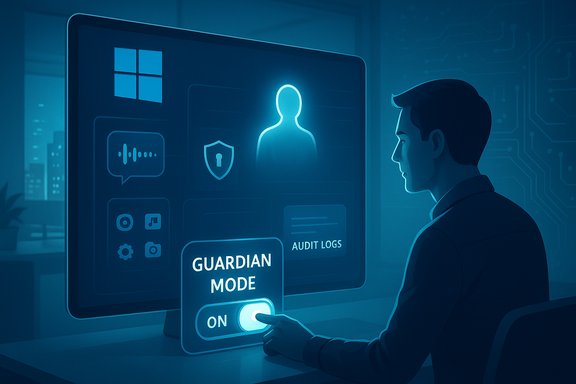
- Auditability and memory management: Agents that remember must provide exportable logs, explainable rationales for decisions, and easy deletion. Without machine‑readable retention policies and human‑readable audit trails, enterprises and regulators will be justified in blocking agentic capabilities.
- Security of the agent supply chain: Protocols like MCP make it simpler to extend capabilities, but they also open new attack surfaces: prompt injection, tool poisoning, and token theft are real threats for agent architectures unless manifests and signing are enforced and tested by third parties.
- Hardware stratification and fragmentation: Copilot+ messaging creates a product-market tension: gating the best experiences to new silicon accelerates refresh cycles and frustrates users on older machines. The economic impact — who pays for the upgrade — remains a political and market risk for Microsoft.
- Monetization and perceived upsells: Users fear more surface area for nudges to Microsoft services. If agents can recommend and execute purchases, the line between helpfulness and monetization blurs rapidly. Clear policy and technical separation are required to avoid the perception that agents exist to monetize user attention rather than improve outcomes.
- Unverified claims: Community rumors that Microsoft cut Surface or Xbox budgets to fund AI efforts are plausible in analysis but are not corroborated by Microsoft’s financial disclosures; these should be treated cautiously until verified. Flagging such claims as unverified is essential to keep the debate factual.
What Microsoft Could and Should Do Next
The path for a successful agentic Windows is not purely technical — it’s social and political. The following are pragmatic steps Microsoft can and should prioritize to reduce the “trust tax” and preserve Windows’ broad user base:- Default agentic features to opt-in with a strong, discoverable OOBE choice that persists across updates.
- Ship a persistent Power User / Classic Mode toggle that disables promotions, minimizes telemetry, and prevents initiative-taking agents.
- Publish machine-readable retention policies and human-readable logs: every agent action should carry a one-line rationale and an auditable record.
- Make rollback and safe-mode recovery simpler and visible to end users — the fear of broken updates is a major source of distrust.
- Fund independent red-team audits and publish results, and invite third-party verification of Copilot+ NPU benchmarks that tie TOPS to real model latency and energy metrics.
- Provide enterprise policy controls (Intune/Group Policy) that let admins disable agentic features for regulated endpoints and require explicit approvals for connectors that access PII.
- Modularize delivery so that polished, NPU-heavy experiences install only when hardware supports them, while maintaining a lean core OS for legacy hardware.
Practical Steps for Users and IT Today
- Individual users: Keep wake-word and vision features disabled until you understand the permission model. When linking third-party services, review scopes carefully and use disposable accounts where possible. Use available privacy toggles and diagnostic viewers to inspect telemetry.
- IT administrators: Pilot agentic features on small representative fleets, use MDM/Group Policy to block or limit Capabilities on regulated endpoints, incorporate agent behavior into incident response plans, and demand contractual guarantees around data handling from OEMs and Microsoft.
- Procurement teams: If Copilot+ features influence buying decisions, require independent NPU and workload benchmarks, latency and energy metrics, and contractual SLAs for data handling and incident reporting. TOPS is a marketing number — require real benchmarks tied to applications your organization cares about.
Competitive Context and Market Impact
Microsoft’s push mirrors a broader industry trend: Apple’s device-level AI story positions privacy and local processing as differentiators, and Google continues to fold models into Android and ChromeOS experiences. Windows’ market footprint — still north of 70% of desktop installs globally by most estimates — means changes to Windows ripple through billions of endpoints, enterprises, and ISVs. Microsoft’s agentic pivot is therefore strategic: it’s about retaining relevance in an AI-first era. But the company’s dominant position also raises stakes: missteps could accelerate migration to macOS or Linux among power users, or force enterprises to lock down features by policy.Voices from the Community
Social captures and forum threads reveal a spectrum of responses. Some users call for a return to a leaner, faster Windows; others see agentic capabilities as promising if they come with guarantees. Influencers and veteran engineers who favor stability urged Microsoft to fix the fundamentals first and introduce agentic features behind explicit controls. The intensity of the language — “Nobody wants this” and calls to move to Linux or macOS — reflects not just disagreement about features but a broader anxiety about what the future of personal computing will feel like.Final Analysis — A Pivotal Moment for Windows
Microsoft is not committing vaporware; the company has reorganized teams, published technical primitives, and demonstrated previews that make an agentic Windows technically plausible. The payoff, if executed responsibly, is meaningful: fewer repetitive tasks, better accessibility, and lower latency for privacy‑sensitive inference. But plausibility does not equal inevitability.What the Davuluri post exposed is an urgent social contract problem. Users and administrators are not opposed to useful AI; they are worried about initiative-taking systems delivered without durable controls, transparent defaults, and clear auditability. The engineering challenge is matched — and sometimes overshadowed — by the product and governance challenge. Microsoft can ship the building blocks, but it must also ship the guardrails and the UX primitives that let people keep control.
This moment is an inflection point: handled well, Windows could evolve into a platform that amplifies productivity without sacrificing choice; handled poorly, the company risks deepening the rift with its most vocal users and creating the kind of fragmentation that has real operational and reputational costs.
For the company, the simplest path to acceptance is not more demos or louder marketing. It is evidence: demonstrable opt‑in defaults, independent audits, clear audit logs, modular rollouts that respect legacy hardware, and measurable, independently validated performance claims for Copilot+ devices. In short: make the agent helpful, and make users feel in control.
The debate over an agentic Windows has already changed the conversation about what an operating system should do for its users. The next chapters will be decided in code, policy, and interface design — and by whether Microsoft heeds the message buried inside the backlash: power without control is not progress; it’s a liability.
Source: WebProNews Microsoft’s Agentic Windows Push Ignites User Backlash