

The AI chatbot market has moved from experimental novelty to a mainstream productivity layer, and the run-up to 2026 is sharpening a practical split: a few large, ecosystem‑anchored copilots compete with specialist research engines and safety‑focused long‑form assistants. What used to be “chat for chat’s sake” is now a portfolio decision for individuals, teams, and IT leaders — with choices driven by integration, verifiability, and governance, not just conversational flair. The roundup below synthesizes vendor documentation, independent reporting, and the recent industry roundups to deliver a Windows‑centric, evidence‑backed guide to the chatbots that matter heading into 2026.
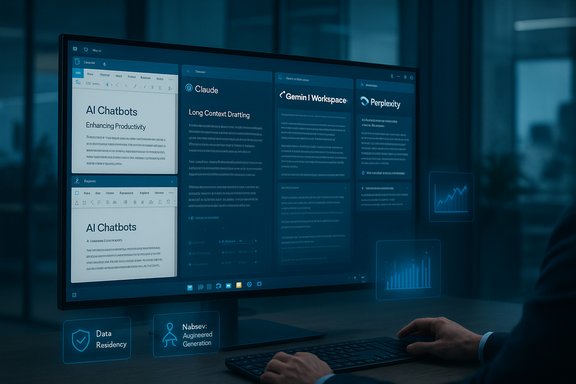
AI chatbots in late 2025 and into 2026 operate along three practical axes: model capability (reasoning, multimodality, context window size), ecosystem integration (OS and productivity app hooks), and commercial packaging (who pays, quota limits, SLAs, and data governance). Vendors are optimizing along different tradeoffs — Google and Microsoft lean into product distribution and in‑app automation, OpenAI focuses on a broad generalist platform plus extensibility, Anthropic emphasizes safety and long context, and Perplexity focuses on citation‑aware web grounding. The user story now centers on picking the right tool for discrete jobs rather than hunting for a mythical single assistant that does everything well.
This piece verifies technical claims where possible (pricing, context windows, enterprise data handling) against vendor pages and independent reporting, flags predictions that are by nature speculative, and offers practical decision steps for Windows users and IT teams who must balance productivity gains with risk and compliance.
Source: Analytics Insight Top AI Chatbots to Watch in 2026: Best Picks
 Background / Overview
AI chatbots in late 2025 and into 2026 operate along three practical axes: model capability (reasoning, multimodality, context window size), ecosystem integration (OS and productivity app hooks), and commercial packaging (who pays, quota limits, SLAs, and data governance). Vendors are optimizing along different tradeoffs — Google and Microsoft lean into product distribution and in‑app automation, OpenAI focuses on a broad generalist platform plus extensibility, Anthropic emphasizes safety and long context, and Perplexity focuses on citation‑aware web grounding. The user story now centers on picking the right tool for discrete jobs rather than hunting for a mythical single assistant that does everything well.This piece verifies technical claims where possible (pricing, context windows, enterprise data handling) against vendor pages and independent reporting, flags predictions that are by nature speculative, and offers practical decision steps for Windows users and IT teams who must balance productivity gains with risk and compliance.
The leading contenders: product-by-product analysis
ChatGPT (OpenAI) — the versatile generalist
OpenAI’s ChatGPT remains the go‑to generalist for drafting, brainstorming, coding help, and extensibility via custom GPTs and plugins. The product’s paid consumer offering, ChatGPT Plus, is priced at $20/month and explicitly advertises benefits such as priority access, faster response speeds, voice and image tools, and access to higher‑capability models. This pricing and feature set are current on OpenAI’s help and pricing pages. Strengths:- Breadth and maturity: strong multiuse capabilities (text, code, images, voice) and a robust plugin/custom‑GPT ecosystem that makes it easy to extend into workflows.
- Cross‑platform continuity: conversations and assets sync across web and native apps, which is helpful for mixed Windows/macOS workflows.
- Tiered options for heavy users: Plus/Pro/Business tiers that scale features and limits for individuals and organizations.
- Hallucination risk: like all generative models, ChatGPT can invent plausible‑sounding but incorrect facts; verify high‑stakes outputs.
- Feature gating: many high‑capability features and latest models are behind paid tiers; organizations must model usage to estimate costs.
- Vendor dynamics: OpenAI’s model routing and internal model choices evolve rapidly; product behavior can change (recent product adjustments have been reported), so continuous verification is prudent.
Claude (Anthropic) — long context and safety-first drafting
Anthropic’s Claude family has positioned itself as the assistant for careful, long‑form, safety‑sensitive work. A concrete technical differentiator is the very large context windows offered on paid tiers — Anthropic documents a 200k token context window for paid plans, with enterprise options extending further — which makes Claude suitable for multi‑hour drafting, book‑length manuscripts, and large‑document analysis. Anthropic’s developer docs and support pages lay out this context capacity and extended options for enterprise tiers. Strengths:- Large context handling: preserves continuity across extensive documents and workflows where previous‑turn context is material.
- Safety and contract controls: Anthropic emphasizes safety‑guided behavior and offers contractual non‑training guarantees on commercial agreements, which matters for regulated data.
- Structured, measured outputs: tends to produce conservative, coherent long‑form responses that are useful for legal, academic, and regulatory writing.
- Cost for extended contexts: long‑context modes carry premium pricing and different rate limits; plan accordingly.
- Conservative outputs: the safety focus sometimes produces conservative refusals on edge prompts or less playful creative writing.
- Not a web‑grounding specialist: Claude performs best when paired with a retrieval‑augmented approach for live web facts.
Google Gemini — multimodal creativity plus deep Workspace integration
Google’s Gemini product family has matured into a true multimodal assistant that ties tightly into Google Workspace, Search, Drive, and device surfaces. Google sells advanced access to higher‑capability Gemini models through Google One AI plans (commonly described as Gemini Advanced packaged into Google AI Pro / Google One AI Premium at about $19.99/month for consumer plans), which unlocks stronger models and Deep Research features. The Google One product pages and carrier bundles confirm these commercial packaging points. Strengths:- Multimodality: robust image editing, short video generation tooling (Veo family) and camera/voice interaction modes that are powerful for creator workflows.
- Seamless Workspace embeds: Gemini can act inside Gmail, Docs, and Drive to draft, summarize, and transform files in situ.
- Live web grounding: integrated Search access improves currency for fact‑sensitive queries.
- Ecosystem lock‑in: full value is achieved when you already use Google Workspace; moving between vendors can reduce utility.
- Data governance nuances: enterprise customers must examine Workspace contracts and data residency terms when handling regulated data.
- Feature gating and regional rollout: some advanced video/image features and Deep Research are regionally rolled out and often gated behind paid tiers.
Microsoft Copilot — Windows and Microsoft 365 native productivity
Microsoft’s Copilot family focuses on being the practical assistant for everyday Office workflows. Copilot is integrated into Word, Excel, PowerPoint, Outlook, Teams, and Windows itself; Microsoft documents that enterprise tenants can use Copilot with commercial data protections so tenant data is not used to train Microsoft’s foundation models by default, with specific opt‑in or contractual choices for training. Microsoft’s Learn articles and Copilot FAQs outline these protections and the Graph grounding capabilities used to access tenant data. Strengths:- Deep tenant grounding: Copilot can reason over mailbox, calendar, and SharePoint data when permitted, which is powerful for automating Office tasks and producing audit‑friendly outputs.
- Enterprise governance: commercial data protections, admin controls, and contractual terms geared to compliance make Copilot attractive to regulated organizations.
- In‑app actions and agent tooling: Copilot Actions, Copilot Pages, and Copilot Studio extend automation inside the Microsoft ecosystem.
- Licensing and cost complexity: Copilot features are split across consumer and business SKUs; mapping capabilities to SKUs can be non‑trivial for small businesses.
- Feature maturity variability: certain advanced or agentic features require Copilot Studio or higher tiers, and some experimental capabilities are subject to change.
- Surface‑specific telemetry and controversy: gaming and consumer Copilot features have occasionally triggered privacy scrutiny that enterprises should note.
Perplexity — the citation‑forward research engine
Perplexity is purpose‑built for research workflows where provenance matters: it returns synthesized answers with inline citations and offers developer APIs (Sonar) optimized for web‑grounded answers. Perplexity’s product pages describe Pro tiers and enterprise offerings (Perplexity Pro commonly shown in public materials at $20/month for consumer Pro, with team/enterprise plans at higher per‑seat pricing). Perplexity’s API documentation and pricing pages describe Sonar models and pricing options that emphasize search‑driven, citation‑forward responses. Strengths:- Traceability: explicit source lists let researchers and journalists confirm provenance quickly.
- Research UX: designed for iterative investigation with quick followups and multi‑source syntheses.
- Developer tooling: Sonar API supports embedding citation‑forward answers into apps.
- Not optimized for long‑form document editing within Office: Perplexity isn’t a drop‑in Word or Excel copilot; pair it with a drafting tool for final composition.
- Citations are not infallible: links reduce verification overhead but must still be checked — a citation does not guarantee correctness.
Noteworthy challengers and the long tail
- xAI’s Grok, Meta AI (Llama‑based tools), and smaller open or local models (PocketPal, local LLM apps) fill the market’s personality, privacy, and pricing niches. Grok has been noted for conversational flair and social feed integration; Meta’s Llama‑derived tools are used where social platform integrations matter. Local models and on‑device assistants are becoming viable for privacy‑sensitive offline workflows. These specialists are valuable as part of a multi‑AI toolkit but carry different governance and maturity tradeoffs.
Technical verifications — what’s provable (and what’s not)
The following claims have been explicitly verified using vendor documentation and independent reporting:- ChatGPT Plus price and stated benefits (voice, image, access to advanced models) are current on OpenAI’s pricing and help pages.
- Anthropic’s 200k token context window for paid Claude plans is published in Anthropic’s developer and support documents. Enterprise options extend context windows further under contract.
- Google’s Gemini Advanced capabilities and its packaging into Google One AI plans (consumer pricing commonly reported at $19.99/month for Google AI Pro) are described on Google One product pages and corroborated by carrier bundle announcements. Regional packaging may vary.
- Microsoft’s public statements and product documentation confirm commercial data protections and that tenant data is not used to train foundation models by default unless consented or configured; Copilot’s Graph grounding and admin controls are documented.
- Perplexity’s Pro pricing and Sonar API orientation toward citation‑first answers are visible in product and API pages.
- Any single‑line prediction that “2026 will be the year AI chatbots become everyday partners for all students, writers, and professionals” is a projection rather than a verifiable fact; adoption trajectories will vary by region, sector, and regulatory environment. Treat such statements as forward‑looking commentary, not technical fact.
Security, privacy, and governance: the tradeoffs every Windows admin must model
When deploying chatbots in production, focus on three governance pillars:- Data residency and training guarantees: Verify vendor contracts that state whether customer data will be used for training. Microsoft and Anthropic provide documented non‑training options on enterprise tiers; OpenAI and Google have product pages describing similar enterprise controls but details vary by tier and contract. Always require contractual language for regulated data.
- Least privilege and scope limits: Don’t give broad mailbox or SharePoint access to a pilot tenant. Use sandbox accounts or test folders and incremental permission grants to reduce risk exposure.
- Verification workflows: For outputs used in decisioning, require at least one human verification step. For research or regulatory claims, pair generative answers with citation checks or RAG (retrieval‑augmented generation) architectures.
- Run a 2–4 week pilot with test accounts and monitoring.
- Insist on enterprise contracts specifying non‑training guarantees where needed.
- Audit logs and set retention policies that align with compliance needs.
- Apply least privilege when granting app permissions to assistant connectors.
- Automate verification gates (unit tests for code, legal review for contracts, source checks for research).
How to choose: a practical decision flow for Windows users and teams
Match the assistant to the task — a simple, prioritized triage works well:- What is the primary output type?
- Research with sources → Perplexity.
- Office document drafting / tenant data → Microsoft Copilot.
- Multimodal creative (image/video) → Google Gemini.
- Long, continuous drafting and safety‑sensitive content → Claude.
- Flexible, generalist drafting & coding with rich plugin ecosystem → ChatGPT.
- Is the data regulated or sensitive?
- Yes → require enterprise contracts and non‑training guarantees, prefer Copilot or Claude on contract.
- No → consumer tiers can be used with caution; implement verification gates.
- Do you need offline or on‑device privacy?
- Yes → evaluate local LLMs, PocketPal‑style apps, or vendor specific on‑device options; these trade off capability for privacy.
- Budget and scale:
- Model pricing and quota structures vary widely; run a cost model for token usage, image/video generation quotas, and expected call volumes before committing.
Real‑world deployment scenarios and recommended pairings
- Single writer / freelancer: ChatGPT Plus for drafting, Perplexity for source checks; Gemini for visuals when needed.
- Small team in Google Workspace: Gemini Advanced plus Perplexity for citation work; manage video/image quotas under Google AI Pro.
- Enterprise legal or healthcare: Claude on an enterprise contract for long drafting, with Copilot for tenant‑specific document automation where Office is the authoring tool. Require non‑training contractual language.
- Research or journalism shop: Perplexity Pro for rapid, citation‑backed briefs; combine with a drafting assistant for final composition.
Strengths, weaknesses and final practical warnings
Strengths across the space:- Rapid productivity wins for drafting, coding, and ideation when paired with human review.
- Real productivity gains when assistants are embedded into daily apps (Gmail, Word, Excel).
- Emergence of specialisms (citation engines, long‑context models, multimodal creatives) means tools can be assembled into complementary toolchains.
- Hallucinations remain a real operational risk for high‑stakes outputs.
- Vendor packaging and pricing shift frequently — plan for re‑validation at procurement time.
- Governance complexity: contracting, data residency, and auditability remain the core friction points for enterprise adoption.
Conclusion
The chatbot landscape heading into 2026 has matured into a pragmatic ecosystem where the right assistant depends on a clear mapping between need and tool: ChatGPT for generalist flexibility, Claude for long‑context and safety‑sensitive drafting, Google Gemini for multimodal creative workflows and Workspace integration, Microsoft Copilot for tenant‑grounded Office automation, and Perplexity when traceable, citation‑forward answers are essential. Procurement decisions should be driven by integration needs, contract‑level data protections, and realistic cost modeling. Deployments that pair complementary assistants — for example, a research engine plus a drafting copilot — will deliver the best mix of productivity and risk control. These are not theoretical choices: they reflect verified product documentation and recent reporting and should form the basis of any pilot or procurement plan. The era of chatbots being mere curiosities is ending; the era of assembling them responsibly into daily workflows is just beginning.Source: Analytics Insight Top AI Chatbots to Watch in 2026: Best Picks
