

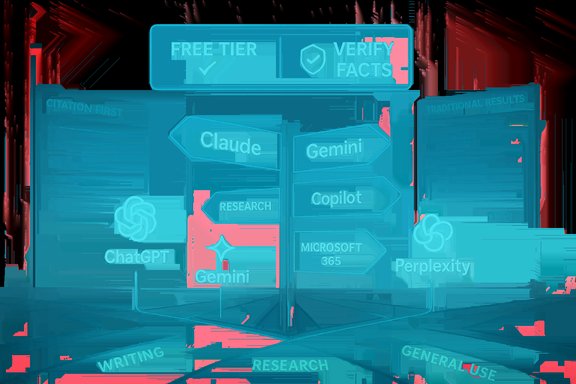
If you’re standing at the AI crossroads wondering whether to start with ChatGPT, Google Gemini, Anthropic Claude, Microsoft Copilot, Perplexity, or another assistant, the right answer is: it depends on what you need to do and how much risk you can tolerate. TechRadar’s beginner guide frames the decision the same way — a friendly on‑ramp, practical use cases, and an encouragement to try free tiers first — and it highlights ChatGPT as the best single starting point, Claude for long‑form writing, Gemini for Google Workspace users, Copilot for Microsoft/Windows workflows, and Perplexity for research‑forward tasks.
This feature expands on that advice with deeper verification, up‑to‑date pricing and technical checks, a clear decision framework you can apply in under five minutes, and a practical rollout checklist for personal or small‑business use. It offers side‑by‑side comparisons, points out where vendors’ claims need scrutiny, and flags the real operational risks (privacy, hallucinations, billing surprises, and governance). Read on for a usable, no‑nonsense guide that turns advertising copy into an actionable selection playbook.
Background / Overview
AI chatbots are now a broad category of conversational tools built on large language models (LLMs). They range from generalists that aim to be helpful across many tasks to highly integrated copilots that operate inside productivity suites and specialist research assistants that prioritize citations and provable provenance.Most vendors provide a generous free tier and one or more paid tiers that cluster around the same consumer price bands — but the benefits you get vary sharply: faster responses, larger context windows, memory, multimodal features (voice, image, video), and integration with your files and apps. These differences are what really matter, not marketing claims about “the smartest model.” The TechRadar primer is useful because it cuts straight to those use‑case distinctions for beginners.
Two technical realities shape every buying decision:
- Hallucinations — models can invent facts and present them confidently; mitigation requires verification and, for critical tasks, retrieval‑grounding or citation‑first tools. The term “hallucination” is widely used to describe this behavior but is debated; regardless of terminology, the practical takeaway is the same: verify high‑stakes outputs.
- Ecosystem fit and governance — if your mail, calendar, and files live in Google Workspace or Microsoft 365, choosing the assistant that natively connects to those services will dramatically reduce friction. But that same integration raises governance questions you must address before uploading sensitive data.
What beginners need to know (quick primer)
Key terms
- Chatbot / assistant: the conversational interface you use.
- LLM (large language model): the underlying model powering the assistant.
- Memory: whether the assistant remembers past chats or preferences across sessions.
- Hallucination: when the assistant fabricates facts or details.
- Grounding / RAG: retrieval‑augmented generation — the model is explicitly given documents or web search results as evidence to reduce hallucination.
Practical rules of engagement
- Start with free tiers. They’re good enough to test core workflows.
- Don’t paste PHI, regulated data, or confidential client material into consumer chatbots unless you’ve verified contractual non‑training and data residency commitments.
- For factual or time‑sensitive work, require a citation or validate the answer against the source directly.
- Choose tools by task, not brand: draft in one tool, verify in another, and keep a trusted, tenant‑grounded option for regulated data.
The contenders: strengths, pricing and verified details
Below are the main consumer / prosumer assistants most beginners encounter, with the most important facts validated against vendor pages and reputable reporting.ChatGPT (OpenAI) — best for most people
- Why choose it: strong generalist for writing, ideation, code prototyping, and a huge ecosystem of plugins and custom GPTs. It’s the easiest on‑ramp for everyday productivity tasks.
- Price & tiers: Free tier available; ChatGPT Plus is $20/month (monthly billing) and Pro/Business tiers exist for heavier users and teams. OpenAI’s official pricing pages list Plus at $20/month and business tiers starting at ~$25/user/month with enterprise plans available by contract.
- Notable features: voice and image tools, custom GPTs, plugin ecosystem, strong cross‑platform sync.
- Caveats: hallucinations remain a practical risk; advanced features and higher throughput are gated behind paid tiers; corporate non‑training guarantees typically require enterprise contracts.
Claude (Anthropic) — best for reasoned, long‑form work
- Why choose it: Anthropic emphasizes a safety‑first approach and provides very large context windows that make it well suited for long reports, book‑length drafts, or multi‑document analysis. Many writers prefer Claude’s editorial tone for long‑form output.
- Price & tiers: Anthropic’s consumer/pro plans start in the mid‑teens per month ($17/month with annual billing or $20/month if billed monthly for Pro), with higher “Max” and Team/Enterprise tiers for heavy use.
- Context window: paid Claude plans document a 200K‑token context window; some enterprise options extend to 500K or 1M tokens on specialized plans. These are vendor‑published technical limits and carry premium pricing for long‑context requests.
- Notable features: large context handling, safety‑oriented responses, research tools and project organization.
- Caveats: long‑context modes cost more; Claude is not primarily a live web‑grounding specialist — pair it with a citation tool for breaking news or live facts.
Google Gemini — best for Google Workspace and multimodal creation
- Why choose it: native integration with Gmail, Docs, Drive, and Search; strong multimodal capabilities (images, short‑video generation, camera/voice interactions) make it ideal for creators who live in Google’s ecosystem.
- Price & tiers: Google bundles Gemini Advanced features into Google One AI / Google One AI Premium plans. The consumer advanced tier commonly appears at $19.99/month (often sold with 2TB storage and other Google One benefits). Google also offers higher‑end tiers such as Google AI Ultra at premium prices for pro users.
- Notable features: Deep Research, Gemini Live (camera + voice), Veo models for video generation, direct Drive/Gmail access (with permission).
- Caveats: ecosystem lock‑in (full value requires Google account/Workspace), and like all models Gemini can hallucinate; check regional availability for specific multimodal features.
Microsoft Copilot — best for Windows / Microsoft 365 users
- Why choose it: Copilot is embedded inside Word, Excel, Teams and Outlook, and can operate on tenant data through Microsoft Graph with enterprise governance controls (Purview, admin policies). For regulated workflows that must remain tenant‑bound, Copilot is often the safest production choice.
- Price & tiers: Microsoft has folded Copilot into Microsoft 365 plans for consumers and offers Copilot features in Personal, Family, Business and Enterprise SKUs. Microsoft 365 Personal (including Copilot) is promoted at $9.99/month in current offers; enterprise licensing and per‑seat pricing vary and may require separate Copilot Pro or tenant agreements. Always verify plan inclusions against your tenant’s licensing portal.
- Notable features: tenant grounding, admin controls and data governance, deep Office automation (summaries, Excel formula generation, meeting action items).
- Caveats: licensing complexity; some advanced capabilities may only appear in higher enterprise tiers. Microsoft explicitly recommends human verification for high‑stakes outputs from Copilot.
Perplexity — best for research and citation‑forward answers
- Why choose it: Perplexity is built as a research‑first assistant: it surfaces explicit source citations, compares viewpoints, and makes it easy to validate claims. Ideal when traceability matters.
- Price & tiers: Perplexity’s consumer Pro tier is commonly priced at around $20/month (or $200/year). Perplexity also offers Education discounts, a Max tier for power users (~$200/month), and Enterprise seats for teams. Official company documentation lists Perplexity Pro at $20/month and outlines Max/Enterprise options.
- Notable features: citation‑first UI, web grounding, Sonar API for programmatic access and reproducible research.
- Caveats: Perplexity’s citations make verification faster but are not a substitute for reading original sources; Comet/agentic browsing features have been subject to security scrutiny and should be used cautiously.
Side‑by‑side comparison (practical checklist)
Below are the features that most influence the decision. Use this checklist to match a chatbot to a primary need.- Integration with Workspace:
- Google Workspace → Gemini (native support).
- Microsoft 365 / Windows → Copilot (tenant grounding).
- Long‑form drafts and large documents:
- Claude (200K+ token contexts on paid plans; enterprise options for 500K–1M).
- Research and sourceable answers:
- Perplexity (citation‑first, Sonar API).
- Rapid prototyping and broad plugin ecosystem:
- ChatGPT (custom GPTs, plugins, broad developer ecosystem).
- Multimodal creation (images, short video, camera workflows):
- Gemini (Veo, Canvas, image/video tools).
- Price sensitivity:
- Most consumer premium tiers cluster at ~$20/month; enterprise pricing varies widely and can be higher. Expect to pay more for larger context windows, extensive usage, or contract guarantees.
The hard tradeoffs you must accept
- Accuracy vs. creativity: models optimized for creative fluency tend to invent details more readily; those tuned for safety and conservatism may refuse edge prompts or be less inventive. Claude tilts toward conservative, measured outputs; other models take a more generative stance.
- Integration vs. lock‑in: the more deeply an assistant integrates with your documents and inbox, the higher the administrative overhead to ensure compliance and privacy. Copilot and Gemini both offer superb productivity gains — but they require careful tenant controls in enterprise deployments.
- Context window vs. cost: very large context windows (200K tokens and above) are powerful for book‑length work, but vendors charge premiums for long‑context requests. If your workflow needs this, model token economics must be part of your budget planning.
- Availability and regional feature flags: multimodal tools, video models, and live web grounding are often rolled out regionally and behind promotions or bundle offers (e.g., student discounts or carrier deals). Verify availability in your account before committing.
Practical decision flow — pick a chatbot in 90 seconds
- Identify your single most frequent task (writing drafts, research with citations, editing photos/video, Excel work, legal drafting).
- Choose the matching tool:
- Writing, prototyping, general productivity → ChatGPT.
- Long legal/technical drafting → Claude.
- Research & citation → Perplexity.
- Google Drive/Gmail automation, creative media → Gemini.
- Tenant‑bound regulatory workflows → Microsoft Copilot.
- Use the free tier for 7–14 days with representative prompts.
- Measure: accuracy (hallucination rate), time saved, and cost per useful output at your expected volume.
- If results are acceptable, pilot a paid plan for another 2–4 weeks to verify limits and true costs.
Security, privacy and governance checklist (essential)
- Audit data classification: mark what can be sent to public models vs. what must stay inside enterprise connectors.
- Verify contractual commitments: ask the vendor in writing whether conversational data will be used for model training, retention length, and data residency options.
- Apply least privilege: grant account connectors only the minimum access required (e.g., a test mailbox or sandbox Drive folder).
- Disable third‑party plugins in production until they’re vetted — plugins are third‑party code and increase attack surface.
- Keep human review gates for any high‑stakes output (legal, medical, financial).
- Keep offline fallbacks and document the multi‑vendor plan in case of outages.
Prompting, workflows and getting value fast
- Use short, specific prompts with constraints (tone, length, audience). Ask the assistant to include a verification checklist for factual claims.
- For research workflows, run the same prompt in your drafting assistant then cross‑check in a citation‑forward tool (e.g., Perplexity).
- For document processing: upload a single representative document, ask for a 3‑point executive summary, list of claims to verify, and suggested edits.
- Use memory features sparingly and be aware that saved memories can become part of your account data — review memory settings and retention policies.
- Paste the raw notes.
- “Produce a one‑paragraph summary, list five action items with owners and deadlines, and highlight three statements I should fact‑check, with a single‑line reason for each.”
When vendor claims are unreliable — what to flag
- Parameter counts and “magic” performance claims: treat vendor assertions about parameter size, training cost, or absolute speed as marketing unless corroborated by independent benchmarks. Independent benchmarking and whitepapers are the only way to confirm such claims.
- Unlimited context or “unlimited” access: vendors often gate large windows and throughput to enterprise or pilot customers — verify per account. Anthropic’s long‑context pricing explicitly shows premium rates when you exceed 200K tokens.
- Security of agentic browsers/agents: when a product claims to “do the browsing for you” (agentic browsing), treat it as higher risk — recent audits found real vulnerabilities in Comet‑style delegation features. Validate with security teams before using such features for sensitive tasks.
A short procurement playbook for teams and SMBs
- Map three representative tasks (e.g., meeting summarization, executive email drafts, research briefs).
- Pilot two tools per task for 7–14 days (one ecosystem copilot + one specialist).
- Measure: accuracy, time saved, and monthly cost at projected usage.
- Confirm legal terms (non‑training, data residency) in writing for any regulated data.
- Deploy with SSO, audit logging, plugin whitelists, and rate limits.
- Train staff: “AI outputs are drafts, verify external facts.” Track incidents and adjust controls.
Quick FAQ — short, actionable answers
- Do I need to pay? Start free. You’ll likely upgrade once you hit heavy usage, need larger context windows, or want guaranteed speed. ChatGPT Plus, Gemini Advanced and Perplexity Pro all cluster around $20/month.
- Which tool hallucinated less? Hallucination rates vary by test and task; the behavior depends on prompt phrasing, grounding, and model design. Use citation‑first tools or RAG to reduce risk in factual workflows.
- Can I use multiple assistants? Yes. Purposeful pluralism — different tools for different jobs — is the pragmatic approach for individuals and teams.
- Are these services safe for business data? Only if you verify contractual non‑training and data residency clauses, or use tenant‑grounded enterprise versions (Copilot for Microsoft, Anthropic enterprise addenda, OpenAI enterprise) that exclude training on your data by default.
Final recommendations — how to choose in practice
- If you only try one assistant: start with ChatGPT. It’s the easiest on‑ramp, broadly capable for the common beginner tasks (writing, brainstorming, simple code help), and the free tier is quite capable. Upgrade only after you measure usage needs.
- If you write a lot or need large, continuous context: test Claude. Its large token windows and safety posture are built for long form and structured analysis, but plan budget for premium long‑context pricing.
- If you live inside Google apps and need creative multimodal workflows: Gemini (Gemini Advanced / Google One AI) fits best — especially where native Drive/Gmail access and image/video generation matter. Verify regional availability and bundled storage benefits.
- If you operate inside Microsoft 365 and require governance: Microsoft Copilot is the pragmatic enterprise choice; use tenant controls and contractual protections for regulated data.
- If research and traceability are your top priority: Perplexity gives explicit citations and a research‑focused UI that makes verification faster. Use a drafting tool for final copy.
Conclusion
Picking the “right” AI chatbot begins with a clear question: what everyday task are you trying to improve? Once you answer that, the choice becomes mostly pragmatic — match the assistant’s strengths to your workflows, test free tiers, and pilot paid plans only after you’ve measured real usage and costs.Every assistant offers real productivity gains when used sensibly, but none are ready to be trusted without verification for high‑stakes decisions. The sensible path for most readers is to adopt one generalist for drafting (ChatGPT or Gemini), add a specialist for research (Perplexity) or long‑form synthesis (Claude), and use a tenant‑grounded copilot (Copilot) where regulated data and auditability are required. Keep controls in place, enforce human review for critical outputs, and treat AI as a productivity tool — not an oracle.
If you want a compact action plan to test in the next two weeks: pick one assistant that maps to your most frequent task, run identical prompts across two tools (one for drafting, one for verification), track the time saved and the verification overhead, and then choose the paid tier only when the math clearly favors productivity gains over subscription cost.
Source: TechRadar https://www.techradar.com/ai-platfo...chatbot-to-pick-for-your-first-ai-experience/
