

If you grew up on a Windows desktop between the 1990s and the late 2000s, chances are you can still hear the crisp click of the Minesweeper flag, remember the satisfying shuffle of a Solitaire deck, or picture the neon bumpers of 3D Pinball — small, built‑in games that once arrived with the operating system and quietly shaped millions of first PC experiences. Those games are largely gone from modern default Windows installs, and their absence is more than a nostalgia trip: it reflects a deliberate platform shift from bundled, offline utilities to a modular, Store‑driven, monetized ecosystem. The result is a trade‑off between a leaner OS and a loss of cultural touchstones — a change many users still miss.
Windows and small bundled games grew up together. The first graphical Windows releases included simple programs designed to teach mouse and window concepts; the original Windows floppy famously contained a single board game, Reversi, to showcase the GUI and basic AI. Over the ensuing decades the catalog swelled into a compact library of casual titles — Minesweeper, Solitaire, FreeCell, Hearts, 3D Pinball: Space Cadet, Chess Titans, Purble Place and more — that were often the first games many users ever played on a PC. These titles doubled as both tutorials for using a mouse and as quick, offline diversions every OS shipped with by default.
That era began to fade with Windows 8’s architectural changes. Microsoft moved many formerly preinstalled experiences to the Microsoft Store and shipped a leaner default image, a decision driven by modular distribution, smaller system images, and a new app economics model. This shift finished the transition away from “built‑in” as an OS promise and toward optional, updateable Store apps — often with ads, telemetry, or subscriptions attached. The cultural fallout of that pivot is measurable: the shared surprise of finding a familiar game on a new PC evaporated, replaced by optional downloads and varied third‑party implementations.
Two concrete examples show the transition’s consequences:
For many, bringing those games back is not about refusing progress; it’s about restoring a modest measure of polish and goodwill in a complex product. Whether through VMs, careful file migration, vetted Store remakes, or a future Microsoft‑curated “Classic Games Pack,” the desire for those short, perfect play loops persists. The company’s product choices will continue to balance efficiency and revenue against intangible user value — and the debate over whether that balance was struck correctly for casual gaming will linger as long as people remember the Minesweeper flag and the jingle of 3D Pinball.
Source: eXputer.com Remembering Windows Built-In Games; The Nostalgic Gems No Longer Around
 Background / Overview
Windows and small bundled games grew up together. The first graphical Windows releases included simple programs designed to teach mouse and window concepts; the original Windows floppy famously contained a single board game, Reversi, to showcase the GUI and basic AI. Over the ensuing decades the catalog swelled into a compact library of casual titles — Minesweeper, Solitaire, FreeCell, Hearts, 3D Pinball: Space Cadet, Chess Titans, Purble Place and more — that were often the first games many users ever played on a PC. These titles doubled as both tutorials for using a mouse and as quick, offline diversions every OS shipped with by default.That era began to fade with Windows 8’s architectural changes. Microsoft moved many formerly preinstalled experiences to the Microsoft Store and shipped a leaner default image, a decision driven by modular distribution, smaller system images, and a new app economics model. This shift finished the transition away from “built‑in” as an OS promise and toward optional, updateable Store apps — often with ads, telemetry, or subscriptions attached. The cultural fallout of that pivot is measurable: the shared surprise of finding a familiar game on a new PC evaporated, replaced by optional downloads and varied third‑party implementations.
The Golden Era: Windows XP and Windows 7
Why those games mattered
Windows XP and Windows 7 are widely remembered as the high points of the classic Windows experience — not least because they included polished, offline games that were consistent across machines. Minesweeper and Solitaire were more than time‑killers: they taught mouse control, menu navigation, and pattern recognition. For many, Solitaire was the first true drag‑and‑drop exercise; Minesweeper was a deceptively deep logic puzzle that rewarded methodical play. 3D Pinball — shipped from the Full Tilt! Pinball lineage as the Space Cadet table — became a cultural phenomenon in its own right, turning a desktop into a score chase with surprising longevity. These titles showcased small, well‑designed gameplay loops that fit the moment-to-moment rhythm of productivity work.A concise list of classic built‑in games
- Minesweeper
- Microsoft Solitaire (Klondike, Spider, FreeCell in older installs)
- Hearts
- 3D Pinball: Space Cadet
- Chess Titans
- Purble Place
- InkBall (Tablet PC era)
These were not simply gimmicks; they fulfilled onboarding, education, and the “I need two minutes” break need that desktops regularly provide.
The Pivot: From Built‑in Binaries to Store Apps
Windows 8 represented a technical and business inflection point. The justification — modularity, streamlined base images, sandboxing, and a unified update model through the Store — is technically sound, but it changed expectations. Instead of opening a freshly installed PC and finding the same small entertainment suite, users now encountered a store experience where these games were optional downloads. That shift enabled Microsoft to centralize updates and monetize casual play, but it also replaced an ad‑free, always‑available feature set with a fractured ecosystem of apps, many carrying ads or optional subscriptions.Two concrete examples show the transition’s consequences:
- Microsoft Solitaire Collection was reworked into a Store app with interstitial advertising and a paid Premium subscription to remove ads — a clear monetization move that altered the user experience for a formerly free part of the OS.
- Candy Crush Saga’s appearance on Windows 10 — pushed onto many upgrade installs in 2015 — crystallized the new preinstall norm: partner apps and ad‑centric experiences could now ride in on Windows installs.
What Was Lost — And What Was Gained
Tangible losses
- A shared cultural baseline: booting a PC used to mean the same little games would be available. That baseline made first PC ownership friendlier and created common references across generations of users.
- Offline, ad‑free entertainment: the classic executables ran without network dependencies, telemetry, or in‑app ads. Many modern equivalents do not.
- Built‑in tech showcases: some games demonstrated DirectX, stylus input, or multimedia features in a way that was integrated with the OS image. The Store model decoupled those demos from the base install.
Tangible gains
- Smaller default system images: shipping less preinstalled content reduces disk footprint and lets OEMs tailor images to buyers’ needs.
- Faster independent updates: Store apps can be patched continuously without OS updates or large service packs.
- Choice and new developer opportunities: the Store enabled community remakes and modern ports that update visuals, accessibility, and compatibility for current hardware.
How to Bring the Classics Back: Practical Options
For readers longing for authenticity, there are several practical ways to restore the old experiences. Each option has trade‑offs in authenticity, security, and convenience.- Run an older Windows virtual machine (VM).
- Pros: Full authenticity, offline play, no modification of the host OS.
- Cons: Requires a licensed image or installation media, consumes system resources, and is heavier than a single app.
- Install Microsoft’s modern offerings from the Store (official route).
- Pros: Convenience, supported updates.
- Cons: Many official re‑releases are freemium and ad‑supported (e.g., Microsoft Solitaire Collection).
- Copy legacy game executables from an old machine.
- Pros: Preserves the original offline experience.
- Cons: Compatibility issues, registry edits, missing DLLs, and potential legal or licensing concerns; community guides exist but require care.
- Install community remakes or open‑source recreations from trusted developers.
- Pros: Modern codebases, improved privacy models, Windows 11 visual language support.
- Cons: Vet permissions and telemetry; quality varies across publishers.
- Use transformation packs or third‑party UI restorers to emulate older Windows shells (e.g., Revert8Plus).
- Pros: Brings back UI aesthetics and often restores many menu links to classic games.
- Cons: System tweaks carry risk; test in a VM first and read community feedback carefully.
Security, Privacy, and Legal Considerations
Bringing back classic games is not purely sentimental; it raises practical safety questions. Copying executables from older systems, installing third‑party remakes, or applying transformation packs can expose a machine to:- Compatibility issues that destabilize modern Windows.
- Malware or adware masquerading as “nostalgic” games.
- Licensing and intellectual property concerns when redistributing executable files from legacy Microsoft products.
The UX and Cultural Argument: Why Built‑in Games Mattered Beyond Play
Small built‑in games performed a surprising range of roles in the Windows ecosystem:- Onboarding: They taught fine motor skills, menu navigation, and drag‑and‑drop — basic GUI literacy that lowered the barrier for new users.
- Micro‑breaks: Short games offered mental relief between tasks without the cognitive overhead of modern ad‑heavy apps.
- Demo software: Titles like Purble Place and Chess Titans showcased OS multimedia and graphics capabilities to non‑technical users.
- Shared memory: A consistent set of preinstalled apps created a common culture around the PC — a cultural capital that Microsoft’s Store approach eroded.
Critical Analysis: Strengths, Weaknesses, and Risks
Strengths of the modern Store model
- Modular updates increase safety and agility, enabling quicker security patches and feature rollouts.
- OEMs and enterprise administrators benefit from leaner base images, which reduce bloat and attack surface.
- The Store creates an economy that can incentivize professional developers and better QA for popular remakes.
Weaknesses and UX regressions
- Monetization undermines frictionless micro‑play: interstitial ads or paywalls break the flow that made classic games ideal for short breaks. The Solitaire example is emblematic: what was once free is now an ad‑supported product with a paid ad‑free tier.
- Loss of a shared default experience fragments cultural reference points and reduces discoverability for casual users who might never open the Store.
- Increased telemetry in modern apps can clash with privacy expectations, especially for games that were once fully offline.
Strategic risks for Microsoft
- Alienating long‑time users by monetizing previously goodwill features can erode brand affinity.
- Reliance on Store monetization increases dependency on ad revenue and subscriptions, which may be sensitive to regulatory scrutiny and public backlash.
- The “bloatware” perception grows when OEMs preinstall partner titles, harming user trust — the Candy Crush preinstall episode is a clear case in point.
What Microsoft Could Do (A Reasoned Middle Path)
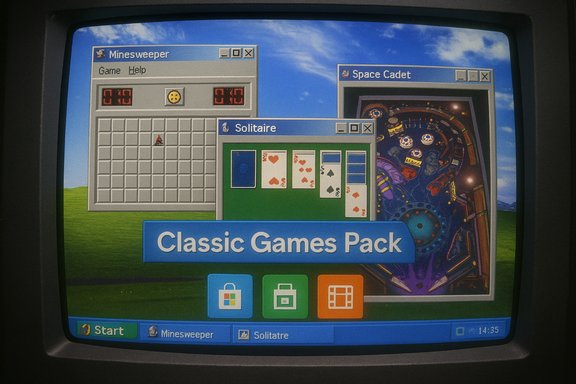
Bridging the practical and emotional demands of users and the company’s business realities is possible. Reasonable, low‑cost options Microsoft could consider:- Offer a fully offline, ad‑free “Classic Games Pack” as an optional, free download in the Store with explicit privacy guarantees. This preserves goodwill without inflating base images.
- Provide an official, lightweight compatibility layer that allows legacy, offline executables to run safely on modern installs inside a vetted sandbox.
- Curate a set of community‑vetted remakes with verified privacy practices and a Microsoft‑backed trust badge to reduce the risk of malicious imitators.
Practical Guide: Safely Restoring Classic Games (Step‑by‑Step)
- Decide your priority: authenticity (exact original) vs convenience (Store remakes).
- If authenticity is the goal:
- Use a VM (Hyper‑V, VirtualBox) and install a legacy Windows image that still has the games.
- Keep the VM offline if privacy is a concern.
- If convenience and safety are the goals:
- Search the Microsoft Store for trusted remakes; review permissions and reviews before installing.
- Avoid unknown websites offering legacy executables; prefer community projects hosted on reputable platforms (e.g., GitHub) that publish source code.
- If copying executables from an old installation:
- Backup the host system.
- Follow community guides exactly; register required DLLs and test in a controlled environment.
- Scan files with multiple antivirus engines and validate checksums where available.
- Consider using a transformation pack only in a VM or after research; read user reports for the specific Windows build you run.
On the Question of "Windows 11 Problems" and Other Claims
Contemporary opinion pieces sometimes characterize Windows 11 as “riddled with problems” or reference specific incidents (for example, reports of storage/SSD issues with certain updates). Those claims require precise verification: technical incidents—especially those involving firmware or storage subsystems—are time‑bound and context‑sensitive and should be assessed against dedicated security advisories, Microsoft support statements, or independent lab reproductions. Until verified against official communications and reputable technical reporting, such assertions should be treated cautiously. If a reader requires a precise forensic timeline of any specific update or issue, it is necessary to consult up‑to‑date technical advisories and vendor statements. This article flags the SSD‑frying anecdote as unverified here and recommends confirming details before treating it as factual.Conclusion
The story of Windows’ built‑in games is a small but revealing chapter in the platform’s evolution: a microcosm of how distribution models, monetization, and platform priorities shape not just the feature list of an OS but the culture that grows around it. Microsoft’s decision to move from bundled executables to a Store‑centric model made sense from a product, security, and commercial perspective. Yet that same transition discarded a set of shared, offline, ad‑free delights that did more than entertain — they taught, comforted, and connected users across generations.For many, bringing those games back is not about refusing progress; it’s about restoring a modest measure of polish and goodwill in a complex product. Whether through VMs, careful file migration, vetted Store remakes, or a future Microsoft‑curated “Classic Games Pack,” the desire for those short, perfect play loops persists. The company’s product choices will continue to balance efficiency and revenue against intangible user value — and the debate over whether that balance was struck correctly for casual gaming will linger as long as people remember the Minesweeper flag and the jingle of 3D Pinball.
Source: eXputer.com Remembering Windows Built-In Games; The Nostalgic Gems No Longer Around
