

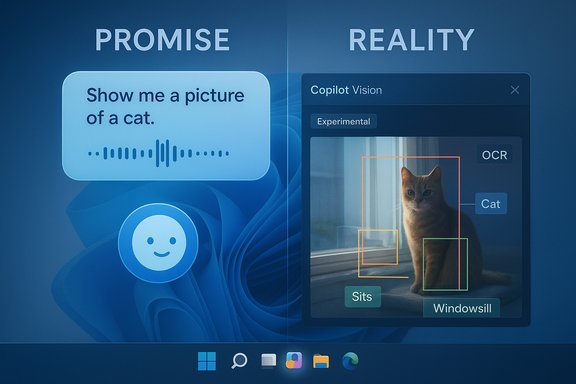
Microsoft’s Copilot campaign promises a future where you “talk to your PC” and it actually does things for you — but recent hands‑on reporting shows the reality is messy, error‑prone, and often laughably unhelpful, undercutting a very expensive bet on an “agentic” Windows.
Microsoft’s product narrative for the latest Windows updates centers on three headline capabilities: Copilot Voice (an opt‑in wake phrase “Hey, Copilot”), Copilot Vision (permissioned screen awareness and OCR), and Copilot Actions (agentic automations that can perform multi‑step tasks on a user’s behalf). The company describes this as making “every Windows 11 PC an AI PC” and says the broader aim is to reframe the operating system as infrastructure for persistent, multimodal assistants. This shift isn’t theoretical: Microsoft has moved Copilot out of a single chat window and into the taskbar, promoted a hardware tier called Copilot+ with NPUs for lower latency, and begun staged rollouts of Vision and voice features while previewing Actions in Copilot Labs for Windows Insiders. The official framing emphasizes opt‑in controls, visible UI cues, and a sandboxed approach for agentic features — but opt‑in and sandboxed haven’t prevented confusion or outsized expectations.
Microsoft’s public language shows that sequencing: Vision and Voice are being broadly deployed, while Actions are deliberately experimental inside Copilot Labs for Insiders. The company’s engineering posture — local spotters, NPUs, agent workspaces — acknowledges the risk surface. The question is whether staged releases and safety fencing will be fast enough to reconcile consumer expectations shaped by high‑production ads and broad marketing. Community feedback and early reports are already forcing a cultural correction. Forums and threads reflect frustration and skepticism about usefulness, and they document specific misfires (ads not matching on‑device behavior; assistant reading filenames; failing to manipulate the OS state). Those are the raw inputs Microsoft will need to take seriously if it intends to scale Copilot beyond novelty and into everyday utility.
Source: The Verge Talking to Windows’ Copilot AI makes a computer feel incompetent
 Background / Overview
Microsoft’s product narrative for the latest Windows updates centers on three headline capabilities: Copilot Voice (an opt‑in wake phrase “Hey, Copilot”), Copilot Vision (permissioned screen awareness and OCR), and Copilot Actions (agentic automations that can perform multi‑step tasks on a user’s behalf). The company describes this as making “every Windows 11 PC an AI PC” and says the broader aim is to reframe the operating system as infrastructure for persistent, multimodal assistants. This shift isn’t theoretical: Microsoft has moved Copilot out of a single chat window and into the taskbar, promoted a hardware tier called Copilot+ with NPUs for lower latency, and begun staged rollouts of Vision and voice features while previewing Actions in Copilot Labs for Windows Insiders. The official framing emphasizes opt‑in controls, visible UI cues, and a sandboxed approach for agentic features — but opt‑in and sandboxed haven’t prevented confusion or outsized expectations. What the ads promise — and why that matters
Microsoft’s ads show a very simple story: a user speaks, Copilot understands, and the PC performs sophisticated, context‑aware work (identify a mic in a YouTube clip, interpret a rocket slide and run simulations, turn a portfolio into a tight bio). These are short, potent narratives designed to make the product feel inevitable and magical. That marketing message is the thread that ties together Microsoft’s engineering roadmap and its commercial push; if users don’t actually get reliably helpful outcomes, the disconnect becomes a liability rather than a marketing triumph. The optics matter because Microsoft’s strategy is not small‑scale feature churn: it’s a platform pivot. Executives have talked publicly about “rewriting the operating system around AI” and about a future where models can “use a computer as well as a human.” Those are bold, structural claims that raise different expectations than a simple assistant that answers basic questions.The reviewer’s hands‑on findings: Copilot Vision under real use
A recent in‑depth review replicated the sorts of tasks Microsoft shows in its ads and documented a string of failures: misidentifications, fabricated links, inability to run simulations or make simple UI changes, repeated permission prompts, sluggish responses, and an unnerving tendency to speak in a patronizing, human‑like tone while getting facts wrong. The experience left the reviewer concluding that Copilot today makes “powerful computers seem incompetent.” Specific problems called out:- Object and brand recognition failures: In one test the AI misidentified a microphone in a YouTube frame, alternately guessing a first‑generation HyperX QuadCast, a Shure SM7B, or hedging with uncertainty despite obvious visual cues. That’s not a marginal mistake when the ad explicitly shows the assistant performing that task reliably.
- Localization and place ID errors: A still image portrayed in the ads — presented as Rio Secreto in Playa del Carmen — produced wildly inconsistent answers in the reviewer’s experiments, and the assistant frequently reacted to file names rather than image content. In other words, the assistant was brittle enough that renaming a file could change its geographic identification.
- Action failures: Tasks that require the assistant to manipulate the OS — for example, toggling dark mode or running “simulations on burn time” for a Saturn V slide — either couldn’t be completed or the assistant redirected to third‑party tools like MATLAB. Microsoft has said the ability for Copilot to take actions on local files is being previewed in Copilot Labs for Windows Insiders, but broader user‑level actions are still gated and experimental.
Why the mistakes matter: context, state, and agency
The failures are revealing because they expose three technical and UX gaps that undercut Copilot’s promises.1) State blindness
A sensible assistant checks the current state before proposing an action. In multiple demo clips and early videos, Copilot suggests changing a setting without verifying the existing value (e.g., recommending a scale already set on the machine). That implies either incomplete state‑inspection or a conservative design that avoids probing system internals — both problematic if the goal is to act on the user’s behalf.2) Vision and reasoning disconnect
Vision that sees pixels is not the same as an agent that understands UI structure, semantics, and the provenance of content. Object ID for consumer hardware, named‑entity recognition inside images, or OCR of on‑screen text are brittle when models encounter real‑world noise, video compression, or overlapped UI elements. As the reviewer showed, when Copilot’s vision output is wrong, subsequent steps (like “where can I buy this nearby?”) compound the error.3) Agency with weak guardrails
Giving an assistant permission to act is the hard part. Microsoft’s approach so far is deliberately risk‑averse: Copilot Actions are an experimental, opt‑in capability inside Copilot Labs for Windows Insiders; agents run in contained workspaces with explicit user confirmation for sensitive steps. That’s prudent, but the result today is a product that often shows what it could do without actually doing it for you in the moment. The preview model preserves safety but delays the practical usefulness that Microsoft’s ads imply.The official position: staged rollouts, opt‑in, and safety design
Microsoft’s own blog and product announcements make the posture clear: voice and Vision rollouts are being expanded broadly, but Copilot Actions on Windows is explicitly in preview inside Copilot Labs, starting with a narrow set of use cases for Insiders. The product team stresses opt‑in defaults, visible permission prompts, and containment through dedicated agent workspaces — and it positions Actions as something that will expand only after model tuning and security validation. That careful language is consistent across Microsoft’s Windows Experience posts and deployment notes. Independent reporting from PCWorld, Windows Central, TechRadar and others echoes this: Actions are coming, but in a staged, experimental, and limited fashion; Vision requires explicit permission per app session; and voice activation runs a local spotter before engaging cloud reasoning. Those are meaningful guardrails, but not a substitute for dependable end‑user outcomes.Where Copilot demonstrates useful potential today
Despite the shortcomings, there are real, plausible gains in the architecture Microsoft is building — particularly for accessibility, repetitive workflows, and users who benefit from hands‑free interaction.- Accessibility: Voice input as a third input modality can open computing to people with motor impairments; screen‑aware guidance (Vision) can help people navigate complex apps. The features are explicitly framed with accessibility in mind and are likely to be the fastest route to real-world utility.
- Local file helpers for narrow tasks: The agentic model — when used for clear, well‑scoped tasks like deduplicating a photo folder or extracting text from a set of PDFs — could save hours of work, particularly when agents can be audited and paused. Microsoft’s containment design for Actions seeks to make these scenarios lower risk.
- Integrated workflows with Edge and Office: Copilot’s increasing integration with Microsoft 365 apps and Edge’s Copilot Mode creates new continuity — for example, summarizing threads, drafting messages, or exporting chat content to Office formats — that can reduce app switching friction. Those are incremental but real gains.
Risks, open questions, and what to watch
The Copilot push raises several practical and governance questions engineers and IT teams will need to answer before agentic features scale.- Accuracy and hallucination risk: Generative models still hallucinate facts, invent URLs, and misread visual context. When an assistant can act, those hallucinations can cause real damage — from deleting or mis‑naming files to making flawed data changes. This risk is only partially mitigated by human‑in‑the‑loop confirmations in early previews.
- Privacy and data handling: Vision requires explicit sharing of what’s on a user’s screen, and Actions need access to local files. Microsoft’s opt‑in controls and local‑first processing on NPU‑equipped Copilot+ devices reduce data movement in some cases, but forwarding buffered audio or agent logs to cloud services remains part of the workflow for heavier tasks. Those telemetry and retention details will determine enterprise appetite.
- Usability and expectations management: Ads that show near‑perfect agent behavior create a mismatch with staged previews. Early viral demos that miss simple checks (such as the widely discussed voice demo where Copilot recommended a display scale that was already set) have already become a PR headache and highlight how fragile user trust can be.
- Security model for agents: Microsoft’s containment approach — running agents in separate workspaces and accounts with limited access — is an important design decision. But the model must be thoroughly audited: sandbox escapes, improper elevation, or misapplied automation could open new attack surfaces. Observability, immutable logs, and admin controls will be essential for enterprise deployment.
Practical advice for Windows users and administrators
For general consumers, experiment carefully and treat Copilot as an evolving feature set rather than a finished product.- Opt in deliberately: Enable voice, Vision, or Actions only if you need them.
- Use separate profiles: Test agentic features in a non‑critical profile or device; do not give exploratory agents access to your main work profile.
- Turn on transparency controls: If available, enable logs, ask for action previews, and require confirmations before any destructive or privacy‑sensitive operation.
- Keep software updated: Copilot’s capabilities and safety features are rolling out through the Copilot app, Windows updates, and Copilot Labs; the behavior you see today may improve with subsequent patches.
- Start with a small pilot for accessibility or clearly scoped workflows.
- Require auditability: insist on tamper‑evident logs and the ability to review agent actions.
- Gate connectors and financial actions: do not allow unsupervised agent access to financial systems, privileged accounts, or connectors without multi‑party authorization.
- Educate end users: expectations must be managed. Emphasize that Copilot is a helper, not an omniscient operator.
Why the product gap exists — and what it implies for Microsoft’s strategy
The gap between ad copy and reality isn’t just marketing misstep; it’s a symptom of a deeper product challenge. Microsoft is attempting to merge three domains — robust on‑device inference, safe agentic automation, and intuitive multimodal UX — each of which is hard on its own. Doing all three simultaneously demands careful sequencing: get the perception of reliability right for a narrow set of use cases, then expand.Microsoft’s public language shows that sequencing: Vision and Voice are being broadly deployed, while Actions are deliberately experimental inside Copilot Labs for Insiders. The company’s engineering posture — local spotters, NPUs, agent workspaces — acknowledges the risk surface. The question is whether staged releases and safety fencing will be fast enough to reconcile consumer expectations shaped by high‑production ads and broad marketing. Community feedback and early reports are already forcing a cultural correction. Forums and threads reflect frustration and skepticism about usefulness, and they document specific misfires (ads not matching on‑device behavior; assistant reading filenames; failing to manipulate the OS state). Those are the raw inputs Microsoft will need to take seriously if it intends to scale Copilot beyond novelty and into everyday utility.
Bottom line: promise, but not yet the product
Microsoft’s vision for an agentic, voice‑ and vision‑enabled Windows is plausible and strategically bold: the company has the install base, developer reach, and cloud + device portfolio to make an AI‑first OS a commercially defensible product. The current reality, however, is an awkward early‑stage product where the assistant often confuses context, misidentifies visual content, and — crucially — cannot reliably act for users in the ways ads imply. That mismatch damages trust and raises significant privacy, security, and reliability questions that must be resolved in code and policy, not PR. Copilot shows genuine potential — especially for accessibility and narrowly defined automation tasks — but the “computer you can talk to” is not a fully trustworthy substitute for human control yet. Users and IT teams should approach the new Copilot features with healthy skepticism, staged pilots, and explicit operational guardrails while Microsoft continues to iterate the models, telemetry, and sandboxing that will determine whether the promise becomes practical.Conclusion
The divergence between Microsoft’s advertising and real‑world behavior for Copilot is more than an embarrassment: it’s a signal that building an OS that “listens, sees, and acts” requires far more than impressive demos. It requires systems engineering that reliably understands state, robust model behavior in noisy real world conditions, airtight security and privacy controls, and — critically — honest expectation management in the marketplace. Microsoft has started the long work required; the next chapters will be measured not by slogans but by whether the assistant can, day after day, reduce friction instead of adding confusion.Source: The Verge Talking to Windows’ Copilot AI makes a computer feel incompetent
