

Microsoft’s long-gestured promise to turn Copilot into an ambient, system‑level assistant inside Windows 11—popping up inside Settings, File Explorer, and even toast notifications—has quietly been put on the shelf, leaving a much more conservative, selective rollout in its wake. What was billed at Build and surface events in May 2024 as a sweeping re‑architecture of Windows around on‑device AI and “Copilot everywhere” has been reframed: many of the NPU‑driven, system‑level Copilot integrations demoed on stage will not ship as originally shown, and Microsoft is consolidating and renaming its underlying platform work as it narrows where and how Copilot appears in the OS. The pivot reflects technical, privacy, and product‑experience realities that have combined to slow, reshape, and rebrand Microsoft’s vision for AI in Windows 11.
The public demo and marketing emphasized agentic behavior—Copilot not just replying to queries, but taking actions: suggesting replies in messages, opening or summarizing files from a notification with a single click, and even performing lightweight edits or commands “without opening an app.” Those were compelling demos showing the operating system itself becoming more proactive and automated.
This redesign signals a user‑centric trade: useful AI in places where users directly look for help, rather than unsolicited suggestions popping up across system panes.
For Windows users, the result should be a cleaner, less intrusive experience—provided Microsoft maintains discipline, enhances transparency, and gives users and IT administrators meaningful control. For developers and hardware partners, the platform renames and API packages are an invitation to build more capable, but responsible, AI experiences on Windows. The long arc of Microsoft’s AI strategy in Windows now looks less like a unilateral takeover of the desktop, and more like an attempt—admittedly imperfect—to let AI help where it is demonstrably useful, and stay out of the way when it isn’t.
Source: Windows Central Microsoft pulls back on bringing Copilot to Windows 11 notifications
 Background
From Copilot+ PCs to an AI‑first Windows
On May 21, 2024, Microsoft formally introduced the Copilot+ PC concept and a set of platform pieces designed to make Windows an “AI PC”: dedicated NPU requirements, a local runtime for inferencing (announced as the Windows Copilot Runtime), and a slate of new system‑level experiences, led by a feature called Windows Recall and a promise that Copilot would surface proactively in places like Settings, File Explorer, and notifications. The company framed this as an on‑device-first approach that could deliver quicker, more private AI experiences without always depending on cloud inferencing.The public demo and marketing emphasized agentic behavior—Copilot not just replying to queries, but taking actions: suggesting replies in messages, opening or summarizing files from a notification with a single click, and even performing lightweight edits or commands “without opening an app.” Those were compelling demos showing the operating system itself becoming more proactive and automated.
What changed between promise and product
Fast forward to March 15, 2026: many of the same experiences shown in 2024 either arrived in substantially different forms, were delayed into 2025 and 2026 previews, or never showed up at all. Microsoft’s push to brand most AI work under a single Copilot umbrella gave way to a more pragmatic approach: features were rebranded, platform names were adjusted, and product teams prioritized quality, controllability, and user acceptance over maximal distribution of Copilot‑branded hooks across every UI. The Windows Copilot Runtime name evolved in Microsoft’s developer messaging into broader‑sounding platform names (for example, Windows AI APIs / Windows AI Foundry), and several system‑level Copilot experiences were pared back or reimagined as optional, ability‑gated, or dependent on specific hardware (Copilot+ PC NPUs).What was promised — and what users actually expected
When Microsoft launched the Copilot+ narrative, it emphasized a set of system integrations that would make Copilot function less like a discrete chatbot and more like an operating‑system assistant:- Copilot suggestions in notifications — toast notifications from apps would include Copilot‑driven one‑click actions (open, summarize, reply, quick edits).
- Settings assistant — semantic, conversational access to Settings with proactive suggestions for changes the system thought you might want.
- File Explorer Copilot — context‑aware actions surfaced inline in File Explorer enabling summaries, quick edits, or other AI actions without fully opening secondary apps.
- Agentic “Click to Do” / Copilot Actions — visually aware, NPU‑accelerated actions that executed tasks on behalf of the user across the desktop.
- Windows Recall — a privacy‑sensitive timeline and index of what the user had seen, searchable with semantic queries.
What shipped — the pragmatic course correction
Microsoft still delivered a suite of AI features to Windows 11, but the implementation differs from the original, broad Copilot‑everywhere framing.Settings: semantic search, not ambient Copilot takeover
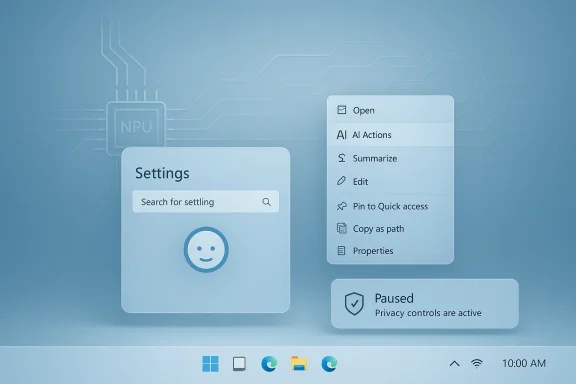
Instead of a pervasive Copilot assistant embedded everywhere in Settings, Microsoft introduced semantic search inside Settings that understands natural‑language queries and surface appropriate controls and suggestions. It’s a clear usability win—search for “reduce blue light at night” or “turn off notifications for X” and the system can find the right toggle—but it’s presented as a targeted enhancement rather than an ambient conversational agent interrupting the UI.This redesign signals a user‑centric trade: useful AI in places where users directly look for help, rather than unsolicited suggestions popping up across system panes.
File Explorer: AI actions that hand off, rather than acting autonomously
File Explorer received an AI actions context menu that surfaces helpful operations—image edits, summarize a document, search visually—directly in the right‑click menu. Crucially, the implementation favors handoff to the best‑suited app (Photos, Paint, or a Copilot‑summarize flow) rather than in‑place agentic manipulation in every case. That approach reduces complexity and surface area while still shortening workflows.Notifications: Copilot suggestions shelved for now
Arguably the most visible casualty is Copilot suggestions in Windows notifications. The toast‑level, one‑click Copilot actions that were demoed have not materialized as promised. Internal planning shifted after product teams prioritized other areas, and Microsoft appears unlikely to deliver the Copilot‑in‑toasts experience in the near term—at least not under the Copilot brand or as originally sketched. The idea may reappear later in a more controlled form, but for now, notification‑level Copilot actions are effectively cancelled.Platform renames and a narrower brand footprint
Microsoft’s developer platform naming also evolved. What began as the Windows Copilot Runtime has been reframed in Microsoft’s documentation and developer messaging into a broader family of Windows AI APIs / Windows AI Foundry. That change signals a shift from an all‑encompassing Copilot runtime toward a modular set of AI capabilities offered to developers, with varying degrees of on‑device and cloud processing.Why Microsoft pulled back: technical, privacy, and product forces
Multiple, intersecting forces explain the retraction from Copilot‑everywhere to a more curated set of features.1) Technical complexity and hardware fragmentation
On‑device AI relies heavily on NPUs and the performance they provide. Microsoft’s Copilot+ specification and promotional material placed emphasis on NPU capability (marketing figures like 40+ TOPS were used to position Copilot+ hardware). Real‑world NPUs come in many flavors—qualitative TOPS numbers are not the same as sustained throughput under thermal constraints. Building consistent, reliable, and responsive agentic features across the broad Windows install base is a hard engineering challenge. Performance variability between low‑end laptops and Copilot+ machines made wide distribution of agentic features risky.2) Privacy and Recall’s fallout
Windows Recall—the feature that indexes and makes searchable the user’s screen history—became a lightning rod for privacy concern and regulatory scrutiny. Recall was delayed and reworked after pushback over what it captured, how long it stored data, and how easily users could control it. That delay had knock‑on effects: Recall’s postponement reduced the foundational platform readiness for other proactive Copilot experiences that depended on semantic indexing and local context. The product teams reprioritized addressing privacy, data minimization, and clearer controls before re‑exposing ambient AI that touches notifications, messages, and files.3) User sentiment and “AI bloat”
Across forums, reviews, and enterprise feedback, an emergent theme had been the perception that Windows 11 had become cluttered with intrusive AI prompts and branded Copilot interventions. Whether framed as “AI bloat” or “enshittification” in stronger terms, Microsoft heard and acted: features would be more deliberate, optional, and more clearly controlled by users and administrators. Pragmatic restraint replaced maximal signage.4) Product discipline: preview, measure, and iterate
Microsoft’s official stance is that previews are iterative; some experiences previewed can be changed or removed after user feedback. That product discipline—previewing, learning, and in some cases, retracting—meant that some promise‑stage demos never survived the transition to mass releases because the user tests, telemetry, or security assessments suggested they would cause more harm than benefit.Technical reality: what on‑device AI can and cannot practically do today
Understanding why Microsoft narrowed the scope requires a quick technical primer.- NPUs and on‑device inferencing deliver low latency and better privacy than cloud calls, but only when the hardware supports sustained throughput. Peak TOPS marketing numbers are not the same as usable, sustained performance under real workloads.
- Model size vs. device constraints: Smaller local models and specialized vision/text models can run on modern NPUs, but more complex reasoning still rests on cloud backends for many devices.
- Context and security: Allowing an agent to act on behalf of a user across apps (e.g., from a notification) increases the attack surface. Every integration into a system surface—notifications, quick settings, context menus—must be evaluated for spoofing, privilege escalation, and malicious automation.
- Telemetry and cloud dependency: On devices without strong NPUs, Copilot features must fall back to cloud inference. That raises latency, privacy, and network‑cost tradeoffs, and complicates consistent behavior across the Windows ecosystem.
User experience and enterprise control: the balance Microsoft must strike
Microsoft’s repeated messaging in recent releases is that AI features will be optional, disable‑able, and controllable by users and administrators. That is an explicit response to customer concerns. For enterprises and power users this matters:- Administrators in Pro, Enterprise, and Education channels have demanded the ability to remove or restrict Copilot. Microsoft has gradually added controls (including documented uninstall or block options for the Copilot app in certain managed scenarios).
- Users want predictable, non‑intrusive interactions—AI features that help when explicitly requested, rather than interruptive suggestions that feel promotional or noisy.
- Accessibility and productivity gains from on‑device AI (semantic search, summarization, image edits) remain real benefits when implemented under user control.
Strengths and potential wins from the revised approach
Microsoft’s pullback is not strictly a loss. The reframed strategy yields practical benefits:- More durable user trust. Reducing surprise AI intrusions and giving users robust controls helps rebuild confidence in the platform.
- Safer rollouts. Narrower, hardware‑gated features reduce the chance of buggy, inconsistent behavior across the millions of Windows devices.
- Better developer story. Repackaging runtime pieces as Windows AI APIs and Foundry gives developers clear, modular tools to integrate AI without forcing a monolithic Copilot‑first UX.
- Focused innovation areas. Features like semantic Settings search and File Explorer AI actions deliver tangible productivity improvements without needing agentic, always‑on behaviors.
- Enterprise readiness. Explicit administrative controls and the ability to remove Copilot in managed environments addresses a major customer demand in business settings.
Risks and open questions
Even with course corrections, risks remain:- Feature creep disguised as helpfulness. Microsoft must stay disciplined to avoid slipping back into pervasively pushing Copilot into new surfaces.
- Fragmentation of user experience. Hardware gating (Copilot+ NPUs) plus cloud fallbacks risks a split experience where only some users get low‑latency, private features.
- Regulatory scrutiny and privacy expectations. Even optional features can attract regulatory attention, especially when they touch message content, notifications, or create device logs (Recall‑style).
- Security of agentic actions. Any automation that triggers workflows from a notification or context menu must be hardened against spoofing and privilege misuse.
- Brand confusion. Rebranding core platform primitives while keeping the Copilot brand tied mainly to Microsoft 365 services risks confusing consumers about what Copilot actually is on their PC.
Practical guidance: what users and admins should do now
If you want to stay in control of AI features on Windows 11, here are pragmatic steps to take:- Check your Windows version and update cadence. Preview features and experimental AI capabilities often land first in Insider builds and later in staged feature updates.
- Review Settings > System > Notifications for any “tips and suggestions” or AI suggestion toggles and disable them if you prefer a quieter experience.
- If you manage devices, explore Windows update rings and group policy / MDM controls to restrict Copilot app installations and AI features on managed endpoints.
- For users in Pro/Enterprise/Education channels, investigate the administrative options added in recent builds that permit uninstalling or blocking the Copilot app on managed devices.
- Keep software for Photos, Paint, and Office updated—many AI actions in File Explorer and Click‑to‑Do route to these apps and rely on their store updates.
- Evaluate Copilot+ hardware only if you need the low‑latency, on‑device AI benefits; otherwise, many AI features will continue to be available via cloud fallbacks or in curated, non‑agentic forms.
What to watch next
Microsoft’s near‑term roadmap now emphasizes measured deployments, clearer naming, and privacy‑forward design. Key signals to monitor:- Whether Microsoft ever reintroduces toast‑level Copilot suggestions in a more constrained, opt‑in format.
- How the Windows AI APIs / Windows AI Foundry evolve as developer primitives—and whether they enable third‑party apps to offer safe, system‑integrated AI without expanding Copilot branding everywhere.
- The enterprise admin tooling and controls Microsoft ships: centralized toggles, telemetry transparency, and uninstall policies will determine corporate adoption sentiment.
- Legal and regulatory discussions around local indexing and Recall‑style features: how Microsoft stores, encrypts, and exposes control over that data will be crucial.
- User telemetry and acceptance signals: are users happier with the less‑intrusive approach, and does that translate into improved sentiment for Windows 11?
Conclusion
Microsoft’s retreat from the broad Copilot‑everywhere vision into a more selective, measured AI strategy is a meaningful product pivot—one born out of technical constraints, privacy backlash, and the challenge of delivering consistent quality across billions of device configurations. The company has not abandoned on‑device AI; it has recalibrated how and where that AI surfaces in Windows 11. That recalibration favors targeted, high‑value scenarios (semantic Settings search, context‑aware File Explorer actions, and hardware‑accelerated Click to Do on Copilot+ devices) and swaps ubiquitous Copilot branding for modular platform APIs and clearer admin controls.For Windows users, the result should be a cleaner, less intrusive experience—provided Microsoft maintains discipline, enhances transparency, and gives users and IT administrators meaningful control. For developers and hardware partners, the platform renames and API packages are an invitation to build more capable, but responsible, AI experiences on Windows. The long arc of Microsoft’s AI strategy in Windows now looks less like a unilateral takeover of the desktop, and more like an attempt—admittedly imperfect—to let AI help where it is demonstrably useful, and stay out of the way when it isn’t.
Source: Windows Central Microsoft pulls back on bringing Copilot to Windows 11 notifications
