

Microsoft has quietly removed the long‑standing convenience of credential autofill in Windows sign‑in dialogs — a deliberate security hardening shipped in January 2026 that forces organizations to choose between uninterrupted remote support workflows and a stronger defense against a serious Windows Hello tampering vulnerability.
For years enterprises and support teams relied on a handful of practical but risky patterns to keep users productive: remote technicians typing passwords through screen‑share sessions, virtual on‑screen keyboards in remote desktop sessions, automation scripts that synthesize keystrokes, and assistive‑technology helpers using UIAccess to interact with protected UI. Those same conveniences, however, created a pathway for input injection attacks against Windows’ most sensitive UI surfaces — the credential dialogs. Microsoft’s January 13, 2026 cumulative update (notably KB5074109 and companion updates) introduced a behavioral change labeled *Credat prevents credential dialogs from accepting input that cannot be validated as a trusted local source.
The hardening is explicitly tied to CVE‑2026‑20804 — an incorrect privilege assignment in Windows Hello that third‑party researchers publicly demonstrated could let a local administrator inject biometric data and effectively make any face or fingerprint accepted by a machine. Microsoft’s release notes and subsequent guidance narrowed the set of input sources accepted by credential UI to thoselocal and trusted (physical keyboards, properly provisioned UIAccess accessibility apps, or processes running with elevated administrator integrity). The aim: remove a reliable remote vector that could be abused alongside the Hello tampering flaw.
Multiple security outlets covered the finding and its implications: the attack does not rely on spoofing a camera or synthetic deepfakes, but instead subverts the local cryptographic chaining and storage of biometric templates so a prepared template can be transplanted into a target system. Crucially, the researchers also noted that Microsoft’s Enhanced Sign‑in Security (ESS) — which uses virtualization‑based isolation (VBS) and other hardware protections — blocks the attack when available, but ESS depends on device hardware, firmware, and sensor support that is not universally present across enterprise fleets.
But ESS is not a universal panacea:
However, that mitigation reintroduces the same fundamental risk the hardening addresses:
This hardening forces a necessary modernization: replace fragile keyboard injection with tokenized, auditable delegation and elevate device security where it matters. That migration requires investment, vendor coordination, and temporary operational hardship — but the result will be a smaller attack surface around Windows’ highest‑value UI: the credential prompt. For security engineers and helpdesk managers, the path forward is clear: inventory, isolate exceptions, push vendors for compatible updates, and treat elevation only as a short‑lived bridge to a safer architecture.
Source: WinBuzzer Microsoft Blocks Credential Autofill to Fix Windows Hello Flaw
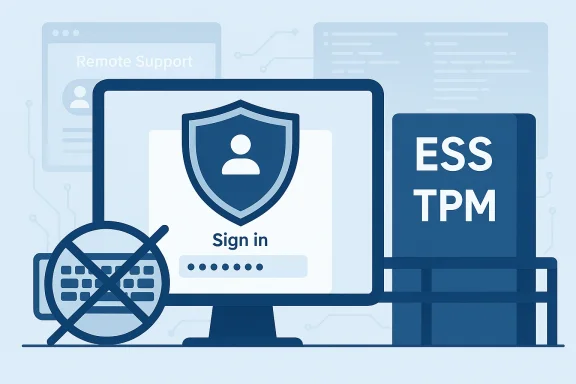 Background / Overview
For years enterprises and support teams relied on a handful of practical but risky patterns to keep users productive: remote technicians typing passwords through screen‑share sessions, virtual on‑screen keyboards in remote desktop sessions, automation scripts that synthesize keystrokes, and assistive‑technology helpers using UIAccess to interact with protected UI. Those same conveniences, however, created a pathway for input injection attacks against Windows’ most sensitive UI surfaces — the credential dialogs. Microsoft’s January 13, 2026 cumulative update (notably KB5074109 and companion updates) introduced a behavioral change labeled *Credat prevents credential dialogs from accepting input that cannot be validated as a trusted local source.The hardening is explicitly tied to CVE‑2026‑20804 — an incorrect privilege assignment in Windows Hello that third‑party researchers publicly demonstrated could let a local administrator inject biometric data and effectively make any face or fingerprint accepted by a machine. Microsoft’s release notes and subsequent guidance narrowed the set of input sources accepted by credential UI to thoselocal and trusted (physical keyboards, properly provisioned UIAccess accessibility apps, or processes running with elevated administrator integrity). The aim: remove a reliable remote vector that could be abused alongside the Hello tampering flaw.
What changed — technical summary
The new input provenance rule
After the January 2026 update, Windows now enforces a provenance check on input directed at credential UI. In practice:- Accepted input: keystrokes from a local physical keyboard; calls from accessibility applications that hold the special UIAccess prows’ strict install/signing requirements; and input from applications running with elevated (administrator) integrity.
- Blocked input: synthetic or injected keystrokes from remote screen‑sharing clients (for example, Microsoft Teams, many VDI clients), virtual on‑screen keyboards inside remote sessions, automation frameworks that use SendInput/PostMessage, and other non‑local agents.
Why this matters technically
Credential prompts are a high‑value target: if a malicious or compromised process can feed or capture characters from the sign‑in dialog, it can harvest credentials, replay them, or use them to escalate privileges. The Windows Hello weakness exposed at Black Hat in 2025 showed that biometric enrollment and storage could be manipulated by an attacker with local administrator rights, which exacerbated the danger of any mechanism that allowed non‑local code to provide input into the same authentication surface. Microsoft’s defensive calculus favored removing the remote injection vector first — even at the cost of breaking long‑standing operational patterns.The Black Hat demonstration that changed the calculus
At Black Hat USA 2025 German researchers Dr. Baptiste David and Tillmann Osswald from ERNW Research demonstrated what they called an attack that could inject biometric templates into Windows Hello — a technique widely described in press coverage as “Faceplant” or variations thereof. The team showed how, with local administrator access, one can decrypt or tamper with the biometric template database and insert a malicious template that causes a machine to accept an arbitrary face or fingerprint. The live demonstration was stark: a researcher logged in with facial recognition onstage, then a colleague injected a different facial scan from another machine and unlocked the device instantly.Multiple security outlets covered the finding and its implications: the attack does not rely on spoofing a camera or synthetic deepfakes, but instead subverts the local cryptographic chaining and storage of biometric templates so a prepared template can be transplanted into a target system. Crucially, the researchers also noted that Microsoft’s Enhanced Sign‑in Security (ESS) — which uses virtualization‑based isolation (VBS) and other hardware protections — blocks the attack when available, but ESS depends on device hardware, firmware, and sensor support that is not universally present across enterprise fleets.
Faceplant’s operational implications
The Black Hat demo exposed a three‑part problem for enterprises:- The biometric template storage and retrieval flow can be manipulated by an attacker with local admin privileges.
- ESS mitigations work, but only on compatible hardware and properly configured devices.
- Many enterprise fleets (particularly older or AMD‑chip systems) may not meet ESS requirements, leaving a large attack surface.
Enhanced Sign‑in Security (ESS) — strengths and hardware limits
Microsoft’s Enhanced Sign‑in Security is a robust countermeasure when available: it isolates biometric processing and template storage in a Virtualization‑Based Security (VBS) protected environment (effectively VTL1), ensuring that the face/fingerprint matcher and its storage cannot be manipulated by normal kernel‑level or user‑level code. ESS leverages TPMs, secure sensors with embedded certification, and firmware configuration like an SDEV ACPI table to establish a hardware root of trust. When ESS is present and enabled, it materially raises the work factor for local tampering.But ESS is not a universal panacea:
- ESS requires specific biometric sensors (match‑on‑sensor fingerprint hardware or ESS‑capable IR cameras), driver and firmware support, and OEM configuration at manufacturing time.
- Some devices — notably many AMD‑based laptops and older hardware — may lack sensors or the SDEV firmware support needed to enable ESexternal/peripheral sensors in its default mode; administrators must carefully plan and test deployments that depend on external biometric hardware.
Operational impact — where organizpain
The hardening breaks or degrades several common workflows, and the fallout is concentrated in enterprise and managed environments:- Remote support: Helpdesk technicians who historically typed passwords into a user’s sign‑in dialog via screen share will find those inputs ignored. Calls will lengthen as staff shift to guiding users to type credentials locally or to alternative delegation models.
- RMM / automation: Remote Monitoring & Management tools, deployment scripts, and test lab automation that relied on synthetic keyboard events into protected dialogs will fail until vendors update to supported tokenized APIs or delegated authentication mechanisms.
- Azure Virtual Desktop / Windows 365: Microsoft and partner reporting documented sign‑in failures in the Windows App connecting to Azure Virtual Desktop and Windows 365 immediately after the January update, prompting targeted follow‑up fixes and advisories for specific regressions. Administrators running AVD or Cloud PC environments must validate client builds and apply vendor patches where provided.
- Productivity: Helpdesk response times, ticket throughput, and day‑to‑day end‑user convenience will all suffer in the short term as teams re‑engineer around the new trust boundaries.
Measured impact examples
Multiple incident threads and vendor advisories surfaced within days of the update, describing repeated credential prompts in the Windows App for Azure Virtual Desktop, automation failures in deployment pipelines, and confusion among helpdesk teams. Microsoft’s KB pages and subsequent out‑of‑band fixes (and workarounds) acknowledged the tradeoff: the hardening protects against a real threat but imposes immediate operational costs for organizations that relied on legacy autofill patterns.Workarounds and the risk tradeoffs
Microsoft documented a short‑term mitigation to restore previous autofill behavior: allow the application that performs remote credential submission to run with elevated (administrator) privileges, because the hardened credential UI considers elevated processes trusted. This workaround is explicitly described as a controlled, temporary measure until vendors update their products to comply with the new trust model or until organizations replace brittle keyboard‑injection patterns with delegated APIs.However, that mitigation reintroduces the same fundamental risk the hardening addresses:
- Running remote support or RMM tools with admin privileges expands the trusted attack surface.
- If a remote support agent or the elevated process is compromised, the attacker gains direct channels to the credential UI and other privileged resources.
- Elevation tends to become a permanent workaround unless rigorously controlled — which increases the probability of misuse or accidental exposure.
Practical remediation roadmap for IT teams
Enterprises facing this forced migration should adopt a prioritized, pragmatic approach that balances security and business continuity.- Inventory and triage
- Identify tools, scripts, and workflows that rely on keyboard injection into credential dialogs.
- Classify by criticality: helpdesk, AVD/CaaS sign‑in flows, deployment pipelines, test/CI, and others.
- Short‑term mitigations (30–90 days)
- Apply vendor patches and targeted Microsoft out‑of‑band updates for known regressions (e.g., AVD client fixes).
- Where absolutely necessary, use elevation only for narrowly scoped, monitored processes and remove it once a vendor update is available.
- Ensure all elevation exceptions are documented, logged, and time‑limited.
- Mid‑term engineering (90–180 days)
- Work with vendors and internal teams to replace keyboard‑based autofill with modern credential APIs, tokenized delegation, or OAuth/OIDC flows where applicable.
- Re‑engineer automation to use credential vaults, secret managers, or service principals rather than interactive credential injection.
- Long‑term posture (6–18 months)
- Accelerate hardware refresh programs to increase ESS coverage where that makes sense for high‑value endpoints.
- Enforce least privilege, ephemeral admin sessions, and stroon methods across the fleet.
- Update procurement and vendor SLAs to require explicit confirmation that remote support tools are compatible with the hardened credential UI.
Critical analysis — strengths, limits, and risk tradeoffs
Strengths of Microsoft’s approach
- Universal reduction in attack surface: By changing how the OS accepts credential input at a platform level, Microsoft eliminates a whole class of remote input injection attacks across the installed base, not just a subset. This is a robust, forward‑leaning defense that does not rely on third‑party vendor updates or optional configuration.
- Logical complement to ESS: The provenance hardening complements ESS: while ESS defends the biometric pipeline on compatible hardware, the credential UI hardening blocks remote vectors regardless of hardware, reducing attacker options even on non‑ESS devices.
- Encourages architectural modernization: The change forces organizations to stop treating credential entry as a UI problem and instead adopt modern delegation, tokenization, and vaulting practices that are more secure and scalable.
Limitations and concerns
- Operational disruption: The abrupt enforcement timeline (documented in January, enforced and followed by Patch Tuesday fixes in February) gave many IT teams limited time to test and adapt, creating immediate helpdesk friction and degraded support metrics for some organizations. The six‑month window from the Black Hat disclosure to mitigation highlights patch complexity but still created a sharp migration pressure.
- Incomplete hardware mitigation: ESS is powerful where present but remains limited by OEM/device choices and sensor availability. That fragmentation means millions of endpoints will still rely on the platform hardening as their primary defense — an imperfect but necessary global control.
- Workaround risk: The documented administrator elevation workaround is operationally attractive but security‑dilutive. Organizations that over‑rely on elevation risk reintroducing the exact attack vector Microsoft sought to eliminate.
What Microsoft could have done differently
- Provide a longer, more explicit migration runway with hands‑on vendor coordination and targeted compatibility shims for high‑impact enterprise tooling.
- Offer a declarative policy or Group Policy setting that allows administrators to audit potential breakage without immediately changing behavior — an auditing‑first toggle could have exposed affected workflows before production disruption.
- Expand the ESS adoption story with clearer OEM guidance and a device compatibility checker that can be bulk‑deployed via Intune or SCCM to help fleet owners plan hardware refresh.
Recommendations — immediate actions for helpdesks and security teams
- Stop using elevation as a permanent fix. If you must enable it, do so with tight controls, and document the justification, scope, and automatic expiration.
- Communicate clearly and early with helpdesk staff, support vendors, and end users about the change: train technicians to instruct users to enter credentials locally and provide updated scripts and runbooks for new flows.
- Prioritize vendor updates for remote support and RMM tools. Demand compatibility statements and timelines from vendors; require updates that use supported credentialdelegation APIs.
- Instrument and audit: enable credential UI and biometrics event logging, and monitor for anomalous elevation or unexpected credential UI interactions.
- Plan fleet upgrades strategically: for high‑risk or high‑value endpoints, assess ESS compatibility and weigh device replacement where appropriate.
Conclusion
Microsoft’s decision to block credential autofill into Windows sign‑in dialogs is a blunt but effective mitigation against a real and practical Windows Hello tampering technique. The tradeoff is painful: a measurable hit to remote support convenience and automation that many IT teams relied upon for years. Yet the alternative — leaving a persistent, demonstrable attack vector in place while waiting for hardware‑dependent mitigations to proliferate — was untenable.This hardening forces a necessary modernization: replace fragile keyboard injection with tokenized, auditable delegation and elevate device security where it matters. That migration requires investment, vendor coordination, and temporary operational hardship — but the result will be a smaller attack surface around Windows’ highest‑value UI: the credential prompt. For security engineers and helpdesk managers, the path forward is clear: inventory, isolate exceptions, push vendors for compatible updates, and treat elevation only as a short‑lived bridge to a safer architecture.
Source: WinBuzzer Microsoft Blocks Credential Autofill to Fix Windows Hello Flaw
Last edited by a moderator:
