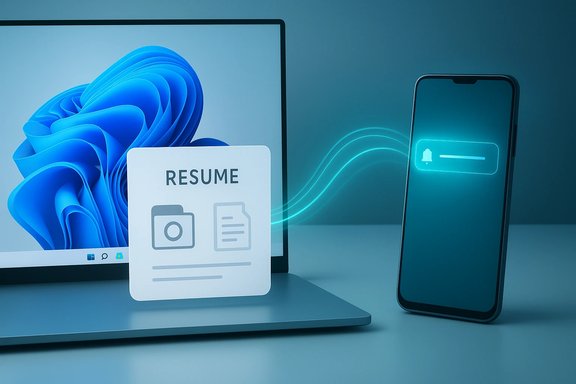
Microsoft’s long-promised answer to Apple’s Handoff — the Windows feature broadly known in marketing as Resume and under the hood as Cross‑Device Resume (XDR) — has taken a quiet but important step toward real-world usefulness: Microsoft just added Windows Push Notification Service (WNS) as a supported integration path for XDR, lowering the barrier for Android apps to trigger resume prompts on Windows. This change converts Resume from a narrowly useful, Microsoft‑centric convenience into a platform feature that third‑party developers can adopt without heavy SDK or OEM coupling — provided they follow Microsoft’s onboarding and security rules.
Apple’s Handoff sets the user expectation: begin an action on one device and continue it seamlessly on another. Microsoft’s equivalent has been evolving under multiple names and prototypes for several years — from Phone Link experiments to the Continuity SDK and the current Cross‑Device Resume architecture. Early public rollouts of Resume focused on OneDrive and a tiny set of apps (Spotify and Microsoft 365 scenarios were the most visible examples), which made the feature feel like a promising demo rather than a broadly useful platform capability. Independent reporting and Insider previews traced the feature’s rollout and demonstrated how the OS surfaces resume affordances (taskbar toast cards and small taskbar badges) when an eligible activity appears on a linked phone. Microsoft’s recent documentation updates — notably a new Learn page describing how to implement XDR using WNS raw notifications — formalize an alternate integration route in addition to the existing Continuity SDK / Link to Windows path. The WNS route is particularly significant because many cross‑platform apps already use cloud notifications; reusing that channel makes adding Resume support far more straightforward. Microsoft’s docs explicitly label Resume/XDR as a Limited Access Feature (LAF) and require developer onboarding; they also publish concrete implementation steps, expected headers, and sample payloads for WNS‑based resume requests.
Microsoft’s updated documentation and the early Insider rollouts show that Resume is evolving from a laboratory feature to a platform capability — provided developers and Microsoft move quickly but carefully to build reliable, secure, and user‑respectful integrations.
Source: XDA Microsoft is finally making its version of a popular Apple feature actually worth using
 Background / Overview
Apple’s Handoff sets the user expectation: begin an action on one device and continue it seamlessly on another. Microsoft’s equivalent has been evolving under multiple names and prototypes for several years — from Phone Link experiments to the Continuity SDK and the current Cross‑Device Resume architecture. Early public rollouts of Resume focused on OneDrive and a tiny set of apps (Spotify and Microsoft 365 scenarios were the most visible examples), which made the feature feel like a promising demo rather than a broadly useful platform capability. Independent reporting and Insider previews traced the feature’s rollout and demonstrated how the OS surfaces resume affordances (taskbar toast cards and small taskbar badges) when an eligible activity appears on a linked phone. Microsoft’s recent documentation updates — notably a new Learn page describing how to implement XDR using WNS raw notifications — formalize an alternate integration route in addition to the existing Continuity SDK / Link to Windows path. The WNS route is particularly significant because many cross‑platform apps already use cloud notifications; reusing that channel makes adding Resume support far more straightforward. Microsoft’s docs explicitly label Resume/XDR as a Limited Access Feature (LAF) and require developer onboarding; they also publish concrete implementation steps, expected headers, and sample payloads for WNS‑based resume requests. What changed — the WNS integration explained
The two integration routes (before and after)
- Previously: Resume relied primarily on the Continuity SDK + Link to Windows flow on Android. That path required the Android app to integrate the Continuity SDK and to be available through Microsoft’s Link‑to‑Windows provisioning. That approach worked for some partners but left many apps out.
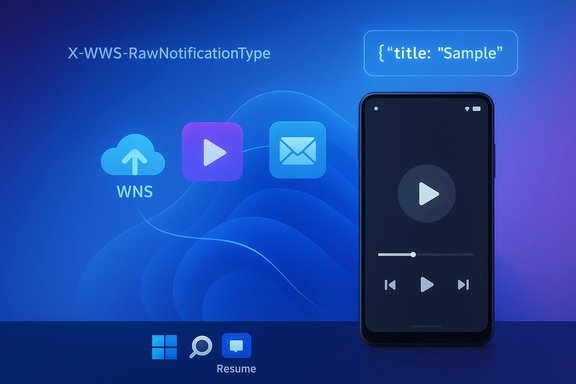
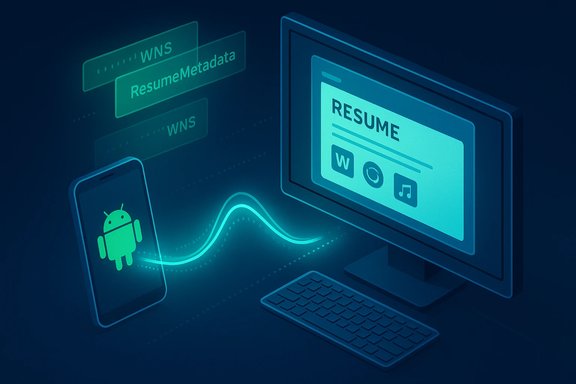
- Now: Microsoft added an alternative that uses Windows Push Notification Service (WNS) raw notifications to surface resume prompts on Windows. This lets apps that already use WNS or server‑driven notifications deliver a resume offer to the user’s paired Windows PC. The new WNS documentation includes code snippets and header requirements for the POST requests used to trigger resume prompts.
How WNS-based resume works (technical summary)
- The Windows app registers for WNS and obtains a channel URI and WNS credentials (Package SID / client secret).
- The Windows app (or its backend) stores the channel URI on the server and configures the WNS channel to accept raw notifications. Microsoft requires support for raw payloads in the Windows client.
- When the mobile app detects an activity that’s resumable (an AppContext — e.g., a Word doc state, a Spotify track and timestamp, a browser tab), the mobile app contacts its server and requests a WNS resume notification be sent to the PC’s channel URI.
- The server issues a POST to the WNS channel URI with the required headers — notably X‑WNS‑RawNotificationType: wns/raw/resume and X‑WNS‑ResumeMetadata (a JSON payload containing title, expiry, type, and similar metadata). The notification is short‑lived and designed to be ephemeral. Sample request formats and example code appear in Microsoft’s Learn documentation.
Pragmatic benefits
- Lower integration cost for developers who already use notification backends (Azure Notification Hubs, FCM‑to‑WNS paths, etc..
- No mandatory Android SDK install for apps that can supply the correct AppContext metadata and a server‑side WNS request.
- Easier alignment with existing notification security models and rate‑limiting strategies.
Developer onboarding: the gatekeeping and the requirements
Limited Access Feature (LAF) and approval
Resume/XDR remains gated: Microsoft treats it as a Limited Access Feature. Developers cannot simply flip a flag and start sending resume notifications. Per Microsoft’s guidance, developers must request access by emailing wincrossdeviceapi@microsoft.com with WNS registration status, the app’s Package SID, a description of the user experience, and a screenshot showing the resumable activity. Microsoft issues an ID/channel for approved apps and provides instructions to unlock Resume on Windows devices. This gating is deliberate: Microsoft wants to avoid abuse, spurious resume prompts, and security regressions.Required artifacts and steps
- Register the Windows app with WNS and obtain Package SID and client secret.
- Ensure the Windows client supports wns/raw payloads and can parse the ResumeMetadata JSON.
- Implement server‑side code that posts to the WNS channel URIs with the correct headers and ephemeral metadata.
- Use short lifetimes for AppContext tokens (metadata often defaults to minutes) and implement origin validation to avoid spoofing or replay. Microsoft’s examples include fields like title, expiry (seconds), and type for new resume requests vs delete operations.
Cross‑platform requirement
Microsoft’s handoff model requires a practical target on the PC. That means the app must exist in some form on Windows (native app, Store app, or at least a web fallback) so that once the user accepts a resume prompt, Windows can resolve the AppContext to an appropriate handler (deep link, protocol activation, or default browser). If no Windows endpoint exists, a resume offer is meaningless.Security, privacy, and enterprise implications
Security obligations for implementers
- Short‑lived tokens and metadata: Resume metadata must be ephemeral to reduce the window for replay attacks.
- No credentials in payloads: Resume payloads must not contain long‑lived tokens, secrets, or personally identifiable data without encryption and careful validation.
- Server‑side binding: The server should bind resume requests to a paired, authenticated device context to prevent spoofing. Microsoft’s guidance and third‑party analysis emphasize handshake verification on resume acceptance (re‑auth prompts where needed).
Enterprise risk and controls
- Resume is opt‑in and can be toggled per app or globally in Settings, but corporations should treat it as a potential data‑exfiltration channel until telemetry, retention, and data‑flow policies are fully documented.
- For managed fleets, organizations should test the feature in pilot rings and consider blocking Link to Windows pairing or disabling Resume until governance policies are mapped. The developer and admin controls Microsoft supplies (e.g., Intune and Group Policy controls for related components) are useful but may need layering for durable enforcement in regulated environments.
Privacy posture — what remains unverified
Microsoft’s documentation and Insider notes do not publish a granular, region‑specific data‑retention policy for resume metadata or imagery that might be involved in other Copilot flows; privacy‑sensitive organizations should treat some telemetry and retention claims as unverified until Microsoft publishes more detailed policies. This caveat is especially important where cloud processing or cross‑tenant metadata might appear.How Resume compares to Apple’s Handoff
Apple’s Handoff benefits from a tightly controlled ecosystem: device pairing by Apple ID, proximity detection via Bluetooth/Wi‑Fi, and app support that’s often present across iOS and macOS. Microsoft’s approach differs in four key ways:- Platform asymmetry: Microsoft targets Android → Windows workflows at scale, where Android device OEM variety and background optimization behavior complicate reliability compared to Apple’s integrated stack.
- Metadata vs. UI mirroring: Resume transfers metadata (AppContext) — not a UI stream. That keeps resource and privacy costs low but requires compatible handlers on Windows.
- Two integration paths: Apple apps work via Apple’s frameworks; Microsoft offers both the Continuity SDK (Link to Windows) and a WNS notification path, which is broader but introduces more implementation variance across partners.
- Onboarding friction: Apple’s developer onboarding for Handoff is simpler within its ecosystem; Microsoft’s LAF model is intentionally stricter to mitigate abuse, but it can slow adoption for smaller developers.
Practical examples and observed behavior
- OneDrive resume (document continuation): Microsoft’s OneDrive resume flow — the first widely available Resume scenario — opens an Office or PDF file on PC if the user unlocks a Windows PC within five minutes of opening the file on their phone. The five‑minute window is a deliberate privacy/UX control included in official release notes and inspected in multiple Insider builds and coverage.
- Spotify: Early demos showed a small badge on the Windows taskbar when Spotify was active on a paired phone; the user could hover and click to resume playback on the PC. That demo was briefly removed from Microsoft’s public build recording but was independently captured and reported by multiple outlets, underscoring that the feature was tested with third‑party partners.
- Vivo browser → desktop: Insider previews included browser tab continuation from certain OEM browsers to the desktop’s default browser, demonstrating how vendor partnerships and targeted OEM support expand Resume’s reach.
Developer checklist: step‑by‑step (high‑level)
- Confirm there is a Windows endpoint (native app or web fallback) that can accept an AppContext and resume state.
- Register the Windows app with WNS, obtain Package SID and client secret, and ensure raw notification support.
- Request Limited Access Feature (LAF) approval by emailing wincrossdeviceapi@microsoft.com with WNS registration status, Package SID, UX description, and screenshots.
- Implement server logic to send wns/raw/resume raw notifications to the channel URI with
X‑WNS‑ResumeMetadataJSON and appropriate expiry values. - Validate the Windows app’s resume handler: protocol activation, deep link parsing, lifecycle behavior, and edge cases (device locked, disconnected, or unpaired).
- Test failure modes: expired tokens, duplicate requests, replay attempts, and background delivery issues on Android OEMs.
- Implement telemetry and logging for suspicious resume attempts and maintain short token lifetimes.
Risks, limitations, and unanswered questions
- Fragmentation risk: Android background optimization and OEM-specific LTW versions can cause inconsistent behavior; a feature that works on one phone may be unreliable on another. Microsoft’s staged gate approach mitigates this but also delays broad availability.
- Enterprise governance: Resume currently favors personal Microsoft accounts (OneDrive resume uses personal accounts, not work/school tenants). Wider enterprise adoption will need clearer admin controls and retention policies.
- Visibility and discoverability: If too few apps adopt Resume, the OS affordance will feel marginal. The new WNS path lowers friction, but developer uptake remains the principal adoption variable.
- Documentation vs. practice: Microsoft’s Learn pages provide specific headers and examples, but real‑world implementers must validate behavior across network conditions, throttling scenarios, and WNS delivery semantics. Treat any implementation claims as verifiable only after testing on target device populations.
What to watch next
- Developer uptake: which large third‑party apps choose WNS vs. Continuity SDK for Resume support (Spotify, WhatsApp, major browsers, productivity apps).
- Microsoft’s governance: whether the company relaxes LAF gating or introduces a tiered onboarding flow for small developers.
- Enterprise controls and data policies: publication of more granular telemetry and retention policies, especially for EEA and regulated markets.
- Real‑world reliability: community testing results showing how consistently Resume works across OEMs, Android versions, and real network conditions.
Final assessment
The addition of WNS to Microsoft’s Cross‑Device Resume toolkit is the pragmatic move needed to turn Resume from a niche demonstration into a practical, adoptable feature. By enabling apps that already rely on server‑driven notifications to surface resume prompts, Microsoft has lowered technical friction — but sensible adoption depends on trust, onboarding, and careful engineering.- Strengths: Lower developer barrier via WNS, explicit documentation and headers for implementers, and Microsoft’s gated approach to reduce abuse.
- Risks: LAF friction, cross‑OEM reliability challenges, enterprise governance gaps, and the perennial problem of ensuring that metadata‑only handoffs remain secure and private.
Microsoft’s updated documentation and the early Insider rollouts show that Resume is evolving from a laboratory feature to a platform capability — provided developers and Microsoft move quickly but carefully to build reliable, secure, and user‑respectful integrations.
Quick technical reference (verified)
- Resume/XDR documentation and WNS integration guide: Microsoft Learn — “Use WNS Notifications to implement Cross Device Resume (XDR).”
- Cross Device Resume overview and Continuity SDK guidance: Microsoft Learn — “Cross Device Resume (XDR) Overview” (last updated January 7, 2026).
- Public reporting and hands‑on demos: XDA coverage of Microsoft’s demo and removals; LaptopMag and other outlets documented early Spotify demos and OneDrive behavior.
- Practical OneDrive resume behavior (five‑minute resume window): Windows Insider release notes and multiple independent reports confirm the five‑minute unlock window for OneDrive resume.
Source: XDA Microsoft is finally making its version of a popular Apple feature actually worth using