

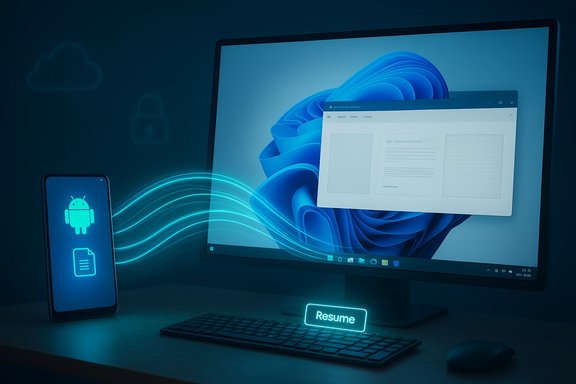
Microsoft’s incremental promise to make Windows 11 a genuinely cross‑device operating system took its most practical step yet this month: the Resume feature — Microsoft’s answer to Apple’s Handoff — has expanded in Insider builds to support a broader set of real‑world Android scenarios, lowering developer friction and surfacing one‑click continuity prompts on the Windows taskbar for activities started on a paired Android phone. This update shifts Resume from a narrow demo into a usable tool for day‑to‑day multitasking, with immediate support for music, browser tabs and cloud documents and a new integration path that makes adoption far easier for app developers and OEMs.
For years Apple’s Handoff has been the continuity benchmark: start a task on iPhone and finish it instantly on a Mac. Windows has chased a similar experience through Phone Link (formerly Your Phone) and a succession of continuity experiments. What started as notification mirroring and photo transfer has evolved into a metadata‑driven handoff architecture — Cross‑Device Resume (XDR) — that transfers compact activity descriptors from Android apps to Windows so a desktop can open the same content in a native handler rather than streaming or emulating the phone’s UI. The most visible manifestation of this evolution arrived in the Windows 11 Insider Preview Build 26220.7271 (delivered as KB5070307), which expanded Resume targets beyond the early Spotify demos to include browser tab handoffs and Microsoft 365 Copilot cloud document flows on selected OEM phones. The rollout is incremental and server‑gated — Insiders in Dev and Beta channels will see the change only when Microsoft enables it for their account/device pairing.
By enabling both a deep SDK route and a pragmatic WNS route, Microsoft has addressed the primary adoption barrier — developer friction — while retaining safeguards through Limited Access approvals. If OEMs and large apps adopt Resume broadly, Windows 11 could become the favored desktop hub for users who want seamless phone→PC productivity without being locked into a single vendor’s hardware. That said, Microsoft is playing catch‑up on a feature Apple has matured for years; the true test will be speed of adoption and whether the gated model scales without creating a fragmented, inconsistent experience for users.
When judged on impact rather than rhetoric, this update is significant: it demonstrates Microsoft is thinking beyond the desktop and competing on openness and cross‑ecosystem value rather than vertical lock‑in. Adoption and governance will determine whether Resume becomes a defining Windows 11 capability or remains an optional convenience for early adopters. For now, Resume is no longer just promise — it’s a usable step toward a more flexible, cross‑device future for millions of Windows and Android users.
Source: The Eastern Herald Windows 11 Finally Outshines Apple Handoff With Android Resume
 Background
For years Apple’s Handoff has been the continuity benchmark: start a task on iPhone and finish it instantly on a Mac. Windows has chased a similar experience through Phone Link (formerly Your Phone) and a succession of continuity experiments. What started as notification mirroring and photo transfer has evolved into a metadata‑driven handoff architecture — Cross‑Device Resume (XDR) — that transfers compact activity descriptors from Android apps to Windows so a desktop can open the same content in a native handler rather than streaming or emulating the phone’s UI. The most visible manifestation of this evolution arrived in the Windows 11 Insider Preview Build 26220.7271 (delivered as KB5070307), which expanded Resume targets beyond the early Spotify demos to include browser tab handoffs and Microsoft 365 Copilot cloud document flows on selected OEM phones. The rollout is incremental and server‑gated — Insiders in Dev and Beta channels will see the change only when Microsoft enables it for their account/device pairing. What changed in the latest Insider build
Microsoft bundled several changes with Build 26220.7271, but the continuity updates are the most strategically significant:- Expanded resume targets: vivo Browser can hand a web page to the PC’s default browser; the M365 Copilot mobile app on select OEM phones (Samsung, Oppo, vivo, Honor and others listed in preview notes) can surface Word, Excel and PowerPoint contexts that open on the desktop app or in the browser when clicked. Spotify audio resume remains supported.
- Lower‑friction developer path: Microsoft published an alternate integration route using the Windows Push Notification Service (WNS), letting apps that already use server‑side notifications trigger Resume prompts without embedding the full Continuity SDK in the mobile client. This materially reduces integration cost and complexity for third‑party apps.
- Platform design choice: Resume uses a lightweight metadata packet called an AppContext (contextId, deep link/weblink, title, preview bytes and lifetime). The phone — not the PC — is frequently the authoritative runtime; Windows consumes the AppContext and resolves the best desktop handler, preferring native apps and falling back to the browser. This avoids streaming a phone UI and keeps the desktop experience native.
How Resume works (technical walkthrough)
Resume’s design balances user convenience against security, bandwidth and engineering constraints. The key pieces are:- AppContext: A compact, ephemeral metadata object that describes the activity (what was being viewed or edited and where to open it). AppContext may include a deep link (intent URI) or a public web link and a short lifetime to limit stale or leaked state.
- Continuity SDK + Link to Windows: Historically, Android apps integrated Microsoft’s Continuity SDK and paired via Link to Windows to publish AppContext payloads. This route provides the deepest integration and a direct, reliable channel for activity descriptors. It is treated as a Limited Access Feature (LAF); apps must request onboarding to use it.
- WNS raw notifications route: The new, lower‑friction option lets backend services send a raw WNS notification with resume metadata to a Windows channel URI. Because many apps already have push infrastructure, WNS enables broader adoption without shipping extra mobile SDK code. Microsoft still requires onboarding and approval to protect privacy and system integrity.
- Cross‑Device Experience Host (CDEH): On the PC, a system service receives AppContext objects and surfaces a small taskbar or notification resume card. Clicking it resolves to a native app via protocol handlers, or opens a fallback web page in the default browser. This keeps the desktop experience consistent and avoids streaming overhead.
Examples and user scenarios
The immediate benefits are practical and visible:- Spotify audio resume: Start playback on your Android phone, then shift to your PC where a Resume card lets you continue the same track and timestamp in the Spotify desktop app — or prompts installation if the app is missing. This was the canonical early demo and remains a common example.
- Browser tab handoff (vivo → PC): Read an article in vivo Browser on a linked phone and click the Resume tile on Windows to open the same webpage in your PC’s default browser. This avoids copying links or emailing yourself.
- Microsoft 365 Copilot document resume: Open a Word, Excel or PowerPoint in the M365 Copilot Android app on a supported OEM phone and continue editing on the PC with a single click — launching the desktop Office app if installed or the browser as a fallback. Offline phone‑only files are not supported yet; Resume requires a sharable URI.
Developer and OEM model — who gets to play?
Two pieces shape who can enable Resume:- Limited Access Feature (LAF) gating: Microsoft treats deep Continuity SDK access as gated; developers and OEMs must request approval and supply app manifests, UX descriptions and screenshots. This onboarding protects privacy and ensures consistent user experience, but it also means third‑party apps won’t appear overnight.
- WNS onboarding: Although the WNS route lowers client‑side friction, apps still need enrollment to get the Resume capability unlocked. Microsoft’s docs list practical prerequisites — Package SID, WNS registration and UX artifacts — and an approval flow via a Microsoft intake email. That keeps a safety gate while making adoption feasible.
Security, privacy and governance
Cross‑device continuity creates obvious surface area for data leakage and misconfiguration. Microsoft’s architecture — AppContext metadata, short lifetime windows, LAF gating and the choice to transfer pointers rather than raw content — mitigates several risks, but administrators and users must still be cautious.- Data residency and local files: Resume currently does not support files that live only on the phone’s local storage. The pipeline requires a shareable endpoint (URI) so the PC can open the same content; this reduces the risk of inadvertently transmitting a phone‑only sensitive file but also limits scenarios where offline phone content matters.
- Server‑side gating and control: Microsoft gates availability server‑side and expects enterprises to have MDM controls to disable Resume where policy mandates. IT should pilot the feature in test rings and validate data flows before broad deployment.
- Approval and vetting: The Limited Access Feature model means Microsoft reviews intended UX, screenshots and security posture before enabling an app for Resume. That helps prevent malicious apps from abusing the channel but puts additional burden on legitimate developers.
- Push notifications and authentication: The WNS path uses channel URIs and requires Package SID and client secrets; servers posting resume payloads must authenticate and follow Microsoft’s payload validation rules. Poorly configured backends could accidentally leak resume tokens or send stale contexts, so developer hygiene is crucial.
How Resume compares with Apple’s Handoff
Apple’s Handoff benefits from a tight, single‑vendor hardware and software stack. That gives it a simpler trust model and broad developer adoption across Apple APIs. Microsoft’s approach is necessarily more fragmented but potentially more open:- Apple’s Handoff is device‑centric and seamless inside Apple’s ecosystem.
- Windows Resume is app + cloud + OEM centric, requiring partnerships and/or WNS integration, but it can serve Android users who prefer Windows PCs.
Practical caveats and current limitations
While the improvements are meaningful, several constraints temper expectations:- Gated rollout: Even Insiders may not see Resume immediately; Microsoft is enabling the feature server‑side and rolling it out progressively to limit blast radius during testing. Expect regional and account‑level variability.
- App/OEM dependence: Resume only works when apps or OEM browsers integrate the Continuity SDK or enroll via WNS. That means many apps you rely on may not support Resume at first. Adoption depends on developer priorities and the perceived user benefit.
- No iOS parity: The current model focuses on Android and the Link to Windows ecosystem. iOS is not supported by the Continuity SDK path, providing an obvious gap compared with Apple’s own multi‑device continuity.
- Local files excluded: Offline phone‑only files aren’t supported in many of the early scenarios. That limits on‑device workflows like resuming work on a locally stored document.
- Privacy auditing required: Enterprises must confirm which workflows expose sensitive content and ensure MDM policies and conditional access rules align with new cross‑device surfaces.
Recommendations — how to approach Resume today
For everyday users, developers and IT managers, a measured approach is appropriate.- For Insiders and power users:
- Opt into the Dev/Beta channels if you want early access, but expect server‑gated delays. Pair a supported Android phone via Link to Windows and toggle the Resume options when visible.
- For app developers:
- Evaluate whether Resume adds meaningful UX to your product. If so, register with WNS and submit the Package SID and UX artifacts to request access — WNS lowers client complexity relative to the full Continuity SDK.
- For IT administrators:
- Pilot Resume in a controlled test ring. Review privacy impacts, prepare MDM controls to disable Resume where necessary, and consult vendor documentation about LAF controls and onboarding.
Strategic implications — why this matters
Microsoft’s expanded Resume shows a shift in strategy: instead of trying to replicate Apple’s closed continuity model, Microsoft is building a continuity fabric that works for Android users who prefer Windows PCs. That positioning could chip away at Apple’s ecosystem advantage among users who want desktop parity without abandoning their Android devices.By enabling both a deep SDK route and a pragmatic WNS route, Microsoft has addressed the primary adoption barrier — developer friction — while retaining safeguards through Limited Access approvals. If OEMs and large apps adopt Resume broadly, Windows 11 could become the favored desktop hub for users who want seamless phone→PC productivity without being locked into a single vendor’s hardware. That said, Microsoft is playing catch‑up on a feature Apple has matured for years; the true test will be speed of adoption and whether the gated model scales without creating a fragmented, inconsistent experience for users.
What to watch next
- Developer adoption metrics: How quickly major apps — beyond Spotify and M365 Copilot — surface Resume prompts. The WNS route should accelerate this, but measurable adoption will be the signal of success.
- OEM expansion: Which phone makers complete Continuity SDK onboarding and whether the OEM list stabilizes. Early preview lists have shifted during testing, so expect changes.
- Enterprise controls: New MDM capabilities and security guidance from Microsoft that allow administrators to manage Resume at scale. Enterprise readiness depends on these governance tools.
- Public rollout timing: Microsoft has not committed to a precise general availability date for the broader Resume rollout; roadmap and dates remain tentative and dependent on feedback from Insiders and partners. Treat timeline claims as provisional.
Conclusion
Windows 11’s expanded Resume is a pragmatic and technically sound step toward real cross‑device continuity for Android users who work on Windows PCs. By shifting to a metadata‑driven model, adding a WNS integration path, and expanding real use cases to browsing and Microsoft 365 Copilot files, Microsoft has turned an interesting demo into a practical productivity tool for everyday workflows. The feature still carries limitations — gated availability, OEM and app dependency, no iOS parity and tight onboarding — but the architectural choices reduce risk while enabling native desktop continuity.When judged on impact rather than rhetoric, this update is significant: it demonstrates Microsoft is thinking beyond the desktop and competing on openness and cross‑ecosystem value rather than vertical lock‑in. Adoption and governance will determine whether Resume becomes a defining Windows 11 capability or remains an optional convenience for early adopters. For now, Resume is no longer just promise — it’s a usable step toward a more flexible, cross‑device future for millions of Windows and Android users.
Source: The Eastern Herald Windows 11 Finally Outshines Apple Handoff With Android Resume
