Windows Cross Device Resume Now Supports WNS for Android to PC Handoff

  • Thread Author
Microsoft’s long-promised answer to Apple’s Handoff — the Windows feature broadly known in marketing as Resume and under the hood as Cross‑Device Resume (XDR) — has taken a quiet but important step toward real-world usefulness: Microsoft just added Windows Push Notification Service (WNS) as a supported integration path for XDR, lowering the barrier for Android apps to trigger resume prompts on Windows. This change converts Resume from a narrowly useful, Microsoft‑centric convenience into a platform feature that third‑party developers can adopt without heavy SDK or OEM coupling — provided they follow Microsoft’s onboarding and security rules.

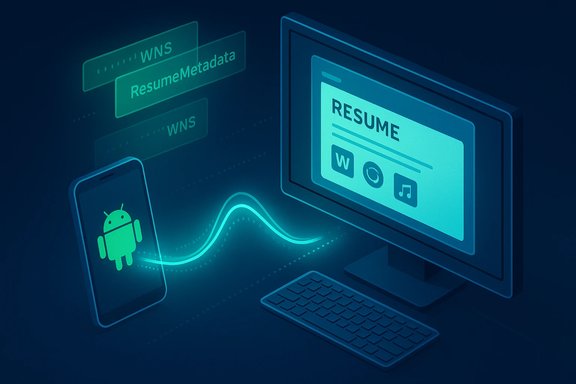
Android phone wirelessly streams resume data to a PC monitor via a glowing data wave.Background / Overview​

Apple’s Handoff sets the user expectation: begin an action on one device and continue it seamlessly on another. Microsoft’s equivalent has been evolving under multiple names and prototypes for several years — from Phone Link experiments to the Continuity SDK and the current Cross‑Device Resume architecture. Early public rollouts of Resume focused on OneDrive and a tiny set of apps (Spotify and Microsoft 365 scenarios were the most visible examples), which made the feature feel like a promising demo rather than a broadly useful platform capability. Independent reporting and Insider previews traced the feature’s rollout and demonstrated how the OS surfaces resume affordances (taskbar toast cards and small taskbar badges) when an eligible activity appears on a linked phone. Microsoft’s recent documentation updates — notably a new Learn page describing how to implement XDR using WNS raw notifications — formalize an alternate integration route in addition to the existing Continuity SDK / Link to Windows path. The WNS route is particularly significant because many cross‑platform apps already use cloud notifications; reusing that channel makes adding Resume support far more straightforward. Microsoft’s docs explicitly label Resume/XDR as a Limited Access Feature (LAF) and require developer onboarding; they also publish concrete implementation steps, expected headers, and sample payloads for WNS‑based resume requests.

What changed — the WNS integration explained​

The two integration routes (before and after)​

  • Previously: Resume relied primarily on the Continuity SDK + Link to Windows flow on Android. That path required the Android app to integrate the Continuity SDK and to be available through Microsoft’s Link‑to‑Windows provisioning. That approach worked for some partners but left many apps out.
  • Now: Microsoft added an alternative that uses Windows Push Notification Service (WNS) raw notifications to surface resume prompts on Windows. This lets apps that already use WNS or server‑driven notifications deliver a resume offer to the user’s paired Windows PC. The new WNS documentation includes code snippets and header requirements for the POST requests used to trigger resume prompts.

How WNS-based resume works (technical summary)​

  • The Windows app registers for WNS and obtains a channel URI and WNS credentials (Package SID / client secret).
  • The Windows app (or its backend) stores the channel URI on the server and configures the WNS channel to accept raw notifications. Microsoft requires support for raw payloads in the Windows client.
  • When the mobile app detects an activity that’s resumable (an AppContext — e.g., a Word doc state, a Spotify track and timestamp, a browser tab), the mobile app contacts its server and requests a WNS resume notification be sent to the PC’s channel URI.
  • The server issues a POST to the WNS channel URI with the required headers — notably X‑WNS‑RawNotificationType: wns/raw/resume and X‑WNS‑ResumeMetadata (a JSON payload containing title, expiry, type, and similar metadata). The notification is short‑lived and designed to be ephemeral. Sample request formats and example code appear in Microsoft’s Learn documentation.

Pragmatic benefits​

  • Lower integration cost for developers who already use notification backends (Azure Notification Hubs, FCM‑to‑WNS paths, etc..
  • No mandatory Android SDK install for apps that can supply the correct AppContext metadata and a server‑side WNS request.
  • Easier alignment with existing notification security models and rate‑limiting strategies.

Developer onboarding: the gatekeeping and the requirements​

Limited Access Feature (LAF) and approval​

Resume/XDR remains gated: Microsoft treats it as a Limited Access Feature. Developers cannot simply flip a flag and start sending resume notifications. Per Microsoft’s guidance, developers must request access by emailing wincrossdeviceapi@microsoft.com with WNS registration status, the app’s Package SID, a description of the user experience, and a screenshot showing the resumable activity. Microsoft issues an ID/channel for approved apps and provides instructions to unlock Resume on Windows devices. This gating is deliberate: Microsoft wants to avoid abuse, spurious resume prompts, and security regressions.

Required artifacts and steps​

  • Register the Windows app with WNS and obtain Package SID and client secret.
  • Ensure the Windows client supports wns/raw payloads and can parse the ResumeMetadata JSON.
  • Implement server‑side code that posts to the WNS channel URIs with the correct headers and ephemeral metadata.
  • Use short lifetimes for AppContext tokens (metadata often defaults to minutes) and implement origin validation to avoid spoofing or replay. Microsoft’s examples include fields like title, expiry (seconds), and type for new resume requests vs delete operations.

Cross‑platform requirement​

Microsoft’s handoff model requires a practical target on the PC. That means the app must exist in some form on Windows (native app, Store app, or at least a web fallback) so that once the user accepts a resume prompt, Windows can resolve the AppContext to an appropriate handler (deep link, protocol activation, or default browser). If no Windows endpoint exists, a resume offer is meaningless.

Security, privacy, and enterprise implications​

Security obligations for implementers​

  • Short‑lived tokens and metadata: Resume metadata must be ephemeral to reduce the window for replay attacks.
  • No credentials in payloads: Resume payloads must not contain long‑lived tokens, secrets, or personally identifiable data without encryption and careful validation.
  • Server‑side binding: The server should bind resume requests to a paired, authenticated device context to prevent spoofing. Microsoft’s guidance and third‑party analysis emphasize handshake verification on resume acceptance (re‑auth prompts where needed).

Enterprise risk and controls​

  • Resume is opt‑in and can be toggled per app or globally in Settings, but corporations should treat it as a potential data‑exfiltration channel until telemetry, retention, and data‑flow policies are fully documented.
  • For managed fleets, organizations should test the feature in pilot rings and consider blocking Link to Windows pairing or disabling Resume until governance policies are mapped. The developer and admin controls Microsoft supplies (e.g., Intune and Group Policy controls for related components) are useful but may need layering for durable enforcement in regulated environments.

Privacy posture — what remains unverified​

Microsoft’s documentation and Insider notes do not publish a granular, region‑specific data‑retention policy for resume metadata or imagery that might be involved in other Copilot flows; privacy‑sensitive organizations should treat some telemetry and retention claims as unverified until Microsoft publishes more detailed policies. This caveat is especially important where cloud processing or cross‑tenant metadata might appear.

How Resume compares to Apple’s Handoff​

Apple’s Handoff benefits from a tightly controlled ecosystem: device pairing by Apple ID, proximity detection via Bluetooth/Wi‑Fi, and app support that’s often present across iOS and macOS. Microsoft’s approach differs in four key ways:
  • Platform asymmetry: Microsoft targets Android → Windows workflows at scale, where Android device OEM variety and background optimization behavior complicate reliability compared to Apple’s integrated stack.
  • Metadata vs. UI mirroring: Resume transfers metadata (AppContext) — not a UI stream. That keeps resource and privacy costs low but requires compatible handlers on Windows.
  • Two integration paths: Apple apps work via Apple’s frameworks; Microsoft offers both the Continuity SDK (Link to Windows) and a WNS notification path, which is broader but introduces more implementation variance across partners.
  • Onboarding friction: Apple’s developer onboarding for Handoff is simpler within its ecosystem; Microsoft’s LAF model is intentionally stricter to mitigate abuse, but it can slow adoption for smaller developers.
In practice, the best outcome for Windows users will be a hybrid: OEMs and major apps adopt the Continuity SDK for tight integrations where appropriate, and the WNS path gives a pragmatic route for the long tail of apps that already rely on cloud notifications.

Practical examples and observed behavior​

  • OneDrive resume (document continuation): Microsoft’s OneDrive resume flow — the first widely available Resume scenario — opens an Office or PDF file on PC if the user unlocks a Windows PC within five minutes of opening the file on their phone. The five‑minute window is a deliberate privacy/UX control included in official release notes and inspected in multiple Insider builds and coverage.
  • Spotify: Early demos showed a small badge on the Windows taskbar when Spotify was active on a paired phone; the user could hover and click to resume playback on the PC. That demo was briefly removed from Microsoft’s public build recording but was independently captured and reported by multiple outlets, underscoring that the feature was tested with third‑party partners.
  • Vivo browser → desktop: Insider previews included browser tab continuation from certain OEM browsers to the desktop’s default browser, demonstrating how vendor partnerships and targeted OEM support expand Resume’s reach.

Developer checklist: step‑by‑step (high‑level)​

  • Confirm there is a Windows endpoint (native app or web fallback) that can accept an AppContext and resume state.
  • Register the Windows app with WNS, obtain Package SID and client secret, and ensure raw notification support.
  • Request Limited Access Feature (LAF) approval by emailing wincrossdeviceapi@microsoft.com with WNS registration status, Package SID, UX description, and screenshots.
  • Implement server logic to send wns/raw/resume raw notifications to the channel URI with X‑WNS‑ResumeMetadata JSON and appropriate expiry values.
  • Validate the Windows app’s resume handler: protocol activation, deep link parsing, lifecycle behavior, and edge cases (device locked, disconnected, or unpaired).
  • Test failure modes: expired tokens, duplicate requests, replay attempts, and background delivery issues on Android OEMs.
  • Implement telemetry and logging for suspicious resume attempts and maintain short token lifetimes.

Risks, limitations, and unanswered questions​

  • Fragmentation risk: Android background optimization and OEM-specific LTW versions can cause inconsistent behavior; a feature that works on one phone may be unreliable on another. Microsoft’s staged gate approach mitigates this but also delays broad availability.
  • Enterprise governance: Resume currently favors personal Microsoft accounts (OneDrive resume uses personal accounts, not work/school tenants). Wider enterprise adoption will need clearer admin controls and retention policies.
  • Visibility and discoverability: If too few apps adopt Resume, the OS affordance will feel marginal. The new WNS path lowers friction, but developer uptake remains the principal adoption variable.
  • Documentation vs. practice: Microsoft’s Learn pages provide specific headers and examples, but real‑world implementers must validate behavior across network conditions, throttling scenarios, and WNS delivery semantics. Treat any implementation claims as verifiable only after testing on target device populations.

What to watch next​

  • Developer uptake: which large third‑party apps choose WNS vs. Continuity SDK for Resume support (Spotify, WhatsApp, major browsers, productivity apps).
  • Microsoft’s governance: whether the company relaxes LAF gating or introduces a tiered onboarding flow for small developers.
  • Enterprise controls and data policies: publication of more granular telemetry and retention policies, especially for EEA and regulated markets.
  • Real‑world reliability: community testing results showing how consistently Resume works across OEMs, Android versions, and real network conditions.

Final assessment​

The addition of WNS to Microsoft’s Cross‑Device Resume toolkit is the pragmatic move needed to turn Resume from a niche demonstration into a practical, adoptable feature. By enabling apps that already rely on server‑driven notifications to surface resume prompts, Microsoft has lowered technical friction — but sensible adoption depends on trust, onboarding, and careful engineering.
  • Strengths: Lower developer barrier via WNS, explicit documentation and headers for implementers, and Microsoft’s gated approach to reduce abuse.
  • Risks: LAF friction, cross‑OEM reliability challenges, enterprise governance gaps, and the perennial problem of ensuring that metadata‑only handoffs remain secure and private.
For Windows users, Resume promises the familiar convenience of Apple Handoff but adapted for Windows’ heterogeneous world: a metadata‑first, OS‑level affordance that resumes work in the best available desktop handler. For developers, the choice is now pragmatic: invest in the deep Continuity SDK for rich scenarios, or use WNS for broad, notification‑centric resume offers. Either path will require attention to security, expiry design, and validation across devices.
Microsoft’s updated documentation and the early Insider rollouts show that Resume is evolving from a laboratory feature to a platform capability — provided developers and Microsoft move quickly but carefully to build reliable, secure, and user‑respectful integrations.

Quick technical reference (verified)​

  • Resume/XDR documentation and WNS integration guide: Microsoft Learn — “Use WNS Notifications to implement Cross Device Resume (XDR).”
  • Cross Device Resume overview and Continuity SDK guidance: Microsoft Learn — “Cross Device Resume (XDR) Overview” (last updated January 7, 2026).
  • Public reporting and hands‑on demos: XDA coverage of Microsoft’s demo and removals; LaptopMag and other outlets documented early Spotify demos and OneDrive behavior.
  • Practical OneDrive resume behavior (five‑minute resume window): Windows Insider release notes and multiple independent reports confirm the five‑minute unlock window for OneDrive resume.
The platform is now in a position where resume experiences can be broadly implemented — but success depends on developer adoption, careful security hygiene, and the ongoing transparency of Microsoft’s governance and telemetry policies.

Source: XDA Microsoft is finally making its version of a popular Apple feature actually worth using
 

Windows 11 just received a subtle but significant developer-side change that could finally make its long‑promised handoff experience — called Resume or Cross Device Resume (XDR) — useful in the real world: Microsoft has added a new integration path that lets Android apps trigger resume prompts on Windows via the Windows Push Notification Service (WNS), lowering the bar for developers who previously had to integrate with Link to Windows and the Continuity SDK.

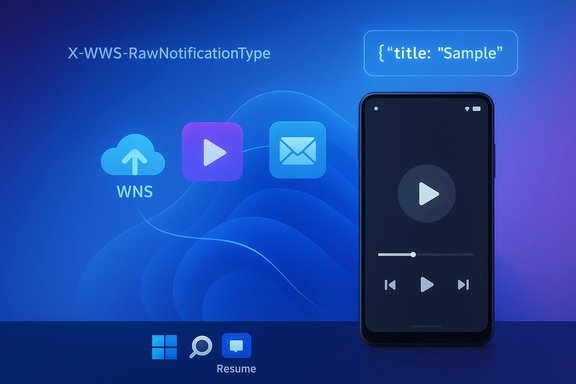
Blue gradient UI showing WNS icons and a smartphone with media controlsBackground / Overview​

Cross Device Resume (XDR) is Microsoft’s answer to Apple’s Handoff: a continuity mechanism designed to let you pick up an activity — a song, a document, a web page — on your Windows 11 PC after you started it on your Android phone. The system surfaces a small badge or taskbar prompt that, when tapped, launches the appropriate Windows app and restores the activity to the same spot the user left on the phone. Early demos used Spotify as the canonical example. Until now, XDR had two practical limitations that made it feel like a “nice idea” rather than a built-in convenience:
  • Integration required either the Continuity SDK (and Link to Windows provisioning on the Android side) or a close first‑party partnership, which many third‑party apps never pursued.
  • Only a handful of apps were visible in the wild as supported instances (Spotify, and some Microsoft 365 mobile flows), leaving most users unaware the feature existed.
Those two constraints explain why Resume has been tucked away for most Windows 11 users: the integration friction plus limited app support created a classic chicken‑and‑egg problem — developers waited for users, users waited for apps — and the result was a feature few ever used.

What changed: Microsoft adds a WNS path to Resume​

In early January 2026 Microsoft updated its Cross Device Resume developer documentation to publish a second integration route: WNS raw notifications. That means apps that already have server‑side notification infrastructure — or that can route notifications through cloud services such as Azure Notification Hubs — can now trigger resume invitations on Windows without embedding the full Continuity SDK on Android. The change appears in Microsoft Learn’s XDR documentation and was rolled out alongside Continuity SDK guidance. Why this matters:
  • WNS is a familiar server‑driven notification channel for Windows apps. Using it for resume signals lets developers reuse existing backends instead of shipping additional mobile SDKs.
  • The WNS route includes explicit headers and metadata (for example, X‑WNS‑RawNotificationType and X‑WNS‑ResumeMetadata) so servers can post a resume payload directly to a desktop channel URI. Microsoft’s docs include code snippets and validation rules.
  • Microsoft retained Limited Access Feature (LAF) controls: apps must still request approval to use Resume. Enrollment remains gated to protect user privacy and system integrity. The onboarding email to request access is wincrossdeviceapi@microsoft.com and Microsoft expects app developers to provide Package SID, UX descriptions and screenshots.
Put simply: Microsoft didn’t remove the guardrails, but it did give developers a far easier lever to pull — and that matters for real adoption.

Two integration paths explained (technical summary)​

1) Continuity SDK + Link to Windows (original path)​

This is the deeper, SDK‑driven route. Android apps integrate the Continuity SDK and use Link to Windows (LTW) provisioning to sync AppContext (the application state) to Windows. XDR entries can then be surfaced in the Windows Taskbar or Phone Link UI. This approach supports richer context transfer but demands more development overhead and LTW approval. Minimum requirements and manifest changes are documented by Microsoft (Android SDK version minima, Kotlin version, and LTW build dependencies are specified). Key points:
  • Best for partners wanting native, tightly integrated experiences.
  • Requires LTW provisioning and LAF approval.
  • Offers full AppContext serialization (deep links, rich metadata).

2) WNS raw notifications (new, lower friction path)​

The new route uses the Windows Push Notification Service. The Windows app registers for WNS and provides a channel URI to the app’s server. When the mobile app detects resumable activity, it asks the backend to POST a raw WNS resume notification to the PC’s channel. The notification includes the X‑WNS‑RawNotificationType header (for example, wns/raw/resume) and X‑WNS‑ResumeMetadata with JSON metadata (title, expiry, type) so Windows can display a resume prompt without requiring the mobile client to be LTW‑paired at a protocol level. Key points:
  • Lower development cost if the app already uses WNS or an existing notification service.
  • Still requires the Windows side (or fallback web endpoint) to accept the AppContext and resume correctly.
  • Microsoft still treats Resume as LAF; developers must request access and provide evidence of the UX.

What developers need to know now (practical checklist)​

  • Confirm a Windows endpoint to accept resume context (native app with activation handlers or a web fallback).
  • Register your Windows app with WNS and obtain the Package SID and client secret via Azure to get channel URIs.
  • Implement WNS raw notification support on the Windows client so it can parse X‑WNS‑ResumeMetadata and act on short‑lived resume invitations.
  • Implement server logic to POST wns/raw/resume notifications to the channel URI with the required headers, expiry, and ephemeral metadata.
  • Request Limited Access Feature onboarding by emailing wincrossdeviceapi@microsoft.com with requested details. Approval remains discretionary.
This sequence cuts the SDK binding on mobile out of the critical path and lets teams that are already sending server‑side notifications experiment with resume flows quickly.

Real‑world examples and early adoption signals​

Microsoft and press demos have consistently used Spotify as the early example of XDR: play a podcast on phone, see a taskbar badge on Windows, click to resume playback at the same timestamp. Those demos (and screenshots captured during Build sessions) seeded the narrative that XDR could be a quick win for media and document workflows. News coverage and preview releases have flagged Spotify and elements of Microsoft 365 as early beneficiaries. Windows Insider releases and community forums also report OEM‑specific progress: recent Insider builds added support for continuing browsing and M365 Copilot app flows from phones of OEMs like vivo, Samsung, and other partners — showing the system is already surfacing non‑Spotify resume items for specific phone vendors and apps. That suggests OEM cooperation and LTW provisioning remain valuable to the experience. Wider press coverage now confirms Microsoft’s documentation update and positions it as a move to broaden developer adoption beyond the SDK route. This corroboration comes from multiple independent outlets reporting the same documentation changes and preview build notes.

UX and platform limitations you should be aware of​

  • Both endpoints must have a viable resume target. If an app exists only on Android (no Windows client or no web fallback), there’s nothing for Windows to resume to. Resume requires a cross‑platform surface.
  • Microsoft keeps Resume as a Limited Access Feature, which adds a gating step and slows mass adoption. LAF is sensible for privacy, but it means developers cannot self‑enable the feature for all users.
  • The experience depends on stable background behavior on Android OEMs. Some manufacturers aggressively throttle background processes and notifications, which can break timely resume offers. Developers must test across vendors and OS versions.
  • On the Windows side, resume UI placement (taskbar badge, notifications) and how context is restored will vary by app implementation. Users will get the best experience when apps support protocol activation or deep linking on Windows.
These constraints temper expectations: WNS lowers integration friction, but it doesn’t magically solve cross‑platform app availability, approval gates, or OEM background behavior.

Security and privacy implications​

Opening a notification path capable of launching cross‑device actions raises well‑known risks. Microsoft’s WNS documentation and developer community commentary highlight several important considerations:
  • Resume invitations should be ephemeral and short‑lived. Metadata includes an expiry field and Microsoft expects resume requests to time out quickly. This limits replay windows and reduces risk if a channel URI were compromised.
  • Do not embed long‑lived credentials or private tokens in resume payloads. The resume metadata should include only the information needed to rehydrate context (document ID, deep link, timestamp) and rely on server‑side checks to validate that the resume request originated from a legitimate, paired device.
  • Server‑side binding and telemetry matters. Servers should bind resume invitations to specific channel URIs and log attempts to detect replay or abuse. Rate limits and validation minimize abuse vectors.
When implemented carefully, WNS‑driven resume can be secure. When implemented sloppily, it risks push‑based phishing or accidental exposure of user context — so Microsoft’s LAF gating and its metadata patterns are prudent.

Why this could actually make Resume useful — and why it might still not​

The addition of a WNS route addresses the single largest friction point that kept Resume in the “curiosity” category: integration overhead. Many app teams already operate cloud backends and notification pipelines; for them the WNS path is a small incremental engineering effort rather than a new SDK commitment. This can rapidly increase the surface area of apps that can offer a resume prompt — especially media, messaging, and cloud‑document apps. However, three structural obstacles remain:
  • LAF approval delays broad, immediate rollout. Microsoft’s gate helps security and UX quality but slows momentum for smaller developers.
  • The UX requires cross‑platform app availability and signed‑in accounts; apps without a Windows client or web fallback can’t participate.
  • OEM fragmentation on Android still causes background reliability issues for any phone‑to‑PC continuity that relies on notifications. Developers must QA across real devices and carriers.
In other words, the new WNS option materially improves prospects for adoption — but it’s incremental rather than transformative on its own.

How this affects users (plain language)​

  • Users will start seeing resume prompts from more apps over time if developers take advantage of WNS. The prompt will show up on the Windows Taskbar or as a notification; tapping it launches the corresponding Windows app and attempts to restore the activity.
  • There are no immediate changes you must take as an end user. Resume is an opt‑in, per‑app experience that depends on developer support. Microsoft also requires the Link to Windows/Phone Link pairing for some flows, although WNS broadens the set of possible interactions.
  • Expect early wins in media (Spotify), messaging, and cloud document flows, with gradual expansion into other app categories. The experience will be noticeably better in ecosystems where the same account is used across phone and PC.

What to tell product and engineering teams now​

  • Product managers: evaluate which cross‑device workflows you already support (media playback, document editing, links). Prioritize resume scenarios that are simple to resume (timestamped media, document IDs, browser tabs). These are the lowest friction, highest impact wins.
  • Engineering: if you have server push infrastructure and a Windows client or web fallback, prototype WNS raw resume notifications using Microsoft’s code snippets. Pay particular attention to token lifetimes, X‑WNS‑ResumeMetadata formatting, and channel URI handling. Expect to request LAF approval during pilot validation.
  • Security/Privacy: avoid embedding credentials in resume payloads; use ephemeral tokens and server‑side validation; implement telemetry to detect replay and suspicious patterns.

Correcting one common misinterpretation (and flagging a misattribution)​

Several consumer articles and aggregator posts have bundled unrelated platform news into pieces about Resume; for example, one headline lumped Microsoft’s changes with “ending Steam support for older systems.” That phrasing is misleading: Valve — not Microsoft — announced it will stop supporting 32‑bit Windows editions of Steam starting January 1, 2026, which affects very few users but is a separate decision unrelated to Microsoft’s Resume documentation update. Readers should treat such bundled claims cautiously. Where reporting is ambiguous or a claim references a third party (Valve, OEMs), check the original announcements rather than assuming Microsoft authored the change.

The big picture: will this finally beat Apple at its own game?​

Apple’s Handoff entre iPhone and macOS works because of tight device, OS and account integration. Microsoft’s approach is necessarily more open and more fragmented: diverse Android vendors, third‑party app ecosystems, and Windows as a multi‑vendor PC platform mean achieving parity with Handoff is a greater technical and operational lift.
That said, the WNS path is the right call for Microsoft’s platform strategy. It:
  • Leverages existing push infrastructure and developer practices.
  • Lets teams experiment without full SDK adoption.
  • Preserves safety boundaries through LAF and metadata constraints.
If enough developers pilot and ship resume support — and if Microsoft iterates on onboarding and tooling for LAF — Resume can become a genuinely useful cross‑device convenience rather than a curiosity. The change does not flip a switch on universal handoff, but it makes the road to meaningful adoption both shorter and more practical.

Final assessment and recommendations​

  • For users: expect incremental improvements to continuity in the months ahead, with media and cloud document apps the most likely early beneficiaries. Test your phone + PC pairing with apps you care about once developers start advertising support.
  • For developers: explore the WNS route to prototype resume affordances quickly if you already run a push backend. Prioritize short‑lived metadata, secure server‑side binding, and graceful fallbacks when the Windows target isn’t installed. Request LAF early to avoid delays.
  • For Microsoft and platform custodians: consider streamlining LAF onboarding for small teams, publish sample implementations across common frameworks, and provide more diagnostics for OEM background behavior to improve cross‑device reliability.
Microsoft’s WNS update doesn’t make Resume ubiquitous overnight, but it makes the feature practically achievable for many more apps — and that’s the single most important step toward turning a hidden Windows 11 capability into a daily convenience for real users.
Conclusion: the Resume (XDR) feature just moved from “possible” to “practical” for a much wider pool of apps. Adoption will depend on developer priorities, Microsoft's LAF stewardship, and the usual Android OEM reliability caveats — but the engineering path is clearer now, and that alone is what could finally make cross‑device handoff a regular part of life on Windows 11.
Source: Attack of the Fanboy Windows 11 has a hidden feature that barely anyone knows exists, and Microsoft just made a crucial update that could actually make it useful | Attack of the Fanboy
 

Microsoft's long‑buried Windows 11 feature known as Resume — the OS’s answer to Apple’s Handoff — is quietly getting more useful: Microsoft has expanded resume targets in Insider builds and, crucially for developers, added a new low‑friction integration route that makes it far easier for Android apps to trigger a resume prompt on a paired PC. This combination of broader OEM/app support and a Windows Push Notification Service (WNS) path could finally move Resume from an experimental curiosity into an everyday continuity tool for multitasking users.

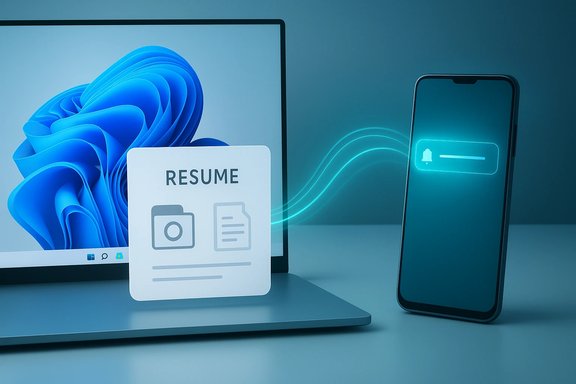
Resume document on a laptop being wirelessly sent to a smartphone.Background​

What Resume is and why it matters​

Resume (also called Cross‑Device Resume or XDR) is a continuity mechanism in Windows 11 that surfaces an activity started on a paired Android phone as a small taskbar or notification card on the PC, allowing the user to pick up that activity — a browser tab, an Office file, or music playback — with a single click. The feature intentionally transmits metadata descriptors (an AppContext) from the phone to Windows so the desktop can open the activity in the most natural handler available: a native desktop app if installed, or a web fallback otherwise. This avoids streaming an Android UI to the PC and keeps the desktop experience native and efficient. Microsoft has been developing this continuity layer inside the Phone Link / Link to Windows ecosystem, but until recently Resume had two practical issues that limited adoption: it required apps to embed the Continuity SDK (a nontrivial integration), and the rollout was heavily gated to OEM partners and approved apps, producing sparse real‑world coverage. Those constraints made Resume feel like a “nice idea” rather than a broadly useful feature for most users.

How Resume has evolved in Insider releases​

Insider Preview builds — notably Build 26220.7271 (KB5070307) — expanded resume targets beyond the early Spotify audio examples to include browser tab handoffs (vivo Browser → PC default browser) and Microsoft 365 Copilot online document flows from multiple OEM phones (Honor, Huawei, Oppo, Samsung and vivo). That update also bundled other productivity features (point‑in‑time restore, Fluid Dictation), underscoring Microsoft’s broader productivity push while treating resume as a component of a cross‑device strategy. However, these expansions are deployed as gated experiments and remain dependent on OEM/app onboarding.

Technical overview​

AppContext, Continuity SDK and the metadata handshake​

The core technical idea is that apps send a compact metadata payload — an AppContext — rather than full UI state. AppContext typically contains fields like contextId, title, an intentUri or weblink (so Windows can open the same content), a short preview, and a brief expiry window. The Android app (or its backend) publishes that descriptor via the Link to Windows (LTW) plumbing and the Continuity SDK; Windows maps it to a desktop handler and surfaces a resume affordance in the shell. This metadata‑driven design reduces bandwidth and attack surface compared to streaming, and preserves native desktop fidelity. Microsoft’s Continuity SDK documentation spells out the AppContext schema and the required manifest and lifecycle steps for Android apps.

Limited Access Feature (LAF) gating and on‑boarding​

Resume is a Limited Access Feature. Developers must request access from Microsoft (email wincrossdeviceapi@microsoft.com), provide UX descriptions, screenshots and package identifiers, and follow onboarding instructions to unlock the API. That gating is intentional: Microsoft wants to reduce abuse vectors and protect user privacy while still enabling high‑quality integrations. The Continuity SDK docs and the Phone Link task continuity guidance provide the explicit checklist and sample code for onboarding.

What changed recently — two practical shifts​

1) Expanded resume targets in KB5070307​

The Insider Preview update delivered in Build 26220.7271 (KB5070307) broadened practical resume scenarios beyond partner audio apps. Observers and testers reported:
  • Browser handoff: vivo Browser tabs can now appear as resume cards on a linked PC and open in the PC’s default browser.
  • M365 Copilot file resume: online Word, Excel and PowerPoint documents opened in the Copilot mobile apps on certain OEM phones can be resumed on the desktop — launching the desktop Office app when present, or the browser as a fallback.
These changes move resume toward real productivity workflows where a user starts work on the phone and finishes it on the PC. The update remains gated, and local files stored solely on the phone are not supported yet — resume requires a sharable URI or online endpoint.

2) A new WNS path lowers developer friction​

The more consequential developer change is the WNS raw notification path: Microsoft added an option to send resume invitations via the Windows Push Notification Service (WNS) using raw notifications and a small resume metadata header (for example: X‑WNS‑RawNotificationType: wns/raw/resume and X‑WNS‑ResumeMetadata with JSON describing title, expiry, and type). This lets apps that already use server‑side notification backends (Azure Notification Hubs, FCM‑to‑WNS routing, etc. issue resume prompts without shipping the Android Continuity SDK. Microsoft published step‑by‑step guidance for integrating resume via WNS, including required headers, channel URI handling, and validation steps. Why this matters: WNS is a familiar, server‑driven channel for Windows developers, and the new path reuses existing systems, dramatically lowering the integration cost for many apps. That, in turn, helps resolve the chicken‑and‑egg problem that kept Resume underused: developers were reluctant to embed a new SDK into many apps, and Microsoft needed more approved partners for the feature to feel real to users.

Developer implications — what developers should know​

  • Two integration routes now exist: (1) the original Continuity SDK + Link to Windows integration for deep on‑device handshakes, and (2) the WNS raw notification route for server‑driven resume invitations. Both require LAF approval.
  • WNS requirements: register with WNS, obtain Package SID and secrets, handle channel URIs, and ensure your Windows client supports raw notifications and validates incoming resume headers. Microsoft’s documentation provides code samples for the POST formats and header requirements.
  • Security expectations: payloads are intended to be ephemeral (short TTLs) and should not contain long‑lived credentials. Servers should bind resume invites to specific channel URIs and enforce rate limiting and validation checks to prevent spoofing or replay attacks. Microsoft emphasizes telemetry and server‑side binding in its guidance.
  • Fallback behavior: Windows will attempt to open a native app first and fall back to a browser link if no desktop handler exists. That means developers should provide robust deep links or web fallbacks for the best experience.

User experience and limitations​

What users will actually see and how to try it​

When Resume is active and a supported app emits AppContext, Windows surfaces a small taskbar card or toast that invites continuation. Clicking that card launches the target app or opens the linked URL in the default browser. To test the feature today you generally must:
  • Join Windows Insider (Dev/Beta) and update to an Insider build carrying the resume experiments (e.g., Build 26220.7271 / KB5070307).
  • Pair your phone with Link to Windows (LTW) and enable the Mobile devices pairing and Resume toggles on the PC.
  • Use a supported phone/app (vivo Browser, supported OEM Copilot apps, Spotify in early tests) and watch for the resume prompt on the PC. Availability is server‑gated; identical device pairs may not behave the same depending on Microsoft’s rollout state.

Notable limits and caveats​

  • Android‑first (for now): Continuity SDK and LTW are Android‑centric. iOS is not supported today, which means cross‑platform parity with Apple Handoff is not in place.
  • No local‑only files: Resume currently requires a sharable endpoint (a web link or cloud URI). Documents stored only on the phone (offline) are not supported by the resume pipeline.
  • Gated rollout: Microsoft servers and OEM partnerships determine which devices and apps can surface resume — many Insiders will not see it immediately.
  • Account scoping: Resume typically relies on the same Microsoft account (or approved pairing) across devices to ensure the desktop can open content and validate access. Some early flows were limited to personal Microsoft accounts rather than work/school tenants; behavior varies by app and scenario.

Security and privacy analysis​

Strengths: design choices that reduce risk​

  • Metadata, not screen streaming: Sending AppContext (a compact descriptor) is safer and more efficient than streaming the entire phone UI. It minimizes exposed surface area and reduces bandwidth costs.
  • Short lifetimes & LAF gating: Microsoft enforces short expiry fields on resume descriptors and requires Limited Access approval to reduce the risk of unsolicited or spoofed resume prompts. The WNS metadata includes an explicit expiry and type that Windows uses to validate or ignore stale invites.
  • Server‑side binding: Best practices encourage binding resume invitations to channel URIs and paired device identities, making replay attacks harder. Microsoft’s documentation and community guidance stress this as a required mitigation.

Risks and attack surface to watch​

  • Push‑based phishing risk: Any push system capable of launching actions on a user’s PC opens a potential abuse vector. If a malicious actor could send a crafted resume POST to a victim’s channel URI, they might craft prompts that trick users into opening malicious links. This risk is controllable but real; robust server validation and Microsoft’s LAF gate are the primary mitigations.
  • Endpoint leakage & credential handling: Resume metadata must never embed private tokens or long‑lived credentials. A resume payload should include only the information necessary to rehydrate a context (document id, deep link) and require reauthentication on the PC when appropriate. Microsoft explicitly warns against including private tokens in the payload.
  • Enterprise data control: For organizations, the possibility of cross‑device resumption of sensitive documents raises governance questions. IT teams should pilot, evaluate MDM controls to block Resume where needed, and document which apps and scenarios are allowed. WindowsForum analysis recommends conservative rollouts and MDM policy updates before enabling Resume across enterprise fleets.

Enterprise guidance​

  • Pilot first: Test Resume in a controlled ring before wide deployment. Evaluate telemetry, data flows, and any unexpected prompts or behavior.
  • MDM controls: Prepare policies to disable Link to Windows or Resume where sensitive IP or regulated data is involved.
  • User education: Teach users that resume prompts may require reauthentication on the PC and that they should verify the origin of any unexpected resume notifications.
  • Audit and logging: Ensure logging captures resume events, source channel URIs, and server‑side attempts to send resume invites for forensic readiness.
WindowsForum guidance emphasizes that Resume currently looks like an opt‑in productivity booster rather than a feature ready for blanket enterprise enablement; cautious rollout and policy updates are recommended.

How to try Resume today (for enthusiasts and developers)​

  • For Insiders:
  • Join the Windows Insider Program and pick Dev/Beta channels.
  • Update to the relevant Insider Preview build (e.g., Build 26220.7271 / KB5070307).
  • On the PC: Settings → Bluetooth & devices → Mobile devices — enable pairing and the Resume toggles.
  • Pair a supported phone with Link to Windows and open eligible content in a supported app; watch the taskbar for a resume prompt.
  • For developers interested in integration:
  • Read Microsoft’s Continuity SDK documentation and the WNS integration guide to choose the best path (SDK vs WNS).
  • Prepare the onboarding packet (UX description, screenshots, Package SID / Google Play URL) and email wincrossdeviceapi@microsoft.com to request LAF access.
  • If using WNS: register the app with WNS, implement channel URI registration and server logic that posts raw WNS notifications with X‑WNS‑RawNotificationType and X‑WNS‑ResumeMetadata. Test with short expiry values and robust server‑side binding to the PC channel.
  • If using the Continuity SDK: integrate the Android library, declare app context providers in the manifest, and handle lifecycle callbacks per Microsoft’s sample code.
Note: For advanced experimenters, community tooling such as Vivetool can reveal hidden toggles in Insider builds (some early guidance surfaced VivaTool feature IDs for Resume settings), but using such tools is not supported for production machines. Proceed cautiously and only on test systems.

The larger picture — competition, ecosystem gaps, and the road ahead​

Microsoft’s Resume plays in the same conceptual lane as Apple Handoff, but the implementation choices differ: Apple’s tight vertical integration relies on a common account and local proximity, while Microsoft’s approach leans on partnerships, metadata handshakes, and server or vendor‑assisted brokering. That difference is both an obstacle and an opportunity.
  • Obstacle: The OEM‑and‑partner‑first rollout model means inconsistent availability across phones and apps in the near term. Users may not encounter Resume unless they have a compatible phone/app and are in Microsoft’s rollout cohort.
  • Opportunity: The WNS path reduces SDK friction and could accelerate third‑party adoption (Spotify‑like experiences, messaging apps, and more) because it reuses existing notification infrastructures. If more developers accept the LAF gating process, Resume can scale more quickly than before.
Potential future directions include:
  • Broader OEM coverage and more third‑party app integrations beyond early examples (Spotify, vivo Browser, M365 Copilot).
  • Refinements to privacy and enterprise controls to make the feature safe for business contexts.
  • Possible iOS parity in some creative form, although current SDKs and LTW focus on Android, so Apple parity is unlikely without a different technical approach.

Verdict: pragmatic progress, not instant ubiquity​

The twin changes — expanded Insider targets and the WNS resume route — mark meaningful progress. The WNS path is particularly important because it addresses the single biggest friction point preventing real adoption: developer effort. By allowing developers with existing server backends to initiate resume invites without shipping the Continuity SDK, Microsoft dramatically lowers the cost of entry.
That said, Resume is not a finished, universally available feature. Its gated rollout, OEM dependency, and Android‑centric model mean many users will not see immediate benefits. Security concerns are real but manageable if developers and Microsoft stick to the documented patterns: ephemeral metadata, server‑side binding, and LAF review. For enterprise admins, the prudent approach is to pilot Resume, update MDM policies, and ensure auditability before broad enablement.

Conclusion​

Resume has shifted from a dormant idea to a practical cross‑device continuity tool that now stands a genuine chance of mass adoption — provided Microsoft’s gatekeeping, OEM partnerships, and developer onboarding converge. The new WNS integration path is the keystone: by lowering developer friction and allowing server‑driven resume invitations with explicit, ephemeral metadata, Microsoft has addressed the chief technical blocker that kept Resume niche.
For end users, the result will be simpler continuity in daily tasks — a quick handoff from phone browsing or mobile document edits to the desktop — but expect a phased rollout. For developers, the choice between the Continuity SDK and WNS offers flexibility, with both paths carrying Microsoft’s Limited Access safeguards. For IT and security teams, the key is governance: pilot carefully, validate data flow and telemetry, and update MDM rules before the feature is widely enabled.
Resume’s next few quarters will determine whether it remains a tidy Insider experiment or becomes a ubiquitous productivity convenience in Windows 11. The technical foundation is now in place, and with WNS lowering the bar, adoption may finally follow.

Source: Windows Report https://windowsreport.com/forgotten-windows-11-resume-feature-is-about-to-get-more-useful/
 

Back
Top