

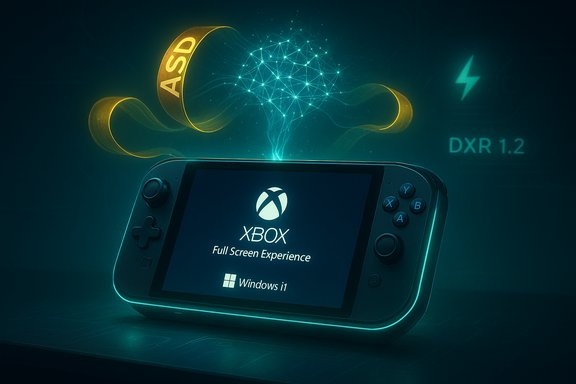
Microsoft’s renewed commitment to “fixing Windows’ gaming fundamentals” is not spin — it’s a concrete engineering shift with practical features and system-level changes that could reshape how games run on Windows 11, especially on handheld and lower‑powered PCs. The company is rolling out the Xbox Full Screen Experience more widely, pushing Advanced Shader Delivery (ASD) and Automatic Super Resolution (Auto SR), and promising deeper work on background workload management, power and scheduling, graphics stack optimizations, and coordinated driver updates. Those moves aim to liberate CPU/GPU cycles, reduce stutter and first‑run shader stalls, and deliver better battery and thermals on constrained devices — but they also surface the long‑standing fragility of a tightly coupled Windows + driver + anti‑cheat ecosystem. The engineering plan and consumer features are real and verifiable; the ultimate payoff will depend on execution, vendor coordination, and Microsoft’s ability to avoid regressions during large, rapid update waves.
Background
Windows has been the dominant PC gaming platform for decades, but the landscape changed as handheld PCs and alternative OS experiences (notably SteamOS) matured. Users have long criticized Windows 11 for visible bloat and unpredictability on resource‑tight devices. Microsoft’s recent public messaging reframes gaming work as system engineering rather than feature marketing: tune runtime behaviors, reduce background interference, and expose new OS‑level capabilities that complement GPU and driver optimizations. That contextual shift underpins the announcements around the Xbox Full Screen Experience, Advanced Shader Delivery, Auto SR, and DirectX improvements. Two practical realities pushed Microsoft to act. First, handheld Windows PCs (ROG Xbox Ally family and similar devices) exposed how much desktop assumptions cost in memory, CPU cycles, and battery life. Second, competitive pressure from lean, gaming‑first platforms (SteamOS and console ecosystems) made the tradeoffs visible to consumers and reviewers. Microsoft’s response is a mix of visible UX (Full Screen Experience) and deeper plumbing changes at the OS and driver boundaries.What Microsoft announced (and what it means)
Xbox Full Screen Experience (FSE): a console‑style session on Windows 11
- What it is: FSE is a session posture that boots a device into a controller‑first, Xbox app–focused shell, deliberately avoiding Explorer and many non‑essential startup processes to reduce memory and background CPU overhead.
- Why it matters: By suppressing the conventional desktop shell and delaying or avoiding background services during a gaming session, devices reclaim memory (reviewers reported roughly ~2 GB of RAM regained on heavily loaded systems) and reduce extraneous CPU wakeups — both valuable on handhelds. The experience is available for supported Windows 11 handhelds and in preview for other PC form factors through Insider channels.
Advanced Shader Delivery (ASD): eliminate first‑run stutter
- What it is: ASD delivers precompiled shader bundles so the GPU does not need to JIT‑compile shaders on first run, removing a major source of stutter and lengthy shader compile pauses.
- Microsoft’s reported gains: Case studies cited by Microsoft show dramatic first‑run improvements — e.g., first‑run load times reduced by over 80% in Avowed and over 95% in Call of Duty: Black Ops 7 on devices using ASD — numbers that come from controlled OEM/dev partner tests. These improvements disproportionately help low‑power systems where on‑device shader compilation is costly.
Automatic Super Resolution (Auto SR): OS‑level, NPU‑accelerated upscaling
- What it is: Auto SR is an OS‑integrated AI upscaler that renders games at a lower internal resolution and uses a device NPU (Neural Processing Unit) to upscale output to the display resolution, improving framerate and efficiency without requiring per‑game integration.
- Hardware dependence: Auto SR requires an on‑device NPU (Copilot+ PCs or other AI‑enabled chips). Microsoft initially rolled Auto SR on Snapdragon‑X based Copilot+ systems and is expanding previews to NPU‑equipped handhelds.
DirectX Raytracing 1.2 (DXR 1.2) and DirectX state improvements
- What it is: DXR 1.2 introduces Opacity Micromaps and Shader Execution Reordering to accelerate ray traversal and increase GPU raytracing efficiency.
- Claimed benefits: Microsoft and developer demos indicate meaningful performance uplifts for raytracing workloads — some scene types show up to 2.3× improvements in specific scenarios, while other developer demos (e.g., GDC showcases) cited up to ~40% gains depending on workload mix. These figures vary by scene composition and hardware.
System fundamentals: background workload management, power, scheduling, graphics stack, and drivers
Microsoft’s engineering pledge centers on four pillars:- Background workload management: reduce or defer non‑essential foreground‑adjacent tasks while a game runs so CPU cycles and cores focus on the game.
- Power and scheduling improvements: new per‑profile power and CPU frequency behaviors for gaming, especially important for battery‑constrained handhelds.
- Graphics stack optimizations: reduce CPU overhead in the graphics runtime and drivers to lower frame‑time variance.
- Coordinated driver updates with silicon and OEM partners: deliver hardware‑specific fixes and UMA/APU improvements.
Cross‑checking the claims: what independent verification shows
Microsoft’s own blog posts and developer notes provide the first party perspective on ASD, Auto SR, DXR 1.2, and FSE. Independent outlets and vendor documentation corroborate the broad strokes and, in many cases, expand with hands‑on data:- The Windows Experience Blog and Xbox Wire lay out the roadmap and implementation details for FSE, ASD, and Auto SR. Early hands‑on reviews (The Verge, Tom’s Hardware) confirm measurable memory and UX gains from FSE on supported handhelds.
- DirectX and developer blogs (Microsoft DirectX dev blog and GDC materials) independently describe the DXR 1.2 features and show developer demos with concrete performance claims, though exact percent gains vary by source and scene. That variance is normal: raytracing performance is highly scene dependent.
- Auto SR technical documentation and Microsoft Support describe the NPU requirement and OS coordination; independent reporting shows the feature is limited to qualifying hardware at launch, and its benefit depends on the presence of an NPU and game rendering behavior.
The hard lesson: update coupling and the October 2025 regression
Microsoft’s pledge comes against a backdrop of real incidents showing how fragile the Windows + vendor driver relationship can be. The October 2025 cumulative update (KB5066835) triggered widespread reports of gaming performance regressions for some users, particularly those with NVIDIA GPUs. NVIDIA issued a hotfix driver (GeForce Hotfix 581.94) that explicitly cited “lower performance may be observed in some games after updating to Windows 11 October 2025 KB5066835.” Independent test benches and community telemetry documented substantial frame‑rate drops in some titles — in extreme cases, degradation reaching ~33–50% — and many users reported that the hotfix restored or substantially improved performance. Two important caveats:- The interaction surface is complex. Reports were heterogeneous: some configurations (titles, anti‑cheat, driver branch, firmware) exhibited dramatic drops, while others were unaffected or saw minor changes. That heterogeneity implies a systemic interaction rather than a simple single‑title bug.
- Microsoft’s engineering promises — even if technically sound — must be deployed and validated without introducing regressions. The October incident is a reminder that well‑intentioned changes to system services, scheduling, or security can have downstream effects on timing‑sensitive workloads like modern GPU pipelines.
Strengths of Microsoft’s approach
- End‑to‑end focus: Tackling both user‑facing features (FSE, Auto SR) and low‑level system behaviors (scheduling and graphics stack) shows a realistic appreciation that performance gains must come from OS‑level coordination, not just API additions.
- Vendor and OEM collaboration: Microsoft’s public alignment with AMD, NVIDIA, and OEM partners on handheld optimizations speeds practical impact and allows device‑specific tuning (UMA/APU improvements were explicitly called out).
- Practical, incremental wins: ASD and FSE produce immediate, perceptible improvements for users (faster first runs, reclaimed RAM) without requiring developers to retrofit games — a pragmatic pathway to better UX on millions of devices.
- Preparing for AI hardware: Auto SR anticipates a future where NPUs are common in PCs, enabling GPU offload patterns that can improve both framerate and energy efficiency.
Risks and open questions
- Regression risk from rapid change: The October 2025 update regression shows how changes in a single cumulative update can cascade into driver and runtime regressions. Microsoft must tighten validation and vendor coordination if it wants to push frequent, large changes without harming stability.
- Hardware fragmentation: Auto SR depends on NPUs. Benefits will be uneven across devices and initially limited to premium or Copilot+ hardware. That risks a tiered experience where low‑cost or older PCs see little benefit.
- Anti‑cheat and security complexity: Any change to scheduling, session posture, or userland services must preserve compatibility with kernel anti‑cheat, DRM, and security stacks. These components have historically been brittle during OS updates; Microsoft must ensure FSE and background management don’t conflict with protected processes.
- Measurement gap between lab and field: Headline numbers come from OEM and developer testbeds; real‑world outcomes depend on installed apps, drivers, and user configurations. Microsoft’s published gains should be viewed as directional, not universal guarantees.
- Update cadence and trust: Rapid hotfixes (like NVIDIA’s 581.94) are helpful, but frequent emergency patches erode user trust. Microsoft’s servicing model must balance speed and thorough validation to maintain stability for gamers who expect consistent performance.
Practical guidance for gamers and IT teams
- Update strategy: Stage Windows updates in a pilot ring for gaming rigs. Capture baseline metrics (frame‑time graphs, 1% lows) before broad deployments.
- Driver policy: When a major Windows cumulative is released, keep a known‑good GPU driver on hand and consider vendors’ hotfix channels only for affected systems; require clean installs (DDU) for emergency rollbacks in benches.
- Use FSE wisely: On handhelds and constrained devices, enable the Xbox Full Screen Experience to reclaim memory and reduce background overhead, especially when battery life and consistent frame‑times matter.
- Plan for hardware tiers: Auto SR is promising but NPU‑dependent; for the broadest compatibility, prioritize ASD and scheduling improvements that benefit more devices.
- Report telemetric evidence: When regression occurs, supply frame‑time logs and system telemetry to vendors — isolated anecdotes are hard to act on; structured evidence speeds root‑cause analysis.
What to watch next
- Microsoft’s rollout schedule for system‑level scheduling and background workload improvements, and whether updates are accompanied by detailed telemetry and rollback options.
- Vendor driver releases that absorb Microsoft’s mitigations into fully validated WHQL/Game Ready branches rather than hotfixes.
- Expansion of ASD and Auto SR support across storefronts and titles — broader adoption will determine how many games benefit without developer intervention.
Conclusion
Microsoft’s pivot from flashy, single‑feature announcements toward an engineering program that addresses the fundamentals of Windows gaming is overdue and, importantly, credible. The combination of the Xbox Full Screen Experience, Advanced Shader Delivery, Auto SR, and DirectX/driver coordination is a sensible, layered strategy designed to improve perceived performance, reduce stutter, and make handheld and lower‑powered PCs more viable for modern gaming.That said, the October 2025 regression episode is a sober reminder: the Windows ecosystem is a tightly coupled stack where OS changes can rapidly affect drivers and games. Microsoft’s success will depend less on marketing prose and more on rigorous validation, transparent coordination with GPU vendors and OEMs, and conservative rollouts that prioritize stability for gamers and IT teams alike.
In short: these are meaningful, technical changes that can deliver real benefits — but they demand careful execution and measured expectations. The potential upside is substantial for handhelds and constrained systems; the main risks lie in deployment and validation. If Microsoft can sustain this engineering focus across updates and vendor partners, Windows 11 may finally feel like a platform built with modern PC gaming — and handheld gaming — in mind.
Source: OC3D Microsoft pledges to fix Windows' gaming fundamentals - OC3D
