

Microsoft’s engineering teams are laying out a two‑year plan to make Windows 11 behave like a console for gaming: tighter session control, precompiled shaders delivered at install time, OS‑level AI upscaling, and better Arm compatibility promise dramatically faster cold launches, fewer shader‑compile hitches and steadier frame pacing across handhelds, laptops and desktops.
The problem Microsoft is targeting is familiar: modern PC games rely on thousands of shaders that must be compiled into GPU‑specific code. On PCs this is often done “just‑in‑time” on the player’s machine, producing long first‑run load times and mid‑game stuttering that consoles largely avoid because console hardware and drivers are fixed. Microsoft’s roadmap bundles several coordinated fixes — UX, OS scheduling and power policies, driver and runtime improvements, precompiled shader delivery, and OS‑level upscaling — to reduce that friction and make Windows gaming feel as seamless as a console session. Key pillars of the plan:
Advantages:
Microsoft’s cross‑stack push is the largest, most coordinated attempt yet to narrow the gap between PC flexibility and console predictability. The technical approach is sound: eliminate runtime surprises, reduce OS noise during play, and apply AI where it can multiply performance gains without per‑title engineering. The critical path is adoption — stores, drivers, and publishers must integrate these workflows for the benefits to reach the broad Windows installed base. If that alignment happens, Windows 11 could become a significantly smoother, faster platform for handheld and living‑room PC gaming alike. Until then, expect steady, staged improvements with strong wins on validated hardware first and a gradual expansion to the rest of the ecosystem.
Microsoft’s roadmap reframes gaming performance as a platform outcome rather than a per‑title optimization exercise. The changes now in preview and early release are sensible, technically grounded, and already demonstrably helpful in partner‑validated scenarios. The next phase — real world, cross‑vendor adoption and independent benchmarking across a wider title set — will determine whether these advances become the new baseline for Windows gaming or remain strong advantages in a narrower set of validated devices and storefronts.
Source: Bangkok Post Microsoft plans to boost Windows 11 gaming to console-like speeds
 Background / Overview
The problem Microsoft is targeting is familiar: modern PC games rely on thousands of shaders that must be compiled into GPU‑specific code. On PCs this is often done “just‑in‑time” on the player’s machine, producing long first‑run load times and mid‑game stuttering that consoles largely avoid because console hardware and drivers are fixed. Microsoft’s roadmap bundles several coordinated fixes — UX, OS scheduling and power policies, driver and runtime improvements, precompiled shader delivery, and OS‑level upscaling — to reduce that friction and make Windows gaming feel as seamless as a console session. Key pillars of the plan:- Xbox Full Screen Experience (FSE): a controller‑first, full‑screen session posture that suppresses non‑essential desktop services and prioritizes the active game.
- Advanced Shader Delivery (ASD): capture and distribute precompiled shader databases so runtime compilation is largely unnecessary for first runs.
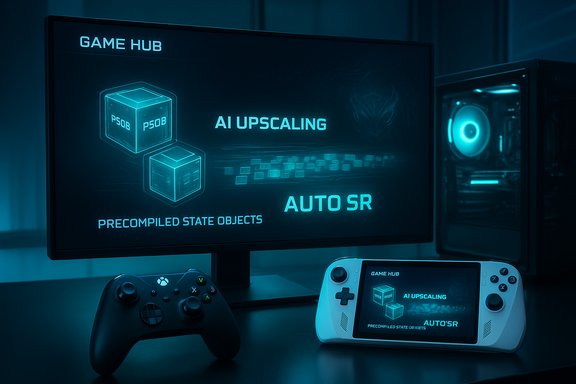
- Auto Super Resolution (Auto SR): an OS‑integrated, NPU‑accelerated upscaler that upsamples lower internal renders in real time to improve framerate/visual balance without per‑title integration.
- Prism emulator and Arm work: broader x86 emulation support (AVX/AVX2 and related extensions) to make Arm‑based Windows devices run more PC titles with acceptable performance.
What Microsoft announced (technical summary)
Advanced Shader Delivery (ASD): precompile, distribute, reduce stutters
ASD establishes a workflow and file formats (State Object Database — SODB, Precompiled Shader Database — PSDB) that let installers and stores ship or download shader caches tailored to a user’s GPU and driver. The D3D runtime can then satisfy pipeline state requests from those precompiled bundles instead of invoking JIT compiler paths during gameplay. The feature is integrated into the DirectX toolchain (Agility SDK) and the Xbox PC app distribution path, with APIs for registration and runtime lookup. Microsoft’s engineering demos and early partner tests show substantial improvements in first‑run behaviour. The company reported roughly an 80–85% reduction in first‑run shader compile time for Obsidian’s Avowed in controlled tests, and press reporting cites up to a 95% reduction for Call of Duty: Black Ops 7 in the same set of demonstrations. Those figures come from Microsoft’s early validation hardware and are workload‑ and configuration‑dependent, but they point to a real, measurable benefit when PSDB coverage is comprehensive. Why this matters:- Eliminates the notorious “first‑run tax” and many shader‑compile hitches.
- Reduces CPU, thermal and battery cost during the first play session — an important win for handhelds.
- Provides an installer/store‑level hook to maintain PSDBs with driver updates.
Xbox Full Screen Experience (FSE): a console posture for Windows
FSE is a session mode that replaces the usual desktop shell with a controller‑first UI (commonly the Xbox PC app) and suppresses desktop chrome, notifications and non‑essential background tasks while active. It’s designed for living‑room and handheld scenarios and conserves memory and CPU wakeups to favor games. Microsoft rolled this out to Windows handhelds and moved it into preview for laptops, desktops and tablets via the Insider channels. Practical effects reported by reviews and testers:- Simplified navigation and large‑tile game library aggregation.
- Reclaimed RAM and fewer idle CPU wakeups in favorable cases (directional gains reported around 1–2 GB RAM freed on constrained devices in early tests).
- Ability to boot directly into an Xbox Home app, enabling a “turn‑on and play” flow that mimics consoles.
Auto Super Resolution (Auto SR): OS‑level AI upscaling
Auto SR runs on a device’s NPU (or equivalent) and allows Windows to render a game at a lower internal resolution while upscaling frames with an AI model before the image reaches the display. Because Auto SR is implemented in the OS rendering path, it can be applied broadly to DirectX 11/12 games (with some format limitations) without per‑title integration. It first shipped on Copilot+ Snapdragon X systems and Microsoft plans to preview it on AMD Ryzen AI NPU devices (e.g., ROG Xbox Ally X) in early 2026. Microsoft documents system requirements and lists supported titles; the feature is toggleable in Settings and can be applied per‑game. Benefits and trade‑offs:- Boosts effective framerate on modest GPUs or thermally constrained handhelds.
- Introduces a small, measured frame latency in some cases (industry tests indicate an average single‑frame latency impact that many players do not notice); quality and performance trade‑offs depend on the model and hardware NPU throughput.
Prism emulator: x86 extensions on Arm
Microsoft updated Prism (the Windows on Arm translation layer) to support additional x86 instruction set extensions (AVX, AVX2, BMI, FMA, F16C, etc.. This expands compatibility and performance for x86 titles running on Arm devices under emulation, making more games practically playable on Snapdragon/other Arm PCs. The update is published in Microsoft documentation and rolled out to devices on Windows 11 24H2 and newer.Early results, claims and how to interpret them
Microsoft’s early numbers are headline‑grabbing: Avowed (≈80–85% faster first‑run shader compile) and Call of Duty: Black Ops 7 (reported as up to ≈95% faster in some partner demos). The Avowed figure appears directly in Microsoft’s DirectX developer blog as a measured result; the Black Ops number appears in Microsoft partner messaging and many independent reports that repeat the company’s demo claims. These figures are best‑case numbers from validated testbeds and emphasize what is possible when a PSDB covers the critical shader paths for a given configuration. Important interpretation notes:- These gains are most pronounced on titles with heavy shader compilation on first runs (Unreal Engine 5 games are a common example).
- Results depend on the size and completeness of the precompiled shader database, the storage bandwidth for PSDB download/installation, the specific GPU/driver pair, and whether developers and stores ship full PSDB coverage.
- Numbers reported by Microsoft should be treated as directional until independent cross‑title benchmarks on mainstream hardware are available.
Why the cross‑stack approach matters
A single change — a faster shader compiler, a new shell, or a driver update — would help. What Microsoft is doing differently is coordinating OS shell behaviour, distribution plumbing, graphics runtime APIs, driver toolchains and hardware partner work so multiple small improvements combine into a noticeable user experience delta.Advantages:
- Systemic fixes scale. A platform‑level solution can deliver consistent improvements across multiple titles and devices once the plumbing is in place.
- Handheld enablement. Thermally constrained devices benefit from fewer runtime compiles and stronger session posture controls.
- Developer tooling. The Agility SDK and D3DSCR APIs lower friction for integrating ASD into engine and store workflows.
- Adoption friction: Stores, publishers, and engine vendors must adopt the PSDB workflows to make ASD ubiquitous. Third‑party storefronts (Steam, Epic, GOG) will need similar integration for full ecosystem coverage.
- Driver and compiler churn: PSDBs are specific to driver/ABI combinations; keeping them current across GPU driver updates requires operational processes and storage. That adds complexity and potential fragmentation.
- Anti‑cheat and security testing: Expanded OS‑level changes and new emulation behaviors raise certification workload for anti‑cheat vendors and game publishers. Wider compatibility tests are needed before aggressive rollouts.
- Privacy/telemetry surface: Cloud compilation services, distribution of binary shader blobs and the installer‑driven registration surface introduce new telemetry and supply‑chain considerations that must be governed carefully.
Practical implications for gamers, developers and IT pros
For gamers
- Expect visible improvements on first launches for supported titles once ASD is available for your game/store/driver combo; however, treat early demos as optimistic examples.
- If you use a handheld (ROG Xbox Ally family, Legion Go, MSI Claw, etc., enable FSE for a more console‑like experience and potentially steadier frame pacing. FSE is previewed through Insider channels.
- Auto SR can improve framerate/visuals on devices with NPUs; toggle and test per title to judge perceived image quality and latency trade‑offs.
For developers and publishers
- Plan for PSDB generation and lifecycle: add SODB/PSDB generation to build/release pipelines and test against driver updates.
- Consider shipping precompiled shader databases in installers or via distribution services to maximize first‑run quality for customers.
- Coordinate with GPU vendors and stores early; vendor compilers and store distribution are central to achieving broad coverage.
For IT and enterprise (labs, cafés, lockers)
- Test FSE and Auto SR in a controlled environment before broad deployment; session posture changes can interact with kiosk and endpoint policies.
- Validate anti‑cheat and EDR compatibility on hardware images — handhelds and Arm devices may present new combinations that require whitelisting or policy changes.
- Keep driver and firmware update workflows predictable; PSDBs tied to specific driver versions will require version‑aware deployment strategies.
Deployment timeline and what to watch for
What’s rolling now:- FSE stateside previews and general availability on current handhelds via the Xbox Insider and Windows Insider channels.
- ASD tooling in the Agility SDK and initial PSDB workflows integrated into Xbox PC app and partner hardware (ROG Xbox Ally family).
- Auto SR already shipping on Copilot+ Snapdragon X devices and being prepared for Ryzen AI NPU previews on handheld hardware in early 2026.
- Prism emulator updates for AVX/AVX2 and other instruction extensions are rolling out to Windows on Arm builds (24H2+).
- Broader ASD adoption across games and third‑party stores.
- Independent benchmarks that measure real‑world ASD gains across GPU families and storage types.
- The expansion of Auto SR to AMD/Intel NPU platforms and the resulting image quality comparisons to DLSS/FSR/XeSS alternatives.
- Anti‑cheat certification progress and the timelines publishers set for enabling ASD/Auto SR across multiplayer titles.
Strengths, risks and final verdict
Strengths- Technically coherent: ASD + FSE + Auto SR addresses real, well‑known technical pain points across the stack rather than offering cosmetic fixes.
- Tangible early wins: Measured reductions in shader compile times for titles like Avowed are real evidence that precompilation pays dividends on shader‑heavy titles.
- Ecosystem alignment: Coordination with OEMs (ASUS ROG Ally family), GPU vendors and the Agility SDK gives Microsoft a practical rollout path.
- Dependency on distribution and driver ecosystems: ASD’s benefits require store and driver cooperation; fragmented adoption will limit the user‑perceived impact.
- Operational and storage costs: Generating and hosting PSDBs per GPU/driver combination is non‑trivial, especially for long‑tail titles and older GPUs.
- Early marketing numbers are best‑case: The 80–95% figures are from controlled tests on validated hardware; gamers should expect variable outcomes in the field.
Microsoft’s cross‑stack push is the largest, most coordinated attempt yet to narrow the gap between PC flexibility and console predictability. The technical approach is sound: eliminate runtime surprises, reduce OS noise during play, and apply AI where it can multiply performance gains without per‑title engineering. The critical path is adoption — stores, drivers, and publishers must integrate these workflows for the benefits to reach the broad Windows installed base. If that alignment happens, Windows 11 could become a significantly smoother, faster platform for handheld and living‑room PC gaming alike. Until then, expect steady, staged improvements with strong wins on validated hardware first and a gradual expansion to the rest of the ecosystem.
Quick how‑to: test the new features (practical steps)
- Join Insider programs if you want early access:
- Join the Xbox Insider Program and opt into the PC Gaming preview.
- Join the Windows Insider Program (Beta/Dev channels) to preview FSE on laptops/desktops.
- Try Xbox Full Screen Experience:
- Settings → Gaming → Full screen experience (toggle and choose a home app).
- Use Win + F11 or Game Bar to enter/exit FSE; test memory and frame‑stability differences in your typical titles.
- Evaluate Auto SR:
- On a Copilot+ or supported NPU device, go to Settings → System → Display → Graphics and toggle Automatic super resolution per game.
- Compare native vs Auto SR visuals and measure average FPS and perceived latency.
- Watch for ASD support:
- Look for store notes or Xbox PC app entries indicating Advanced Shader Delivery or PSDB availability for a game.
- When present, allow the installer to download optional shader packages and observe cold‑start time differences.
Microsoft’s roadmap reframes gaming performance as a platform outcome rather than a per‑title optimization exercise. The changes now in preview and early release are sensible, technically grounded, and already demonstrably helpful in partner‑validated scenarios. The next phase — real world, cross‑vendor adoption and independent benchmarking across a wider title set — will determine whether these advances become the new baseline for Windows gaming or remain strong advantages in a narrower set of validated devices and storefronts.
Source: Bangkok Post Microsoft plans to boost Windows 11 gaming to console-like speeds
