

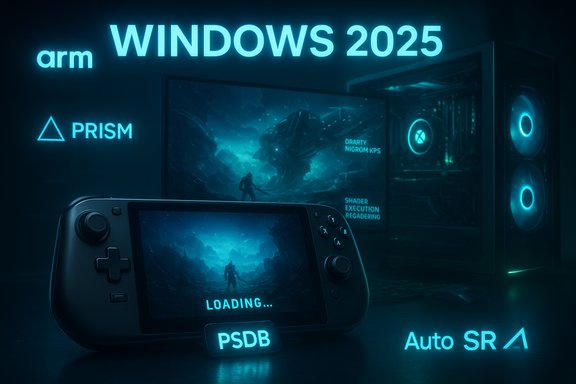
Microsoft’s cross‑stack gaming push this year translated into tangible fixes for long‑standing PC woes: first‑run shader stalls are being precompiled and delivered at install time, handhelds are getting a console‑style UI and performance tuning, Windows on Arm compatibility took major strides, and DirectX gained new ray‑tracing primitives and a pathway to neural rendering—all of which together promise faster load times and steadier frame pacing on the devices that need it most.
Windows has always been a general‑purpose OS with gaming as a prime but unequal beneficiary. The platform’s diversity—countless GPU/driver stacks, multiple storefronts, and a wide device matrix—creates fragmentation that manifests as long initial load times, runtime shader compilation stutter, and unpredictable frame pacing. Microsoft’s 2025 engineering posture reframes these problems as platform responsibilities rather than individual game issues: prioritize a lean, controller‑first runtime on handhelds, move heavy shader work out of first‑run paths, extend emulation and anti‑cheat support for Arm, and add modern ray‑tracing features to the graphics API. The strategy is ecosystem‑driven: OS changes, DirectX and Agility SDK tooling, GPU vendor compilers, OEM firmware tuning, and store/installer integration must align to deliver the full benefits. Where that coordination exists—most notably in the ROG Xbox Ally family—users are already seeing notable improvements. Where it does not, gains will arrive more slowly.
Source: Dataconomy Windows 11 gets major gaming update withf aster load times
 Background / Overview
Windows has always been a general‑purpose OS with gaming as a prime but unequal beneficiary. The platform’s diversity—countless GPU/driver stacks, multiple storefronts, and a wide device matrix—creates fragmentation that manifests as long initial load times, runtime shader compilation stutter, and unpredictable frame pacing. Microsoft’s 2025 engineering posture reframes these problems as platform responsibilities rather than individual game issues: prioritize a lean, controller‑first runtime on handhelds, move heavy shader work out of first‑run paths, extend emulation and anti‑cheat support for Arm, and add modern ray‑tracing features to the graphics API. The strategy is ecosystem‑driven: OS changes, DirectX and Agility SDK tooling, GPU vendor compilers, OEM firmware tuning, and store/installer integration must align to deliver the full benefits. Where that coordination exists—most notably in the ROG Xbox Ally family—users are already seeing notable improvements. Where it does not, gains will arrive more slowly. The Xbox Full Screen Experience (FSE): handheld UX meets system prioritization
What FSE does and where it’s headed
Xbox Full Screen Experience (FSE) is a controller‑first, console‑style UI that boots the device into a gaming‑focused shell and intentionally reduces background workloads so games get more predictable resources. Initially deployed on Windows‑based handhelds, FSE is now available in preview for laptops, desktops, and tablets via the Windows and Xbox Insider channels. The experience aims to minimize Explorer/desktop overhead, streamline game launching, and stabilize frame pacing on power‑limited hardware.Why this matters for handheld gaming
Handheld PCs are constrained by thermal and battery limits; small, millisecond‑scale background tasks can cause frame‑time spikes that feel like stutter. By limiting background apps, adjusting power profiles, and offering a controller‑centred UX, FSE reduces variability at the OS level—an important prerequisite for predictable gaming on compact devices. Early partner briefings report memory and idle‑task reductions when FSE is active, which helps the most on devices with tight thermal envelopes.Advanced Shader Delivery (ASD): taking shader compilation off the critical path
The problem: the “first‑run tax” and runtime stutter
Modern AAA engines generate thousands of shader permutations at runtime to match GPU, driver, and quality‑path permutations. Those just‑in‑time (JIT) compilations create multi‑minute first‑run stalls or periodic microstutters during gameplay when previously unseen shader permutations must compile. For battery‑sensitive handhelds, this cost is doubly harmful: it delays play and drains power during compilation.The solution: precompile, standardize, deliver
Advanced Shader Delivery (ASD) changes the model. Studios or stores capture a title’s pipeline state objects into a standardized State Object Database (SODB), compile those offline (or in cloud/partner compilers) into a Precompiled Shader Database (PSDB), and then register that PSDB on users’ systems at install time via a D3D Shader Cache Registration API. When the game launches, the driver can satisfy shader requests from that PSDB rather than compiling on the fly, eliminating most first‑run compilation stalls. Microsoft shipped Agility SDK tooling and the D3DSCR registration interfaces to support this workflow.Reported impact—and the caveats
Microsoft and partners have published striking examples from validated testbeds: Avowed saw first‑run load times drop by roughly 80–85% in partner testing, and internal Ally tests reported reductions exceeding 95% for Call of Duty: Black Ops 7 in specific configurations. These are vendor‑reported results from controlled hardware/driver stacks; they’re highly persuasive but context dependent. Real‑world gains depend on how shader‑heavy a title is, whether a PSDB exists for the user’s exact GPU/driver combo, and whether stores and engines adopt the workflow. Practical constraints to note:- PSDBs are tied to specific GPU driver/compiler combinations; driver updates that change shader compiler behavior require re‑issuing PSDBs or falling back to local compilation.
- Initial rollout focused on the Xbox PC app and validated Ally hardware; cross‑store adoption (Steam, Epic) depends on integrators adopting the Agility SDK or implementing compatible flows.
- Titles that already bake most shaders at build time will see smaller marginal benefit.
Developer integration: the basic steps
- Use the Agility SDK tooling to collect SODBs during development or QA runs.
- Compile SODBs into PSDBs using offline compilers (vendor provided or cloud services).
- Register PSDBs with the D3DSCR APIs during your game’s installer workflow so end users receive precompiled shaders at install.
- Implement robust fallback and telemetry so driver updates, new GPUs, or unmatched PSDBs revert gracefully to local compilation.
System‑level tuning and APU behavior: squeezing more stability from hardware
Targeted OS and driver improvements
Beyond ASD and FSE, Microsoft and hardware partners targeted predictable power and scheduling behaviors for handhelds and Ryzen APUs in 2025. Work included tuned CPU frequency policies, optimized unified memory behavior on AMD Ryzen APUs to reduce memory contention and frame‑time variance, and lower CPU overhead across input drivers and background services. These are incremental but concrete wins that complement ASD’s shader improvements—reducing the OS‑side noise that causes inconsistent frame delivery.What users will notice
- Fewer input and lighting‑service spikes that briefly steal CPU time.
- Reduced frame‑time variance on APU‑based handhelds when games are running under FSE.
- Better battery endurance during initial launch phases because expensive shader JIT work is (hopefully) offloaded.
Windows on Arm: Prism, anti‑cheat, and local installs
Prism’s expanded emulation and why AVX/AVX2 matter
Prism—the Windows on Arm translation layer for x86/x64 binaries—now advertises and emulates a broader set of x86 CPU extensions (notably AVX and AVX2, plus BMI, FMA, F16C). That change removes a compatibility cliff: many modern engines and middleware probe for AVX and abort if it’s missing. Emulated AVX doesn’t equal native throughput, but it removes “won’t run” blockers and increases the number of titles that can launch on Arm devices. Microsoft documented the emulation settings and the change in Prism’s behavior through Insider builds and updated documentation.Local installs through the Xbox PC app
In parallel, Microsoft enabled Windows Insiders on Arm to install and play supported titles locally via the Xbox PC app, moving beyond cloud‑only scenarios for many Game Pass titles. Local installs plus Prism improvements materially broaden the gaming surface for Windows on Arm.Anti‑cheat—still the gating factor, but progress is real
One of Arm’s last multiplayer blockers has been anti‑cheat systems that rely on kernel‑level drivers or low‑level hooks. Epic’s Easy Anti‑Cheat and Epic Online Services announced Windows on Snapdragon/EOS anti‑cheat support, and Fortnite has been used as the near‑term proof case for the approach. This work joins other providers’ efforts to enable native anti‑cheat on Arm and depends on hardware‑rooted security primitives—TPM 2.0, Secure Boot, Virtualization‑Based Security (VBS)—to attest device integrity for online matchmaking. While not every anti‑cheat ecosystem is converted overnight, the path to fair multiplayer on Arm is now credible.DirectX Raytracing 1.2: Opacity Micromaps, Shader Execution Reordering, and the path to neural rendering
DXR 1.2: two practical primitives for ray tracing
DXR 1.2 introduces Opacity Micromaps (OMMs) and Shader Execution Reordering (SER):- OMMs compress and accelerate alpha‑tested geometry (foliage, fences, hair), reducing unnecessary shader invocations and improving traversal efficiency.
- SER allows the GPU/driver to regroup ray‑shader workloads by similarity to reduce divergence and increase execution efficiency.
Neural rendering primitives and the longer arc
DXR 1.2 also lays groundwork for neural rendering inside the rendering pipeline—efficient ML models for denoising, upscaling, and material enhancement tightened into shader model and runtime hooks. This is a strategic move: it lets developers begin treating ML passes as first‑class citizens in GPU pipelines, not as separate host‑side frameworks. Early previews expose the API surface; production quality and visual fidelity will depend on model design, NPU/GPU balance, and tooling maturity.Auto SR (Automatic Super Resolution): OS‑level AI upscaling and NPU offload
What Auto SR is—and why OS‑level matters
Auto SR is Microsoft’s OS‑integrated neural upscaler that runs on device NPUs and transparently upscales a lower internal render to the display resolution. Because it sits in the OS stack, Auto SR can benefit many DirectX titles without per‑game implementation—a key contrast with DLSS/FidelityFX/XeSS, which require developer integration. Auto SR ships already for Copilot+ Snapdragon X devices and is slated for a public preview on the ROG Xbox Ally X (Ryzen AI NPU) in early 2026.Benefits and constraints
- Benefits: simpler developer surface, consistent experience across titles, NPU‑driven upscaling frees GPU cycles for higher frame rates.
- Constraints: output quality and performance hinge on the NPU’s capability and driver maturity; temporal accumulation and frame‑generation features that engine‑level solutions use may be harder to replicate perfectly at the OS layer.
What this all means for players, developers and OEMs
Players: practical takeaways
- If you own a validated handheld (ROG Xbox Ally or Ally X) and play titles distributed through the Xbox PC app, you will likely see dramatically faster first runs and fewer shader stutters on supported games thanks to ASD and FSE. Expect the biggest wins on shader‑heavy AAA titles.
- Windows on Arm devices can now run more titles locally thanks to Prism’s AVX emulation and growing anti‑cheat support, but expect mixed performance versus native x86 silicon.
- Auto SR will be an attractive battery/performance trade‑off on NPU‑equipped machines, but quality will vary by implementation and NPU generation.
Developers: adoption checklist
- Evaluate Agility SDK and add SODB collection during development/QA runs.
- Coordinate with GPU vendors to compile PSDBs for popular drivers and SKUs.
- Integrate installer hooks to register PSDBs via D3DSCR so players receive precompiled bundles at install.
- Test driver update flows to ensure PSDB invalidation, re‑fetch, and fallback paths are robust.
- Consider Auto SR implications for post‑processing pipelines—design temporal and motion vectors with upscaling in mind.
OEMs and driver teams: the operational reality
OEMs must coordinate driver releases and firmware tuning (power/performance profiles), and GPU vendors must support stable offline compilers and PSDB generation. Driver–PSDB versioning, rollback strategies, and telemetry will be critical to avoid invalidating precompiled bundles and forcing players back into JIT compile paths. The handheld rollouts show this co‑ordinated model works—scaling it across the Windows ecosystem is the next challenge.Risks, trade‑offs and remaining unknowns
- Vendor‑reported benchmarks and controlled OEM tests are encouraging, but they are not universal guarantees. The touted 80%+ and 95%+ reductions in first‑run time come from validated hardware/driver pairings and specific titles; users with niche GPUs, beta drivers, or non‑Xbox store installs may see smaller gains. Treat headline percentages as validated case studies, not universal performance promises.
- Driver coupling: PSDBs are meaningful only if they match the end user’s GPU driver/compiler. Frequent driver updates without synchronized PSDB updates create operational friction and could revert users to local compilation or produce mismatches. Robust versioning and automated PSDB lifecycle management are essential.
- Emulation limits: Prism’s AVX/AVX2 support increases compatibility on Arm, but emulation is not native performance. Expect games to be playable where they previously weren’t, but don’t expect parity with high‑end x86 hardware—especially in raw compute throughput.
- Privacy and telemetry: system‑level features that intercept rendering paths, download PSDBs, or route upscaling through NPUs introduce additional telemetry and update surfaces that privacy‑conscious users and enterprise admins will want to audit and control. Microsoft’s rollout notes and SDKs provide controls, but transparency around telemetry was flagged by observers as an area to watch.
Measuring success: how to validate improvements
To judge whether these platform changes truly help in practice, adopt a reproducible validation plan:- Use cold‑start, first‑run scenarios to measure time‑to‑play with and without PSDB registration.
- Collect frame‑time histograms and 99th‑percentile latencies to quantify stutter reduction.
- Validate driver update flows by installing a newer driver and confirming PSDB invalidation/re‑fetch or safe fallback behavior.
- Test across a matrix of devices (desktop GPU, APU handheld, Arm laptop) to capture variance.
Conclusion
Microsoft’s 2025 gaming work is a pragmatic, engineering‑heavy effort to move the needle on problems that have bothered PC gamers for years. Advanced Shader Delivery directly attacks the shader‑compile tax; FSE reduces OS jitter on constrained handhelds; Prism and native anti‑cheat on Arm open previously blocked multiplayer experiences; and DXR 1.2 with neural rendering hooks sets the stage for richer, more efficient ray tracing. Each of these pieces is valuable on its own, but the real promise arrives when they work together across stores, drivers, OEMs and studios. The technical progress is real—and visible on validated devices like the ROG Xbox Ally family—but readers should expect a phased rollout. The largest, most repeatable gains will appear where Microsoft, an OEM, and game studios coordinated releases and driver versions. For everyone else, improvements will be incremental as the ecosystem adapts: PSDB lifecycle management, cross‑store adoption, and driver‑compatibility workflows will determine how quickly the whole of Windows gaming reaps the promised benefits.Source: Dataconomy Windows 11 gets major gaming update withf aster load times
