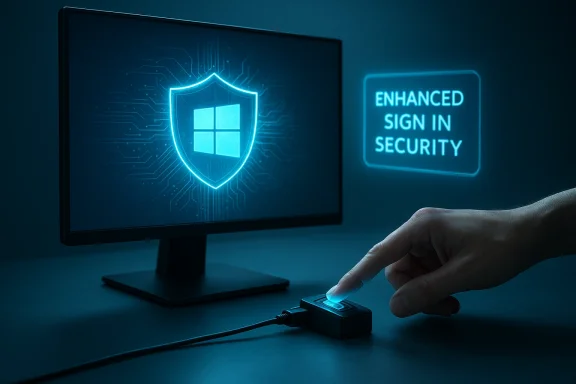
Microsoft has quietly closed one of the more frustrating security gaps in Windows authentication: starting with the February 10, 2026 cumulative update (OS builds 26200.7840 and 26100.7840), external Windows Hello devices — notably peripheral fingerprint readers and compatible cameras — can now participate in Windows’ Enhanced Sign‑in Security ecosystem, bringing desktop and custom‑built PCs closer to the security parity long enjoyed by premium laptops.
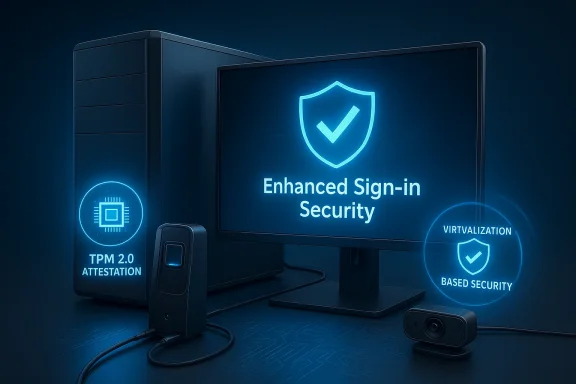
For years, Windows Hello gave users an elegant alternative to typing a PIN or password: biometric authentication with face or fingerprint. But there was always a sting in the tail for desktop users and custom builders. Windows treated built‑in biometric hardware and peripheral sensors differently. Built‑in sensors could run inside a hardened environment that isolates biometric data using hardware features like TPM 2.0 and Virtualization‑Based Security (VBS), while many external USB devices — even IR cameras capable of facial recognition — were blocked from that hardened path.
That separation wasn’t just bureaucratic; it mattered for security. The hardened path, now commonly described as Enhanced Sign‑in Security (ESS), reduces the attack surface by keeping biometric data and the authentication pipeline inside protected hardware and software boundaries. Without ESS, a connected external sensor could still deliver convenience, but not the same resistance to local attacks, tampering, or certain spoofing techniques.
On February 10, 2026, Microsoft released cumulative update KB5077181 (OS builds 26200.7840 and 26100.7840) for Windows 11 versions 25H2 and 24H2. Among the changes documented in that update is expanded support for peripheral authentication hardware: ESS-capable external fingerprint readers (and broader peripheral handling in the ESS model) are now recognized by Windows and can be enrolled from the Sign‑in options page. This marks a major step for desktop users who want the convenience of Hello without accepting reduced security.
Because the hardware and firmware side is vendor‑driven, the presence of an IR camera alone is not enough — the camera must be explicitly certified or advertised as supporting ESS by its maker.
That means a desktop with an ESS‑qualified fingerprint reader or IR camera can handle local sign‑in and also be used to unlock passkeys for supported browsers and apps — all while keeping those cryptographic secrets in the protected environment. For people who want end‑to‑end passwordless usage, that convergence increases both convenience and security when the entire pipeline is ESS‑qualified.
That said, the value of this improvement depends on hardware vendors and platform readiness. The operating system now recognizes and supports peripheral ESS scenarios, but vendors must supply firmware and drivers that meet ESS requirements for the feature to deliver real security benefits. In the meantime, users should:
Source: MakeUseOf Windows Hello finally works with external sensors, and it’s about time
 Background
For years, Windows Hello gave users an elegant alternative to typing a PIN or password: biometric authentication with face or fingerprint. But there was always a sting in the tail for desktop users and custom builders. Windows treated built‑in biometric hardware and peripheral sensors differently. Built‑in sensors could run inside a hardened environment that isolates biometric data using hardware features like TPM 2.0 and Virtualization‑Based Security (VBS), while many external USB devices — even IR cameras capable of facial recognition — were blocked from that hardened path.That separation wasn’t just bureaucratic; it mattered for security. The hardened path, now commonly described as Enhanced Sign‑in Security (ESS), reduces the attack surface by keeping biometric data and the authentication pipeline inside protected hardware and software boundaries. Without ESS, a connected external sensor could still deliver convenience, but not the same resistance to local attacks, tampering, or certain spoofing techniques.
On February 10, 2026, Microsoft released cumulative update KB5077181 (OS builds 26200.7840 and 26100.7840) for Windows 11 versions 25H2 and 24H2. Among the changes documented in that update is expanded support for peripheral authentication hardware: ESS-capable external fingerprint readers (and broader peripheral handling in the ESS model) are now recognized by Windows and can be enrolled from the Sign‑in options page. This marks a major step for desktop users who want the convenience of Hello without accepting reduced security.
What Enhanced Sign‑in Security actually does
The technical idea, in plain terms
Enhanced Sign‑in Security is a protective model that ensures biometric authentication data and the logic that verifies it are processed and stored in a compartmentalized, hardware‑backed environment. Key elements of this environment include:- Trusted Platform Module (TPM 2.0) for secure key storage and attestation.
- Virtualization‑Based Security (VBS) which provides isolated memory regions using hypervisor protections.
- Biometric sensor firmware and drivers that meet the ESS compatibility requirements.
- Platform firmware support (for example, Secure Devices or SDEV ACPI tables in the device firmware for built‑in sensors).
Why ESS matters for threat models
If your biometric pipeline is unprotected, local malware or sophisticated attackers with kernel‑level access potentially have more opportunities to intercept, replay, or tamper with biometric data. ESS significantly raises the bar by:- Preventing simple user‑mode tools from enumerating or directly accessing biometric templates.
- Restricting which drivers/sensors can participate, based on firmware/driver signatures and supported interfaces.
- Enabling system diagnostics and visibility where sensors that don’t meet the ESS profile are explicitly marked as incompatible.
What changed in the February 10, 2026 update
The February 10 cumulative release introduced multiple fixes and feature rollouts; pivotal for this discussion is the change that allows certain peripheral biometric devices to be enrolled and used under ESS. Practically, that means:- Administrators and end users can enroll supported external fingerprint readers from Settings > Accounts > Sign‑in options and have those devices operate under ESS protections where hardware/driver/firmware compatibility exists.
- Systems running Windows 11 version 24H2 or newer expose an Enhanced sign‑in security toggle under Additional settings, letting you turn ESS on or off if your configuration and sensors permit.
- For systems on older branches (for example, certain 23H2 configurations), the UI shows a Sign in with an external camera or fingerprint reader toggle that controls peripheral usage when ESS is present or absent.
- The rollout is phased: as with most Windows feature expansions, availability depends on hardware, drivers, region, and Microsoft’s controlled feature rollout. Expect staged availability rather than an instantaneous universal flip.
System and hardware requirements you need to know
Not every PC or peripheral can immediately benefit from this change. The environment necessary to enable ESS for a sensor typically includes:- Windows 11 with the relevant cumulative update applied (the February 10, 2026 release is the pivot point for the peripheral changes).
- TPM 2.0 present and enabled in firmware.
- Virtualization‑Based Security (VBS) capability enabled or available — some ESS features depend on VBS features being present and intact.
- Sensor firmware and drivers that explicitly support ESS — this usually means the vendor has produced firmware that implements secure attestation and a driver that uses the expected interfaces and signing model.
- Platform firmware configuration, such as Secure Devices (SDEV) ACPI table entries for built‑in devices; for peripherals, manufacturers must follow the ESS guidance to present the right signals to the host OS.
- Appropriate UVC (USB Video Class) driver behavior for IR webcams — ESS‑compatible IR camera modules typically rely on the standard UVC driver stack with vendor firmware that implements the secure features required.
Because the hardware and firmware side is vendor‑driven, the presence of an IR camera alone is not enough — the camera must be explicitly certified or advertised as supporting ESS by its maker.
How to check if your system can use ESS with an external device (practical steps)
- Confirm you have the February 10, 2026 cumulative update or later installed and that Windows Update shows you are up to date with the latest cumulative updates.
- Open Settings > Accounts > Sign‑in options.
- On Windows 11 version 24H2 or newer, look for Additional settings > Enhanced sign‑in security. If the toggle is present, ESS is configurable on your system.
- On systems still on older branches or 23H2 UI patterns, look for Sign in with an external camera or fingerprint reader in Additional settings.
- Plug in your external fingerprint reader or IR webcam and attempt to enroll it in Windows Hello.
- If the sensor is ESS‑capable and the platform prerequisites are met, the sensor will enroll and the system will indicate ESS is active.
- If the device is not ESS‑capable, Windows will allow enrollment only if ESS is turned off, or it will mark the device as incompatible if ESS is required.
- Use Windows Security > Device security to check the Enhanced Sign‑in Security status in the Device security pane. The OS provides diagnostic entries if a sensor is unavailable due to incompatible hardware or if ESS is enabled.
Choosing the right external sensor: what to look for
If you plan to add Windows Hello to a desktop or a docked laptop, make these the top checklist items:- IR and depth sensing for facial recognition: Windows Hello face requires an infrared/depth sensor, not just an RGB webcam. Look for explicit IR or depth sensor mentions.
- Vendor statements about ESS support: prioritize devices that advertise explicit support for Enhanced Sign‑in Security or Windows Hello ESS/“Windows Hello certified” on their spec sheet. If the vendor page is ambiguous, contact the manufacturer for firmware/driver roadmap.
- Driver model and UVC compatibility: ESS‑capable cameras usually rely on standard UVC drivers enhanced by vendor firmware. Avoid devices that require proprietary stacks unless the vendor documents ESS support.
- Fingerprint reader compatibility: look for dedicated Windows Hello fingerprint readers that explicitly mention Windows Hello integration rather than generic “biometric” marketing.
- Firmware update path: ensure the vendor provides firmware updates and clear instructions to maintain ESS capability over time.
- Manufacturer reputation and documentation: vendors that publish technical notes about Hello support, ESS readiness, and driver signing are preferable.
Practical security implications and caveats
- ESS is not an absolute panacea. ESS raises the difficulty of local compromise, but it does not eliminate the need for good system hygiene: keep firmware and drivers updated, use antivirus and endpoint protections, and follow least‑privilege practices.
- Enrollment order can matter. On some Windows builds, the first biometric you enroll can determine the system’s ESS state (for example, enrolling a non‑ESS sensor first may set ESS off). If you want ESS on, enroll an ESS‑capable sensor first on a clean state.
- Corporate policies and management can override user intent. On managed devices, Intune or Group Policy can block external camera sign‑in or force ESS states; check with your IT if you don’t see the expected toggles.
- Rollout and availability will be phased. Even though the change landed in the February 10 cumulative package, Microsoft typically uses controlled feature rollout mechanisms. Don’t assume immediate global availability; hardware, region, and staged rollout factors will affect when your machine sees the feature.
- Driver and firmware quality matters more than ever. Vendors need to implement firmware that supports secure attestation and compatible drivers. A cheap peripheral that claims “Hello compatible” may function without ESS and therefore provide reduced protections.
- Update risks. Major cumulative updates (including KB5077181) have historically had patch‑day issues for some users. Back up critical data and create a system restore point before major updates if you rely on stable production environments.
Real‑world scenarios: why this change matters to builders and desktop users
- Custom PC builders who prefer dual‑monitor setups and dedicated peripherals no longer must give up the ESS protections that have been historically tied to laptops. That’s important for users handling sensitive data in home offices, small businesses, and developer setups.
- Shared desktop environments (e.g., hot desks, makerspaces) benefit because ESS reduces the risk that local tooling or a maliciously modified app can exfiltrate or spoof an enrolled biometric template.
- Organizations that issue external fingerprint readers as an enrollment option can now consider peripheral deployments without forcing users to compromise the platform hardening model — provided the devices are ESS‑qualified and IT policies accommodate the change.
Troubleshooting and common issues
If you run into problems, these are the standard troubleshooting steps:- Confirm the update is installed (check Windows Update > Update history). If you don’t have the February 10, 2026 cumulative update or later, you won’t have the peripheral ESS improvements.
- Check BIOS/UEFI settings: ensure TPM 2.0 is enabled and that virtualization features required for VBS are available (some systems require firmware toggles).
- Verify Windows Security Device security pane for ESS indications. If ESS is off or sensors are incompatible, Windows usually shows explanatory messages.
- Update device drivers and firmware from the peripheral vendor’s support page. Generic or old drivers are a common cause of enrollment failure.
- Consider the enrollment order: on some configurations, enrolling an ESS device first can flip the system into ESS On state.
- Check for management policies: corporate settings may block peripheral enrollment or grey out toggles.
- If updates fail or system instability appears after installing an update, consult known issues and consider uninstalling the update temporarily while backing up and following vendor guidance.
Risk assessment and what vendors should do next
Manufacturers of biometric peripherals must act carefully to make the most of ESS support:- Publish clear documentation about ESS readiness and firmware/driver requirements.
- Provide firmware update mechanisms and signed drivers that adhere to Microsoft’s ESS guidance.
- Test devices across the permutations of Windows branches (23H2, 24H2, 25H2) and document known restrictions.
- Cooperate with enterprise management solutions so IT admins can deploy ESS‑qualified peripherals at scale.
Windows Hello beyond sign‑in: passkeys and app/web integration
One of the less obvious but extremely practical benefits of bringing peripherals into ESS is downstream integration with passkeys and passwordless sign‑ins for apps and websites. When Windows Hello is protecting a credential inside a hardware‑backed environment, the system can use those keys for FIDO2 passkey flows that extend beyond the local login screen.That means a desktop with an ESS‑qualified fingerprint reader or IR camera can handle local sign‑in and also be used to unlock passkeys for supported browsers and apps — all while keeping those cryptographic secrets in the protected environment. For people who want end‑to‑end passwordless usage, that convergence increases both convenience and security when the entire pipeline is ESS‑qualified.
Final verdict: overdue, practical, but vendor‑dependent
This change is unambiguously good news. Desktop users and custom builders have long been the odd ones out in Windows Hello’s security model; bringing external sensors into the ESS fold corrects that imbalance and helps move the platform toward more consistent, hardware‑backed biometric protection.That said, the value of this improvement depends on hardware vendors and platform readiness. The operating system now recognizes and supports peripheral ESS scenarios, but vendors must supply firmware and drivers that meet ESS requirements for the feature to deliver real security benefits. In the meantime, users should:
- Verify their system meets TPM/VBS prerequisites.
- Prefer ESS‑certified peripherals when security matters.
- Keep firmware and drivers updated.
- Be cautious around major updates, backing up before installing cumulative feature releases.
Source: MakeUseOf Windows Hello finally works with external sensors, and it’s about time