

Microsoft’s Inside Track post on Getting started with Windows Hello for Business and Day 1 authentication at Microsoft presents a practical, enterprise‑scale blueprint for moving a large organization from passwords to hardware‑backed, phishing‑resistant authentication — and it’s worth studying closely because the lessons map directly to real operational, security, and support tradeoffs any IT team will face. The company’s internal Identity Pass program pairs strong identity proofing, Temporary Access Passes (TAPs), and automated onboarding to let employees unbox a device, authenticate on Day 1 without a password, and register Windows Hello for Business (WHfB) credentials with minimal human intervention.
Windows Hello first appeared as the consumer and enterprise biometric framework in Windows 10; over the last decade Microsoft has layered policy, FIDO2 support, and enterprise workflows to create Windows Hello for Business — a key‑based, phishing‑resistant credential that relies on TPMs, platform authenticators, or external FIDO2 keys. Microsoft’s technical documentation explains how WHfB uses asymmetric keys tied to a device and how those keys meet Entra (formerly Azure AD) MFA requirements.
Microsoft’s Identity Pass is an internal orchestration layer that addresses the riskiest moment in the identity lifecycle: the initial bootstrap when a user, a device, and an identity are first tied together. The approach combines three pillars:
Why this matters: automating identity proofing reduces reliance on error‑prone manual processes, lowers social‑engineering exposure, and enables self‑service without sacrificing assurance.
Key operational notes:
Important technical points to verify in any deployment:
Practical takeaway:
Practical checklist:
However, the transition is not zero‑cost. Expect:
This is not a theoretical shift; it is a practical program that requires engineering, operations, and leadership alignment. Start small, measure impact (especially helpdesk and password reset metrics), and prepare to iterate — the long‑term gains in security and efficiency are substantial when an organization commits to the full stack: identity proofing, robust bootstrap, phishing‑resistant credentials, and rapid risk‑driven revocation.
Source: Microsoft Getting started with Windows Hello for Business and Day 1 authentication at Microsoft - Inside Track Blog
 Background / Overview
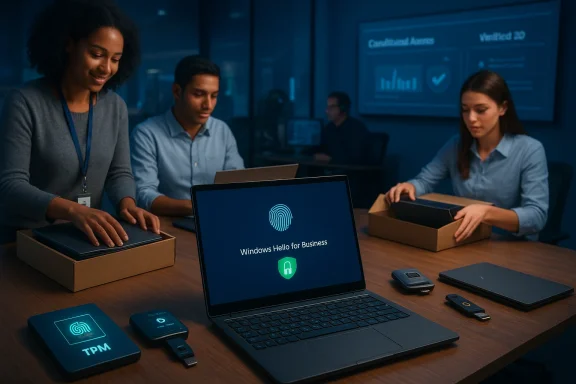
Windows Hello first appeared as the consumer and enterprise biometric framework in Windows 10; over the last decade Microsoft has layered policy, FIDO2 support, and enterprise workflows to create Windows Hello for Business — a key‑based, phishing‑resistant credential that relies on TPMs, platform authenticators, or external FIDO2 keys. Microsoft’s technical documentation explains how WHfB uses asymmetric keys tied to a device and how those keys meet Entra (formerly Azure AD) MFA requirements.Microsoft’s Identity Pass is an internal orchestration layer that addresses the riskiest moment in the identity lifecycle: the initial bootstrap when a user, a device, and an identity are first tied together. The approach combines three pillars:
- Verified ID (verifiable credentials / identity proofing) to establish the user’s identity,
- Temporary Access Pass (TAP) to provide a time‑bound, one‑time authentication code for Day‑1 enrollment, and
- Conditional Access and risk decisioning to gate or escalate the bootstrap when signals indicate elevated risk.
Why Day‑1 (bootstrap) matters
The bootstrap is the weakest link in identity: when users first receive a device or when they’ve lost access and must be recovered, attackers love to exploit gaps in proofing, out‑of‑band channels, or manual helpdesk processes. Identity Pass treats Day‑1 as a security‑critical step and applies multiple defenses:- Risk‑based gating: on unusual geolocation, device, or pattern signals the flow asks for stronger proofing or blocks enrollment.
- Threat intelligence integration: global high‑risk detections prevent TAP issuance to accounts flagged as compromised.
- Fraud detectors: token replay or suspicious sessions trigger remediation and prevent bootstrap completion until resolved.
Components explained: Verified ID, TAP, Windows Hello for Business, and Conditional Access
Verified ID (enrollment and proofing)
Microsoft Entra Verified ID is a managed verifiable credentials platform that lets organizations issue and verify credentials (DIDs and verifiable credentials) and integrate identity proofing into workflows like onboarding and helpdesk recovery. Verified ID can be used to vouch for an employee’s identity or to run automated IDV (identity verification) checks during Day‑1. When integrated with onboarding, Verified ID can automate TAP generation after acceptable proofing is received.Why this matters: automating identity proofing reduces reliance on error‑prone manual processes, lowers social‑engineering exposure, and enables self‑service without sacrificing assurance.
Temporary Access Pass (TAP)
A TAP is a time‑limited numeric passcode generated and managed in Microsoft Entra that allows a user to authenticate long enough to register stronger passwordless methods — passkeys, WHfB, or phone sign‑in. TAPs can be configured with strict lifetime and usage rules; they are commonly integrated into automated device provisioning and self‑service recovery flows. Administrators need appropriate Entra licensing (features vary by SKU), and TAP is available through the admin center and Graph APIs for automation.Key operational notes:
- TAP lifetimes and single‑use semantics should be governed tightly.
- TAP issuance and use should be logged and monitored; alerting on TAP issuance to high‑risk accounts is recommended.
Windows Hello for Business (WHfB)
WHfB replaces reusable passwords with asymmetric key credentials bound to a device (TPM recommended) and unlocked by local factors such as a PIN or biometric (face/fingerprint). Because the private key never leaves the device and authentication is cryptographically tied to the origin, WHfB provides strong protection against phishing and replay attacks when implemented correctly. Microsoft documentation explains how WHfB keys are provisioned and how they meet Entra MFA requirements.Important technical points to verify in any deployment:
- Use TPM 2.0 or other secure hardware when possible for key storage.
- Ensure WHfB provisioning flows are supported across your device fleet (hybrid join, Azure AD join, on‑prem AD sync scenarios differ).
- Understand the recovery path: if a device is lost or a key is suspected compromised, sessions need to be revoked and users re‑register via a high‑assurance bootstrap.
Conditional Access and Continuous Access Evaluation (CAE)
Conditional Access policies determine when WHfB is sufficient or when step‑up to additional factors is required. Microsoft’s Continuous Access Evaluation enables near‑real‑time revocation of tokens/sessions if a high‑confidence compromise is detected; a revoked WHfB session forces re‑registration via a trusted bootstrap. Integrating CAE and conditional access with identity proofing and TAP ensures that even strong credentials can be disabled the moment risk rises.What Microsoft learned during rollout — operational lessons that matter for you
Microsoft’s experience highlights predictable but easily under‑estimated challenges.1) Device & platform diversity shapes the onboarding experience
Not every device or OS supports the same onboarding paths. Some devices can register WHfB directly at the login screen; others require an app flow or browser‑based enrollment. Onboarding systems must adapt to this heterogeneity while enforcing a single assurance model. Failing to plan for platform differences increases helpdesk volume and user friction.Practical takeaway:
- Inventory devices and map onboarding flows (login UI, Authenticator app, web) to every major device class.
- Provide device‑specific, accessible guidance for users who cannot access the corporate network on Day‑1.
2) Expect a short‑term spike in support volume
Even with polished UX, change management matters. Microsoft reports an initial increase in helpdesk contacts and user dissatisfaction as users adjust to passwordless workflows; over time password resets and low‑value support fall dramatically. The blog claims an 80% reduction in password reset volume where Identity Pass was in use — a large operational win, but note this is a Microsoft internal figure and will vary by organization size and maturity. Plan to staff support accordingly during rollout.Practical checklist:
- Prepare temporary staffing and clear escalation paths.
- Provide device‑specific self‑help content reachable without corporate credentials.
- Use Verified ID or similar to reduce manual verification burden on helpdesk staff.
3) Documentation and governance are critical
Documentation must be accurate and updated as OS versions, device models, and platform behavior change. Microsoft stresses a governance model to ensure documentation and escalation routes remain responsive; without it, engineering or approval bottlenecks delayed fixes. Good governance also speeds remediation when risk signals block TAP issuance or registration.4) Self‑service recovery with strong proofing reduces risk
Replacing password resets with a Verified ID + TAP flow gives users a self‑service path that avoids the weak, social‑engineering‑prone helpdesk reset flows. Integrating IDV vendors, Authenticator app flows, and Graph API automation produces a smoother, more secure recovery experience.Security analysis — strengths and the risks you must counter
Strengths: why this architecture improves security
- Phishing resistance: WHfB and FIDO‑based passkeys are cryptographic, origin‑bound, and not vulnerable to credential‑harvesting phishing pages; NIST and federal guidance endorse these as the preferred path to phishing‑resistant MFA.
- Reduced attack surface: removing reusable passwords eliminates credential stuffing, password spray, and many social engineering paths.
- Automated, high‑assurance onboarding: Verified ID + TAP reduces manual processes that attackers exploit during account takeover.
- Real‑time control: Conditional Access + CAE lets security teams cut off compromised sessions quickly.
Real, practical risks and mitigations
- TAP misuse or over‑issuance: TAPs are powerful. If admins or automation generate TAPs loosely, attackers with lateral access to management planes could create TAPs to enroll credential‑stealing keys. Mitigation: strict TAP issuance policies, short lifetimes, single‑use enforcement, logging, and alerting on TAP creation for high‑privilege accounts.
- Biometric and local admin threats: Biometric enrollment and local templates are powerful but not magical. Researchers have shown scenarios where a malicious local administrator can manipulate biometric templates or inject credentials; any deployment must assume privileged local threat models and apply endpoint protection, secure boot, and management controls to limit local admin abuse. These attack vectors emphasize the need for layered protections and robust EDR/host controls.
- Recovery flow abuse: Automated Verified ID or video ID systems can be gamed if proofing vendors are misconfigured or fraud signals are ignored. Always combine multiple signals (device telemetry, geo, recent activity) with proofing and escalate when anomalies exist. Microsoft’s Identity Pass uses risk‑based identity assurance to require reproofing or block flows at medium/high risk.
- Platform and lifecycle complexity: Old OS builds, non‑TPM hardware, and unsupported devices complicate a clean trust model. An inventory and device retirement or remediation plan are mandatory. Microsoft’s experience shows that the farther you are from a homogenized environment, the more onboarding complexity you face.
How to get started — practical checklist and policies
Below is a pragmatic, sequential plan any enterprise can follow to replicate Microsoft’s core ideas while avoiding common pitfalls.- Inventory and readiness
- Audit device fleet for TPM, supported biometrics, and OS build levels.
- Classify device groups by enrollment path (login UI, Authenticator app, web).
- Define identity proofing and TAP policy
- Select an identity proofing approach (Verified ID, trusted IDV partners).
- Define TAP lifecycle: maximum lifetime, single vs. multi‑use, allowed issuance groups.
- Restrict TAP issuance roles and log every TAP operation.
- Configure Windows Hello for Business
- Deploy WHfB with TPM backing by default; use certificate or key trust model appropriate for your hybrid topology.
- Require FIDO2 or platform authenticators as the phishing‑resistant baseline.
- Conditional Access + CAE
- Create CA policies that define when WHfB is sufficient and when step‑up is required.
- Enable Continuous Access Evaluation where supported to permit near‑real‑time revocation.
- Recovery & helpdesk flows
- Implement Verified ID + TAP based self‑service recovery.
- Build helpdesk runbooks to escalate only when reproofing is necessary; avoid reliance on knowledge‑based resets.
- Pilot, measure, iterate
- Run a measured pilot across device classes.
- Track support volume, lost device events, TAP issuance metrics, and password reset reduction.
- Governance & documentation
- Maintain device‑specific guidance accessible without corporate creds.
- Establish a governance board for onboarding edge cases and rapid escalations (Microsoft found skip‑level approvals accelerated critical fixes).
Checklist: technical settings to verify before a broad rollout
- Entra licensing and TAP availability (confirm your tenant’s features and Graph API access).
- WHfB configuration: TPM enforcement, hybrid vs cloud trust model, and FIDO2 policy alignment.
- Conditional Access policies that include phishing‑resistant method requirements and CAE controls.
- Verified ID integration paths for your onboarding and helpdesk automation.
- Monitoring & alerting: TAP issuance, high‑risk sign‑in events, and unusual device registration patterns.
Realistic timeline and staffing expectations
- Pilot (4–8 weeks): small set of device types and privileged groups; validate TAP workflows and Verified ID integration.
- Early rollout (3–6 months): broaden to larger employee cohorts; expect higher helpdesk volumes and tune documentation and escalation.
- Organization‑wide (6–18 months): majority of users moved to passwordless, with dramatic reductions in password resets and a steady decline in low‑value helpdesk tickets.
Final verdict — strategic value vs. operational cost
Passwordless with device‑bound keys (Windows Hello for Business, passkeys) and a hardened Day‑1 bootstrap (Verified ID + TAP + Conditional Access) is a pragmatic, forward‑looking approach that materially reduces phishing risk, credential abuse, and operational friction long term. Federal and industry guidance now treats FIDO2/passkey‑style authentication as the gold standard for phishing resistance — an alignment that strengthens the business case for migration.However, the transition is not zero‑cost. Expect:
- Upfront complexity from heterogeneous device fleets.
- A temporary spike in support demand.
- Careful governance to prevent TAP and recovery flow abuse.
- Attention to local threat models where privileged local access or endpoint compromise could undermine biometric or template protections.
Key takeaways (quick reference)
- Start with identity proofing. Strong Day‑1 proofing (Verified ID or equivalent) is the foundation for all future trust.
- Use TAPs for secure bootstrapping. TAPs let new users and recovering users register phishing‑resistant methods without exposing the tenant to password risk — but govern TAP issuance tightly.
- Make WHfB the baseline. Deploy Windows Hello for Business with TPM backing and FIDO2 policy alignment where possible.
- Plan for device diversity and support. Device and OS heterogeneity will require multiple onboarding flows and robust, device‑specific documentation.
- Monitor and revoke fast. Integrate Conditional Access and CAE so you can disable sessions quickly when risk is detected.
This is not a theoretical shift; it is a practical program that requires engineering, operations, and leadership alignment. Start small, measure impact (especially helpdesk and password reset metrics), and prepare to iterate — the long‑term gains in security and efficiency are substantial when an organization commits to the full stack: identity proofing, robust bootstrap, phishing‑resistant credentials, and rapid risk‑driven revocation.
Source: Microsoft Getting started with Windows Hello for Business and Day 1 authentication at Microsoft - Inside Track Blog
