

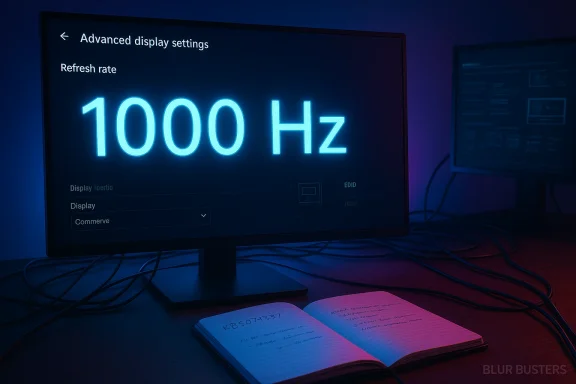
Microsoft’s latest Insider drops have quietly removed a long-standing artificial ceiling in Windows’ display stack, enabling the operating system to accept and report refresh rates well above 1,000 Hz — a change delivered to Insiders as Builds 26100.8106 and 26200.8106 in the cumulative package known as KB5079387, and one that industry testers say opens the door to values as high as 5,000 Hz.
For years the practical refresh-rate range on Windows systems clustered between 60 Hz and a few hundred Hz, determined by display hardware, GPU drivers, and OS-level limits. Competitive gaming and pro‑level test labs have pushed panel engineering to new extremes — prototypes boasting a 1000 Hz mode first appeared in trade demos, and display experts have argued that keeping Windows from incorrectly clamping or truncating reported refresh rates would be a necessary step for mainstream adoption. Microsoft’s Release Preview update package KB5079387 (the Insider builds referenced above) contains a terse but consequential change: the OS no longer enforces the former artificial ceiling, and Insiders are now sefresh-rate modes above 1,000 Hz.
Blur Busters — a long-standing authority in motion clarity and refresh‑rate testing — reports that the internal Windows limit has been raised not merely to 1,000 Hz but to 5,000 Hz, based on testing of how Windows accepts and exposes monitor-reported modes. That number is far beyond current retail panels, but it reflects an architecture-level change: Windows will no longer block or clip reported refresh-rate values in the thousands, which removes one software bottleneck between ultra‑high‑refresh panels and the user experience.
Source: KitGuru New Windows 11 insider build brings native supports for 1000Hz monitors - KitGuru
 Background
For years the practical refresh-rate range on Windows systems clustered between 60 Hz and a few hundred Hz, determined by display hardware, GPU drivers, and OS-level limits. Competitive gaming and pro‑level test labs have pushed panel engineering to new extremes — prototypes boasting a 1000 Hz mode first appeared in trade demos, and display experts have argued that keeping Windows from incorrectly clamping or truncating reported refresh rates would be a necessary step for mainstream adoption. Microsoft’s Release Preview update package KB5079387 (the Insider builds referenced above) contains a terse but consequential change: the OS no longer enforces the former artificial ceiling, and Insiders are now sefresh-rate modes above 1,000 Hz.Blur Busters — a long-standing authority in motion clarity and refresh‑rate testing — reports that the internal Windows limit has been raised not merely to 1,000 Hz but to 5,000 Hz, based on testing of how Windows accepts and exposes monitor-reported modes. That number is far beyond current retail panels, but it reflects an architecture-level change: Windows will no longer block or clip reported refresh-rate values in the thousands, which removes one software bottleneck between ultra‑high‑refresh panels and the user experience.
What changed in KB5079387 (builds 26100.8106 and 26200.8106)
The headline: extreme refresh-rate acceptance
- Windows now accepts and reports refresh rates above 1,000 Hz in Advanced Display Settings; tests indicate internal accep This is implemented as part of the Release Preview build family delivered to Insiders under KB5079387.
- Practically, that means when a monitor reports a four‑digit refresh‑rate mode (for example a 1000 Hz mode exposed by a dual‑mode prototype), Windows will display that mode properly rather than truncating or rejecting it.
Companion display quality refinements in the same package
KB5079387 includes several accompanying improvements that matter to modern monitors and multi‑display setups:- **HDR reliabi displays that implement non‑standard DisplayID 2.0 blocks; these changes target inconsistent luminance tracking that could cause HDR behavior to flicker or appear incorrect.
- Improved WMI monitor API accuracy, enabling displays to hysical screen size* more precisely. That helps Windows make better choices for multi‑monitor scaling and DPI mapping without requiring manual overrides.
- Power‑state changes for laptops: when a native USB4 monitor connontrollers may now enter their lowest power state while the system is in sleep, improving battery/power behavior for docked laptops.
Why this matters: the practical implications for gamers, pro users, and OEMs
For competitive gamers and esports
- Lower persistence blur and input latency. Higher refresh rates reduce the time each frame is held on screen (persistence), and they reduce frame‑to‑frame latency in the rendering pipeline. Even if raw human perception plateaus at some point, motion clarity and instantaneous responsiveness continue to improve with higher refresh rates — especially in high‑skill competitive games where every millisecond and each micro‑movement counts. Blur Busters and competitive performance analysis have repeatedly demonstrated clear advantages at higher hertz values.
- Windows as a neutral, accurate reporting plane. When Windows reports the native mode correctly (for instance, showing 1000 Hz in Advanced Display Settings), gamers, benchmarking tools, and anti‑cheat systems are all less likely to rely on driver hacks or third‑party utilities. A consistent OS-level reporting path simplifies testing and competition verification.
For hardware vendors and monitor engineers
- Enables dual‑mode and experimental panels. Many prototype designs trade resolution for refresh rate (for example, a 4K@240 Hz mode alongside a low‑resolution 720p@1000 Hz mode). By rg, Microsoft eliminates a software blocker that would otherwise hide or misreport such modes. OEMs can now ship firmware that advertises the high‑Hz modes without expecting users to apply custom drivers.
- Test and certification workflows simplify. With the OS able to accept four‑digit refresh rates, certifying monitors for Windows compatibility becomes a cleaner process. Vendors can validate modes with native OS tools rather than relying exclusively on vendor utilities.
For general users and content creators
- Less immediate benefit for creators who prioritize resolution and color fidelity. Most content creators and productivity users will continue to favor higher resolution and color accuracy rather than four‑digit refresh rates. The change is primarily targeted at niche, latency‑sensitive use cases.
The technical reality: why the software change is necessary but not sufficient
Raising an OS‑level ceiling is only one piece of a complex stack. Several practical constraints remain:- Display interface bandwidth. To transmit 1000 Hz at even modest resolutions requires enormous video bandwidth. Panels typically achieve ultra‑high‑Hz modes by reducing resolution, changing color depth, or using compression and low‑precision timing. Expect dual‑mode panels that offer either high resolution at conventional refresh rates or reduced resolution for extreme refresh rates.
- GPU frame production limits. Rendering a game at 1000 frames per second is a different engineering challenge than simply reporting 1000 Hz. CPUs, GPUs, drivers, and game engines must all be able to produce the draw calls and present frames at that cadence. For many modern, demanding titles, 1000 FPS will only be achievable at drastically reduced settings or with specialized frame‑generation techniques.
- Driver and firmware support. The GPU driver and monitor firmware must cooperate to expose and select these modes. Vendors still need to ship drivers that enable the mode, and monitor firmware must implement the timings and DisplayID data correctly. Until vendor drivers, panel firmware, and cable specs align, a Windows change alone cannot deliver fully validated 1000 Hz experiences.
- Cable and connector readiness. High refresh rates at higher resolutions require the latest interface standards (for example, high‑bandwidth variants of DisplayPort or USB‑C/USB4 with DisplayPort Alt Mode). Users may need new cables or dock hardware to access certain modes reliably.
What “5,000 Hz” actually means — and how to interpret that headline
The 5,000 Hz figure reported by Blur Busters and cited by multiple outlets refers to an internal limit of acceptance in the Windows display stack, not to an expectation that consumer monitors will ship at that number next month. In practice:- The 5,000 Hz number is an internal cap that indicates Windows will not reject or clamp monitor modes up to that value during mode enumeration and reporting. It’s a liberal ceiling that future‑proofs the OS for experimental and research panels.
- No current retail monitor operates at 5,000 Hz. Industry prototypes and lab panels have explored kHz regimes, but the real constraints (bandwidth, driver support, practical rendering limits) make 5,000 Hz a laboratory curiosity rather than a near‑term product targetle benefit is immediate at 1,000 Hz.** As prototype and early shipping panels adopt a 1000 Hz mode (even at reduced resolution), Windows will now report and accept those modes without requiring hacks or special drivers. That is the practical, near‑term value of this change.
How Windows will expose these modes, and how to verify them
If you’re testing or evaluating an ultra‑high‑Hz panel today, here’s how the OS interaction will typically work:- The monitor publishes its supported modes (timings, pixel clock, refresh rates) via EDID/DisplayID when connected to the system.
- Windows enumerates those modes through the display stack and reports them in Settings > System > Display > Advanced display settings.
- If the GPU, driver, and cable can OS will allow selection and will report the active refresh rate.
- Use Windows’ Advanced Display Settings to see the reported refresh rate and active mode. After KB5079387, those four‑digit refresh rates should appear without modification.
- Run motion and timing tests from motion‑test suites (community tools like Blur Busters test patterns) to validate frame delivery, persistence blur, and tearing behavior under practical loads. Blur Busters has been active in verification and testing during this change.
- Check GPU vendor tools (NVIDIA Control Panel / AMD Radeon Settings / Intel Graphics Command Center) for confirmation that the driver is aware of and properly selecting the mode.
Risks, caveats, and likely wrinkles at launch
No software change is risk‑frers should be aware of pitfalls:- Driver regressions or compatibility issues. When an OS accepts novel modes, older drivers or firmware might still misbehave — showing blank screens, flicker, or incorrect timing selection. Early Insider releases are precisely the place to catch those regressions before broad rollout.
- App and compositor behavior. Some applications, window managers, or compositors may make assumptions about refresh ranges. Unexpected high values could expose untested code paths, causing stutter or priority inversion in frame scheduling.
- Measurement and certification complexity. Benchmark and anti‑cheat ecosystems must adapt to correctly report and validate frames at four‑digit rates. Tournament organizers and testing labs will need updated procedures to ensure fairness.
- Power and thermal tradeoffs. Running GPUs at extreme frame rates increases power consumption and thermal output. The practical use case for most users will remain lower hertz for day‑to‑day tasks and ramped hertz for competitive sessions.
- User confusion and misleading marketing. Vendors might advertise headline Hertz without clarifying the resolution compromises required. Consumers should check the mode matrix carefully: a 1000 Hz marketing number could correspond to drastically reduced resolution or color depth.
What OEMs and GPU vendors should do next
To make this change meaningful in retail, multiple players must ship coordinated updates:- Ship monitor firmware that properly exposes DisplayID/EDID modes (including accurate DisplayID 2.0 blocs for HDR metadata where applicable).
- Release GPU driver updates that recognize and validate ultra‑high‑Hz modes, and which expose those modes safely in vendor control panels.
- Ensure cables and docks are certified for the required bandwidth (UHBR variants of DisplayPort, or USB4/DP Alt Mode equivalence) to avoid pixel clock mismatches.
- Update monitor and GPU vendor documentation and marketing to specify the mode tradeoffs (resolution, color depth, chroma subsampling) for each extreme‑Hz mode.
Guidance for enthusiasts: how to approach a purchase or a test
- Read the mode table. Don’t trust a single headline number. Look at the manufacturer’s specification sheet to confirm the resolution and color depth that correspond to the ultra‑high‑Hz mode.
- Confirm cable and interface support. If you plan to use the highest refresh rate option, confirm the monitor supports it over the interface you intend to use (DisplayPort, USB‑C/USB4) and buy certified cables.
- Update GPU drivers and monitor firmware. Early fixes may appear in driver and firmware updates; Insiders and early adopters should expect iterative updates after the OS change.
- Test with standard motion tests. Use known test patterns and tools to validate persistence, tearing, and input latency under realistic conditions.
- Expect tradeoffs. For most users, the sweet spot remains a balance of resolution and refresh rate; extreme hertz modes are a specialist choice.
Balanced assessment: strengths and porosoft’s change is smart engineering: remove the artificial OS-level blocker and let the ecosystem choose reasonable modes. That approach is preferable to hardcoding a conservative limit that would repeatedly need revisiting as panel engineering advances. The move signals that Microsoft wants Windows to remain the primary platform for competitive gaming and forward‑looking display innovation.
That said, the headline of “5,000 Hz” is easy to misread. The practical consumer milestone is 1000 Hz modes becoming visible and selectable in Windows without hacks. The 5,000 Hz internal ceiling is a future‑proofing detail — important to engineers and testers but far from a retail target in 2026. Blur Busters’ involvement and reporting help illuminate the change and show the value of industry collaboration between independent testers and platform vendors.Looking ahead: what to watch
- First retail 1000 Hz panels. Watch vendor announcements and the fine print: resolution and color compromises will reveal the target audience for each mode.
- Driver and firmware updates. GPU vendors will need to publish stable drivers that enumerate and validate the modes correctly. Monitor makers will refine firmware and DisplayID data.
- Standards and cabling. Look for renewed focus on UHBR certification and USB4 dock behavior as the community tests real‑world bandwidth needs.
- Ecosystem testing and tournament standards. Competitive event organizers and anti‑cheat vendors will need updated test suites to ensure integrity when ultra‑high‑Hz panels are used in competition.
Conclusion
Microsoft’s KB5079387 (Windows 11 Insider Builds 26100.8106 and 26200.8106) takes a prudent, engineering‑first approach: remove an arbitrary software ceiling in the display stack and let hardware, drivers, and industry practice determine meaningful limits. For gamers and monitor enthusiasts, the practical gain is immediate — Windows will now accept and expose four‑digit refresh‑rate modes (notably 1000 Hz) without third‑party hacks — while Blur Busters’ reporting of a 5,000 Hz internal acceptance limit siroofing. The change doesn’t magically make 1000 FPS in modern AAA titles a solved problem, nor does it eliminate bandwidth and driver constraints, but it removes an important piece of friction between panel engineering and the user experience. For those chasing the lowest input latency and cleanest motion clarity, Windows is now ready to report what the newest monitors declare — and the ecosystem will determine how far and how fast that capability is put to use.Source: KitGuru New Windows 11 insider build brings native supports for 1000Hz monitors - KitGuru
