

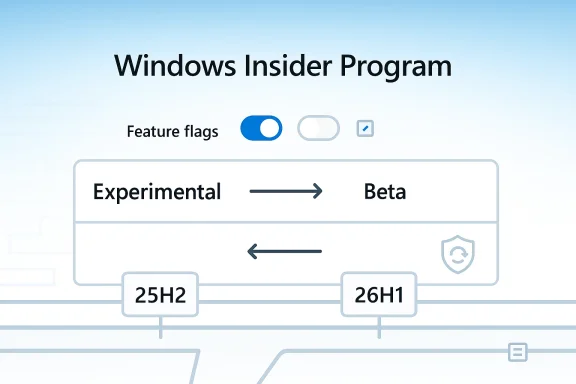
Microsoft is making one of its most visible Windows testing programs look less like a maze and more like a product roadmap. In a significant shift for the Windows Insider Program, the company is collapsing its channel structure down to Experimental and Beta, adding Feature flags so participants can toggle specific previews, and making it easier to move between channels or leave the program without wiping a device in many cases. The changes are part of a broader effort to make Windows 11 feel more predictable, less disruptive, and, as Microsoft puts it, simpler and more transparent.
For years, Windows Insiders have lived with a testing model that was powerful but not always easy to explain. The old four-channel structure—Canary, Dev, Beta, and Release Preview—was useful to power users and developers, but it also demanded a high degree of fluency in how Microsoft staged features across the operating system. In practice, many users joined expecting “new stuff,” only to discover that “new” could mean anything from a nearly finished UI tweak to a feature that might never ship at all.
That mismatch became more obvious as Microsoft’s Windows release cadence matured. The company increasingly used control feature rollout techniques to switch features on for some Insiders while withholding them from others, even within the same build. That made sense from an engineering standpoint, because it let Microsoft measure impact and rollback risk. But it also made the Insider experience feel inconsistent, especially for people who were trying to evaluate preview features or give meaningful feedback on a specific change.
At the same time, Windows itself has been in the middle of a larger modernization push. Microsoft has repeatedly talked about improving quality, reducing friction, and modernizing legacy surfaces in Windows 11, including the gradual redesign of old control panels and dialogs. The Insider program sits at the center of that strategy: it is where Microsoft tests not only features, but also the trust relationship between the company and its most engaged users.
The newest Insider changes are therefore more than a cosmetic reshuffle. They reflect a recognition that the testing funnel itself had become part of the product problem. If Windows 11 is supposed to feel more coherent, the preview pipeline that feeds it has to feel coherent too. That is why the channel overhaul matters: it is as much about communication and expectation-setting as it is about engineering.
This is not just a rename. Microsoft is also letting users select specific Windows core versions within those channels, including 25H2 and 26H1 build streams. That means the new structure is not simply “less choice”; it is more legible choice. Users can better map what they are doing to what they are likely to get.
There is also a practical issue: if the channel name no longer signals the likely maturity of the build, feedback becomes harder to interpret. A complaint about a half-baked feature in an early channel is normal; the same complaint in a near-release channel carries a different meaning. By simplifying the labels, Microsoft is trying to make those expectations visible again. That may sound minor, but it is foundational for trust.
That matters because the Insider program has always been both a feedback loop and a marketing showcase. When it works well, users feel like collaborators. When it works poorly, they feel like unpaid testers who have to decode Microsoft’s internal staging logic. The redesign is an effort to keep the first feeling and reduce the second.
This is important because preview builds have become increasingly modular. Instead of shipping a neat, whole build with a single identity, Microsoft often introduces a collection of independent changes—some visible, some subtle, some tied to UI, some to back-end behavior. Giving users a feature-level switch acknowledges that preview software is no longer monolithic. It is a bundle of experiments.
But there is also a subtle downside: more toggles can create more variability. If two Insiders on the same build have different feature states, community reports become harder to compare. Microsoft is trying to solve inconsistency with more control, and that only works if the company is careful about documentation and disclosure. Otherwise, the program may become more personalized but less legible.
It also suggests a philosophical shift. Microsoft seems to be moving away from the idea that testers should simply accept the state of the build and toward the idea that testers should shape which parts of the build they encounter. That is a more mature partnership model, and one that fits a platform used by everyone from consumers to enterprise admins.
Perhaps even more important, Microsoft says some users will now be able to leave the Windows Insider Program without wiping the device. That is a major trust signal. Historically, leaving an early preview track could require a clean install or other disruptive recovery steps, which made participation feel more consequential than many casual users expected.
This distinction is worth emphasizing because it helps define the new contract. Beta is about short-horizon previewing; Experimental is about risking more to see what comes next. If you pick the latter, you are explicitly accepting the possibility that escape is harder. That is not a bug in the policy; it is a sign that Microsoft wants the channel semantics to mean something again.
It may also reduce accidental overexposure. One recurring pain point in enterprise environments is a user enrolling a machine in a test track and then discovering that recovery is more complex than expected. Clearer rules and fewer unexpected reboots make the program feel less like a trap and more like a managed process. That distinction matters a lot in IT departments.
This is a substantial philosophical correction. Microsoft is effectively admitting that gradual rollouts in Beta made the experience too unpredictable for the people Beta was supposed to serve. If the purpose of Beta is to validate near-term features, then withholding those features from some users inside the same channel weakens the point of being there.
That should also improve how community discussion works. When everyone in the channel has the same expected feature set, forum posts, bug reports, and screenshots become more comparable. That is especially valuable for troubleshooting user interface problems, regressions, and app compatibility issues. Less ambiguity should mean better signal.
That may reduce some of the irritation that has built up around “coming soon” features. If Microsoft can consistently use Beta to showcase near-term changes rather than partially hidden ones, the program may regain some credibility with its most attentive users. In a world where user patience is thin, that is not a small thing.
That means the change is less of a forced migration than a reclassification. Microsoft is not asking everyone to rejoin from scratch; it is moving the furniture around under their feet while trying to keep them in the same room. That should reduce friction, but it will still require clear communication, especially for users who track build numbers carefully.
That is both useful and potentially confusing. It gives enthusiasts more precision, but it also means the new, simpler model still contains some of the old complexity for advanced users. Microsoft appears to be accepting that trade-off rather than pretending it can remove complexity entirely. The goal is not zero complexity; it is understandable complexity.
That said, the company has at least chosen a model that is easier to explain on one page. Two primary channels, clear purpose statements, and feature flags are easier to document than four overlapping channels with inconsistent rollout behavior. For an ecosystem as large as Windows, that alone is a meaningful improvement.
The company also says fewer reboots will be required to install Insider updates. That matters more than it might first appear. Every extra reboot interrupts workflow, increases annoyance, and makes the cost of participation more tangible. Reducing that friction should help make preview builds feel less like chores and more like upgrades.
A cleaner layout also helps explain the new channel model visually. If the page clearly communicates what each track does and what happens when you move between them, Microsoft can reduce confusion before it starts. That is an especially important design goal for a system meant to serve both technical and non-technical testers.
That could have a spillover benefit for Microsoft’s reputation among enthusiasts. Insiders tend to be forgiving when the trade-off is clearly explained, but they become less patient when they feel they are constantly paying with time. Anything that reduces that tax should help Microsoft keep testers engaged.
There is also a competitive layer to this. Operating systems increasingly compete not just on features, but on how confidently vendors can deliver them. If Microsoft wants Windows 11 to feel modern, it has to make the path to modernity itself feel modern. A clear preview story is part of that promise.
Microsoft is also sending a broader signal about its approach to Windows 11 itself. The company wants the platform to feel less cluttered, less mysterious, and less like a collection of experimental leftovers. The Insider changes are therefore part of a broader effort to make the product and the process match. That alignment matters more than it may seem.
That is a smart move in an era when users increasingly expect software to explain itself. If preview channels feel honest and understandable, users are more likely to tolerate rough edges. If they feel random, even good features can generate distrust. The message here is as important as the mechanics.
It will also be worth watching how this change interacts with the rest of Microsoft’s Windows 11 modernization effort. The company has been talking about legacy UI refreshes, quality improvements, and more thoughtful use of AI across the system. A cleaner Insider program is the proving ground for that broader narrative.
Source: XDA Microsoft wants to fix Windows Insider by making it "simpler and more transparent"
 Background
For years, Windows Insiders have lived with a testing model that was powerful but not always easy to explain. The old four-channel structure—Canary, Dev, Beta, and Release Preview—was useful to power users and developers, but it also demanded a high degree of fluency in how Microsoft staged features across the operating system. In practice, many users joined expecting “new stuff,” only to discover that “new” could mean anything from a nearly finished UI tweak to a feature that might never ship at all.That mismatch became more obvious as Microsoft’s Windows release cadence matured. The company increasingly used control feature rollout techniques to switch features on for some Insiders while withholding them from others, even within the same build. That made sense from an engineering standpoint, because it let Microsoft measure impact and rollback risk. But it also made the Insider experience feel inconsistent, especially for people who were trying to evaluate preview features or give meaningful feedback on a specific change.
At the same time, Windows itself has been in the middle of a larger modernization push. Microsoft has repeatedly talked about improving quality, reducing friction, and modernizing legacy surfaces in Windows 11, including the gradual redesign of old control panels and dialogs. The Insider program sits at the center of that strategy: it is where Microsoft tests not only features, but also the trust relationship between the company and its most engaged users.
The newest Insider changes are therefore more than a cosmetic reshuffle. They reflect a recognition that the testing funnel itself had become part of the product problem. If Windows 11 is supposed to feel more coherent, the preview pipeline that feeds it has to feel coherent too. That is why the channel overhaul matters: it is as much about communication and expectation-setting as it is about engineering.
What Microsoft Is Changing
The headline change is simple enough: Microsoft is moving from four channels to two primary ones, Experimental and Beta. Experimental replaces the old Dev and Canary paths, while Beta becomes the place for features that Microsoft expects to ship in the coming weeks. The company’s logic is straightforward: one channel for very early work, one channel for near-term releases.This is not just a rename. Microsoft is also letting users select specific Windows core versions within those channels, including 25H2 and 26H1 build streams. That means the new structure is not simply “less choice”; it is more legible choice. Users can better map what they are doing to what they are likely to get.
Why the old model caused confusion
The previous structure blurred the line between experimentation and imminent release. A person could be on one channel expecting stability and find themselves unexpectedly downstream from a feature they had seen teased elsewhere. In Microsoft’s own telling, users could not easily tell which channel matched their goal. That is a problem when your audience includes enthusiasts, IT admins, app developers, and feedback volunteers who all want different things from preview software.There is also a practical issue: if the channel name no longer signals the likely maturity of the build, feedback becomes harder to interpret. A complaint about a half-baked feature in an early channel is normal; the same complaint in a near-release channel carries a different meaning. By simplifying the labels, Microsoft is trying to make those expectations visible again. That may sound minor, but it is foundational for trust.
- Experimental becomes the home for features that may change, move, or never ship.
- Beta becomes the preview lane for updates Microsoft expects to land soon.
- Specific Windows core versions remain selectable, preserving advanced control.
- The new structure is designed to make expectations clearer at signup and during daily use.
What this means for Windows Insider identity
The new model also acknowledges that Windows Insider is not one audience. Some participants want to influence product direction at the earliest possible moment. Others simply want to see next month’s Windows features before their coworkers or family do. A two-channel system maps better to those two motivations than the older four-channel ladder.That matters because the Insider program has always been both a feedback loop and a marketing showcase. When it works well, users feel like collaborators. When it works poorly, they feel like unpaid testers who have to decode Microsoft’s internal staging logic. The redesign is an effort to keep the first feeling and reduce the second.
Feature Flags and User Control
One of the most interesting additions is the new Feature flags page. Microsoft says Experimental users will be able to enable or disable specific features through Windows Insider Program settings, starting with visible new features announced in the program blog. That is a meaningful shift from passive receipt of toggled changes to active user choice.This is important because preview builds have become increasingly modular. Instead of shipping a neat, whole build with a single identity, Microsoft often introduces a collection of independent changes—some visible, some subtle, some tied to UI, some to back-end behavior. Giving users a feature-level switch acknowledges that preview software is no longer monolithic. It is a bundle of experiments.
A better feedback model
Feature flags could improve feedback quality in a very practical way. If an Insider can explicitly turn on a new Start menu behavior or disable a new Settings treatment, Microsoft can potentially isolate whether user reactions are about the feature itself or about the surrounding build. That gives engineers cleaner signals and gives users a greater sense of agency.But there is also a subtle downside: more toggles can create more variability. If two Insiders on the same build have different feature states, community reports become harder to compare. Microsoft is trying to solve inconsistency with more control, and that only works if the company is careful about documentation and disclosure. Otherwise, the program may become more personalized but less legible.
- Feature flags let users decide which visible preview features to test.
- The rollout begins with features publicly announced in Windows Insider posts.
- Lesser-visible fixes may not appear in the flags system right away.
- The model could make feedback more precise, but also more fragmented.
The industry angle
Microsoft is not inventing feature flags, of course. The broader software industry has long used them to manage risk, stage rollouts, and test market reactions. What is notable here is that Microsoft is exposing part of that machinery to power users instead of keeping it entirely behind the curtain. That is a nod to the technical sophistication of the Windows Insider audience.It also suggests a philosophical shift. Microsoft seems to be moving away from the idea that testers should simply accept the state of the build and toward the idea that testers should shape which parts of the build they encounter. That is a more mature partnership model, and one that fits a platform used by everyone from consumers to enterprise admins.
Channel Switching and Exit Paths
The company is also making it easier to move between Experimental and Beta, so long as the user stays within the same Windows core version. That is a key quality-of-life improvement because it reduces the penalty for wanting to recalibrate your level of risk. In the old world, channel switching could feel like a one-way decision with a lot of uncertainty attached.Perhaps even more important, Microsoft says some users will now be able to leave the Windows Insider Program without wiping the device. That is a major trust signal. Historically, leaving an early preview track could require a clean install or other disruptive recovery steps, which made participation feel more consequential than many casual users expected.
Where the clean-install caveat still applies
Microsoft is not eliminating all the hard edges. Experimental Future Platforms still require a clean install if you want to leave, because those builds do not align with a retail production version of Windows. That limitation is sensible from a technical standpoint, but it also underscores the divide between near-release previewing and true platform experimentation.This distinction is worth emphasizing because it helps define the new contract. Beta is about short-horizon previewing; Experimental is about risking more to see what comes next. If you pick the latter, you are explicitly accepting the possibility that escape is harder. That is not a bug in the policy; it is a sign that Microsoft wants the channel semantics to mean something again.
- Beta-to-Beta movement should be easier when staying on the same version line.
- Dev-era users will be mapped into Experimental.
- Canary users are also being folded into Experimental, depending on build lineage.
- Leaving some Experimental branches may still require a clean install.
Why this matters to enterprise users
For enterprise IT, the exit path can be as important as the entry path. Businesses often test preview builds on pilot devices, but they also need a dependable rollback story when the test is over. A cleaner channel transition model lowers the operational cost of experimentation and may encourage more controlled adoption inside organizations.It may also reduce accidental overexposure. One recurring pain point in enterprise environments is a user enrolling a machine in a test track and then discovering that recovery is more complex than expected. Clearer rules and fewer unexpected reboots make the program feel less like a trap and more like a managed process. That distinction matters a lot in IT departments.
The Beta Reset and the End of Gradual Rollouts
Microsoft is making a particularly consequential change to the Beta channel: it is ending gradual feature rollouts there. In practical terms, if a feature is announced in a Beta build and you install that build, you should get the feature. Microsoft does note that some small variations may remain as it tests differences within a feature, but the feature itself is supposed to be there.This is a substantial philosophical correction. Microsoft is effectively admitting that gradual rollouts in Beta made the experience too unpredictable for the people Beta was supposed to serve. If the purpose of Beta is to validate near-term features, then withholding those features from some users inside the same channel weakens the point of being there.
Predictability over staging complexity
For Insiders, predictability is not a luxury. It is the difference between testing a feature intentionally and wondering whether your install is simply missing something. By making Beta more deterministic, Microsoft is restoring a basic promise: if the company says a feature is in Beta, it should be visible in Beta.That should also improve how community discussion works. When everyone in the channel has the same expected feature set, forum posts, bug reports, and screenshots become more comparable. That is especially valuable for troubleshooting user interface problems, regressions, and app compatibility issues. Less ambiguity should mean better signal.
- Beta will now behave more like a true preview channel.
- Gradual rollout complexity is being removed from that lane.
- Feature visibility should be more consistent after installing a Beta update.
- This could make bug reporting and comparison easier for the community.
A better match for Windows 11’s release rhythm
This change also fits a broader cadence problem Microsoft has faced. Windows 11 features are often teased well before they are ready for wide rollout, and the gap between announcement and availability can frustrate enthusiasts. Beta is now being repositioned as the place where anticipation becomes reality much sooner.That may reduce some of the irritation that has built up around “coming soon” features. If Microsoft can consistently use Beta to showcase near-term changes rather than partially hidden ones, the program may regain some credibility with its most attentive users. In a world where user patience is thin, that is not a small thing.
What Changes for Existing Insiders
Microsoft says that when the rollout begins, all Insiders except Release Preview users will be moved into either the new Beta or Experimental channel. The transition will preserve the basic lane they were already in: Beta Channel users move to Beta, Dev Channel users move to Experimental, and Canary users move to Experimental according to the build line they are on.That means the change is less of a forced migration than a reclassification. Microsoft is not asking everyone to rejoin from scratch; it is moving the furniture around under their feet while trying to keep them in the same room. That should reduce friction, but it will still require clear communication, especially for users who track build numbers carefully.
Why version lineage still matters
The company’s decision to keep Windows core versions visible inside the channel structure suggests that build lineage remains central to how Microsoft manages risk. A person on a 25H2 Experimental build is not participating in the same exact test as someone on a 26H1 Experimental build, even if the channel label is the same. Version lineage is therefore becoming part of the identity of the channel itself.That is both useful and potentially confusing. It gives enthusiasts more precision, but it also means the new, simpler model still contains some of the old complexity for advanced users. Microsoft appears to be accepting that trade-off rather than pretending it can remove complexity entirely. The goal is not zero complexity; it is understandable complexity.
- Existing Beta users stay on the near-term preview track.
- Dev and Canary participants consolidate into Experimental.
- Release Preview remains separate from the new two-channel structure.
- Version-specific build lines continue to shape what a channel actually means.
The support burden question
Whenever Microsoft reshapes a program, there is a support cost hidden in the transition. Users will need guidance about what moved, why it moved, and whether their current build is still appropriate for their needs. If Microsoft gets the messaging wrong, the simplification could briefly create new confusion before it creates less.That said, the company has at least chosen a model that is easier to explain on one page. Two primary channels, clear purpose statements, and feature flags are easier to document than four overlapping channels with inconsistent rollout behavior. For an ecosystem as large as Windows, that alone is a meaningful improvement.
Performance, Reboots, and the Settings Refresh
Microsoft says it has also reworked the Windows Insider Program settings page so it loads faster and looks cleaner. That kind of UI maintenance may sound mundane, but it is actually a strong indicator of how seriously Microsoft is treating the Insider experience. Preview participants are not just testing Windows features; they are testing the tools that manage those features.The company also says fewer reboots will be required to install Insider updates. That matters more than it might first appear. Every extra reboot interrupts workflow, increases annoyance, and makes the cost of participation more tangible. Reducing that friction should help make preview builds feel less like chores and more like upgrades.
Why faster settings matter
A faster settings page is not just a performance boast; it is a signal that Microsoft understands the Insider program as an ongoing relationship rather than a sporadic software delivery channel. The settings page is where decisions happen, and if that surface is slow or cluttered, the whole experience feels heavier than it should.A cleaner layout also helps explain the new channel model visually. If the page clearly communicates what each track does and what happens when you move between them, Microsoft can reduce confusion before it starts. That is an especially important design goal for a system meant to serve both technical and non-technical testers.
- Faster loading should make the Insider settings page more usable.
- Cleaner layout should reduce accidental misconfiguration.
- Fewer reboots should lower the cost of staying current.
- Better surface design supports the broader transparency message.
The psychological effect of fewer reboots
There is also a human factor here. Reboots are not merely interruptions; they are reminders that a build is unfinished. Cutting down the number of restarts can make the experience feel less unstable even if the underlying engineering complexity remains unchanged. Perception matters in preview software.That could have a spillover benefit for Microsoft’s reputation among enthusiasts. Insiders tend to be forgiving when the trade-off is clearly explained, but they become less patient when they feel they are constantly paying with time. Anything that reduces that tax should help Microsoft keep testers engaged.
Competitive and Strategic Implications
Microsoft’s move is not happening in a vacuum. Every major platform vendor now has to manage the tension between rapid feature experimentation and user trust. By making the Insider program simpler and more transparent, Microsoft is trying to preserve the benefits of fast iteration without making participants feel like they are navigating an opaque lab experiment.There is also a competitive layer to this. Operating systems increasingly compete not just on features, but on how confidently vendors can deliver them. If Microsoft wants Windows 11 to feel modern, it has to make the path to modernity itself feel modern. A clear preview story is part of that promise.
Enterprise versus consumer impact
For consumers, the appeal is obvious: more clarity, more visible features in Beta, and fewer unpleasant surprises. For enterprises, the gains are more operational: better predictability, more controlled adoption, and fewer support headaches when test devices need to be taken off a preview track. Those are different benefits, but they both flow from the same simplification.Microsoft is also sending a broader signal about its approach to Windows 11 itself. The company wants the platform to feel less cluttered, less mysterious, and less like a collection of experimental leftovers. The Insider changes are therefore part of a broader effort to make the product and the process match. That alignment matters more than it may seem.
- Simplification improves Windows’ credibility with enthusiasts.
- Transparency supports Microsoft’s broader quality narrative.
- Enterprise adoption becomes less risky when exit paths are clearer.
- Consumers get a more understandable preview journey.
- Better program design can improve feedback quality across the ecosystem.
Rival lessons
Other platform teams will be watching this closely. Any company running beta channels, feature flags, or staged previews faces the same core problem: how do you keep enthusiasts engaged without confusing them? Microsoft’s answer is to reduce the number of labels, make the lines between them sharper, and expose more control where it helps most.That is a smart move in an era when users increasingly expect software to explain itself. If preview channels feel honest and understandable, users are more likely to tolerate rough edges. If they feel random, even good features can generate distrust. The message here is as important as the mechanics.
Strengths and Opportunities
Microsoft’s redesign has several clear advantages. It makes the Insider program easier to explain, gives testers more control, and aligns the structure more closely with what users actually want from preview software. Just as importantly, it creates a better foundation for trust, which is something the Windows ecosystem can always use more of.- Two channels are easier to understand than four.
- Beta becomes a cleaner preview lane for near-term shipping features.
- Experimental gives power users earlier access without pretending it is stable.
- Feature flags offer better granularity and user control.
- Fewer reboots should improve day-to-day usability.
- Faster settings pages signal attention to polish.
- Easier exit paths reduce fear of joining the program in the first place.
Risks and Concerns
The biggest risk is that simplification could create a new layer of confusion if the versioning details are not communicated well. Users may understand the channel names but still struggle with the meaning of core version lines, feature flags, and the clean-install exception for Experimental Future Platforms. That is a lot to absorb, even in a trimmed-down model.- More feature-level control could fragment community feedback.
- Version lineage may still be confusing for less technical testers.
- Some users may assume Beta is more stable than it actually is.
- Clean-install requirements will still frustrate edge cases.
- Rapid rollout changes could produce short-term support noise.
- The transition may temporarily disrupt user expectations.
- Microsoft will need strong documentation to avoid misinterpretation.
The bigger strategic risk
There is also a philosophical danger: if Microsoft promises transparency but continues to ship partially hidden variability beneath the surface, users may feel the company changed the labels without changing the experience. The company has to prove that the new model really is more predictable, not just more marketable. That proof will come from the next several build cycles, not from the announcement itself.Looking Ahead
The most important thing to watch is whether Microsoft keeps the new model consistent after the initial rollout. Preview programs often look great in launch language and then get complicated again once real-world usage starts uncovering edge cases. If Microsoft can hold the line on channel purpose, feature visibility, and exit simplicity, this could become one of the more meaningful Insider reforms in years.It will also be worth watching how this change interacts with the rest of Microsoft’s Windows 11 modernization effort. The company has been talking about legacy UI refreshes, quality improvements, and more thoughtful use of AI across the system. A cleaner Insider program is the proving ground for that broader narrative.
- Monitor whether Beta really stops using gradual feature rollouts.
- Watch how many features appear in the new Feature flags page.
- Track whether moving between Beta and Experimental becomes friction-free.
- Pay attention to whether clean-install exceptions are clearly documented.
- See if the redesigned settings page remains fast under real load.
Source: XDA Microsoft wants to fix Windows Insider by making it "simpler and more transparent"
