

Microsoft is rolling out a small but long-requested usability fix in Windows Insider builds — a visible battery percentage in the taskbar — alongside broader under-the-hood update delivery improvements that aim to make Insider builds leaner and faster to install.
Windows Insiders have long been the frontline for testing both conspicuous UI changes and deep platform optimizations. Recent Insider Preview flights have combined a string of incremental user-facing tweaks (taskbar and battery icon refinements) with systems-level work such as the Unified Update Platform (UUP) and focused stability fixes being trialed in Dev, Beta, and Release Preview channels. These moves reflect Microsoft’s dual strategy: deliver daily-visible experience wins while reducing the friction of delivering and applying preview builds.
Insider channels remain the experimental proving ground: features can appear in the Dev Channel as flags or toggles long before they’re enabled broadly, and sometimes they remain hidden behind flags or require manual steps for early adopters to try. That pattern applies to the battery percentage change and several other recent visual refinements.
For workplace and education deployments, the combination of smaller downloads and clearer device status indicators could reduce update-related downtime and end-user frustration. For enthusiasts, the visible gains reinforce why participating in the Insider program matters: it’s the fastest route to user-facing improvements and a mechanism to shape final behavior before a broader rollout.
The strengths are clear: improved usability, bandwidth savings, and a faster feedback loop for Microsoft. The risks are manageable but real: hidden flags, telemetry concerns, and the potential for instability in experimental channels. Insiders should test deliberately and provide structured feedback; enterprises should validate update behavior and maintain conservative enrollment until features graduate.
In short, this is the kind of practical, iterative progress that refines Windows in ways both visible and invisible — a welcome shift toward fixing the small everyday frictions while modernizing the distribution mechanics behind the scenes.
Source: Neowin https://www.neowin.net/news/microso...d-improvement-to-windows-insider-builds-soon/
 Background
Windows Insiders have long been the frontline for testing both conspicuous UI changes and deep platform optimizations. Recent Insider Preview flights have combined a string of incremental user-facing tweaks (taskbar and battery icon refinements) with systems-level work such as the Unified Update Platform (UUP) and focused stability fixes being trialed in Dev, Beta, and Release Preview channels. These moves reflect Microsoft’s dual strategy: deliver daily-visible experience wins while reducing the friction of delivering and applying preview builds.Insider channels remain the experimental proving ground: features can appear in the Dev Channel as flags or toggles long before they’re enabled broadly, and sometimes they remain hidden behind flags or require manual steps for early adopters to try. That pattern applies to the battery percentage change and several other recent visual refinements.
What Microsoft is changing — the visible battery percentage and related UI work
The taskbar battery percentage
- Microsoft is testing a taskbar display that shows battery percentage next to the system battery icon, making battery state visible without hovering or opening quick settings.
- This change has been observed in recent Insider builds (Dev channel previews) and has been described as present but not fully enabled for all Insiders — in some builds it exists but remains hidden or gated behind internal flags.
Other taskbar and battery UX polish
Along with percentage visibility, Microsoft has been refining the battery icon’s color states (green/yellow/red) and the Quick Settings presentation in Insider builds to make battery status more immediately legible. These visual changes accompany accessibility and micro-interaction improvements that Microsoft often gates through Insider testing before wider rollout.What’s changing under the hood — Unified Update Platform (UUP) and update delivery
UUP and smaller downloads
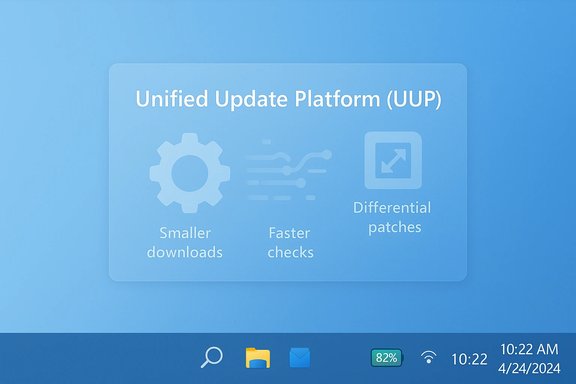
- Microsoft’s Unified Update Platform (UUP) reduces the size of update downloads by sending only the differential changes that a device needs rather than full ISOs for each build or feature update.
- Historically, Microsoft cited about a ~35% reduction in download size for feature updates when using UUP compared with full-image downloads, a figure that appeared in Microsoft’s UUP rollout messaging and related Insider communications. Insiders typically see such improvements earlier than the general public.
Faster, more efficient update checks
UUP shifts more of the evaluation and delta work to Microsoft’s update service, which then returns only the patches a device requires. In practice this reduces on-device processing during update checks and can speed up the overall check-and-download loop — particularly beneficial for battery-powered and low-power devices. Microsoft has emphasized these efficiencies in communications tied to Insider rollouts.Why these changes matter: UX, bandwidth, and device management
Everyday usability — the case for battery percentage
A visible battery percentage on the taskbar is a classic example of a small affordance with outsized impact. It reduces friction in routine tasks: handling meetings on a laptop, managing battery-critical remote work, or simply avoiding unexpected shutdowns. For users with accessibility needs, the explicit numeric readout is easier to parse than an icon alone. The move addresses a frequent user complaint and aligns Windows’ quick-glance ergonomics with modern platform expectations.Bandwidth and update reliability — the case for UUP
- Reduced download sizes help users with limited or metered connections and enterprises that manage large fleets of devices. Less data transferred per device translates to measurable savings at scale.
- Offloading evaluation work to the update service can reduce the CPU and I/O impact on devices during the update check, which is particularly helpful for mobile devices, tablets, and low-end hardware where battery and CPU headroom are constrained.
Faster iteration for Microsoft and Insiders
A unified publishing platform (UUP) streamlines Microsoft’s release pipeline, enabling faster, smaller, and more targeted flights to specific device classes. This tighter feedback loop should let Microsoft iterate more quickly on both UI touches (like the taskbar battery) and systemic fixes (network, compatibility, kernel-level patches). Insider builds are where Microsoft validates these hypotheses at scale.Technical verification: what’s been observed and what is confirmed
- Build sightings and feature presence
- The visible battery percentage and new battery icon states have been observed in recent Insider Dev channel builds, though availability varies and the feature may be gated.
- UUP benefits and figures
- Microsoft’s UUP messaging to Insiders mentions a differential download approach and quoted improvement estimates (roughly a one-third reduction in download size for feature updates compared with full-image downloads) during earlier rollouts and announcements. This number should be treated as an estimate from Microsoft’s own materials and may vary by device and update type.
- Rollout behavior
- Microsoft typically pilots such changes first on internal rings, then to Insiders, and finally to broader commercial releases — often in phases. That pattern is observable across multiple Insider-era announcements. Expect the battery percentage to follow the same staged activation path.
Strengths: what Microsoft gets right with this approach
- User-centered small wins: Prioritizing small but high-frequency usability problems (battery percentage, clearer icons) yields noticeable improvements in day-to-day productivity for many users.
- Reduced bandwidth and faster installs: UUP’s differential delivery is the kind of infrastructure improvement that benefits both consumers and IT departments, lowering network load and potentially shortening downtime for machines updating in the field.
- Phased testing and telemetry: Using Insiders as a staged testbed allows Microsoft to collect targeted telemetry and crash data before enabling features widely, mitigating some of the risks of broad regressions.
- Accessibility updates: The changes often accompany accessibility tweaks (clearer status icons, keyboard and Narrator improvements) that improve inclusivity for users with different needs.
Risks and limitations: what to watch out for
- Hidden or gated features: A persistent frustration for Insiders is encountering features that are present in the build but not enabled. This creates confusion and leads to both forum speculation and fragile “how-to” guides that may break across builds. Any public-facing guide should emphasize the staged nature of these rollouts.
- Telemetry and opt-in concerns: Faster iteration and feature gating rely on rich telemetry. Enterprises and privacy-conscious users will scrutinize how telemetry is collected during Insider flights and whether opt-in controls are clear and granular enough.
- Stability trade-offs: The Dev Channel is intentionally experimental. Users in production environments who enroll devices into Insider channels risk encountering regressions that can interrupt workflows. Microsoft’s historical guidance remains the same: Insiders accept a higher chance of instability in exchange for early access.
- Enterprise rollout complexity: While UUP reduces download sizes, enterprises will still need to validate update behavior across imaging processes, update rings, and configuration management tools. Some legacy tooling depends on full-image workflows and may require adaptation.
What Insiders and admins should know and do
For Windows Insiders (enthusiasts and testers)
- Check your Insider channel: The battery percentage and related UI changes are most likely to appear in the Dev Channel first. If you want to see early builds, ensure your device is enrolled in the correct channel.
- Expect staged enablement: Don’t be surprised if a preview build downloads but the feature isn’t immediately active. Microsoft often enables features server-side or behind flags after a build ships.
- Provide clear feedback: Use the Feedback Hub (WIN + F) to report both positive impressions and regressions. Detailed repro steps and logs help engineers move faster.
- Avoid production hardware: Keep Insider builds off machines you rely on for critical work. Use a spare device or VM to test preview features safely.
For IT admins and enterprise teams
- Evaluate UUP impacts: Test update delivery and deployment procedures in a controlled environment to see how differential updates interact with your imaging and patching systems. Plan updates to deployment tools that assume full-image workflows.
- Manage enrollment carefully: Use Windows Update for Business and group policies to control which machines receive Insider or fast-tracked updates. Keep mission-critical fleets on stable, managed channels.
- Monitor telemetry and opt-in policies: Ensure your privacy and diagnostic-level settings align with your organizational policy, especially if testing Insider builds as part of pre-deployment validation.
Predicting the rollout and timeline (what’s realistic)
Microsoft’s historical pattern for Insider-to-public transitions is conservative: features mature in Dev/Beta, get flagged for phased rollout in the Release Preview ring, and then appear for general users in cumulative or feature updates. Because Microsoft often deploys features server-side, the visible arrival of a feature (like battery percentage) may not align exactly with the date a build is published.- Expect broader enablement of the battery percentage to follow several weeks of telemetry and feedback from Insiders.
- UUP improvements have been rolled progressively to various device classes in past update cycles; its benefits will continue to expand as Microsoft optimizes the publishing pipeline and migrates more update types onto the unified platform.
Larger implications for Windows development and competitiveness
Small UX fixes like a taskbar battery percentage reveal a larger maturity: Microsoft is listening to long-standing requests and iterating on incremental delight. At the same time, UUP showcases that Microsoft is serious about the plumbing that scales Windows to billions of devices. Together these efforts signal a two-track improvement philosophy: optimize the platform’s delivery mechanics while also addressing micro-interaction grievances.For workplace and education deployments, the combination of smaller downloads and clearer device status indicators could reduce update-related downtime and end-user frustration. For enthusiasts, the visible gains reinforce why participating in the Insider program matters: it’s the fastest route to user-facing improvements and a mechanism to shape final behavior before a broader rollout.
Final assessment: welcome, measured progress with reasonable caveats
Microsoft’s move to surface the battery percentage in the taskbar — while seemingly small — is a classic usability win that will be appreciated by many users. Pairing that with ongoing backend investments like UUP makes the overall Insider program more valuable: better features delivered with less friction.The strengths are clear: improved usability, bandwidth savings, and a faster feedback loop for Microsoft. The risks are manageable but real: hidden flags, telemetry concerns, and the potential for instability in experimental channels. Insiders should test deliberately and provide structured feedback; enterprises should validate update behavior and maintain conservative enrollment until features graduate.
In short, this is the kind of practical, iterative progress that refines Windows in ways both visible and invisible — a welcome shift toward fixing the small everyday frictions while modernizing the distribution mechanics behind the scenes.
Source: Neowin https://www.neowin.net/news/microso...d-improvement-to-windows-insider-builds-soon/
