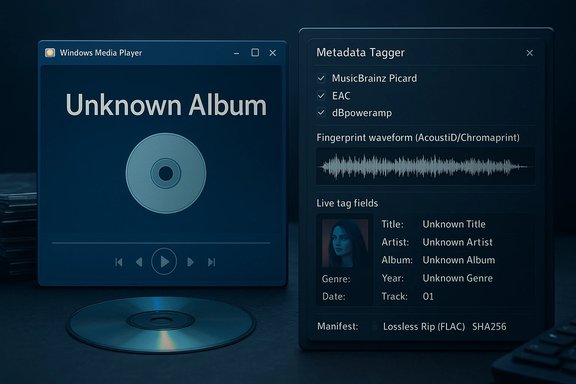
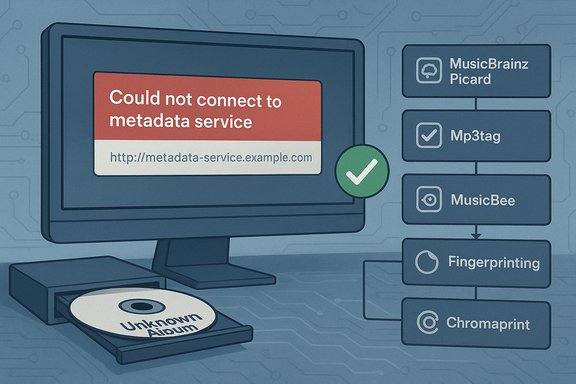
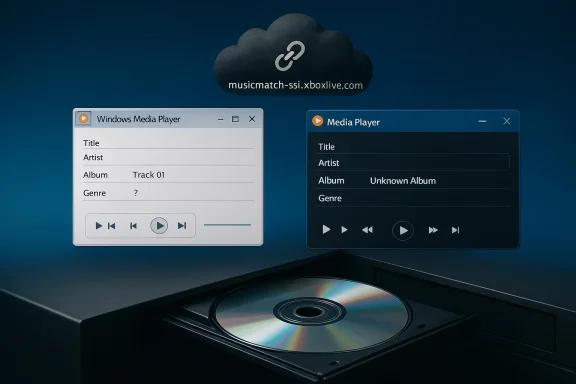
Microsoft's quiet retreat from one of the small conveniences that made desktop Windows feel like a living jukebox has landed with a thud for anyone still ripping CDs: Windows Media Player's online album-lookup service has stopped returning metadata, leaving freshly inserted discs labelled “Unknown album” and forcing users to type track names by hand or find new tooling to restore what used to happen automatically.
Windows Media Player (WMP) has carried CD lookup functionality since the early multimedia era of Windows, querying an internet metadata service to match a disc’s table-of-contents (TOC) or acoustic fingerprint to album titles, track lists, and cover art. For many users the last two decades that lookup has been invisible — insert a disc, and WMP would populate fields for you. That smooth UX depends on a remote metadata provider, and when that endpoint goes dark the experience collapses back into the manual era. Several community reports place the onset of the problem around mid-December 2025, when many users began seeing “No match found” responses from the endpoint WMP uses for album information: musicmatch-ssl.xboxlive.com. Microsoft’s own user forums quickly filled with reports of the same symptom and the same error URL, and the spike in tickets and community threads strongly suggests a centralized outage or the retirement of a metadata endpoint rather than a client-side bug affecting only a handful of devices. At the time of writing there is no public Microsoft press release reversing the observed behavior.
This episode underlines the importance of treating metadata as part of the archival object; the audio file’s container should include the cataloging information rather than depending on an ephemeral network lookup. Institutions and power users who care about preserving fidelity and metadata integrity should consider:
Pragmatically, the fallout is manageable: modern ripper/tagger tools and open metadata services provide robust alternatives. For users who value convenience over switching tools, however, the sudden change will feel like a regression.
Practically speaking:
Source: theregister.com Microsoft Windows Media Player stops serving up CD info
 Background
Windows Media Player (WMP) has carried CD lookup functionality since the early multimedia era of Windows, querying an internet metadata service to match a disc’s table-of-contents (TOC) or acoustic fingerprint to album titles, track lists, and cover art. For many users the last two decades that lookup has been invisible — insert a disc, and WMP would populate fields for you. That smooth UX depends on a remote metadata provider, and when that endpoint goes dark the experience collapses back into the manual era. Several community reports place the onset of the problem around mid-December 2025, when many users began seeing “No match found” responses from the endpoint WMP uses for album information: musicmatch-ssl.xboxlive.com. Microsoft’s own user forums quickly filled with reports of the same symptom and the same error URL, and the spike in tickets and community threads strongly suggests a centralized outage or the retirement of a metadata endpoint rather than a client-side bug affecting only a handful of devices. At the time of writing there is no public Microsoft press release reversing the observed behavior. Overview: what stopped working, and when
- What broke: Windows Media Player's online album lookup — the "Find album information" feature — has been returning no metadata for many commercial CDs. Users attempting to fetch album data see the lookup pointing to musicmatch-ssl.xboxlive.com and then a "No match found" response.
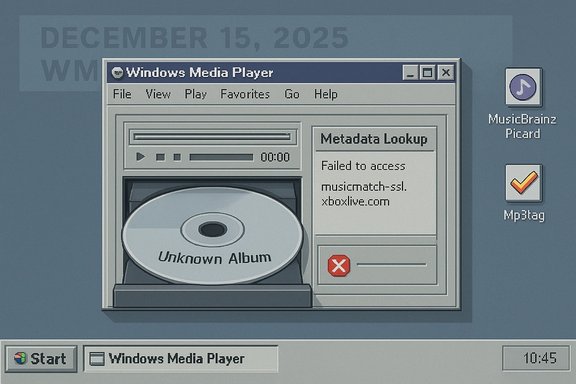
- When it started: user reports and community posts cluster around 15 December 2025 as the day many users first noticed the failure. Subsequent posts through December and into January show the issue persisted and community troubleshooting produced no official fix.
- Official context: Microsoft published broader notices about retiring certain Windows metadata services earlier in 2025, announcing the end of servicing for device metadata and Windows Metadata and Internet Services (WMIS) in May 2025. While that post covers device metadata workflows rather than music metadata specifically, it signals a company-level trend of winding down older metadata services and may be relevant to the tooling decisions behind WMP’s lookup endpoints. Microsoft’s announcement explicitly detailed retirement timing and migration guidance for partner-submitted device metadata packages.
Why this matters: the practical impact
For casual listeners the change is an annoyance; for collectors, archivists, and anyone who cares about clean metadata, the shift matters in concrete ways.- Broken metadata means music files ripped without tags are harder to organize, search, and export. Many consumer workflows — playlists, media servers, portable players — rely heavily on consistent tag fields (Artist, Album, Album Artist, Track Number, Year, Genre, Artwork).
- Legacy tools and scripts built around WMP’s automatic lookup now fail. Automated bulk-ripping or archival projects that assumed WMP would fill tags must either add manual steps or switch tooling.
- Accessibility and usability regressions: users with limited dexterity, older adults, or those who depend on WMP’s simple GUI now face repetitive typing tasks or a migration learning curve.
- Preservation concerns: a company pulling endpoints quietly makes it harder to maintain long-term, reproducible archival workflows for physical media collections.
What caused it — and what’s confirmed vs. speculative
Confirmed facts:- Multiple users and Microsoft community threads show the endpoint musicmatch-ssl.xboxlive.com in the error dialog and report a sudden inability to fetch CD metadata beginning 15 December 2025. This is corroborated across Microsoft’s Q&A forums and independent community boards.
- Microsoft announced the retirement of WMIS and device metadata servicing in a May 5, 2025 blog post. That announcement covers the end-of-servicing and offers guidance for driver- and package-based replacements for device metadata. The document does not call out consumer music metadata specifically, but it indicates Microsoft is actively pruning older metadata services across Windows.
- Microsoft likely concluded that the usage of WMP’s online metadata lookups is low, and maintaining the service was not worth the operational cost. This is a reasonable corporate calculus given WMP’s “Legacy” branding and Microsoft’s focus on newer apps and cloud services, but Microsoft has not explicitly stated this reason for the music metadata outage.
- The musicmatch endpoint may have been an externally-hosted service or an internal endpoint mapping to a third-party metadata provider; the observed behavior could be the result of the provider terminating the contract or Microsoft deliberately decommissioning the endpoint.
- Any claim that Microsoft “turned it off” as a deliberate move to push customers to a modern Media Player app, or that the endpoint was retired as part of a license expiry, remains speculative until Microsoft issues a formal statement. Community chat transcripts and anecdotal reports point in that direction, but they are not official confirmations.
Short-term fixes and workarounds
If you depend on WMP for ripping and tag population, there are practical workarounds. Some are quick replacements, others are more robust long-term solutions.- Try another player for ripping and tagging. Apple iTunes (still available for Windows) and third-party apps such as MusicBee or Exact Audio Copy (EAC) are known to fetch metadata reliably and support a range of tag formats. Community reports note iTunes still recognized discs that WMP could not.
- Use a dedicated tagger/updater: MusicBrainz Picard combined with AcoustID/Chromaprint can identify tracks by fingerprint and apply highly accurate tags and artwork. Picard is recommended for archival-grade tagging because it uses open databases and acoustic fingerprints rather than purely textual lookups.
- Repoint or tweak WMP’s metadata provider (advanced, may not work): older registry tweaks once allowed reverting WMP from musicmatch-ssl.xboxlive.com back to a legacy Microsoft metadata endpoint (fai.music.metaservices.microsoft.com). Community guides and Microsoft forum posts show this used to be a workaround, but it appears the option is now disabled or the legacy endpoint no longer supplies the needed data for many discs. Attempting registry edits to change PREFERREDMETADATAPROVIDER has been suggested, but results are mixed and Microsoft has deprecated that route in some builds. Proceed with caution when editing the registry.
- Manual tagging and tag editors: tools like Mp3tag make it feasible to edit batches of files and import artwork. While manual tagging is tedious, a combination of a fingerprinting tool (MusicBrainz) and a tag editor gives you precise control.
- Third-party metadata providers and services: commercial databases such as Gracenote and AllMusic (AMG) provide licensed metadata to many vendors. Some ripping/tagging tools can be configured to use these third-party services, but access can be paid or restricted by license. Long-term archival workflows that rely on licensed metadata should consider the sustainability and terms of those providers. Historical context shows WMP has used a mix of data providers over the years, including MusicMatch, AMG, and third-party services.
Quick step-by-step: rip a CD and get correct tags (recommended path)
- Install a dedicated ripper with good metadata support, e.g., Exact Audio Copy (EAC) or iTunes.
- Rip to a lossless format such as FLAC for archive quality.
- Run MusicBrainz Picard on the ripped files to identify by fingerprint and tag them.
- Use Mp3tag (or similar) to verify fields and embed album art.
- Import files into your media library (WMP will read embedded metadata from the files).
Longer-term considerations and implications
This outage — or retirement, depending on how Microsoft frames it — is symptomatic of broader industry dynamics:- Legacy feature maintenance is expensive. As companies shift resources toward cloud services, subscription models, and platform-specific ecosystems, legacy desktop conveniences are the first to feel the pruning shears.
- Centralized metadata is a single point of failure. Clients that rely on a company-controlled endpoint are exposed to outages or deprecations outside the user’s control. Open-source alternatives (MusicBrainz) and local tagging avoid that fragility.
- Vendor lock-in and licensing create fragility for cultural preservation. Commercial metadata providers can change terms, monetize access differently, or cease operations. Archivists and institutions managing large physical collections need metadata strategies that are vendor-agnostic or backed by open data.
- User experience regressions impact accessibility. Microsoft’s decision calculus may have prioritized a small active user base, but for the users affected the usability regressions are real. Tools and interfaces that catered to less technical users (like WMP’s “Find album information” menu) must be replaced by user-friendly alternatives, or Microsoft needs to offer migration tooling.
Security, privacy, and operational notes
- Using an external metadata lookup exposes minimal metadata to the provider (disc TOC and network details), but some privacy-conscious users prefer local fingerprinting and tag editing to avoid any external queries.
- If you employ registry hacks or third-party binaries to redirect WMP to alternate endpoints, treat them as a maintenance risk. Altering default behaviors can have unintended interactions with Windows updates or future app changes.
- For institutional use (libraries, archives), document your workflow and consider maintaining a local metadata repository or using an open dataset that can be hosted internally.
Who’s affected and what to do next
- Affected users: anyone who still relies on Windows Media Player (Legacy) or the modern Media Player app’s built-in "Find album information" feature for CD metadata. Many of the affected posts show users on Windows 10 and Windows 11.
- Immediate actions users should take:
- Switch ripping/tagging to a modern, well-supported app (iTunes, MusicBee, EAC).
- Adopt MusicBrainz Picard or similar for accurate, open metadata.
- If you need to continue using WMP, embed tags into files so WMP displays them locally.
- Consider backing up your metadata (tags and art) in a sidecar or database for future-proofing.
- If you want Microsoft to act: file feedback through Windows Feedback Hub and the Microsoft Q&A forum — these channels are visible to Microsoft engineers and may influence prioritization for fixes or guidance. Several community threads now show Microsoft staff noting the issue but no public remediation plan has been announced.
Strengths and weaknesses of Microsoft’s approach
Strengths:- Centralized metadata services historically provided a frictionless user experience: insert a CD, and WMP did the heavy lifting.
- Licensing partnerships with metadata providers meant wide coverage across commercial releases when the services were operational. Historically WMP and similar players have used industry databases such as AMG, Muze, and Gracenote to supply artwork and descriptive metadata.
- Single-vendor failure mode: the sudden unavailability of a single endpoint demonstrates the fragility of depending on a central service without clear fallback options.
- Poor communication: the lack of an authoritative Microsoft update or advisory leaves users scrambling and fuels speculation. When Microsoft retires services, a clear deprecation path with migration guidance would help users plan.
- Erosion of legacy support: WMP is already branded “Legacy” in Windows 11. Retiring features without migration tooling accelerates the lifecycle end for users who relied on older ecosystems.
A preservationist’s view: why this is a small story with outsized consequences
To most people the change is a minor inconvenience. For those building digital collections, however, the metadata is the difference between discoverability and obscurity. A ripped CD with no embedded tags effectively becomes opaque: searching by album, curating playlists, and exchanging tracks across systems all become more laborious.This episode underlines the importance of treating metadata as part of the archival object; the audio file’s container should include the cataloging information rather than depending on an ephemeral network lookup. Institutions and power users who care about preserving fidelity and metadata integrity should consider:
- Always ripping with tags embedded.
- Keeping independent metadata backups (e.g., JSON dumps or MusicBrainz release IDs).
- Favoring open metadata standards and fingerprints (AcoustID/Chromaprint) where possible.
Final assessment and takeaway
The Windows Media Player metadata outage is an unwelcome reminder that conveniences we’ve long taken for granted — instant album lookup, automatic artwork, and ready-made tags — rest on networked services that can be retired, moved, or broken overnight.Pragmatically, the fallout is manageable: modern ripper/tagger tools and open metadata services provide robust alternatives. For users who value convenience over switching tools, however, the sudden change will feel like a regression.
Practically speaking:
- Treat the outage as a signal to decouple your library from any single client’s lookup service.
- Move to a workflow that embeds metadata into files and leverages open databases for lookup (MusicBrainz/AcoustID).
- If you want corporate behavior to change, push feedback through Microsoft’s official channels and track their community updates.
Source: theregister.com Microsoft Windows Media Player stops serving up CD info