

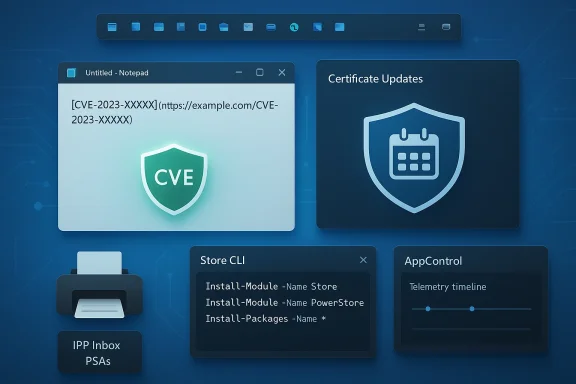
This week’s Microsoft beat was dominated by three tightly related themes: a broad, sometimes messy Patch Tuesday rollout that fixed a critical Notepad remote‑code execution flaw and began refreshing Secure Boot certificates; renewed signals that Microsoft is finally repairing Windows 11’s controversial taskbar; and a rapid expansion of third‑party tooling and distribution options that together reshape how users and administrators interact with apps, drivers, and diagnostics on Windows. (support.microsoft.com
Background / overview
Microsoft’s February servicing cycle brought the usual mix of security patches, stability fixes, and controlled‑feature rollouts. On the security side the update set patched a high‑severity Notepad vulnerability that could allow code to run when a user clicked specially crafted Markdown links, and the company also began rolling new Secure Boot certificates to avoid a looming certificate expiry in mid‑2026. At the same time the Windows team has quietly accelerated quality work across the shell: insiders and industry reporters are seeing prototypes that would restore long‑requested taskbar behaviors (movability and resizing), while the wider Windows ecosystem is evolving — the Microsoft Store added a built‑in command‑line client, PowerToys continued its steady iteration, and several third‑party utilities landed notable new capabilities designed for the post‑Windows‑11 tooling era. (techradar.comBelow I map what shipped, what’s being prototyped, and what IT teams and power users should do next — with technical verification, a critical read on risk, and practical steps for mitigation and adoption.
Patch Tuesday, the Notepad RCE, and early instability reports
What landed this month
February’s cumulative updates for client Windows builds were published as usual across supported channels:- Windows 11 (25H2 / 24H2) — KB5077181 in Stable/preview channels and related enablement packages. (pureinfotech.com
- Windows 11 (23H2) — KB5075941 (build 22631.6649). (support.microsoft.com
- Windows 10 (ESU / supported chains) — KB5075912 for current servicing SKUs. (support.microsoft.com
The Notepad vulnerability (CVE‑2026‑20841)
A particularly notable — and surprising — security fix was for the Windows Notepad app. Microsoft addressed an “improper neutralization of special elements used in a command” weakness in Notepad’s Markdown handling that carried a high CVSS rating (reported as 8.8). The vulnerability allowed an attacker to craft a Markdown (.md) file containing a specially formed link which, when opened in Notepad and clicked by a user, could invoke unverified protocols and launch remote files — effectively enabling remote code execution in the victim’s security context. Microsoft patched that issue as part of this month’s updates. (techradar.comWhy it matters: Notepad historically was a tiny, extremely low‑risk text editor; adding Markdown rendering and richer behaviors widened its attack surface. The Notepad incident is a reminder that functionality brought into formerly simple apps must be hardened to the same standards as larger apps. If you run Windows 11, ensure your updates are applied and avoid clicking untrusted links in files until systems are patched. (theverge.com
Early reports of update instability
As with many large cumulative updates, early reports surfaced from some users about severe side effects — including boot loops and update‑related instability — after installing February updates. Microsoft’s KB and release pages typically list known issues and remediation steps, and Microsoft is actively monitoring and patching problems, but some community reports suggests real‑world impacts for a minority of devices in the initial rollout window. If you manage critical endpoints, treat this update window as a high‑caution period: test on a ring of representative devices before broad deployment, and have recovery media available for machines that may require offline repair. (windowsreport.comPractical steps (short list):
- Install updates in a test ring first; verify boot, networking, and printing workflows.
- For servers and critical workstations, delay automatic application for 48–72 hours on general fleets while monitoring vendor advisories.
- If you encounter a boot loop, follow Microsoft guidance for recovery media and servicing‑stack rollback; contact vendor support for persistent failures. (support.microsoft.com
Secure Boot certificate updates: planned, necessary, and time‑sensitive
Microsoft has been public about the lifecycle of the Secure Boot certificates first added in 2011: those certificates begin to expire in June 2026. To avoid a situation where older certificates block the ability to validate and service boot components, Microsoft is rolling out new 2023 certificates through a phased, targeted process that combines Windows updates with firmware (OEM) cooperation. Devices with certain firmware versions may need vendor‑side firmware updates to receive the new certificates; Microsoft’s guidance recommends verifying update readiness and ensuring devices can reach Microsoft’s certificate delivery endpoints. (support.microsoft.comWhy this is critical: Secure Boot prevents unsigned or tampered early‑boot components from running. If devices do not receive updated CA/KEK/DB entries before the old certs expire, they could enter a degraded security state or have difficulty receiving future boot‑level security updates. Administrators should treat certificate rollouts like any other firmware/security lifecycle event: inventory, confirm vendor firmware availability for managed hardware, and monitor the Windows release health dashboard. (support.microsoft.com
Recommended actions:
- Inventory: enumerate UEFI variables and current Secure Boot certificate state across your fleet.
- Firmware readiness: check OEM advisories for BIOS/UEFI updates that add 2023 certificates.
- Network allowances: ensure clients can fetch certificate payloads from Microsoft’s update endpoints (the rollout uses targeting signals and staged pushes). (support.microsoft.com
Windows 11’s taskbar: Microsoft prototypes a course‑correction
What’s changing (the reports)
After years of user frustration that began when Windows 11 locked the taskbar to the bottom and removed legacy placement and sizing behavior, multiple Windows‑focused outlets now report Microsoft is prototyping movable and resizable taskbar behavior: the company is experimenting with allowing the taskbar to be docked at the top, left, or right of the display and with user‑facing controls to change the taskbar’s height (and effectively reintroduce denser or multi‑row layouts). These reports are based on anonymous industry sources and insider signals rather than an official shipped feature announcement, and the company has not published a definitive schedule; industry coverage places an aspirational preview window in mid‑2026 with broader rollout subject to testing. (windowscentral.comWhy this matters: Taskbar placement and size are not cosmetic tweaks; they ripple through anchoring logic for Start, flyouts (Quick Settings, calendar, notifications), window maximize math, and accessibility behavior. Getting this right affects millions of users and enterprise support flows — and is symbolically significant as a visible correction to a core UX decision. (windowscentral.com
Risks and engineering realities
- Reflowing the shell: flyouts and system tray elements are anchored to a bottom dock in many places — moving them requires reengineering anchoring math and animation pathways.
- Accessibility: screen reader order, keyboard navigation, and touch gestures must be maintained or improved when the bar moves to non‑bottom edges.
- Multi‑monitor DPI complexities and maximize/restore logic must be tested across mixed scale factors to avoid regressions.
- Enterprise rollout: administrators will expect Group Policy and MDM control to lock or permit taskbar placement; Microsoft should publish management keys and compatibility guidance before broad deployment. (windowsforum.com
Alternatives to Task Manager: AppControl and the rise of historical telemetry
One highlight from this week is a new entrant positioned as a modern Task Manager replacement: AppControl. It’s pitched as a “PowerToys for Task Manager,” offering a second‑by‑second historical timeline of CPU, GPU, memory, disk, and temperature, with event alerts for sensitive resource or device usage, publisher context for processes, and rule‑based blocking. The app stores a short rolling history (reported up to three days) so you can rewind and inspect what caused a spike that vanished before you opened Task Manager. The launch materials, blog posts, and press outreach make a strong case for its usefulness to everyday and power users alike. (prnewswire.comWhy this matters: the classic Task Manager is real‑time only. For intermittent spikes — the classic “my fan spun up and the process is gone when I opened Task Manager” problem — historical telemetry solves a long‑standing usability gap. That insight is now being productized in both third‑party apps and in Microsoft’s own telemetry tools. (softpedia.com
Caveats and security notes:
- Any tool that collects process and telemetry data must be trustworthy and transparent about data collection; verify whether AppControl sends any telemetry off‑device by default. Vendor claims say minimal data is collected and features are opt‑in, but treat new diagnostic agents with caution in enterprise fleets until audited. (prnewswire.com
- Test AppControl on non‑critical test machines to evaluate how it stores and exposes process histories.
- Evaluate driver requirements: some apps use a kernel component to capture detailed telemetry — review signing, update policy, and driver maintenance considerations.
- For security teams, integrate event export to SIEM only after validating privacy posture and data retention settings. (majorgeeks.com
The printing story: Microsoft shifts driver distribution and the operational impact
Microsoft’s long‑running effort to modernize the print stack continued this month: the company has moved to phase out automatic publishing of new legacy V3/V4 printer drivers through Windows Update for Windows 11 and server SKUs, pushing vendors toward the Microsoft IPP (inbox) class driver + Print Support Apps (PSAs) model and gating new legacy driver submissions by default. The deprecation roadmap includes concrete milestones: a January 15, 2026 cutover where new legacy driver submissions stopped being published by default, a July 1, 2026 change in driver ranking to prefer the IPP class driver, and a July 1, 2027 servicing cap that limits Windows Update distribution of third‑party driver updates to security‑only fixes. Independent reporting and Tom’s Hardware coverage summarize the timeline and practical consequences for older multifunction printers. (tomshardware.comWhy this change matters: it reduces kernel‑mode exposure from vendor printer drivers (historically a fertile source of vulnerabilities) and moves vendor‑specific features into user‑mode PSAs distributed via the Store. But it also imposes operational work on IT teams that manage large fleets of older MFDs: vendors must publish PSAs, or customers must retain vendor installers outside Windows Update.
Practical checklist for administrators:
- Inventory printers and identify those relying on legacy V3/V4 drivers.
- Contact vendors for PSA availability or guidance on IPP/Mopria equivalence.
- Test IPP inbox class drivers with vendor PSAs in a lab ring to confirm required features (scan, finishing, stapling, accounting) are available. (windowsforum.com
Microsoft Store: a CLI and a more scriptable Store
Microsoft announced and rolled out a Microsoft Store command‑line interface (Store CLI) that allows browsing, installing, and updating Microsoft Store apps directly from Windows Terminal. This is not a replacement for winget; rather, it’s a Store‑centric, scriptable client that leverages the Store catalog, entitlements, and the Store app’s install pipeline. Microsoft’s developer announcements and independent coverage explain the intent: better automation and parity for developers and administrators that rely on Store entitlements and catalog metadata. Note the CLI depends on the Store client and is only available where the Microsoft Store is enabled. (helpnetsecurity.comWhy this matters: the new Store CLI closes a gap for Store‑first scenarios where winget and msstore (the developer publishing CLI) did not perfectly map to the Store client’s entitlement model. It makes scripted installs of Store‑only content simpler for automation and provisioning workflows — particularly for organizations that allow the Store in managed images.
Quick uses:
- store search / store browse‑apps for discovery
- store install <product‑id> and store update <product‑id> for installs/updates
- store installed and store updates for inventory audits (windowsforum.com
PowerToys and the small but steady productivity layer
PowerToys shipped a patch release, v0.97.2, focused on stability fixes and incremental refinements (notably Cursor Wrap adjustments and numerous UI / DPI / crash fixes across modules). PowerToys remains Microsoft’s experimental productivity lab and is returning to a rhythm of enhancements that are broadly useful for power users: Command Palette refinements, advanced clipboard / paste improvements, improved CLI hooks, and the new CursorWrap mouse utility. If you use PowerToys in managed images, validate the new version in a test image (MSI/MSIX packaging and ADMX controls are available). (techspot.comOperational note: PowerToys is now commonly distributed via the Microsoft Store and GitHub releases — pick your distribution method and lock the version for enterprise fleets to avoid unexpected behavior during updates. (tenforums.com
Office changes: Send to Kindle and the uncertain Office Lens item
Microsoft quietly removed the Send to Kindle integration from Word (effective February 2026 per vendor documentation updates and independent coverage). That feature allowed Microsoft 365 users to push documents to Kindle devices from within Word; its removal means users must rely on Amazon’s Send to Kindle web/email tools or other transfer methods. This is a narrowly scoped but tangible reminder that small productivity conveniences can be deprecated with limited notice. (it.slashdot.orgRegarding Office Lens, some outlets in the aggregated coverage suggested the app would “lose all features” on March 9, 2026. At the time of writing I could not locate a primary Microsoft support page or clear vendor announcement that precisely matches that claim; treat the Office Lens item as unverified until official Microsoft documentation or the Office blog confirms an end‑of‑features schedule. When a claim like this is ambiguous, rely on official product lifecycle pages and app store notices for definitive guidance. (Flagged for verification.) (tech.yahoo.com
Insider channel noise: Canary and Dev highlights
Microsoft’s Insider channels continue to be the primary place for new experiments:- Canary Channel Build 28020.1611 added built‑in Sysmon as an optional in‑box feature (disabled by default) that writes events to the Windows Event Log and can be enabled via Settings or DISM. This lowers friction for defenders who want Sysmon telemetry without a separate Sysinternals install. (blogs.windows.com
- Dev Channel Build 26300.7760 began a gradual rollout of Emoji 16.0 and added pan/tilt camera controls in Settings for supported webcams. The Beta channel received similar payloads via matched enablement packages. These are staged controlled feature rollouts and are gated by Microsoft’s CFR toggles — not every Insider will see changes immediately. (blogs.windows.com
Critical analysis — strengths, risks, and where to watch next
Strengths:- Microsoft is addressing long‑standing usability complaints (taskbar) while also investing in hardening and telemetry (Sysmon, Secure Boot certificate refresh). Those two signals together — UX remediation + security hardening — are healthy for the platform. (windowscentral.com
- The Store CLI and improved developer analytics show a pragmatic focus: make developer workflows more scriptable and the Store more automatable. That’s a win for enterprise deployment and reproducible provisioning. (helpnetsecurity.com
- Shifting printer drivers to a protocol + PSA model reduces kernel‑mode attack surface at scale and aligns with modern security best practices. (windowsforum.com
- Large servicing updates still carry measurable risk: early boot‑loop and stability reports require conservative rollout strategies for production fleets. Test rings and rollback plans are critical. (windowsreport.com
- App expansions (Notepad getting Markdown and clickable links) show the danger of feature creep in historically minimal apps. When seemingly small features introduce new attack surfaces, the cost is immediate and measurable. The Notepad CVE should re‑orient product teams toward stricter threat modeling for small, widely used components. (techradar.com
- The print driver transition places operational load on vendors and customers. Not all legacy printers will have vendor PSAs or IPP support; the migration could force hardware refreshes in cost‑sensitive environments. Plan budgets and device replacement cycles accordingly. (tomshardware.com
- Microsoft’s official Insider blog and release health dashboard for when a taskbar prototype becomes an official rollout. (blogs.windows.com
- The Windows release health and KB pages for emergent update issues and certificates rollout signals. (support.microsoft.com
- Vendor readiness for Print Support Apps and IPP compatibility — this will determine how painful the printing transition becomes. (windowsforum.com
Final recommendations for power users and IT Pros
- Patch promptly but prudently. Apply the Notepad/CVE patch and Secure Boot certificate updates to test devices immediately; for broad fleets stage the combined update with a small pilot before general deployment. (theverge.com
- Inventory printers now. Start a two‑step plan: (a) identify devices using legacy V3/V4 drivers, and (b) ask vendors for PSA or IPP options. Budget to replace devices that lack modern driverless support. (tomshardware.com
- Try built‑in Sysmon in isolated SOC/Test environments and develop configuration baselines. Moving Sysmon in‑box simplifies deployment for monitoring, but it needs carefully crafted XML filters to avoid noise. (blogs.windows.com
- For usability demands around the taskbar, avoid shell‑level replacement tools in production; prefer Microsoft’s official rollout when it arrives. If you must use community tools for immediate needs, sandbox them and test after each cumulative update. (windowsforum.com
- Evaluate new tooling (AppControl, PowerToys updates, Store CLI) on test hardware first; confirm enterprise telemetry, privacy, and management integrations before broad adoption. (prnewswire.com
This was a dense week of fixes, prototypes, and ecosystem shifts. Microsoft is simultaneously tightening core security (Secure Boot renewals, Notepad patch), expanding defender tooling (built‑in Sysmon), and — importantly for long‑term usability — beginning to correct a UX choice that provoked years of criticism (taskbar movement/resizing). The short term will be noisy: administrators must balance timely patching against the operational risk of large cumulative updates, while planning for longer‑term architecture changes (printing model and app distribution flows). Stay cautious, prioritize testing, and treat the next few months as a transition window where both security and user‑centered fixes will keep arriving fast. (support.microsoft.com
Source: Neowin Microsoft Weekly: Windows 11's taskbar is upgrading, better Task Manager alternatives, more
