

Microsoft has flipped the switch: Windows Server 2025 now includes a native NVMe storage stack that removes decades of SCSI translation and exposes NVMe’s multi‑queue, low‑latency semantics to the kernel — a platform modernization that Microsoft says delivers large IOPS uplifts and significant CPU savings for modern enterprise NVMe SSDs.
For years Windows treated most block storage through a SCSI‑style abstraction built for spinning media and early SSDs. That SCSI-oriented model simplified compatibility across HDDs, SANs and older controllers, but it imposes translation and synchronization overhead that limits NVMe devices from reaching their design performance. NVMe was built around massive parallelism (tens of thousands of queues and deep per‑queue depth), per‑core queue affinity and lightweight submission/completion paths — a model Linux exposed natively long ago but that Windows historically mapped into the older SCSI plumbing.
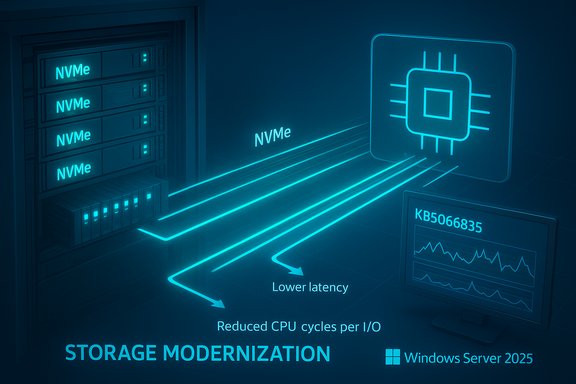
Microsoft’s Windows Server 2025 rewrite replaces that one‑size‑fits‑all approach with an NVMe‑aware I/O path: the kernel can now speak NVMe natively, avoid per‑IO SCSI translation, and use lock‑reduced, multi‑queue submission to improve latency and per‑I/O CPU efficiency. Microsoft’s own Tech Community post and product documentation present the change as a foundational modernization of the storage stack.
Source: www.guru3d.com https://www.guru3d.com/story/windows-server-2025-finally-gains-native-nvme-storage-support/
 Background
For years Windows treated most block storage through a SCSI‑style abstraction built for spinning media and early SSDs. That SCSI-oriented model simplified compatibility across HDDs, SANs and older controllers, but it imposes translation and synchronization overhead that limits NVMe devices from reaching their design performance. NVMe was built around massive parallelism (tens of thousands of queues and deep per‑queue depth), per‑core queue affinity and lightweight submission/completion paths — a model Linux exposed natively long ago but that Windows historically mapped into the older SCSI plumbing.Microsoft’s Windows Server 2025 rewrite replaces that one‑size‑fits‑all approach with an NVMe‑aware I/O path: the kernel can now speak NVMe natively, avoid per‑IO SCSI translation, and use lock‑reduced, multi‑queue submission to improve latency and per‑I/O CPU efficiency. Microsoft’s own Tech Community post and product documentation present the change as a foundational modernization of the storage stack.
What Microsoft actually shipped
How the feature was delivered
- The capability was included as part of Windows Server 2025 servicing and surfaced in the October cumulative update identified as KB5066835 (October 14, 2025 servicing wave). Microsoft’s release and update pages document the update package and associated servicing notes.
- Native NVMe initially ships as an opt‑in feature. Administrators must install the LCU containing the functionality and then enable the native NVMe path via Microsoft’s documented controls. Microsoft published enablement steps (example PowerShell/registry command and Group Policy guidance) so datacenter teams can evaluate and turn the feature on in a controlled manner.
Official enablement snippet (verbatim from Microsoft’s guidance)
- Microsoft’s Tech Community post includes an example command to enable the feature after applying the servicing update:
reg add HKEY_LOCAL_MACHINE\SYSTEM\CurrentControlSet\Policies\Microsoft\FeatureManagement\Overrides /v 1176759950 /t REG_DWORD /d 1 /f.
Note: Because registry changes alter kernel behavior, Microsoft documents the supported enablement method in the Tech Community guidance; community‑sourced or undocumented toggles appearing elsewhere should be treated as unverified until confirmed by Microsoft or OEMs.
The headline performance claims — verified numbers and what they mean
Microsoft published microbenchmark results showing very large improvements in synthetic workloads:- Up to roughly 60% IOPS uplift versus Windows Server 2022 in Microsoft product pages.
- In detailed Tech Community microbenchmarks Microsoft reports as much as ~80% higher IOPS in selected 4K random read tests and a ~45% reduction in CPU cycles per I/O on the cited workloads. These were run with DiskSpd on a high‑end dual‑socket host with an enterprise NVMe device (Microsoft included the DiskSpd command line and hardware details to support reproducibility).
How to interpret those numbers
- These figures are microbenchmark results using synthetic 4K random reads (DiskSpd). They demonstrate the delta in pure I/O path cost (translation, locking, per‑IO CPU) between the legacy SCSI path and the native NVMe path in Windows Server’s stack.
- Real application gains (databases, virtualization, file services, AI/ML scratch) will vary widely: your workload’s IO size, read/write mix, queue depth, caching, and driver/firmware specifics matter far more than headline microbenchmarks. Treat the published numbers as directional and promising, not guaranteed.
Who stands to benefit most
- High‑IO databases (OLTP, NoSQL) — lower tail latency and higher IOPS headroom can translate into measurable transaction throughput improvements.
- Hyper‑V hosts and VDI farms — faster VM boots, faster checkpoint and snapshot work, and reduced storage CPU overhead improve consolidation and reduce noisy‑neighbor effects.
- High‑performance file services and analytics — metadata ops and large file transfers benefit from lower latency and higher parallelism.
- AI/ML training nodes and scratch tiers — reduced CPU per‑IO frees cycles for compute, improving end‑to‑end job throughput where local NVMe is used for working sets.
Technical details admins need to validate before enabling
Driver path and vendor drivers
- The gains Microsoft reports apply when the system is using the in‑box Windows NVMe driver (StorNVMe.sys). Some NVMe vendors ship their own drivers that already include optimizations or different behaviors; results with vendor drivers may not match Microsoft’s published numbers. Compare the in‑box driver to vendor drivers in your lab.
Storage topologies to test
- Direct‑attached NVMe (DAS): the clearest and most predictable uplift.
- Storage Spaces Direct (S2D): S2D sits above the local storage layer; Native NVMe may improve raw device efficiency but requires careful validation of cluster resync, resiliency and rebuild operations under the updated stack.
- NVMe‑over‑Fabrics (NVMe‑oF): disaggregated fabrics introduce additional components (target firmware, fabric adapters, RDMA stacks) that must be validated with the native host path.
- Mixed topologies (SAN + S2D): test carefully — mixed environments increase complexity and risk.
Firmware, PCIe generation and HBAs matter
- NVMe performance depends heavily on drive firmware, controller design and PCIe generation (Gen4/Gen5). Some vendor HBAs advertise multi‑million IOPS and require the full software stack to avoid bottlenecking. Validate with the exact device firmware revisions your fleet uses.
Practical step‑by‑step evaluation and enablement checklist
- Inventory NVMe devices and drivers across the fleet; note firmware and whether vendor drivers are in use.
- Patch representative lab nodes with the October servicing update (KB5066835) or the latest LCU that contains Native NVMe components. Confirm the exact OS build before proceeding.
- Reproduce Microsoft’s DiskSpd microbenchmark using the published command line to confirm baseline delta. Compare:
- Windows Server 2022 (or your current baseline) with vendor driver
- Windows Server 2025 with in‑box StorNVMe.sys
- Windows Server 2025 with vendor driver (if applicable)
Use consistent firmware and BIOS settings across tests. - Run representative application workloads (DB TPC‑E style tests, VM boot storms, real backup/restore scenarios) and measure end‑to‑end metrics (IOPS, latency percentile, CPU cycles per I/O, transaction throughput).
- Validate cluster operations under stress (failover, resync, rebuild) if you use S2D or clustered storage.
- Use staged rollout (canary, pilot, progressive rings) with telemetry and rollback procedures. Keep recovery steps and image rollbacks ready.
Risks and real‑world caveats
Servicing complexity and collateral effects
Delivering Native NVMe via a large cumulative update (KB5066835) illustrates a broader risk: a single LCU can touch many subsystems. The October updates included unrelated but impactful side effects — for example, USB input in the Windows Recovery Environment (WinRE) and other regressions were reported and tracked in Microsoft’s release health notes and press coverage. Administrators must treat the entire update as a functional change, not just a performance patch.Unverified community claims — registry and undocumented toggles
- Community posts and third‑party writeups occasionally publish registry commands, ADMX names or MSI packages that purport to enable or tweak the native NVMe path. Some of these items are accurate; others are misinterpretations or undocumented experiments. Use Microsoft’s published Tech Community and KB guidance for enablement and treat external registry tweaks as unverified until confirmed by Microsoft or OEMs. Registry changes that alter kernel I/O behavior must be validated carefully.
Vendor support and OEM guidance
- If you operate under OEM support contracts, verify that enabling the native NVMe path is covered by vendor support. Some vendors may require specific driver/firmware combinations, and enterprise support teams will want test evidence before approving a production change.
Clustered storage and replication considerations
- In distributed or replicated topologies, ensure failover, resync, and replication operations behave correctly when the host stack changes its I/O semantics. These are the most common sources of trouble after foundational kernel changes.
Strategic implications — what this means for datacenter design
- Cost and density: For environments that are storage‑bound, reduced CPU per‑IO can increase consolidation density or lower TCO by freeing CPU cycles for workloads. This is particularly valuable for VM hosts and database servers.
- Future feature unblock: A native NVMe path makes the platform more amenable to advanced NVMe capabilities (multi‑namespace management, vendor extensions, direct submission paths) and can accelerate future innovations in Windows storage features.
- Client parity uncertain: The change is packaged for Windows Server 2025. Microsoft has not committed to a client‑SKU timeline for the same native NVMe stack, so desktop and consumer Windows SKUs should not expect immediate parity.
Quick reference: what to test first (minimum reproducibility suite)
- Verify the LCU/OS build and confirm KB5066835 (or later) is installed.
- Confirm which NVMe driver is active (StorNVMe.sys vs vendor driver).
- Run DiskSpd 4K random read test (Microsoft’s example command) before and after enabling native NVMe.
- Run representative application tests: a small OLTP benchmark, a VM boot storm, and an S2D resync under workload. Record IOPS, tail latency (99th/99.9th percentiles), and CPU cycles per I/O.
How to enable (official route)
- Install the Latest Cumulative Update (LCU) that contains the Native NVMe components — the October 2025 LCU is KB5066835 (OS build references in Microsoft support pages).
- Enable the Native NVMe feature using Microsoft’s documented control (registry / Group Policy example shown in the Tech Community how‑to). Do not rely on undocumented registry tweaks from community posts; follow Microsoft’s published guidance and OEM advisories.
- Validate in lab, stage rollout, and monitor telemetry during canary/pilot deployments.
Final verdict — measured optimism
Windows Server 2025’s native NVMe storage stack is a meaningful, overdue modernization of the Windows I/O path. Microsoft’s documented microbenchmarks and independent reporting consistently show substantial gains in synthetic IOPS and meaningful reductions in per‑IO CPU cost — benefits that can translate into higher density and better responsiveness for IO‑bound workloads when validated properly. That said, this is not a simple flip of a performance switch. The benefits are hardware‑, firmware‑ and workload‑dependent. The change was delivered in a major cumulative update that also affected other subsystems, so staged validation, vendor coordination, and careful cluster testing are mandatory. Community posts and forum threads underscore the need to avoid undocumented toggles and to rely on Microsoft and OEM guidance for production rollouts.Recommended next steps for Windows Server administrators
- Treat Native NVMe as a strategic improvement: plan lab validation, not immediate farm‑wide enablement.
- Coordinate with NVMe vendors and OEMs for firmware and driver guidance.
- Use Microsoft’s published DiskSpd parameters to reproduce the microbenchmarks and compare them to representative application workloads.
- Stage rollouts with telemetry, canary hosts and a documented rollback plan.
- Track Microsoft’s release health pages and follow up on any outstanding servicing issues before broad deployment.
Source: www.guru3d.com https://www.guru3d.com/story/windows-server-2025-finally-gains-native-nvme-storage-support/
