

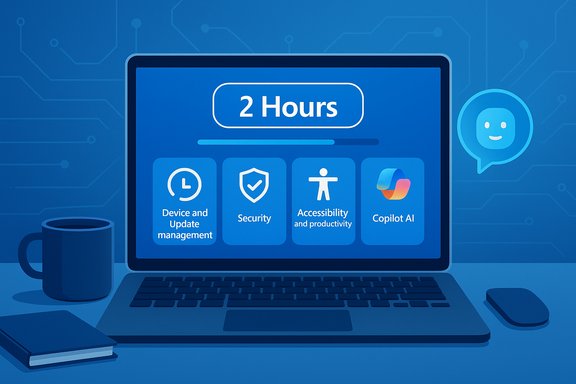
Windows IT pros now have a sharpened, easy-to-digest path to learn the latest Windows and AI tools: Microsoft’s refreshed Windows skilling snacks library curates short learning journeys—each designed to be completed in under two hours—covering device and update management, security, accessibility and productivity, and focused AI topics for administrators and frontline IT staff.
Microsoft introduced the skilling snacks concept to address a common problem in technical upskilling: an overwhelming volume of documentation, videos, and demos spread across multiple sites. The skilling snacks approach packages the most relevant resources into focused, time-boxed learning “snacks” so engineers and IT pros can make meaningful progress during a lunch break, a commute, or a quiet morning. The skilling snacks hub aggregates Windows IT Pro Blog posts, Tech Community guidance, Microsoft Learn modules, demo videos, and hands-on labs into a single curated list. Microsoft’s Windows skilling snacks landing page explicitly states the goal—collections that can be consumed in less than two hours—alongside a rotating menu of topics grouped under categories like Device and update management, Security, Accessibility and productivity, plus “Extra bites” for specialized deep dives. The library was noted as updated in December 2024, and Microsoft continues to refresh the archive.
However, skilling snacks are not a silver bullet. They must be treated as entry points—a fast way to learn “what to do” and “where to look next”—rather than full replacements for deep, role-based certifications, vendor-neutral security training, or governance programs required for responsible AI adoption. Leaders should build a layered skilling strategy: snacks for rapid orientation, Learn/Applied Skills for validation, and governance and measurement for safe production rollout.
Windows skilling snacks make continuous learning achievable for busy Windows professionals: short, curated journeys point you toward practical tasks, reduce overload, and integrate with Microsoft’s broader skilling ecosystem when deeper expertise is needed. Use them as the onramp—then validate, pilot, and govern before you scale.
Source: Microsoft - Message Center Windows skilling snacks: bite-sized learning for IT pros - Windows IT Pro Blog
 Background
Microsoft introduced the skilling snacks concept to address a common problem in technical upskilling: an overwhelming volume of documentation, videos, and demos spread across multiple sites. The skilling snacks approach packages the most relevant resources into focused, time-boxed learning “snacks” so engineers and IT pros can make meaningful progress during a lunch break, a commute, or a quiet morning. The skilling snacks hub aggregates Windows IT Pro Blog posts, Tech Community guidance, Microsoft Learn modules, demo videos, and hands-on labs into a single curated list. Microsoft’s Windows skilling snacks landing page explicitly states the goal—collections that can be consumed in less than two hours—alongside a rotating menu of topics grouped under categories like Device and update management, Security, Accessibility and productivity, plus “Extra bites” for specialized deep dives. The library was noted as updated in December 2024, and Microsoft continues to refresh the archive. What’s in the updated skilling snacks library
The updated library is not a single course; it’s a curated index of short learning journeys. The most prominent organizational features are:- Topical menus that group snacks into practical themes such as Device and update management, Security, Accessibility and productivity, and Extra bites. Each menu lists 4–8 curated items targeted at a specific admin or user scenario.
- Time-boxed journeys: each snack bundles a few resources (video walkthroughs, documentation, step-by-step demos, and short labs) that add up to about two hours or less, enabling micro‑learning sessions during normal work hours.
- Links to Microsoft Learn and demos so you can go deeper when you want certification‑grade or lab‑based practice. Skilling snacks are positioned as entry or consolidation points—think “preparation and orientation” rather than full certification.
- Community hooks: posts and discussion threads on the Microsoft Tech Community accompany many snacks, providing real-world Q&A, clarifications from product teams, and suggestions for follow-up learning.
Why this matters for Windows administrators and IT teams
Short-form, curated upskilling addresses a practical reality: modern IT teams rarely have long, uninterrupted windows for training. The skilling snacks model provides:- Low-friction learning: concise modules mapped to concrete admin tasks—enrollment, update management, security hardening, or Copilot administration—make it easy to upskill without losing billable/operational hours.
- Actionable outcomes: each snack targets a work-relevant outcome (for example, configuring Autopilot, implementing feature update rings, or enabling Copilot for Windows admins) rather than broad theoretical coverage.
- Alignment with Microsoft’s skilling ecosystem: skilling snacks point to Microsoft Learn modules, Applied Skills pockets, and other credential pathways—helpful for organizations that want bite-sized proof-of-capability tied to recognized credentials. Independent commentary and community threads show practitioners pairing snacks with Applied Skills and Microsoft Learn activities for faster on‑the‑job transfer.
Deep dive: core categories and representative snacks
Device and update management
This category focuses on modern deployment and lifecycle practices: Autopilot, Windows feature update management, Windows Update for Business, and hotpatch workflows for select Windows versions. Each snack typically includes a short explainer video, a step-by-step admin guide, and a short lab or checklist.- Representative snack: Windows Autopilot — an integrated playlist that includes enrollment options, admin setup, pre‑provisioning, and troubleshooting; estimated completion ~90 minutes.
Security
Security snacks target baseline hardening, update cadence, and real‑world threat mitigation for endpoints and servers. Modules include configuration best practices and links to recommended compliance controls.- Representative snack: Windows security fundamentals — high‑impact quick reads and configuration guides to reduce attack surface. Community discussion shows these snacks are used as onboarding material for junior admins and desktop support teams.
Accessibility and productivity
These snacks highlight accessibility features in Windows (voice, narration, display, input alternatives) and productivity tools: built-in Windows accessibility, Narrator, voice typing, plus Copilot-enhanced workflows for Word, Outlook, and Teams.- Representative snack: Copilot in Windows for IT admins — covers deploying and configuring Copilot features on Windows endpoints and reviewing tenant‑level admin controls. Early previews and community writeups emphasize the need for governance and careful rollout.
Extra bites
Extra bites include specialized topics—Windows 365, Azure Virtual Desktop, application compatibility, or AI agent basics. These items often link to longer Microsoft Learn paths or partner content for anyone who wants to convert a snack into a deeper learning plan.Practical plan: how to get the most from skilling snacks
- Pick a role-focused thread: choose a snack that maps directly to a job need (e.g., Autopilot for device provisioning teams).
- Time‑box the session: reserve one lunch hour or two focused 45‑minute blocks to complete the snack.
- Do the lab or checklist immediately: convert knowledge to a subtask (pilot a setting in a test tenant, deploy a policy to a small ADR group).
- Reinforce with a follow-up snack: use the “Extra bites” or Microsoft Learn path the snack links to for deeper understanding.
- Track outcomes: record what changed (reduced imaging time, fewer update failures) to justify broader rollouts.
Critical analysis — strengths
- Curated efficiency: The biggest practical advantage is the curation itself. Instead of hunting through docs and videos, admins get a validated, scenario-driven pathway. This saves time and reduces onboarding friction.
- Operational focus: Skilling snacks map to specific admin tasks and operational scenarios, which increases transfer to the job and reduces the “theory overload” common in bigger training programs.
- Community integration: Coupling each snack with Tech Community threads and Q&A creates a feedback loop—practitioners can ask questions, share real-world gotchas, and get clarifications from product teams or MVPs.
- Flexible alignment with Microsoft Learn and Applied Skills: Snacks act as entry points that can be amplified into role-based Applied Skills or deeper Microsoft Learn certification study, helping organizations design layered skilling programs. Independent analysis of Applied Skills and similar Microsoft micro-credentials supports this layered approach.
Critical analysis — risks and limits
- Shallow by design: the two‑hour cap is a strength for accessibility but a limitation for depth. Snacks are excellent for orientation and refreshers, but not a substitute for complete, role‑based certification when depth is required. Organizations should treat snacks as one element in a broader training pipeline.
- Currency and maintenance: curated lists need active maintenance. When security guidance or update workflows change, a snack can become stale quickly; organizations must validate that any operational checklist from a snack remains current before rolling it into production. Microsoft’s own pages show regular updates, but teams should confirm specifics in product docs during implementation.
- Vendor‑ecosystem tilt: skilling snacks are Microsoft‑curated and naturally emphasize Microsoft tooling, policies, and cloud services. For multi‑vendor environments, admins should supplement snacks with vendor‑neutral best practices and cross-platform testing to avoid vendor lock‑in biases. Independent commentary on national-scale skilling efforts cautions about over-reliance on vendor-tied credentials.
- Governance & data risk when learning about AI: AI topics (Copilot, Azure OpenAI, agent frameworks) are included in the snacks, but adopting AI features in production requires governance controls, data handling policies, and auditing. Skilling snacks provide quick enablers; responsible deployment still requires governance frameworks and a pilot-to-scale path. Community threads and partner guidance emphasize governance as a precondition for AI feature rollouts.
Recommendations for IT leaders and learning managers
- Treat skilling snacks as a rapid onramp and mandate the next steps: link a snack to a practical pilot, a short lab, or a knowledge check so learning converts to measurable outcomes.
- Use snacks to seed internal lunch-and-learns: assign a snack to a small group, run a 60–90 minute session where participants complete the snack together, then capture one operational change to pilot.
- Pair snacks with role mapping: integrate snack completion into a role competency checklist (e.g., all new desktop engineers complete Autopilot and feature update management snacks within 30 days). This improves both skills and hiring signals.
- Maintain a “currency” checklist: when a snack becomes operationally relevant (e.g., a policy or procedure is adopted), add a governance review step to ensure Microsoft docs and tenant settings used in the snack are still current.
How skilling snacks fit with Microsoft’s broader skilling ecosystem
Skilling snacks sit at the intersection of Microsoft Learn, Applied Skills, Copilot Academy, and partner-led certifications. They provide the quick reads and labs that make longer learning tracks approachable.- Microsoft Learn remains the canonical source for deep, role-based content and assessments; snacks point learners toward the Learn modules that expand a snack into a study path.
- Applied Skills and microcredentials validate the ability to perform specific, scenario-driven tasks in live environments—snacks are an excellent way to prepare for those short, practical assessments. Independent forum analysis shows practitioners pairing snacks with Applied Skills for hands-on validation.
- Copilot and AI-related snacks connect to Copilot Studio, Azure OpenAI, and enterprise governance guidance—these resources are spread across multiple Microsoft properties, so snacks serve as the navigator. Community commentary and trade press coverage warn that governance and data control must be in place before broader rollout.
Measuring impact: what to track
To ensure skilling investments produce results, track both learning signals and operational outcomes.- Learning signals:
- Number of snacks completed per role per quarter.
- Time‑to‑completion metrics for assigned snacks.
- Follow‑on activity: how often learners move from snack to Microsoft Learn modules or Applied Skills assessments.
- Operational outcomes:
- Reduction in onboarding time for new admins after snack adoption.
- Decrease in incident counts tied to areas covered by a snack (e.g., Autopilot provisioning issues).
- Improvement in patch/update success rate after completing feature update management snacks.
Caveats and unverifiable claims
- Any claims about specific timelines for new snack releases (for example, “weekly” or exact publish dates) should be treated as guidance rather than a firm cadence—Microsoft updates the hub on a rolling basis and sometimes publishes themed collections; frequency can vary. This is not an operational SLA and should not be relied upon for training scheduling without confirmation.
- When a snack references third‑party tooling, partner content, or preview features (such as early Copilot releases), always confirm feature availability and licensing for your tenant and market before implementing. Community reports show geographic and tenant-level differences in preview availability.
Final verdict — practical, fast, but part of a bigger picture
Windows skilling snacks are a pragmatic, well-curated mechanism for rapidly getting IT staff up to speed on modern Windows management and AI‑infused workflows. They solve a real problem—information overload—by packaging high-return content into time-boxed, actionable journeys. For organizations that combine skilling snacks with structured follow-up (labs, pilots, and governance), the approach can shorten time‑to‑competency and reduce operational risk.However, skilling snacks are not a silver bullet. They must be treated as entry points—a fast way to learn “what to do” and “where to look next”—rather than full replacements for deep, role-based certifications, vendor-neutral security training, or governance programs required for responsible AI adoption. Leaders should build a layered skilling strategy: snacks for rapid orientation, Learn/Applied Skills for validation, and governance and measurement for safe production rollout.
Quick-start checklist for teams (actionable)
- Assign a snack to each new hire in the first 30 days (role‑aligned).
- Run a weekly 60–90 minute “snack & discuss” lunch session for the first month after onboarding.
- Convert one snack outcome into a pilot (e.g., deploy Autopilot to a 10‑device pilot group) within two weeks.
- Log results and update the governance checklist if the snack leads to a production change.
- Revisit snack content every 6 months to validate currency against product docs.
Windows skilling snacks make continuous learning achievable for busy Windows professionals: short, curated journeys point you toward practical tasks, reduce overload, and integrate with Microsoft’s broader skilling ecosystem when deeper expertise is needed. Use them as the onramp—then validate, pilot, and govern before you scale.
Source: Microsoft - Message Center Windows skilling snacks: bite-sized learning for IT pros - Windows IT Pro Blog
