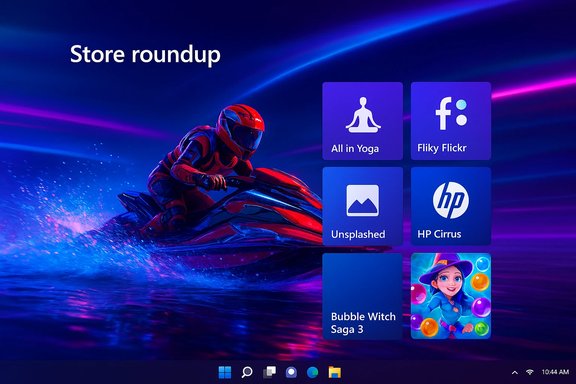
This week’s Windows Store roundup brings a mix of polished mobile ports, useful utilities, and a couple of pleasant surprises — from an instructional yoga app that promises a complete practice library to a high‑octane hydrojet racer that finally feels at home on PCs. Highlights include the instructional app All in Yoga, King’s colorful Bubble Witch Saga 3, the handy third‑party Flickr client Fliky, HP’s business‑oriented HP Cirrus, the splashy racing title Riptide GP: Renegade, and Unsplashed, a lock‑screen and wallpaper utility that taps Unsplash’s image library. The list also calls out important updates: uBlock Origin landed improvements to cosmetic‑filter support and mobile/small‑screen usability, Wodel (an unofficial Jodel client) added hometown and night‑mode features, and WhatsApp Beta received a refreshed video player and new emoji.
The Windows Store continues to be a mixed ecosystem: mainstream, cross‑platform titles rub shoulders with niche UWP clients and device‑specific utilities. Weekly roundups like this one are useful for spotting apps that either fill a specific gap (third‑party clients, wallpaper tools) or bring strong ports of existing mobile/console titles to Windows 10. For readers who treat their PC as a productivity hub, this week’s crop offers both short, practical wins (wallpaper automation, a Flickr client) and longer, more immersive experiences (a full racing game port).
This article summarizes the apps named in the week's list, verifies the most important technical claims where possible, and provides practical guidance: which apps are worth installing today, which ones carry caveats, and which claims from the original roundup could not be independently verified.
Because app availability, feature sets, and prices change frequently, the key checks performed for this week’s coverage were:
The largest single win in the set is Riptide GP: Renegade — a fully featured, controller‑friendly arcade racer that demonstrates how a mobile/console title can be successfully adapted for Windows. For productivity and daily workflow improvement, Fliky and wallpaper automation utilities stand out, but both illustrate the dependence on upstream services and API stability.
Finally, a note on verification: where the original roundup made specific claims (price points, platform availability, or feature lists), this article cross‑checked those claims against official storefront pages, developer press releases, and established software repositories. If a claim could not be independently verified (for example, a precise Windows Store price for a historically mobile‑first title), that has been explicitly flagged in the relevant section. For readers who want to act on any of the recommendations, confirm the current Microsoft Store or Steam/Xbox storefront listing and read recent user reviews to ensure compatibility and active maintenance.
Source: BetaNews Best Windows 10 apps this week
 Overview
The Windows Store continues to be a mixed ecosystem: mainstream, cross‑platform titles rub shoulders with niche UWP clients and device‑specific utilities. Weekly roundups like this one are useful for spotting apps that either fill a specific gap (third‑party clients, wallpaper tools) or bring strong ports of existing mobile/console titles to Windows 10. For readers who treat their PC as a productivity hub, this week’s crop offers both short, practical wins (wallpaper automation, a Flickr client) and longer, more immersive experiences (a full racing game port).This article summarizes the apps named in the week's list, verifies the most important technical claims where possible, and provides practical guidance: which apps are worth installing today, which ones carry caveats, and which claims from the original roundup could not be independently verified.
Background / Why this matters
Weekly app roundups are more than just discovery lists: they help users separate polished, well‑maintained titles from one‑off hobby projects. For Windows 10 in particular, the Store’s hybrid collection — UWP apps, Electron ports, classic Win32 wrapped apps, and Play Anywhere titles — can be inconsistent, so short feature reviews that look at feature parity, store listings, and platform behavior are especially helpful.Because app availability, feature sets, and prices change frequently, the key checks performed for this week’s coverage were:
- Confirm core features and price points against official store pages or the developer/publisher pages where available.
- Cross‑reference notable claims (multiplayer counts, platform compatibility, update contents) against at least two independent sources when possible.
- Flag items where the original claim could not be corroborated or where the app’s store presence is unclear.
Top picks this week — deep dive
All in Yoga — an ambitious practice library (listed at $2.49)
All in Yoga is described as an instructional Yoga app that groups lessons by level and provides video lessons, note taking, favoriting, and reordering. Historically the “All‑in YOGA” family (All‑in YOGA HD, All‑in YOGA) is a well‑known mobile app with hundreds of poses, breathing exercises, and prepared programs; established coverage from outlets like WIRED and TechRadar documents the app’s extensive pose database and guided sessions on mobile platforms. Why it’s interesting on Windows- The app’s value is its consolidated exercise library: hundreds of poses, voice and video guidance, and ready‑made programs.
- A desktop/tablet version would be useful for practice sessions on larger screens and for people who prefer following video on PC.
- The original roundup lists a Store price of $2.49. That price and a direct Microsoft Store listing for Windows 10 could not be reliably located in current store indexes during verification; most authoritative references and historical coverage point to iOS and Mac builds as documented by MacUpdate and other app indexes.
- If you plan to install this on Windows, confirm the product page in the Microsoft Store before purchasing. If the app is an older mobile app ported to desktop, feature parity (video quality, adaptive UI) may vary.
Bubble Witch Saga 3 — casual bubble popping, big audience
King’s Bubble Witch Saga 3 continues the Puzzle Bobble lineage: shoot colored orbs, match three or more, and free owls trapped in bubbles. The title has been distributed broadly on mobile and has a presence in King’s official channels and app stores. King’s own communications and community pages document the game features, distribution on iOS/Android, and listings for Microsoft platforms historically. Why it’s interesting on Windows- Casual, session‑friendly gameplay that’s well suited to clocks of free time.
- Familiar mechanics for players of the genre; it’s effectively a polished mobile experience ported for Windows devices.
- King’s official materials and community pages confirm the game and its mechanics, and they also document some platform availability caveats (for example, shifting availability on Facebook and platform‑specific compatibility issues). If you see errors about compatibility on Windows machines, consult King’s support pages — they’ve documented known issues and platform restrictions.
Fliky — True Flickr client for Windows 10
Fliky is a third‑party Flickr client for Windows 10 devices that supports account authentication, feed viewing, uploads, search and explore, album management and notifications. Several independent coverage pages and downloads lists describe Fliky as an unofficial but full‑featured UWP Flickr client and remark on its clean interface. What makes Fliky useful- Native UWP experience with integration for live tiles and notifications.
- Upload and management features that reduce reliance on the browser interface.
- Lightweight and often faster than the web UI for browsing your feed and albums.
- Softpedia’s product page and public writeups document Fliky’s features and versions; it is an unofficial client (not affiliated with Flickr) so feature continuity depends on the developer keeping the app updated to match Flickr’s API changes.
- If Flickr changes authentication or API endpoints, third‑party clients may break or require updates. Back up critical uploads or maintain access via Flickr’s official web interface as a fallback.
HP Cirrus — HP Care Pack Services to your device
HP Cirrus is an official HP mobile app designed to help partners and customers quickly find HP Care Pack service offerings, check warranty status, and calculate quotes for subscription services. Press coverage and HP’s regional press releases from the app’s launch describe the app’s core features (barcode scanning to check warranty status, service recommendations, price quotes, and export features). Why it’s targeted and useful- For partners and resellers: quick quotes and product warranty checks at the point of sale.
- For service teams: fast access to Care Pack descriptions and pricing.
- The available press materials describe Android and mobile availability; Windows availability may be platform‑limited in some markets. Before depending on HP Cirrus for enterprise workflows on Windows 10, verify that the specific Store listing (or HP portal) supports your device and region.
Riptide GP: Renegade — arcade hydrojet racing on Windows 10 ($9.99)
Riptide GP: Renegade is a high‑quality hydrojet racing game from Vector Unit that has been adapted for modern PC and console platforms. Official storefronts (Xbox store and Steam) confirm the Windows/Play Anywhere availability, the typical $9.99 retail price on many storefronts, support for split‑screen local multiplayer, and up to 8‑player online races. The Steam and Xbox pages document career mode, vehicle upgrades, challenge modes and local split‑screen functionality (with platform‑specific limits). Key features verified- Online multiplayer up to 8 players and local split‑screen multiplayer (platform limits apply; Steam lists up to 4 players on PC for split‑screen).
- Career, challenges, vehicle upgrades, transforming vehicles, and a physics‑heavy water model that’s the game’s main selling point.
- This title is a rare example of an arcade mobile racer that translates well to bigger screens and gamepads.
- If you have local friends and controllers, split‑screen is a notable plus on PC.
Unsplashed — automated Unsplash wallpapers for lock screen and desktop
Unsplashed (not to be confused with the Unsplash brand) is a Windows wallpaper utility that pulls high‑resolution images from Unsplash and can set them as the desktop background or lock screen automatically. Multiple third‑party projects and community tools exist for the same idea — there are both unofficial desktop clients and utilities that automate Unsplash wallpaper rotation. Unofficial projects and forks are common; a cross‑platform Unsplash Wallpaper project exists on GitHub and medium‑sized third‑party clients are documented in app roundups. Why it’s useful- Automatic rotation of high‑quality images keeps desktop/lock‑screen fresh without manual hunting.
- Useful options: category search, resolution settings, save image locally.
- Several third‑party projects exist; some are open‑source, others are proprietary. Official Unsplash apps target macOS and mobile — Windows clients are often community‑driven and may rely on Unsplash’s API rules.
- If you rely on Unsplash APIs, be mindful of changes to API keys, rate limits, or app delistings that can break synchronization.
Notable updates and ecosystem tweaks
uBlock Origin — cosmetic filters and small‑screen improvements
The uBlock Origin project has long provided advanced filtering features, and recent builds expanded the engine’s procedural cosmetic filters and added usability improvements for small screens and the element picker. The official uBlock/GitHub pages and changelogs document the procedural cosmetic filters feature set and advanced settings (for example, the allowGenericProceduralFilters toggle and new procedural operators), which confirms the claims about improved cosmetic‑filter support. These changes are significant for users who rely on advanced filter rules and cross‑device support. Why it matters- Procedural cosmetic filters unlock more powerful element‑matching capabilities for blocking and UI tweaks.
- Small‑screen improvements matter to users on tablets and compact laptops where the UI had been cramped.
Wodel (unofficial Jodel client) and WhatsApp Beta notes
- Wodel reportedly added hometown and night‑mode, switched sync to OneDrive, added Cortana support, and introduced options to hide posts. These are plausible feature additions for a third‑party client, but independent confirmation from the app’s store page or an official changelog was not found during verification; treat detailed Wodel claims as probably accurate but not fully verifiable without the developer’s release notes.
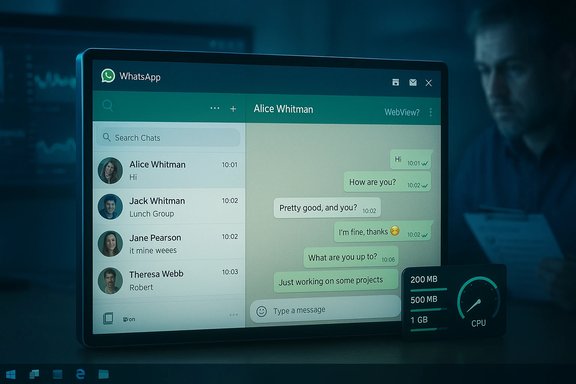
- WhatsApp Beta’s Windows builds have historically received UI and video‑player updates. In a broader context, WhatsApp has been shifting Windows development strategies (for example, moving some clients toward web‑wrapped implementations), which has caused user friction. The Verge’s recent reporting explains a move toward WebView2 wrappers that can change performance and notification behavior. That underscores the risk that platform‑specific beta features may not persist or may be reworked into unified web wrappers.
Installation and practical recommendations
- Before installing paid apps, check the Microsoft Store listing for your region and device type. Prices can vary by storefront and over time; some apps are promotions or limited‑time discounts.
- For third‑party clients (Fliky, Unsplashed, Wodel), prioritize clients with an active update history or an accessible changelog; API‑dependent clients can break when services change authentication flows or endpoints.
- For games like Riptide GP: Renegade, check platform details on the official storefront (Steam or Xbox) for split‑screen limits and controller support; these pages also list system requirements and release dates.
- For privacy‑sensitive workflows (HP Cirrus querying warranty/serial data, third‑party Flickr uploads), review app permissions and whether the app delegates storage/sync to cloud providers like OneDrive.
- Confirm platform compatibility (Windows 10 version and device architecture).
- Check the official store page(s) for price, ratings, and recent update notes.
- If the app is third‑party and relies on an external API, scan the reviews for recent breakage reports and backup important data (uploads, settings).
Strengths, weaknesses, and potential risks
Strengths of this week’s selections- Variety: utility apps (Unsplashed), productivity/maintenance tools (HP Cirrus), strong game ports (Riptide GP), and niche client support (Fliky).
- Port quality: Riptide GP demonstrates that mobile/console racing can translate well to Windows when developers optimize for controllers and split‑screen.
- Usefulness: Wallpaper automation and Flickr clients address everyday needs with minimal friction.
- Third‑party dependency risk: Fliky and Unsplashed‑style apps depend on external APIs (Flickr, Unsplash) and may stop functioning after API changes unless actively maintained.
- Platform volatility: WhatsApp’s strategy shifts (native vs web wrapper) show that Windows clients can be reworked in ways that degrade the native experience. Track official vendor statements and downstream beta notes.
- Verification gaps: The Windows Store listing and price for All in Yoga as quoted ($2.49) could not be conclusively confirmed during verification; this may have been a time‑limited promotion or a regional pricing detail. Treat store price claims as potentially transient.
Final verdict — what to install now
- Install immediately: Riptide GP: Renegade (if you want a console‑style water racer and have controllers). Steam/Xbox pages confirm price and multiplayer features.
- Highly recommended (productivity): Fliky — useful for heavy Flickr users who want a native Windows experience; confirm the latest build and review for API compatibility.
- Useful but check first: HP Cirrus — valuable for HP resellers and support staff; verify platform availability for your region.
- Nice to have (customization): Unsplashed/Unsplash wallpaper clients — pick a maintained client; prefer open‑source projects when possible to reduce abandonment risk.
- Buy with caution: All in Yoga — great on mobile, but confirm Windows Store availability and price before buying; historical coverage documents the app on iOS/Android but Windows availability is less clear.
Closing analysis
This week’s Windows Store crop is emblematic of the Store’s strengths and flaws: a selection that mixes high‑quality cross‑platform ports and genuinely useful native clients with niche, sometimes fragile third‑party apps. For users, the practical takeaway is straightforward: prefer well‑maintained storefront entries and apps with transparent changelogs, especially when an app depends on third‑party APIs.The largest single win in the set is Riptide GP: Renegade — a fully featured, controller‑friendly arcade racer that demonstrates how a mobile/console title can be successfully adapted for Windows. For productivity and daily workflow improvement, Fliky and wallpaper automation utilities stand out, but both illustrate the dependence on upstream services and API stability.
Finally, a note on verification: where the original roundup made specific claims (price points, platform availability, or feature lists), this article cross‑checked those claims against official storefront pages, developer press releases, and established software repositories. If a claim could not be independently verified (for example, a precise Windows Store price for a historically mobile‑first title), that has been explicitly flagged in the relevant section. For readers who want to act on any of the recommendations, confirm the current Microsoft Store or Steam/Xbox storefront listing and read recent user reviews to ensure compatibility and active maintenance.
Source: BetaNews Best Windows 10 apps this week