

After a decade of breathless headlines, regulatory probes, and forum flamewars, the simplest, most useful framing for the Windows telemetry debate is this: telemetry is a maintenance and diagnostic system, not a covert mass‑surveillance engine—but it’s also a design that forces trade‑offs between repairability at scale and the privacy expectations of sensitive users. The reality sits between the extremes: Windows sends a small, required stream of signals that help keep updates, drivers, and security working across billions of configurations, and it can optionally send deeper diagnostic artifacts that improve root‑cause analysis—but those optional channels carry the most privacy risk and should be managed deliberately in sensitive environments.
Windows telemetry has evolved from an almost‑mysterious “phone home” black box into a documented, configurable, and partially auditable system. Microsoft now labels diagnostic inputs as Required (the minimal set) and Optional (the richer, opt‑in material), and ships tooling intended to make outgoing events inspectable on the device. That change was driven as much by regulators and corporate customers demanding clearer consent and audit trails as by engineering necessities: modern operating systems must operate on a vast range of hardware and software, and telemetry is the practical mechanism that signals when something has gone wrong in the field.
Telemetry exists for three basic operational reasons:
Still, the regulatory history matters because it shows the friction point: defaults and clarity. Users often accept defaults during setup; if the default is opt‑in or obscure, the privacy risk is elevated even if the technical collection is benign.
For typical consumers who are not handling regulated materials, the sensible baseline is to turn off Optional diagnostics and Tailored experiences while leaving Required diagnostics enabled so security updates and compatibility protections continue to function. For enterprises and regulated organizations, enforce Required‑only telemetry by policy, control crash‑dump policies tightly, and document the trade‑offs as part of your risk assessment.
Source: findarticles.com Experts Refute Windows Telemetry Spying Claims
 Background / Overview
Windows telemetry has evolved from an almost‑mysterious “phone home” black box into a documented, configurable, and partially auditable system. Microsoft now labels diagnostic inputs as Required (the minimal set) and Optional (the richer, opt‑in material), and ships tooling intended to make outgoing events inspectable on the device. That change was driven as much by regulators and corporate customers demanding clearer consent and audit trails as by engineering necessities: modern operating systems must operate on a vast range of hardware and software, and telemetry is the practical mechanism that signals when something has gone wrong in the field.Telemetry exists for three basic operational reasons:
- To detect and diagnose widespread reliability and compatibility failures rapidly.
- To ensure updates and drivers are applied to the right hardware without bricking devices.
- To gather feedback that reduces time‑to‑repair and prevents regression across complex device fleets.
What Windows telemetry actually is (and what it isn’t)
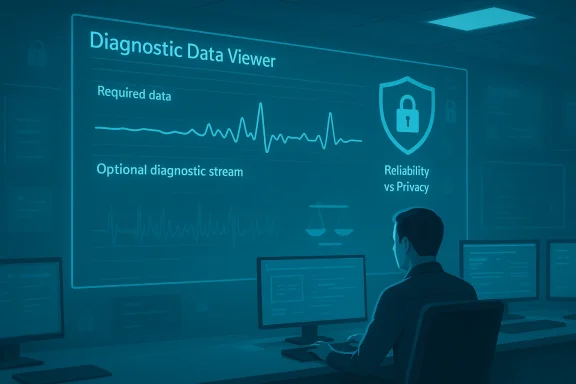
Required vs Optional: the practical difference
- Required diagnostic data is the minimum Microsoft says it needs for Windows to remain secure and receive updates. It typically includes device attributes (chipset type, installed drivers), Windows/OS build numbers, update status, crash signatures and counts, and other platform health markers. This stream is designed to be small, structured, and focused on system health.
- Optional diagnostic data is what you explicitly allow for deeper troubleshooting or product improvement. It can include richer event payloads, more extensive app usage metadata, sampling of browsing‑related signals in Microsoft browsers, and enhanced error reports that sometimes include portions of memory captured during a crash.
- Telemetry is not intentionally designed to harvest the complete contents of your documents, emails or photos. However, enhanced crash dumps or memory snapshots can—by their nature—contain fragments of open files or in‑memory content. That’s a technical risk of memory capture, not a secret feature to read your files.
- Microsoft provides a local tool, the Diagnostic Data Viewer, so users can inspect event names and fields the OS generates. The viewer doesn’t make server‑side aggregation transparent, but it does provide line‑level visibility into what leaves the device.
What frequently spurs fear
- URL‑level telemetry from a browser can be sensitive: a captured URL can reveal the name of a medical clinic, a legal form, or a private document hosted on the web. Even when Microsoft says telemetry is pseudonymized, pseudonymized signals can sometimes be re‑identified when matched with other metadata, which is why privacy advocates urge minimizing optional collection.
- Advertising and personalization: features that surface “Tailored experiences” or use an advertising ID can use optional signals to personalize suggestions or app offers. Those pathways are separately controllable—turning off tailored experiences (and advertising IDs) stops those specific personalization behaviors.
Regulatory history and reality checks
The biggest regulatory headlines happened early in Windows 10’s lifecycle, and they help explain how Microsoft arrived at today’s controls.- In mid‑2016 France’s data protection authority issued a formal notice over what it deemed excessive data collection and default activation of an advertising identifier. Regulators required clearer consent, stronger default settings, and greater transparency during setup.
- In 2017 the Dutch Data Protection Authority criticized the clarity and consent mechanisms for telemetry settings and asked Microsoft to improve disclosures and user choice.
Still, the regulatory history matters because it shows the friction point: defaults and clarity. Users often accept defaults during setup; if the default is opt‑in or obscure, the privacy risk is elevated even if the technical collection is benign.
Evidence and auditability: what you can inspect today
Microsoft has taken steps to reduce opacity, and several of those are practical and useful for auditors and IT teams:- Diagnostic Data Viewer (DDV): a local app that surfaces the diagnostic events your device is generating. It’s dense and technical, but it enables line‑level inspection of event names, timestamps, and fields before they are aggregated in Microsoft’s backend.
- Public event documentation: Microsoft publishes lists of required/optional events and the fields they include. That documentation shows the kinds of keys and values collected and helps auditors assess proportionality.
- Administrative controls: Group Policy, mobile device management (MDM), and enterprise configuration profiles let organizations enforce a single diagnostic level (e.g., Required only) and disable personalization features.
- Retention and transport commitments: Microsoft documents encryption in transit and defined retention periods for diagnostic artifacts, and it publishes processing location guidance for customers subject to data residency rules.
The tangible benefits telemetry delivers
It’s easy to dismiss telemetry in the abstract; it’s more convincing to look at practical outcomes. Telemetry enables several operational capabilities that would be much harder without it:- Rapid rollback and safety holds: When a driver update, firmware change, or cumulative patch causes problems, telemetry can show the initial incidence pattern and affected hardware combinations, enabling Microsoft to pause the update for impacted devices within hours rather than days or weeks.
- Targeted compatibility fixes: Telemetry helps identify which OEM drivers are triggering specific failures (graphics stutter, printer incompatibility) and lets support teams push targeted workarounds to the most affected systems.
- Security incident detection at scale: Aggregated signals accelerate detection of unusual patterns across millions of endpoints, improving the ability to identify and block emerging threats.
Where the risk still lives
Despite the benefits, a few risks and friction points persist—and those are the places users and admins should focus attention.- Optional diagnostics and memory fragments: Enhanced crash reporting can include memory state. That can unintentionally expose snippets of documents or credentials if those data were resident in memory when a crash occurred. For high‑sensitivity workloads, the mitigation is simple: disable Optional diagnostics and restrict crash dump settings.
- Re‑identification risk from pseudonymous IDs: Device and activity identifiers are often labeled pseudonymous, but combining multiple signals (device metadata, timestamps, usage patterns) can increase identifiability. That’s a standard privacy risk with telemetry systems and a key reason for sampling and minimization policies.
- Third‑party app telemetry and browser signals: On a typical Windows desktop, third‑party software and browser extensions often collect more sensitive data than the OS itself. Telemetry from the OS should not be the only privacy audit point: the broader application ecosystem matters more.
- Managed‑device opacity: In enterprise deployments, IT admins can lock telemetry levels for compliance reasons, which removes end‑user consent. That’s appropriate for many regulated environments, but the loss of user choice must be documented and defensible under policy.
Practical controls for Windows 11 users
If you want to limit what Windows shares without breaking functionality, follow a policy of measured minimization—not blunt instrument disruption.- For most home users who want stronger privacy but also want updates:
- Open Settings → Privacy & security → Diagnostics & feedback.
- Turn off “Send optional diagnostic data” so the device sends Required only.
- Disable “Tailored experiences” (prevents diagnostic data from being used to personalize suggestions/offers).
- Turn on the Diagnostic Data Viewer if you want to inspect local events, and periodically clear diagnostic data associated with your account.
- Consider using a local account (not a Microsoft account) to limit cross‑device sync of some activity signals.
- For privacy‑conscious power users:
- Disable optional memory dumps or set system to create only small/minidumps rather than full or kernel dumps.
- Audit Edge and other Microsoft apps’ settings; disable features that upload browsing history or use cloud personalization.
- Use application‑level controls (browser privacy settings, extension audit, and secure password vaults) to reduce leaks from non‑OS software.
- For network‑constrained environments:
- Enforce Required‑only collection and sample settings by policy, rather than trying to block telemetry endpoints with the hosts file or firewall, which can produce brittle outcomes after OS updates.
Enterprise best practices and compliance posture
Enterprises and regulated organizations have a much clearer path to balance privacy and reliability if they treat telemetry as an auditable service.- Enforce policies centrally: Use Group Policy or MDM to set diagnostic level to Required only for sensitive endpoints. Document this configuration in the organization’s security plan.
- Limit crash dump scope: Disable full or kernel memory dumps on endpoints that handle regulated data; prefer small memory dumps that retain crash context without exposing large memory contents.
- Use role‑based analysis: Restrict who in the organization can request or receive crash dumps (e.g., tiered support teams with NDA and data‑handling agreements).
- Use export and retention controls: If you consume diagnostic events for internal analytics, ensure ingestion pipelines have strict retention and minimization rules.
- Contractual and data residency options: For cloud‑connected features, leverage contractual commitments and data residency options to keep processing within required jurisdictions.
Myths vs. facts: clearing common misconceptions
- Myth: “Windows telemetry reads my documents and uploads them.”
Fact: The OS is not designed to read and index private documents for content extraction. However, enhanced crash dumps may unintentionally capture in‑memory fragments; that’s a technical leakage risk, not an intended feature. - Myth: “Telemetries are always opt‑out and impossible to disable.”
Fact: Modern Windows exposes a Diagnostics & feedback panel where Optional telemetry and personalization features can be disabled. Enterprises can enforce Required‑only collection centrally. That said, some minimal required signals cannot be switched off without breaking update delivery or other repair mechanisms. - Myth: “Regulators found Microsoft was secretly harvesting personal files.”
Fact: Early regulator actions (notably in France and the Netherlands) focused on consent clarity and excessive collection, not on findings that Microsoft was systematically exfiltrating private file contents. Those processes led to improved transparency and option defaults.
Where to apply caution
- If you work with regulated health, finance, or classified data, treat any optional diagnostic collection as a risk and set policies to disallow it. Don’t assume pseudonymization is sufficient for sensitive categories.
- If you rely on third‑party apps, assume they may collect more sensitive signals than the OS. Audit installed software and limit unnecessary apps on regulated endpoints.
- Avoid ad‑hoc network blocking of telemetry endpoints on corporate fleets unless you’ve validated the impact on update reliability and supportability—some telemetry controls are integrated into update and driver rollouts.
A balanced verdict
The best single sentence summary is this: Windows telemetry is a diagnostic and reliability system with real benefits—and optional data that improves diagnosis but raises privacy trade‑offs. It is not a designed “spy ring” that harvests the contents of personal documents at scale. At the same time, technical realities—especially around memory dumps and URL‑level signals—create legitimate privacy exposure that operators and privacy‑minded users should manage.For typical consumers who are not handling regulated materials, the sensible baseline is to turn off Optional diagnostics and Tailored experiences while leaving Required diagnostics enabled so security updates and compatibility protections continue to function. For enterprises and regulated organizations, enforce Required‑only telemetry by policy, control crash‑dump policies tightly, and document the trade‑offs as part of your risk assessment.
Action checklist — what every reader can do in the next 15 minutes
- Open Settings → Privacy & security → Diagnostics & feedback and verify “Send optional diagnostic data” is off if you don’t want extra signals leaving your device.
- Turn off “Tailored experiences” to stop diagnostic signals from being used for personalization.
- Launch Diagnostic Data Viewer to see the kinds of events your system generates; use it to verify sampling or optional fields.
- For sensitive workflows, change crash dump settings to produce only small memory dumps or disable full dumps entirely.
- On managed devices, ask your IT department to document telemetry policies and to provide justification for any Required‑level overrides.
Final thought
Privacy and reliability are not adversaries; they are co‑equal requirements that must be designed into modern systems. Telemetry gives Microsoft and IT teams the ability to protect and repair billions of Windows devices quickly—but it must be kept within clear legal, contractual, and technical constraints. The debate over Windows telemetry will continue, and rightly so: vigilance, transparency, and principled defaults are the only durable answers to doubt. Tune your device to the level of visibility you’re comfortable with, document the choices, and apply the same scrutiny you would to any other software that touches your data.Source: findarticles.com Experts Refute Windows Telemetry Spying Claims
