

Windows telemetry is not a secret surveillance apparatus; it’s a deliberate engineering trade‑off—built to keep billions of PCs secure, compatible, and repairable at scale—but that trade‑off comes with real privacy choices and governance questions that every IT pro, privacy officer, and power user should understand.
Telemetry is Microsoft’s umbrella term for the diagnostic and feedback data Windows collects to monitor health, diagnose crashes, and measure compatibility across the huge diversity of hardware and software the OS supports. At the highest level Windows divides diagnostic data into Required and Optional tiers: Required is the minimal information Microsoft deems necessary to keep a device secure and able to receive updates; Optional adds deeper context useful for debugging, personalization, and product improvement. Microsoft’s own documentation explains these categories, the reasons behind them, and how they map into Settings and enterprise controls.
Public debate ramps up because telemetry sits at the intersection of three persistent anxieties: (1) what raw signals leave my device, (2) how those signals are stored and correlated, and (3) who can access or repurpose that data. Regulators, privacy NGOs, and security researchers have focused heavily on consent, transparency, and proportionality rather than proving a systematic, covert exfiltration of personal file contents. The nuance—what is collected, how it’s labeled, and what users can control—matters more than the binary “spy” versus “safe” framing that dominates social media.
Concrete, real‑world examples abound: device‑specific graphics stutter, printer compatibility regressions, and update‑related boot issues have been identified and mitigated because telemetry allowed Microsoft and partners to correlate symptoms, reproduce failure modes, and block problematic updates from rolling out more widely. Community investigations and forum threads since 2025 show that telemetry‑driven rollbacks and targeted update holds remain a primary safety mechanism for preventing widespread breakage.
Benefits summarized:
At the same time, community incident responses (for example, update‑related issues) show telemetry’s operational value: telemetry signals have enabled Microsoft and hardware vendors to spot regressions quickly and to implement targeted safeguards that reduce exposure for unaffected devices. Independent writeups and forum investigations after high‑visibility update incidents repeatedly confirm telemetry’s role in fast triage and rollback behavior.
If you handle regulated or highly sensitive data:
By understanding what telemetry does, how it’s controlled, and where the genuine risks lie, IT teams and end users can make measured, auditable choices that preserve both privacy and the operational benefits that keep systems secure and reliable.
Source: FindArticles Experts Refute Windows Telemetry Spying Claims
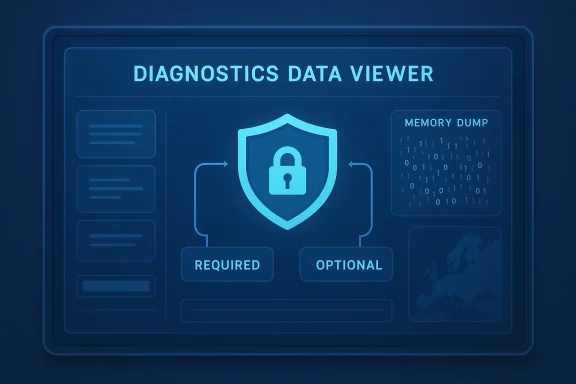 Background: telemetry defined and why the debate never dies
Telemetry is Microsoft’s umbrella term for the diagnostic and feedback data Windows collects to monitor health, diagnose crashes, and measure compatibility across the huge diversity of hardware and software the OS supports. At the highest level Windows divides diagnostic data into Required and Optional tiers: Required is the minimal information Microsoft deems necessary to keep a device secure and able to receive updates; Optional adds deeper context useful for debugging, personalization, and product improvement. Microsoft’s own documentation explains these categories, the reasons behind them, and how they map into Settings and enterprise controls.Public debate ramps up because telemetry sits at the intersection of three persistent anxieties: (1) what raw signals leave my device, (2) how those signals are stored and correlated, and (3) who can access or repurpose that data. Regulators, privacy NGOs, and security researchers have focused heavily on consent, transparency, and proportionality rather than proving a systematic, covert exfiltration of personal file contents. The nuance—what is collected, how it’s labeled, and what users can control—matters more than the binary “spy” versus “safe” framing that dominates social media.
What Windows telemetry actually collects — the mechanics
Required vs Optional: the practical difference
- Required diagnostic data: device attributes, OS and driver versions, build numbers, update status, crash signatures (not full dumps), and other high‑level signals used to route the right fixes to the right hardware. This level is designed to enable updates, reliability, and baseline security.
- Optional diagnostic data: deeper error reports, richer performance counters, limited app‑usage signals, and enhanced crash reporting that may include memory state in certain cases. Optional data is intended to speed root‑cause analysis and product improvements but increases the privacy surface; it is offered as a choice during setup and can be disabled later.
Crash dumps and file fragments: the uncomfortable truth
One concrete privacy risk stems from crash diagnostics. When a process or the kernel crashes, an Enhanced or Full crash dump can capture memory pages that may contain fragments of documents, emails, or in‑memory secrets. Microsoft warns precisely about this possibility and that memory state can unintentionally include pieces of files a user was editing at the time of a fault. For security‑sensitive environments, the recommended mitigation is to disable full or kernel memory dumps and prefer small (minidump) options or to capture only symbolized crash signatures.What regulators actually found — not a spy verdict, but calls for better notice and control
Regulatory action in Europe in 2016–2017 focused on whether Microsoft’s disclosures and default choices met national privacy law—not on proving an intent to read users’ files.- The French data regulator (CNIL) issued a formal notice in 2016, finding that Windows 10 collected excessive personal data in certain defaults (for example, advertising IDs enabled by default and app‑usage signals) and that those defaults did not satisfy French law’s consent and information requirements. CNIL required Microsoft to change setup flows and offer clearer choices.
- The Dutch Data Protection Authority reviewed Windows 10 and concluded in 2017 that Microsoft’s telemetry settings and disclosures did not allow users to give valid, informed consent in all cases. That review pressed Microsoft to clarify what is collected at each level and to improve transparency around purposes and retention. Subsequent changes and ongoing oversight moved responsibility under Ireland’s Data Protection Commission for EU‑wide matters. Independent reporting at the time captured the regulator’s criticism as calling for clearer defaults and stronger notice rather than declaring Windows to be a covert content‑harvesting tool.
Evidence and auditability: what you can actually see and verify
Transparency has been a key countermeasure to privacy fears. Microsoft exposes a number of controls and visibility features:- Diagnostic Data Viewer: a built‑in app that surfaces the telemetry events your device transmits, showing event names, timestamps, and fields. It’s dense, but it’s direct evidence a user can inspect.
- Administrative templates and APIs: for enterprises, Group Policy and MDM settings let administrators enforce Required‑only collection, disable tailored experiences, or export diagnostic events for auditing. Third‑party audits and internal compliance processes can tie these controls into organizational governance. Practical how‑to guides and community writeups show the exact Settings paths and policy keys used to lock telemetry levels.
- Documentation of transport and retention: Microsoft describes encryption of diagnostic data in transit, pseudonymization approaches (device identifiers rather than raw personal identifiers), and defined retention windows for diagnostic artifacts. For European customers, longer‑standing commitments such as the EU Data Boundary extend residency and processing guarantees for cloud services, which affect how correlated telemetry and support case data are handled for commercial and public sector customers.
The engineering case: why telemetry exists and what it enables
Telemetry is not a convenience; for modern OS engineering it is often the only practical way to detect and mitigate emergent, cross‑stack failures that elude lab testing. Windows ships to a trillion‑plus possible hardware and driver combinations; the small fraction of devices that see a rare crash or regression generate signals that can identify a faulty driver, a bad update interaction, or an OEM firmware bug.Concrete, real‑world examples abound: device‑specific graphics stutter, printer compatibility regressions, and update‑related boot issues have been identified and mitigated because telemetry allowed Microsoft and partners to correlate symptoms, reproduce failure modes, and block problematic updates from rolling out more widely. Community investigations and forum threads since 2025 show that telemetry‑driven rollbacks and targeted update holds remain a primary safety mechanism for preventing widespread breakage.
Benefits summarized:
- Faster detection of regressions and security issues.
- Ability to place targeted safeguards/blocks for specific hardware or driver families.
- Data‑driven prioritization of fixes that affect the largest number of users.
- Reduced time‑to‑identify for root causes in complex, multi‑vendor stacks.
Privacy trade‑offs and the threat model you should use
Telemetry’s privacy risk primarily arises from three scenarios:- Memory dumps that capture sensitive content — if full dumps are enabled and transmitted, there’s a plausible path to fragments of documents leaving the device. Microsoft acknowledges this risk and provides knobs to change dump behavior.
- Default choices and consent mechanics — regulators criticized defaults and the discoverability of opt‑outs. If end users are likely to accept defaults without understanding implications, organizations should enforce policies that reflect their compliance posture.
- Aggregation and reuse — even pseudonymized telemetry can be combined with other datasets to create richer profiles unless strict minimization and retention policies are applied. Enterprise customers should require contractual and technical assurances when sensitive workloads are in scope; for EU customers, commitments like the EU Data Boundary add residency protections for many cloud products.
How to control telemetry on consumer and managed Windows 11 systems
Windows exposes straightforward settings for desktop users and stronger enforcement pathways for managed fleets.On a Windows 11 consumer PC (recommended sequence)
- Open Settings > Privacy & security > Diagnostics & feedback.
- Set Send optional diagnostic data to Off to limit collection to Required.
- Turn Tailored experiences Off to prevent Optional signals from being used for personalization or ad recommendations.
- Optionally enable the Diagnostic Data Viewer to inspect events your device transmits, and use Delete diagnostic data to clear cloud‑stored diagnostics associated with the device.
For enterprises and regulated organizations
- Enforce telemetry level through Group Policy / MDM: set the Data Collection policy (“Allow Telemetry” / “Allow Diagnostic Data”) to the required minimum to ensure organizational control survives user action or mistyped configuration. Community guides and Microsoft administrative templates document the exact policy keys and behavior.
- Disable full or kernel memory dumps for sensitive workloads: configure Windows Error Reporting (WER) and system crash dump settings to generate small/minidumps only, or disable automated upload of large dumps to Microsoft if your retention or confidentiality rules prohibit it.
- Role‑based handling of crash dumps: if crash data must be used, ensure only designated, audited engineers with controlled access (within the organization or via a contractual support arrangement) can request or access full dumps; use encryption‑at‑rest and narrow retention windows. Consider using on‑prem or EU‑based support options where available.
- Operational hygiene: document telemetry settings in your security baseline, include diagnostic practices in incident response runbooks, and review cloud diagnostic retention periodically.
Practical checklist: tighten telemetry without breaking supportability
- Disable Optional diagnostic data if you handle regulated or particularly sensitive information. This reduces context available to external vendors while preserving Required update and security signals.
- Turn off Tailored experiences and Improve inking & typing unless you explicitly need those features.
- Use Group Policy or MDM to enforce settings across fleets and avoid user toggles inadvertently increasing telemetry.
- Prefer minidumps over full or kernel dumps; disable automated upload of full dumps in high‑security contexts.
- Review and delete diagnostic data tied to accounts where privacy obligations require it; keep an auditable record of any data exports used in troubleshooting.
What the independent audits and security community say
Security firms and privacy auditors have repeatedly examined Windows telemetry implementations and configuration controls. The consensus in published technical audits and incident reports is that telemetry is noisy and complex, but not a smoking gun for secret content harvesting at scale. Advocacy groups continue to press for opt‑in defaults and clearer user journeys during setup; regulators have enforced changes to defaults and disclosure practices. The public record is therefore one of iterative tightening of privacy practices rather than a single damning technical indictment.At the same time, community incident responses (for example, update‑related issues) show telemetry’s operational value: telemetry signals have enabled Microsoft and hardware vendors to spot regressions quickly and to implement targeted safeguards that reduce exposure for unaffected devices. Independent writeups and forum investigations after high‑visibility update incidents repeatedly confirm telemetry’s role in fast triage and rollback behavior.
Strengths, limitations, and where to be cautious
Strengths
- Operational safety at scale: telemetry makes it possible t heterogenous user bases from widespread regressions by enabling targeted holds and rapid diagnostics.
- Transparency tooling: Diagnostic Data Viewer and policy controls provide a verifiable path for users and admins to see what is being sent and to limit it.
- Regulatory remediation: Microsoft’s engagement with EU regulators led to concrete changes in setup flows and data handling—evidence that regulatory pressure produced real operational changes.
Limitations and risks
- Default choices matter: defaults that favor richer collection remain a practical risk for uninformed users; regulators explicitly flagged this as a primary problem. If you care about privacy, treat setup defaults as an actionable security control to be changed immediately.
- Crash dump exposure: full memory dumps are an obvious leakage vector for in‑memory sensitive data; organizations with high confidentiality requirements must change dump behavior.
- Aggregation risk: pseudonymized telemetry can sometimes be correlated across products and contexts; treat telemetry as one layer in a broader data governance model rather than a stand‑alone solution.
How to communicate telemetry policy to stakeholders
A good telemetry policy is short, actionable, and auditable. For employees and non‑technical stakeholders use plain language:- Explain why telemetry exists (security, reliability, and compatibility).
- Declare what level of diagnostic data is allowed on which classes of devices (for example, developer workstations vs. R&D testbeds vs. regulated production systems).
- State whether crash dumps can be uploaded to vendor support and under what approvals.
- Document retention and access procedures and require two‑party approval for sharing full dumps with vendors.
Bottom line: no spy ring, but also no free pass
Windows telemetry is not the all‑seeing spy that rumor mills sometimes describe. The dominant public record—regulatory findings, Microsoft’s own documentation, and repeated community audits—points to diagnostic collection designed for maintenance and security, with clear trade‑offs. That said, the risk vectors regulators identified (defaults, consent, crash dumps, cross‑product aggregation) are real and must be treated as organizational responsibilities.If you handle regulated or highly sensitive data:
- Disable Optional diagnostic data and tailored experiences on endpoints that process that data.
- Configure crash dump policies to avoid full memory captures and restrict access to any retained dumps.
- Enforce telemetry settings with Group Policy or MDM and include telemetry controls in your compliance baseline.
- For European or similarly jurisdictional concerns, assess whether Microsoft’s EU Data Boundary or country‑level processing options meet your residency and processing requirements.
By understanding what telemetry does, how it’s controlled, and where the genuine risks lie, IT teams and end users can make measured, auditable choices that preserve both privacy and the operational benefits that keep systems secure and reliable.
Source: FindArticles Experts Refute Windows Telemetry Spying Claims
