Windows 11 Fix: Update and Shut Down Now Truly Powers Off (KB5067036)

  • Thread Author
Microsoft has quietly closed one of Windows’ long‑running little annoyances: the Start‑menu option labeled “Update and shut down” now behaves as advertised in recent Insider flights and an optional October preview package, restoring deterministic shutdown semantics that many users and administrators have relied on but found intermittently broken for years. This fix lands as a servicing change validated in Windows Insider Dev and Beta channels and packaged into the October 28, 2025 preview cumulative update (KB5067036), and independent tester reports say the option now powers off machines in scenarios that previously produced an unexpected restart.

Windows-like power menu with KB5067036 Insider Preview tag beside a laptop.Background​

For many Windows users the workflow is simple and time‑saving: choose Update and shut down, let the OS apply pending patches during the shutdown sequence, and return later to a patched, powered‑off PC. For a non‑trivial subset of devices that expectation broke over multiple update cycles: systems would apply updates, perform the necessary offline servicing steps, and then come back to an awake, logged‑out state (or full desktop)—in effect not shutting down. The symptom was intermittent, hardware‑ and configuration‑dependent, and therefore especially maddening. It drained laptop batteries overnight, undermined scripted maintenance windows, and forced users and admins into awkward workarounds. Community reporting and help‑desk logs tracked the problem across 2022–2025.
Microsoft’s response followed its usual staged remediation route: the company validated a servicing change in Insider Dev/Beta flights, documented the fix in the Insider release notes as “Fixed an underlying issue which could lead ‘Update and shutdown’ to not actually shut down your PC after,” and then folded the same change into the optional October 28, 2025 preview cumulative update KB5067036 for broader Release Preview / optional distribution. The public KB entry (OS builds 26200.7019 for 25H2 and 26100.7019 for 24H2) lists the improvement as part of a larger preview package.

Why a small UI action became a stubborn bug​

The multi‑stage reality behind a two‑word command​

On the surface “Update and shut down” looks atomic; under the hood it’s a sequence of staged operations that involve multiple subsystems. Modern Windows servicing often performs:
  • file staging while the OS is running,
  • one or more offline commits during shutdown/boot,
  • coordination with power management features such as Fast Startup (hybrid shutdown),
  • sign‑in/automatic finish features that may run further configuration steps after a restart,
  • driver or firmware handoffs that can force a restart if certain files must be replaced in memory.
Those interlocking steps create conditional paths where an orchestration decision can change the final power state. If any subcomponent signals that a restart is required to preserve system integrity, the servicing stack historically steered the flow toward restart semantics—sometimes in contradiction to the original user intent to power off. This explains the problem’s intermittent nature: it depended on the specific update payload, drivers and firmware present, Fast Startup state, and even user sign‑in configuration.

Fast Startup and other culprits​

A recurring community mitigation was disabling Fast Startup, because hybrid shutdown saves kernel session state to disk and can alter shutdown semantics in ways that mix poorly with offline servicing. Other contributors included staged updates that require multiple commits and automatic sign‑in features that change whether post‑update configuration runs immediately after a boot. These interactions made the bug hard to reproduce in every lab and harder for Microsoft to triangulate from telemetry alone.

What Microsoft shipped (concrete facts)​

  • The fix was documented in the Windows Insider blog release notes published on September 29, 2025 as a change in the Dev and Beta channel flights: “Fixed an underlying issue which could lead ‘Update and shutdown’ to not actually shut down your PC after.”
  • Microsoft packaged the same remediation into the optional preview cumulative update KB5067036 published October 28, 2025, which targets Windows 11 versions 24H2 and 25H2 and reports resulting OS builds 26100.7019 and 26200.7019. The KB changelog lists the servicing improvement among other fixes and UX improvements.
  • The staged rollout model used—Insider → optional preview → mainstream cumulative update (Patch Tuesday cadence)—is the standard Microsoft path for servicing changes that affect core orchestration logic; telemetry from preview rings is used to validate behavior across hardware combinations before broad distribution. Early reports from testers who installed preview builds indicate the option now performs a true shutdown in scenarios that previously resulted in restarts.

Independent verification and cross‑checks​

The correction is verifiable in multiple official and independent artifacts:
  • The Windows Insider release notes explicitly include the short remediation phrase that confirms a behavioral fix to the Update and shutdown flow.
  • Microsoft’s own KB entry for KB5067036 documents the change in the preview package published October 28, 2025 and identifies the OS builds carrying the fix.
  • Tech press outlets and community sites independently reported the same sequence—Insider notes first, then the inclusion in the October preview KB—adding on‑the‑ground tester observations that corroborate the change in behavior. Several mainstream outlets summarized the fix and validated build numbers and KB packaging in their coverage.
  • Community feedback in forums and social platforms shows numerous early‑adopter reports of deterministic shutdowns after installing the preview builds, while also surfacing isolated regressions that highlight the risks of optional preview installations.
Where public documentation stops short: Microsoft’s public changelogs do not provide a detailed engineering postmortem describing the exact race condition or code path fixed. That level of internal diagnostic disclosure has not been published, so any specific claims about the exact root cause (e.g., a particular handle leak or race in the orchestrator) should be treated as engineering inference unless Microsoft releases a deeper analysis.

Real‑world impact: why this tiny fix matters​

Small UX corrections can produce outsized practical benefits. This remediation restores a trusted, time‑saving workflow:
  • Battery and energy: Laptop users who previously came back to drained batteries after thinking their machines were powered off will see improved outcomes once their devices receive the fix and perform a real shutdown.
  • Operational determinism: IT administrators who rely on deterministic shutdowns to conclude maintenance windows, imaging operations, or scripted flows regain confidence that a “shut down after update” instruction will be honored.
  • User trust: Restoring an action’s promised outcome reduces friction and the psychological erosion that made users avoid convenient options or adopt error‑prone workarounds.
Those gains are practical and measurable—but bounded. The fix resolves the orchestration mismatch that caused incorrect restarts in the scenarios Microsoft targeted; it does not change the underlying complexity of Windows servicing. Real‑world diversity of drivers, firmware, and third‑party management agents means some edge cases may yet remain.

Risks, collateral issues and things to watch​

A staged preview package is a bundle; fixes do not arrive in isolation. Two important caveats deserve emphasis:
  • Preview packages bundle multiple changes. KB5067036 is not just the shutdown fix; it includes Start menu and taskbar changes, updated battery icons, Copilot+ features and other improvements. That greater surface area increases the chance of collateral regressions. Community reports after the October preview flagged a reproducible Task Manager regression (hidden lingering taskmgr.exe processes) on some systems. Until follow‑ups are released, conservative admins should not install the optional preview across production fleets indiscriminately.
  • Recent unrelated update regressions underscore risk. In October 2025 Microsoft shipped updates that later required emergency follow‑ups—an example is a subsequent emergency patch that restored USB input to WinRE after a prior update broke it on some systems. These incidents show that even carefully staged servicing can produce regressions on diverse hardware and firmware combinations; that principle applies to the optional preview packages as well. Monitor patch notes and early telemetry before broad deployment.
Practical consequences of those risks:
  • Early adopters may enjoy the fix sooner but face a higher chance of encountering unrelated regressions that come bundled in preview updates.
  • Enterprises should pilot the update in a narrow ring and validate automated shutdown semantics across real device images and third‑party management agents.
  • Home users who prefer maximum stability should wait for the fix to migrate into mainstream cumulative updates delivered via the normal Patch Tuesday cadence.

Recommended rollout and mitigation strategies​

For the typical Windows user, power user and IT admin the path forward depends on risk tolerance.
  • For conservative users and production fleets:
  • Wait for KB5067036’s remediation to be included in the next mainstream cumulative update (Patch Tuesday cadence) where Microsoft will have additional telemetry and possibly follow‑ups.
  • When the cumulative update appears, deploy to a small pilot ring first and validate “Update and shut down” behavior under representative workloads.
  • Keep Fast Startup disabled on machines where deterministic shutdown semantics are critical; this mitigates a class of hybrid‑shutdown edge cases.
  • For testers and early adopters:
  • Install Insider Beta/Dev builds or the optional KB5067036 preview on non‑critical machines only.
  • Validate shutdown flows with representative update payloads and measure for regressions (Task Manager duplication, WinRE input issues, or other anomalies).
  • Report findings through the Feedback Hub and retain rollback media in case an optional preview introduces issues.
  • For administrators automating shutdowns and imaging:
  • Add shutdown validation to your post‑update test playbook (confirm a powered‑off state, battery drain profiles on laptops).
  • Consider temporary workarounds—use Update and restart, then manually shut down after the restart—until the fix is validated in your production ring.
  • Maintain baseline images and be prepared to remove the optional LCU if a preview regression interferes with provisioning or recovery operations.

What this fix does not guarantee (and why to remain cautious)​

  • The remediation is targeted: it corrects orchestration logic Microsoft identified and validated in preview channels. It does not claim to eliminate every conceivable scenario where the OS might restart rather than shut down because some restarts are necessary for update integrity.
  • Because Microsoft has not published a detailed postmortem, there is no public, authoritative description of the exact internal race condition or code path fixed. Any guesses beyond Microsoft’s published phrasing should be called out as inference.
  • The preview package’s broader feature set and the recent history of emergency follow‑ups means enterprises should treat optional previews as testing grounds, not production releases.

The journalistic verdict: small fix, meaningful UX win — but still an operational trade‑off​

Fixing “Update and shut down” is a modest engineering correction with outsized practical value. Restoring predictable shutdown semantics reduces friction, prevents avoidable battery drain, and repairs a small but persistent trust gap in Windows Update’s UX. Microsoft validated the change in Insider channels and packaged it into an optional preview that documents the remediation; mainstream distribution via cumulative updates is the expected next step. That said, the fix comes inside a preview bundle that previously produced collateral regressions. For home users and enterprise administrators who prioritize stability, the correct posture is still disciplined staging: pilot the preview on non‑critical machines, collect diagnostics if regressions appear, and wait for the cumulative update if you need absolute reliability. For power users eager to reclaim the convenience, the preview path is available—but it carries the conventional trade‑offs of early access.

Quick checklist (actionable takeaways)​

  • You want the fix now (risk‑tolerant):
  • Join Windows Insider Beta/Dev on spare machines or install the optional KB5067036 preview on non‑critical hardware.
  • Validate “Update and shut down” with representative updates, and monitor for Task Manager or recovery regressions.
  • You value stability (risk‑averse):
  • Wait for the fix to appear in the mainstream cumulative update and deploy via your normal patch rings. Use Update and restart + manual shutdown as a temporary workaround.
  • You manage production fleets (enterprise):
  • Pilot KB5067036 in a small compatibility ring.
  • Verify deterministic shutdown in imaging and automation workflows.
  • Disable Fast Startup on machines where exact shutdown semantics are required until the fix is proven across your device estate.

Conclusion​

A tiny UX promise has been kept: Update and shut down now respects the user’s intent in the scenarios Microsoft targeted, thanks to a servicing orchestration change validated in Insider flights and packaged into the October 28, 2025 optional preview (KB5067036). That correction fixes a quietly painful mismatch between label and behavior, and it will matter to laptop owners, IT pros and anyone who values predictable update workflows. The engineering fix is real and documented in official Insider and KB notes; independent reports and tester feedback corroborate deterministic shutdowns after install. At the same time, the situation highlights enduring truths about modern OS servicing: complex systems mean fixes can be bundled with other changes, preview channels remain testing grounds, and prudent staged deployment still beats an impatient, broad roll‑out. The practical advice is unchanged: test first, deploy conservatively, and when the mainstream cumulative update arrives, that quiet little victory will be ready for everyone.

Source: PC Perspective Windows Update And Shutdown Now Works As Advertised? - PC Perspective
 

Microsoft has quietly corrected a long‑running annoyance in Windows’ update UX: the Start‑menu command “Update and shut down” now behaves as labeled in recent Insider preview builds and in the October 28, 2025 optional preview cumulative update, after engineers changed the servicing orchestration that previously left some machines powered on instead of shutting them down.

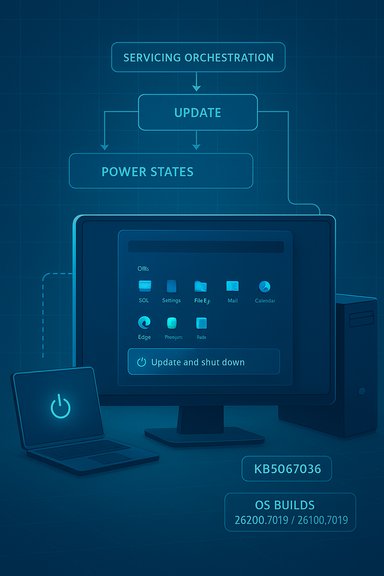
Blue blueprint-style diagram illustrating OS servicing, updates, and power states.Background / Overview​

For many users the menu item Update and shut down was simple: apply pending Windows updates and power off the PC so you can walk away. In practice, a non‑trivial subset of devices applied updates and then restarted or returned to the lock screen instead of powering off — effectively leaving the machine on and, on laptops, draining the battery. That mismatch between label and behavior has been intermittent and environment‑dependent, frustrating home users and complicating maintenance workflows for IT. Microsoft documented the correction in the Windows Insider release notes (late September 2025) and bundled the same servicing correction into the optional October 28, 2025 preview cumulative update KB5067036 (OS builds 26200.7019 and 26100.7019). The KB page also points to the servicing stack update (SSU) KB5067035 (version 26100.7010) as part of the combined servicing artifacts for the 24H2/25H2 preview package.

Why this sounded like a tiny bug — and why it wasn’t​

On the surface, “Update and shut down” reads like a two‑step action: install updates, then turn off. Modern Windows update plumbing is far more complex.
  • Windows performs multi‑phase servicing: some packages stage files while the OS runs, then require an offline commit during shutdown/boot to replace in‑use files.
  • Fast Startup (hybrid shutdown) changes shutdown semantics by persisting kernel session state to disk; that can alter whether the system actually performs a full cold power‑off or reuses preserved state on next boot.
  • Sign‑in/resume features such as “Use my sign‑in info to finish setting up my device” and various driver or firmware handoffs can change the final decision the servicing stack makes about restarting vs. powering down.
These interlocking systems created timing and state conditions where, after the offline servicing phase, the OS could favor a restart or resume flow instead of honoring the explicit shutdown intent — yielding the observed behavior. Microsoft’s release notes describe the change as a modification to the underlying servicing orchestration rather than a superficial UI relabeling.

What Microsoft shipped (builds, KBs, and timeline)​

The engineering artifacts​

  • Insider preview release notes (Beta/Dev channel) on September 29, 2025 included the line: “Fixed an underlying issue which could lead ‘Update and shutdown’ to not actually shut down your PC after.” That wording appears in multiple Insider posts where the fix was validated in preview flights.
  • Microsoft published an optional non‑security preview cumulative update, KB5067036, on October 28, 2025. The KB page lists a wide set of improvements and explicitly calls out an improvement that addresses the Update-and-shutdown behavior, and it identifies the associated OS builds as 26200.7019 and 26100.7019. The KB also references the servicing stack update KB5067035 (26100.7010) as the SSU that accompanies the LCU files for the 24H2/25H2 preview packaging.

How the fix was staged​

Microsoft followed its usual path: validate the fix in Insider Dev/Beta flights, fold the change into an optional preview cumulative package (Release Preview / Optional updates), and then promote the repair into mainstream cumulative updates after telemetry validation. That gradual rollout is intended to capture hardware and configuration diversity before broad distribution.

Independent verification and scope​

Multiple independent outlets and community testers reported the same sequence: the fix first appeared in Insider release notes and was then included in the October preview KB, with test installs showing improved shutdown reliability in many but not all cases. Coverage from mainstream tech press confirms the wording and the rollout pattern, and community threads document both successful test cases and a handful of collateral issues surfaced by the preview. Cross‑referencing Microsoft’s KB/release notes with independent reports increases confidence that this is a behavioral servicing fix and not a cosmetic change. A note on the “decade” characterization: community reporting that documents similar symptoms goes back several years, with some thread archives surfacing complaints from the 2018–2021 timeframe. However, treating the issue as a uniform, identical bug across multiple Windows releases is not fully verifiable from public notes alone; claimants calling it “decade‑old” are using rhetorical shorthand for a long‑running, recurring annoyance rather than quoting a precise, documented engineering timeline. Treat such language with caution.

The technical anatomy — a closer look​

Understanding why “Update and shut down” sometimes acted like a restart requires looking at the servicing stack and power management interplay.

Key technical factors​

  • Servicing phases: Updates are staged in user mode and committed later in offline servicing. Some packages require multiple boots to complete replacement of componentized binaries.
  • Power state semantics: When Fast Startup is enabled, the OS can resume a saved kernel session rather than doing a cold shutdown; that can cause the final servicing state machine to interpret the flow as a resume/restart scenario.
  • Credential/state handoffs: Settings that allow Windows to finish setup using stored credentials can insert additional post‑boot configuration steps that the servicing stack tries to satisfy automatically.
  • Driver/firmware constraints: If a driver requires a restart to unload and replace, the servicing stack may elect a restart to guarantee file consistency.
The fix Microsoft implemented modifies the orchestration logic that coordinates these subsystems — essentially preserving the user’s shutdown intent across the offline servicing sequence so the OS completes commit steps and then performs a true power‑off when appropriate. Microsoft intentionally described the change in behavioral terms, not a detailed code‑level postmortem.

Real‑world impact: why users and admins care​

The symptom was more than a nuisance.
  • Laptop battery drain: Users who picked Update and shut down expecting an overnight powered‑off device sometimes returned to a drained battery and a device that had remained on all night.
  • Broken maintenance windows: Administrators who relied on deterministic shutdowns for scheduled maintenance or imaging workflows found their scripts and processes intermittently failing.
  • Eroded trust: A simple UI label that didn’t match behavior led users to avoid the convenience feature entirely, increasing manual overhead.
Those practical consequences are why the community tracked the problem and why restoring the promise of that menu item matters beyond the semantics of a label.

Risks and collateral issues — the preview trade‑off​

Preview (optional) cumulative updates serve to gather broad telemetry, but they can surface new regressions. The October preview that included the shutdown fix also attracted reports of two notable problems:
  • Some testers encountered an install error (0x800f0983) while attempting to apply the KB preview package. That error relates to LCU install failures and has been reported in community threads.
  • A reproducible Task Manager duplication regression was reported in early installs of the preview package: in some configurations closing Task Manager could leave multiple hidden taskmgr.exe processes resident, degrading performance for affected users. Community testing flagged this as a collateral regression that Microsoft needed to address. Administrators noticed that this kind of diagnostic tool regression can be disproportionately disruptive.
These collateral issues illustrate an operational truth: fixes that touch orchestration layers in a large, fragmented ecosystem can have unintended side effects. That is exactly why staged rollouts and pilot rings exist.

Recommendations — how to get the fix (and how to avoid surprises)​

For home users and IT teams the safe approach depends on risk tolerance.
  • If you want the fix now:
  • Use a non‑critical test device.
  • Enable the Insider Beta/Dev channel or install the optional preview KB5067036 from Settings > Windows Update > Optional updates.
  • Validate shutdown semantics across your common scenarios (Fast Startup on/off, various sign‑in settings, and any management agents).
  • Monitor for collateral regressions (Task Manager, installation errors).
  • If you prioritize stability:
  • Wait for Microsoft to include the fix in the mainstream monthly cumulative update (Patch Tuesday) after telemetry validation and any required follow‑ups.
  • Pilot the cumulative update in a small production ring first, then expand rollout.
  • Use standard update practices: backups, image‑based recovery points, and rollback plans.
  • Conservative workaround if you need deterministic shutdown today:
  • Use Update and restart, then manually perform Shut down once the desktop returns (guarantees commit is complete).
  • Temporarily disable Fast Startup (Control Panel → Power Options → Choose what the power buttons do → Turn off fast startup) to restore deterministic shutdown semantics in some configurations.
Administrators should add simple lifecycle tests (validate Update+Shutdown behavior) to their acceptance plans when deploying the fix broadly. Because the servicing stack and power management interact in subtle ways, lifecycle testing helps catch regressions before they affect production endpoints.

What remains unknown — and what to watch for​

Microsoft’s public notes describe the remediation in behavioral terms; they do not include a code‑level root‑cause write‑up or a detailed timeline for every telemetry threshold. That means:
  • The exact internal race condition, or precise code path fixed, remains undisclosed in public engineering notes. Any statement claiming a specific root cause should be treated as an informed inference until Microsoft publishes a postmortem.
  • The incidence rate across hardware/driver combinations is a telemetry question. Community reports show broad variance: some testers saw immediate, consistent shutdown behavior after the preview, others reported sporadic success. The staged rollout is meant to resolve those distribution differences.
  • Preview packages can surface unrelated regressions; organizations should treat optional updates as test artifacts, not production pushes, until Microsoft confirms general availability.
Be wary of blanket claims that the bug “existed for a decade” as a single, identical engineering defect across all Windows versions; the public record supports multi‑year community reporting, but precise chronology of identical root causes is not fully documented.

Strengths and limitations of Microsoft’s approach​

Notable strengths​

  • Targeted orchestration fix: Microsoft’s change appears to be at the servicing/orchestration layer — the right place to fix a semantics problem that spans multiple subsystems. That suggests engineers addressed the root orchestration rather than masking symptoms.
  • Staged validation model: Using Insider flights and an optional preview KB allows Microsoft to collect telemetry across thousands of hardware combinations before mainstream distribution, reducing the chance of widescale regressions.
  • Clear, concise release notes: The Insider and KB notes explicitly call out the behavioral fix, which allows IT teams and power users to assess relevance quickly.

Limitations and risks​

  • Preview regressions: The Task Manager duplication and install errors reported in early installs underscore the risk of collateral issues when fixing deep orchestration logic. Preview packages can expose unexpected interactions.
  • Lack of a detailed postmortem: Without a public engineering postmortem, admins and vendors must infer root causes and cannot easily craft targeted mitigations or driver updates.
  • Device‑dependent outcomes: Because the failure mode is configuration‑sensitive, broad statements about “fix applied” do not guarantee resolution on every device until the fix has run through broad telemetry validation.

Practical checklist for readers (quick actionable items)​

  • If you need the fix now:
  • Install KB5067036 on a non‑critical test device (or enroll a spare device in Insider Beta/Dev).
  • Validate Update + Shutdown with Fast Startup both enabled and disabled.
  • Watch for Task Manager anomalies and the 0x800f0983 install error.
  • If you prefer stability:
  • Wait for the fix to appear in the mainstream monthly cumulative update and pilot in a controlled ring.
  • Use Update + Restart then Shutdown manually as a temporary deterministic workaround.
  • Consider disabling Fast Startup for systems where deterministic shutdown semantics are essential.
  • For IT:
  • Add an Update+Shutdown lifecycle test to your acceptance suite.
  • Monitor Microsoft’s release health dashboard and KB pages for follow‑ups and remediation guidance.
  • Keep a rollback plan and ensure backups before broad deployment.

Conclusion​

The fix for the “Update and shut down” behavior is a focused, practical servicing correction that restores a basic user expectation: select Update and shut down, and the PC powers off after updates. Microsoft validated the change in Insider flights and packaged it in the October 28, 2025 optional cumulative update KB5067036 (with associated SSU KB5067035), offering a path for early testers and a staged rollout for the general population. This is a meaningful quality‑of‑life improvement for millions of users, especially laptop owners and administrators who depend on deterministic shutdowns. The one‑sentence release notes mask a complex fix at the servicing‑orchestration layer, which is exactly where it needed to be changed. At the same time, preview channel reports remind us that fixes to deep orchestration can surface unexpected side effects — so prudence, pilot testing, and lifecycle validation remain essential before broad deployment.
For everyday users, the practical upshot is straightforward: the option you trusted should now do what it says — and for organizations, the normal rules apply: test first, deploy gradually, and keep fallbacks ready.

Source: TechSpot After a decade of frustration, Microsoft finally fixes "Update and shut down" Windows bug
 

Laptop displaying Windows Update progress bar with a Shut down option.
Microsoft has quietly corrected one of those small, long‑running Windows annoyances: the Start‑menu command “Update and shut down” now behaves as labeled in recent Insider preview builds and an October 28, 2025 optional preview package, addressing an intermittent issue that sometimes left PCs powered on instead of truly shutting down after updates.

Background​

The problem was simple to describe and hard to fix: when users selected Update and shut down they expected Windows to apply pending updates and then power the machine off. Instead, a subset of systems would install updates, reboot to complete offline servicing, and then return to the lock screen or desktop — effectively remaining powered on. That mismatch cost users battery life, disrupted maintenance windows, and eroded trust in a basic operating‑system control.
This behavior was intermittent and environment‑dependent. Fast Startup (hybrid shutdown), staged servicing pipelines, sign‑in/resume flows and third‑party drivers could interact in ways that converted what should have been a cold shutdown into a restart. The intermittent nature made repro and diagnosis difficult: some devices always shut down correctly, others never did, and many failed only in certain update or driver combinations. Microsoft tracked the issue through Insider testing and finally implemented a servicing orchestration change to correct the behavior.

Overview of the fix and where it shipped​

What Microsoft changed​

Microsoft characterizes the repair succinctly in the Insider release notes and in the optional preview KB: “Fixed an underlying issue which could lead ‘Update and shutdown’ to not actually shut down your PC after.” That phrasing indicates work on the underlying servicing and shutdown orchestration — not a superficial relabeling of the menu item.

Where the change first appeared​

  1. Windows Insider Dev and Beta channel release notes for the September 29, 2025 preview flights listed the remediation in Build 26220.6760 (Dev) and Build 26120.6760 (Beta).
  2. Microsoft packaged the same servicing fix into the optional October 28, 2025 non‑security preview update KB5067036, which produced OS builds 26200.7019 (25H2) and 26100.7019 (24H2). The Microsoft support page for that preview documents the change and its build numbers.
Microsoft’s staging path — Insider previews → optional preview package → mainstream cumulative update — is the expected sequence for a fix that touches the update servicing pipeline. That route lets Microsoft collect telemetry across a wide variety of hardware and configurations before mass distribution.

Why the bug persisted and what the fix actually touches​

The technical anatomy (brief, practical)​

The Update‑and‑Shutdown flow is not atomic; it’s an orchestration across multiple subsystems. Key components that interact and could produce the observed symptom are:
  • Fast Startup (hybrid shutdown): when enabled, Windows preserves kernel session state to speed boot. Hybrid semantics can change whether offline servicing completes in a cold power‑off or a restart.
  • Multi‑phase servicing: many cumulative updates stage payloads while Windows runs and then perform offline commits during shutdown/boot; some payloads require intermediate reboots for integrity, complicating the final power‑state decision.
  • Sign‑in/resume flows: features that “use my sign‑in info to finish setting up my device” can cause automatic resume behaviors after reboots. If these flows run differently, the system may return to an interactive state instead of staying powered off.
  • Drivers and in‑use files: certain drivers or services need a full restart to replace in‑memory components; when the servicing stack detects those conditions it may favor a restart for reliability.
Microsoft’s remediation modifies the orchestration logic that carries the user’s “final intent” (shutdown vs restart) through these phases so the system honors a user’s explicit shutdown choice once offline servicing completes. The fix is therefore systemic rather than cosmetic.

What the change does not guarantee (and why testing matters)​

  • The fix reduces the chance of an unintended restart, but it cannot make every hardware‑ and driver‑dependent scenario identical overnight. Some third‑party drivers or OEM management stacks could still force restarts in edge cases.
  • Because KB5067036 is an optional preview bundle with other changes (UI updates like a redesigned Start menu, new Shell features and more), installing the preview means accepting additional surface area where regressions might appear. Microsoft explicitly recommends staged adoption and pilot testing for administrators.

Verification: what to check on your device​

If you want to know whether your system has the fix and is honoring Update and shut down requests, verify these concrete artifacts:
  • Confirm your OS build: after installing updates, check Settings → System → About or run winver to see whether your OS build matches the preview build numbers associated with KB5067036 (26200.7019 for 25H2 and 26100.7019 for 24H2).
  • Use a controlled test: schedule a small, non‑destructive update (or a staged cumulative preview) on a non‑critical device, choose Update and shut down, leave the machine for a short period and confirm whether it returns powered off. Repeat across configurations (Fast Startup on/off, local vs Microsoft account, etc..
  • Monitor for side effects: optional previews are not risk‑free. Document pre‑ and post‑test states and be ready to collect logs or roll back if you spot regressions. Microsoft’s KB page for KB5067036 lists a known Task Manager regression introduced by the preview; administrators should weigh that risk.

The rollout case: preview vs mainstream deployment​

Options for different user groups​

  • Home users who want a stable path: wait for the mainstream cumulative update (Patch Tuesday) that includes the fix. This reduces exposure to preview regression risk and ensures the change arrives in a broadly validated package.
  • Enthusiasts and early testers: install KB5067036 on a non‑critical machine to verify behavior and report findings through Feedback Hub. This helps accelerate Microsoft’s telemetry‑driven validation.
  • Enterprises and managed environments: pilot the preview in a representative test ring first; validate shutdown semantics, backup/restore workflows and recovery scenarios before mass deployment. Use update deferral and ring‑based deployment policies to control rollout.

Expected mainstream timing​

Microsoft packaged the fix into the October 28, 2025 optional preview and historically moves validated servicing changes into the next mainstream cumulative update window. Based on Microsoft’s staging and the published timeline, the correction was expected to be included in the following Patch Tuesday cycle (the second Tuesday of November) after further validation. That schedule is consistent with Microsoft’s approach to staging fixes across Insider → preview → mainstream channels.

Strengths of Microsoft’s approach — and the practical wins​

  • Targeted servicing fix: addressing the orchestration layer (not just the UI) is the correct engineering approach; it changes the system’s decision logic rather than offering a surface‑level workaround. That reduces the chance of reintroducing the symptom later.
  • Staged validation: releasing the repair through Insider builds and then an optional preview allows Microsoft to gather telemetry across diverse hardware before broad distribution. For a bug that was intermittent and environment‑dependent, that telemetry is essential.
  • Practical user benefit: for laptop owners and administrators who rely on deterministic shutdowns, the change restores a small but meaningful convenience — and reduces battery drain and automation failures that grew out of mistrusting the Update and shut down option.

Risks, regressions, and what to watch​

Known and emerging regressions​

  • The October preview (KB5067036) includes a documented issue where Task Manager may continue running in the background after closing, leaving multiple hidden taskmgr.exe instances that consume resources. Microsoft lists this as a known issue in the KB, and several outlets and community reports have corroborated the problem. Until that is resolved, installing the preview may trade one annoyance for another.
  • There have been other recent update‑related incidents in late 2025 (for example, an out‑of‑band emergency fix for WinRE USB input issues), which raise the broader point that the update pipeline has been active and occasionally fragile. Administrators should be cautious and verify recovery functionality after applying preview or cumulative updates.

Operational hazards​

  • Installing an optional preview that bundles multiple features and servicing changes increases the surface area for regressions. In enterprise settings, unexpected interactions with OEM drivers, management agents or security agents can create production outages. Pilot testing remains essential.
  • Some community postings trace the original “Update and shut down” symptom back multiple years, but precise chronology and root‑cause attributions vary across anecdotal reports. Any claim that the bug existed unchanged since a specific date should be treated with caution unless corroborated by Microsoft telemetry or official timelines.

Practical checklist: safe steps to adopt the fix​

  1. On a non‑critical device, enable the Insider Dev/Beta channel or install the optional preview KB5067036 if you want the fix now. Validate shutdown behavior under conditions that match your typical environment (Fast Startup settings, sign‑in options, driver sets).
  2. If you manage a fleet, create a pilot ring of representative machines to install the preview package and run scripted shutdown/update tests overnight. Collect logs if any devices behave unexpectedly.
  3. For critical systems, wait for the mainstream cumulative update release; once Microsoft marks the fix as broadly released, roll it out via established update rings and maintain standard backup and rollback procedures.
  4. After installing any preview, test recovery paths (WinRE), Task Manager behavior and other known problem areas; verify that system restore points, scheduled tasks and imaging workflows still behave as expected.

What the community is reporting (early evidence)​

Early Insider reports and independent outlets that tracked the change report that many previously affected configurations now honor Update and shut down as expected. Those reports come from both community testers and technology press outlets that verified the Insider release notes and the optional preview packaging. However, community tests also flagged the Task Manager issue and other non‑security regressions appearing in the same preview bundle. That mixed feedback underscores the value of controlled testing before broad deployment.

Final assessment​

The fix is a solid engineering correction: Microsoft adjusted the servicing orchestration so that the user’s explicit shutdown intent is preserved through offline servicing steps. For users and administrators who suffered battery drain, broken maintenance windows, or lost trust in the Update and shut down command, this is a meaningful usability and reliability improvement. The change’s presence in both Insider release notes (Build 26220.6760 / 26120.6760) and the KB5067036 preview package demonstrates a conventional and appropriate staging path. That said, installing the October preview carries tangible trade‑offs: the update bundles UI and feature changes alongside servicing fixes and has produced at least one notable regression (Task Manager duplication). Organizations and cautious users should pilot the update and wait for the mainstream cumulative update if stability is paramount. Users eager for immediate relief should install the preview only on non‑critical hardware and follow the verification checklist above.

Bottom line​

  • The “Update and shut down” bug that sometimes left machines powered on after updates has been addressed in Insider preview builds and packaged into the October 28, 2025 optional preview KB5067036 (OS builds 26200.7019 and 26100.7019).
  • The remediation is an orchestration‑level change in the servicing stack rather than a cosmetic relabel — a substantive fix for a systemic problem.
  • Early testers report improved shutdown semantics, but the preview also introduced at least one regression (Task Manager duplication) and other recent update incidents mean cautious rollouts and pilot testing are still the prudent path.
For readers wanting to act now: test the optional preview on a spare device, document results, and defer broad deployment until Microsoft folds the fix into the mainstream cumulative update after additional validation.

Conclusion: this is a welcome, long‑overdue repair to a deceptively obvious user promise — that when Windows says it will “Update and shut down,” it will actually power the PC off. The engineering fix and staged rollout are the right approach; the remaining task for Microsoft and the community is to validate the change broadly and eliminate any regressions that accompany the preview packaging.
Source: Northumberland News Microsoft issues fix for ‘update and shutdown’ bug on Windows 10 and 11
 

Microsoft has quietly corrected one of Windows’ maddening little reliability failures: the Start‑menu option labeled Update and shut down now behaves as advertised in recent Insider builds and the October 28, 2025 optional preview cumulative update identified as KB5067036, restoring deterministic shutdown semantics for many Windows 11 systems.

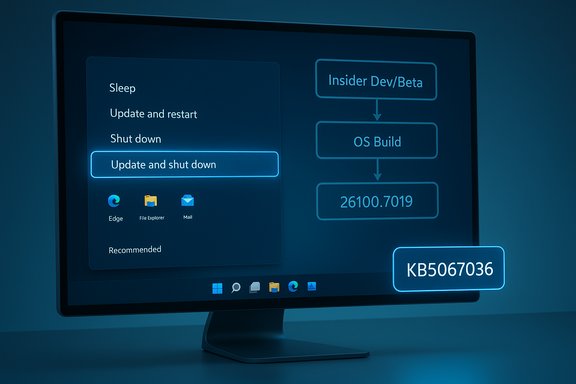
A computer monitor shows a Windows-like update flow with 'Update and shut down' highlighted and a KB5067036 badge.Background​

For many users, the two words Update and shut down were a simple promise: install pending updates, power off, and come back later to a patched machine. For a non‑trivial subset of devices over several years, that expectation failed. After applying updates, affected systems would sometimes reboot or return to the lock screen instead of powering off — effectively turning “shut down” into “restart.” The symptom was intermittent and environment‑dependent, producing all the usual facepalm moments: drained laptop batteries, broken maintenance windows, and eroded trust in a basic OS control. Microsoft documented the remediation succinctly in the KB release notes for the October 28, 2025 preview: “Improved: Addressed underlying issue which can cause ‘Update and shutdown’ to not actually shut down your PC after updating.” The preview produces OS builds 26200.7019 (Windows 11 25H2) and 26100.7019 (Windows 11 24H2).

What Microsoft shipped (the facts)​

  • Update package: KB5067036 (optional, non‑security preview cumulative update).
  • Release date: October 28, 2025 (preview).
  • Resulting OS builds after install: 26200.7019 for Windows 11 25H2 and 26100.7019 for Windows 11 24H2.
  • Insider validation: the same fix appeared earlier in Windows Insider preview builds — notably Build 26220.6760 (Dev) and 26120.6760 (Beta) published September 29, 2025 — where the release notes explicitly say the issue was fixed.
  • Rollout plan: Microsoft followed its usual staged path (Insider → optional preview → mainstream Patch Tuesday). Many outlets and community trackers expect the fix to be folded into the November Patch Tuesday cumulative update for general distribution.
These are the concrete anchors for the claim that “Update and shut down” should now perform a real shutdown in the scenarios Microsoft targeted.

Why this bug mattered​

The problem looked trivial on the surface — a UI promise not kept — but in practice it had outsized, measurable consequences.
  • Battery and energy waste: Laptops left “off” were sometimes left running and drained overnight, which directly affects mobile users and power‑sensitive environments.
  • Operational friction: Maintenance windows and scripted automation that expect a deterministic shutdown after updates would occasionally fail, complicating IT operations and imaging labs.
  • Trust erosion: People stopped relying upon the option and developed workarounds, which in turn undermined update compliance and convenience.
The intermittent nature — hardware, driver, and configuration dependent — made it especially difficult to reproduce and diagnose, which helped explain why the symptom persisted across multiple update cycles.

Technical anatomy: why “Update and shut down” sometimes acted like restart​

Understanding the root causes requires a short primer on how modern Windows applies updates at shutdown:
  • Multi‑phase servicing: Modern cumulative updates stage payloads while Windows is running and then perform offline servicing to replace files that are locked during runtime. Some updates require one or more reboots to complete final commits.
  • Fast Startup (hybrid shutdown): When Fast Startup is enabled, Windows uses a hybrid shutdown that preserves kernel session state. That hybrid semantics can interact poorly with offline servicing and change whether the OS performs a full power‑off or returns to a running state.
  • Orchestration and race conditions: The shutdown decision — whether to restart or fully power off after offline servicing — is made by the servicing stack and power orchestration layers. If internal state is not preserved correctly across offline handoffs (for instance, due to timing or race conditions), the final action can default to restart. Community analysis repeatedly theorized race conditions or servicing stack interactions as likely culprits.
  • Sign‑in / finishing flows and drivers: Features like “Use my sign‑in info to finish setting up” and driver or firmware handoffs can change the expected sequencing after a reboot, nudging the platform toward restarting to ensure components reload safely.
Microsoft’s terse changelog language — “addressed underlying issue” — indicates an orchestration or servicing‑level correction rather than a superficial UI relabeling. That suggests a change to the control flow that preserves the user’s shutdown intent across the offline servicing phases.

How the fix reached users (timeline and rollout)​

  • September 29, 2025 — Microsoft published Windows Insider release notes for Dev and Beta channel builds that include the remediation text for the Update and shut down problem (Builds 26220.6760 and 26120.6760).
  • October 28, 2025 — Microsoft packaged the servicing change into the optional preview cumulative update KB5067036, producing OS builds 26200.7019 and 26100.7019. The KB page lists the Update and shutdown improvement in its Windows Update section.
  • November Patch Tuesday (expected mainstream rollout) — Microsoft planned to fold the preview into the regular cumulative update for general distribution after validation and telemetry collection. Several community trackers reported November 11, 2025 as the likely Patch Tuesday window.
This staged approach is Microsoft’s normal quality‑assurance path: validate in Insider rings, offer the change as an optional preview for broader testing, and then include it in the monthly cumulative update once telemetry looks healthy.

Cross‑checking the claim: multiple independent confirmations​

Independent outlets and community sources corroborated the key claims:
  • Microsoft Support documentation for KB5067036 explicitly lists the improvement addressing the Update and shut down behavior.
  • Windows Insider blog release notes from September 29, 2025 feature the same fix wording in Dev/Beta channel announcements.
  • Major tech press (Windows Central, PC Gamer, TechRadar and others) reported the change and tracked the preview packaging and expected Patch Tuesday inclusion.
  • Community threads and technical forums logged tester experiences and explained the orchestration context for why the problem was intermittent.
Taken together, these independent artifacts confirm Microsoft implemented a servicing correction that has reached preview channels and is staged for wider deployment.

Critical analysis: strengths of Microsoft’s approach​

  • Focused remediation at the servicing layer: The singular changelog language and the behavior observed by Insiders indicate Microsoft fixed orchestration logic rather than applying a superficial label change. That’s the right level to fix the problem reliably.
  • Proper staging and telemetry: Microsoft validated the correction in Insider Dev/Beta builds and then offered a Release Preview/optional package (KB5067036), which allows broader hardware compatibility testing before mass rollout. This reduces the risk of introducing regressions into production devices.
  • Clear, minimal release notes: While terse, Microsoft’s wording is direct and focused on behavior rather than ambiguous marketing language, which helps administrators understand the practical impact.

Risks, caveats, and open questions​

  • Preview regressions: Preview packages can introduce collateral bugs. Reports tied to KB5067036’s preview contained a reproducible Task Manager regression (multiple taskmgr.exe instances), underscoring the trade‑off of installing optional previews on production devices. Administrators and power users should pilot before broad deployment.
  • Not every configuration was targeted: The fix applies to Windows 11 versions supported by KB5067036 (24H2 and 25H2). Windows 10 is end‑of‑life for mainstream servicing and will not receive the same correction via this channel unless Microsoft issues special patches; thus some legacy systems may remain affected.
  • The public root cause is opaque: Microsoft’s public notes do not disclose a detailed technical root‑cause. Community theorizing points to race conditions, Fast Startup interactions, and servicing stack sequencing, but those remain hypotheses unless Microsoft publishes a deeper forensic write‑up. Treat those explanations as plausible, not definitive.
  • Edge cases and hardware diversity: Because the issue manifested intermittently across drivers, firmware versions, and power settings, there will likely be corner cases where behavior remains inconsistent until telemetry and additional patches close out remaining gaps.

Practical guidance: what users and administrators should do​

For home users
  • Check your Windows Update settings: open Settings > Windows Update and look for Optional updates available. If KB5067036 appears and you want the fix now, you can install it from there.
  • If you prioritize stability over immediacy, wait for the mainstream Patch Tuesday cumulative update — Microsoft’s staged rollout will include the repair after telemetry validation.
  • As a short‑term workaround, choose Update and restart if you need the update applied now and want to avoid the shutdown semantics issue; or simply power off after updates if you want a guaranteed cold shutdown until the fix reaches your device via automatic updates.
For IT administrators
  • Pilot the update in a representative test ring before broad deployment. Use test hardware that mirrors laptops, desktops, and imaging systems in your environment.
  • Validate deterministic shutdown behavior across your hardware mix, especially systems with Fast Startup enabled or custom firmware/driver configurations.
  • Monitor for known preview regressions (for example, Task Manager behavior), and have rollback/restore plans ready should the preview cause regression in core admin tooling.
  • Plan to deploy the mainstream cumulative update when Microsoft releases it via Patch Tuesday, after satisfactory pilot telemetry and vendor confirmations.
Quick commands and checks
  • To verify your OS build: Press Win + R, type winver, and confirm the OS build string (expect 26200.7019 or 26100.7019 after KB5067036).
  • To install KB5067036: Settings > Windows Update > Optional updates available > select the preview package and apply (only for Windows 11 24H2/25H2).

Why it took so long (context and plausible causes)​

Saying it “took a decade” is catchy, but the timeline is more nuanced. Reports of the symptom date back multiple years and across Windows 10 and 11 releases, with community complaints and support threads accumulating over time. The intermittency and hardware dependence complicated root‑cause analysis and reproduction, making a robust fix that preserves all other sequencing guarantees non‑trivial to implement. Microsoft’s staged approach — reproduce, fix in Insider flights, validate telemetry, and then push to preview — is consistent with the platform’s quality assurance model, but it can feel slow to users who have been burned repeatedly. Cautionary language is warranted: exact duration and blame assignments carry ambiguity, and the public record does not provide a blow‑by‑blow timeline going back a full ten years.
Technical plausibility for delay
  • Intermittent bugs are intrinsically expensive and time‑consuming to root cause.
  • The servicing stack interacts with many layers (kernel, boot, drivers, firmware), and changing orchestration without introducing regressions requires careful validation.
  • Microsoft prioritized a correct servicing‑level fix over a cosmetic UI change, which logically requires deeper engineering, validation, and staging.

Final assessment: what this fix really means​

This servicing correction is a real, practical quality‑of‑life improvement for Windows 11 users. Where the Update and shut down option previously behaved unpredictably, Microsoft’s change — validated in Insider builds and packaged into KB5067036 — restores the expected behavior for many configurations. That reduces overnight battery drain, improves the reliability of maintenance windows, and repairs a small but important breach of user trust. That said, the fix is not entirely free of caveats. Preview builds can introduce collateral issues, not all environments will receive the preview at the same time, and the public documentation remains deliberately terse about the exact technical root cause. For mission‑critical deployments, the safest path remains staged pilot testing followed by mainstream Patch Tuesday deployment once telemetry indicates stability.

Practical takeaways (quick list)​

  • KB5067036 (preview) contains the servicing change that fixes the Update and shut down behavior for Windows 11 24H2 and 25H2.
  • The fix first appeared in Insider builds (Sept 29, 2025) and was folded into the October 28, 2025 optional preview.
  • Install the preview on test hardware if you need the fix immediately; otherwise wait for the November Patch Tuesday mainstream roll‑out.
  • Continue to treat optional preview releases with caution: pilot, monitor, and have rollback plans.

Microsoft’s terse line in the KB — “Addressed underlying issue which can cause ‘Update and shutdown’ to not actually shut down your PC after updating” — may be short, but its effect is concrete: users and administrators who relied on that tiny two‑word promise should now find that Windows finally keeps it. The practical victory is small but meaningful: the power menu option can once again be trusted to power devices off after updates, and that restores a tiny but important piece of everyday predictability to the Windows update experience.
Source: Newswav Microsoft Finally Fixed The “Update And Shut Down” Bug That Doesn’t Shut Down At Times
 

Back
Top