

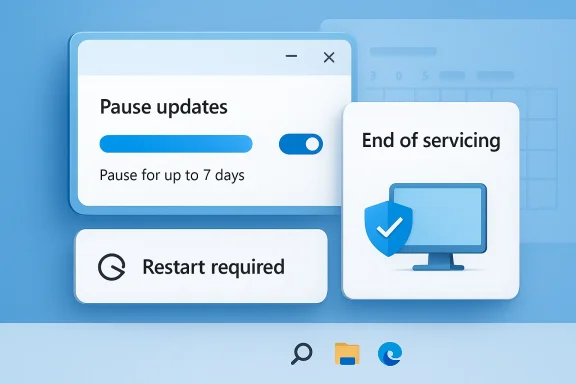
Windows Update has always carried a tension at the heart of the Windows platform: users want control, but Microsoft wants to keep devices secure, supported, and compatible. The latest wave of “pause” features does not eliminate enforcement so much as narrow where and when it applies. In practice, Windows Update is still governed by hard limits, lifecycle deadlines, and automatic upgrade behavior when a device reaches the end of servicing. That means the real story is not that forced updates are gone; it is that Microsoft has moved from blunt interruption to a more structured, deadline-driven model.
Background — full context
Microsoft’s update philosophy has changed several times over the life of Windows 10 and Windows 11, but one principle has stayed constant: security comes first. The company repeatedly states that users can temporarily pause updates, yet they cannot stop them entirely. Microsoft’s support guidance says updates will eventually need to be installed and downloaded regardless of update settings, and that after a pause limit is reached, users must install the latest updates before pausing again. (support.microsoft.com)That framework matters because “pause” is not a loophole; it is a bounded safety valve. On consumer Windows 11 and Windows 10 devices, the Settings app can pause updates for a limited period, but those pauses expire, and the device is expected to catch up. Microsoft’s policy documentation also distinguishes between feature updates and quality updates, with separate controls for deferrals and pauses. Quality updates can be paused for 35 days, while feature update pause behavior is also bounded in policy and management tooling. (learn.microsoft.com)
The other half of the story is end of servicing. When a Windows version reaches the end of support, Microsoft does not simply let the device sit there indefinitely. Microsoft’s support statement says that for Windows 11 consumer devices and non-managed business devices that have reached the end of servicing, Windows Update will automatically start a feature update so the device stays supported and continues receiving monthly updates. (support.microsoft.com)
This is especially relevant now because Windows 10 reached end of support on October 14, 2025. Microsoft says that after that date it no longer provides free software updates, technical assistance, or security fixes for Windows 10, and recommends upgrading to Windows 11 or enrolling eligible devices in Extended Security Updates. (support.microsoft.com)
The result is a model that feels “forced” from the outside but is actually governed by policy, lifecycle, and device class. Consumer devices, unmanaged business PCs, and enterprise-managed fleets are treated differently. What one person sees as an unskippable update prompt is, in Microsoft’s own terms, the enforcement of supportability. The nuance is important because it explains why indefinite pauses were never likely to become the norm. (support.microsoft.com)
What Microsoft actually changed
The pause feature is bounded, not infinite
A key misconception is that Microsoft is rolling out an “indefinite pause” in the literal sense. Official documentation says otherwise. Windows Update pause controls are temporary by design, and they expire after a set number of days. Microsoft Support says users can pause updates, but once the pause limit is reached, they must install the latest updates before pausing again. (support.microsoft.com)For managed devices, Microsoft’s policy CSP describes PauseQualityUpdates as remaining in effect for 35 days or until the start date is cleared. The same documentation also shows the corresponding PauseQualityUpdatesStartTime policy for specifying when the pause begins. (learn.microsoft.com)
In other words:
- Pause means “not now,” not “never.”
- Deferral means “later,” not “avoid indefinitely.”
- Deadline enforcement means “install by this point,” regardless of preference. (learn.microsoft.com)
End-of-servicing triggers automatic feature updates
Microsoft’s most important enforcement mechanism is lifecycle-based. When a consumer device or non-managed business device reaches end of servicing, Windows Update can automatically start a feature update to move it onto a supported release. Microsoft explicitly says this is to keep the device protected and productive. (support.microsoft.com)That changes the meaning of “pause” in a practical sense. You may be able to postpone a patch for a while, but you cannot use a pause to remain on an unsupported release forever. If the release is out of support, the system is designed to move you forward. (support.microsoft.com)
Microsoft is separating user choice from support obligation
This is the core policy shift. Microsoft still allows users and IT admins to exercise some control, but the company reserves the right to override that control when a device is no longer within a supported servicing window. That is why the update model feels stricter than it did years ago: Microsoft is aligning Windows Update with product lifecycle rules, not just user preference. (support.microsoft.com)Why “forced updates” are not the whole story
Windows Update is enforcing a support contract
From Microsoft’s perspective, a supported Windows installation is part of a broader security contract. If the device is on a supported release, Microsoft can continue delivering fixes and ecosystem compatibility. If it isn’t, the company has less reason to let the machine remain frozen in place. That’s why support pages repeatedly emphasize that updates are necessary for safety and why end-of-servicing devices are pushed to move forward. (support.microsoft.com)This is also why Windows 10’s end of support was such a major milestone. As of October 14, 2025, Microsoft ended free updates and security fixes for Windows 10, while recommending Windows 11 or ESU options for eligible systems. (support.microsoft.com)
Consumer and enterprise systems are not governed the same way
Microsoft’s documentation makes it clear that managed environments have more granular controls than consumer systems. Intune update rings, policy CSP settings, and Autopatch workflows all provide ways to defer, pause, resume, or enforce update behavior. But even there, pauses are measured in days, not forever. (learn.microsoft.com)For consumers, the story is simpler and harsher:
- Pause only lasts so long.
- Restarts eventually become mandatory.
- Unsupported versions are moved forward.
- Feature updates may be triggered automatically at lifecycle end. (support.microsoft.com)
“Indefinite” often means “resettable”
Some recent headlines have used language that suggests a nearly indefinite pause, but Microsoft’s own documentation uses very precise limits. Even where admins can extend pause periods in management tools, those extensions are still bounded and require active administration. Intune documentation notes that while an update ring is paused, administrators can select Extend to reset the pause period for up to 35 days. That is not indefinite; it is a repeatable but controlled administrative action. (learn.microsoft.com)How pause, defer, and deadline differ
Pause is a temporary stop
A pause stops new updates from being downloaded and installed for a limited time. Microsoft Support says that in Windows 11, users can pause recommended updates from being downloaded and installed, but the pause ends automatically. (support.microsoft.com)Deferral delays delivery
Deferral means the update is not offered immediately, but it is still expected to arrive later. Microsoft’s policy pages distinguish between quality update deferral periods and pause behavior, and Intune rings let admins set specific deferral windows. (learn.microsoft.com)Deadline forces the outcome
A deadline is the point at which Windows stops asking nicely. Microsoft’s update compliance guidance says enforcement deadlines can be used to ensure automatic restarts happen after a grace period, and Intune notes that deadline calculations are based on when the client first discovers the update. (learn.microsoft.com)Feature updates carry a deeper consequence
Feature updates are not just larger cumulative updates. They define the version of the operating system itself. Intune’s feature update policy documentation says the selected Windows version is enforced until the policy changes or is removed, and when a feature update installs, the latest applicable monthly quality update is included automatically. (learn.microsoft.com)That means version control is a policy object, not a suggestion.
The servicing clock is the real enforcer
End of support changes the device’s update rights
Once a release reaches end of servicing, the update posture changes from optional to corrective. Microsoft’s statement about end-of-servicing devices is blunt: Windows Update will automatically start a feature update for consumer and non-managed business devices so they remain protected and productive. (support.microsoft.com)Windows 10 is the latest major example
Windows 10’s support ended on October 14, 2025. Microsoft’s support materials say the OS still functions, but it no longer receives security updates, and devices should move to Windows 11 or another supported arrangement. (support.microsoft.com)That lifecycle boundary matters because it narrows the practical value of pausing. A pause can delay a monthly patch or feature rollup, but it cannot resurrect an unsupported operating system. Once support ends, the operating system itself becomes the issue. (support.microsoft.com)
Windows 11 is not exempt from lifecycle pressure
Microsoft’s message center and support materials show the same pattern on Windows 11. When a version reaches end of servicing, Microsoft directs devices toward supported releases, and some devices may install the update automatically. That means enforcement is not just a Windows 10 issue; it is part of the operating model across Windows 11 releases too. (learn.microsoft.com)What this means for home users
You can delay, but not escape
For a home user, Windows Update still allows a short-term pause. Microsoft Support says users can choose a pause length in Settings, but they must install the latest updates once the pause time limit is reached. (support.microsoft.com)That translates into a practical rule:
- You can buy time.
- You cannot opt out indefinitely.
- You cannot remain on an ended version and still expect normal support. (support.microsoft.com)
Restart scheduling remains part of the deal
Microsoft also expects users to complete updates through restarts. The company’s support guidance says Windows will try to restart when you are not using the device, or it will let you schedule a restart at a more convenient time. Active hours are there to reduce surprise interruptions, but they do not cancel the restart requirement. (support.microsoft.com)The consumer UX is intentionally paternalistic
That may sound harsh, but it reflects Microsoft’s design goal. The Windows Update experience is built to nudge users toward the safest supported state. In that sense, the product is not asking whether users want updates; it is asking when they want to complete them. (support.microsoft.com)What this means for IT admins
Managed environments have tools, but not absolution
In enterprise settings, administrators can use Intune, Windows Update for Business, and CSP policies to shape update behavior more precisely. They can defer, pause, resume, and enforce updates across rings and devices. But the control is still bounded by lifecycle and deadline logic. (learn.microsoft.com)Update rings are governance, not immunity
Microsoft Intune update rings let organizations define what version of Windows devices should receive, how long they may defer, and when compliance deadlines kick in. For feature update policies, the selected version is enforced until the policy is changed or removed. (learn.microsoft.com)Pauses still require discipline
Microsoft documentation warns that pauses are a conscious step away from the default protection of new updates. The policy CSP notes that administrators are effectively disabling Microsoft’s default protection from known issues for each new feature update when they pause. That is a strong hint that Microsoft views pauses as exceptional, not routine. (learn.microsoft.com)Compliance is increasingly tied to lifecycle management
If an organization is running Windows 10 after end of support, the issue is no longer patch cadence but risk management. Microsoft recommends upgrading to Windows 11 or using ESU where eligible. For IT teams, that means update policy, asset replacement, and lifecycle planning are now part of the same conversation. (support.microsoft.com)Why Microsoft is doing this
Security exposure is the first reason
Microsoft’s public rationale is consistent: updates keep devices safe, secure, and productive. That’s why it says you cannot stop updates entirely and why it automatically moves end-of-servicing devices to supported releases. (support.microsoft.com)Ecosystem health is the second reason
The company also frames these actions as protecting broader ecosystem health. A fragmented installed base of unsupported systems increases compatibility issues, support burden, and security risk. Microsoft’s support statements tie automatic feature updates to keeping the ecosystem healthy. (support.microsoft.com)Predictability is the third reason
From Microsoft’s standpoint, a deadline-driven model is more predictable than a pure opt-in model. Users can pause for a bit, admins can stage rollout, but the platform still converges toward supported versions. That makes servicing more manageable across millions of devices. (learn.microsoft.com)Strengths and Opportunities
The current model has real advantages, even if users dislike the friction.- It reduces the number of dangerously outdated PCs.
- It gives admins staged control without letting devices drift forever.
- It keeps consumer systems from sitting on unsupported builds for years.
- It aligns Windows servicing with Microsoft’s lifecycle policy.
- It supports compatibility with apps, drivers, and security tooling.
- It lets users choose a convenient restart window instead of suffering random disruption.
- It makes update policy more consistent across consumer and managed devices.
- It helps Microsoft respond faster when a release becomes unstable or unsupported.
Risks and Concerns
The downsides are easy to understand too.- Users may feel their machines are being taken over.
- Pauses can create a false sense of control.
- Automatic upgrades at end of servicing can surprise people who expected to stay put.
- Small businesses may confuse deferral with permanent avoidance.
- A hard push to newer versions can surface app or driver compatibility problems.
- Some users will interpret lifecycle enforcement as hostile, not protective.
- Support messaging can be hard to reconcile with the lived experience of repeated prompts.
- Older hardware may be forced into upgrade decisions sooner than owners want.
What to Watch Next
The next Windows 11 end-of-servicing wave
Microsoft’s recent guidance suggests that end-of-servicing behavior will continue to matter as each Windows 11 release ages out. When that happens, the automatic upgrade behavior becomes increasingly visible to consumers and unmanaged business users. (learn.microsoft.com)More aggressive policy integration
Expect more of Windows Update to be managed through Intune, policy CSPs, and update rings rather than the old, consumer-facing notion of “turning updates off.” Microsoft’s docs already show that the platform is moving toward policy-based enforcement rather than user-level toggles. (learn.microsoft.com)A narrower role for pauses
The future likely belongs to pauses as short-term scheduling tools, not as strategic delay mechanisms. Microsoft’s own wording consistently frames pauses as temporary and bounded. That is unlikely to change. (support.microsoft.com)More emphasis on version targeting
Feature update policies already let administrators specify exactly which Windows version devices must stay on. That approach is more precise than generic update blocking, and it will likely become the dominant way large environments manage rollout risk. (learn.microsoft.com)ESU and migration pressure
With Windows 10 now out of support, Microsoft’s push toward ESU and Windows 11 migration will remain a major theme. That pressure will shape user expectations about how much control they really have over updates on older hardware. (support.microsoft.com)Conclusion
The headline idea that Microsoft has “ended forced updates” is only half true. What Windows Update now offers is not freedom from enforcement, but a more polished enforcement model: pauses that expire, deferrals that run out, deadlines that trigger restarts, and lifecycle rules that push unsupported devices back onto the supported path. Microsoft’s own documentation is consistent on this point, and the end-of-servicing behavior makes the underlying logic unmistakable. Windows Update is less about letting users opt out and more about ensuring they do not drift beyond the support boundary. (support.microsoft.com)Source: techbuzz.ai https://www.techbuzz.ai/articles/microsoft-ends-forced-windows-updates-with-indefinite-pause/
Last edited:
