

BGR’s latest Windows-versus-Linux comparison argues that Windows remains the safer default for ordinary PC users in 2026, while Linux is increasingly attractive for older hardware, Microsoft-weary users, and people willing to trade convenience for control. That framing is basically right, but it understates the deeper shift: this is no longer a fight about which kernel is more elegant. It is a fight over who gets to decide what your PC does next. Windows is still the mainstream answer, but Linux has become the escape hatch with fewer compromises than it used to have.
For years, the Windows-versus-Linux debate was conducted as a personality test. Windows was for people who wanted software compatibility and did not want to think about drivers. Linux was for people who compiled kernels for fun, disliked license keys, or believed every operating system choice was a political statement.
That old caricature is now mostly useless. The typical Linux user in 2026 may be a developer, a privacy-conscious home user, a Steam Deck owner, a sysadmin, or someone trying to keep a perfectly functional laptop alive after Windows 10’s end of support. The typical Windows user may be a gamer, an office worker, an IT-managed employee, a student, or simply someone whose printer and banking software already work.
The more interesting divide is not technical literacy versus ignorance. It is whether the PC is treated as a managed endpoint in Microsoft’s cloud-and-AI ecosystem, or as a locally controlled machine whose operating system should mostly stay out of the way. Windows is better at the former. Linux is better at the latter.
That makes the BGR piece useful as a consumer-facing snapshot, but also too tidy. “Windows for normal people, Linux for power users” is a decent first approximation. It is not a sufficient answer for a market where Windows 10’s retirement, Windows 11 hardware requirements, Microsoft account nudges, Copilot integration, update anxiety, and subscription fatigue are all pushing users to re-evaluate assumptions they have held for decades.
That inertia matters. Operating systems do not win on purity; they win on accumulated compatibility. Windows carries decades of hardware drivers, commercial software support, gaming optimization, enterprise management tooling, accessibility support, and institutional knowledge. For most users, “better” means “least likely to block the thing I bought this computer to do.”
This is why Linux advocacy often runs into a wall outside technical circles. A distribution like Linux Mint, Ubuntu, Fedora, or Pop!_OS can be polished and fast, but it cannot magically make every Windows-only application native. Compatibility layers such as Wine, Proton, and virtualization have improved dramatically, especially for games, but “works surprisingly well” is not the same as “the vendor supports this configuration when payroll breaks on Monday morning.”
Windows also benefits from a massive support ecosystem. If a webcam fails, a game crashes, or a VPN client refuses to connect, there is usually a Windows-specific support article, driver package, registry workaround, Reddit thread, or vendor ticket path. Linux users often have better community documentation, but they may also be expected to understand logs, package managers, bootloaders, permissions, display servers, and the difference between a distribution bug and an upstream kernel regression.
That does not make Windows technically superior in every category. It makes Windows socially and commercially entrenched. In consumer technology, that is often the whole game.
Some of that integration is genuinely useful. A Microsoft account can synchronize settings, BitLocker recovery keys, purchases, browser data, and app access. OneDrive backup can save users from losing documents. Windows Hello is excellent. Defender is good enough that most people no longer need third-party antivirus. Enterprise administrators benefit from Entra ID, Intune, Autopatch, Defender for Endpoint, and the broader Microsoft security stack.
But the line between integration and coercion has become blurry. Users notice when setup flows discourage local accounts. They notice when Edge reappears as the suggested default. They notice when AI features arrive even if they did not ask for them. They notice when Windows feels less like a purchased operating system and more like a sponsored surface for Microsoft’s current strategy.
This is where Linux’s appeal becomes emotional as much as technical. Linux does not need to persuade everyone that it is easier. It only needs to persuade a growing minority that the friction is worth escaping the feeling that their PC is being product-managed from Redmond.
That feeling is not limited to hobbyists. It shows up in schools trying to stretch hardware budgets, small businesses resisting SaaS creep, privacy-minded users worried about data flows, and home users with older PCs that run fine but do not meet Windows 11’s official requirements. Linux is no longer merely the enthusiast alternative. It is becoming the refusal option.
For the average user, the official answer is simple: move to Windows 11 on supported hardware, buy Extended Security Updates where available, or replace the PC. For enthusiasts and budget-conscious users, that answer feels wasteful. A 2017 laptop with an SSD and 16GB of RAM may be perfectly adequate for browsing, office work, streaming, coding, and light creative tasks. Linux can often give that machine several more useful years.
This is where Linux has its cleanest consumer argument. It is not “install Linux because open source is morally superior.” It is “install Linux because your machine still works.” A lightweight distribution can make aging hardware feel less burdened, especially if that hardware is being dragged down by background services, vendor utilities, and years of accumulated Windows cruft.
The environmental argument is real, too. Replacing a PC because its operating system support window closed is rational from a security standpoint, but it is still a form of forced churn. Linux cannot solve every firmware vulnerability or battery problem, but it can decouple the useful life of a machine from Microsoft’s consumer upgrade cadence.
There are caveats. Some older Wi-Fi chips, fingerprint readers, webcams, audio devices, hybrid graphics setups, and power-management features remain awkward under Linux. But the broad trend is favorable. On ordinary Intel and AMD laptops, especially business-class models from the last decade, mainstream Linux distributions are far less exotic than their reputation suggests.
That reputation has taken damage. Windows Update remains essential, but it is also a source of anxiety. Monthly cumulative updates, driver delivery, feature enablement packages, servicing stack changes, and occasional compatibility regressions have made some users feel like unpaid participants in a vast quality-control exercise. Microsoft’s expanding pause controls and rollback mechanisms are welcome, but they also acknowledge the underlying problem: users want protection from the update system as much as protection through it.
To be fair, Linux updates can break things too. Rolling-release distributions such as Arch or openSUSE Tumbleweed deliberately move fast. Nvidia drivers can still complicate life. Desktop environment transitions can create rough edges. A user who adds random package repositories and copies terminal commands from old forum posts can absolutely create a mess.
The difference is that Linux gives users and administrators more explicit choices about update philosophy. You can choose a conservative distribution, a long-term-support base, a rolling release, a minimal window manager, an immutable desktop, or a vendor-backed enterprise clone. Windows gives fewer meaningful consumer choices. You are on Microsoft’s train; the main question is how long you can defer the next stop.
That distinction matters to IT pros. In managed environments, Windows Update for Business, Autopatch, WSUS successors, Intune rings, and deployment tools provide real control. At home, however, many Windows users experience updates as something that happens to them. Linux users may need more knowledge, but they often have more agency.
Windows also benefits from Microsoft’s massive threat-intelligence operation. Defender is not a toy. Enterprise Windows security, when properly configured, can be formidable. For organizations already invested in Microsoft 365, Entra ID, Conditional Access, Defender, Purview, and Intune, the security story is coherent in a way Linux desktops rarely match out of the box.
But Windows is also the biggest desktop target. Malware authors go where the users, credentials, payment systems, corporate networks, and gaming accounts are. A platform can be well-engineered and still face more attacks because the payoff is larger. Windows’ dominance ensures that its security machinery is constantly tested at scale.
Linux’s security advantage is different. It benefits from open-source scrutiny, package-repository models, privilege separation, and a smaller desktop attack surface. Most mainstream Linux users install software from curated repositories rather than downloading random executables from the web. That alone changes the threat model.
Still, Linux is not magic armor. A user can install malicious browser extensions, run unsafe scripts, misconfigure SSH, ignore updates, expose services, or add sketchy repositories. The browser is the main application for many users, and browser-based threats do not care much which desktop OS sits underneath. The claim that “Linux is secure” is only true when paired with disciplined maintenance and sane user behavior.
Valve’s work on Proton, the Steam Deck, Mesa drivers, Vulkan translation, and Linux gaming infrastructure has done more for desktop Linux adoption than years of abstract advocacy. Many Windows games now run well on Linux with little or no user intervention. AMD graphics support is strong. The Steam Deck normalized Linux as a gaming platform for people who never intended to become Linux users.
But the remaining problems are not trivial. Competitive multiplayer games with kernel-level anti-cheat remain a major obstacle. Some publishers simply do not support Linux, whether for technical, business, or anti-cheat reasons. Game launchers, DRM systems, modding tools, peripheral utilities, and RGB software can still assume Windows.
For a single-player-heavy Steam library, Linux may be surprisingly viable. For esports, Game Pass for PC, niche launchers, virtual reality, or hardware ecosystems built around Windows utilities, the safer answer is still Windows. That is not a moral failure of Linux. It is a reminder that platform support is negotiated not just by engineers, but by publishers, middleware vendors, and anti-cheat companies.
The real story is that gaming no longer disqualifies Linux automatically. That is a major change. It means a user who wants Linux for privacy, performance, or hardware longevity does not necessarily have to give up a large part of their library. Windows still leads, but Linux has crossed from novelty to credible second platform.
Some users will like this. If AI features become fast, local, private, and genuinely useful, they may become as normal as search indexing or spellcheck. A PC that can summarize documents, find old work, transcribe meetings, enhance photos, and automate tedious tasks has obvious appeal.
The problem is trust. Microsoft has not always earned the benefit of the doubt when adding new surfaces to Windows. Users remember ads in Start, Edge nags, account pressure, telemetry debates, and unwanted app suggestions. When AI enters that environment, skepticism is predictable.
Linux benefits from being boring here. It does not have a single vendor strategy to monetize the desktop through AI services. Distributions may add AI tools, and open-source models will certainly become easier to run locally, but the baseline Linux desktop does not feel like it is being reorganized around a corporate AI roadmap.
That does not make Linux anti-AI. It makes Linux pluralistic. If users want local models, they can install them. If they want no AI at all, they can ignore it. If they want cloud AI, they can use it in a browser. The operating system itself is less likely to decide that AI is the new organizing principle of the desktop.
But ease of use is not just installation. It is the entire life cycle of owning the machine. Can the user install the apps they need? Can they join a video call without audio drama? Can they print tax documents? Can they recover from a failed update? Can they get help from the person they call when something breaks?
Windows wins because its problems are familiar. A Windows error may be maddening, but millions of people have seen something like it. A Linux problem may be technically solvable, but the path to solving it can feel alien to someone who has never opened a terminal or learned what a package manager is.
The decline in general computer literacy makes this more important. Many users are fluent in phones but not PCs. They understand apps, not file systems; cloud libraries, not local folders; settings toggles, not driver stacks. Linux can be friendly, but it often assumes a willingness to understand the machine as a machine.
Windows increasingly assumes the opposite. It hides complexity, routes users toward cloud defaults, and tries to keep the system inside guardrails. That can be patronizing, but it also helps people who do not want to become their household’s systems administrator.
A Linux desktop fleet is possible, and in some sectors it is sensible. Developers, scientific computing teams, security researchers, engineering groups, government agencies, and cost-sensitive organizations may find Linux attractive. ChromeOS and browser-first workflows have also weakened the old assumption that every employee needs a traditional Windows desktop.
But migrating a general-purpose organization from Windows to Linux is not a weekend ideology project. It means retraining support staff, validating applications, replacing management tooling, rewriting documentation, rethinking security baselines, and accepting that some vendors will treat Linux desktops as second-class citizens. The cost of Windows licensing is only one line item. The cost of changing everything around Windows can be much larger.
That is why Linux gains in the enterprise usually happen at the edges or in specialized roles. Developers get Linux workstations. Kiosks run Linux. Servers already run Linux. Containers and cloud infrastructure run Linux. But the broad office desktop remains Windows because the organizational machinery expects it.
The more immediate enterprise threat to Windows is not Linux. It is the browser. If more work happens in SaaS applications, virtual desktops, web apps, and cloud-managed environments, the local OS matters less. That could help Linux indirectly, but it could also help macOS, ChromeOS, iPadOS, or thin clients. Microsoft knows this, which is why Windows 365 and cloud PC strategies matter as much as Windows 11 itself.
The best Windows experience today is on modern hardware with proper firmware support, an SSD, enough RAM, and a user willing to accept Microsoft’s account and update model. Windows 11 is not merely Windows 10 with a centered taskbar; it is increasingly tied to Microsoft’s security, cloud, and AI assumptions. If those assumptions match your life, Windows is hard to beat.
The best Linux experience is on well-supported hardware with mainstream distributions and realistic expectations. Choose boring over exotic if you are new. Linux Mint, Ubuntu LTS, Fedora, and similar mainstream options are popular for a reason. The goal should be a working computer, not a purity contest.
Dual-booting, once a rite of passage, is less necessary than it used to be but still useful for cautious switchers. Virtual machines can help evaluate workflows. Live USB sessions can test Wi-Fi, audio, display scaling, suspend, and peripherals before committing. The smartest migration is not a leap of faith; it is an audit.
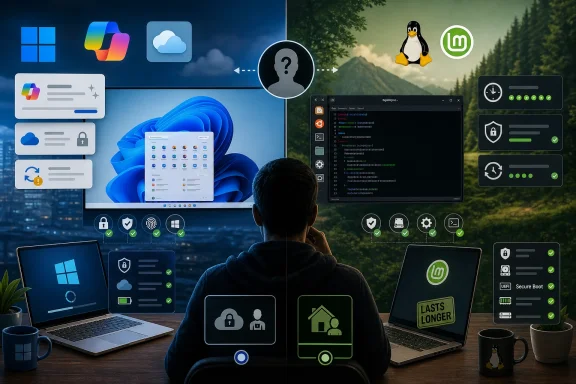 The Desktop War Has Become a Trust Problem
For years, the Windows-versus-Linux debate was conducted as a personality test. Windows was for people who wanted software compatibility and did not want to think about drivers. Linux was for people who compiled kernels for fun, disliked license keys, or believed every operating system choice was a political statement.That old caricature is now mostly useless. The typical Linux user in 2026 may be a developer, a privacy-conscious home user, a Steam Deck owner, a sysadmin, or someone trying to keep a perfectly functional laptop alive after Windows 10’s end of support. The typical Windows user may be a gamer, an office worker, an IT-managed employee, a student, or simply someone whose printer and banking software already work.
The more interesting divide is not technical literacy versus ignorance. It is whether the PC is treated as a managed endpoint in Microsoft’s cloud-and-AI ecosystem, or as a locally controlled machine whose operating system should mostly stay out of the way. Windows is better at the former. Linux is better at the latter.
That makes the BGR piece useful as a consumer-facing snapshot, but also too tidy. “Windows for normal people, Linux for power users” is a decent first approximation. It is not a sufficient answer for a market where Windows 10’s retirement, Windows 11 hardware requirements, Microsoft account nudges, Copilot integration, update anxiety, and subscription fatigue are all pushing users to re-evaluate assumptions they have held for decades.
Windows Still Wins Because the World Was Built Around It
Windows remains the default PC operating system for a boring but decisive reason: the desktop software economy was built around it. If you buy a consumer laptop at a big-box store, join a corporate domain, install a line-of-business application, run accounting software, or troubleshoot a relative’s printer, Windows is still the path of least resistance.That inertia matters. Operating systems do not win on purity; they win on accumulated compatibility. Windows carries decades of hardware drivers, commercial software support, gaming optimization, enterprise management tooling, accessibility support, and institutional knowledge. For most users, “better” means “least likely to block the thing I bought this computer to do.”
This is why Linux advocacy often runs into a wall outside technical circles. A distribution like Linux Mint, Ubuntu, Fedora, or Pop!_OS can be polished and fast, but it cannot magically make every Windows-only application native. Compatibility layers such as Wine, Proton, and virtualization have improved dramatically, especially for games, but “works surprisingly well” is not the same as “the vendor supports this configuration when payroll breaks on Monday morning.”
Windows also benefits from a massive support ecosystem. If a webcam fails, a game crashes, or a VPN client refuses to connect, there is usually a Windows-specific support article, driver package, registry workaround, Reddit thread, or vendor ticket path. Linux users often have better community documentation, but they may also be expected to understand logs, package managers, bootloaders, permissions, display servers, and the difference between a distribution bug and an upstream kernel regression.
That does not make Windows technically superior in every category. It makes Windows socially and commercially entrenched. In consumer technology, that is often the whole game.
Microsoft’s Advantage Is Also Its Liability
The irony is that Windows’ greatest strength — Microsoft’s ability to integrate the OS with everything else it sells — is now one of the reasons some users want out. Windows is no longer just the neutral layer between hardware and applications. It is a vehicle for Microsoft accounts, OneDrive backup prompts, Edge promotion, Microsoft 365 upsells, telemetry, advertising surfaces, cloud identity, and increasingly, AI.Some of that integration is genuinely useful. A Microsoft account can synchronize settings, BitLocker recovery keys, purchases, browser data, and app access. OneDrive backup can save users from losing documents. Windows Hello is excellent. Defender is good enough that most people no longer need third-party antivirus. Enterprise administrators benefit from Entra ID, Intune, Autopatch, Defender for Endpoint, and the broader Microsoft security stack.
But the line between integration and coercion has become blurry. Users notice when setup flows discourage local accounts. They notice when Edge reappears as the suggested default. They notice when AI features arrive even if they did not ask for them. They notice when Windows feels less like a purchased operating system and more like a sponsored surface for Microsoft’s current strategy.
This is where Linux’s appeal becomes emotional as much as technical. Linux does not need to persuade everyone that it is easier. It only needs to persuade a growing minority that the friction is worth escaping the feeling that their PC is being product-managed from Redmond.
That feeling is not limited to hobbyists. It shows up in schools trying to stretch hardware budgets, small businesses resisting SaaS creep, privacy-minded users worried about data flows, and home users with older PCs that run fine but do not meet Windows 11’s official requirements. Linux is no longer merely the enthusiast alternative. It is becoming the refusal option.
Windows 10’s Exit Changed the Math for Older PCs
The end of Windows 10 support on October 14, 2025 turned a theoretical Linux migration argument into a practical one. Millions of PCs that ran Windows 10 acceptably either cannot officially upgrade to Windows 11 or are unpleasant candidates for doing so. Microsoft’s hardware requirements — especially around TPM, Secure Boot, supported CPUs, and baseline security assumptions — were defensible from a platform-security perspective, but they also created a hard cliff for otherwise usable hardware.For the average user, the official answer is simple: move to Windows 11 on supported hardware, buy Extended Security Updates where available, or replace the PC. For enthusiasts and budget-conscious users, that answer feels wasteful. A 2017 laptop with an SSD and 16GB of RAM may be perfectly adequate for browsing, office work, streaming, coding, and light creative tasks. Linux can often give that machine several more useful years.
This is where Linux has its cleanest consumer argument. It is not “install Linux because open source is morally superior.” It is “install Linux because your machine still works.” A lightweight distribution can make aging hardware feel less burdened, especially if that hardware is being dragged down by background services, vendor utilities, and years of accumulated Windows cruft.
The environmental argument is real, too. Replacing a PC because its operating system support window closed is rational from a security standpoint, but it is still a form of forced churn. Linux cannot solve every firmware vulnerability or battery problem, but it can decouple the useful life of a machine from Microsoft’s consumer upgrade cadence.
There are caveats. Some older Wi-Fi chips, fingerprint readers, webcams, audio devices, hybrid graphics setups, and power-management features remain awkward under Linux. But the broad trend is favorable. On ordinary Intel and AMD laptops, especially business-class models from the last decade, mainstream Linux distributions are far less exotic than their reputation suggests.
Stability Is No Longer a Windows Trump Card
Windows used to win the stability argument by default in mainstream conversation. Linux users might boast about server uptime, but desktop Linux had a reputation for display glitches, driver fiddling, and mysterious breakage after updates. Windows, for all its flaws, was the OS that ordinary people could leave alone.That reputation has taken damage. Windows Update remains essential, but it is also a source of anxiety. Monthly cumulative updates, driver delivery, feature enablement packages, servicing stack changes, and occasional compatibility regressions have made some users feel like unpaid participants in a vast quality-control exercise. Microsoft’s expanding pause controls and rollback mechanisms are welcome, but they also acknowledge the underlying problem: users want protection from the update system as much as protection through it.
To be fair, Linux updates can break things too. Rolling-release distributions such as Arch or openSUSE Tumbleweed deliberately move fast. Nvidia drivers can still complicate life. Desktop environment transitions can create rough edges. A user who adds random package repositories and copies terminal commands from old forum posts can absolutely create a mess.
The difference is that Linux gives users and administrators more explicit choices about update philosophy. You can choose a conservative distribution, a long-term-support base, a rolling release, a minimal window manager, an immutable desktop, or a vendor-backed enterprise clone. Windows gives fewer meaningful consumer choices. You are on Microsoft’s train; the main question is how long you can defer the next stop.
That distinction matters to IT pros. In managed environments, Windows Update for Business, Autopatch, WSUS successors, Intune rings, and deployment tools provide real control. At home, however, many Windows users experience updates as something that happens to them. Linux users may need more knowledge, but they often have more agency.
Security Is Not a Simple Windows-or-Linux Scoreboard
The BGR summary’s suggestion that Windows is a secure, semi-stable choice for non-power users is reasonable, but it needs context. Modern Windows is vastly more secure than the Windows XP-era punching bag many Linux partisans still argue against. Secure Boot, virtualization-based security, Smart App Control, Defender, memory protections, BitLocker, Windows Hello, and rapid security servicing make Windows 11 a serious security platform.Windows also benefits from Microsoft’s massive threat-intelligence operation. Defender is not a toy. Enterprise Windows security, when properly configured, can be formidable. For organizations already invested in Microsoft 365, Entra ID, Conditional Access, Defender, Purview, and Intune, the security story is coherent in a way Linux desktops rarely match out of the box.
But Windows is also the biggest desktop target. Malware authors go where the users, credentials, payment systems, corporate networks, and gaming accounts are. A platform can be well-engineered and still face more attacks because the payoff is larger. Windows’ dominance ensures that its security machinery is constantly tested at scale.
Linux’s security advantage is different. It benefits from open-source scrutiny, package-repository models, privilege separation, and a smaller desktop attack surface. Most mainstream Linux users install software from curated repositories rather than downloading random executables from the web. That alone changes the threat model.
Still, Linux is not magic armor. A user can install malicious browser extensions, run unsafe scripts, misconfigure SSH, ignore updates, expose services, or add sketchy repositories. The browser is the main application for many users, and browser-based threats do not care much which desktop OS sits underneath. The claim that “Linux is secure” is only true when paired with disciplined maintenance and sane user behavior.
Gaming Has Become Linux’s Most Surprising Success Story
If this debate were happening in 2016, gaming would be the shortest section: use Windows. In 2026, the answer is still usually Windows for the broadest compatibility, but the gap has narrowed enough to change the tone of the argument.Valve’s work on Proton, the Steam Deck, Mesa drivers, Vulkan translation, and Linux gaming infrastructure has done more for desktop Linux adoption than years of abstract advocacy. Many Windows games now run well on Linux with little or no user intervention. AMD graphics support is strong. The Steam Deck normalized Linux as a gaming platform for people who never intended to become Linux users.
But the remaining problems are not trivial. Competitive multiplayer games with kernel-level anti-cheat remain a major obstacle. Some publishers simply do not support Linux, whether for technical, business, or anti-cheat reasons. Game launchers, DRM systems, modding tools, peripheral utilities, and RGB software can still assume Windows.
For a single-player-heavy Steam library, Linux may be surprisingly viable. For esports, Game Pass for PC, niche launchers, virtual reality, or hardware ecosystems built around Windows utilities, the safer answer is still Windows. That is not a moral failure of Linux. It is a reminder that platform support is negotiated not just by engineers, but by publishers, middleware vendors, and anti-cheat companies.
The real story is that gaming no longer disqualifies Linux automatically. That is a major change. It means a user who wants Linux for privacy, performance, or hardware longevity does not necessarily have to give up a large part of their library. Windows still leads, but Linux has crossed from novelty to credible second platform.
The AI Push Has Made Windows Feel Less Neutral
Microsoft’s Copilot-era Windows strategy is not just about adding a chatbot. It is about repositioning Windows as the front end for an AI-assisted, cloud-connected personal computing model. Copilot+ PCs, Recall-style local indexing concepts, neural processing unit requirements, AI-enhanced search, generative features, and deeper Microsoft account integration all point in the same direction.Some users will like this. If AI features become fast, local, private, and genuinely useful, they may become as normal as search indexing or spellcheck. A PC that can summarize documents, find old work, transcribe meetings, enhance photos, and automate tedious tasks has obvious appeal.
The problem is trust. Microsoft has not always earned the benefit of the doubt when adding new surfaces to Windows. Users remember ads in Start, Edge nags, account pressure, telemetry debates, and unwanted app suggestions. When AI enters that environment, skepticism is predictable.
Linux benefits from being boring here. It does not have a single vendor strategy to monetize the desktop through AI services. Distributions may add AI tools, and open-source models will certainly become easier to run locally, but the baseline Linux desktop does not feel like it is being reorganized around a corporate AI roadmap.
That does not make Linux anti-AI. It makes Linux pluralistic. If users want local models, they can install them. If they want no AI at all, they can ignore it. If they want cloud AI, they can use it in a browser. The operating system itself is less likely to decide that AI is the new organizing principle of the desktop.
Ease of Use Has Become a Moving Target
The old claim that Linux is too hard for normal people is both outdated and still partially true. Installing Linux Mint on a common laptop can be easier than installing Windows from scratch, especially when Windows setup demands network connectivity, account sign-in, driver downloads, and post-install updates. Once installed, a modern Linux desktop can be clean, stable, and familiar.But ease of use is not just installation. It is the entire life cycle of owning the machine. Can the user install the apps they need? Can they join a video call without audio drama? Can they print tax documents? Can they recover from a failed update? Can they get help from the person they call when something breaks?
Windows wins because its problems are familiar. A Windows error may be maddening, but millions of people have seen something like it. A Linux problem may be technically solvable, but the path to solving it can feel alien to someone who has never opened a terminal or learned what a package manager is.
The decline in general computer literacy makes this more important. Many users are fluent in phones but not PCs. They understand apps, not file systems; cloud libraries, not local folders; settings toggles, not driver stacks. Linux can be friendly, but it often assumes a willingness to understand the machine as a machine.
Windows increasingly assumes the opposite. It hides complexity, routes users toward cloud defaults, and tries to keep the system inside guardrails. That can be patronizing, but it also helps people who do not want to become their household’s systems administrator.
Enterprise IT Has Fewer Reasons to Defect Than Home Users Do
For businesses, the Windows-versus-Linux desktop debate is less romantic. Enterprises care about identity, compliance, device management, endpoint detection, application compatibility, procurement, audit trails, and support contracts. Windows remains deeply advantaged because it plugs into the management stack many organizations already use.A Linux desktop fleet is possible, and in some sectors it is sensible. Developers, scientific computing teams, security researchers, engineering groups, government agencies, and cost-sensitive organizations may find Linux attractive. ChromeOS and browser-first workflows have also weakened the old assumption that every employee needs a traditional Windows desktop.
But migrating a general-purpose organization from Windows to Linux is not a weekend ideology project. It means retraining support staff, validating applications, replacing management tooling, rewriting documentation, rethinking security baselines, and accepting that some vendors will treat Linux desktops as second-class citizens. The cost of Windows licensing is only one line item. The cost of changing everything around Windows can be much larger.
That is why Linux gains in the enterprise usually happen at the edges or in specialized roles. Developers get Linux workstations. Kiosks run Linux. Servers already run Linux. Containers and cloud infrastructure run Linux. But the broad office desktop remains Windows because the organizational machinery expects it.
The more immediate enterprise threat to Windows is not Linux. It is the browser. If more work happens in SaaS applications, virtual desktops, web apps, and cloud-managed environments, the local OS matters less. That could help Linux indirectly, but it could also help macOS, ChromeOS, iPadOS, or thin clients. Microsoft knows this, which is why Windows 365 and cloud PC strategies matter as much as Windows 11 itself.
The Best OS Depends on the Job, Not the Tribe
The least satisfying answer is also the most honest: Windows and Linux are each better for different PCs, users, and risk tolerances. A person who wants maximum compatibility, commercial software, gaming support, and minimal decision-making should probably use Windows 11 on supported hardware. A person with an older PC, privacy concerns, a dislike of Microsoft’s direction, or an appetite for control should seriously consider Linux.The best Windows experience today is on modern hardware with proper firmware support, an SSD, enough RAM, and a user willing to accept Microsoft’s account and update model. Windows 11 is not merely Windows 10 with a centered taskbar; it is increasingly tied to Microsoft’s security, cloud, and AI assumptions. If those assumptions match your life, Windows is hard to beat.
The best Linux experience is on well-supported hardware with mainstream distributions and realistic expectations. Choose boring over exotic if you are new. Linux Mint, Ubuntu LTS, Fedora, and similar mainstream options are popular for a reason. The goal should be a working computer, not a purity contest.
Dual-booting, once a rite of passage, is less necessary than it used to be but still useful for cautious switchers. Virtual machines can help evaluate workflows. Live USB sessions can test Wi-Fi, audio, display scaling, suspend, and peripherals before committing. The smartest migration is not a leap of faith; it is an audit.
The Real Upgrade Path Is Admitting What Kind of User You Are
The most useful way to choose between Windows and Linux is to stop asking which one is universally better. Ask what you cannot afford to lose. For some users, that is Adobe compatibility, anti-cheat support, Microsoft 365 integration, or vendor help desks. For others, it is local control, hardware longevity, low cost, and freedom from the direction Microsoft is taking Windows.- Windows 11 is the better default for users who need broad commercial software support, the widest gaming compatibility, and the least unusual troubleshooting path.
- Linux is the better default for older PCs that cannot sensibly move to Windows 11 but still have enough hardware life left for everyday computing.
- Windows is stronger in managed enterprise environments where identity, compliance, endpoint security, and vendor support matter more than desktop philosophy.
- Linux gives technically curious users more control over updates, desktop behavior, software sources, and long-term hardware use.
- Security depends less on the logo at boot than on timely updates, sane software installation habits, browser hygiene, and whether the user understands the system’s trust model.
- The AI direction of Windows is becoming a genuine platform choice, not a cosmetic feature preference.
References
- Primary source: bgr.com
Published: Tue, 19 May 2026 23:47:00 GMT
Linux Vs. Windows: Which Is Better For Your PC?
Discover if Linux vs Windows is better for your PC. We compare Windows 11 compatibility and gaming against popular Linux distros like Bazzite and Mint.www.bgr.com - Related coverage: windowscentral.com
Microsoft will soon let you pause Windows 11 updates indefinitely and automatically roll back faulty drivers — solving half of my problems with the OS | Windows Central
Windows Update’s new rollback feature rescues systems from crashes and instability.www.windowscentral.com - Official source: support.microsoft.com
Windows 10 notification: “Your device has reached the end of service” | Microsoft Support
Windows 10 notification: “Your device has reached the end of service”support.microsoft.com - Official source: learn.microsoft.com
Windows 10 reaching end of support - Microsoft Lifecycle | Microsoft Learn
Announcing Windows 10 reaching end of support.learn.microsoft.com - Official source: microsoft.com
End of support for Windows 10, Windows 8.1, and Windows 7 | Microsoft Windows
Make a smooth transition to Windows 11 from your unsupported operating system with help from Microsoft. Enjoy the benefits of upgrading to a Windows 11 PC.www.microsoft.com - Related coverage: rcpmag.com
The Era of Windows 10 (and Some Office and Skype Editions) Officially Comes to an End -- Redmond Channel Partner
Microsoft has formally withdrawn support for Windows 10 as of Oct. 14, 2025, bringing the curtain down on one of its most widely adopted operating systems.rcpmag.com
- Related coverage: tomshardware.com
Windows 10 support ends today — here's who's affected and what you need to do | Tom's Hardware
Update if you can, upgrade if you can't, or at least get the extended support license.www.tomshardware.com - Related coverage: computing.co.uk
Microsoft to end Windows 10 support in October 2025
CEO Satya Nadella has been personally testing significant updates to Windows, for several monthswww.computing.co.uk - Related coverage: techtimes.com
Windows 11 Forced Update Can Now Be Paused for 35 Days at a Time—Can It Be Repeated?
Users may now pause the forced updates on Windows 11 whenever they want. Here’s how users can do it.www.techtimes.com - Official source: news.microsoft.com
Protégez votre environnement avec Windows 11, les Copilot+ PC et Windows 365 avant la fin du support de Windows 10 - Source EMEA
Protégez votre environnement avec Windows 11, les Copilot+ PC et Windows 365 avant la fin du support de Windows 10news.microsoft.com - Related coverage: as.com
Cómo seguir usando Windows 10 después del fin del soporte en octubre de 2025: así funciona el programa ESU de Microsoft - Meristation
Microsoft continuará ofreciendo una alternativa para los usuarios de Windows 10 tras el cese del soporte oficial. Así funciona el programa ESU de W10.as.com - Related coverage: cincodias.elpais.com
Cómo conseguir el soporte extendido para tu ordenador con Windows 10 | Lifestyle | SmartLife | Cinco Días
Es muy fácilcincodias.elpais.com - Related coverage: atomicdata.com
- Related coverage: transparity.com
