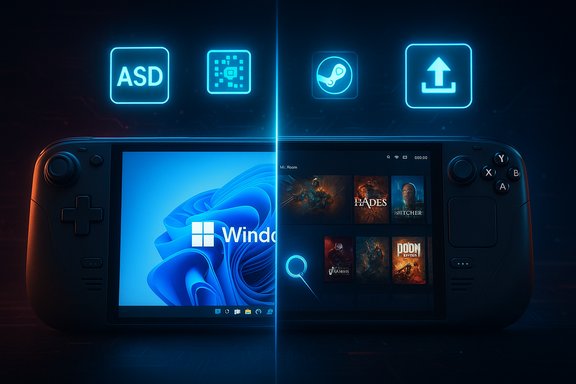
Microsoft’s long reign as the default platform for PC gaming is suddenly under real pressure — and not only from Epic Store deals or console crossplay, but from an operating system that champions a different philosophy: SteamOS and the Proton compatibility layer. The shift is visible in handhelds, in developer tooling, and in a growing ecosystem that treats gaming as the product, not a tolerated use case on top of a general-purpose desktop. Microsoft has noticed and is responding — with the Xbox full‑screen experience, Advanced Shader Delivery, Auto SR and DirectX updates — but these moves read as incremental fixes to systemic problems. If Microsoft wants gamers back in full, it needs to do more than patch the edges of Windows 11; it needs to rethink the platform experience that gamers actually value.
PC gaming is an ecosystem where platform choice has historically been driven by software compatibility and tooling. For decades Windows was the unquestioned baseline: DirectX, a dominant compatibility footprint, and the vast majority of game releases meant developers targeted Windows first. That created a self‑reinforcing network effect: gamers bought Windows PCs because games ran there, developers shipped Windows builds because that’s where the players were, and platform differentiation disappeared into Windows’ momentum.
That dynamic changed when Valve stopped treating the PC as a passive canvas for Windows alone and instead built a vertically integrated experience around Steam: store, client, cloud services, and — crucially — its own Linux‑based OS and compatibility stack. The arrival of SteamOS, Proton and the Steam Deck proved a decisive challenge to Windows’ monopoly over PC gaming workflows. Valve did not merely offer an alternative store; it offered a tractable, low‑friction gaming environment with a console‑like UX, strong compatibility for existing Windows titles, and a clear product identity aimed at players.
Microsoft’s response in 2025 reads like a recognition of that shift. The company’s Windows Experience team has published a wide‑ranging look at gaming improvements — from handheld optimizations to renderer updates — but the question remains: are these changes sufficient to stop a broad migration to SteamOS‑styled experiences?
What it doesn’t: FSE runs on top of Windows; it masks problems rather than solving the underlying Desktop/UX mismatch. It still depends on Windows services, driver stacks and the broader update model — so regressions or intrusive OS behavior can still leak through.
What it doesn’t: ASD requires developer and tooling adoption; it only addresses one class of runtime hitch and can’t prevent driver regressions or background interruptions.
What it doesn’t: Platform exclusivity concerns (some implementations require specific NPUs or platform features), HDR incompatibilities and per‑game nuances limit its immediate impact compared to mature vendor solutions like DLSS.
What it doesn’t: Hardware and driver availability — and developer adoption — determine how quickly features translate to player experience. DirectX remains a strength, but it’s not the whole story.
Valve’s advantage is that it built a product with a singular purpose — play games — and optimized every layer to that single end. Microsoft is attempting to reconcile two divergent goals: supporting an enormous, heterogeneous PC ecosystem while delivering a console‑like experience for gaming. That tension explains why many of Microsoft’s fixes feel incremental.
For PC gamers, the choice will come down to two factors: which platform gives the best reliably distraction‑free experience for the games they care about, and where their friends and multiplayer ecosystems live. Valve has narrowed the functional gap enough that many players will choose convenience, consistency and lower overhead over compatibility inertia.
If Microsoft wants to truly win gamers back, it must move beyond surface improvements and commit to an experience that respects what gamers value: stability, predictability, low latency, transparent AI and a launcher that feels like it was built by players, for players — not an afterthought on top of a decades‑old general‑purpose OS. Until then, SteamOS and Proton will remain a compelling alternative, and the platform wars for the future of PC gaming will continue in earnest.
Source: TechRadar https://www.techradar.com/computing...ows-11-for-pc-gaming-are-too-little-too-late/
 Background
PC gaming is an ecosystem where platform choice has historically been driven by software compatibility and tooling. For decades Windows was the unquestioned baseline: DirectX, a dominant compatibility footprint, and the vast majority of game releases meant developers targeted Windows first. That created a self‑reinforcing network effect: gamers bought Windows PCs because games ran there, developers shipped Windows builds because that’s where the players were, and platform differentiation disappeared into Windows’ momentum.That dynamic changed when Valve stopped treating the PC as a passive canvas for Windows alone and instead built a vertically integrated experience around Steam: store, client, cloud services, and — crucially — its own Linux‑based OS and compatibility stack. The arrival of SteamOS, Proton and the Steam Deck proved a decisive challenge to Windows’ monopoly over PC gaming workflows. Valve did not merely offer an alternative store; it offered a tractable, low‑friction gaming environment with a console‑like UX, strong compatibility for existing Windows titles, and a clear product identity aimed at players.
Microsoft’s response in 2025 reads like a recognition of that shift. The company’s Windows Experience team has published a wide‑ranging look at gaming improvements — from handheld optimizations to renderer updates — but the question remains: are these changes sufficient to stop a broad migration to SteamOS‑styled experiences?
Why SteamOS + Proton changed the game
SteamOS alone would have been an interesting experiment. Together with Proton and the Steam Deck, Valve created a practical pathway away from Windows for many gamers.Proton: removing the Windows moat
- Proton is a compatibility layer that translates Windows graphics and system calls to Linux equivalents so that unmodified Windows games can run on Linux with minimal user intervention.
- The initial Proton release in August 2018 was the turning point: a growing catalog of games became playable on Linux, and Proton’s integration into Steam made switching effortless for end users.
Steam Deck: productized proof
- The Steam Deck proved that a dedicated, purpose‑built handheld PC running SteamOS could deliver a seamless, console‑like experience with access to the full Steam library.
- Steam Deck’s success normalized the idea that portable PC gaming didn’t require Windows, and it inspired a wave of handhelds and a new OEM interest in shipping SteamOS‑ready devices.
“Powered by SteamOS” and ecosystem momentum
- Valve has moved toward a formal “Powered by SteamOS” ecosystem and has extended SteamOS builds and support for third‑party handhelds and living‑room hardware.
- The software ecosystem — driver updates, Steam Compatibility/Verified programs and Open‑Source tooling improvements — reinforces the notion that Linux can be a first‑class gaming environment, not a hobbyist patchwork.
Windows 11’s gaming problem: product and perception
Microsoft still controls essential technology for PC gaming — DirectX, driver ecosystems, and widespread vendor support — but Windows 11 has developed multiple surface problems that erode its appeal for gamers.Experience mismatches on small screens and handhelds
Windows 11 is a general‑purpose OS with decades of legacy UI and a growing set of modern features. On a handheld that needs a single, distraction‑free launcher and consistent controller UX, the mismatch is obvious.- Pop‑ups, background notifications and OS dialogs can interrupt games.
- Small‑screen text and mixed UI paradigms (touch‑first components mixed with decades‑old dialog boxes) reduce usability and immersion.
- Some OEM handhelds running Windows 11 have reported frequent focus losses and intrusive prompts that break gameplay.
Regressions, updates and stability worries
Windows is mature, but that maturity comes with complexity. Recent update cycles and driver interactions have sometimes introduced regressions that impact gaming performance and stability.- Users and community reports point to driver incompatibilities, display driver timeouts and occasional update‑related regressions that can introduce microstutters or crashes.
- For gamers, a single disruptive update — particularly on a handheld or a new machine — can sour the entire experience.
Perceived overreach: AI features and bloat
Microsoft’s push to fold AI capabilities such as Copilot and features that collect or synthesize lots of local context has generated debate and some pushback.- Features that appear to be “crammed” into the UI or that create background capture/processing concerns can feel like distractions.
- For gamers, the value equation is simple: if a feature improves frame rates, latency or load times it’s welcome; if it interrupts gameplay or intrudes on privacy it’s not.
Microsoft’s moves: what they announced and what they actually change
Microsoft’s 2025 gaming messaging focuses on four practical areas: a console‑style home, shader handling, AI upscaling, and DirectX advances. Each offers a clear benefit — but also demonstrates the incremental nature of Microsoft’s approach.Xbox full‑screen experience (FSE): console UX on top of Windows
- FSE is a controller‑first, full‑screen shell that aims to minimize background activity and create a more console‑like home for games.
- It’s optimized to reduce idle background work and to present a simplified launcher on handhelds.
What it doesn’t: FSE runs on top of Windows; it masks problems rather than solving the underlying Desktop/UX mismatch. It still depends on Windows services, driver stacks and the broader update model — so regressions or intrusive OS behavior can still leak through.
Advanced Shader Delivery (ASD): precompiled shader bundles
- ASD preloads precompiled shaders at install time to reduce first‑run shader compilation stutters.
- The result is faster first‑run experience and fewer mid‑session hitches in shader‑heavy games.
What it doesn’t: ASD requires developer and tooling adoption; it only addresses one class of runtime hitch and can’t prevent driver regressions or background interruptions.
Auto SR (Automatic Super Resolution): OS‑level upscaling
- Auto SR is Microsoft’s OS‑level upscaling and uses on‑device AI where available to upscale lower‑resolution frames into sharper output, improving performance on low‑power hardware.
- It aims to be like DLSS, FSR or XeSS but integrated at the OS level.
What it doesn’t: Platform exclusivity concerns (some implementations require specific NPUs or platform features), HDR incompatibilities and per‑game nuances limit its immediate impact compared to mature vendor solutions like DLSS.
DirectX advances: DXR, neural rendering and audio improvements
- Microsoft shipped DirectX features such as DXR enhancements (opacity micromaps, shader reordering) to improve ray‑tracing performance and enable neural rendering experiments.
- System‑level audio improvements aim to reduce latency and broaden wireless audio support.
What it doesn’t: Hardware and driver availability — and developer adoption — determine how quickly features translate to player experience. DirectX remains a strength, but it’s not the whole story.
Valve’s advantage: focus, product continuity and developer trust
Valve’s strategy has advantages that are hard for Microsoft to replicate:- A tightly focused product (SteamOS + Steam client) designed and iterated around gaming, not general productivity.
- The ability to ship a consistent hardware + software experience (Steam Deck), which establishes a stable baseline for player expectations.
- A compatibility approach (Proton) that directly addresses the single biggest technical impediment to platform migration: running the existing game library.
Developer, anti‑cheat and ecosystem realities
Platform shifts require developer buy‑in. For Valve’s model to continue to succeed, the Linux ecosystem needs to remain friendly to major engines, middleware and anti‑cheat systems.- Anti‑cheat was historically a blocker for Linux gaming; recent years have seen major anti‑cheat providers add support for non‑x86 or Linux scenarios, shrinking that barrier.
- Development tooling such as vendor SDKs, shader compilation paths and engine support needs to be modern and accessible. Microsoft’s tooling dominance (Visual Studio, DirectX tooling) remains important for studios.
Critical analysis: strengths, weaknesses, risks
Microsoft’s 2025 gaming push has legitimate strengths and critical gaps. Here’s a balanced assessment.Strengths
- Platform depth: Microsoft still owns DirectX, the Xbox ecosystem and deep OEM partnerships. That’s not trivial.
- Developer reach: the majority of AAA studios remain deeply integrated with Microsoft’s toolchains and target DirectX first.
- Hardware partnerships: collaborations with OEMs like ASUS/AMD on handhelds show Microsoft can move quickly when it chooses to.
Weaknesses
- Perception and UX: Windows 11’s mixed experience on handhelds and small screens contrasts sharply with SteamOS’s focused approach.
- Incrementalism: many of Microsoft’s announced improvements are iterative rather than transformational. Shimming a console shell over a general OS does not produce a dedicated gaming OS.
- Complexity: Windows must support broad backward compatibility; that constraint makes radical simplification harder.
Risks
- Continued migration: If Valve and partners keep shipping polished SteamOS devices, Microsoft risks a sustained drain of gamers who prefer a distraction‑free gaming surface.
- Fragmentation: If OEMs start offering SteamOS as standard on handhelds or living‑room boxes, the market could bifurcate, increasing developer cost to support multiple baseline OSes.
- Anti‑competitive perception: Microsoft must avoid heavy‑handed tactics that look like attempts to lock content or features to one ecosystem; gamers react strongly to perceived anti‑consumer moves.
What Microsoft should do next (practical strategy)
If the goal is to win gamers back — not just placate them — Microsoft will need to act on multiple fronts, combining product, platform and community strategies.- Deliver a true boot‑to‑game gaming OS profile
- Not a skin or shell: a curated, optionally locked‑down mode that boots directly into a controller‑friendly environment with a minimal OS surface and deterministic background services.
- Give OEMs a lightweight Windows image for handhelds with verified drivers and an update channel that respects gaming play windows.
- Stabilize and guarantee critical update windows
- Enterprise‑grade update predictability for gaming devices: opt‑in pilot ring that prevents regressions for a subset of hardware before wide rollout.
- A rollback and snapshot system tailored to gaming machines so updates can be reversed without data loss.
- Deepen shader and renderer tooling
- Make Advanced Shader Delivery developer‑friendly and automatic via engine integrations (Unreal, Unity) and ensure wide vendor support for precompiled shader bundles.
- Prioritize privacy and predictable AI opt‑in
- AI features are fine when they help (upscaling, latency reductions) but must be opt‑in and transparent. Provide clear, auditable controls for features that capture screen or context.
- Embrace interop and collaboration, not exclusion
- Work with Valve and the Linux community on compatibility layers rather than treating SteamOS as an enemy. Interop produces better outcomes for gamers and reduces friction for developers.
- Honor the “appliance” model
- For players, a device should feel like what it is: a gaming console or a general PC. Microsoft can own both by shipping differentiated, optimized experiences and letting users choose.
What to watch next
- Adoption and deployment of the Xbox full‑screen experience across OEM devices and how deeply it integrates with other stores and launchers.
- Developer adoption of Advanced Shader Delivery (ASD) and how it impacts first‑run hitches in AAA titles.
- Vendor take‑up of Auto SR across different NPUs and whether Microsoft opens cross‑vendor support to broaden device compatibility.
- Valve’s “Powered by SteamOS” program and the rollout of SteamOS on third‑party handhelds and living‑room devices.
- The pace at which anti‑cheat providers stabilize Linux/Proton support — if this continues, migration costs for competitive multiplayer titles will fall.
Final verdict
Microsoft has woken up to a real threat and is shipping meaningful technical advances that can improve gaming on Windows. But the problem is not only about shaders, panels or discrete UX fixes: it’s about product identity.Valve’s advantage is that it built a product with a singular purpose — play games — and optimized every layer to that single end. Microsoft is attempting to reconcile two divergent goals: supporting an enormous, heterogeneous PC ecosystem while delivering a console‑like experience for gaming. That tension explains why many of Microsoft’s fixes feel incremental.
For PC gamers, the choice will come down to two factors: which platform gives the best reliably distraction‑free experience for the games they care about, and where their friends and multiplayer ecosystems live. Valve has narrowed the functional gap enough that many players will choose convenience, consistency and lower overhead over compatibility inertia.
If Microsoft wants to truly win gamers back, it must move beyond surface improvements and commit to an experience that respects what gamers value: stability, predictability, low latency, transparent AI and a launcher that feels like it was built by players, for players — not an afterthought on top of a decades‑old general‑purpose OS. Until then, SteamOS and Proton will remain a compelling alternative, and the platform wars for the future of PC gaming will continue in earnest.
Source: TechRadar https://www.techradar.com/computing...ows-11-for-pc-gaming-are-too-little-too-late/